


Ai4 Society Connect for Creatio
Overview
Product overview
Ai4 Society Connect for Creatio is a comprehensive society and residential community management application built on the Creatio no-code platform. It provides a centralized solution for managing residents, visitors, maintenance operations, payments, staff, approvals, and community communications, helping housing societies and residential communities streamline day-to-day operations while enhancing resident experience and security.
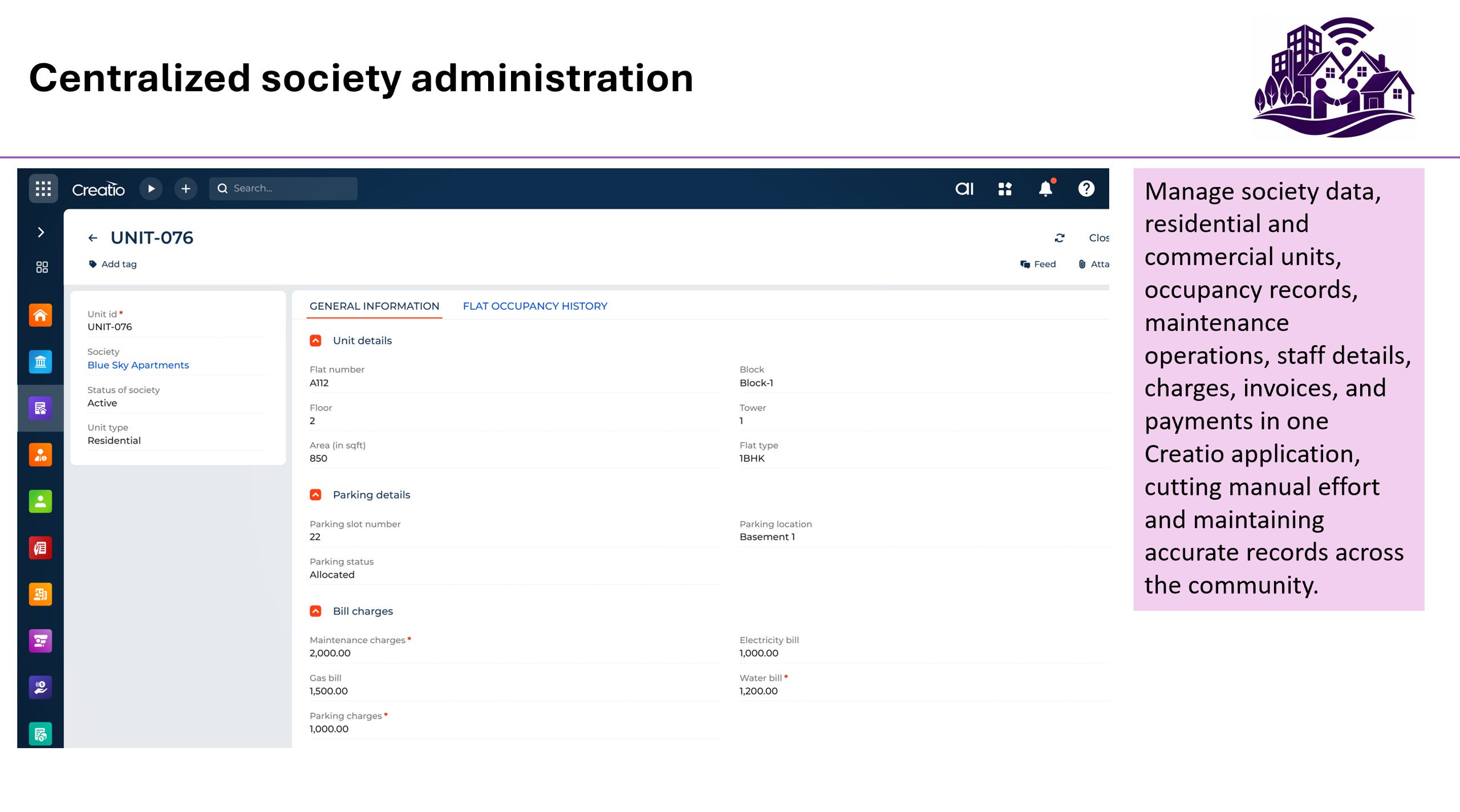
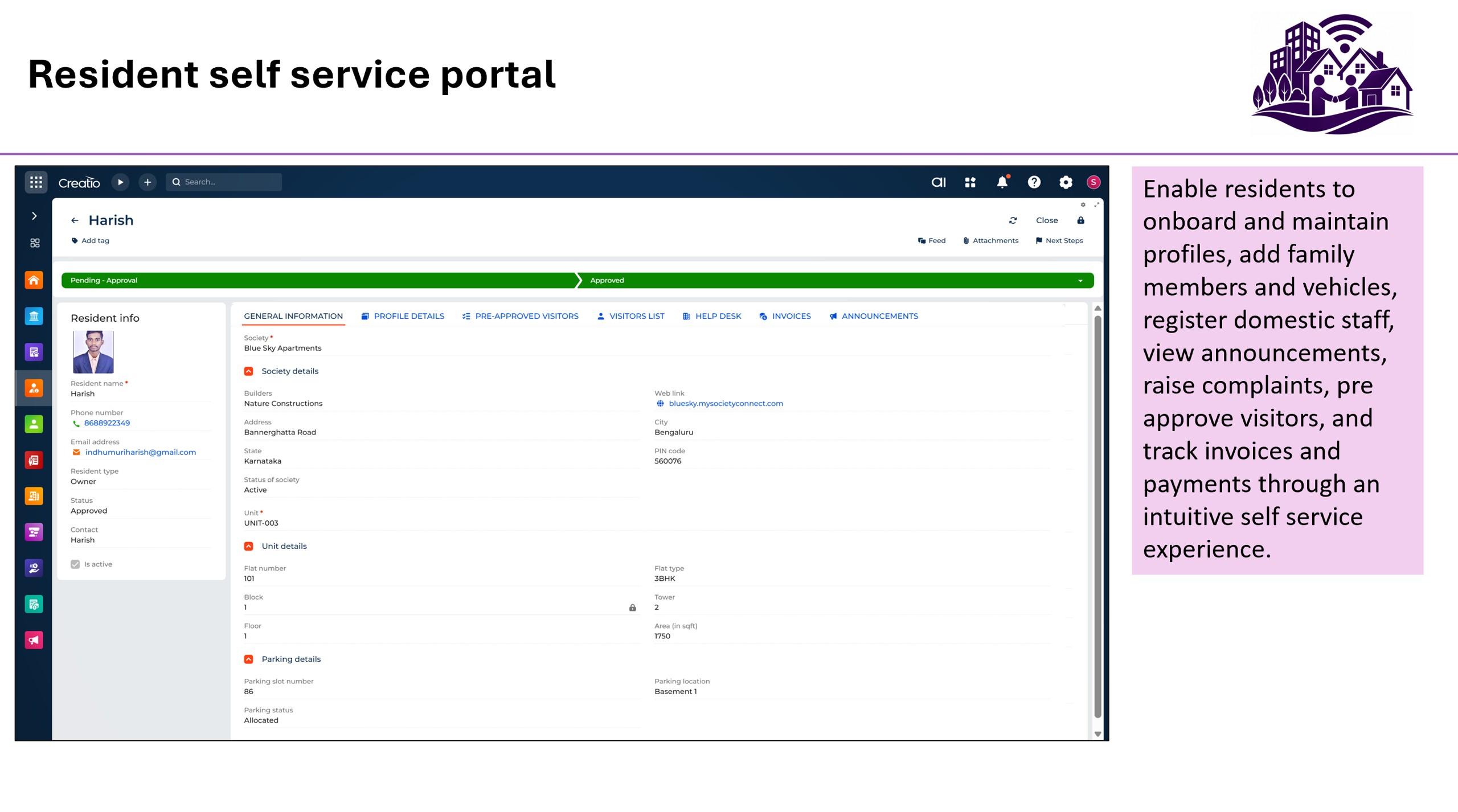
The application enables society administrators to efficiently manage society information, residential and commercial units, occupancy records, maintenance charges, invoices, payments, staff attendance, and approval workflows from a single platform. Residents can self-manage their profiles, family members, vehicles, and domestic staff while accessing society announcements, raising complaints, pre-approving visitors, and tracking invoices and payments through an intuitive self-service experience.
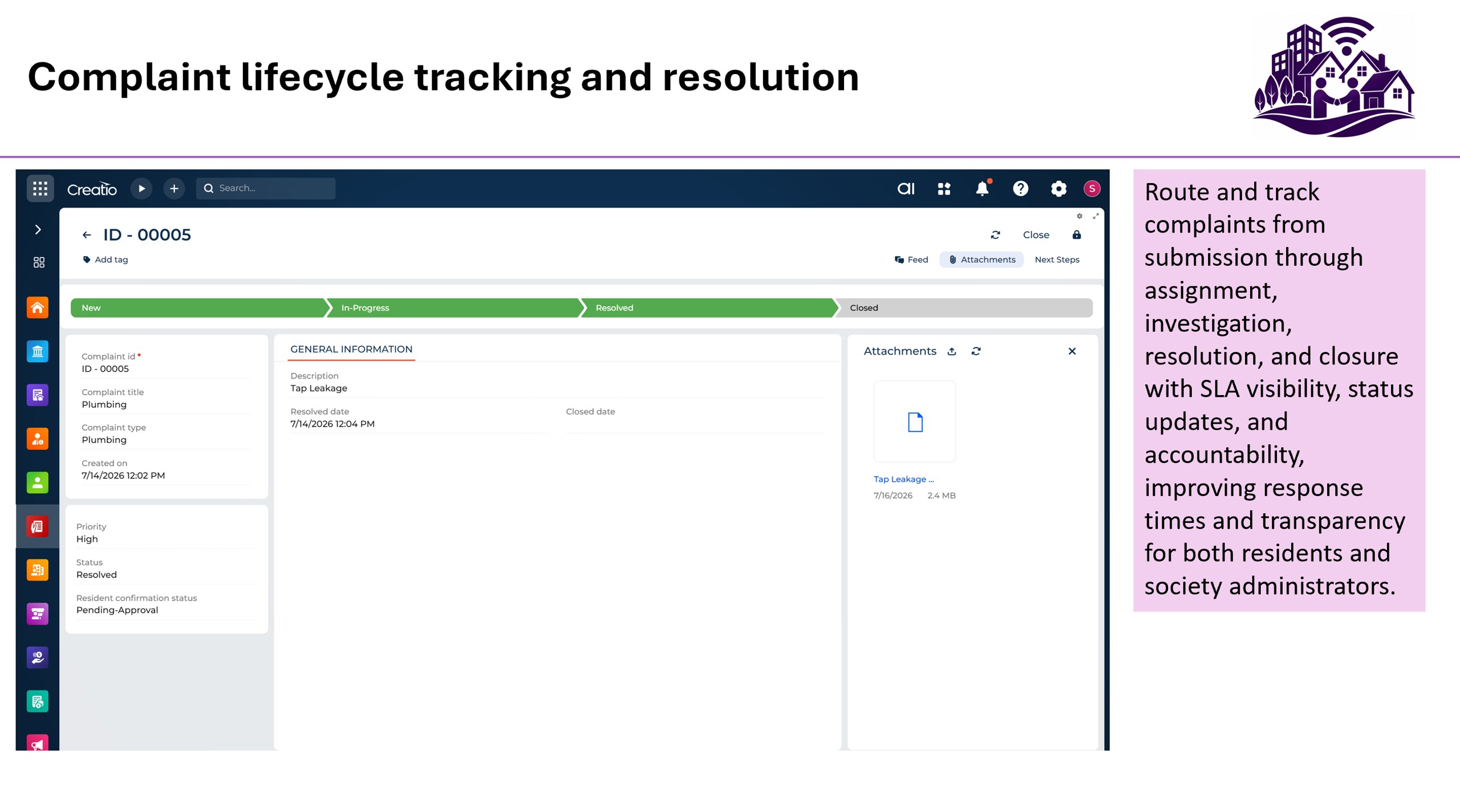
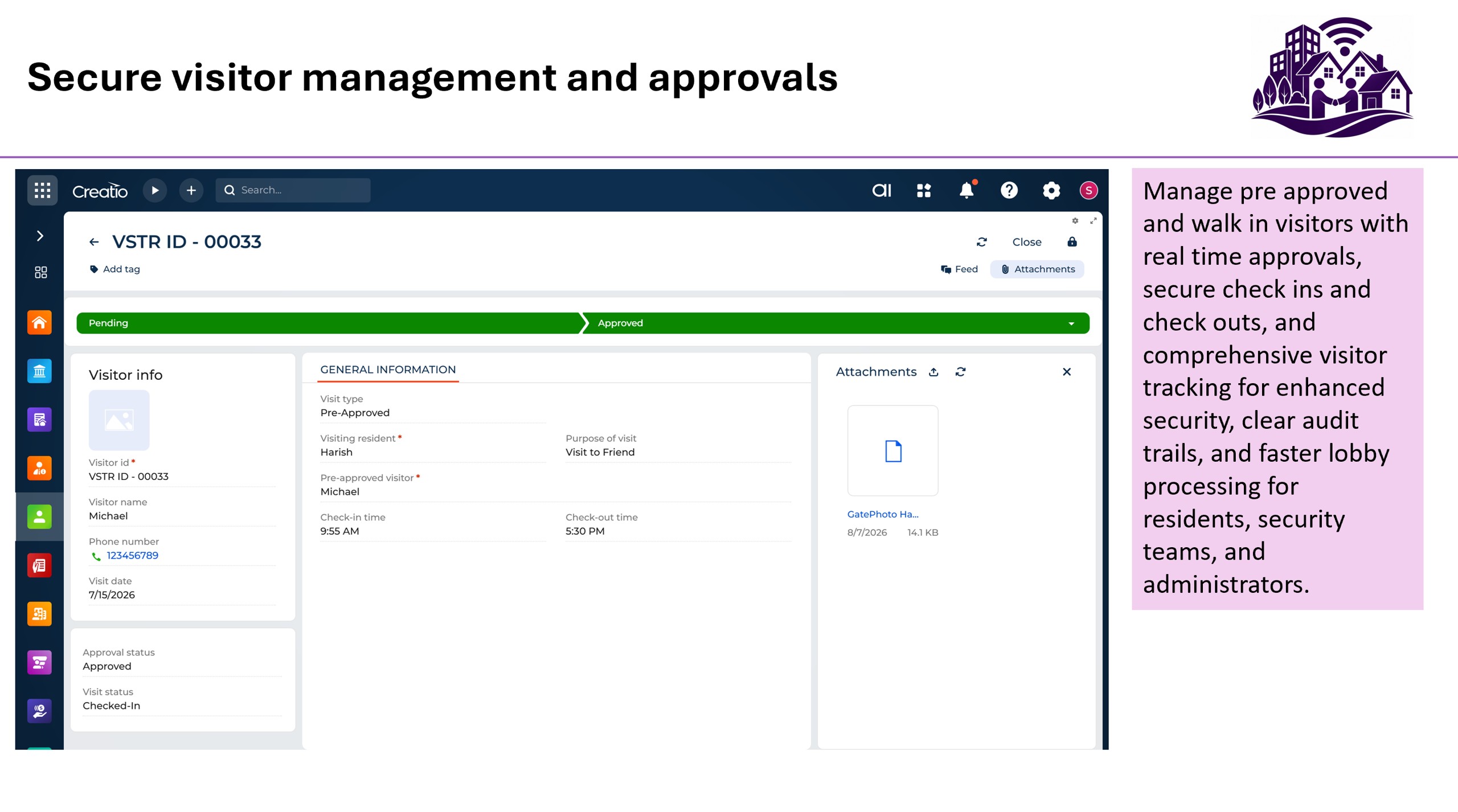
AI4 Society Connect includes a robust visitor management system that supports both pre-approved and walk-in visitors, enabling real-time approvals, secure check-ins and check-outs, and complete visitor tracking. Complaint management workflows ensure issues are tracked from submission through resolution and closure, providing transparency and accountability for both residents and administrators.
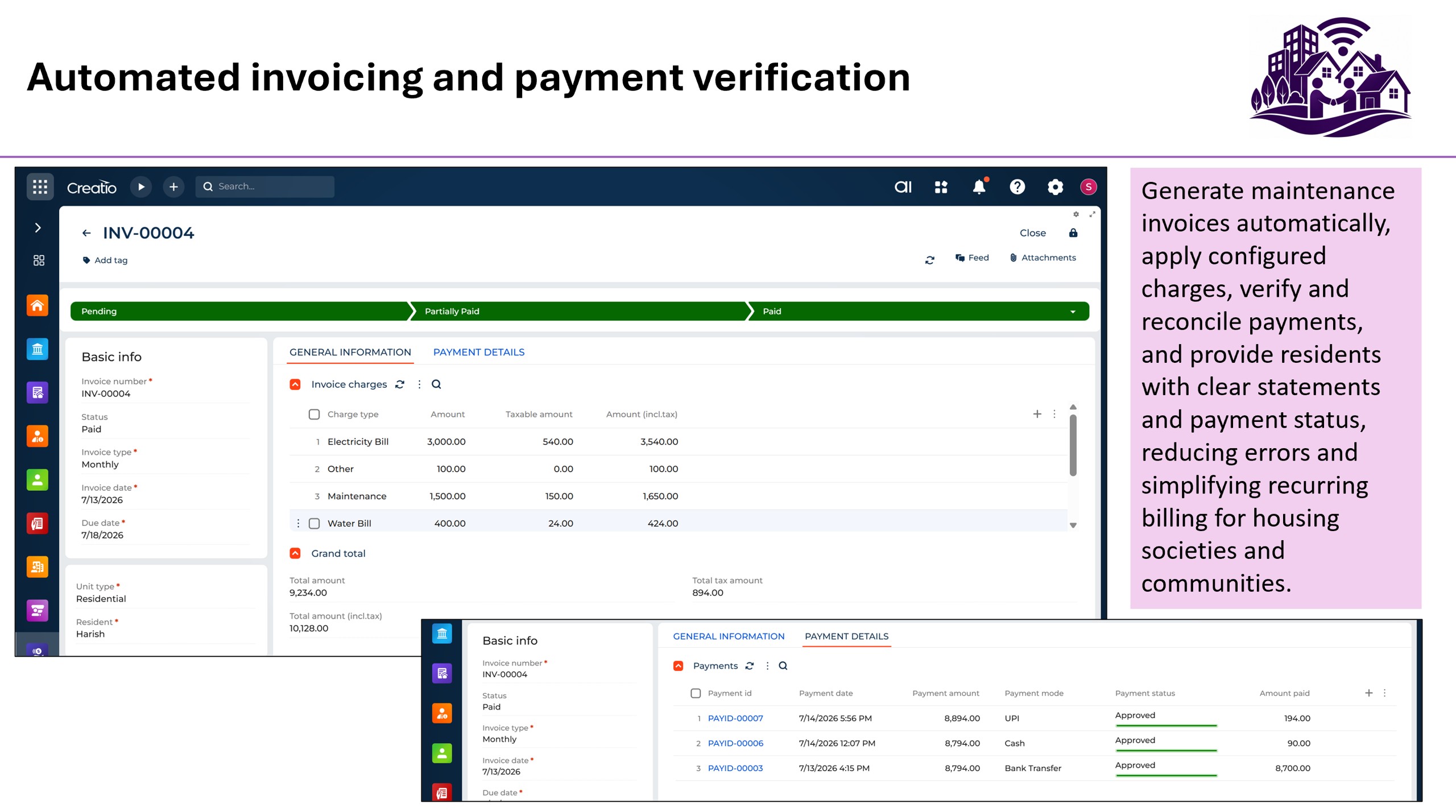
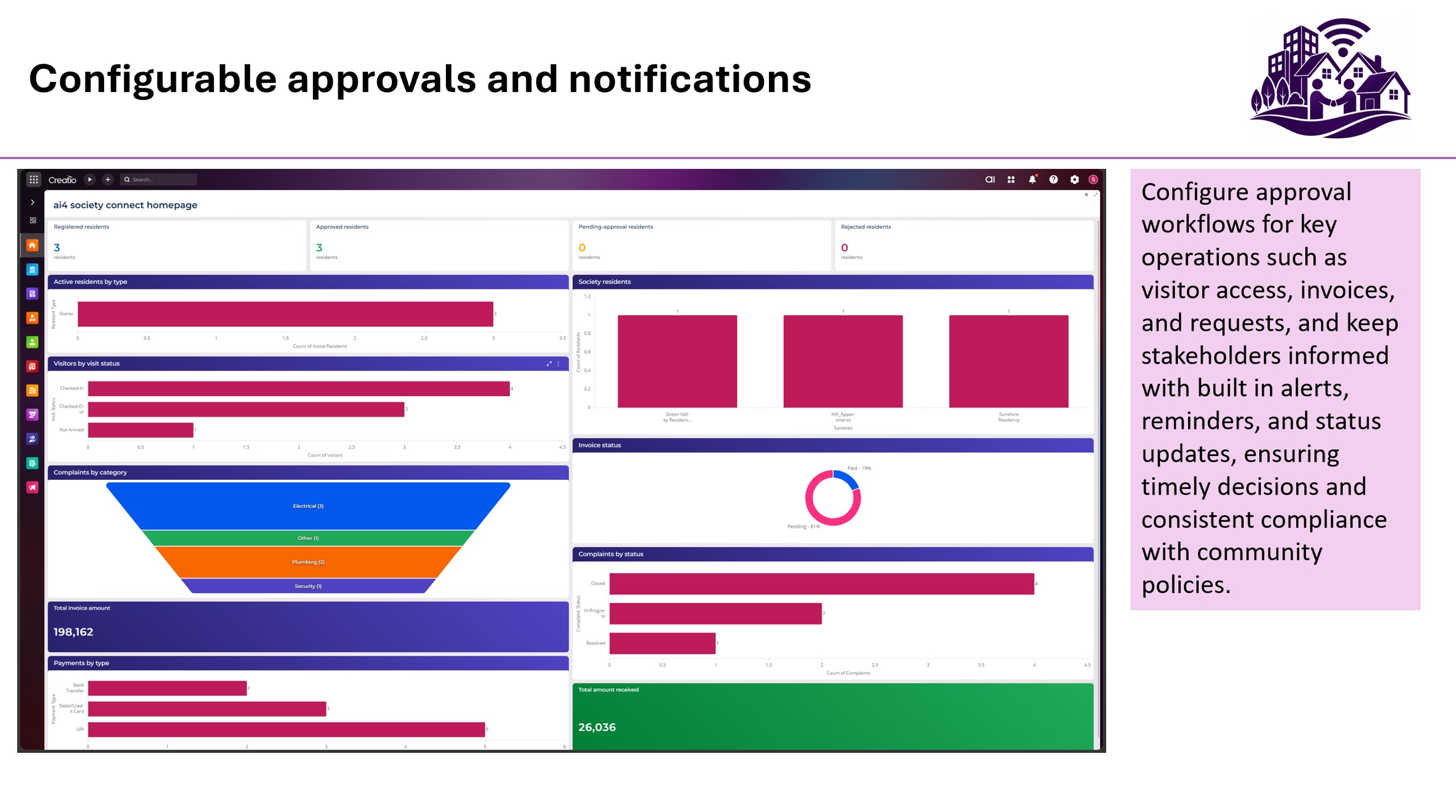
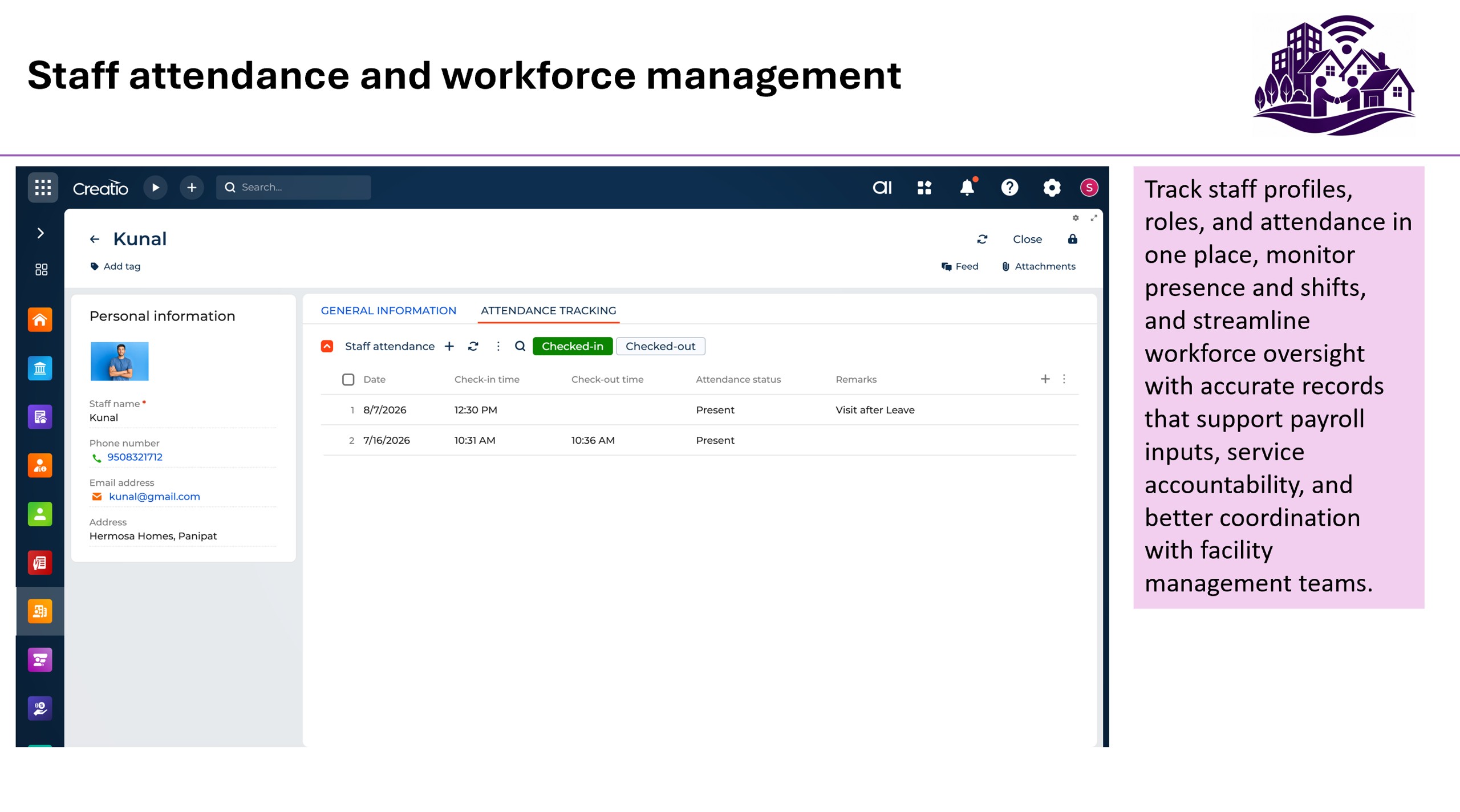
The platform also supports automated invoice generation, payment verification, staff management, attendance tracking, announcements, and configurable approval workflows. Built-in notifications keep residents, security personnel, and administrators informed through alerts, reminders, and status updates.
Target Users:
• Residential Housing Societies
• Apartment Complexes
• Gated Communities
• Property Management Organizations
• Society Administrators and Management Committees
• Residents and Tenants
• Security Teams and Facility Management Staff
Key Features
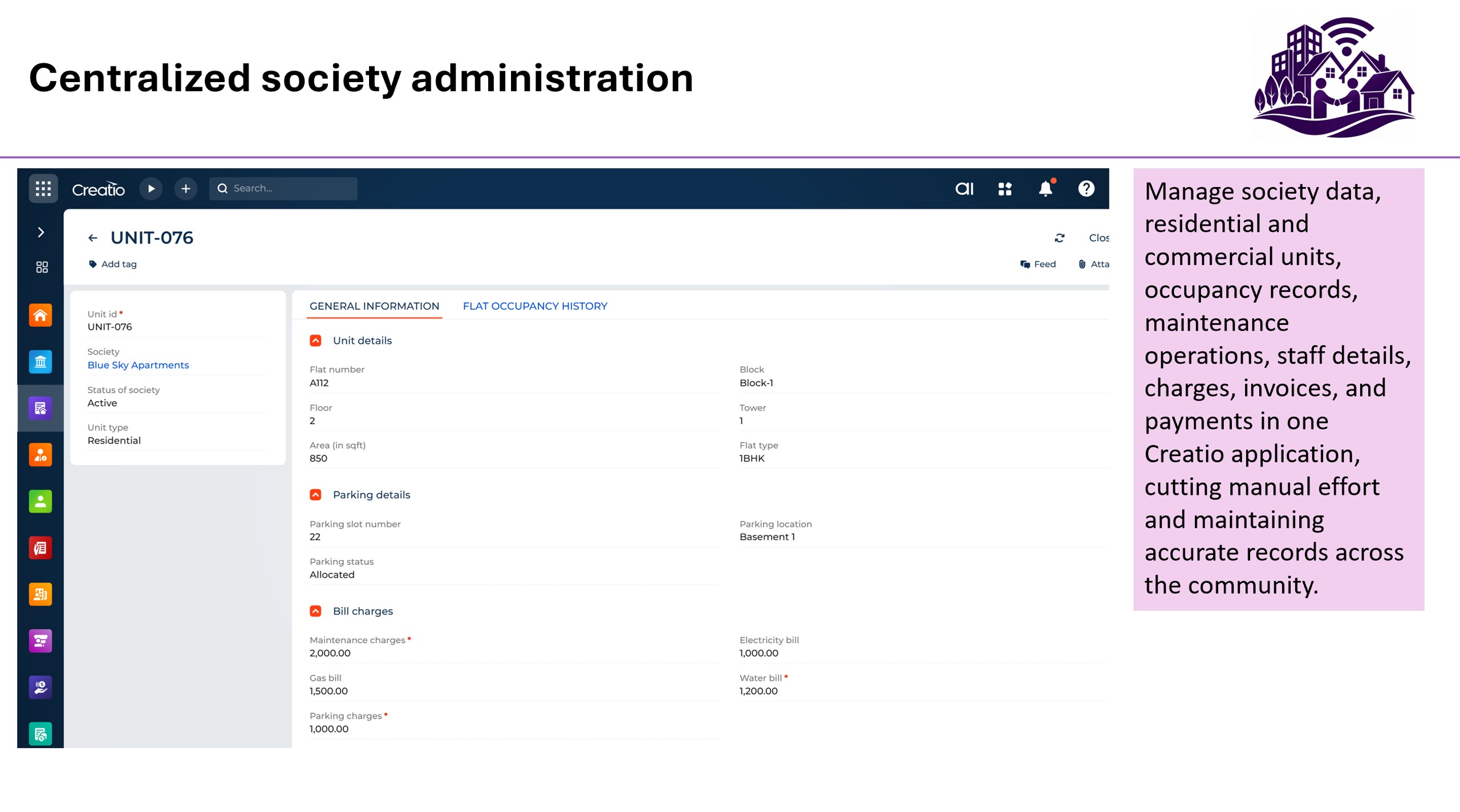
Centralized society administration
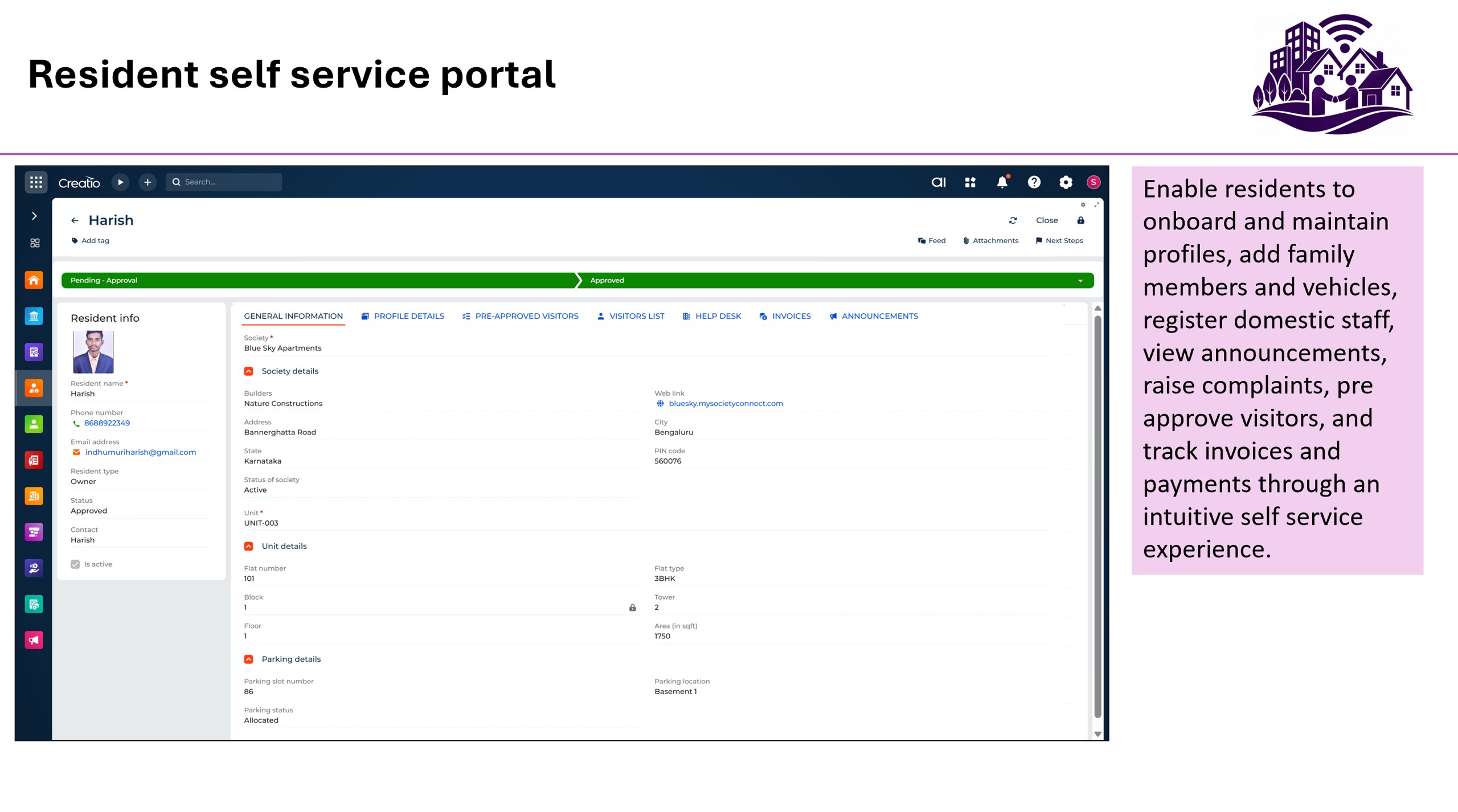
Resident self service portal
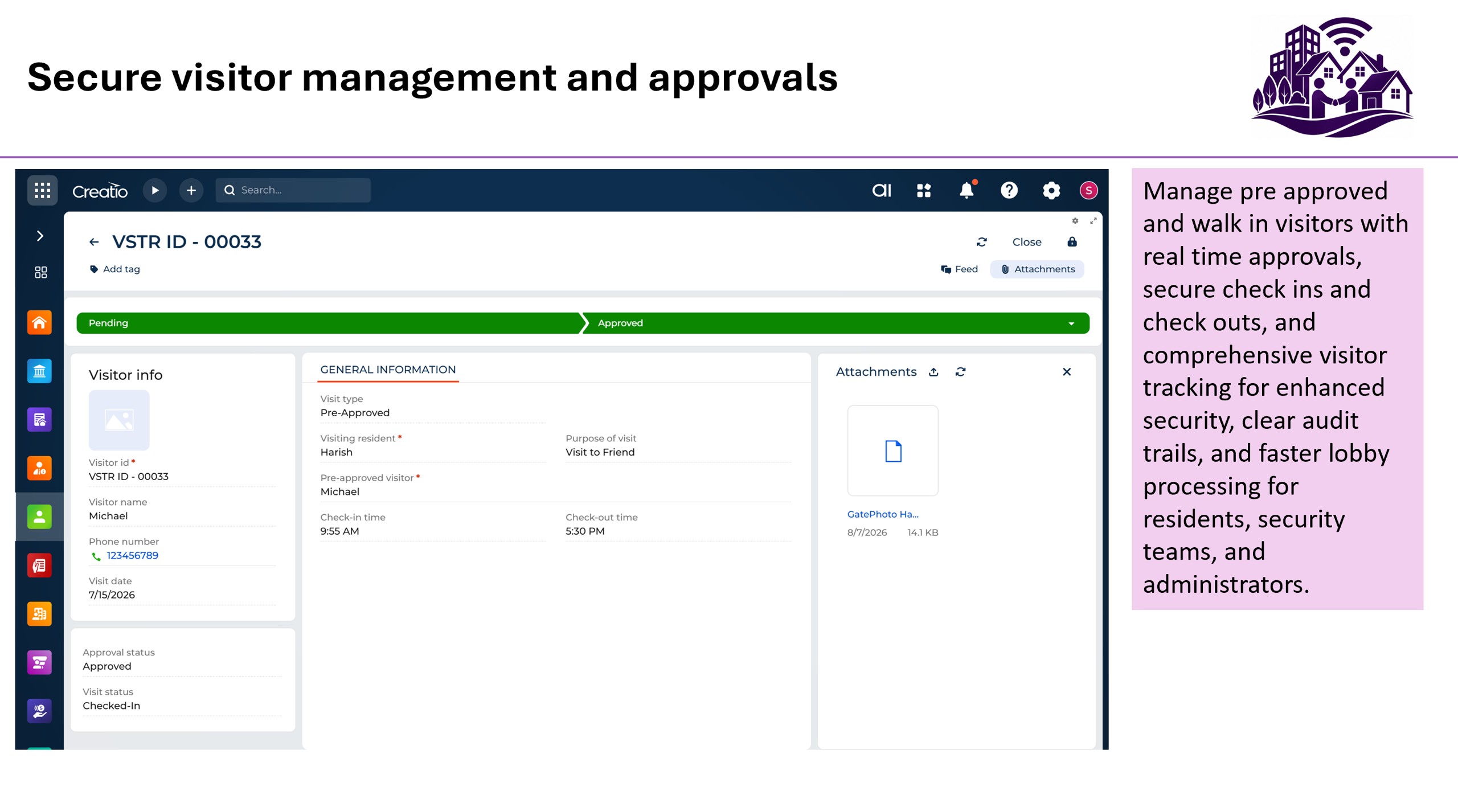
Secure visitor management and approvals
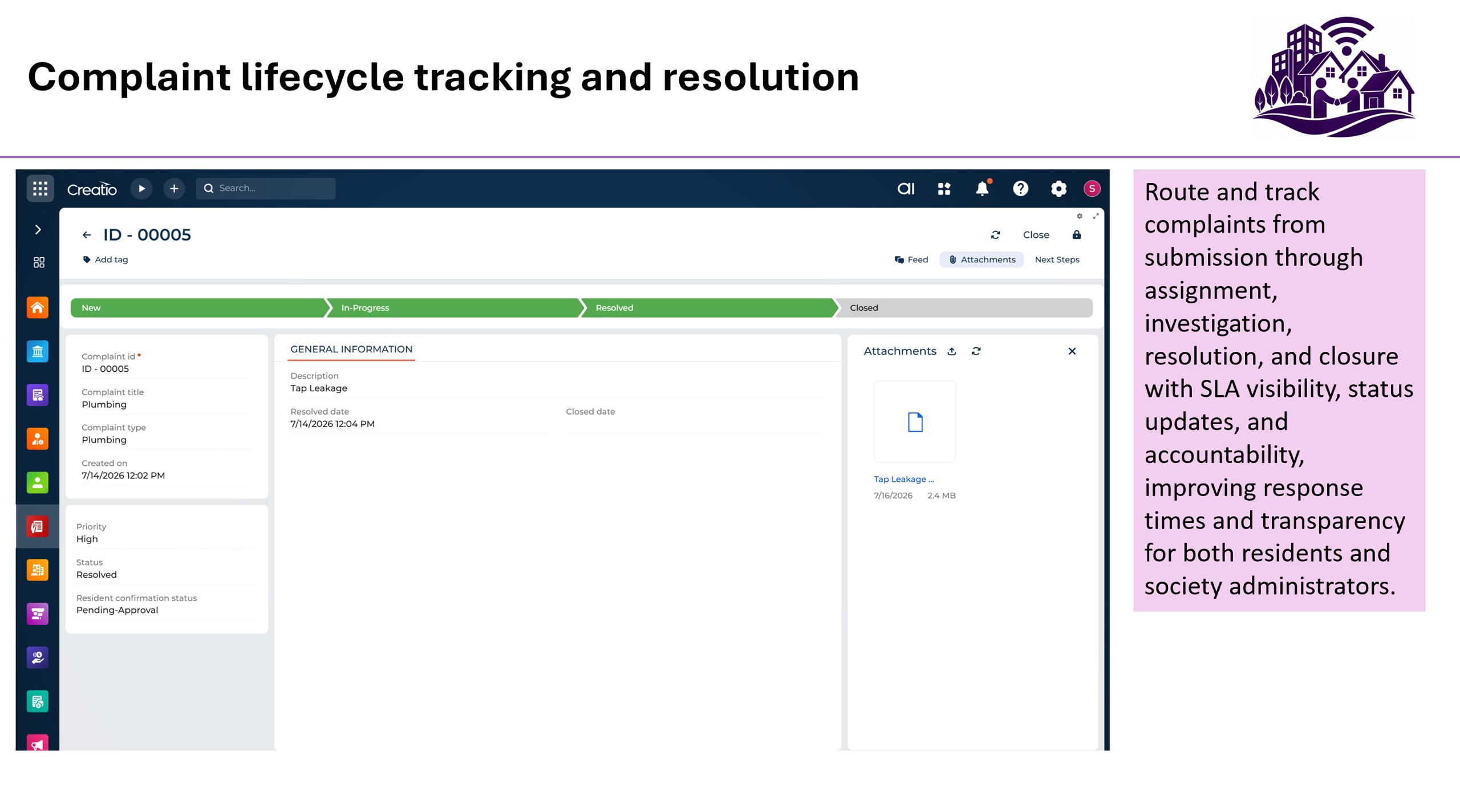
Complaint lifecycle tracking and resolution
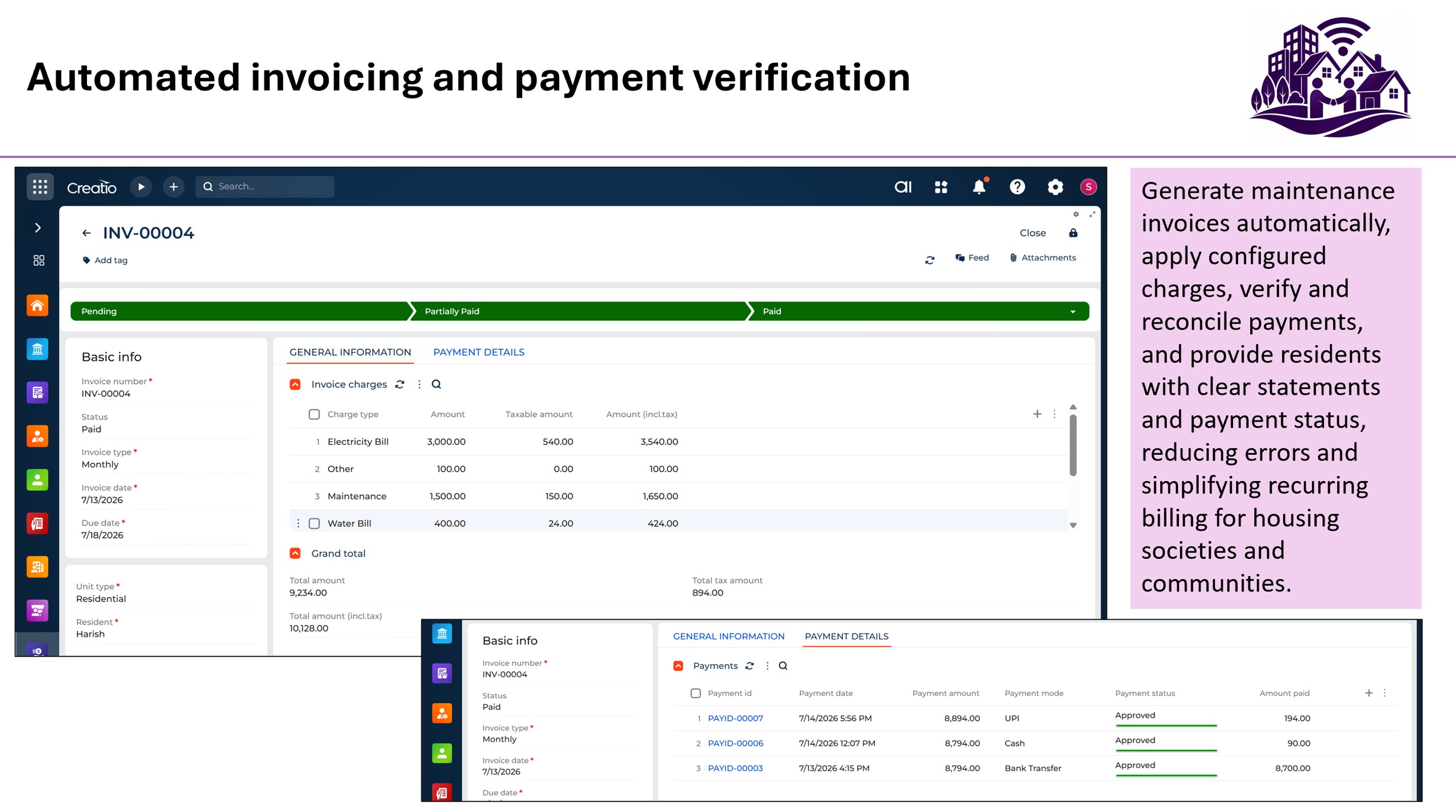
Automated invoicing and payment verification
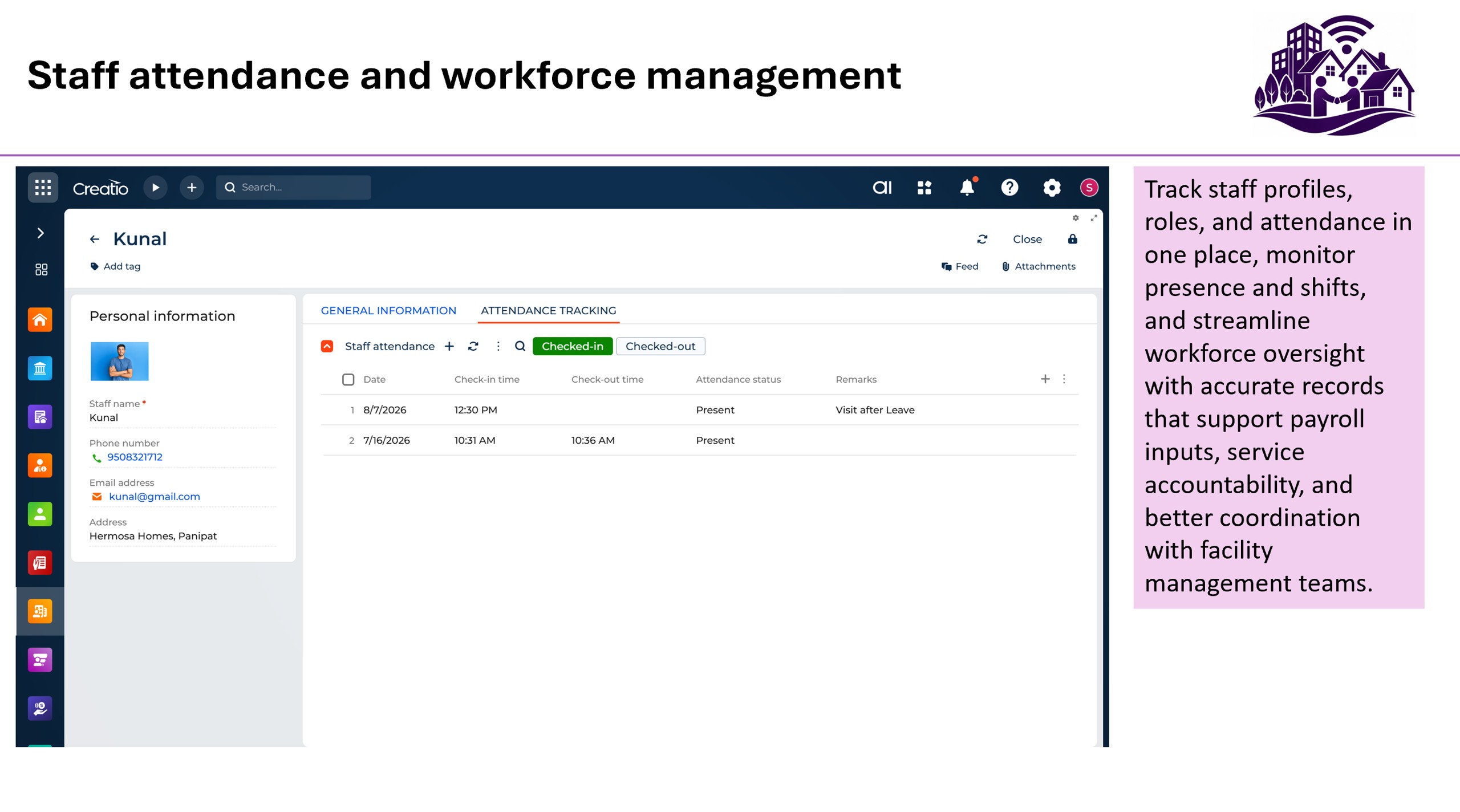
Staff attendance and workforce management
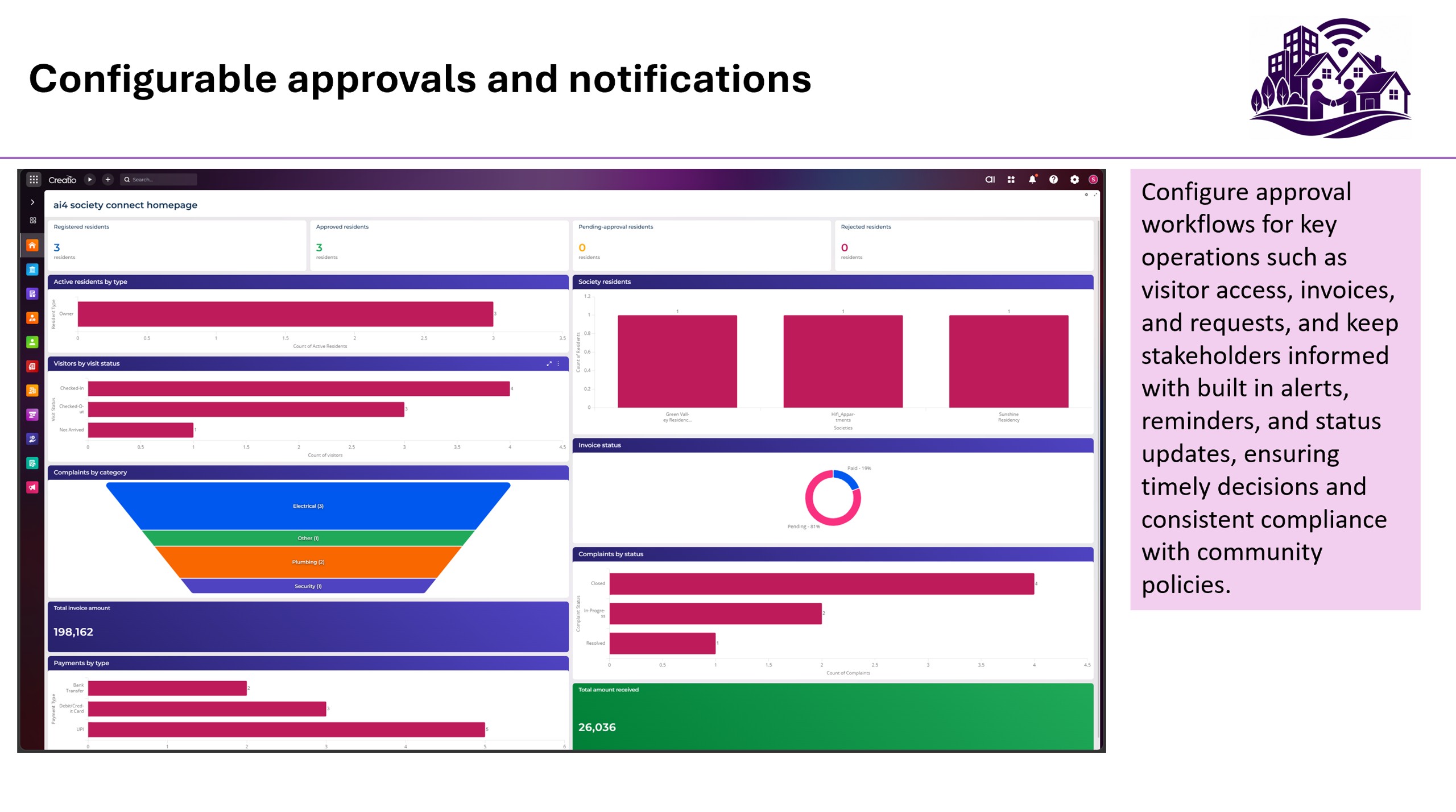
Configurable approvals and notifications
Pricing
Terms and Conditions
Support
Installation
Setup guide
Please refer to the Ai4 Society Connect for Creatio User Guide provided with the application. Ai4 society connect for Creatio can be configured in a few simple steps after installation. Begin by creating the society record and configuring residential or commercial units, including towers, flat numbers, and maintenance charges. Next, assign user roles such as Administrator, Resident, and Security Officer, and register residents within the system. Once the core data is in place, configure operational processes including visitor management, complaint handling, invoice generation, payment approvals, staff attendance, notifications, and announcements. Before going live, it is recommended to validate key workflows such as resident onboarding, visitor approvals, billing, and payments to ensure the application is configured correctly.
Data sharing
- By installing or downloading the App, you confirm that you agree with sharing your account data (name, email, phone, company and country) with the App Developer as their End User.
- The App Developer will process your data under their privacy policy.
Versions
Versions history
- Society and Unit Management
- Resident Registration and Profile Management
- Family Member, Vehicle, and Domestic Staff Management
- Visitor Management with Pre-Approval and Check-In/Check-Out Tracking
- Complaint Management with Resolution Workflows
- Automated Invoice Generation and Payment Tracking
- Staff Management and Attendance Monitoring
- Society Announcements and Notifications
- Approval Workflows for Registrations, Visitors, Complaints, and Payments
- Operational Dashboards and Reporting
- Role-Based Access for Administrators, Residents, and Security Personnel
Manual app installation
- Open the needed app → the Packages tab - download the Markeplace app files.
- Click in the top right → Application Hub
- Click New application. This opens a window.
- Select Install from file and click Select in the window that opens.
- Click Select file on the page of the Marketplace App Installation Wizard and specify the app file path.