Apryse Annotations
Coming soon
Apryse Annotations for Creatio enables users to view and annotate documents directly in Creatio records using Apryse annotation technology, supporting comments, markups, and collaborative review without leaving the platform.

Overview

Product overview

Product description

Apryse Annotations adds document annotation capabilities to Creatio records. The app extends the File preview window, allowing users to add comments, highlights, drawings, and other markups to files directly in Creatio.

The app works with File fields and attachments on pages of Creatio standard and custom objects. Users can open a file from a record page and create annotations that are saved together with the file and linked to the corresponding record.

Apryse Annotations supports collaborative review by allowing multiple users to add annotations to the same file. Each annotation is associated with the Creatio user who created it and includes a timestamp for traceability.

The app does not require additional configuration. After installation from the Marketplace, the annotation functionality becomes available by default in the File preview window and follows standard Creatio UI behavior.

Key Features
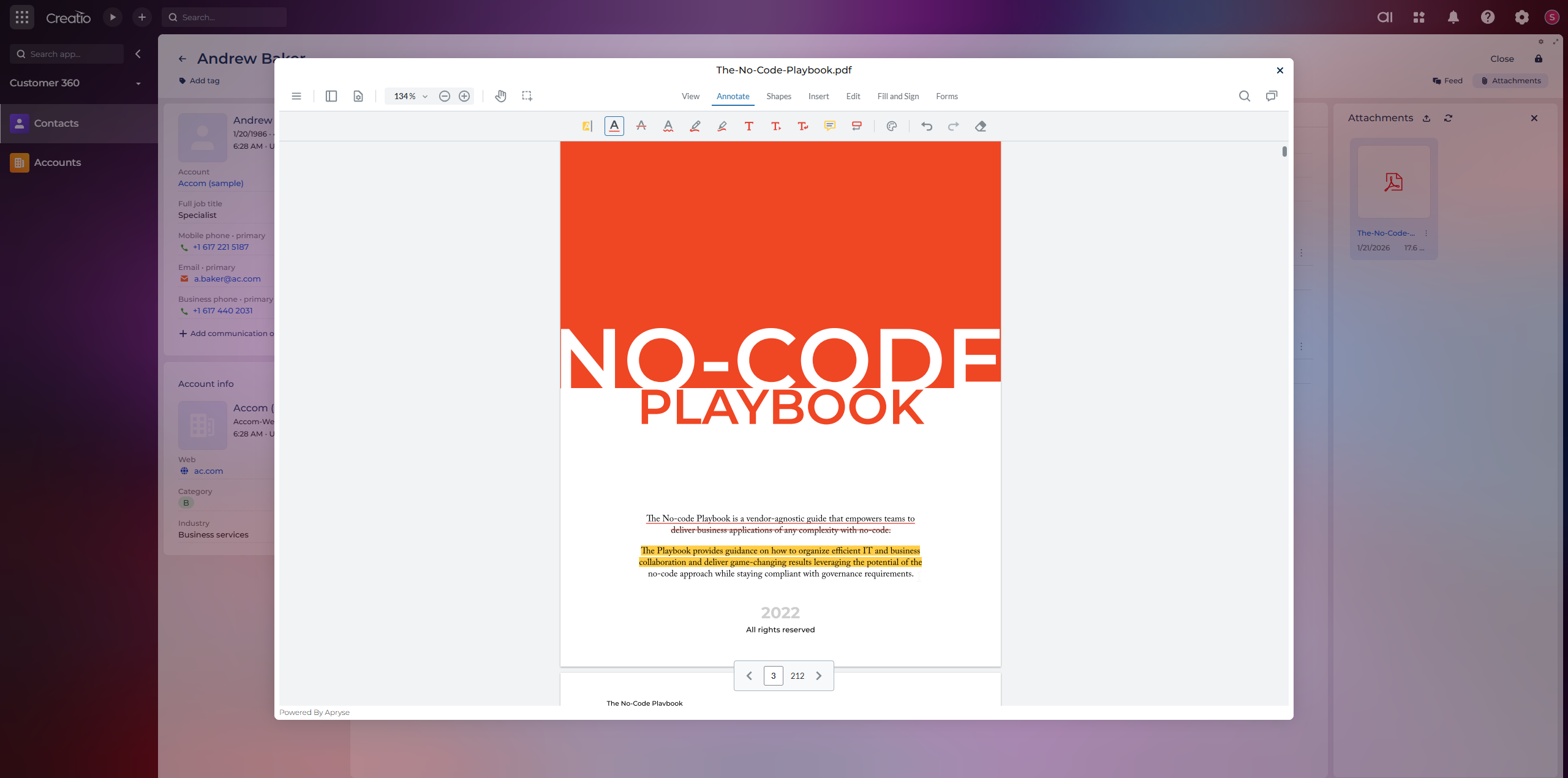
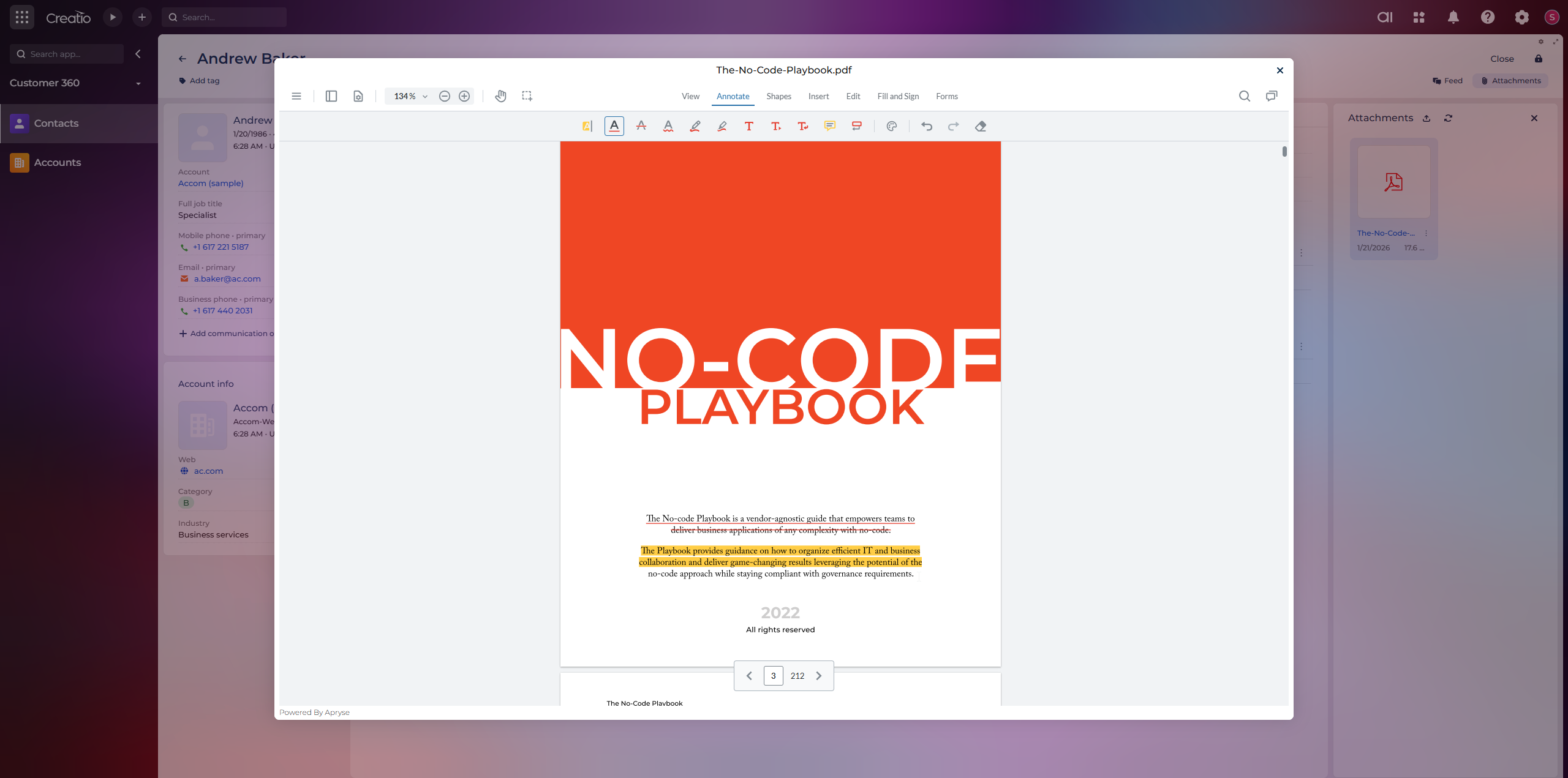
Simplify document review
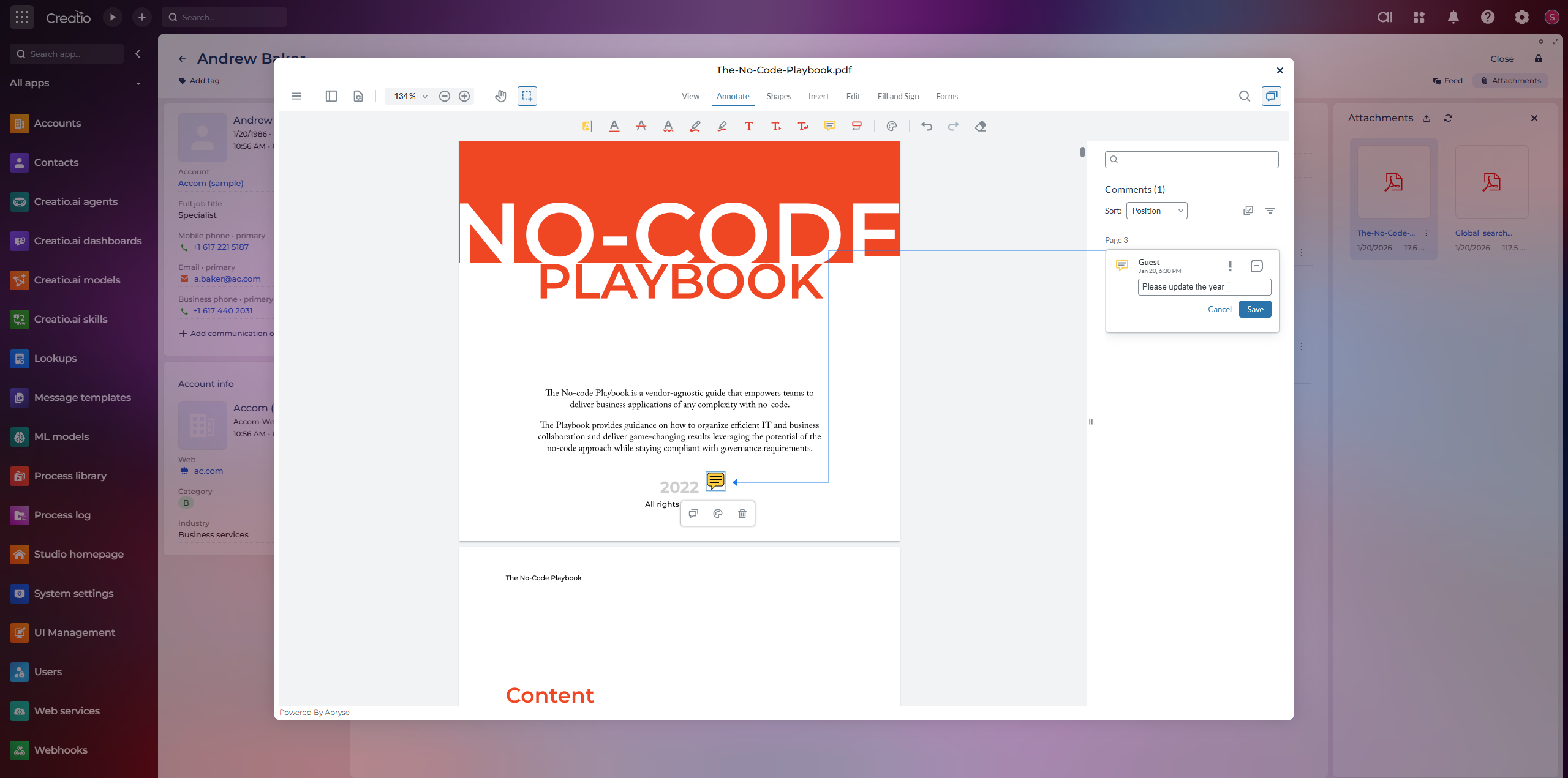
Simplify the way users review documents in Creatio by adding highlights, underlines, and strikeouts directly in the File preview window.

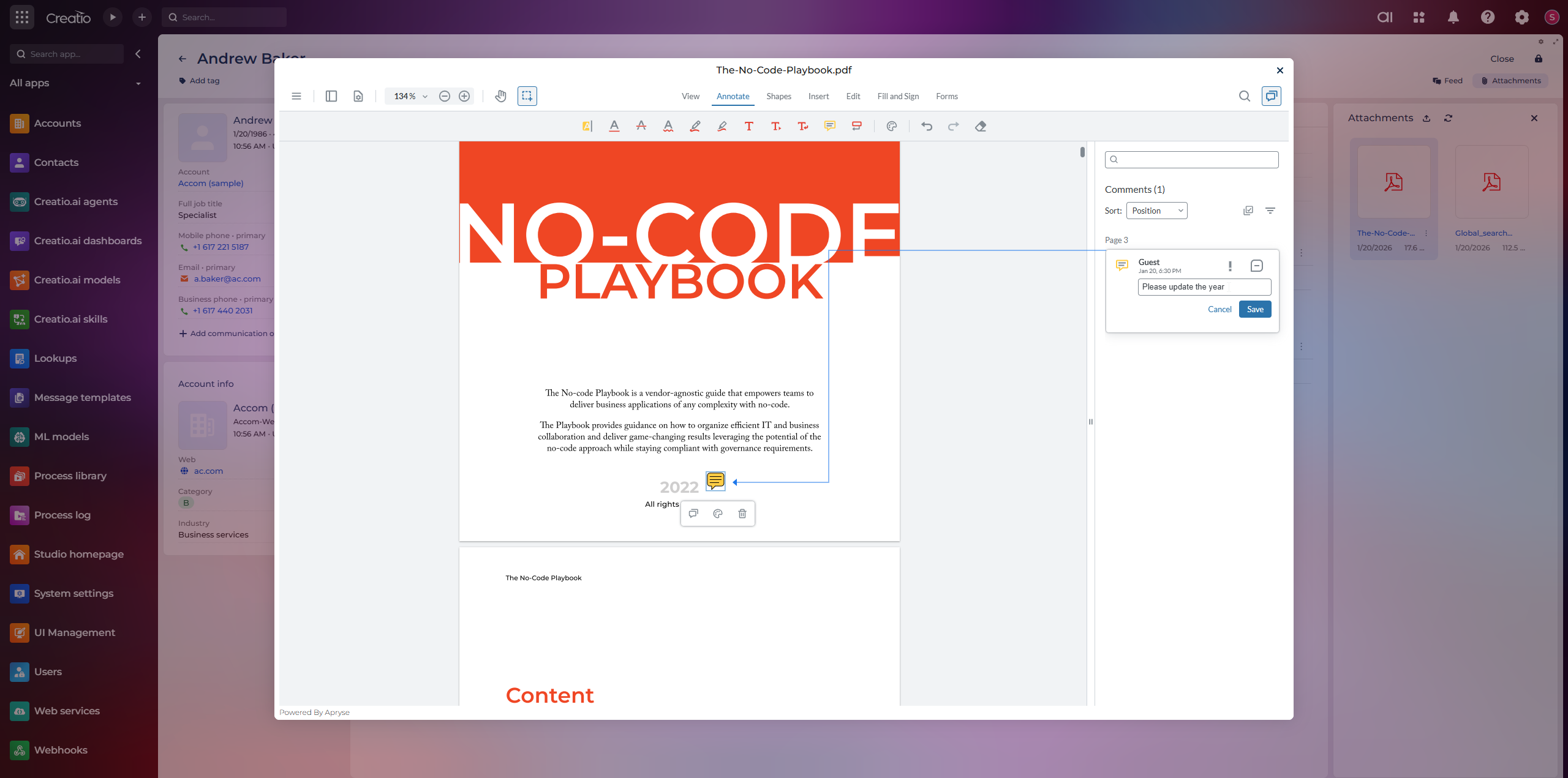
Add contextual comments

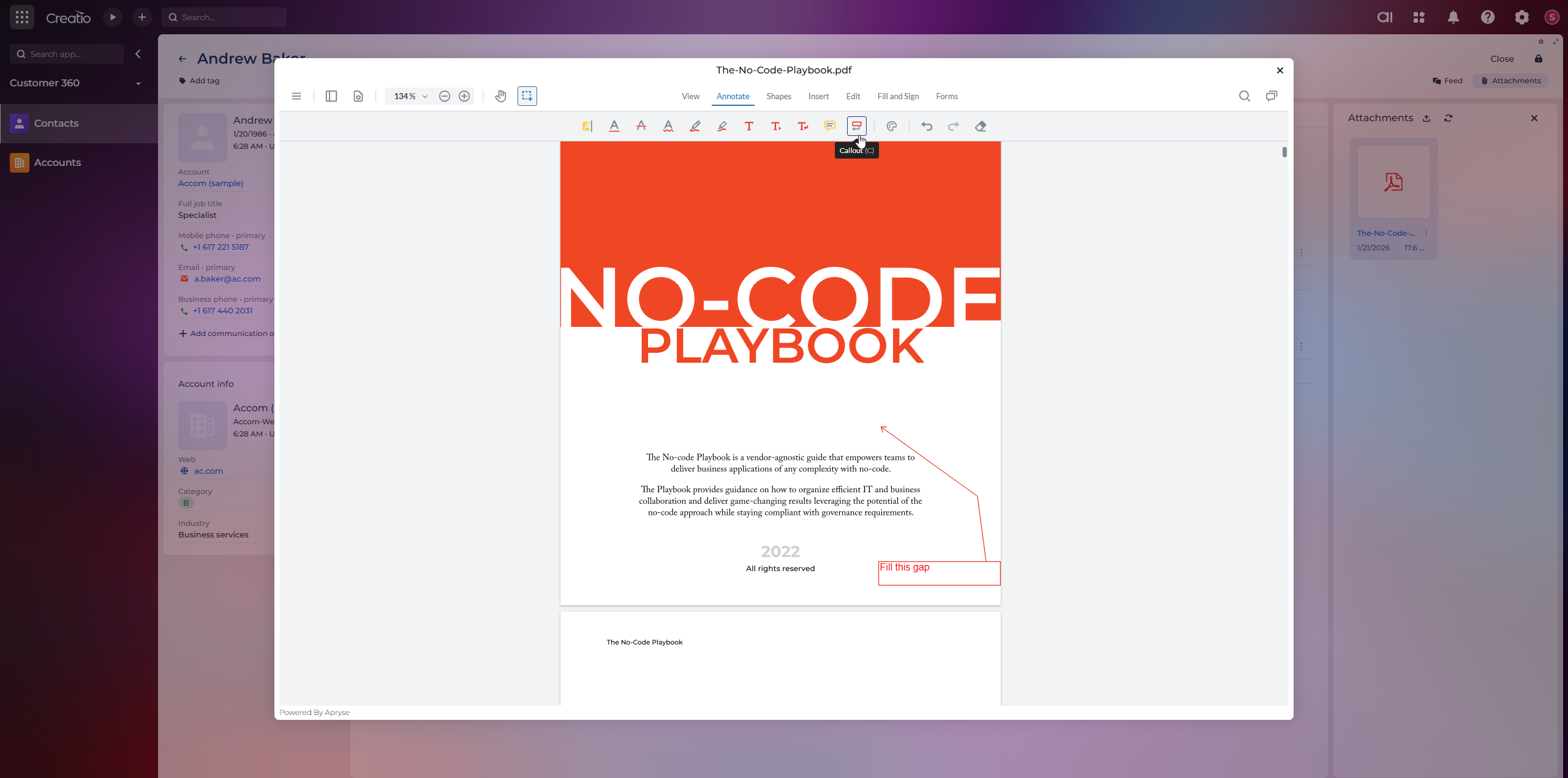
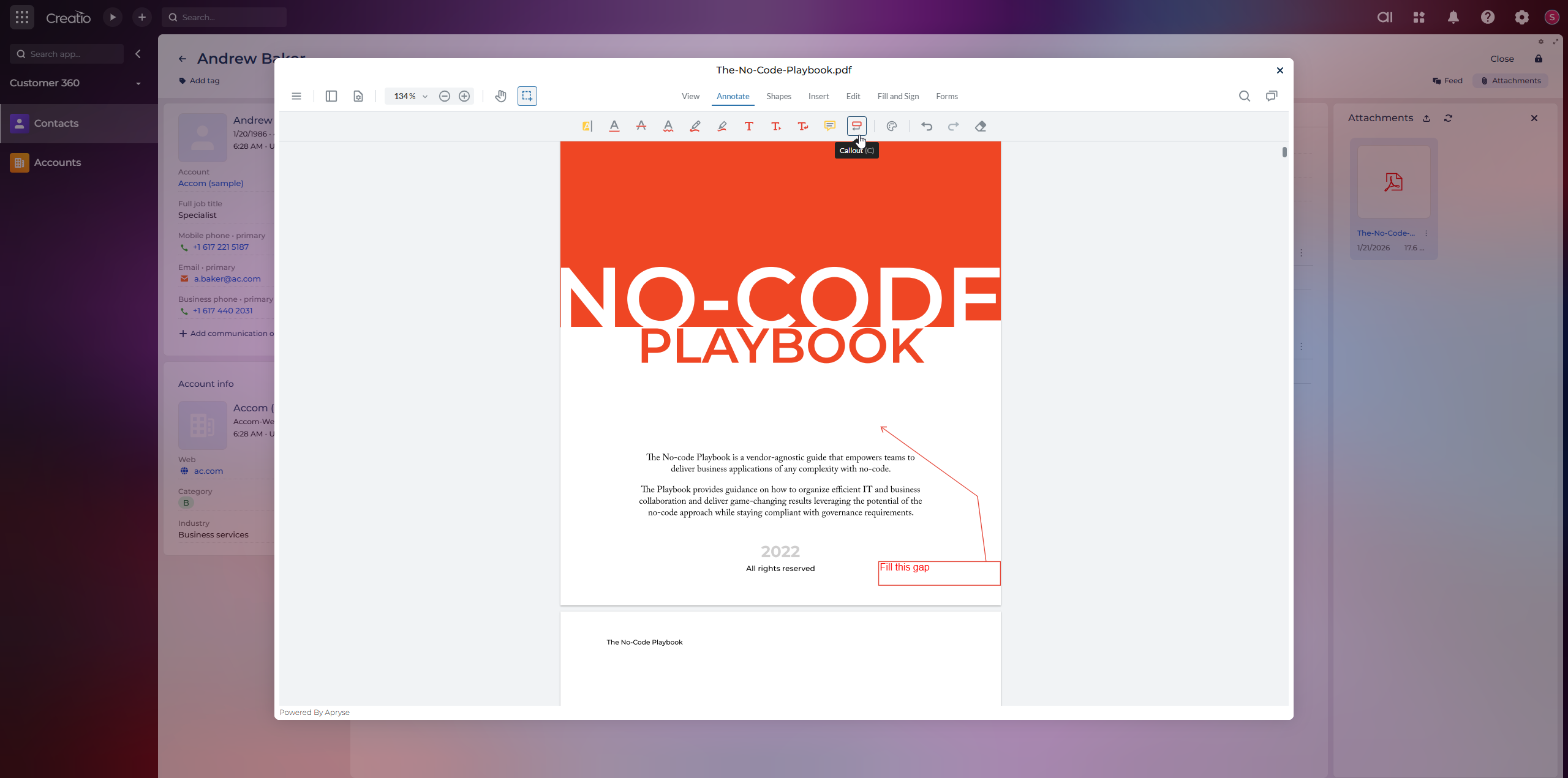
Add text annotations, notes, and callouts to capture feedback and link comments to specific areas of a document.

Callout annotations

Use callout annotations to add text comments connected to a specific area of a document. Callouts help clarify feedback by visually linking notes to the relevant content while viewing files in the File preview window.

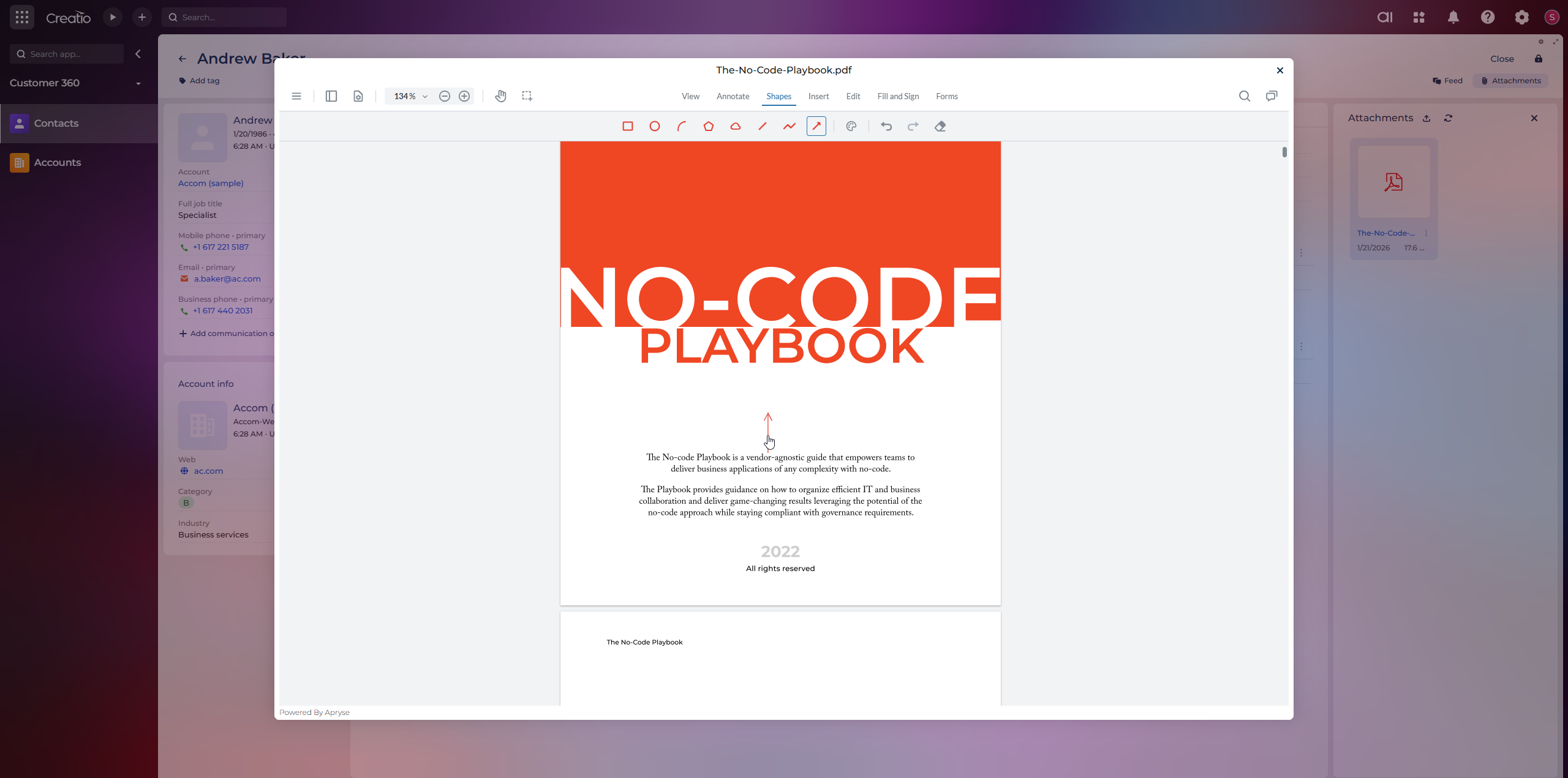
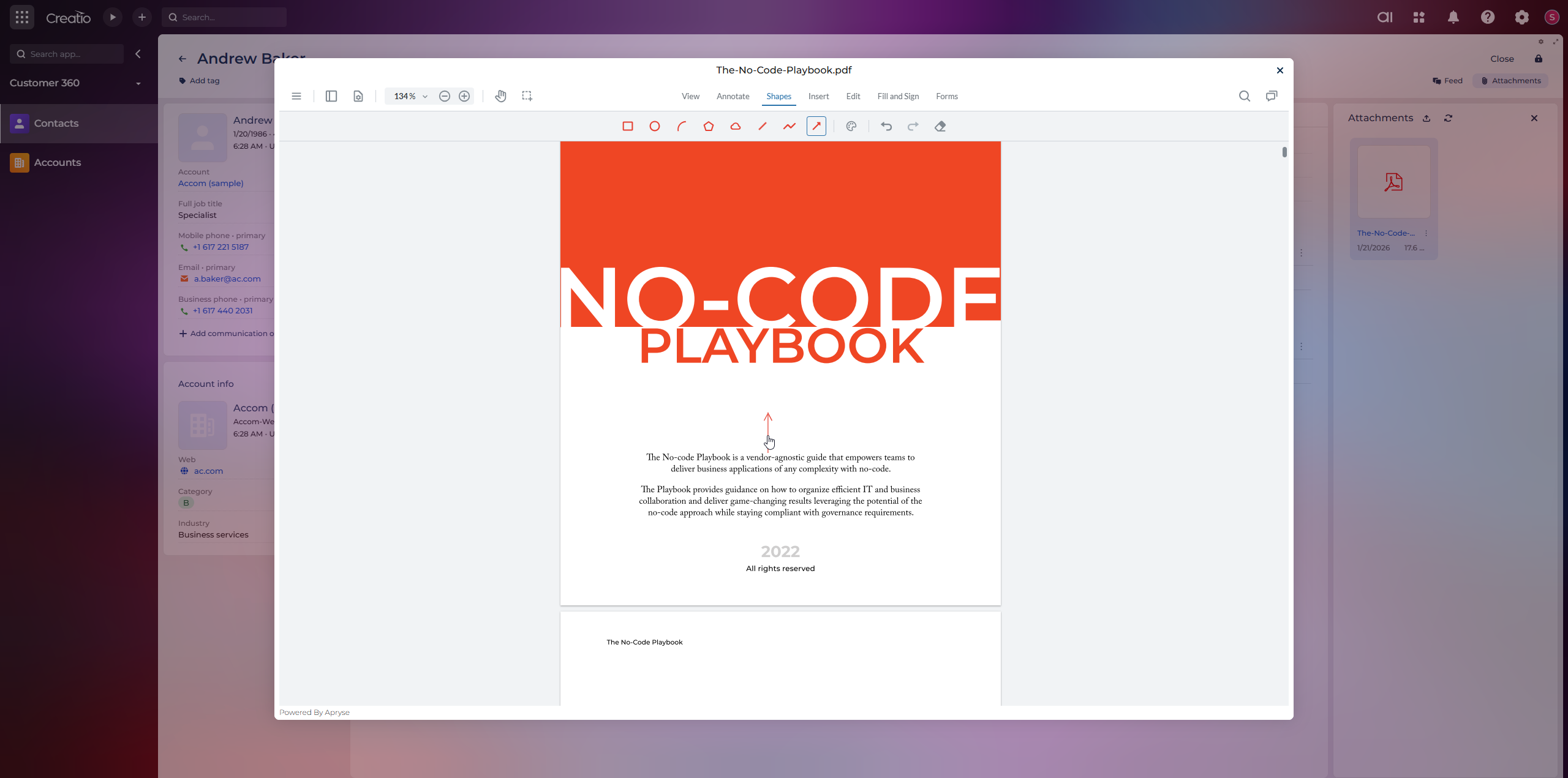
Shape annotations

Use shape annotations to draw visual elements directly on a document, such as rectangles, circles, lines, and arrows. Shapes help emphasize specific areas, outline sections, or visually explain changes while working in the File preview window.

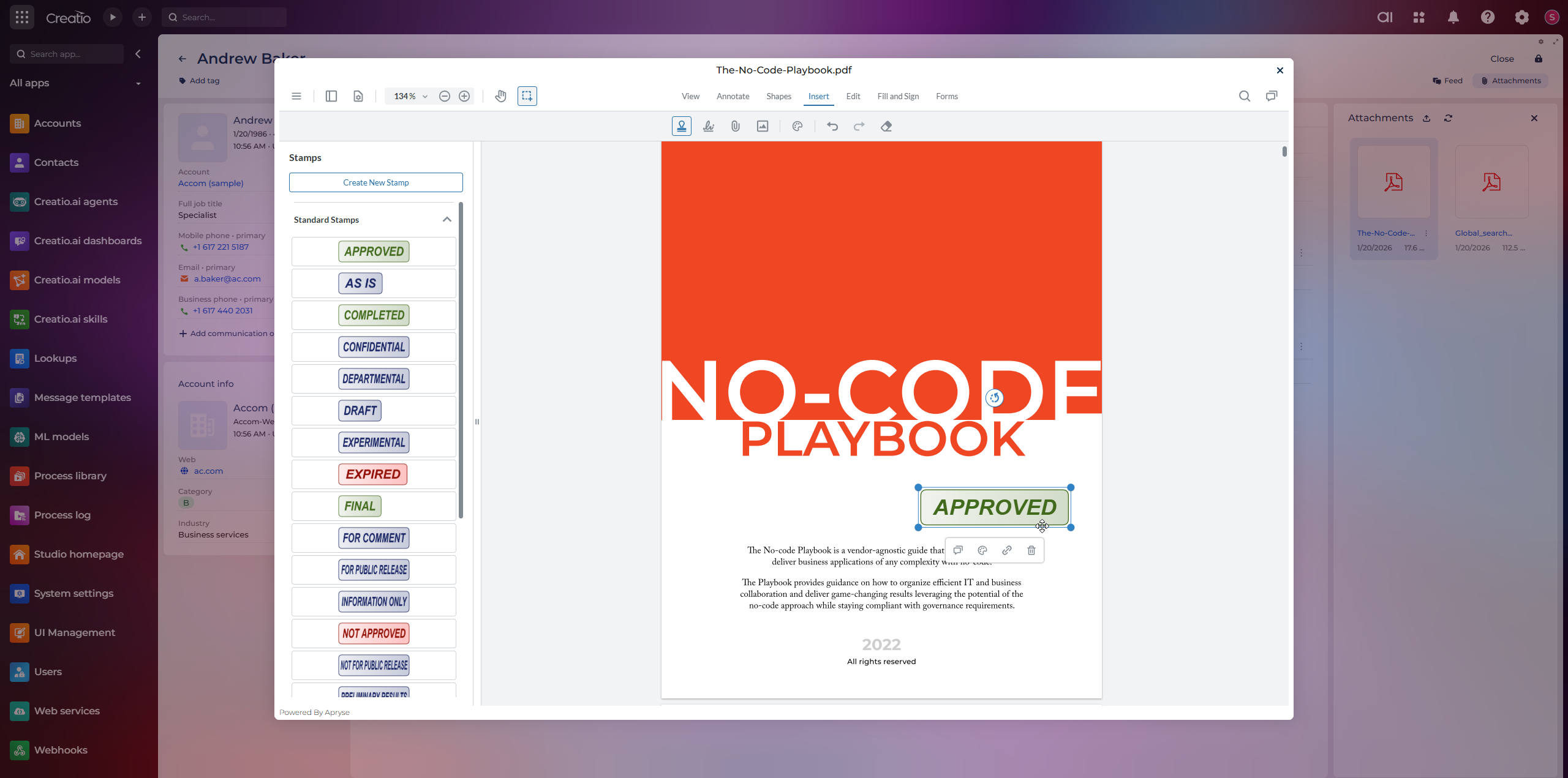
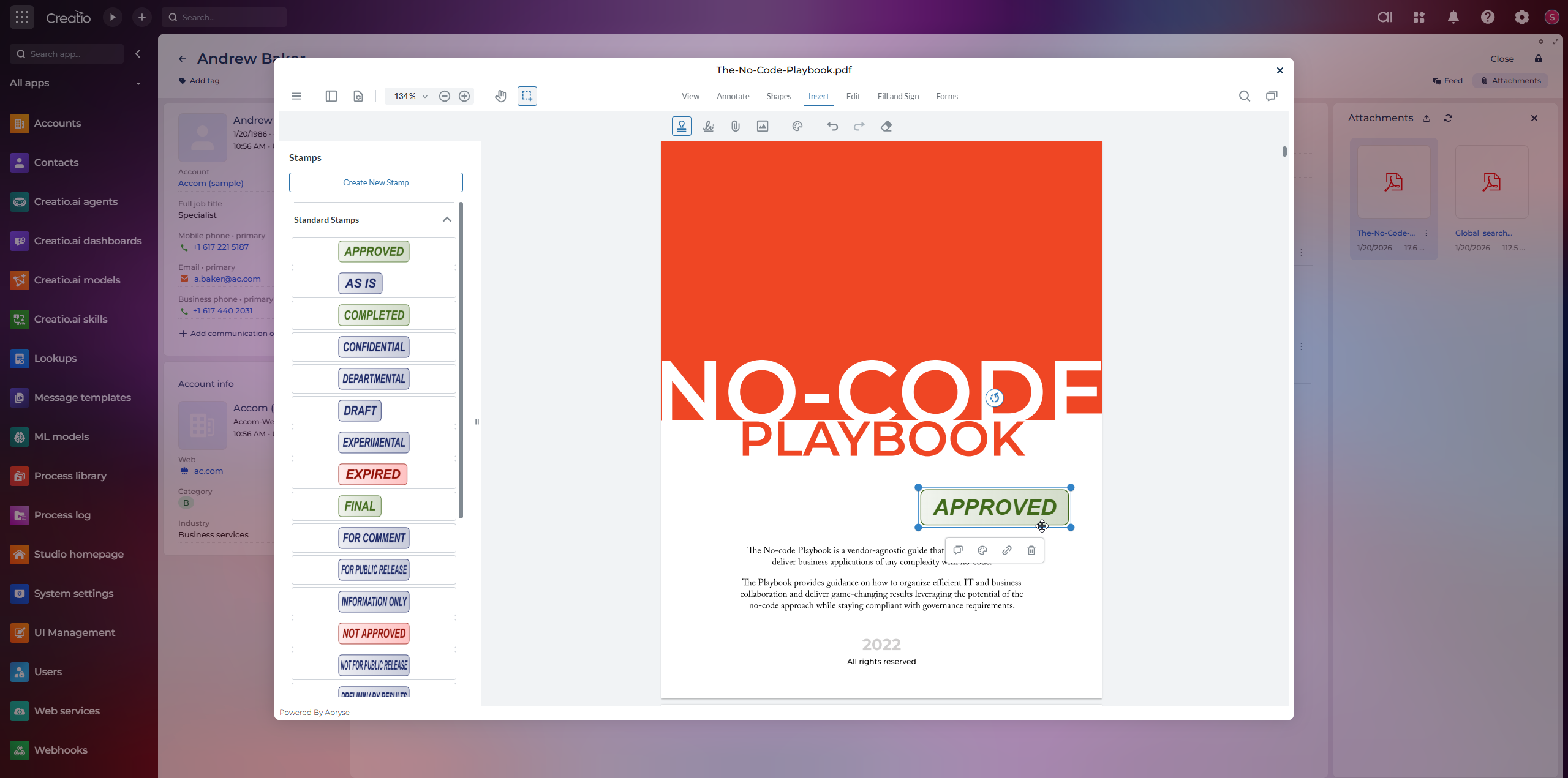
Stamp annotations

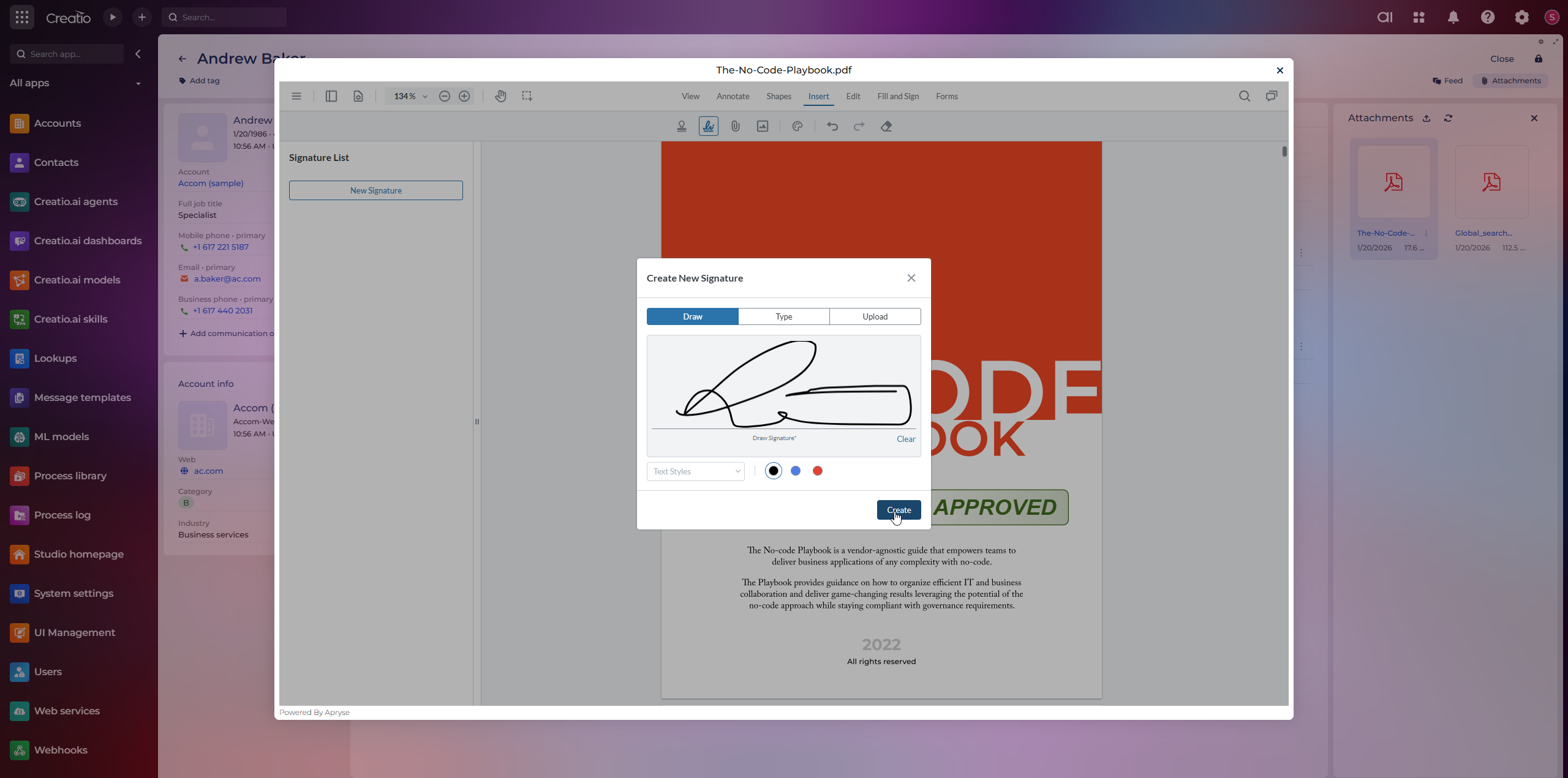
Use stamp annotations to insert predefined visual markers, such as approval or review statuses, directly onto a document in the File preview window.

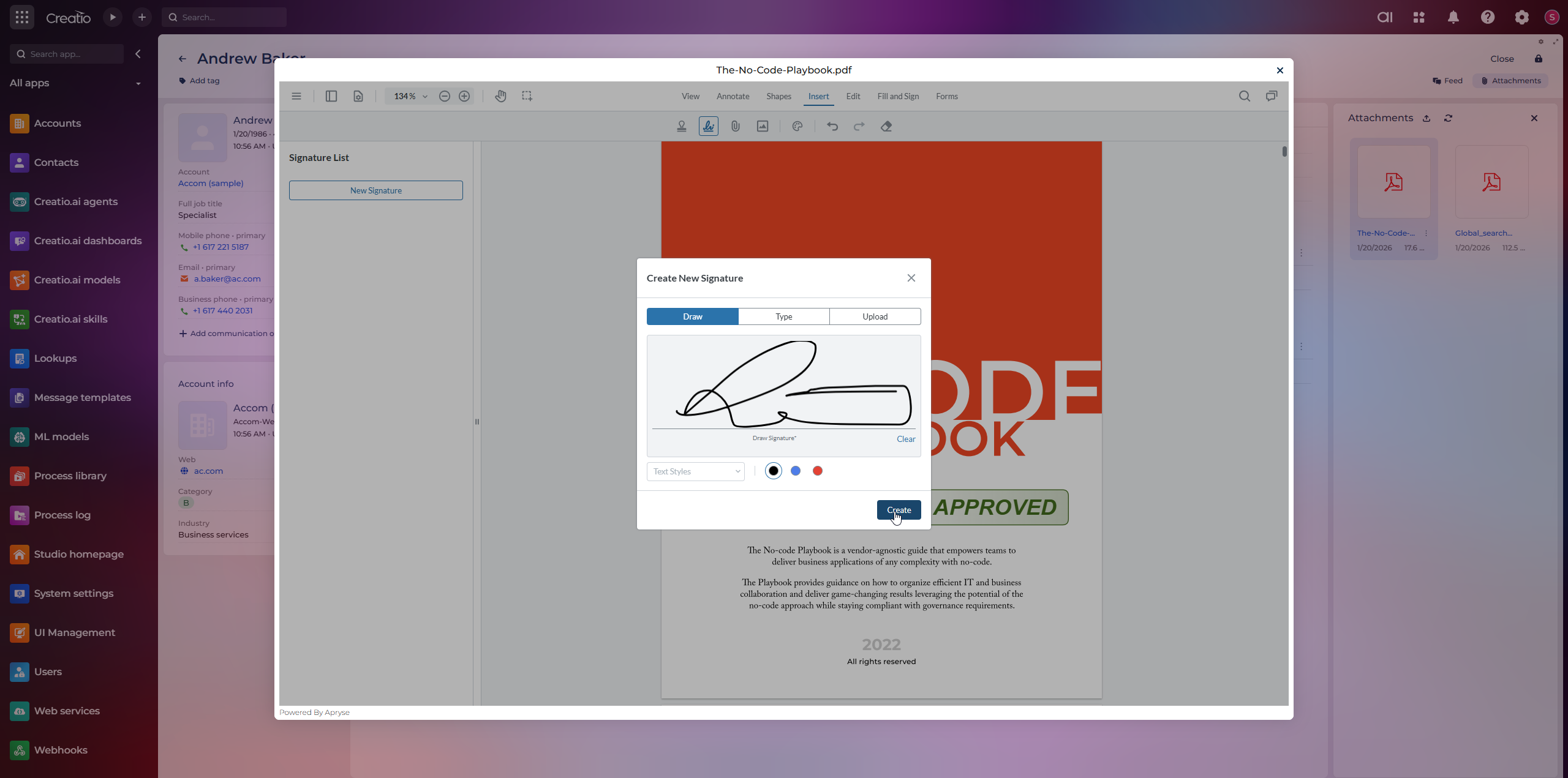
Signature annotations

Use signature annotations to add signature graphics to documents, supporting review and approval scenarios while working with files in Creatio.

Categories

UI Framework

UI Framework
Freedom UI

Type

Type
Application

Price

Price
Paid

Compatible with Creatio

Version
8.3.2

Release information