Apryse Document Management
Overview
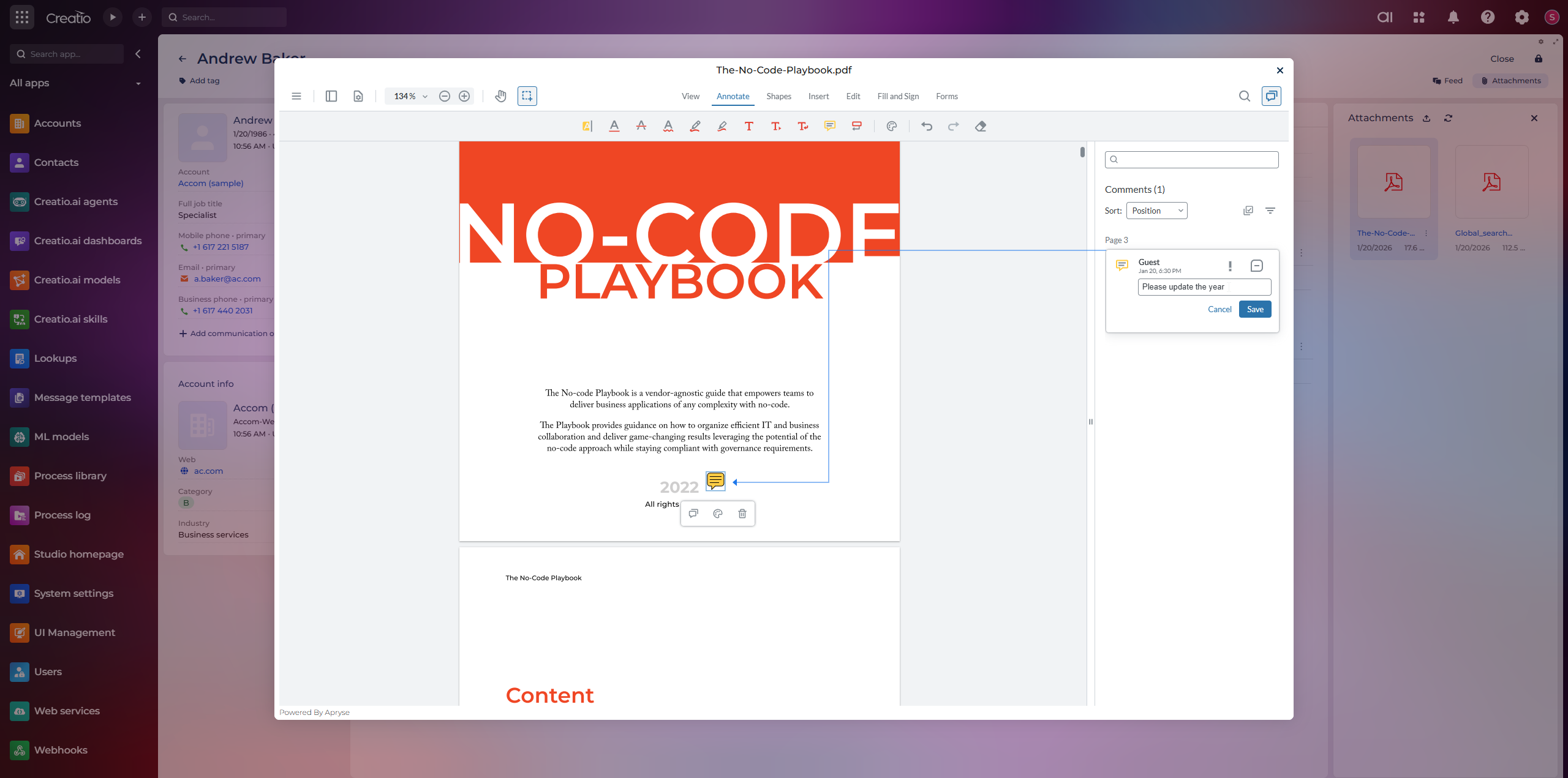
Product overview
With Apryse, organizations can deliver a unified, high-performance document experience entirely within Creatio, simplifying architecture while maximizing flexibility and control.
Apryse provides a powerful, fully client-side Document Management SDK purpose-built for Creatio customers. Covering the entire document lifecycle—from viewing and annotation to editing, generation, and secure processing—Apryse offers modular components that handle virtually any document-related need within your workflows.
At the core is our WebViewer technology - now the native document viewer embedded across the Creatio platform, enabling all customers seamless viewing of all major file types directly in the browser without external dependencies. For customers with more advanced document workflow needs beyond the native WebViewer, these additional SDK components are available.
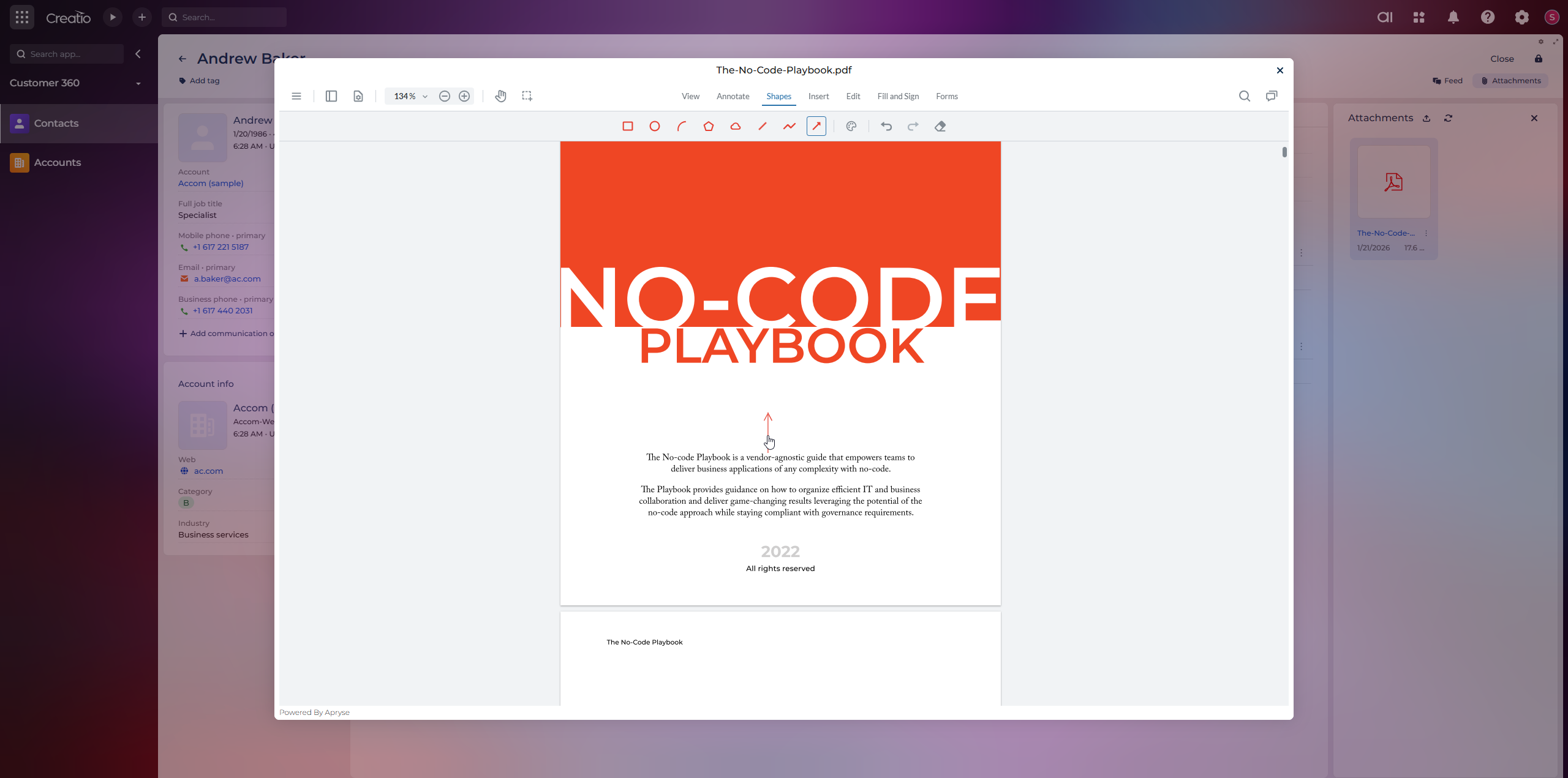
Through the native interface, users can open documents attached to any standard or custom object and annotate, comment, highlight, draw, fill forms, and apply signatures directly within the Creatio file preview. All interactions remain tied to the originating record, preserving business context and process continuity. Annotations, form inputs, and signatures are saved with the document and linked to the associated Creatio record, enabling collaborative review while maintaining traceability. Multiple users can work on the same file, with actions attributed to the Creatio user and timestamped for audit and compliance needs.
The full spectrum of document operations is available directly inside Creatio. Each capability can be enabled individually based on customer requirements and integrated into Creatio workflows by a System Integrator partner, Creatio Professional Services, or your internal team:
-
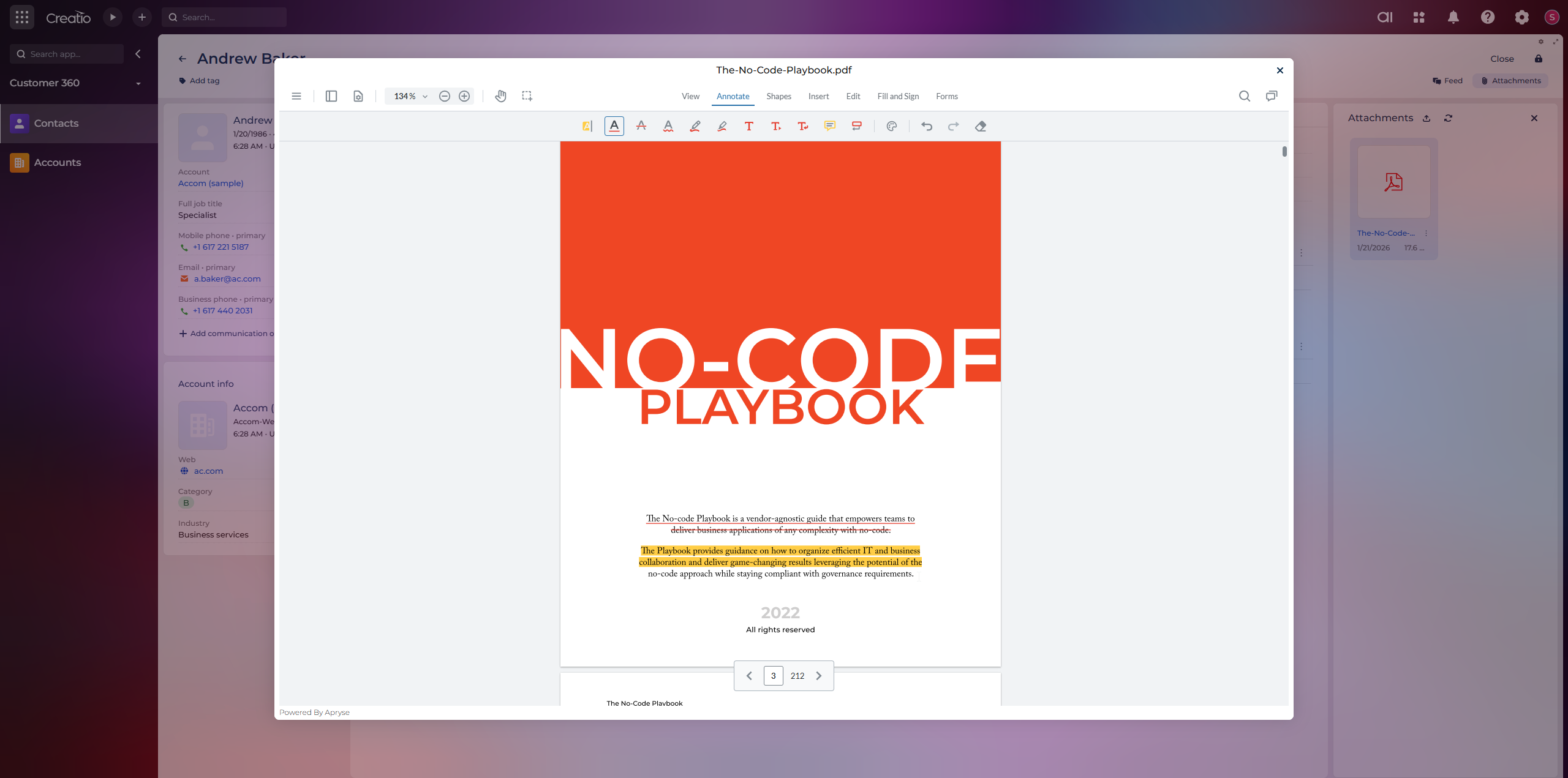
Annotations — Review, comment, highlight, draw, and collaborate on documents directly within the Creatio file preview. All interactions are saved with the document and linked to the associated Creatio record.
-
Redaction — Permanently remove PII, financial data, or sensitive information before sharing or archiving. Irreversible once applied.
-
Digital Signatures — Apply certificate-based digital signatures to contracts, permits, approvals, and regulatory filings directly within Creatio.
-
DOCX Editing — Open, edit, and save Word documents natively in the Creatio file preview without downloading or switching applications.
-
Spreadsheet Editing — View and edit spreadsheets directly within Creatio. Update data, adjust formulas, and review files in-platform.
-
Document Generation — Auto-populate templated documents with data pulled directly from Creatio records.
-
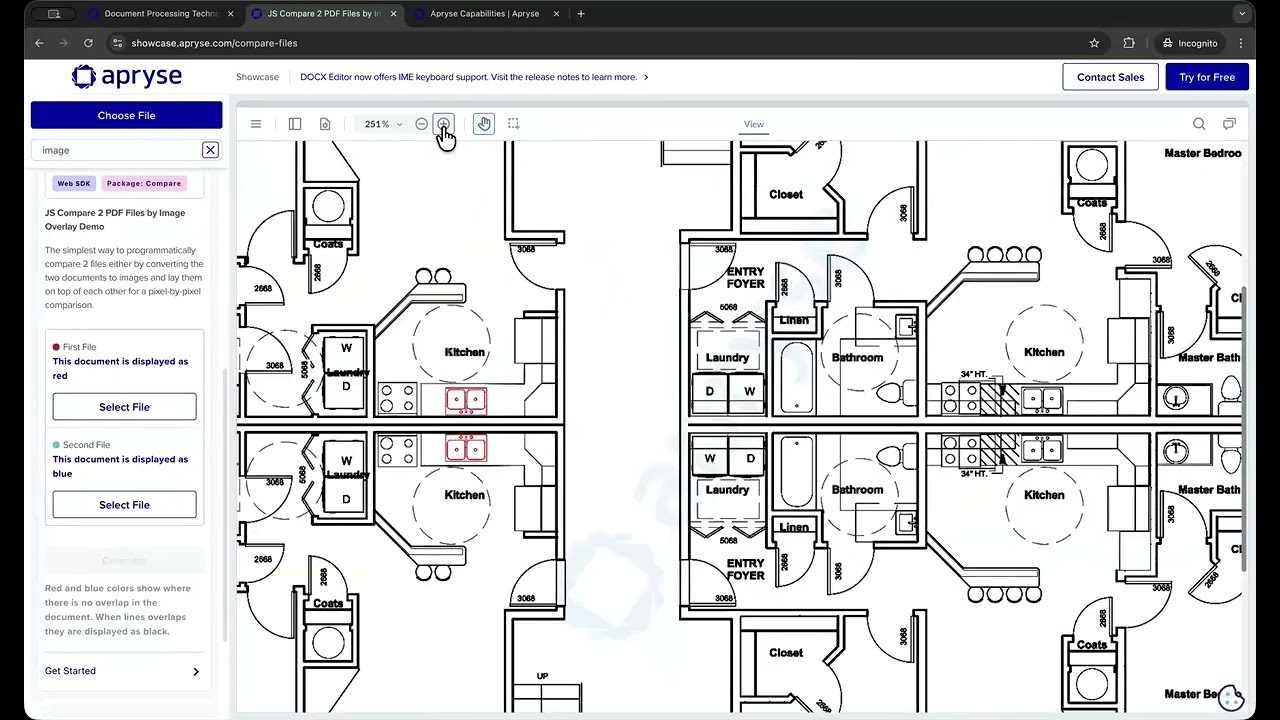
Document Comparison — Compare two document versions side-by-side to identify changes, additions, and deletions.
-
Form Building — Design and deploy fillable PDF forms that users complete directly within Creatio.
-
Document Manipulation — Merge, split, reorder, rotate, and organize pages across PDF documents without leaving Creatio.
-
OCR & ICR — Convert scanned documents into searchable content, recognize handwriting and printed text, and extract key data to feed into Creatio fields and processes.
-
Content Conversion — Convert between PDF, DOCX, XLSX, images, HTML, and more natively within the platform.
-
Intelligent Document Processing — Classify, extract, and route documents automatically using intelligent processing pipelines.
-
Server-Side & AI — Enable batch processing, automated pipelines, and AI-agent-ready infrastructure via the Apryse Server SDK.
Supported file formats include PDF, DOCX, XLSX, PPTX, JPG, PNG, TIFF, BMP, GIF, SVG, HTML, CAD (DWG, DXF), BIM (IFC, RVT), DICOM, and many more. For the full list, see: apryse.com/capabilities
By keeping document operations inside Creatio, Apryse helps teams:
-
Eliminate tool sprawl — Replace disconnected external software (signing, redaction, generation, editing) with natively integrated capabilities at a fraction of the cost.
-
Keep sensitive data inside the platform — PII, financial records, and health information stay within Creatio, supporting compliance requirements without external data transfers.
-
Accelerate document workflows — What currently takes a dozen steps across multiple tools reduces to a few clicks inside Creatio.
-
Redirect budget to platform innovation — Spend freed from third-party document tools flows back into the Creatio ecosystem for more use cases, automation, and AI-driven workflows.
Key Features
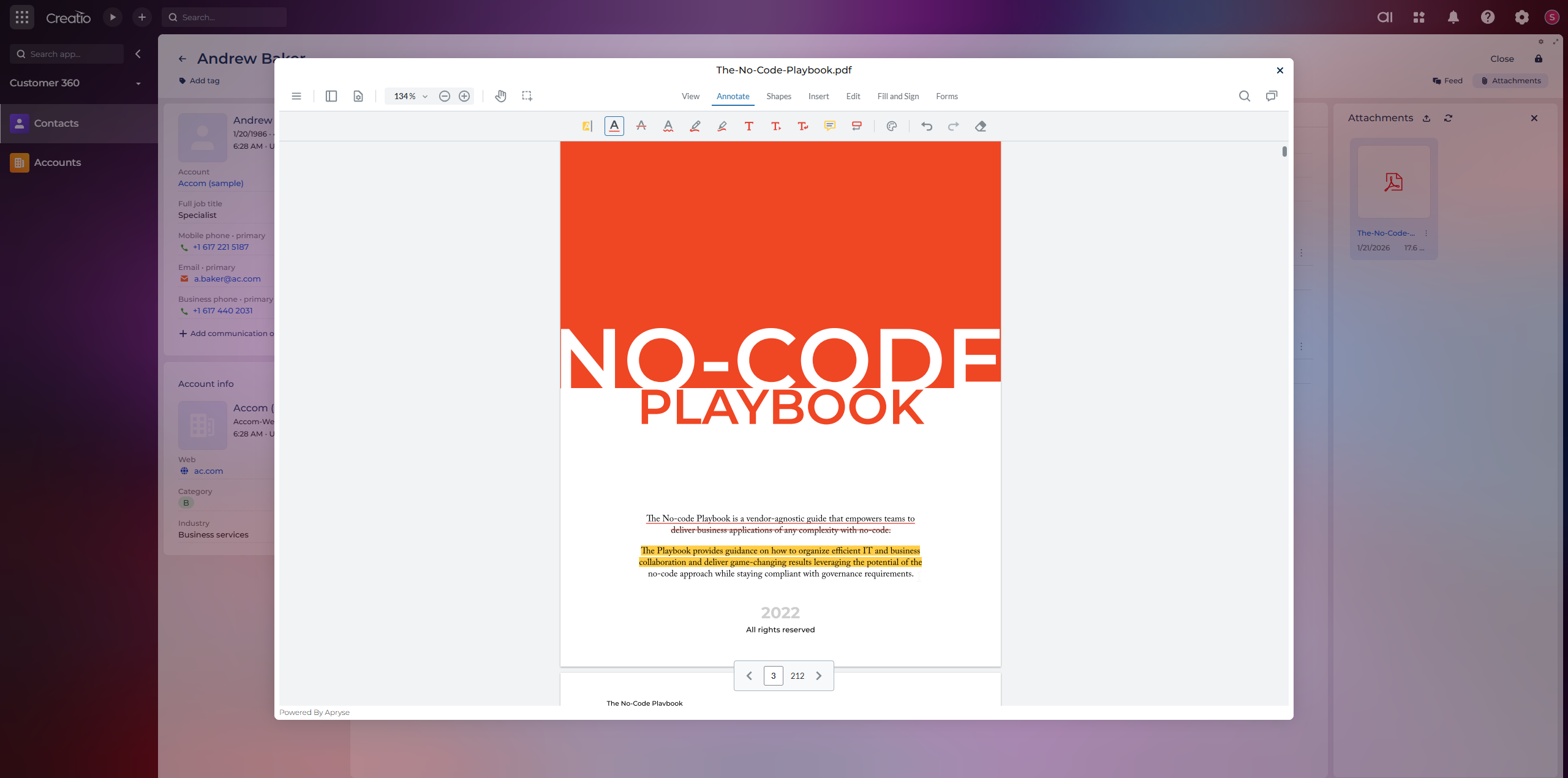
Simplify document review
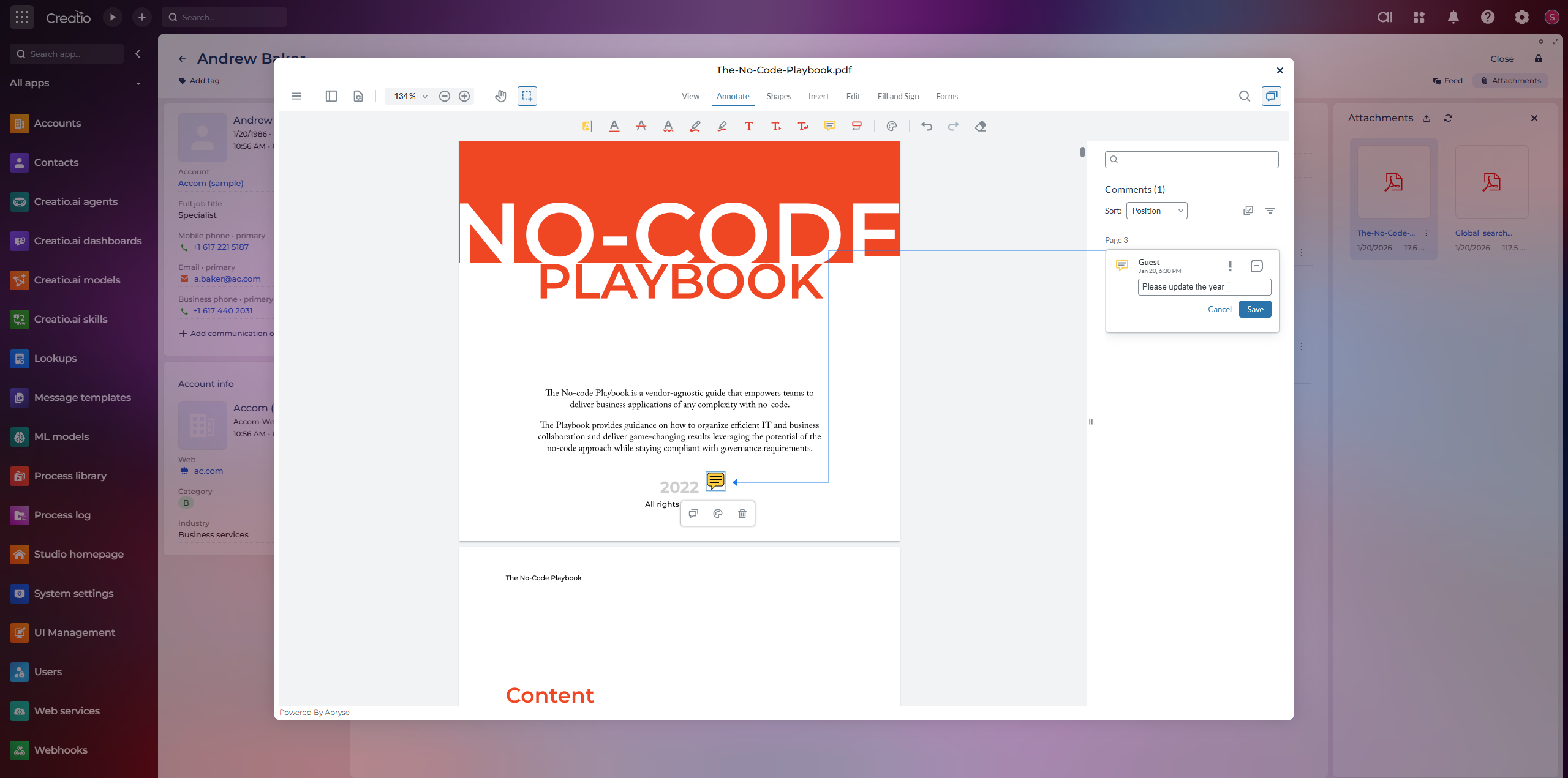
Add contextual comments
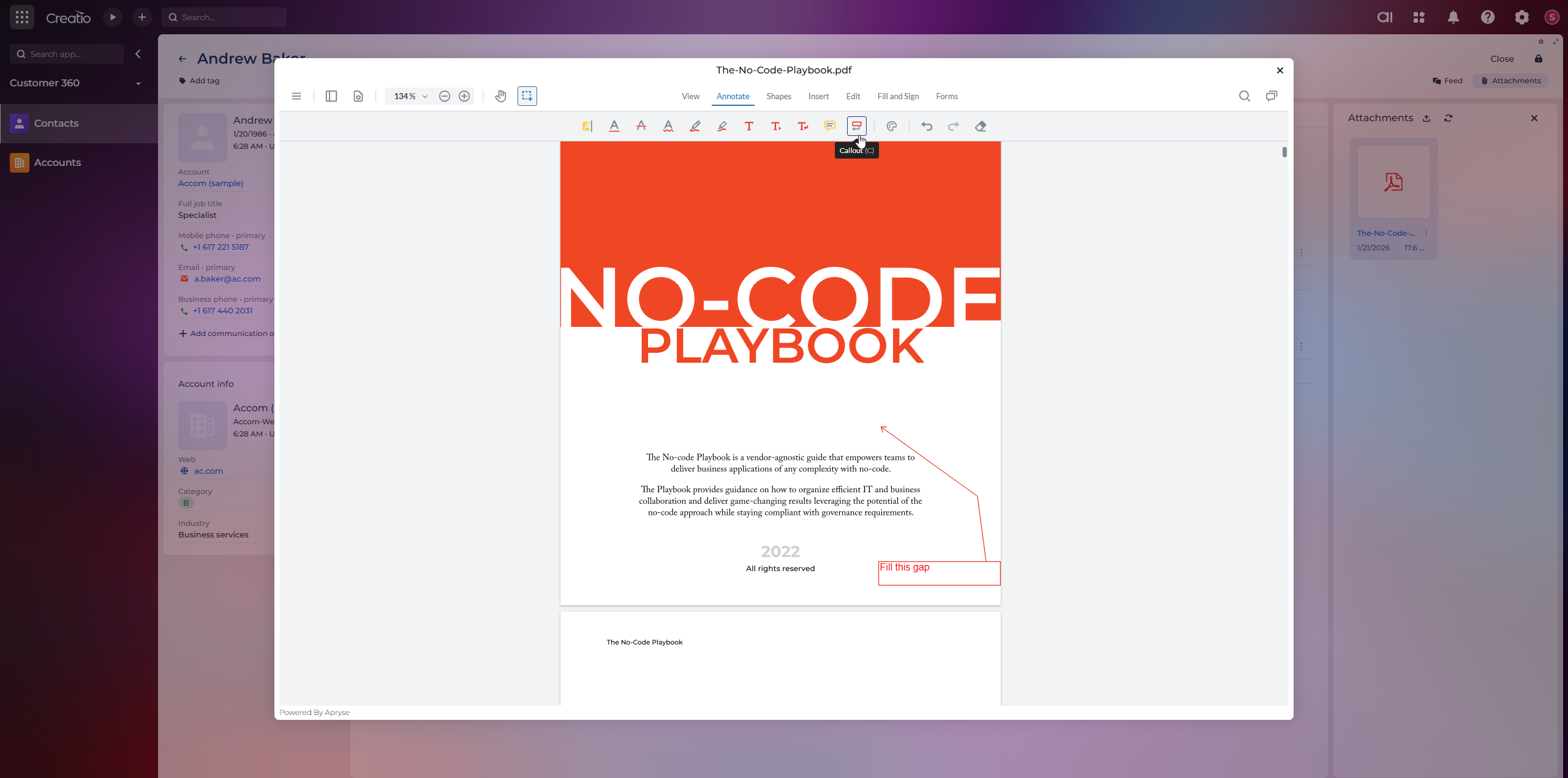
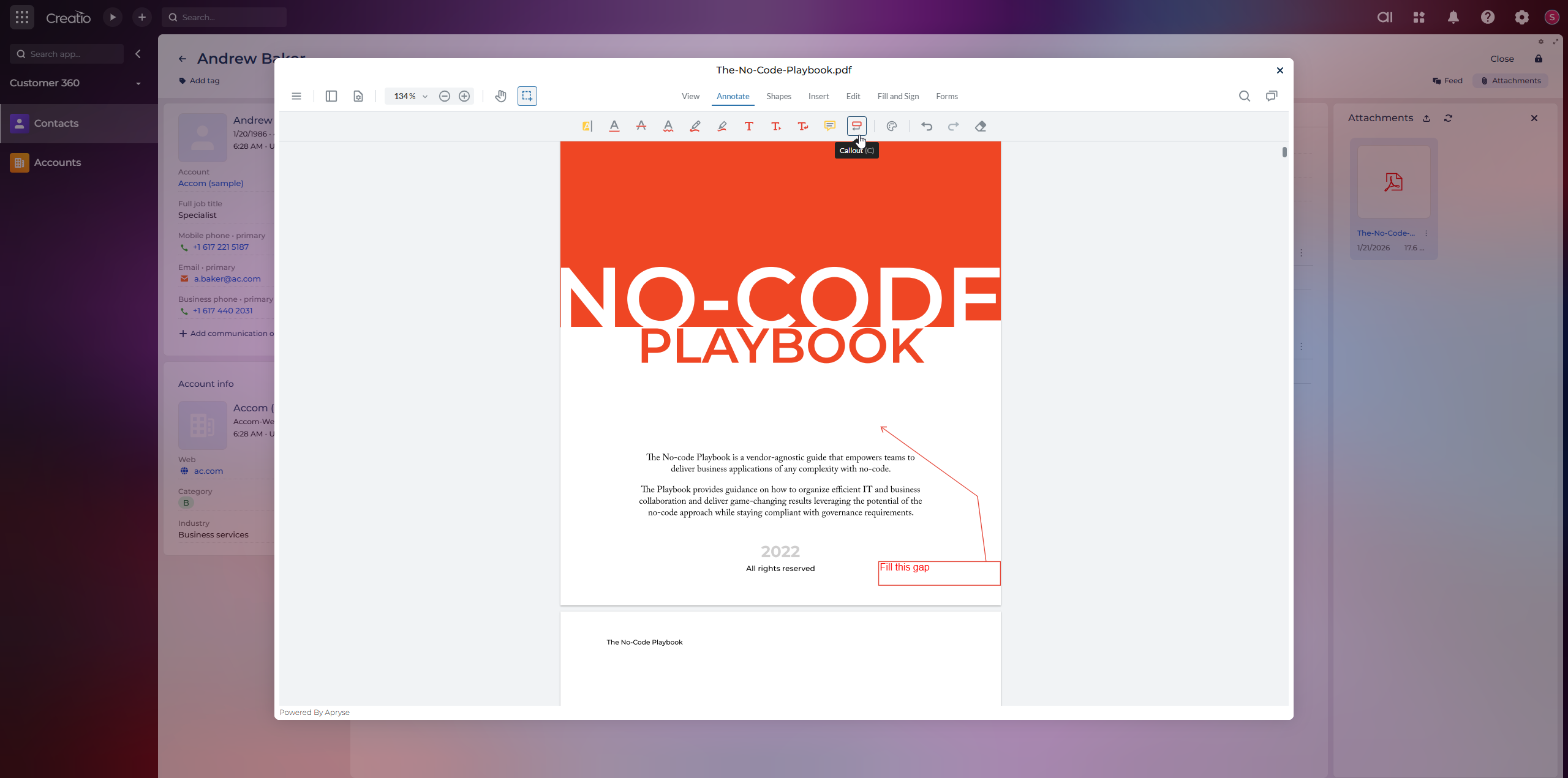
Callout annotations
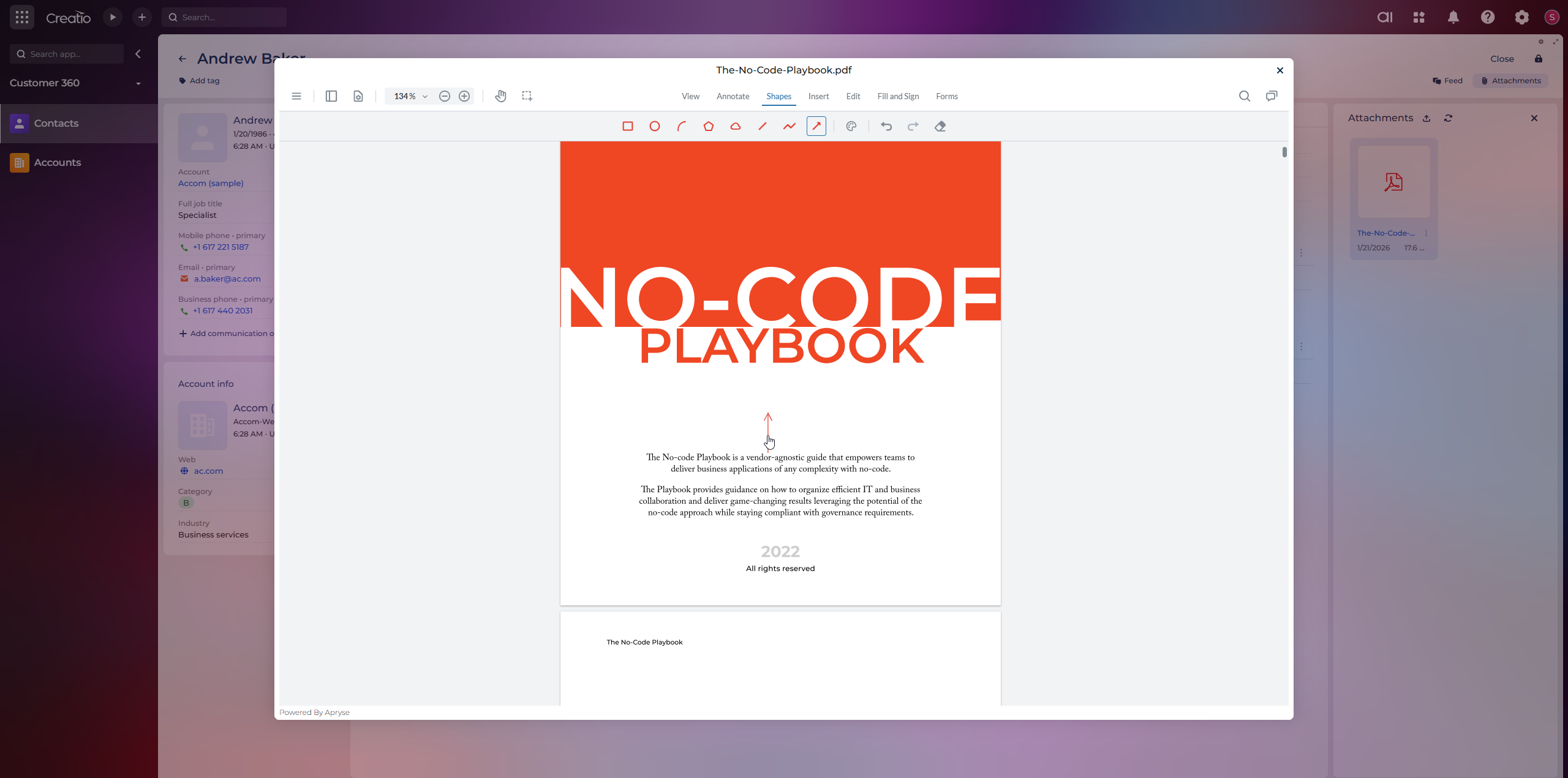
Shape annotations
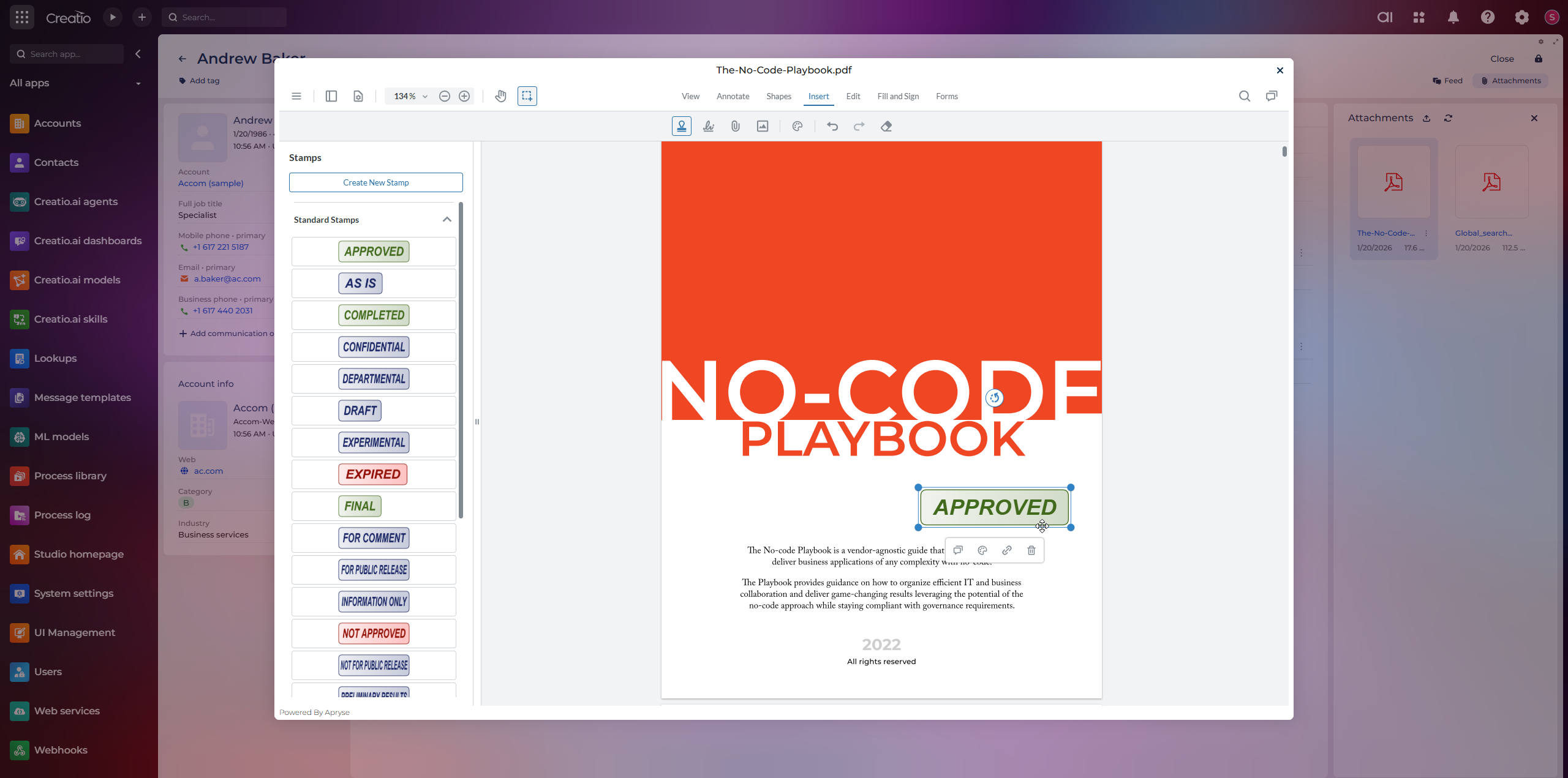
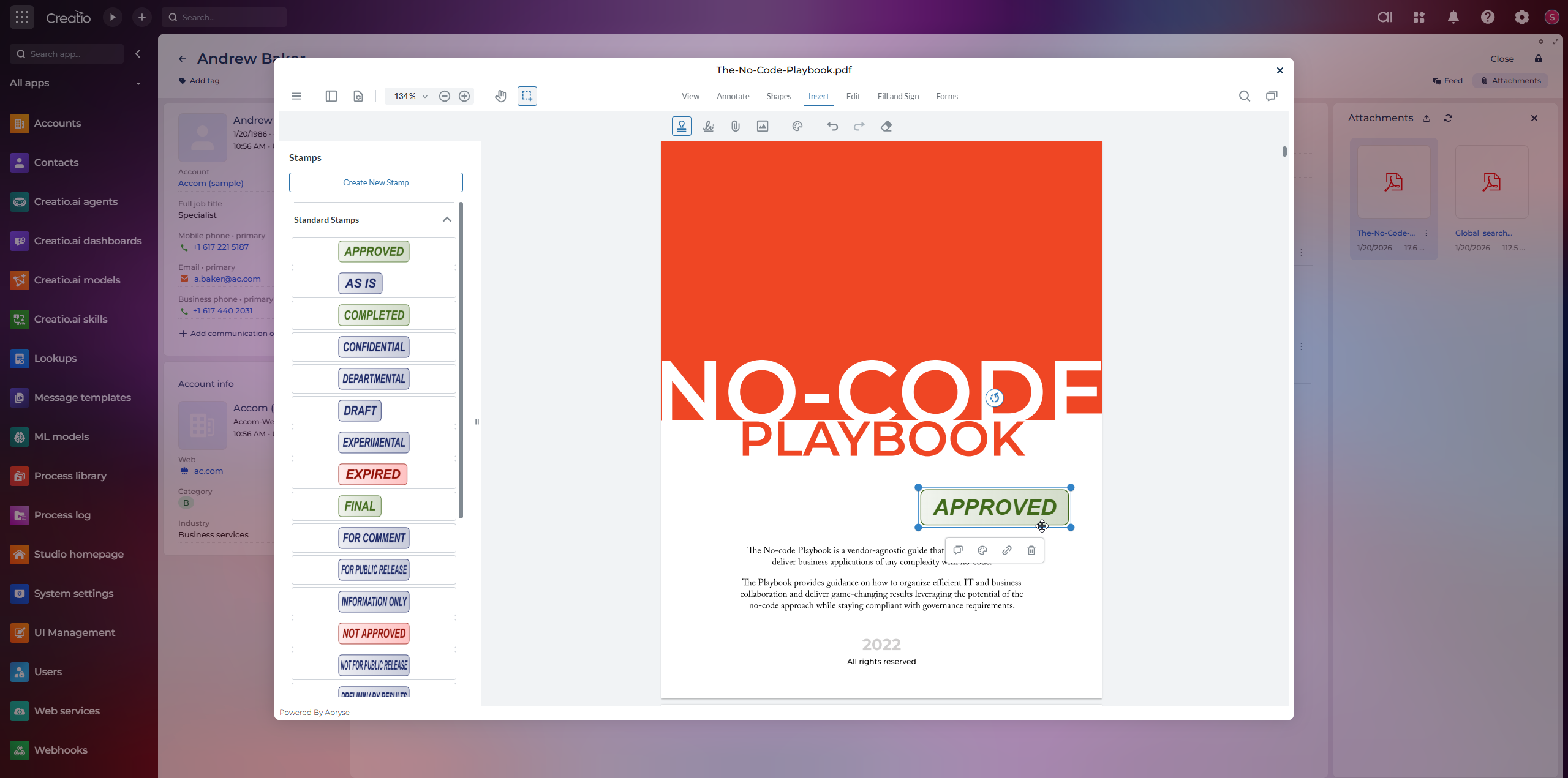
Stamp annotations
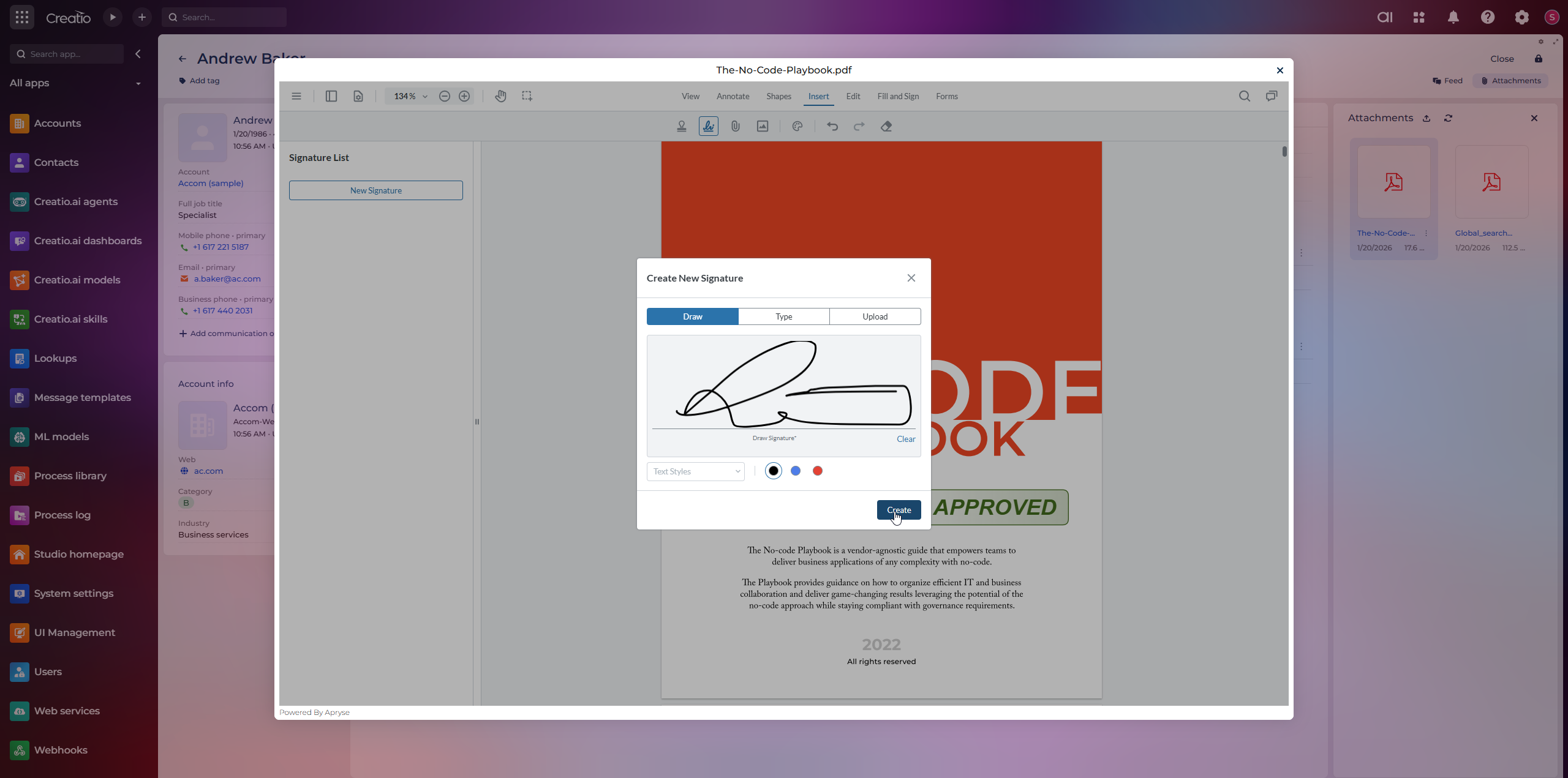
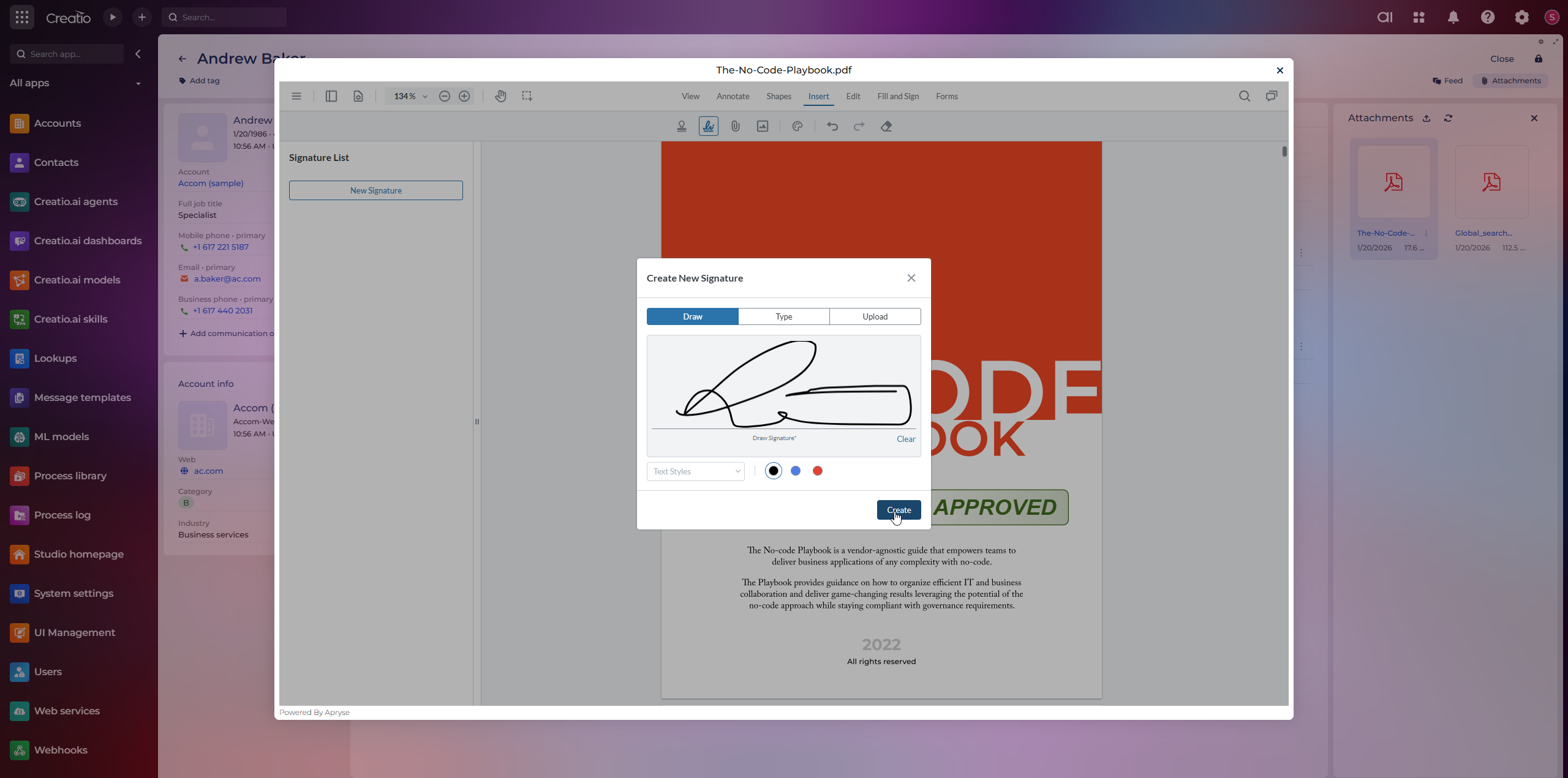
Signature annotations
Pricing
Third-party solution. The listed price includes the external subscription. Purchase and payment are processed via Creatio.
Terms and Conditions
Support
We provide support via email for all customers. Our standard response time is within 48 business hours.
Support inquiries may include troubleshooting, general questions, or guidance on using the product.
Availability:
- Monday–Friday
- 9:00 AM–5:00 PM PST
- Support requests submitted on weekends or holidays will be addressed the next business day.
How to Contact Support: The Support is provided by Creatio Support team via email: support@creatio.com
Installation
Setup guide
How it works: The module works seamlessly with File fields and attachments across Creatio pages. Capabilities are enabled and configured through integration work tailored to your specific workflows. A scoping session with Apryse and your implementation partner identifies the required capabilities and target workflows. Apryse provides the SDK, documentation, and technical enablement; development is handled by your implementation partner, Creatio Professional Services, or your internal team.
Resources
Data sharing
- By installing or downloading the App, you confirm that you agree with sharing your account data (name, email, phone, company and country) with the App Developer as their End User.
- The App Developer will process your data under their privacy policy.
Versions
Versions history
Manual app installation
- Open the needed app → the Packages tab - download the Markeplace app files.
- Click in the top right → Application Hub
- Click New application. This opens a window.
- Select Install from file and click Select in the window that opens.
- Click Select file on the page of the Marketplace App Installation Wizard and specify the app file path.