


BPMN Process Library
Overview
Product overview
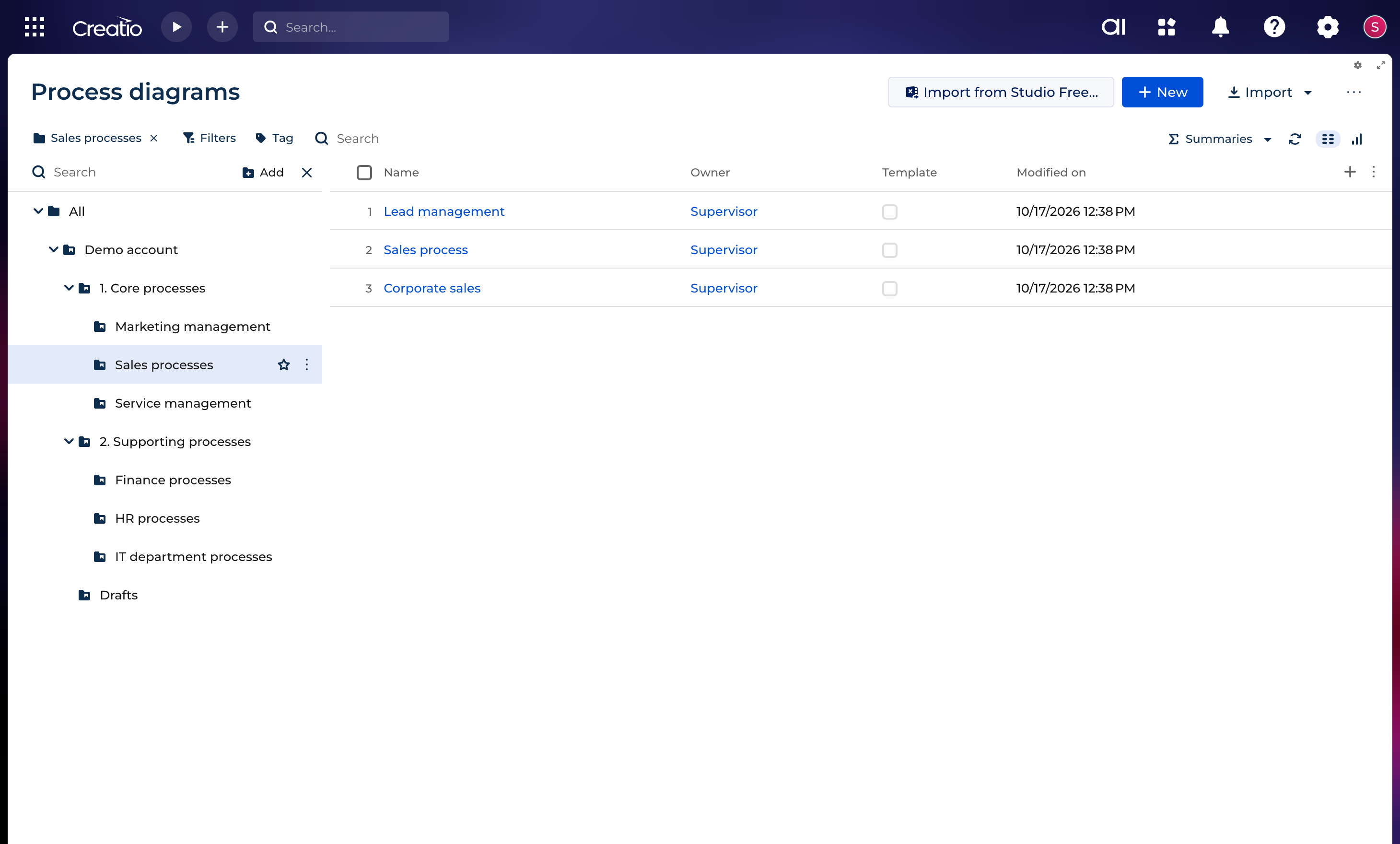
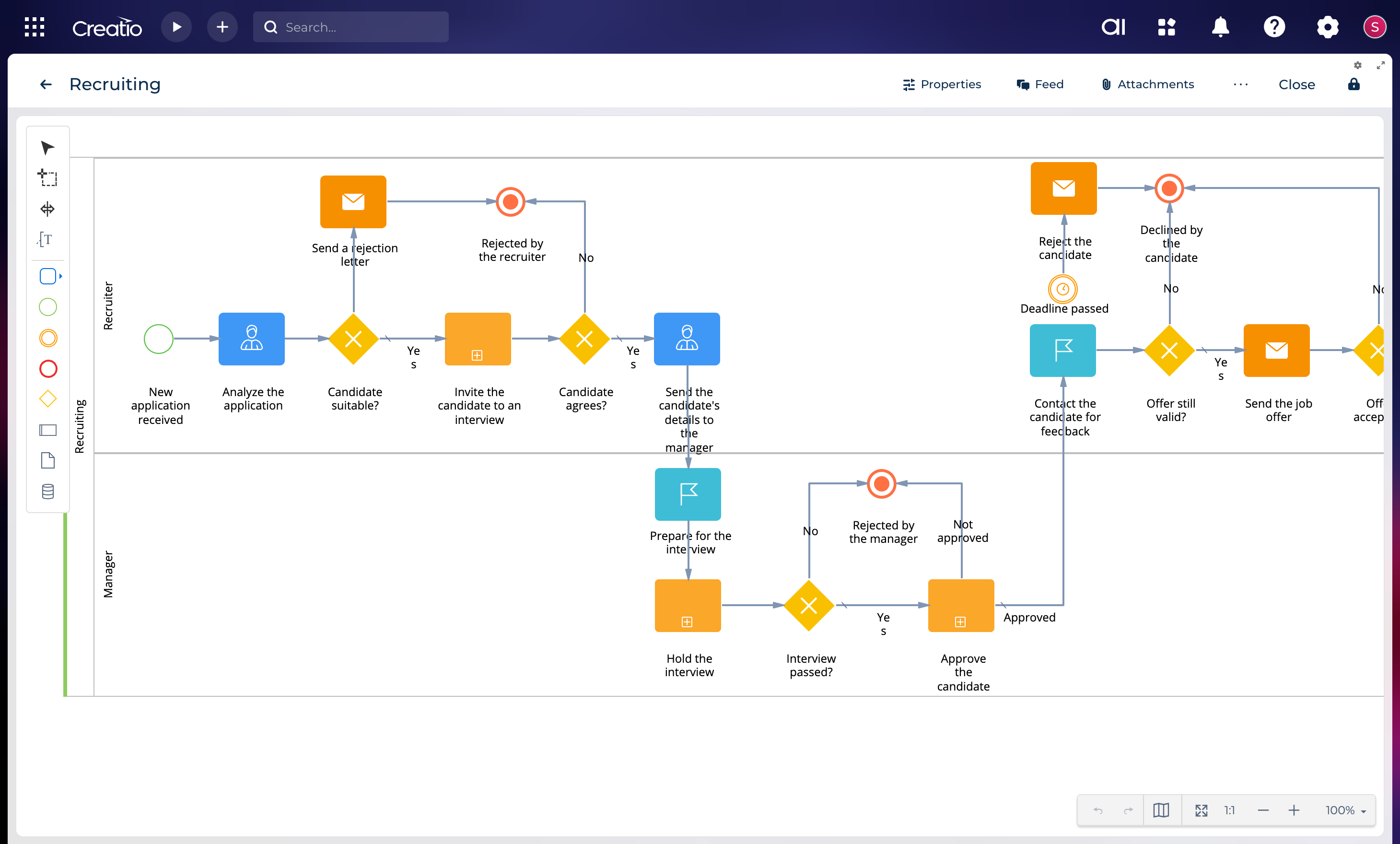
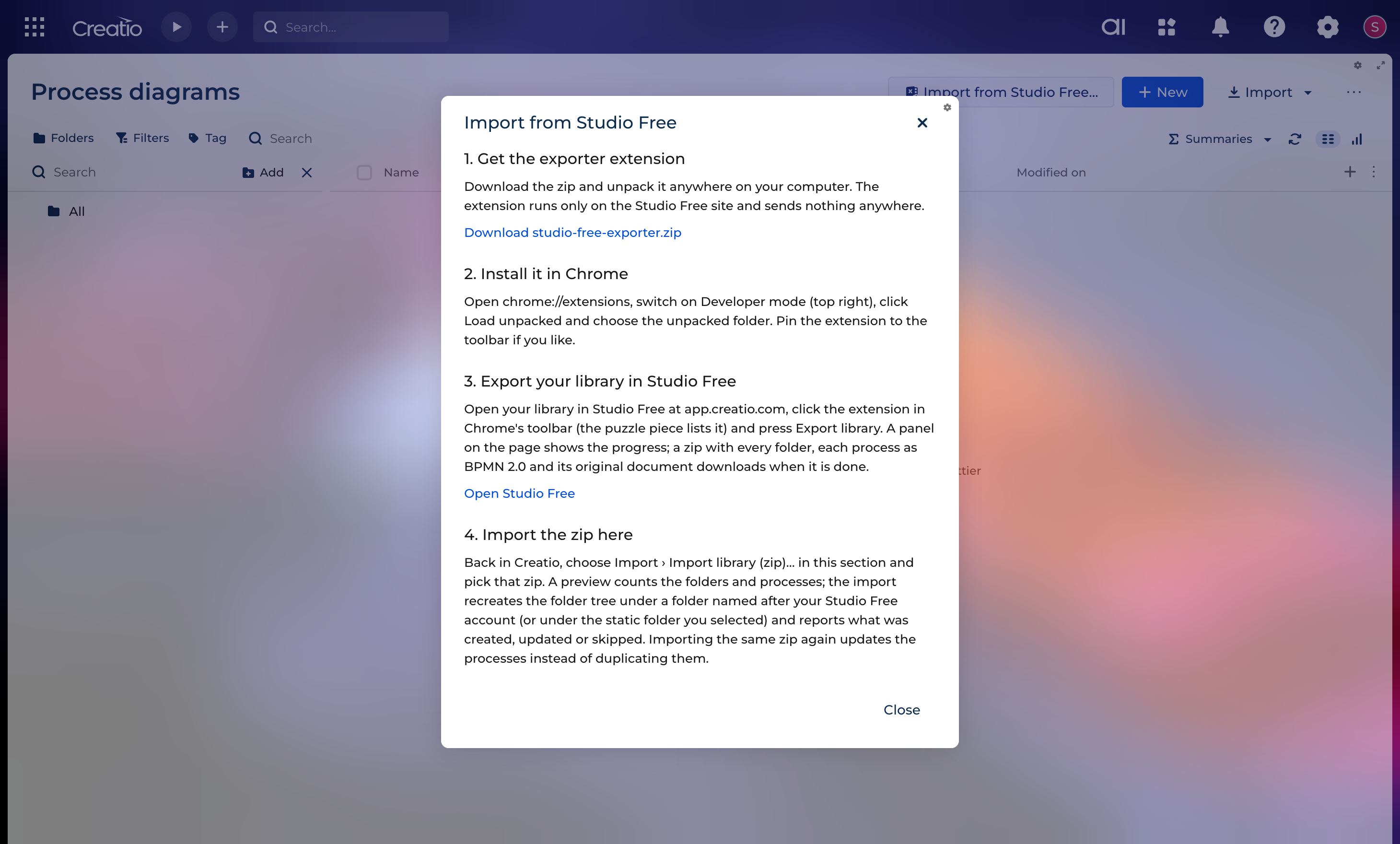
Creatio Studio Free is being retired. BPMN Process Library gives your process diagrams a new home in your own Creatio: a Process diagrams section with nested folders, and a full-screen designer with the complete Studio Free element palette. Move your Studio Free library in one go, with its folders and descriptions, and keep designing in the same diagram editor you know.
Process diagrams are Creatio records: search, tag, filter and restrict them like any other record. BPMN 2.0 is the exchange format, so a diagram goes out as a standard .bpmn file that Studio Free and other BPMN tools open, and comes back the same way. A diagram also exports as a picture. When several users work on one process, the page shows who else has it open, and one user's save never silently overwrites another's.
The diagrams serve as documentation: the application stores and draws them. It does not run them as Creatio business processes.
Key Features
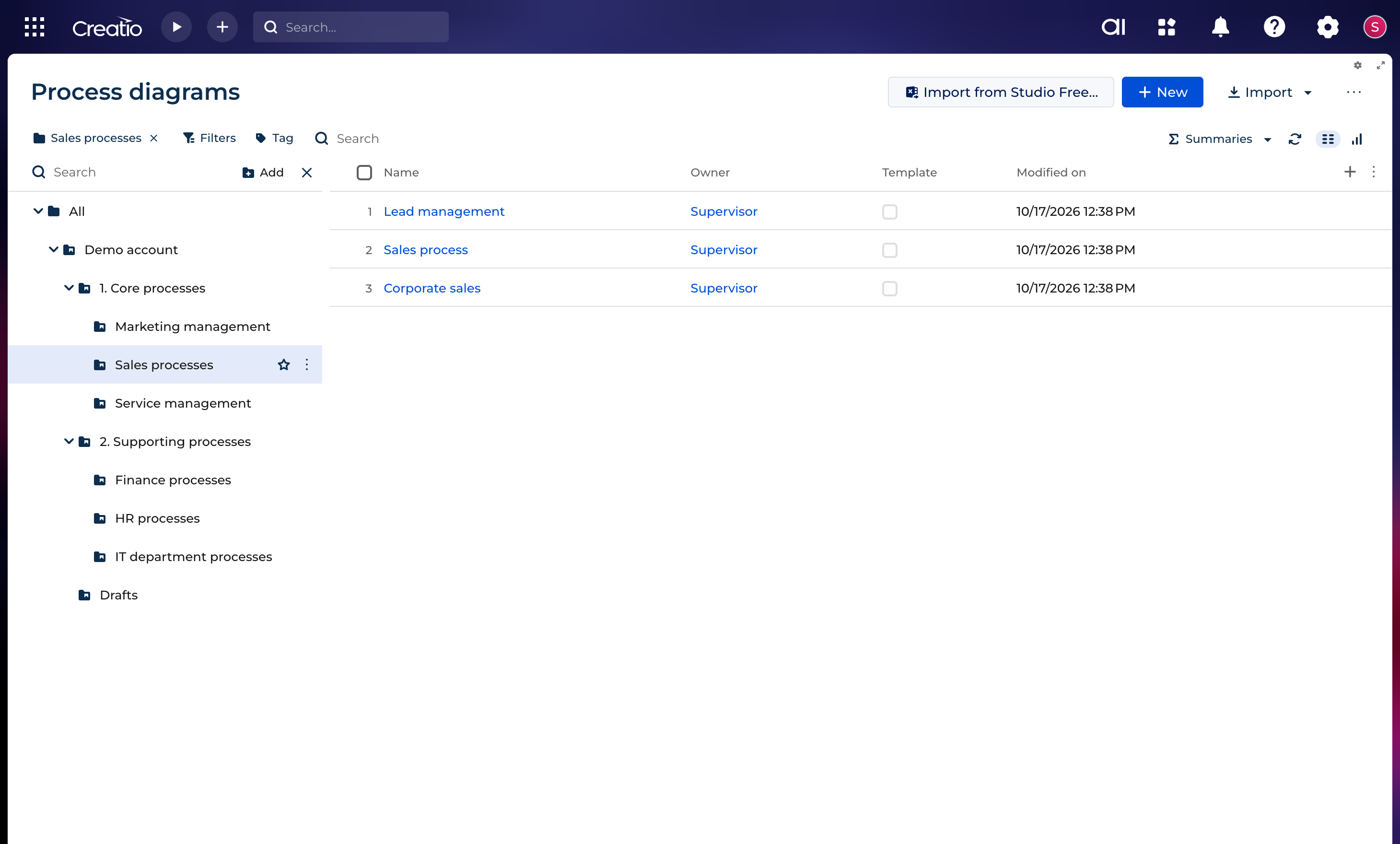
Process diagrams section
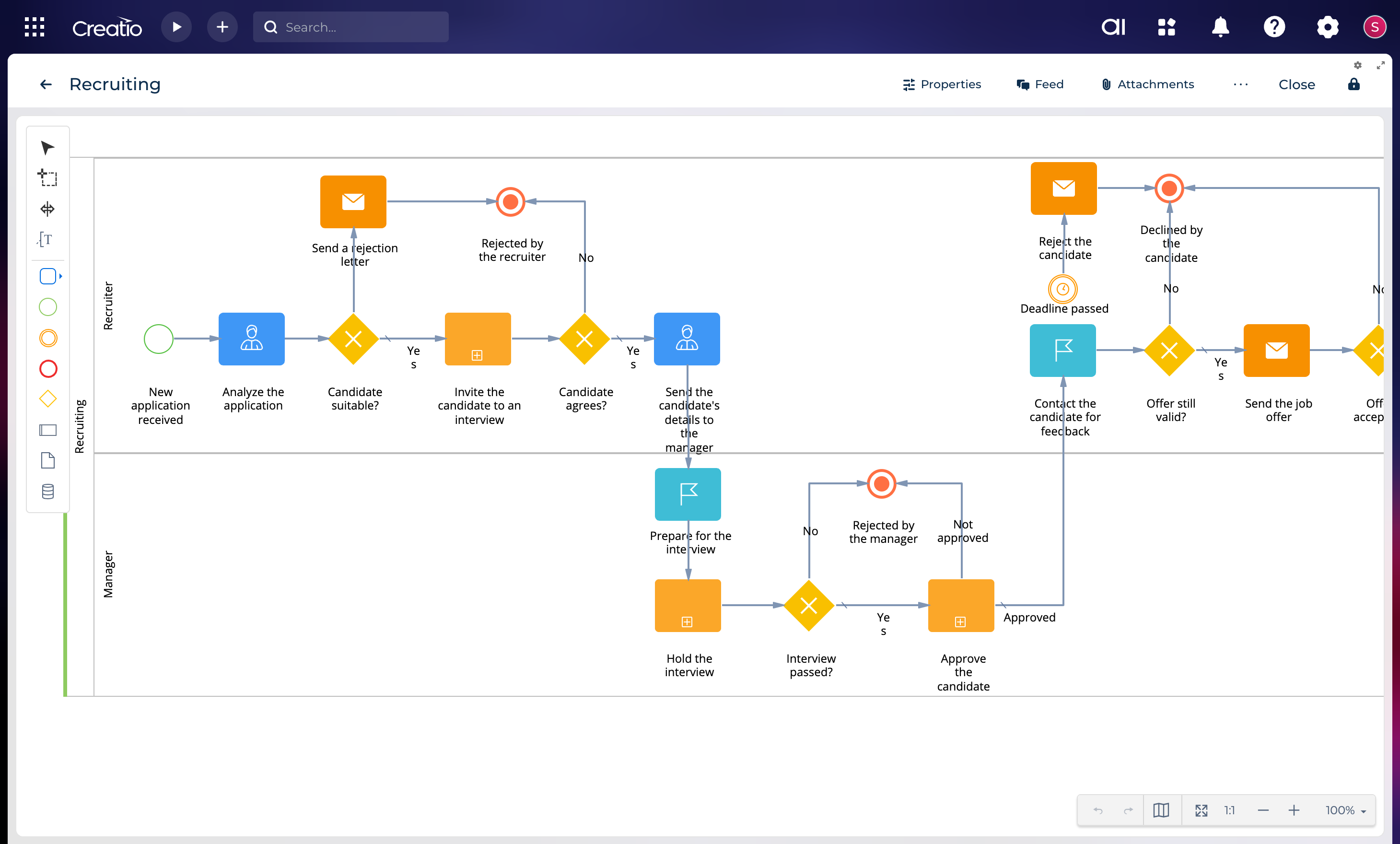
The Studio Free designer, in Creatio
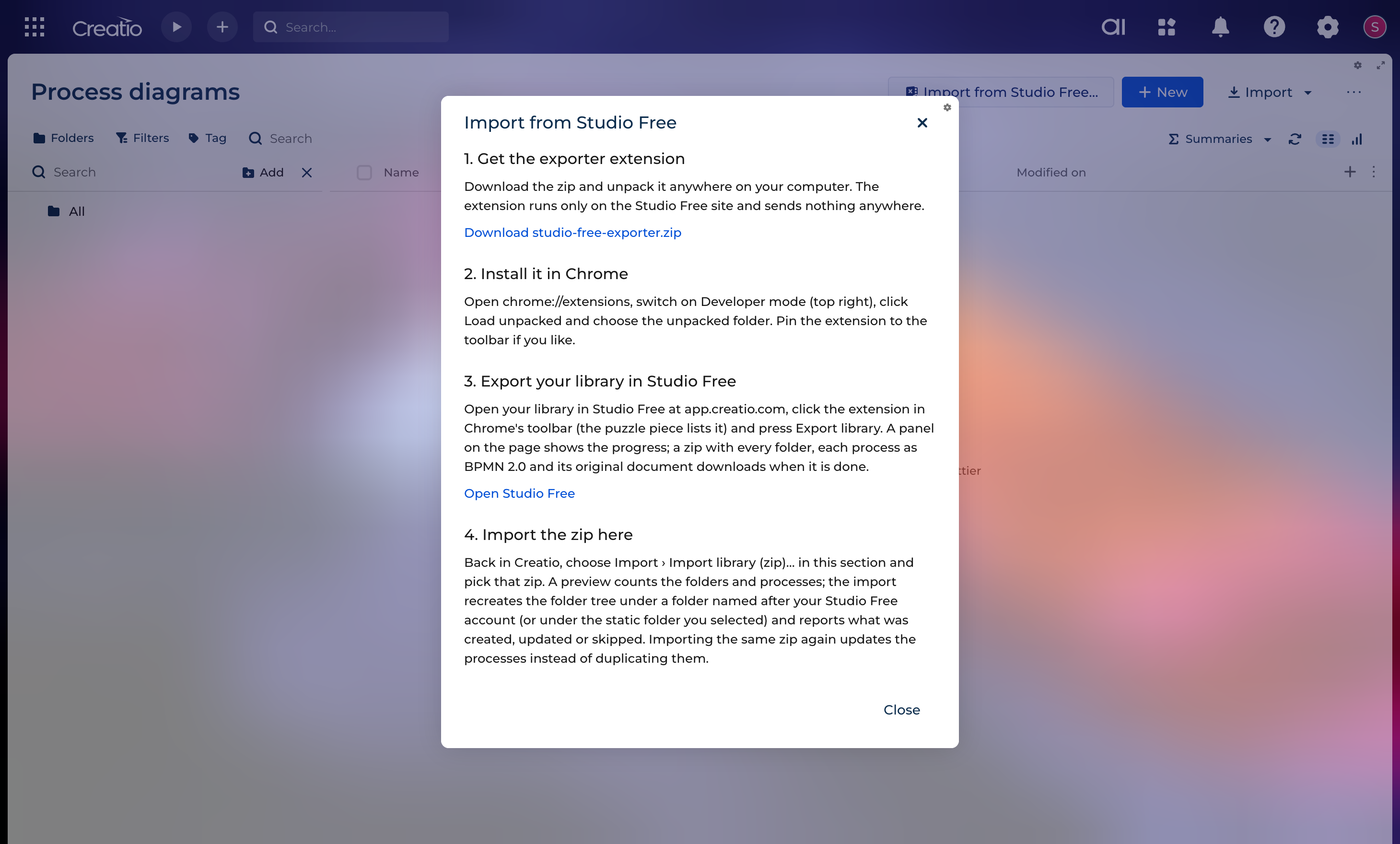
Migration from Studio Free
Pricing
Terms and Conditions
Support
Installation
Data sharing
- By installing or downloading the App, you confirm that you agree with sharing your account data (name, email, phone, company and country) with the App Developer as their End User.
- The App Developer will process your data under their privacy policy.
Versions
Versions history
Manual app installation
- Open the needed app → the Packages tab - download the Markeplace app files.
- Click in the top right → Application Hub
- Click New application. This opens a window.
- Select Install from file and click Select in the window that opens.
- Click Select file on the page of the Marketplace App Installation Wizard and specify the app file path.