

Bulk Attachments ZIP Download for Creatio
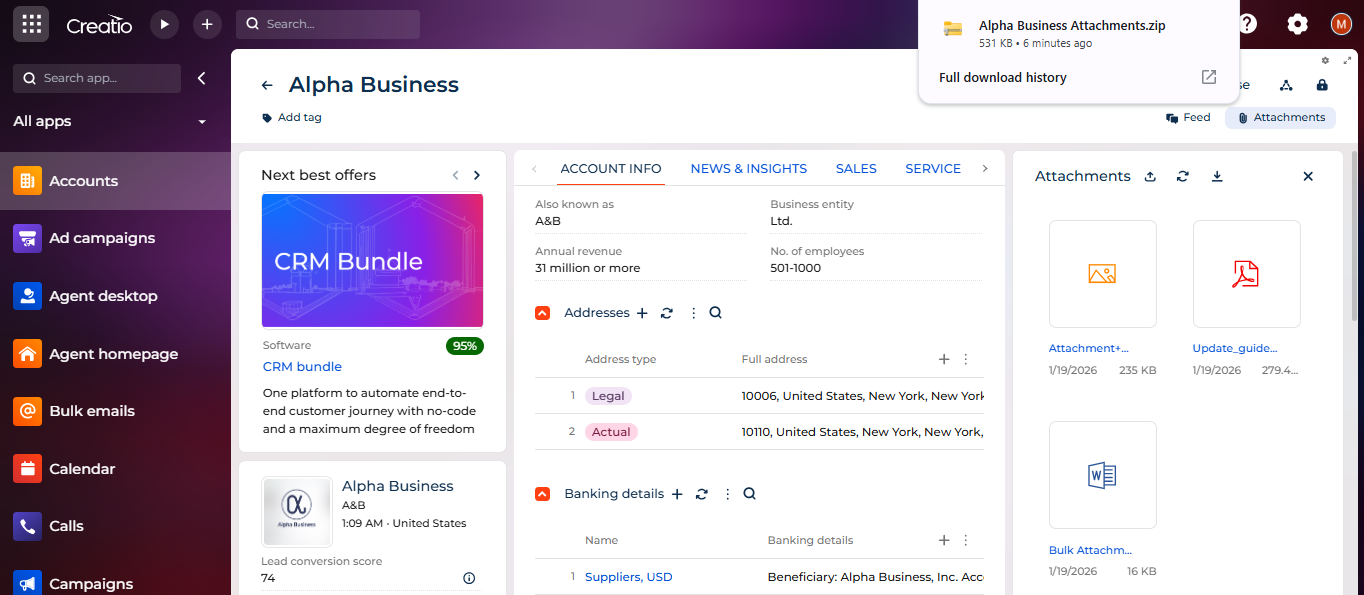
Bulk Attachments ZIP Download – provides a simple and efficient way to download all attachments of a record in one ZIP file, improving productivity and user experience in Freedom UI
Overview
Product overview
Product description
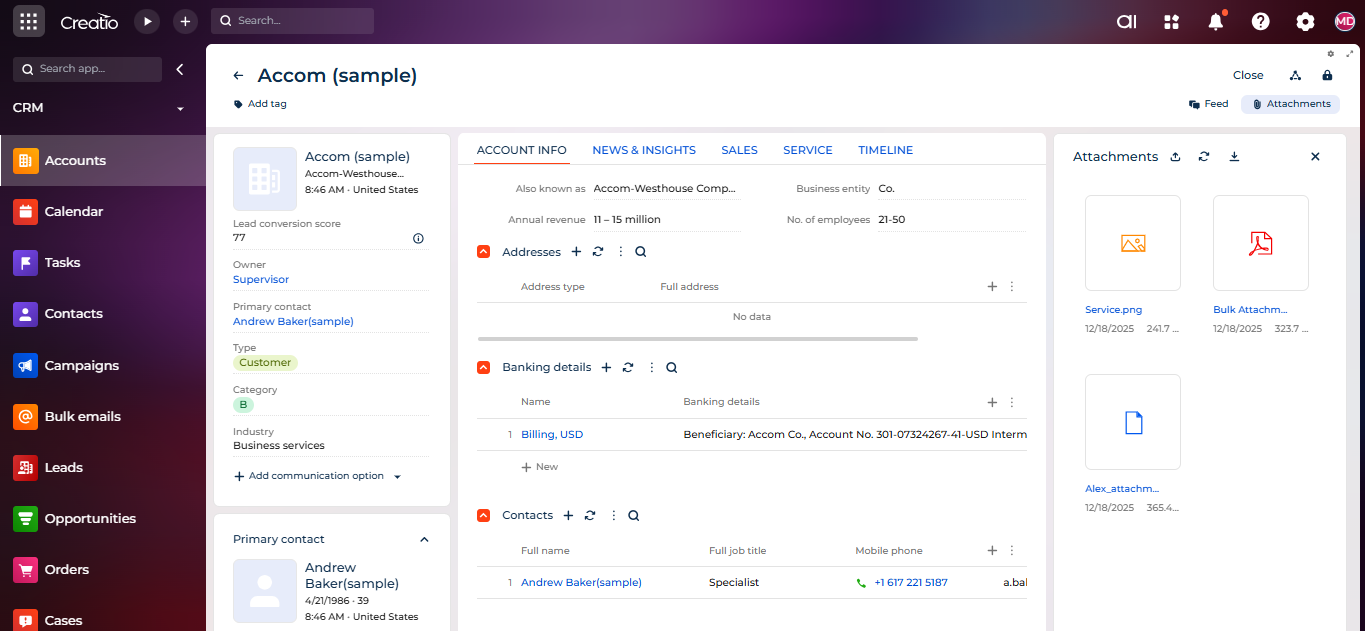
Bulk Attachments ZIP Download – allows users to download all attachments of a record as a single ZIP file directly from Freedom UI pages.
The application works seamlessly across standard (OOTB) sections and custom sections created by users.
The ZIP file is automatically named using the record’s display name, making it easy to identify, store, and share downloaded files.
The application works seamlessly across standard (OOTB) sections and custom sections created by users.
The ZIP file is automatically named using the record’s display name, making it easy to identify, store, and share downloaded files.
Key Features
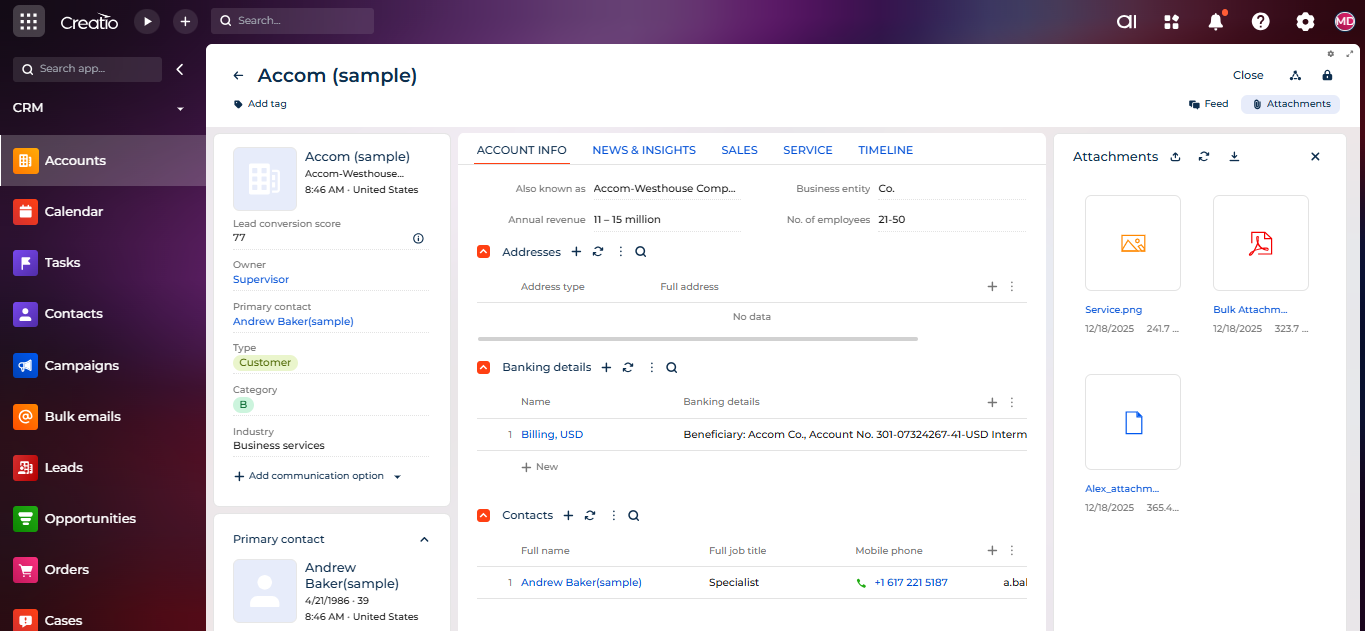
Single-click download from Attachments
A download icon is available directly in the Attachments detail for both standard and custom sections, allowing users to download all attachments as a single ZIP file with one click.
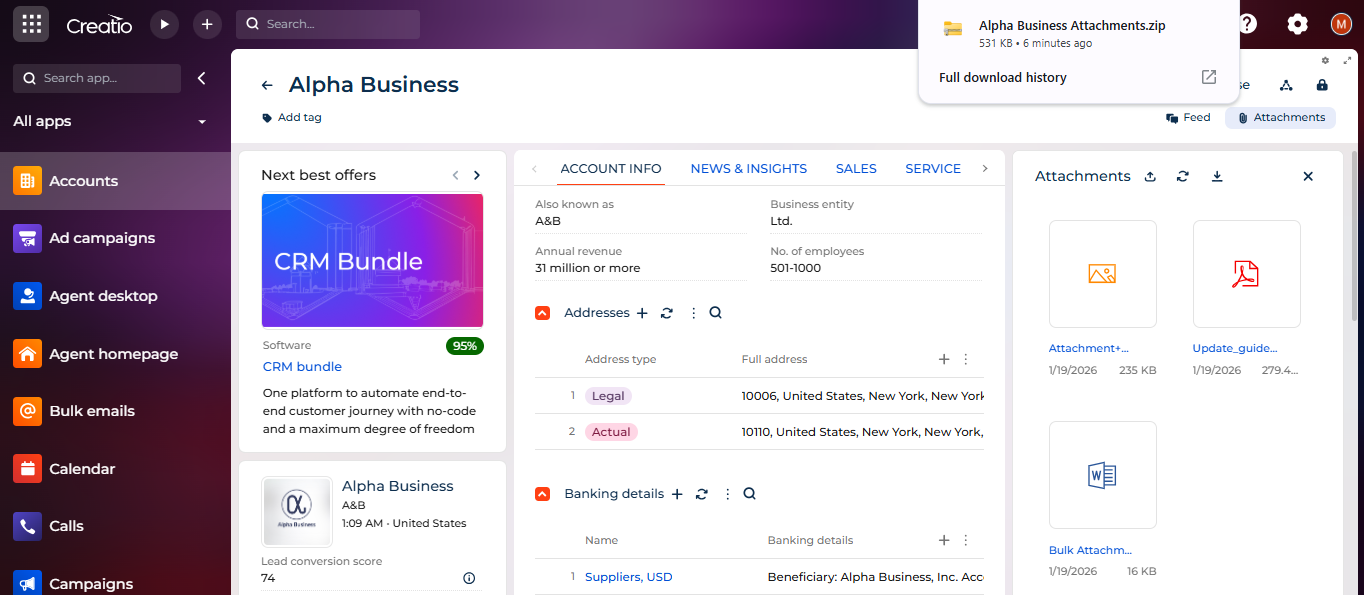
Download with meaningful file name
The downloaded ZIP file is automatically named using the record’s display name, making files easy to identify and share.
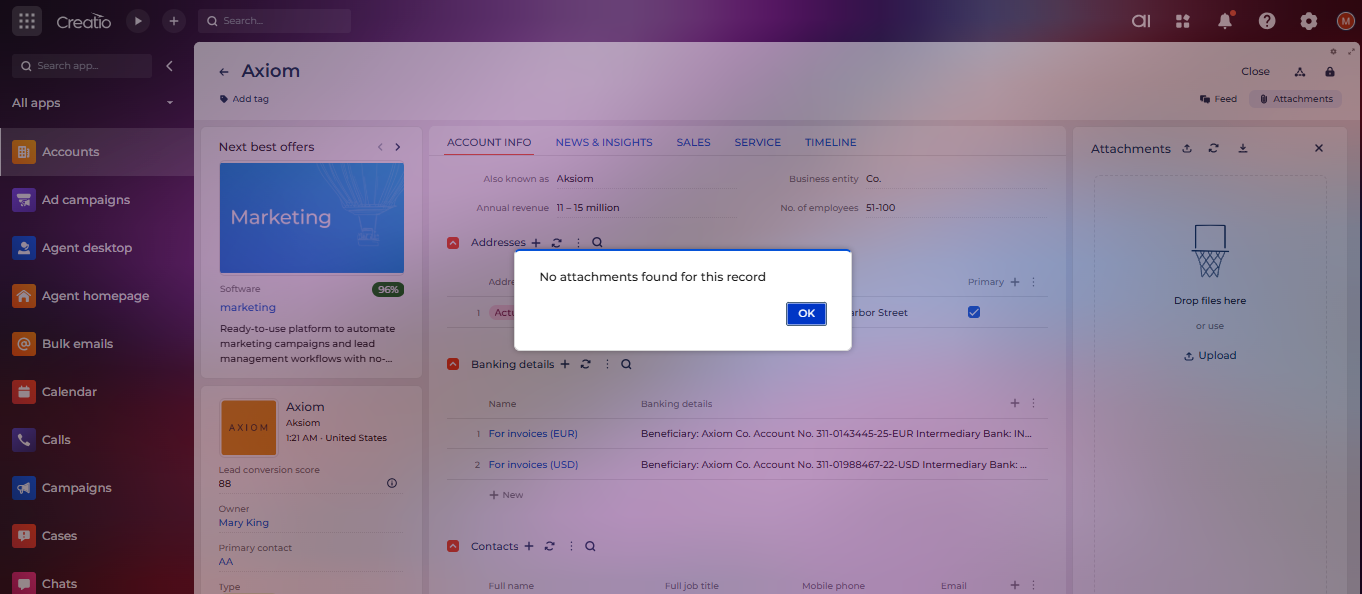
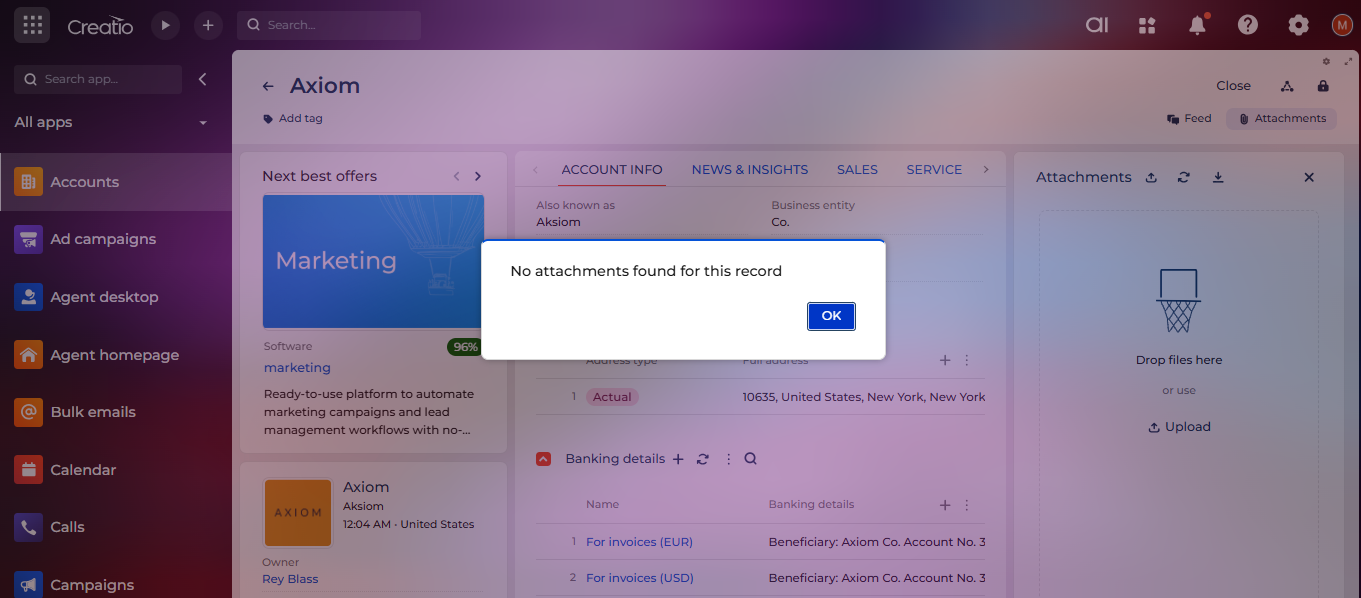
No attachments notification
Users are notified with a “No attachments found” message when no attachments are available for a record
Pricing
Monthly
Annual
Standard
Free
Terms and Conditions
By installing this product you agree to terms and conditions outlined in the license agreement.
Support
Support is available for this application
To keep this listing free of charge, support is provided only by email.
Installation
Setup guide
After successful installation of the add-on, a Download icon will be available in the Attachments detail. No additional configuration is required, and the feature works automatically for both existing and newly created sections.
Data sharing
- By installing or downloading the App, you confirm that you agree with sharing your account data (name, email, phone, company and country) with the App Developer as their End User.
- The App Developer will process your data under their privacy policy.
Versions
Versions history
Version
Compatibility
Release date
1.0.0
8.3.1 and up
Manual app installation
- Open the needed app → the Packages tab - download the Markeplace app files.
- Click in the top right → Application Hub
- Click New application. This opens a window.
- Select Install from file and click Select in the window that opens.
- Click Select file on the page of the Marketplace App Installation Wizard and specify the app file path.