

Bulk Fields Update for Creatio
Overview
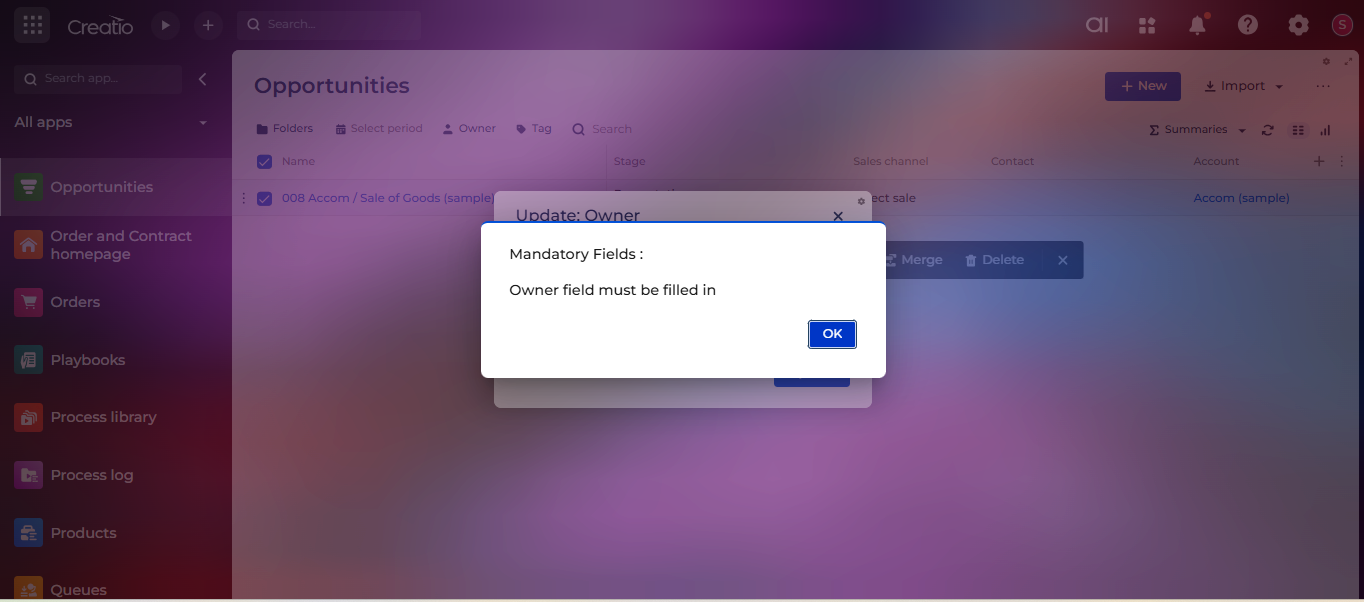
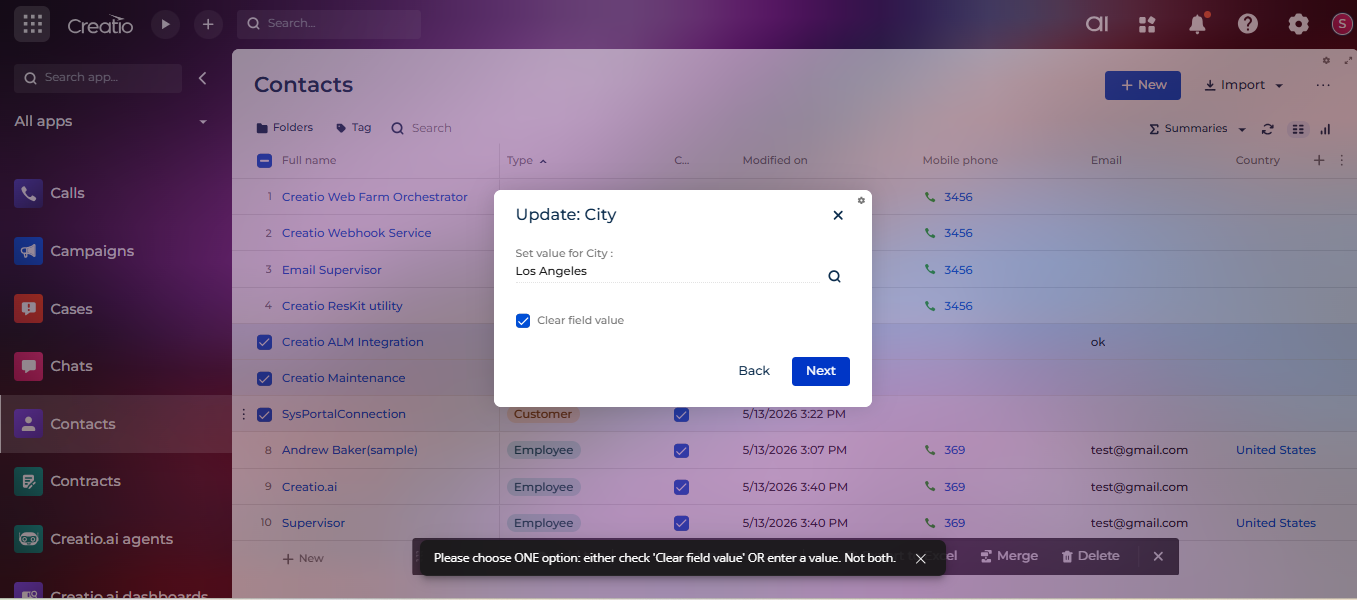
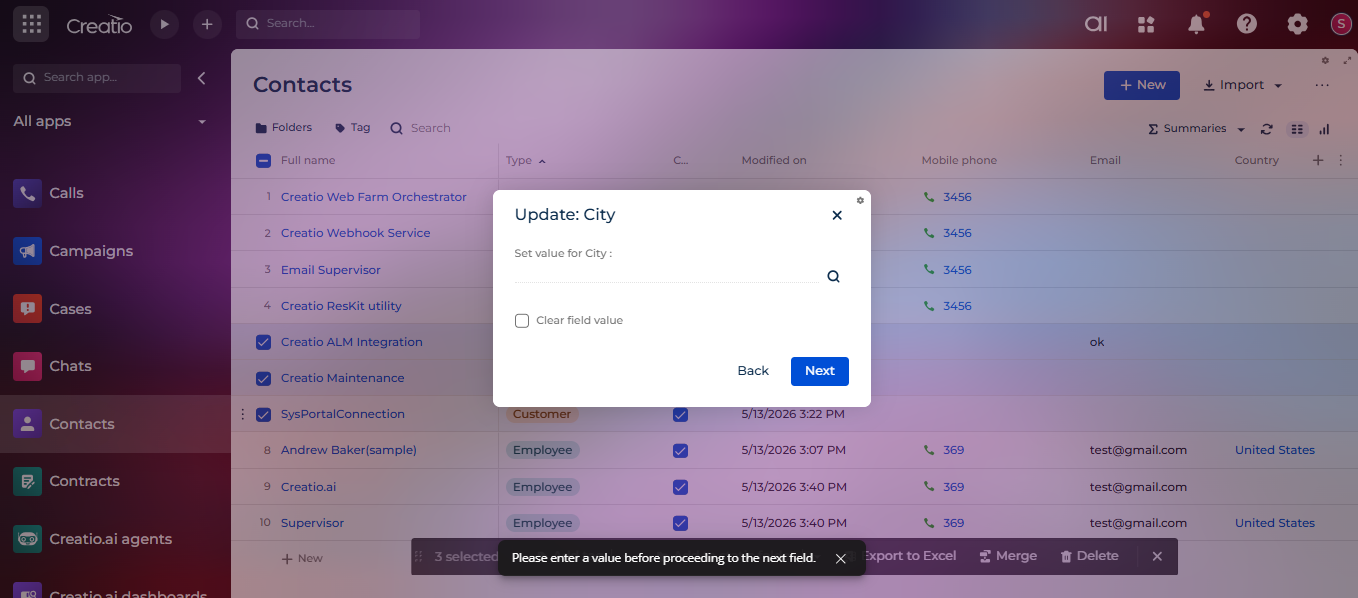
Product overview
Bulk Fields Update for Creatio is a productivity-focused application that allows users to safely update one or more fields across multiple records in a single operation. It is designed to handle real-world bulk update scenarios with strong validation, flexible selection logic, and full auditability.
The application works seamlessly with both out-of-the-box (OOTB) Creatio sections and custom sections, making it suitable for standard as well as extended data models.
Audit Logging & Traceability
This application records all bulk updates for tracking purposes. When the FieldsChangeLog object is registered in lookup, each update captures the fields that were changed, their previous values, the new values, and the selection criteria used. This ensures transparency, traceability, and better control over bulk data operations.
Key Features
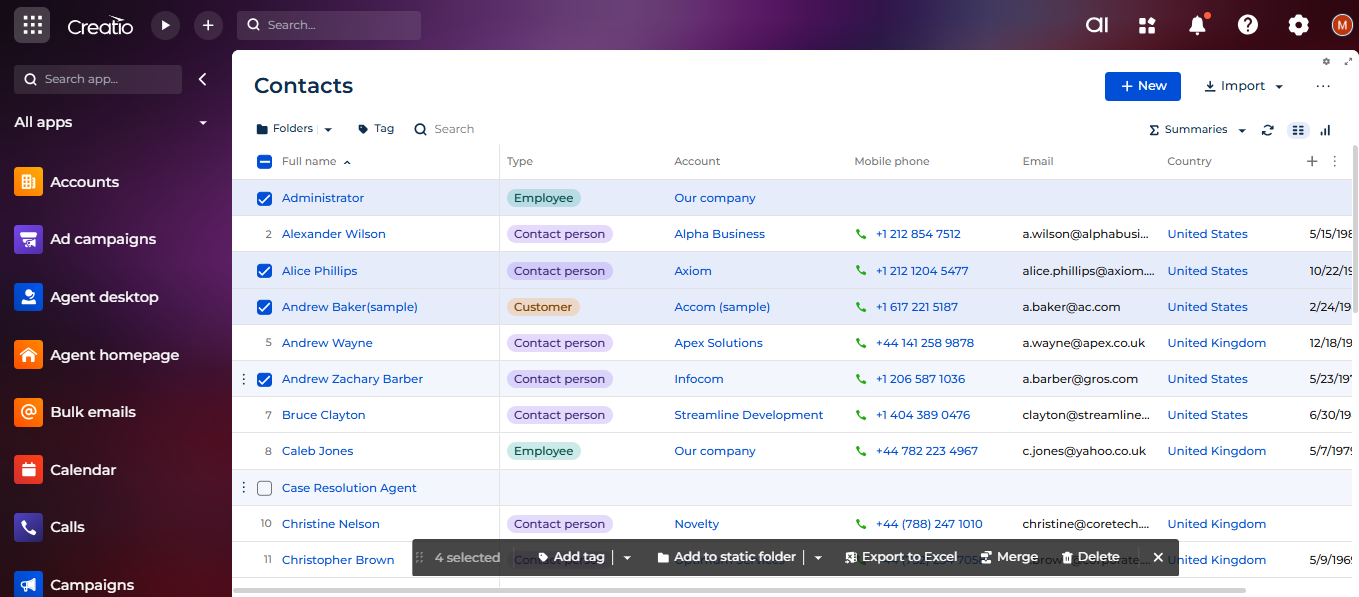
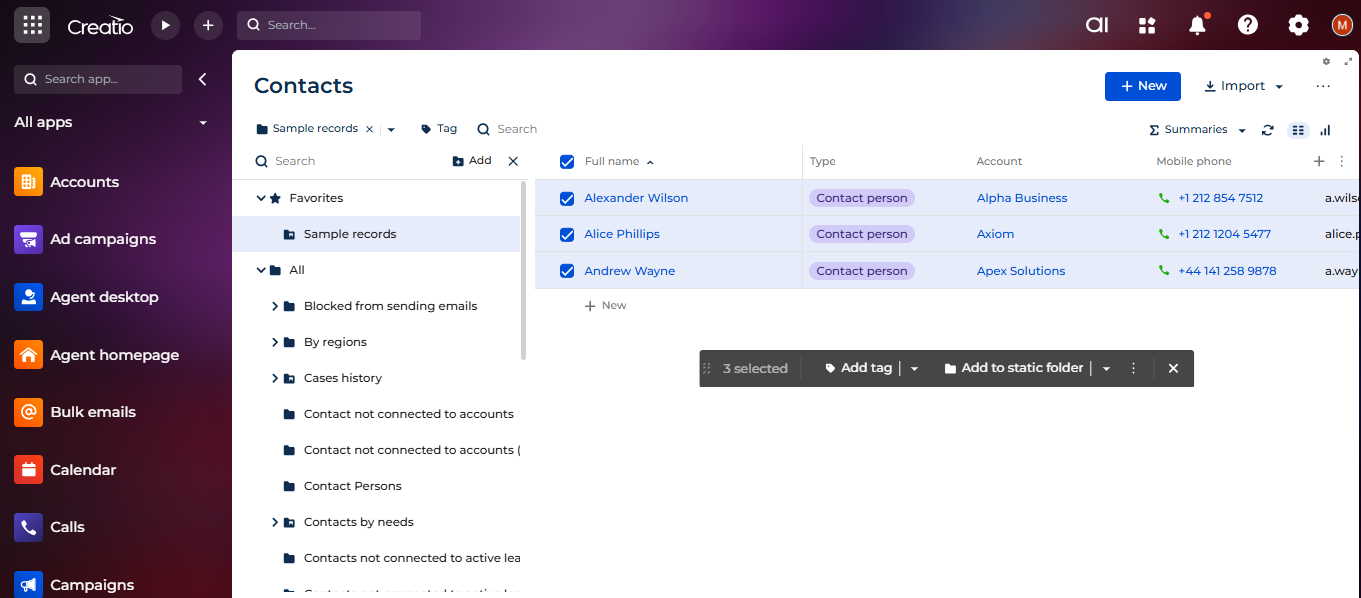
Flexible Record Selection Logic
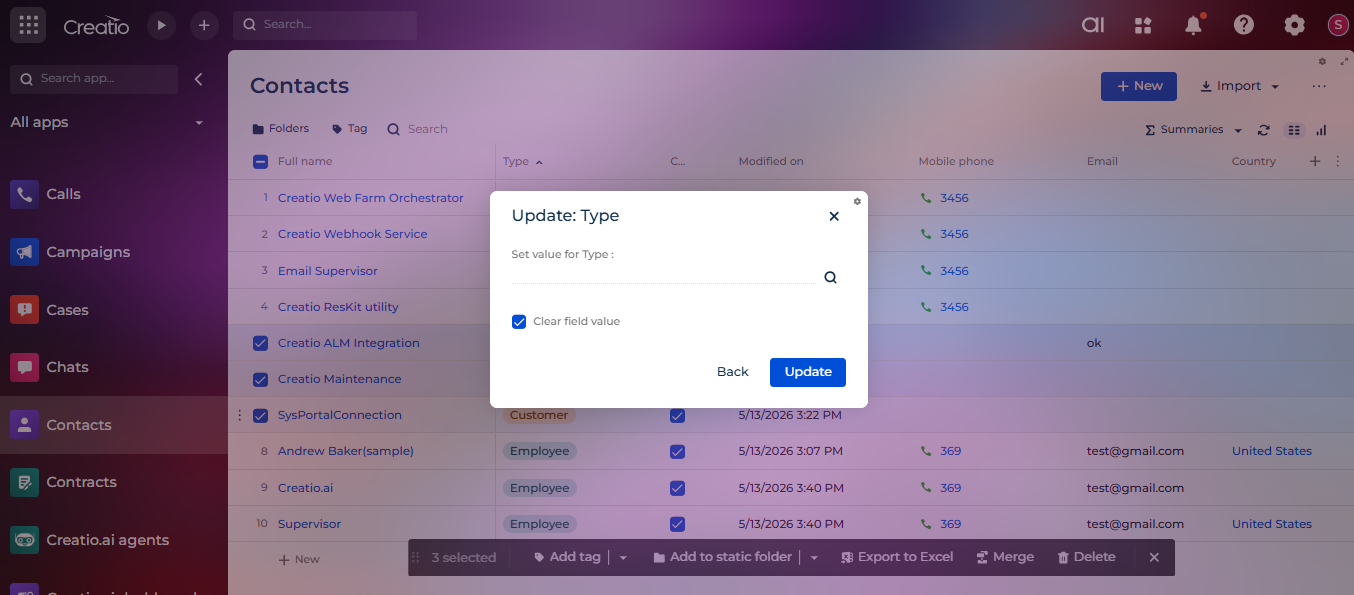
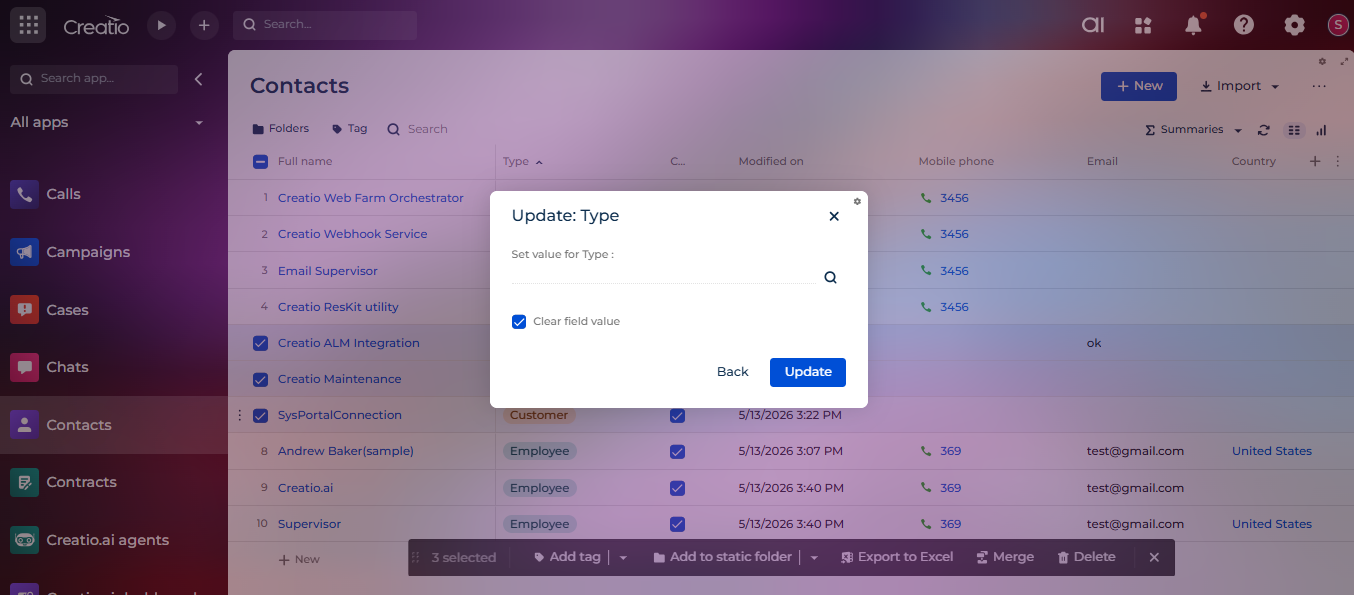
Clear Field Value Option
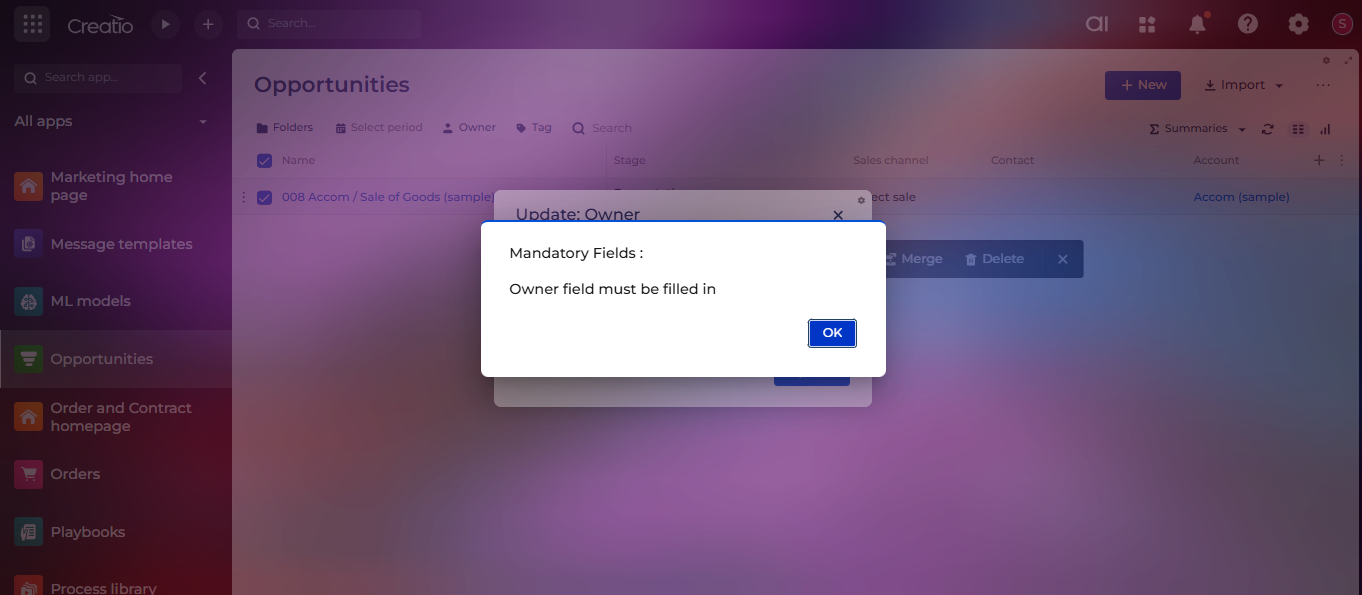
Mandatory Field Validation
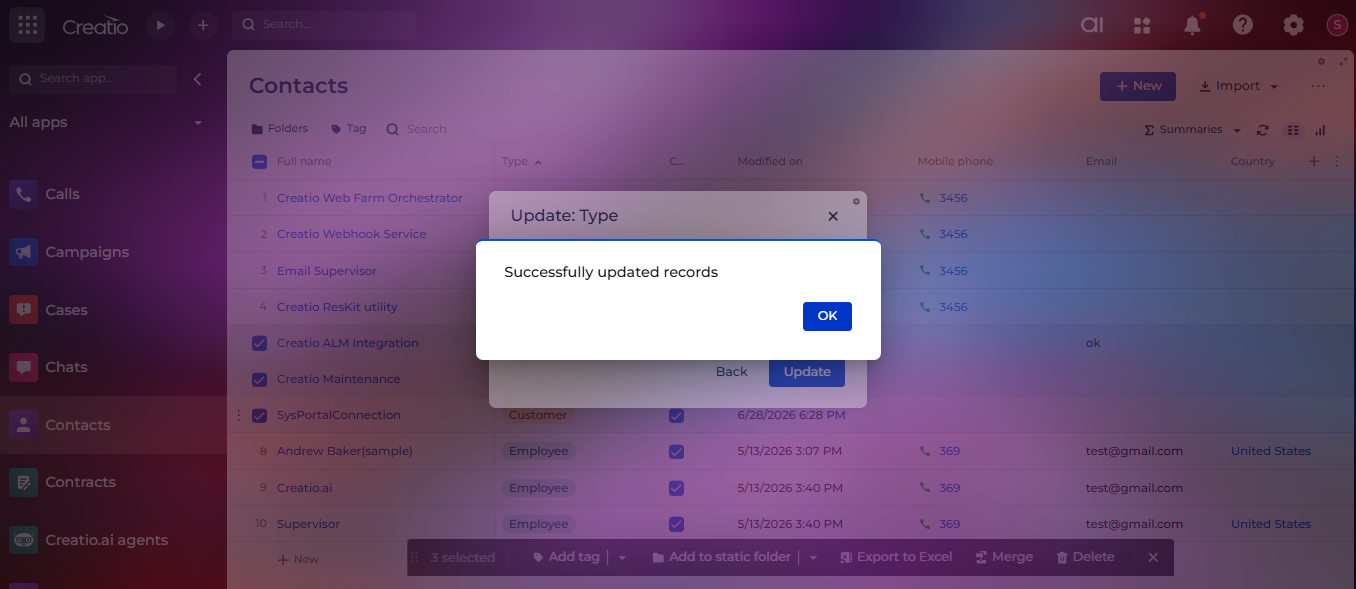
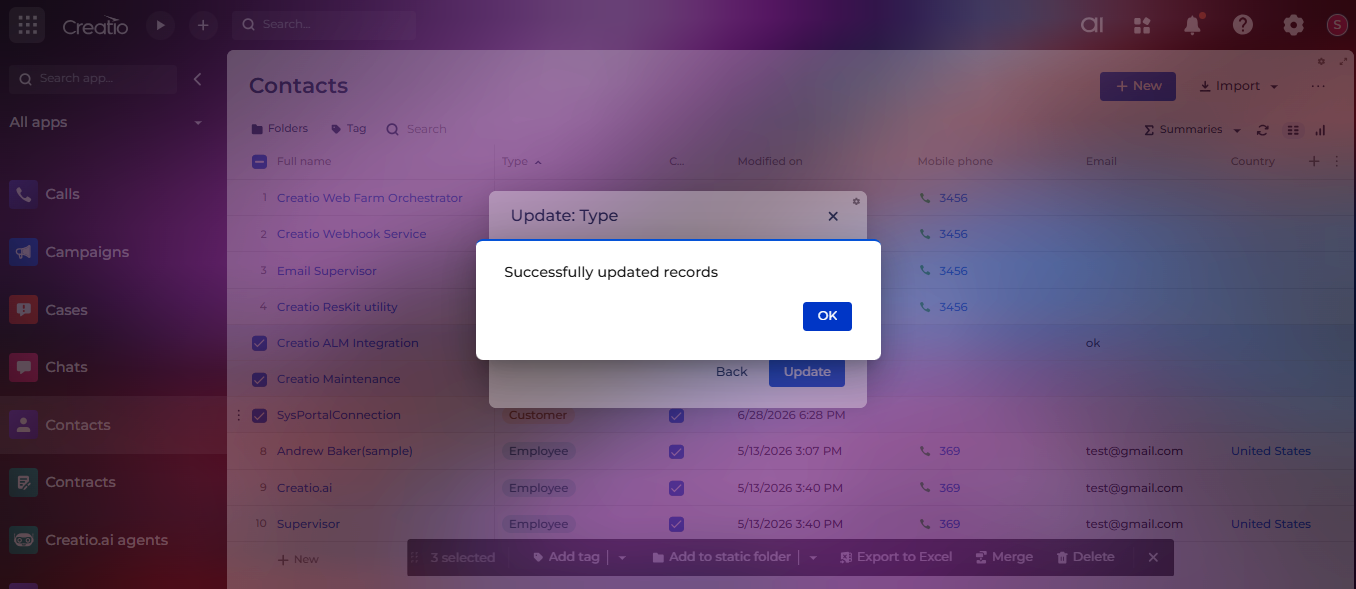
Success Notification
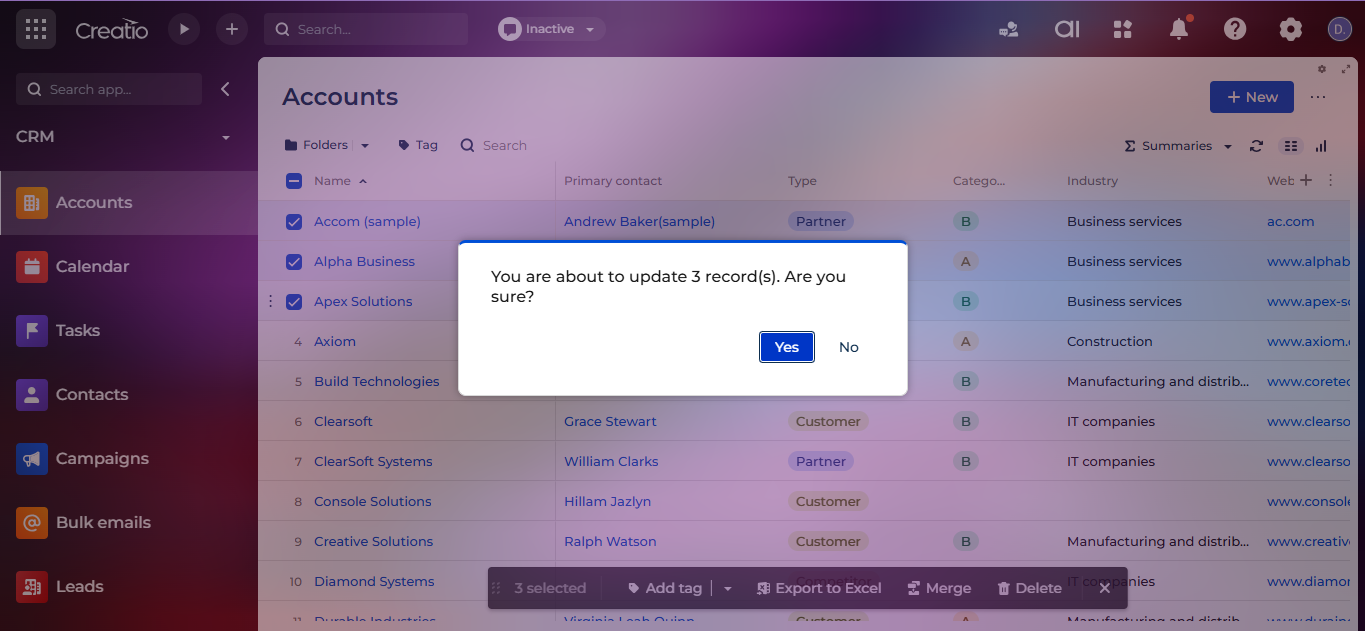
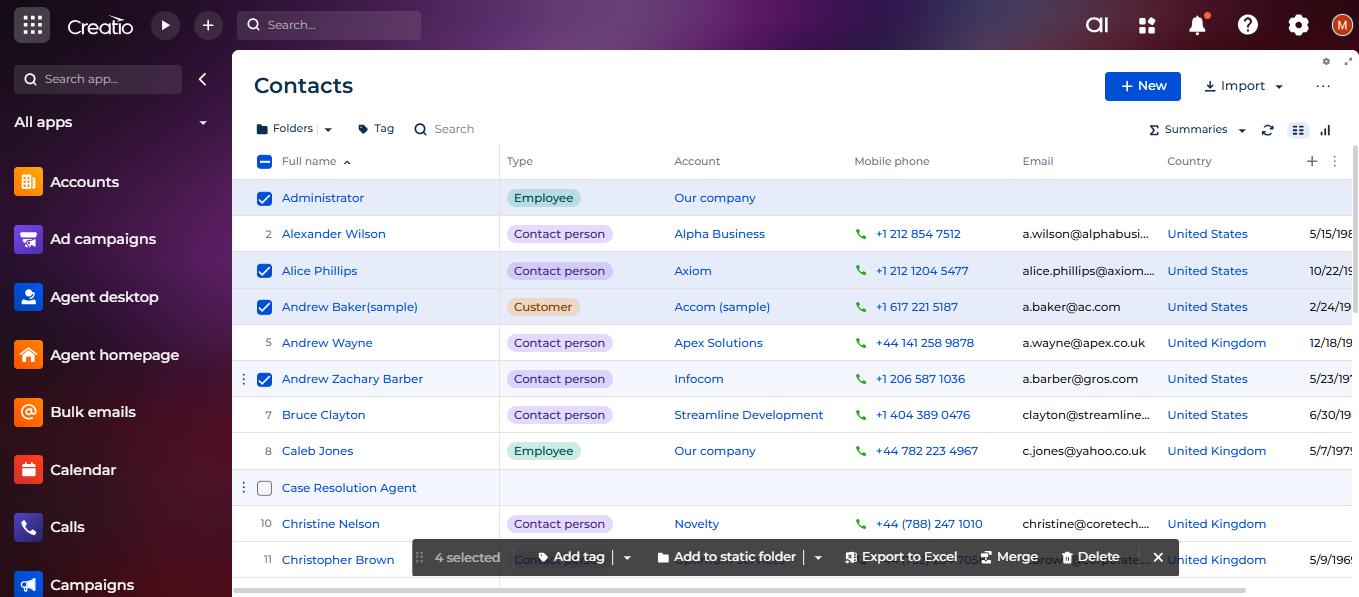
Selected Records Count Confirmation
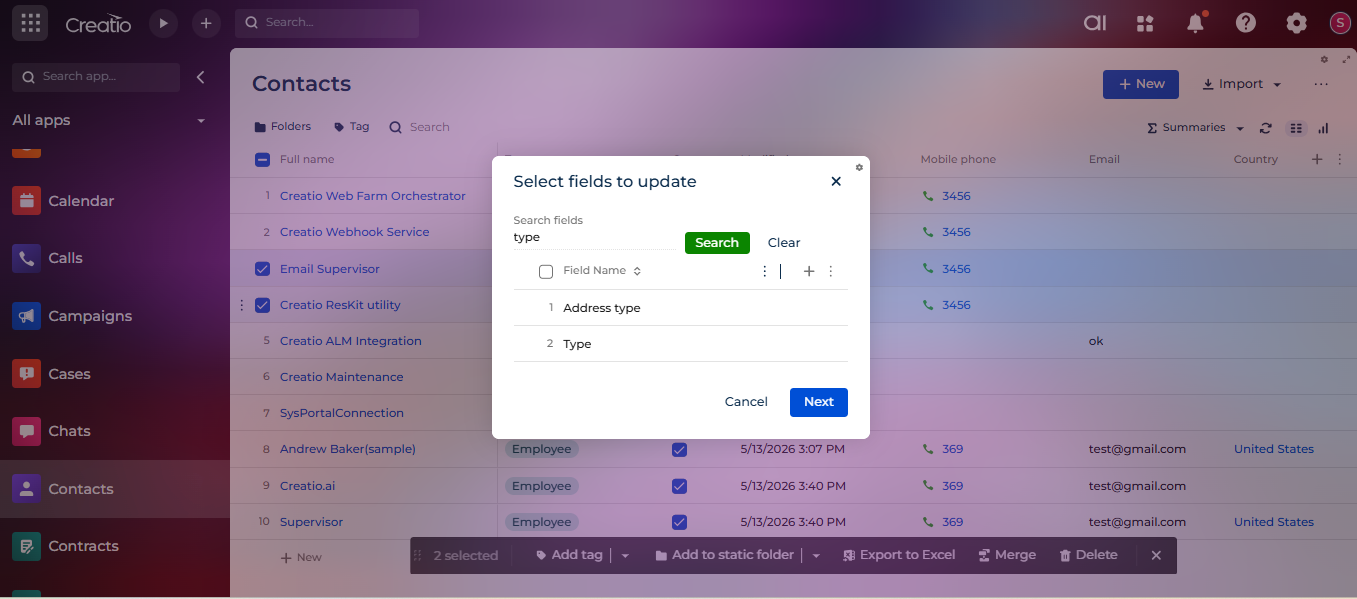
Field Search and Selection Navigation
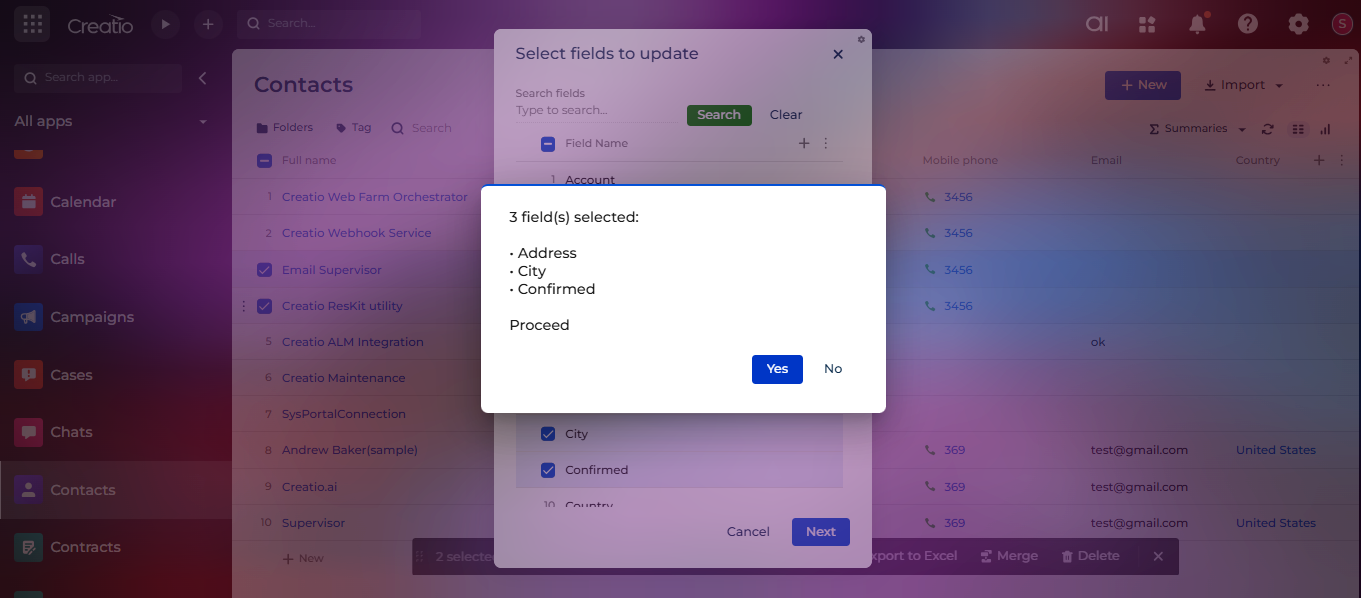
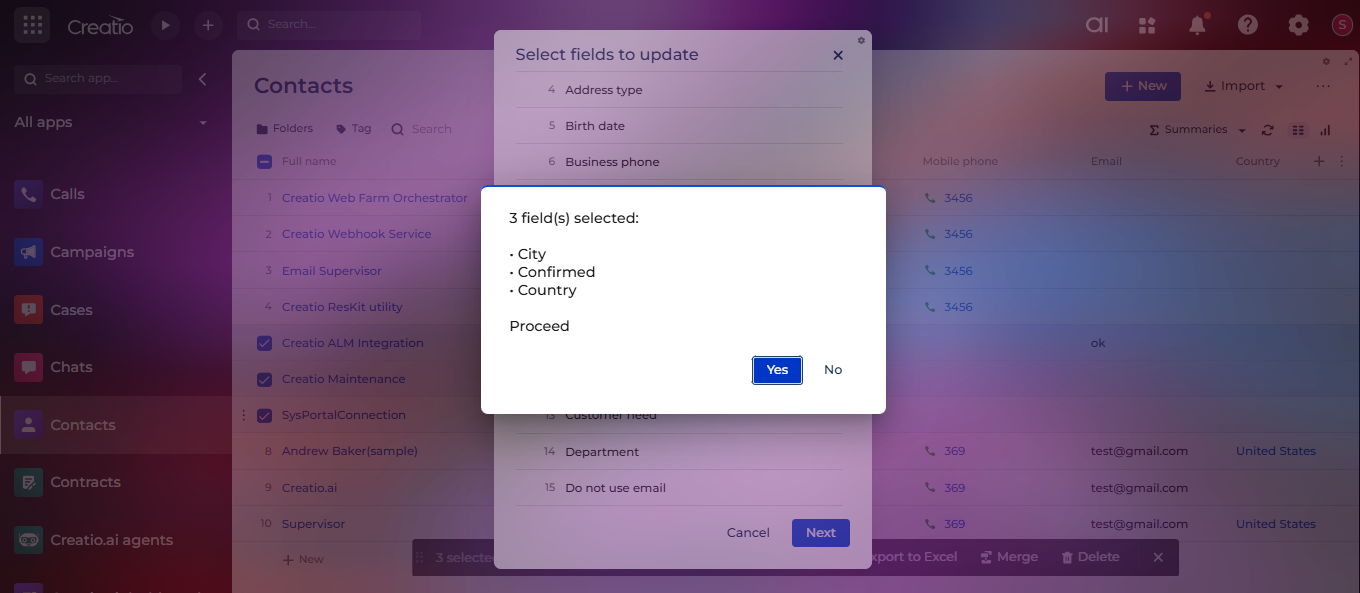
Selected Fields Confirmation
Pricing
Terms and Conditions
Support
Installation
Setup guide
-
Install the Application
• Install Bulk Fields Update for Creatio from the Creatio Marketplace into your Creatio environment.
• After installation, refresh your browser and log in again to ensure the package is fully applied. -
Enable Audit Logging (Optional)
Audit logging allows you to track all bulk updates performed using the application.
• Open Settings in Creatio.
• Navigate to System setup → Lookups.
• Click New to create a new lookup.
• In the Object field, select Fields Change Log.
• Enter a suitable name (for example: Fields Change Log).
• Click Save.After saving:
• Open Content of created lookup to view logged records.
Each bulk update will record the updated field names, old values, new values, and the selection criteria used. Once this lookup is created, audit logging works automatically.
-
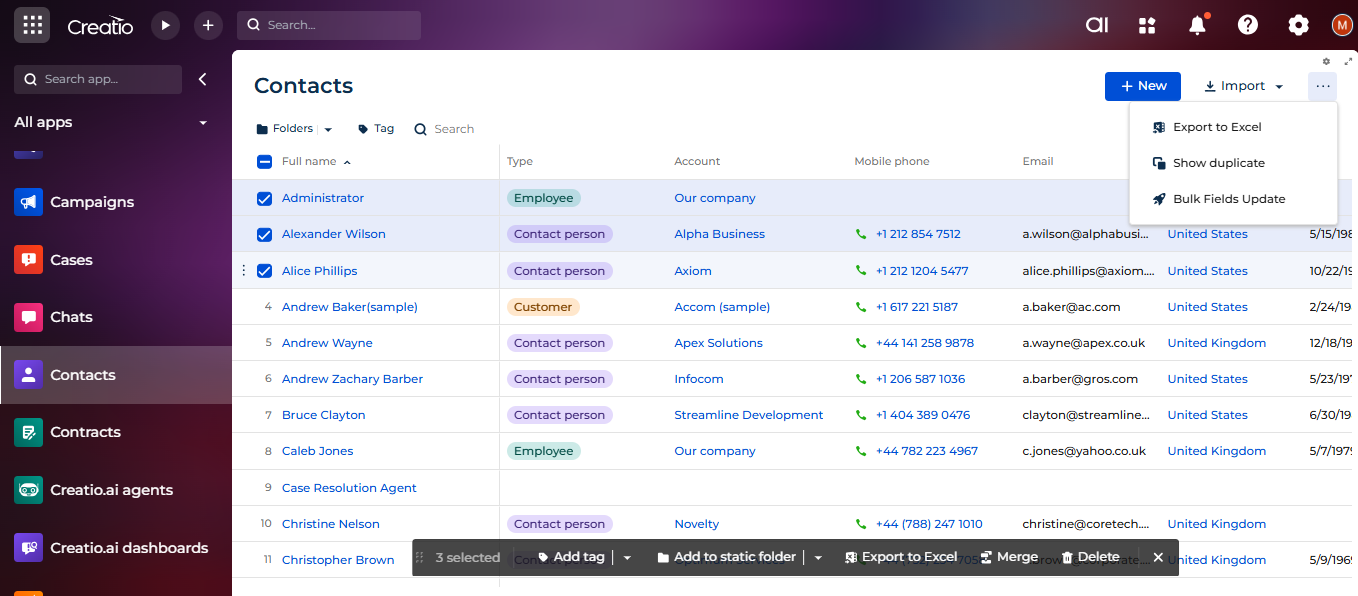
Use Bulk Fields Update Action
• Open any supported section (standard or custom).
• Select one or more records manually, or use Select All.
• Click the three-dot (…) menu in the section toolbar.
• Select Bulk Fields Update.
• Follow the guided wizard to choose fields, set new values or clear values, and confirm the update.After confirmation, the selected records will be updated in bulk with validation and optional audit tracking.
Data sharing
- By installing or downloading the App, you confirm that you agree with sharing your account data (name, email, phone, company and country) with the App Developer as their End User.
- The App Developer will process your data under their privacy policy.
Versions
Versions history
This release adds support for both Windows and Linux (.NET Core) Creatio environments, enabling the application to run seamlessly across both platforms.
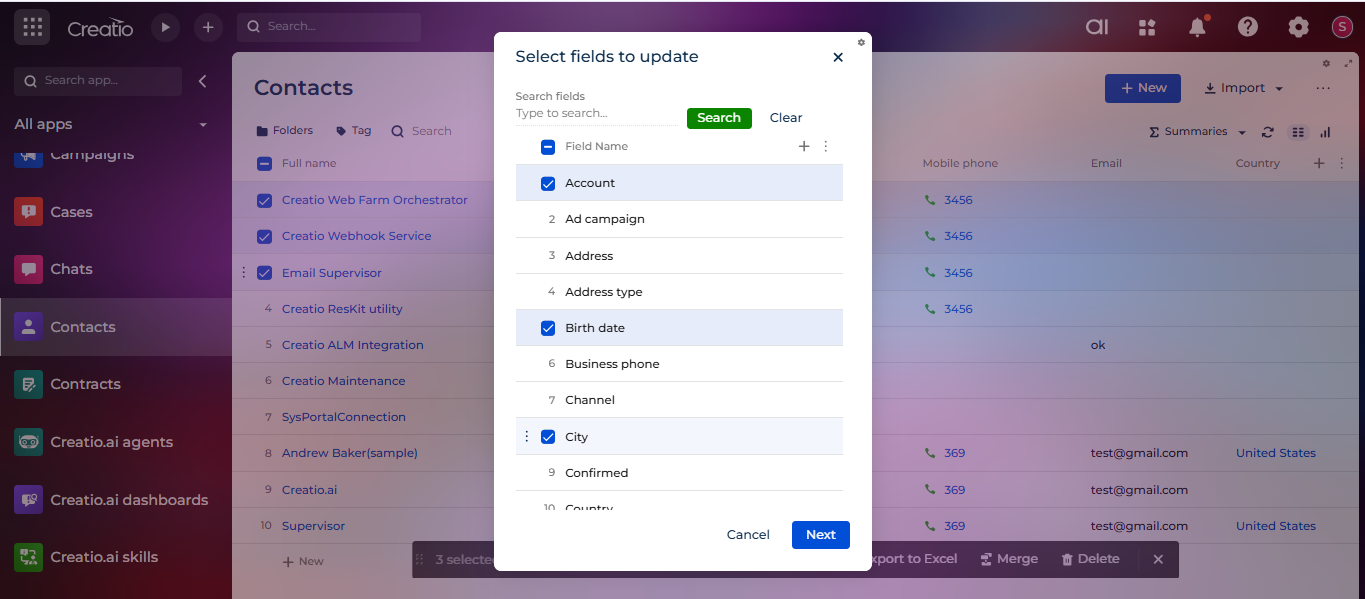
This release introduces a search option in the field selection window to improve usability when working with a large number of fields.
Changes implemented in this version:
- Added a Search input and button in the field selection window, allowing users to quickly find specific fields by name.
- Added a Clear button to reset the search filter and restore the full list of available fields.
- Added a confirmation popup when the Bulk Field Update action is triggered on selected records, showing the total number of selected records before proceeding.
- Added a selected-fields confirmation view, letting users review their field selections before continuing to the update step.
Manual app installation
- Open the needed app → the Packages tab - download the Markeplace app files.
- Click in the top right → Application Hub
- Click New application. This opens a window.
- Select Install from file and click Select in the window that opens.
- Click Select file on the page of the Marketplace App Installation Wizard and specify the app file path.
Compatibility notes