Conversational Agent for Creatio

Not rated
An intelligent, fully automated conversational assistant by Alkemia that seamlessly integrates with any of your Creatio products to understand user intent and resolve inquiries instantly.

Overview

Product overview

Product description

Turn any Creatio communication channel into a fully automated conversational assistant — powered by Creatio's native AI Skills.

Stop making your customers wait. Start resolving faster.

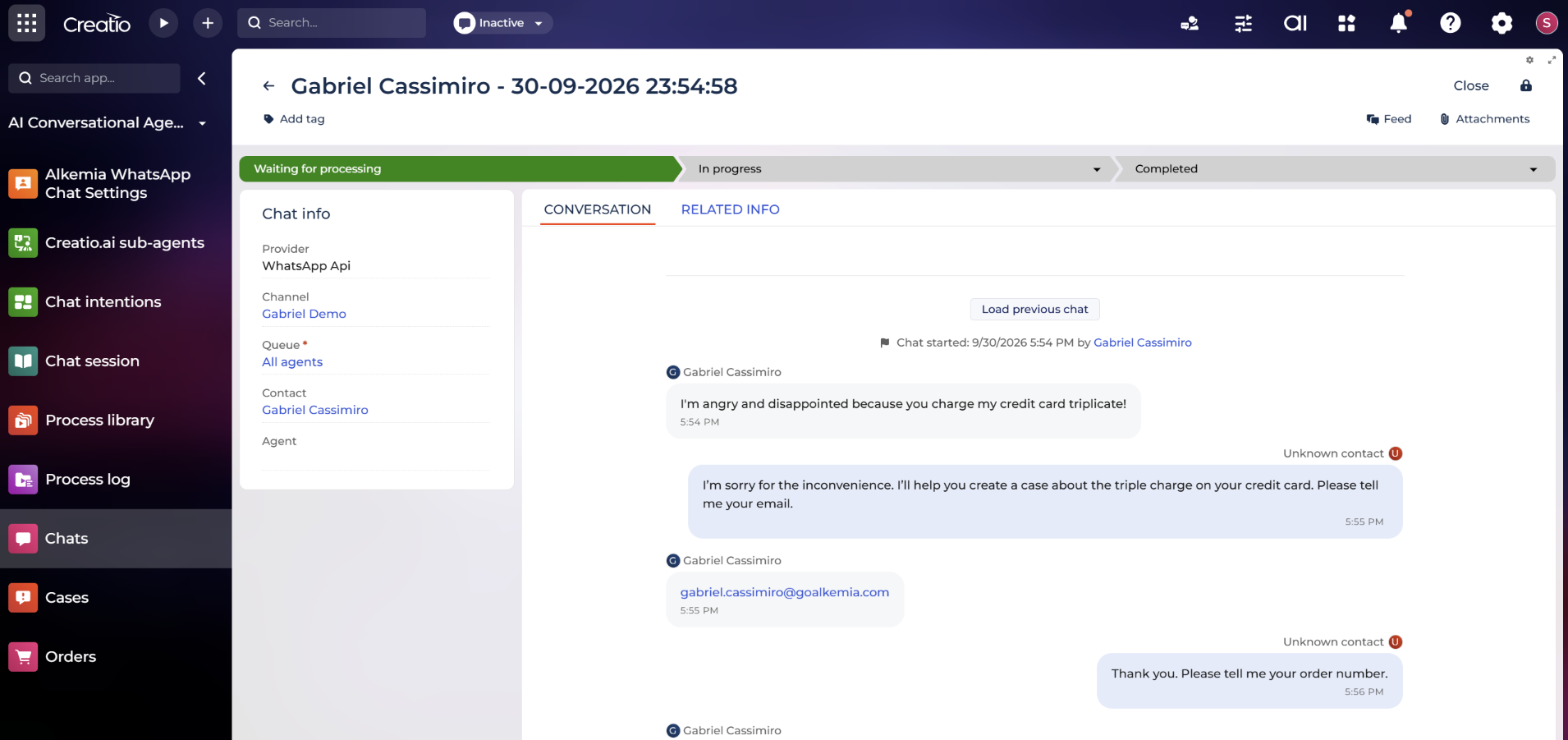
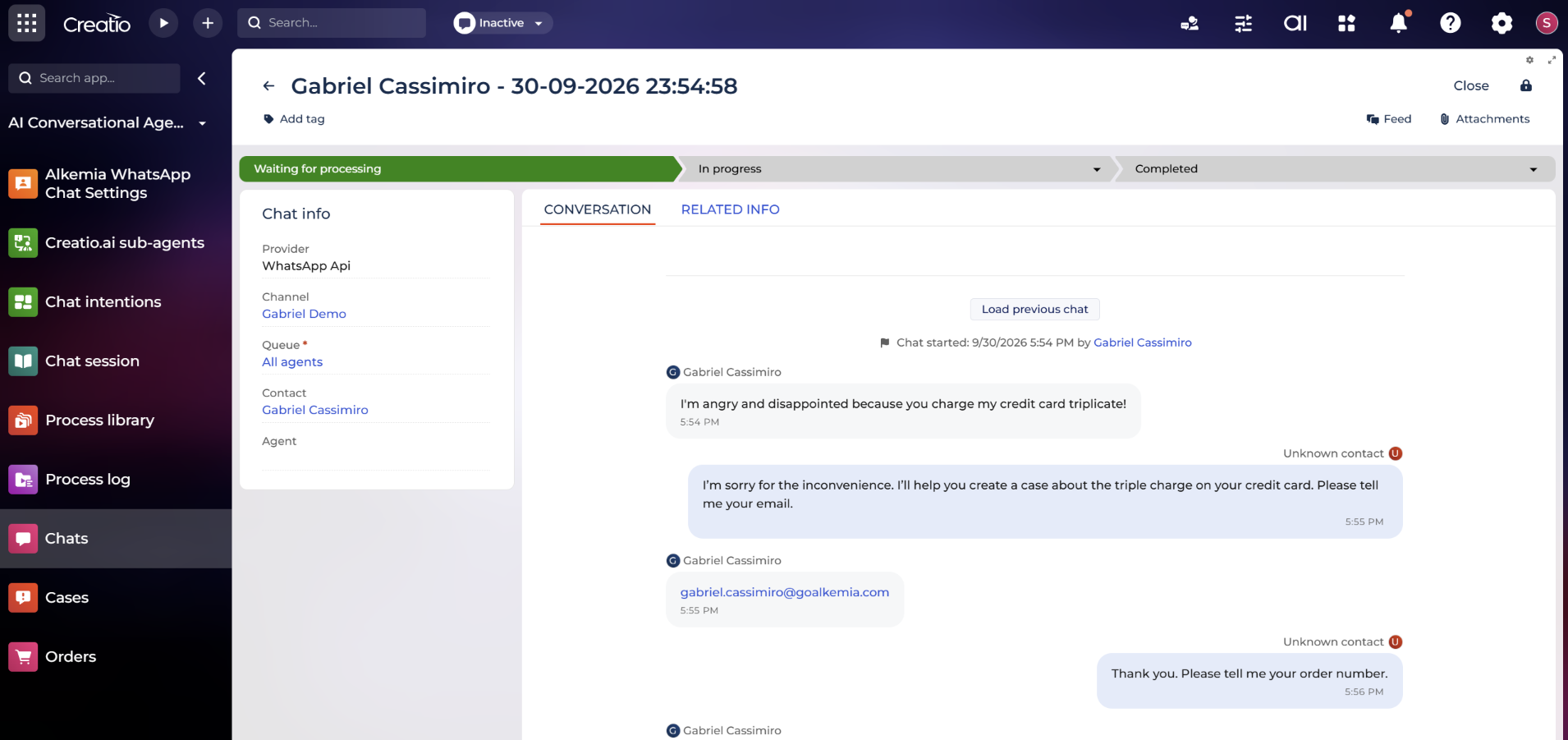
Conversational Agent for Creatio brings intelligent, context-aware conversations to your customer channels. Your customers ask questions in plain language, the agent understands their intent, collects the right information, and triggers the exact Creatio process to get them an answer — automatically, 24/7. Deliver a seamless, intelligent support experience that instantly understands user intent and autonomously resolves inquiries directly within Creatio.


What it does

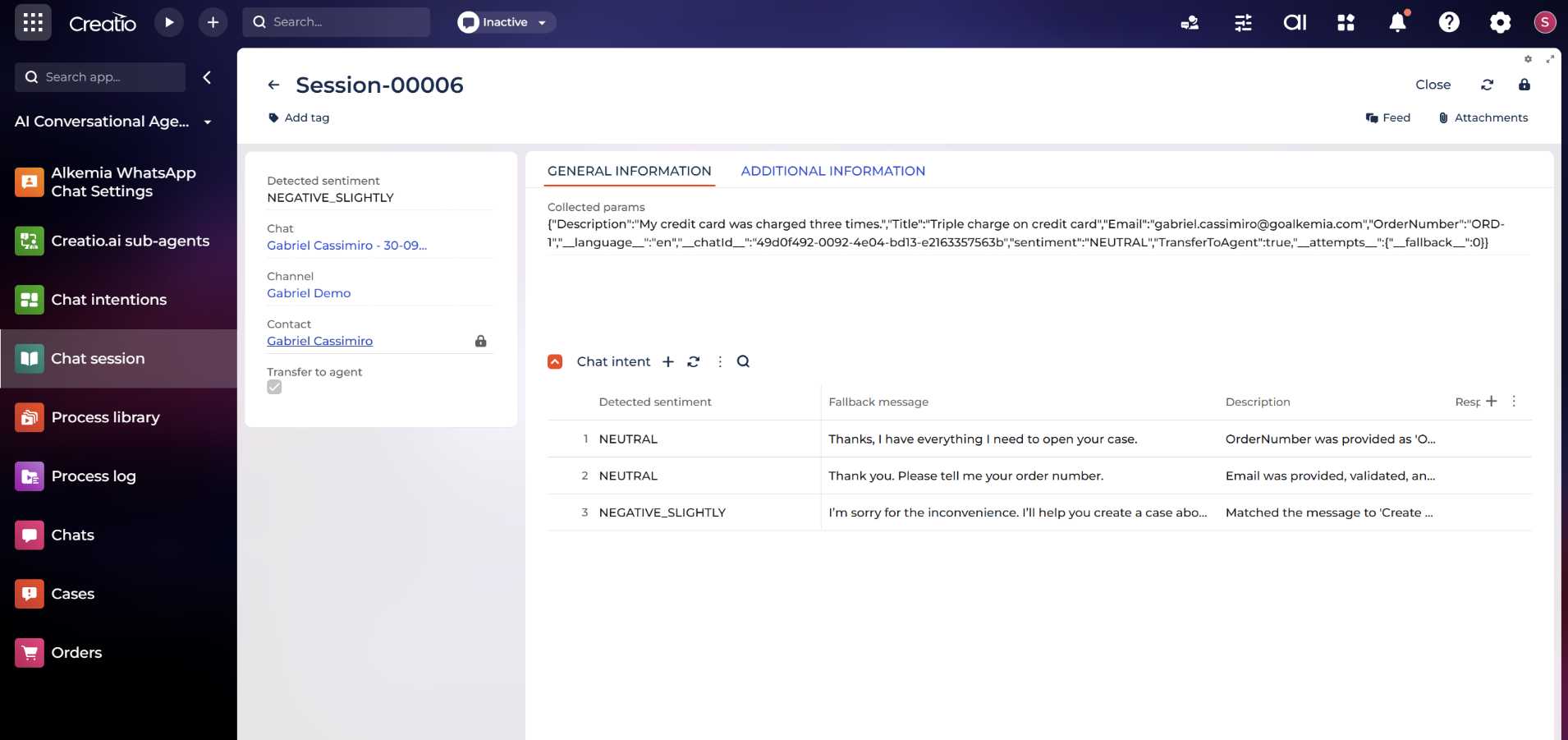
  • Detects customer intent from natural language and guides the conversation to resolution.

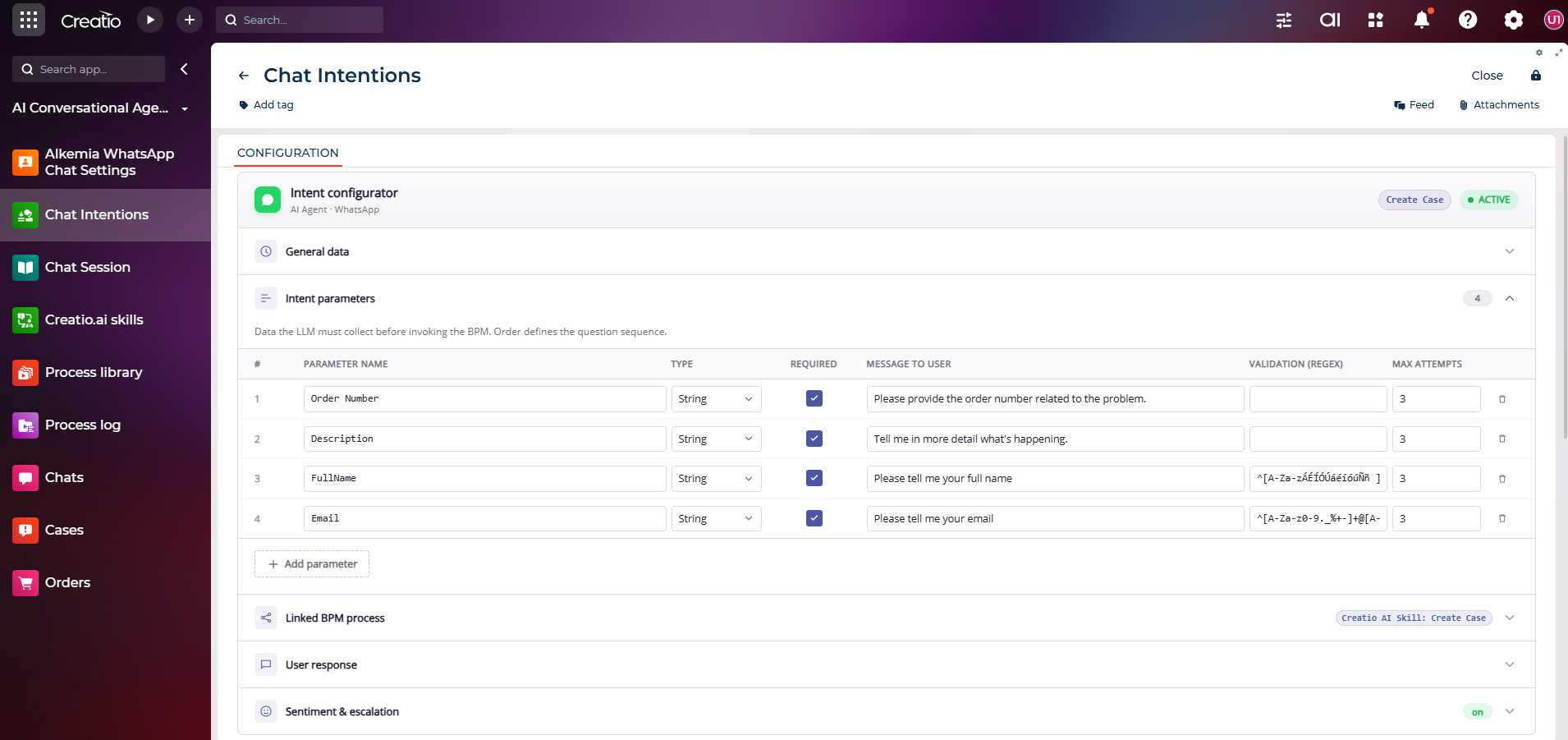
  • Collects only the parameters each request actually needs — nothing more, nothing less.

  • Triggers any Creatio process automatically once the information is complete.

  • Verifies unrecognized contacts inline before returning sensitive data.

  • Built for Creatio admins, not developers: Configure intents, parameters, and response templates entirely through the Creatio UI. No code. No deployments.


Key Features
Natural Language Intent Understanding
Uses Creatio native AI Skills to interpret plain language, identify intent, and steer conversations to resolution. Delivers context aware answers without scripted menus or dead ends, improving response accuracy and customer experience.

Dynamic Parameter Collection

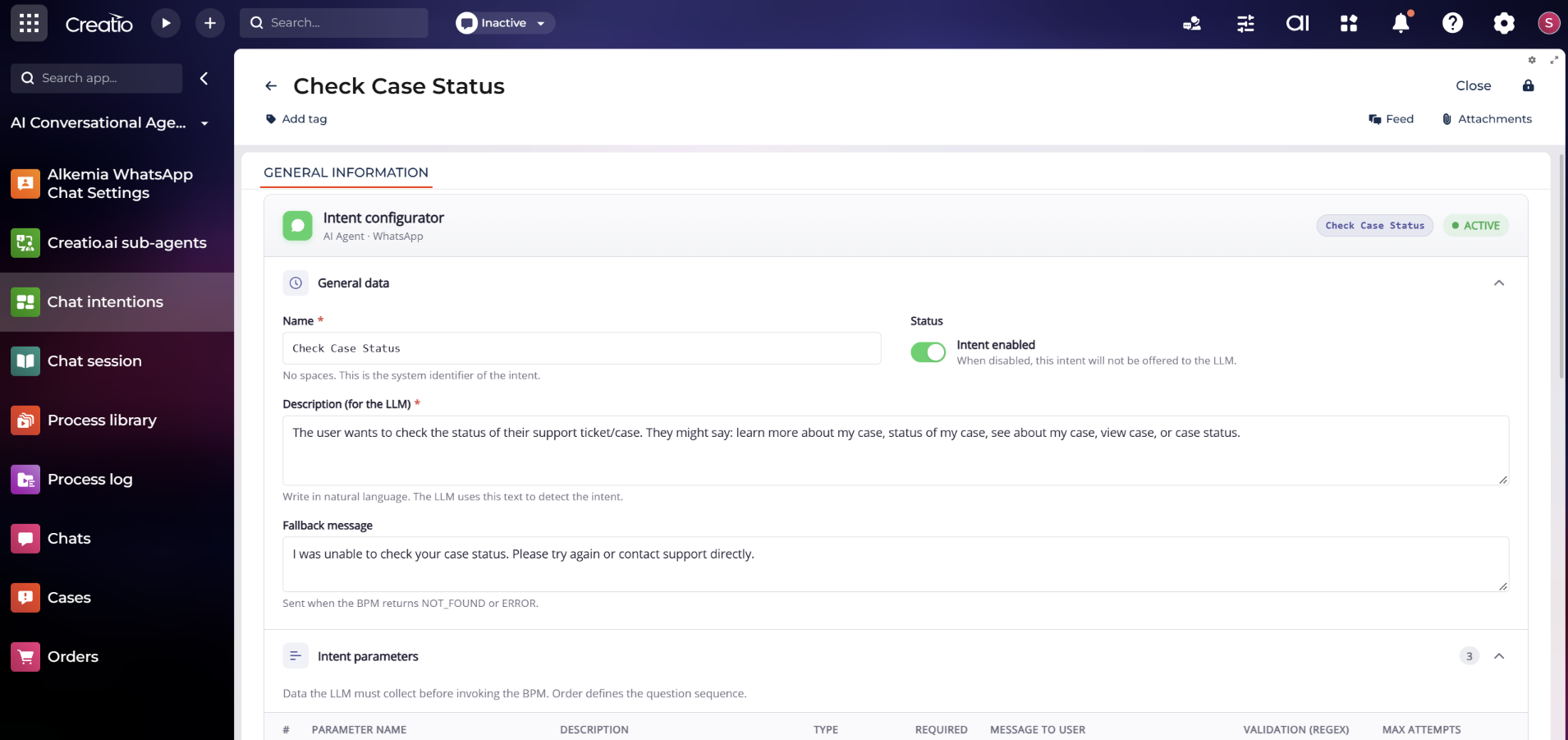
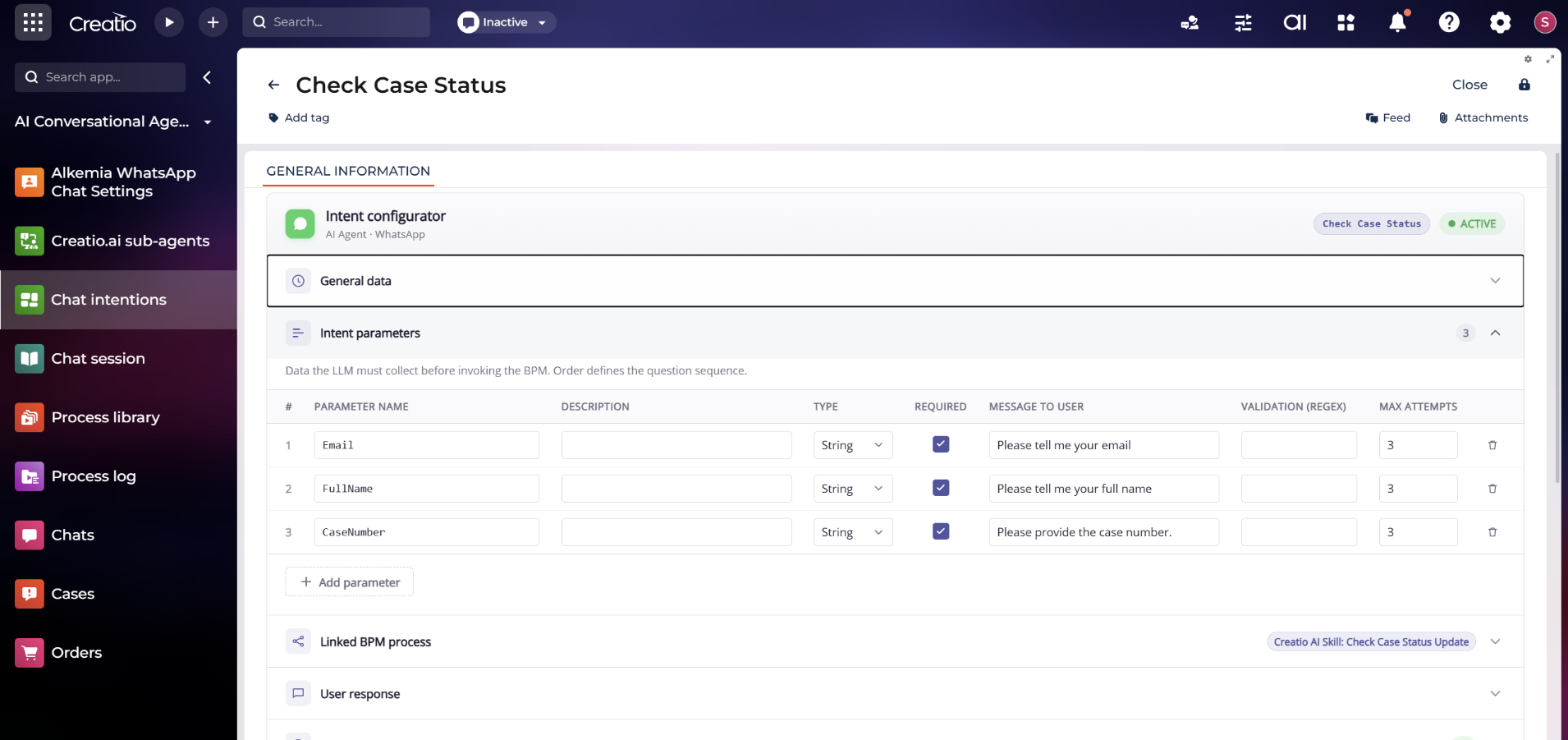
Collects only the parameters each request actually needs, reducing friction and form fatigue. Validates completeness during the dialog and prepares clean, structured data so downstream Creatio processes run correctly the first time.

Inline Identity Verification

Verifies unrecognized contacts inline before sharing sensitive information. Confirms identity within the chat flow to protect data, reduce risk, and maintain a seamless experience without forcing users to leave the conversation.

Frustration Detection and Human Escalation
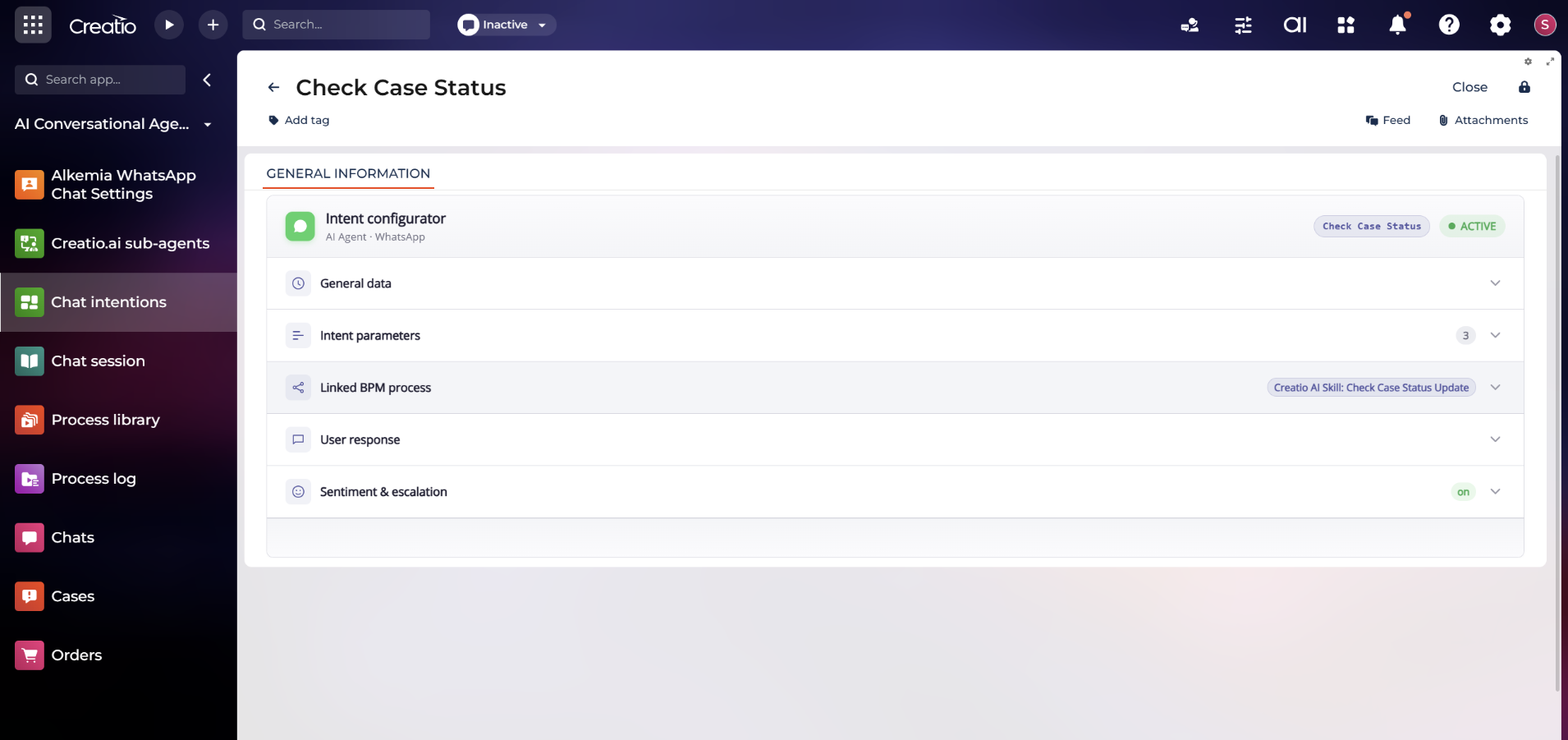
Detects signs of user frustration in real time and escalates to a human agent when needed, ensuring timely assistance. Keeps customers engaged, minimizes churn, and preserves context for smooth handoffs and faster outcomes.

No Code Admin Configuration

Configure intents, parameters, and response templates entirely in the Creatio UI. No code or deployments required, so new use cases go live the moment you save, accelerating iteration while keeping governance in the hands of admins.

Out of the box: Get Case status

Customers ask about their support case in plain text. The agent identifies them, retrieves the case from Creatio, and responds with status, subject, and assignee — formatted in natural language, delivered instantly on WhatsApp.

Categories

Categories

UI Framework

UI Framework
Freedom UI

Type

Type
AI Agent

Price

Price
Paid

Compatible with Creatio

Version
8.3.4 and up

Release information

Launched:
Updated:

Pricing

Monthly
Annual
Standard
$ 210.00 / month
billed annually

Terms and Conditions

By installing this product you agree to terms and conditions outlined in the license agreement.

Support

Support is available for this application
Support is provided by the developer within the “Basic” and “Business” packages. Detailed information about the support packages and the support terms can be found on the Creatio website.

Installation

Product compatibility

UI Framework

Freedom UI

Deployment Options

Cloud
On-site

DBMS

Any supported DBMS

Platform

.NET Framework
.NET 8 (supported from 8.2.1)
.NET 6 (started from 8.0.9)

Compatible with Creatio

8.3.4 and up

Versions

Versions history

Version
Compatibility
Release date
1.0.1
8.3.4 and up
October 19, 2026
Release summary
First Release!
1.0.0
8.3.4 and up
July 31, 2026
Release summary
Beta release

Manual app installation

  1. Open the needed app → the Packages tab - download the Markeplace app files.
  2. Click in the top right → Application Hub
  3. Click New application. This opens a window.
  4. Select Install from file and click Select in the window that opens.
  5. Click Select file on the page of the Marketplace App Installation Wizard and specify the app file path.

Reviews