


Creatio.ai Knowledge Library
Overview
Product overview
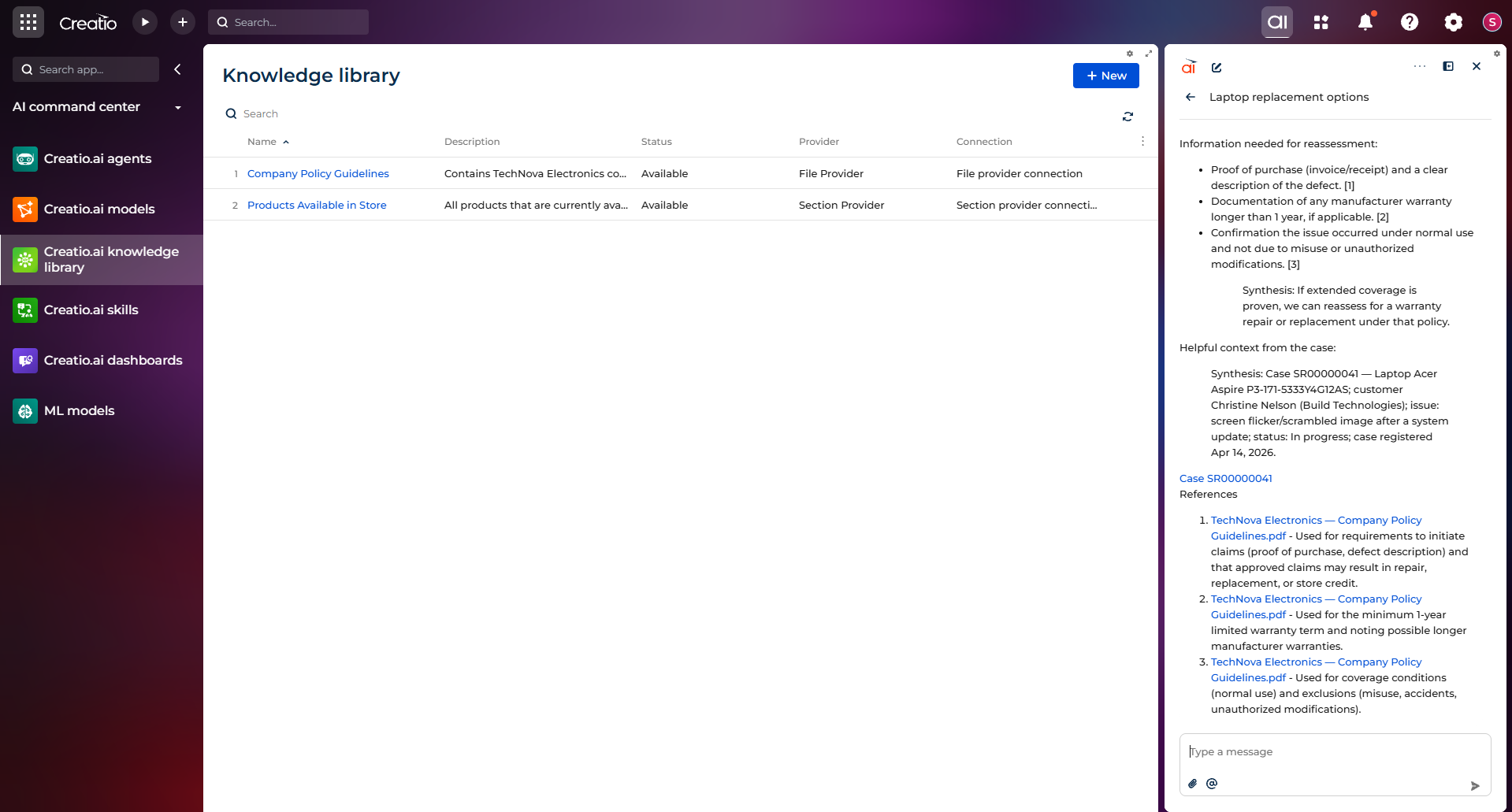
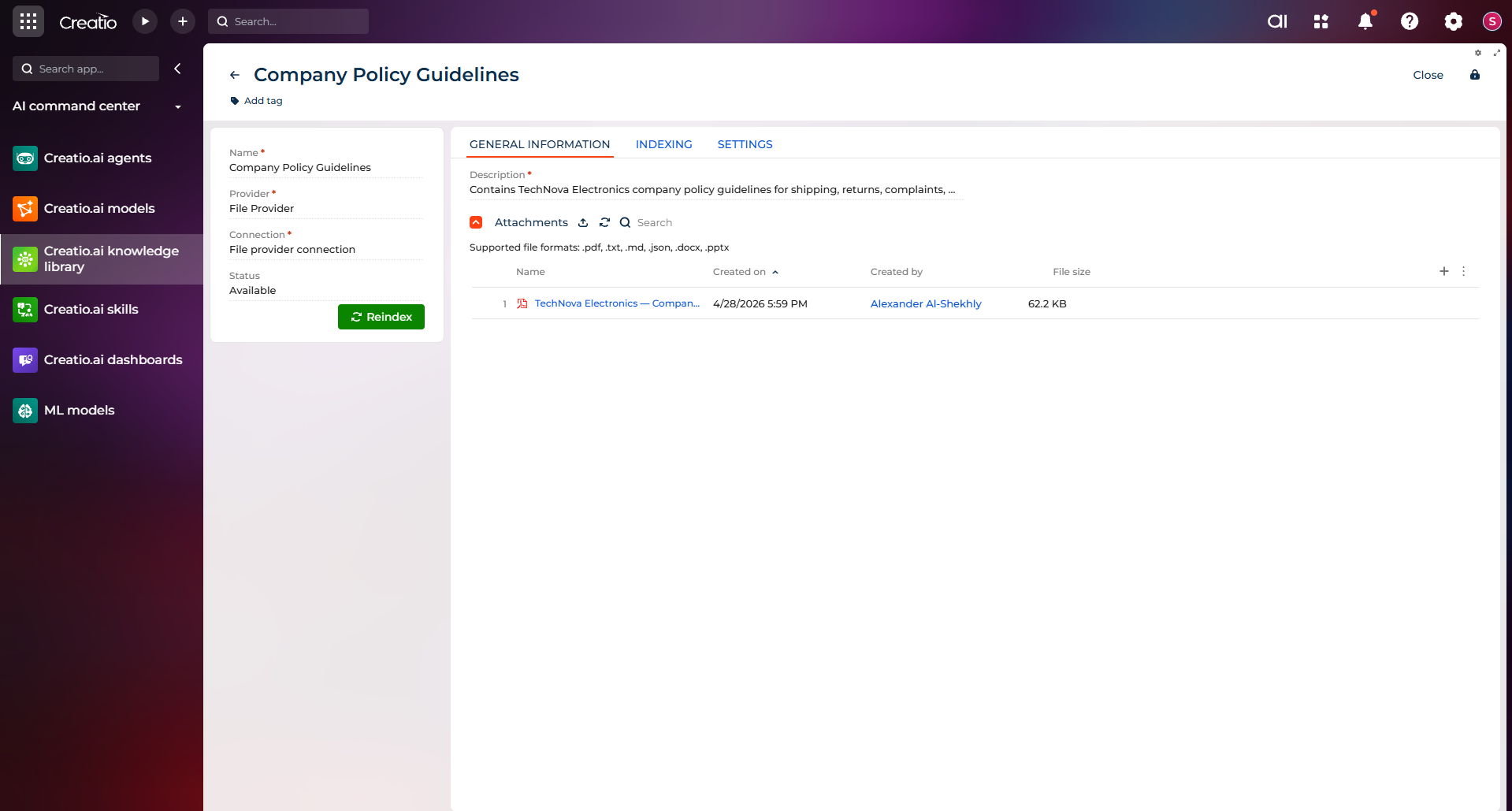
Creatio.ai knowledge library helps organizations bring shared, reusable knowledge into the Creatio Agentic Platform through configurable knowledge sources and a governed retrieval pipeline. As the shared knowledge layer for retrieval-augmented generation (RAG) in Creatio, the product centralizes section-based business knowledge, uploaded document knowledge, source attachments to Agents, citation controls, and package-aware indexing in a single, consistent model. Section knowledge retrieval respects Creatio record access, while file knowledge retrieval is governed by Agent configuration. By separating reusable, shared knowledge from contextual memory, Creatio.ai knowledge library provides organizations with a clear foundation for grounded, explainable, and reusable Agent experiences across Creatio.
Use Cases
- Structure and manage reusable knowledge sources. Create knowledge from business sections and uploaded documents so that shared information is available through a consistent retrieval model.
- Support governed RAG experiences in Creatio. Provide a reusable knowledge layer that Agents can use to retrieve grounded business and document knowledge.
- Ground Agent responses in section-based business data. Let Agents retrieve relevant information from governed business records rather than relying solely on prompt instructions.
- Ground Agent responses in uploaded documents. Use file knowledge sources to retrieve relevant content from text, Markdown, PDF, DOCX, and PPTX files.
- Enforce the right access model for each knowledge type. Keep section-based retrieval aligned with user permissions while allowing Agent users to use all content from file knowledge sources attached to that Agent.
- Attach curated knowledge sources to Agents without code. Let creators choose which shared knowledge sources an Agent can use during retrieval.
- Control citation behavior per source. Decide whether citation metadata should be returned for each attached knowledge source.
- Scope section knowledge to curated subsets of records. Use standard Creatio dynamic folders to limit a section knowledge source to the relevant slice of business data.
- Make packaged knowledge usable automatically. Start required indexing and refresh flows automatically when Creatio.ai knowledge library or another package provisions knowledge sources.
Key Features
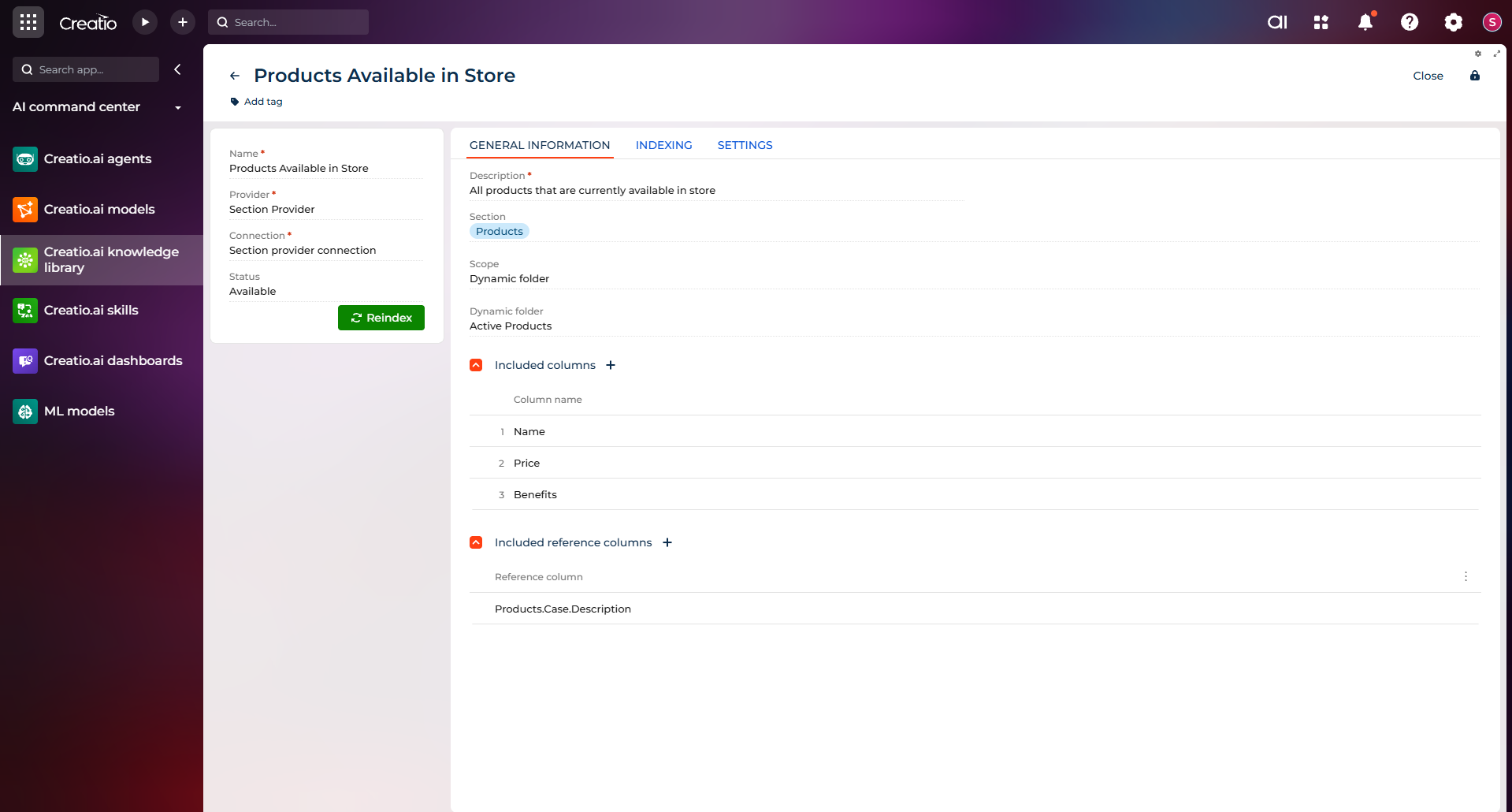
Section Knowledge Sources
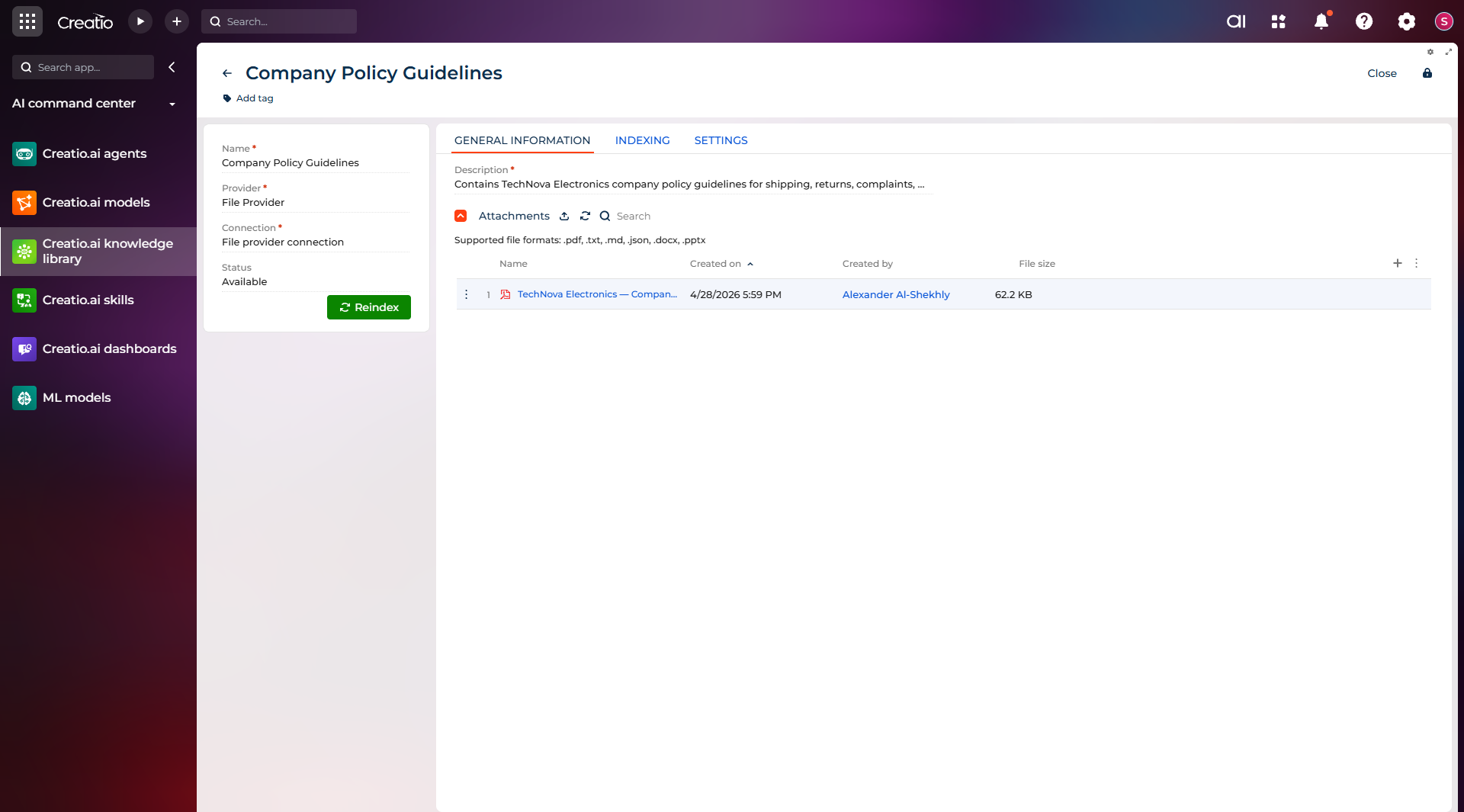
File Knowledge Sources
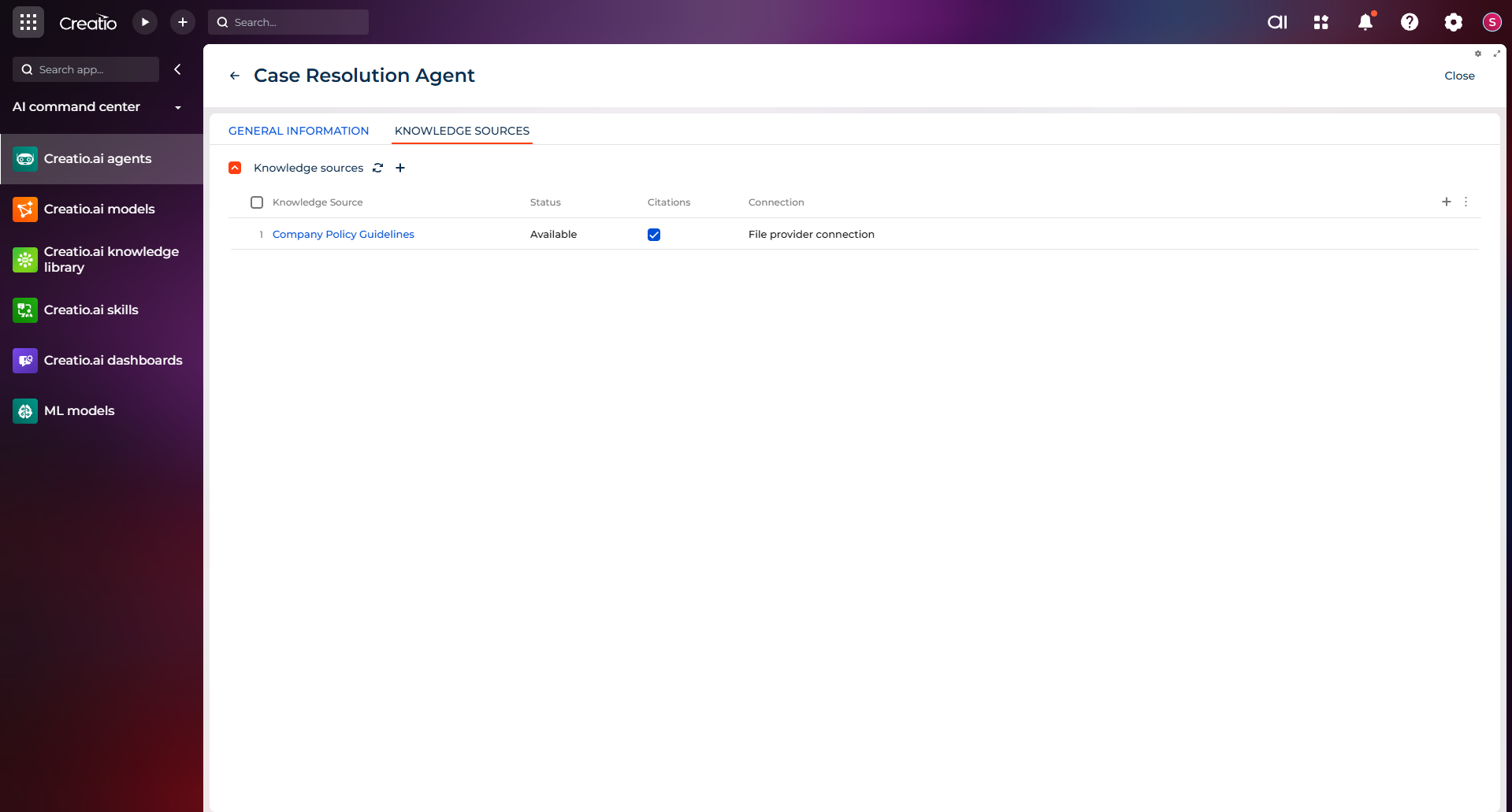
Agent Knowledge Configuration and Access Control
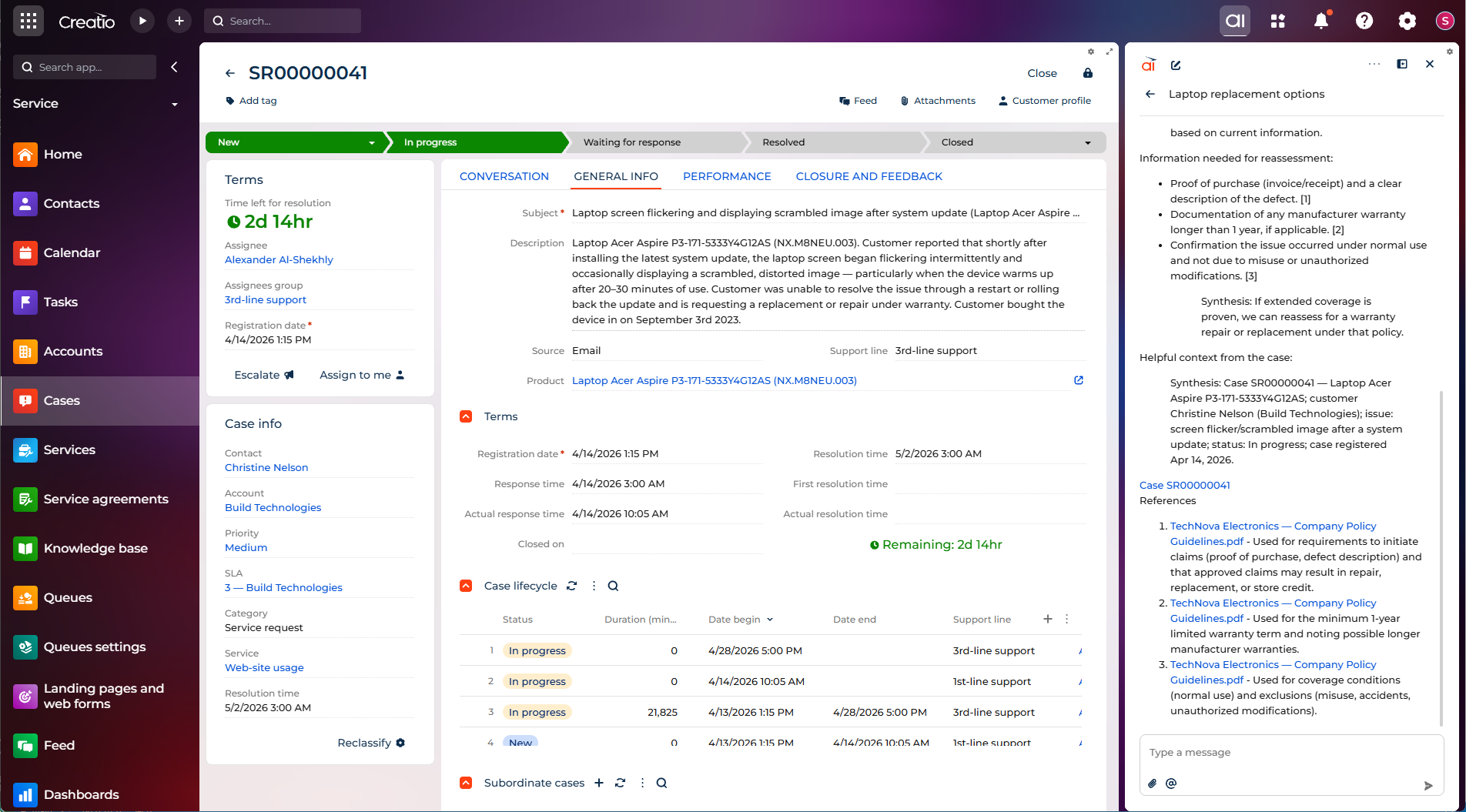
Citation and Explainability Controls
Pricing
Terms and Conditions
Support
Installation
Setup guide
Installation
- Install the add-on from the Creatio Marketplace using the standard “Install” button.
- Select the environment where the package will be deployed and confirm installation.
- Wait for the installation to complete. After installation, the new “Creatio.ai knowledge library” workspace and related pages become available in the system.
Section Knowledge Source Setup
- Open the Creatio.ai knowledge library area and click New.
- Enter the knowledge source Name, set Provider to Section Provider, and set Connection to Section provider connection. Click Save.
- Enter a Description. The description is required and should clearly explain what knowledge the source contains, when an Agent should use it, and which business scenarios or user requests it is intended to support.
- Select the desired section and choose the Scope: All records or Dynamic folder.
- In the Included columns, select the section columns that should be indexed for retrieval.
- In Include reference columns, select columns from linked entities if you want to enrich the base section knowledge with related business context.
- Click Save, then run Reindex.
- After indexing is completed, the knowledge source becomes available in the Agent configuration list. Once activated, it automatically synchronizes when data in the underlying section changes.
File Knowledge Source Setup
- Open the Creatio.ai knowledge library area and click New.
- Enter the knowledge source Name, set Provider to File Provider, and set Connection to File provider connection. Click Save.
- Enter a Description. The description is required and should clearly explain what knowledge the source contains, when an Agent should use it, and which business scenarios or user requests it is intended to support.
- Upload the files that should be available for retrieval. Supported file types include TXT, MD, PDF, DOCX, and PPTX.
- Click Save, then run Reindex.
- After indexing is completed, the knowledge source becomes available in the Agent configuration list.
Agent Knowledge Configuration
- Open the Creatio.ai agents section and select the Agent that should use shared knowledge.
- Open the Knowledge Sources tab.
- Click New and select one or more knowledge sources that should be attached to the Agent.
- For each attached knowledge source, choose whether the Agent should provide citations by enabling or disabling the citations checkbox.
- Save the Agent configuration.
- After configuration, the Agent retrieves knowledge only from the sources to which it is attached. Section knowledge remains limited by user access permissions, while file knowledge is available to users of the configured Agent.
Data sharing
- By installing or downloading the App, you confirm that you agree with sharing your account data (name, email, phone, company and country) with the App Developer as their End User.
- The App Developer will process your data under their privacy policy.
Versions
Versions history
Smarter, more complete answers from your knowledge base
Creatio.ai agents now work through your documents the way a person would: they follow a topic across the document and answer from the full context.
- Complete answers to detailed questions. Agents keep reading through a document until they have every relevant part, so multi-step procedures, tables and policies come back in full.
- Answers you can trust. Agents answer only from your knowledge sources, and they say plainly when a question isn’t covered there.
- Clear sources. Answers cite the document they come from and link to the file. Follow-up questions can stay within the documents the agent has already found.
- Your permissions, always respected. Agents read only the content each user is allowed to see.
Manual app installation
- Open the needed app → the Packages tab - download the Markeplace app files.
- Click in the top right → Application Hub
- Click New application. This opens a window.
- Select Install from file and click Select in the window that opens.
- Click Select file on the page of the Marketplace App Installation Wizard and specify the app file path.
Compatibility notes