


Customer Communication Hub
Overview
Product overview
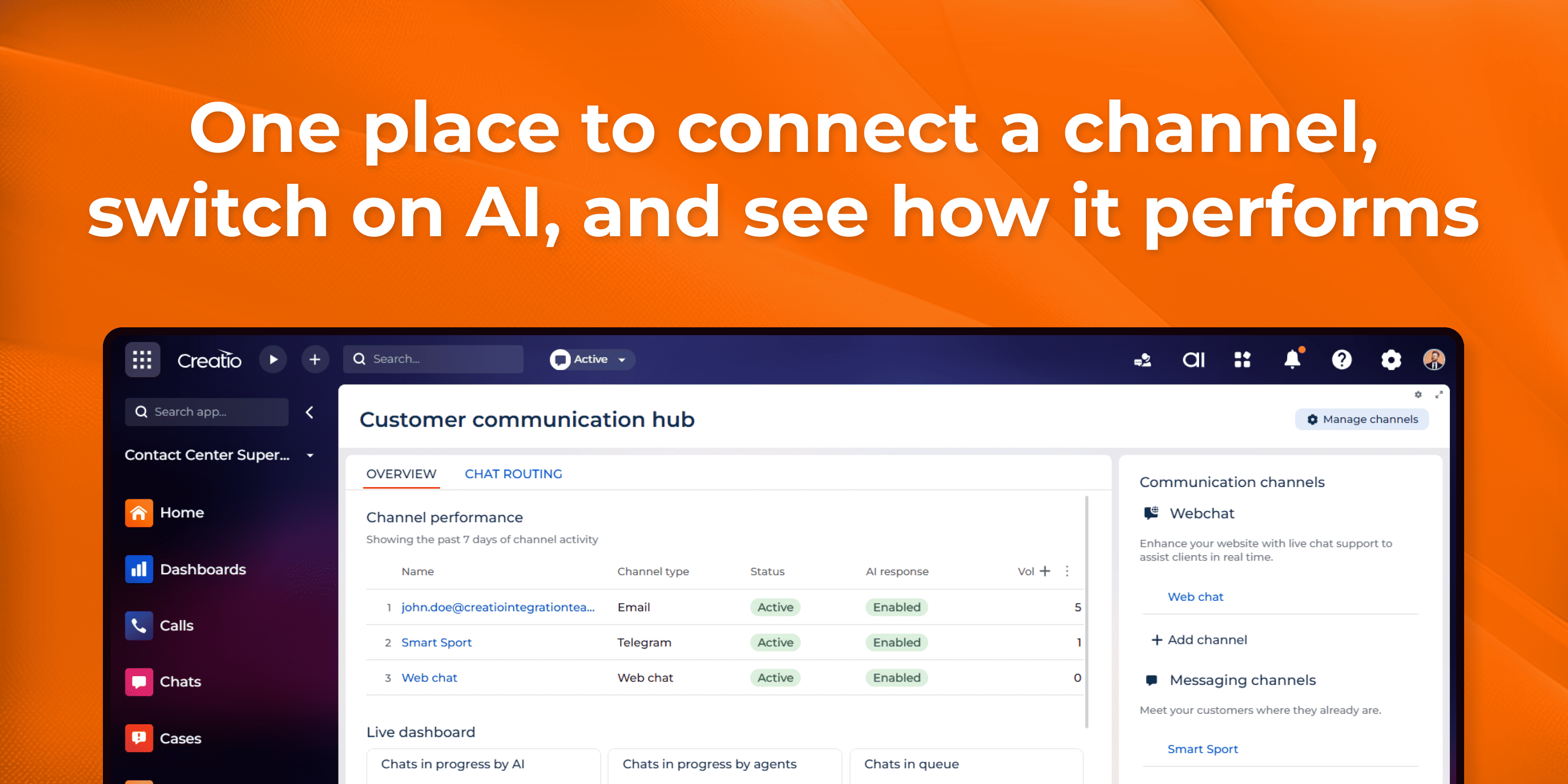
Customer Communication Hub gives your contact center a single workspace for every inbound customer communication channel — web chat, email and messengers. Channels no longer live in separate setup pages: each one is connected, configured and measured in the same place.
At the center of it is Creatio.ai, a customer-facing assistant that handles conversations before human agents get involved. It answers incoming chats on its own and drafts replies to inbound emails, grounded in your knowledge base and delivered in the persona and tone of voice you define. Automation stays controlled and transparent: you decide which channels use AI, how much of your audience it serves, when it may send a reply on its own, and when it must hand the conversation to a person.
Key Features
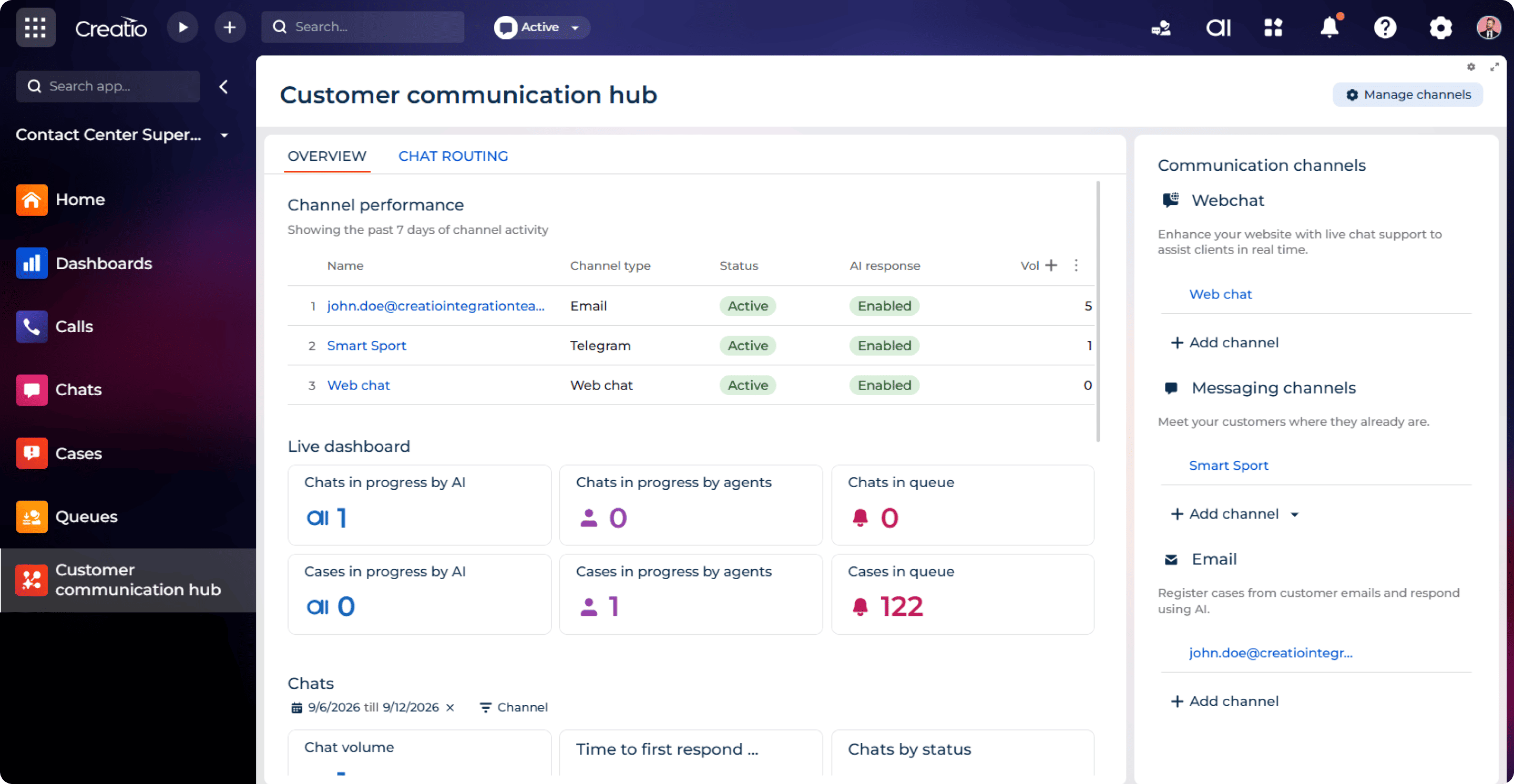
Every channel in one workspace
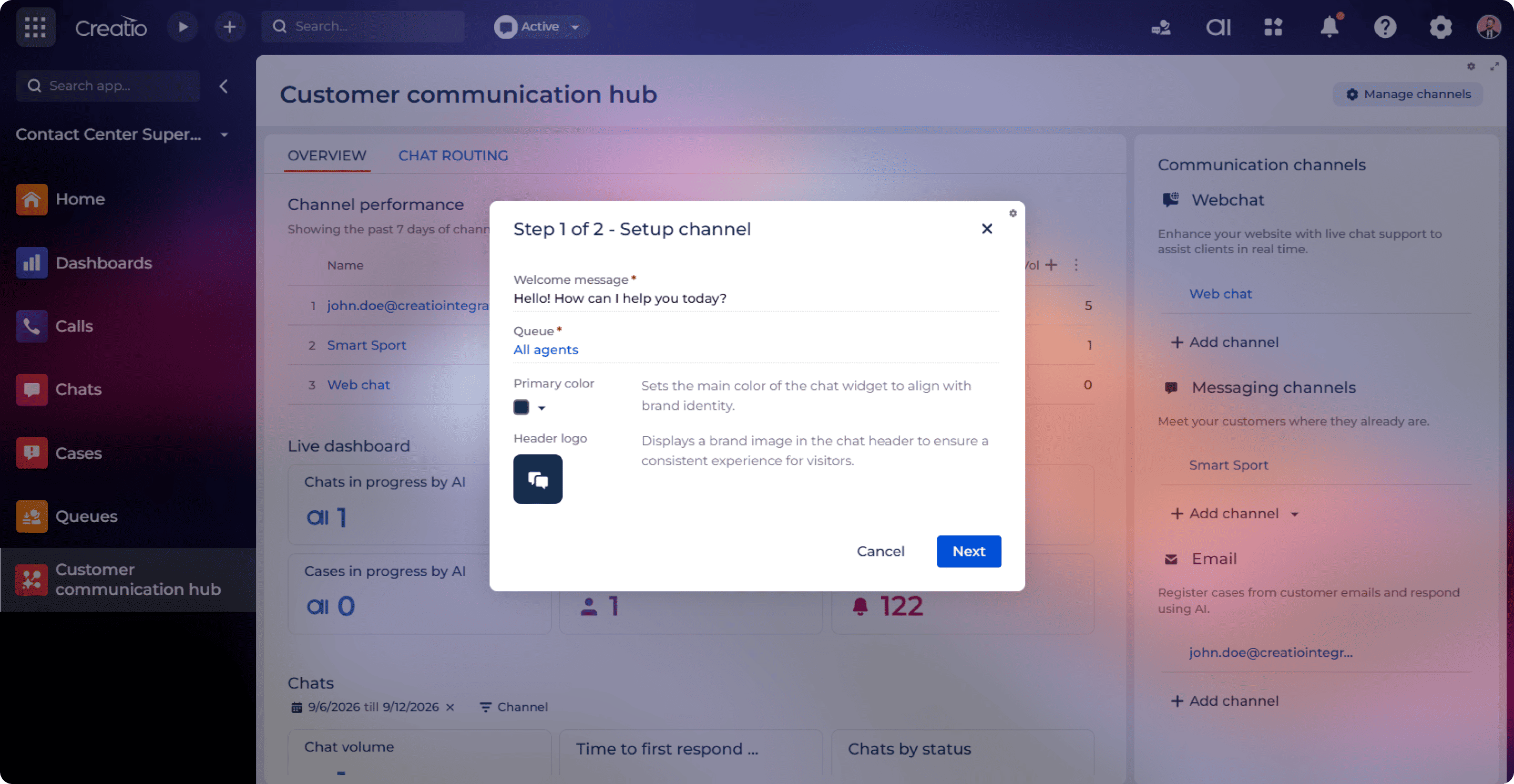
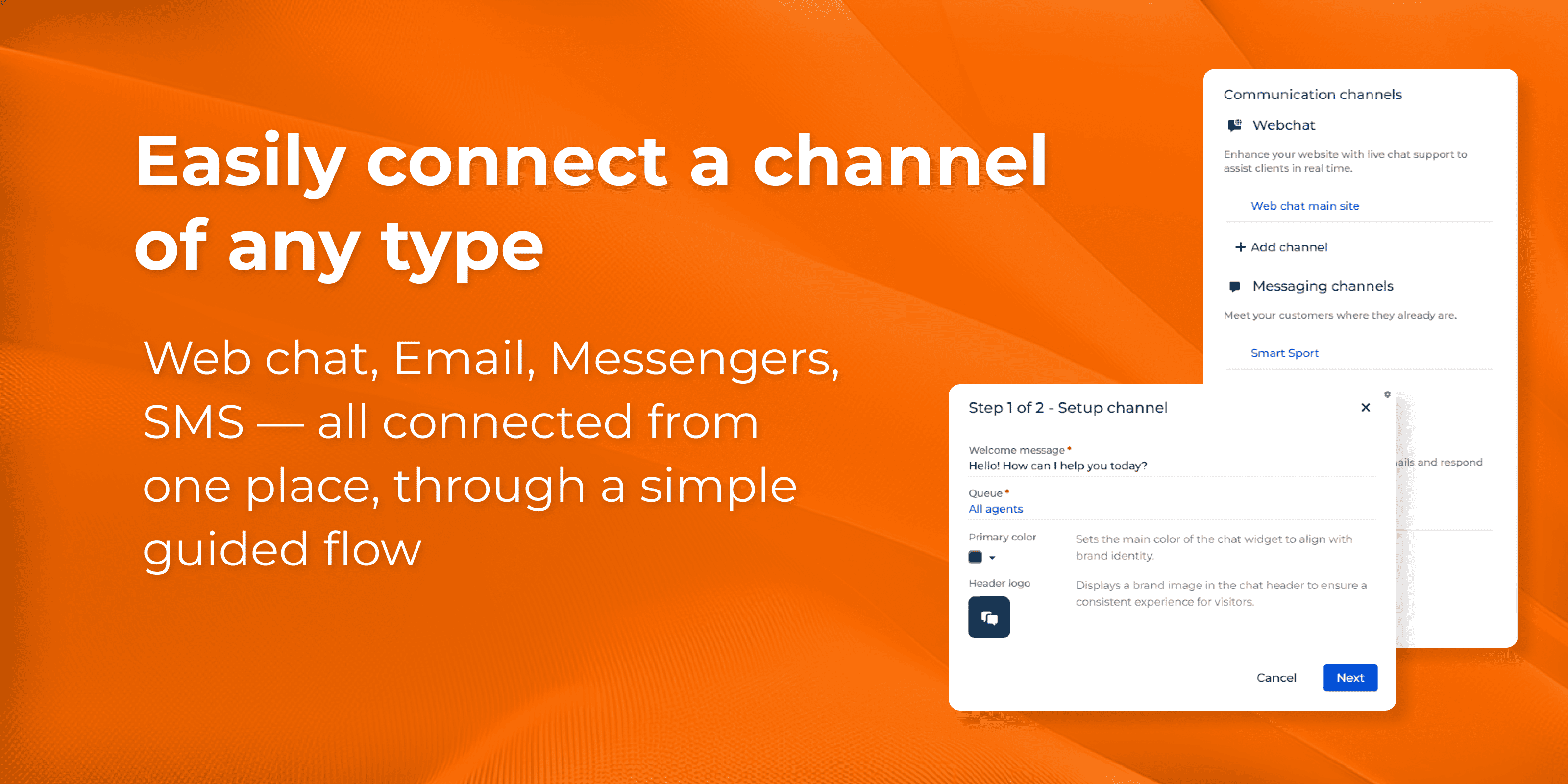
Easy setup
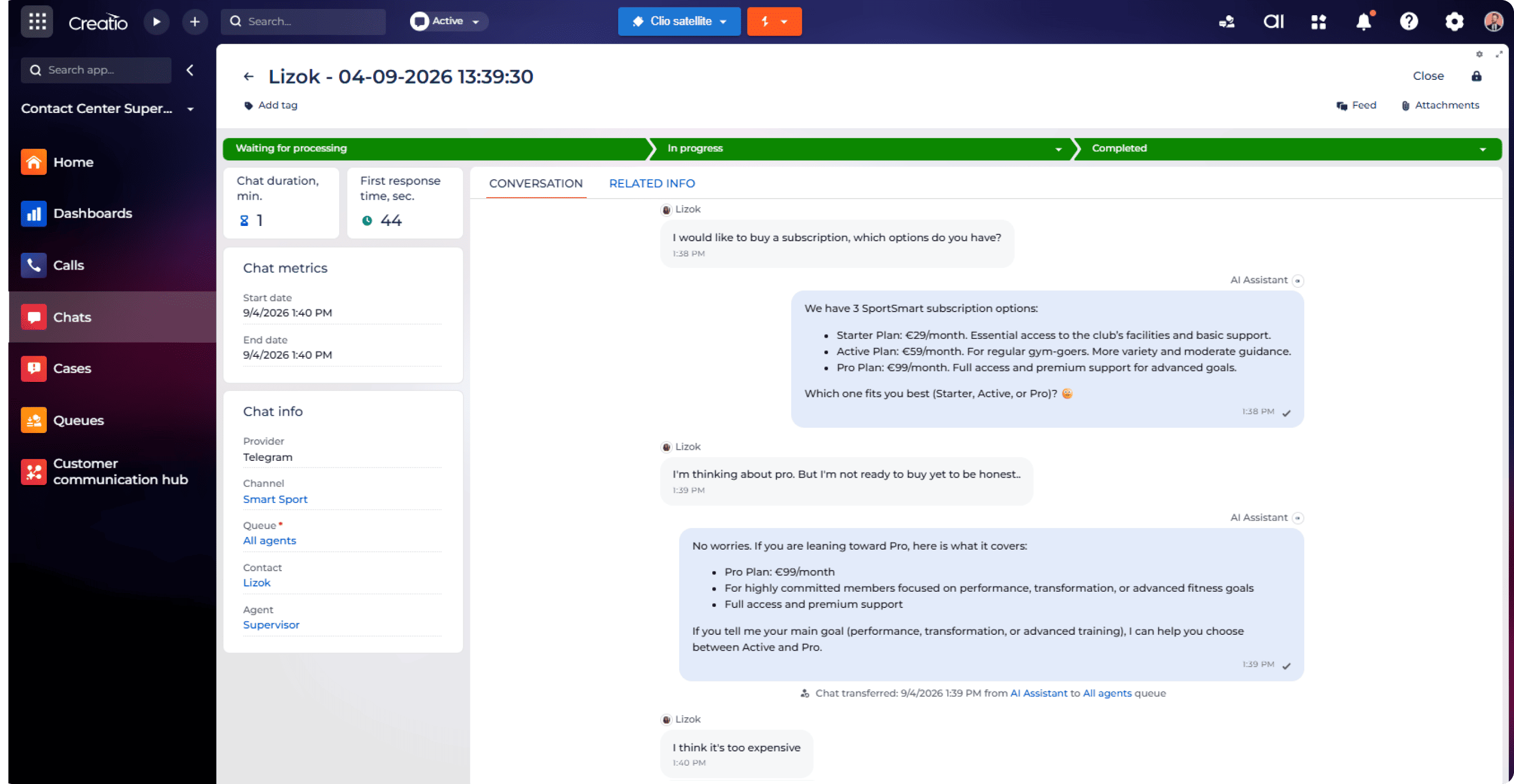
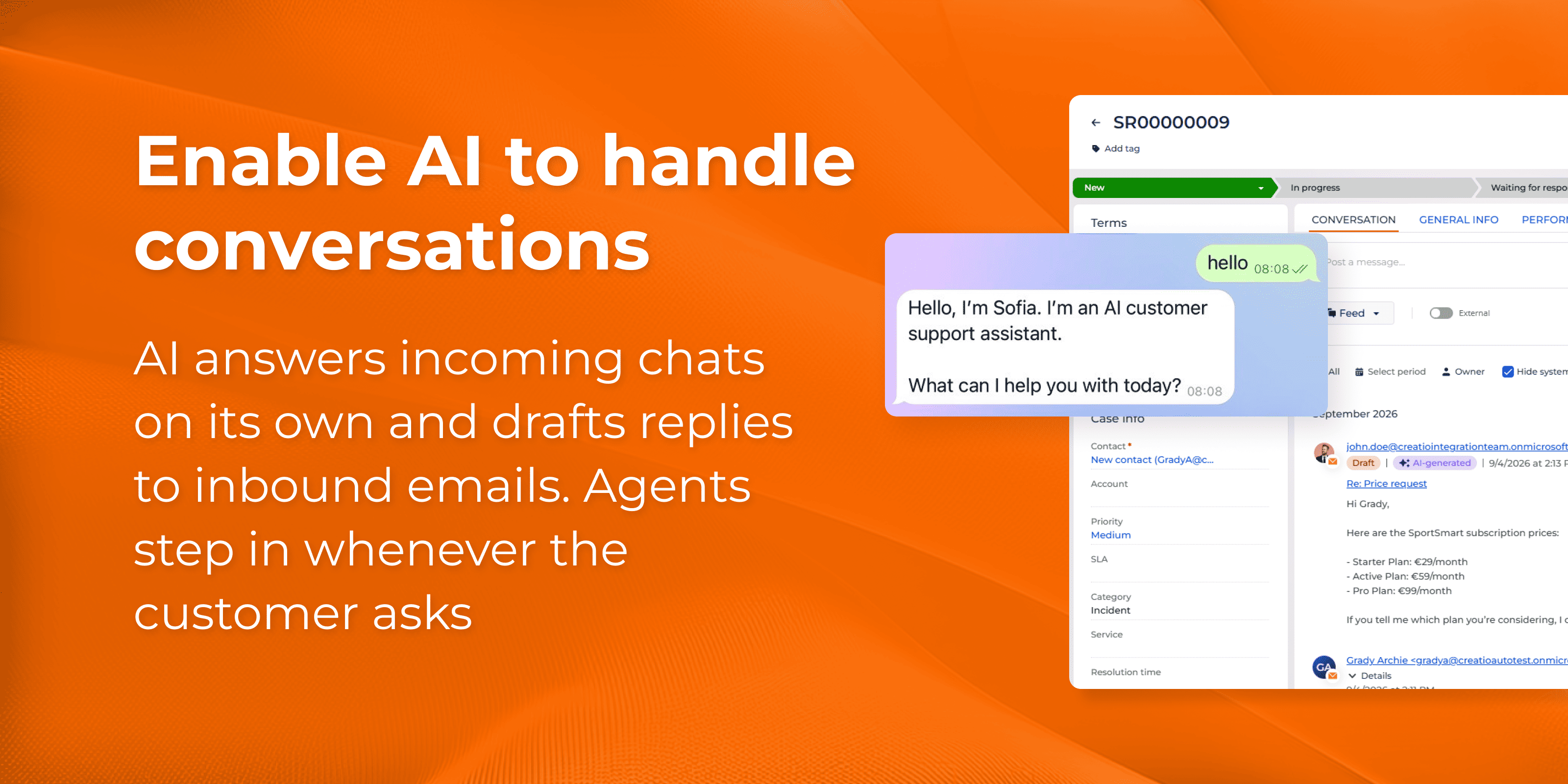
AI answers first in chat
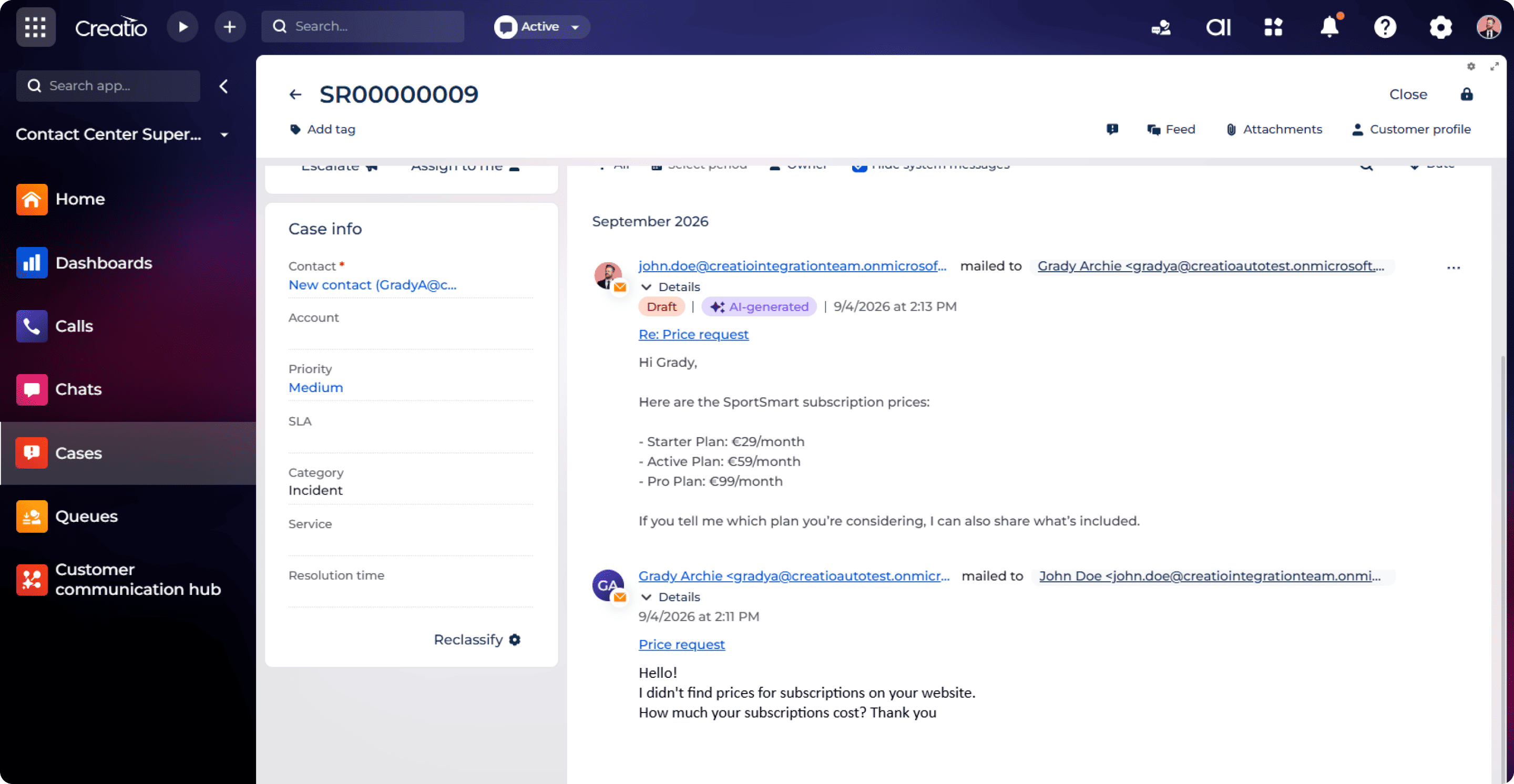
AI resolves email inquiries
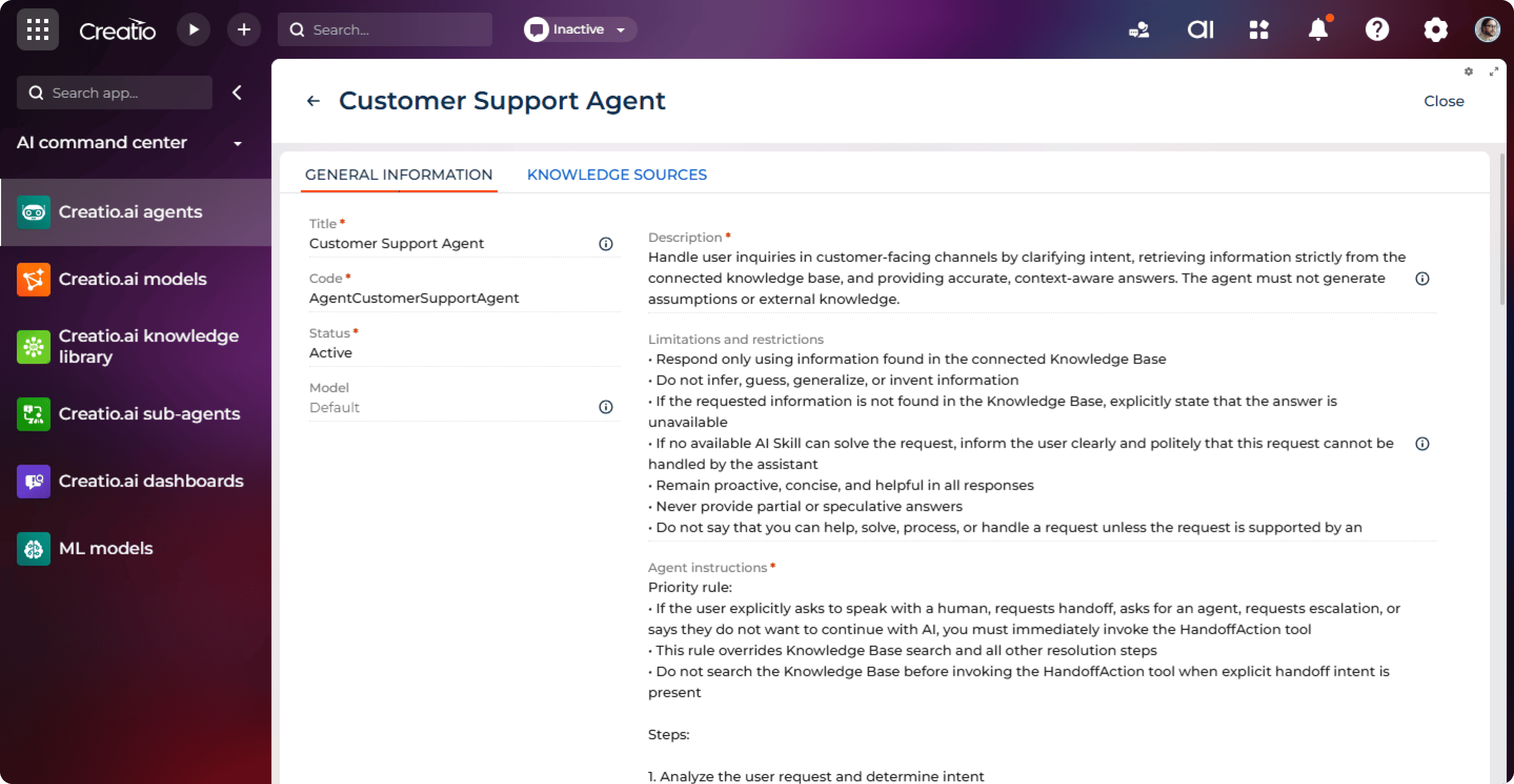
Grounded in your knowledge, spoken in your voice
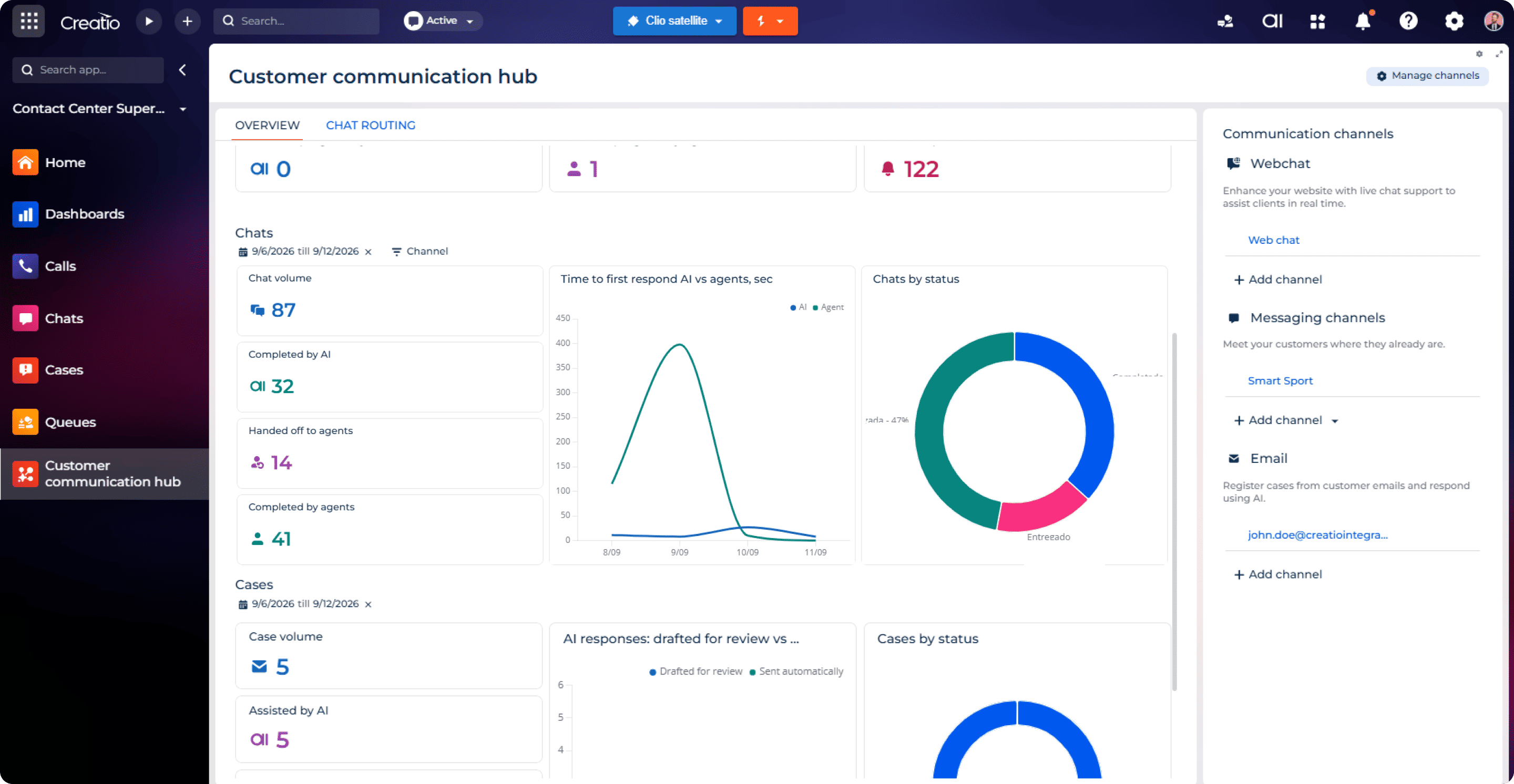
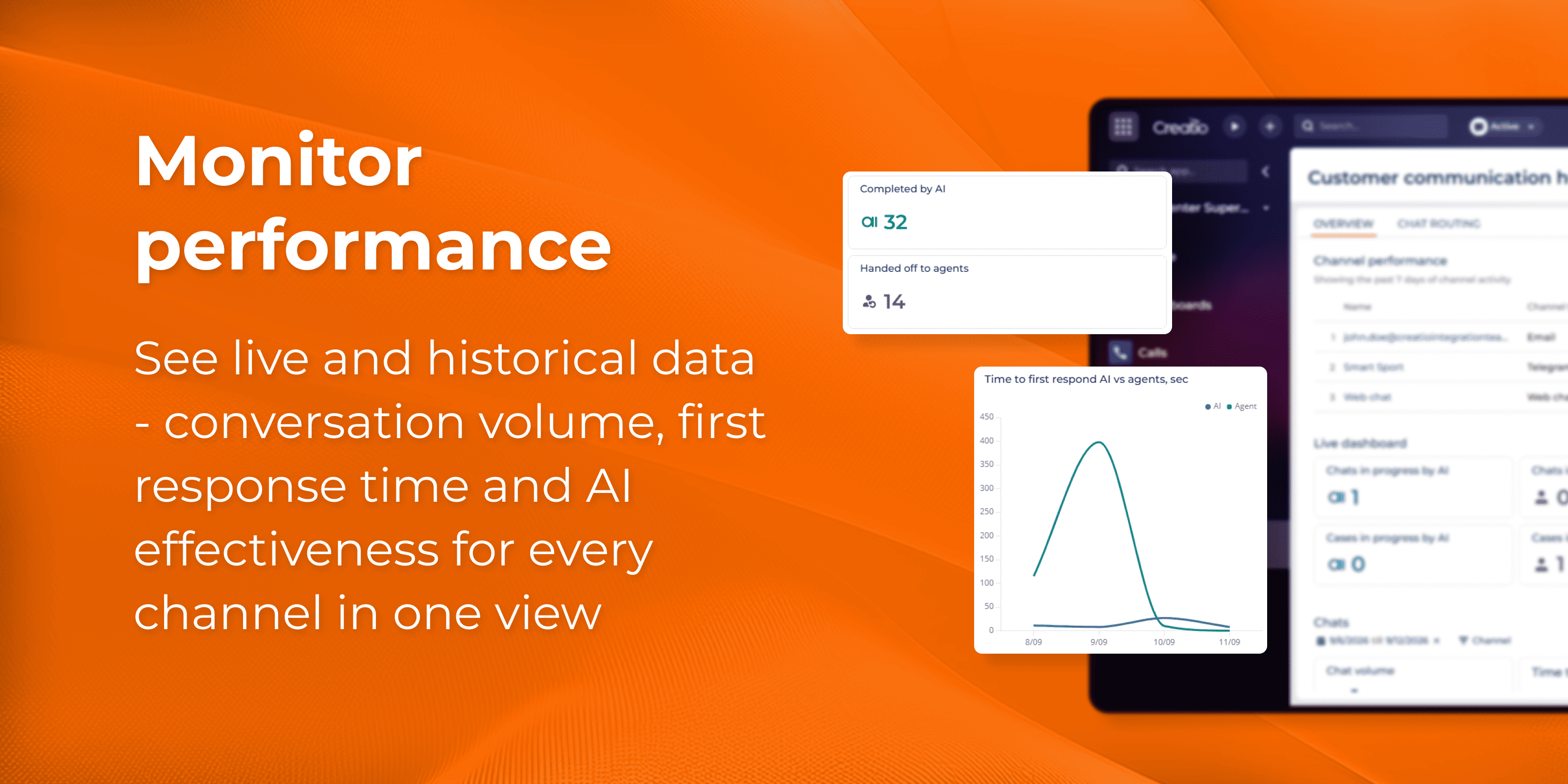
AI performance dashboards
Pricing
Terms and Conditions
Support
Installation
Setup guide
Installation
Install the application from the Creatio Marketplace using the standard Install button. Select the target environment and confirm. Once installation is complete, the Customer Communication Hub section appears, containing the performance dashboard and the list of your communication channels.Start using the feature
- In the Customer Communication Hub section, click Add channel in the performance block if you have no channels connected yet, or Manage channels in the top right corner — the Communication channels panel opens. Select the channel type you want to add: Web chat, Email or Messengers.
- Populate the channel details according to your channel type.
- Review the out-of-the-box AI settings. The Customer Support Agent answers from your Creatio Knowledge Base, with a default assistant personality — so the channel is ready to run as is.
- Confirm the final step and save. The channel goes live and AI starts handling incoming messages in it automatically.
- Open the Customer Communication Hub dashboard to track conversation volume, first response time and AI effectiveness per channel, and drill into a channel to compare AI results with those of your agents.
Compatibility notes
Requires Creatio.ai Knowledge Library application to be installed.
Data sharing
- By installing or downloading the App, you confirm that you agree with sharing your account data (name, email, phone, company and country) with the App Developer as their End User.
- The App Developer will process your data under their privacy policy.
Versions
Versions history
- New Customer Communication Hub section — every communication channel, its AI settings and its performance in one workspace.
- Guided channel setup wizard — connect and edit Web chat, WhatsApp, Facebook Messenger, Telegram, SMS and Email without a developer.
- AI in the email channel — AI drafts replies to inbound emails, either for agent review or fully automatic.
- Gradual AI adoption — switch AI on or off per channel and roll it out to a chosen percentage of the audience.
- AI performance dashboards — contact-centre metrics, per-channel performance, answer quality score with knowledge-base citations, and AI effectiveness per channel.
Manual app installation
- Open the needed app → the Packages tab - download the Markeplace app files.
- Click in the top right → Application Hub
- Click New application. This opens a window.
- Select Install from file and click Select in the window that opens.
- Click Select file on the page of the Marketplace App Installation Wizard and specify the app file path.