

Email Audience Health
Keep your email audience clean and deliverable. Validate contacts, remove risky addresses, and protect your sender reputation before every campaign.
Overview
Product overview
Product description
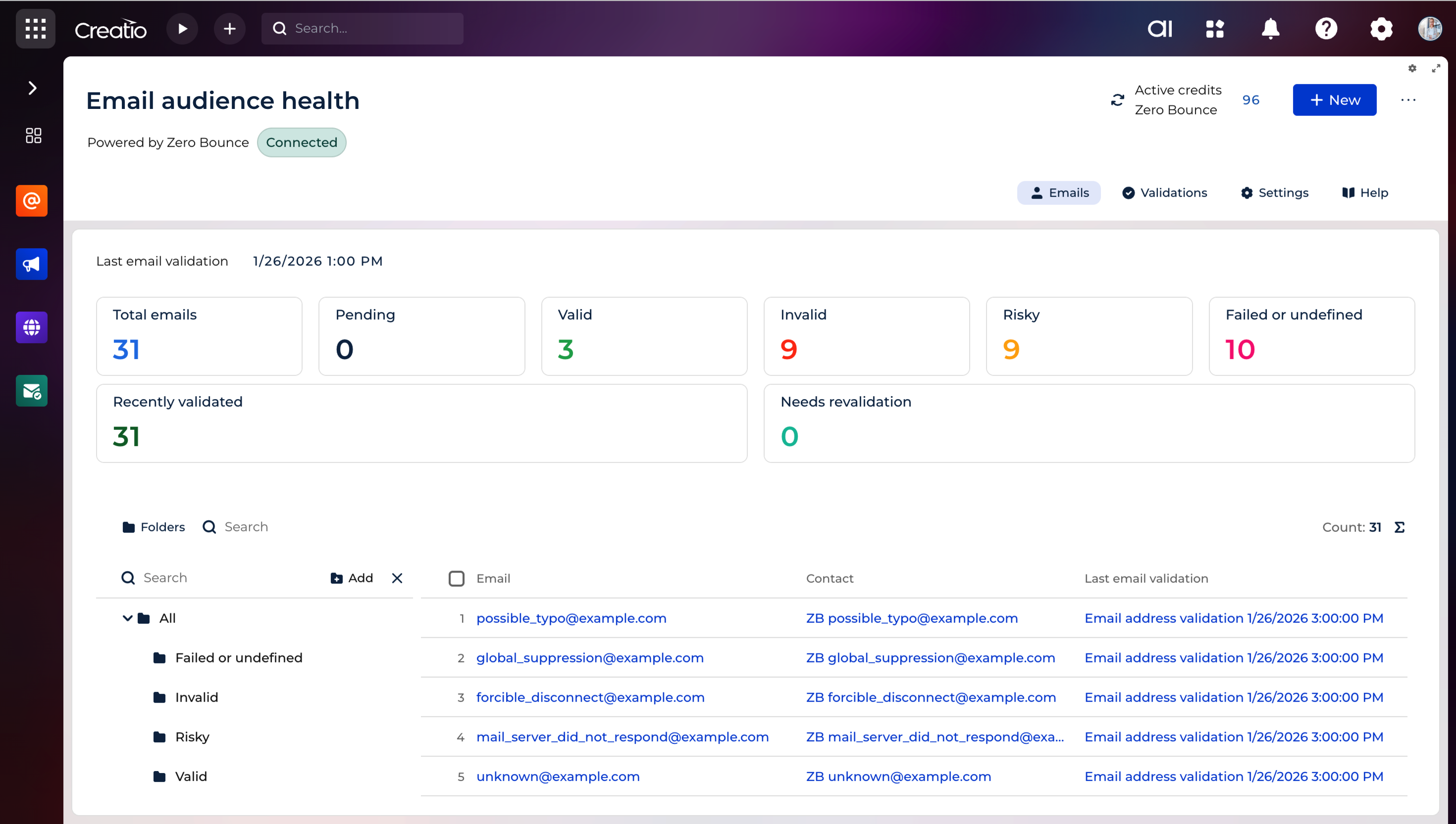
Email Audience Health enables you to verify, monitor, and maintain the quality of your contact database directly within Creatio. Powered by ZeroBounce, the application checks whether email addresses are active and reachable, helping teams prevent delivery issues before bulk email sending go live.
All validation, review, and audience management happens directly inside Creatio - no exports, external tools, or manual steps required.
Key Features
Built-in email verification
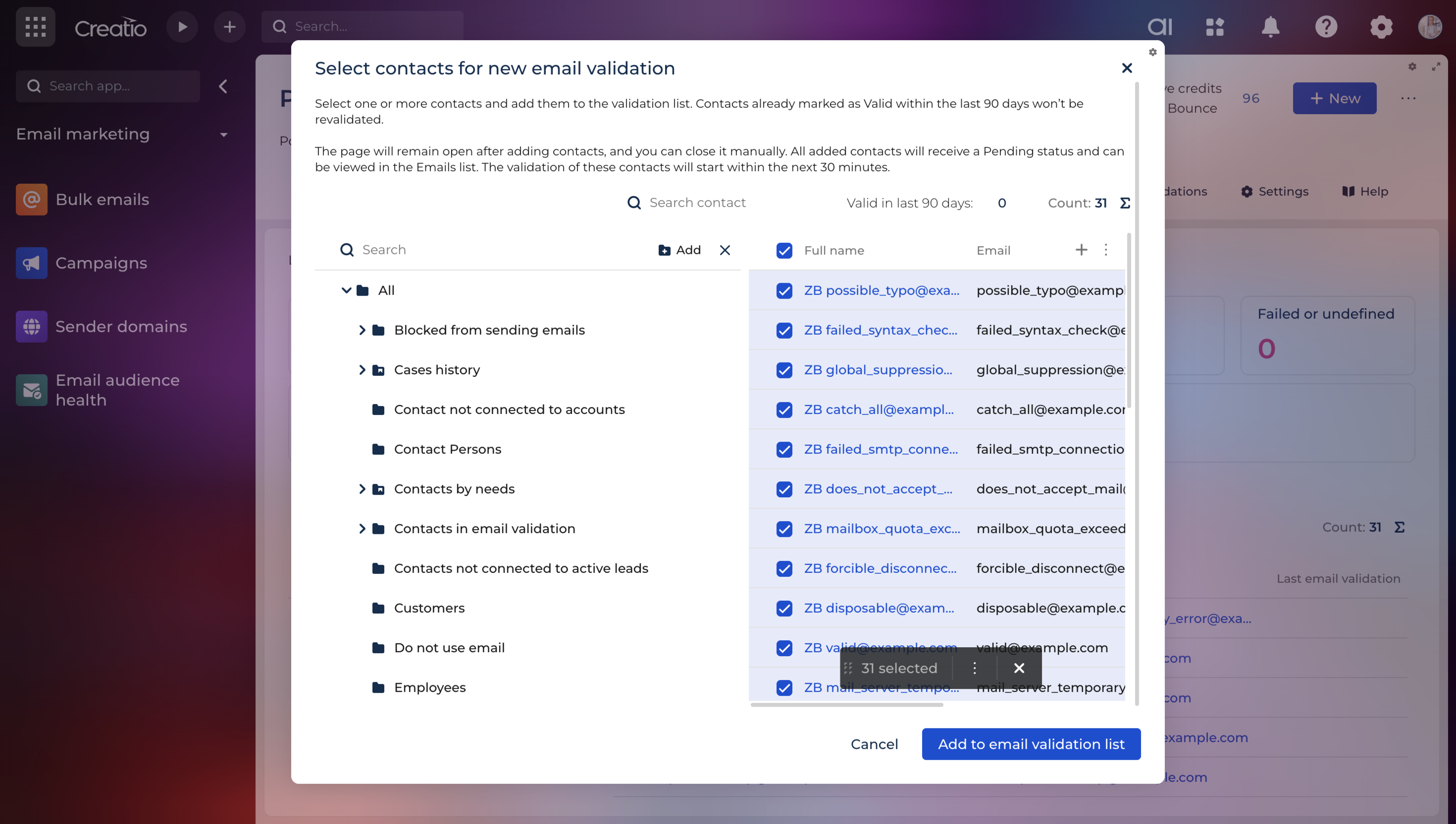
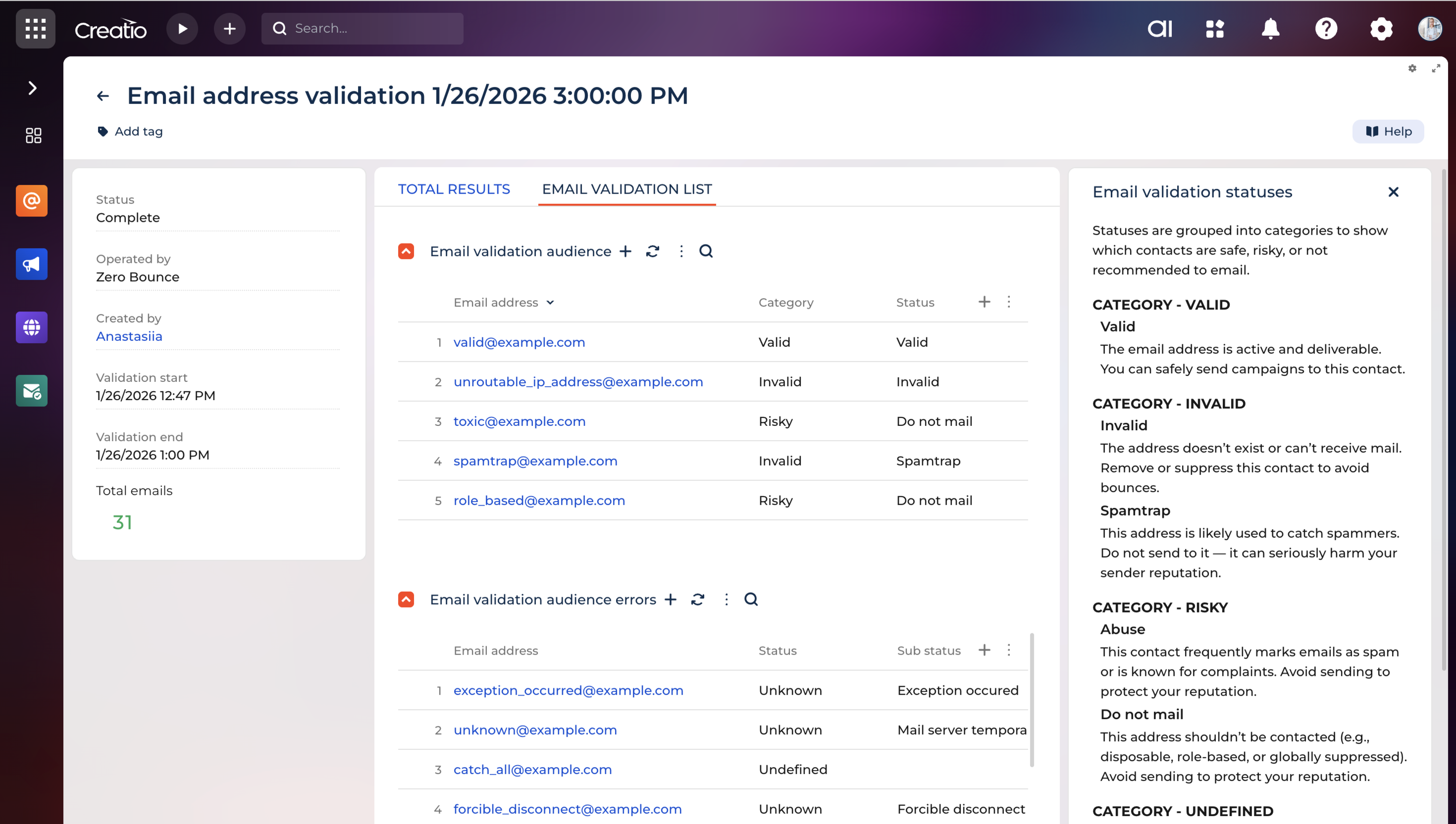
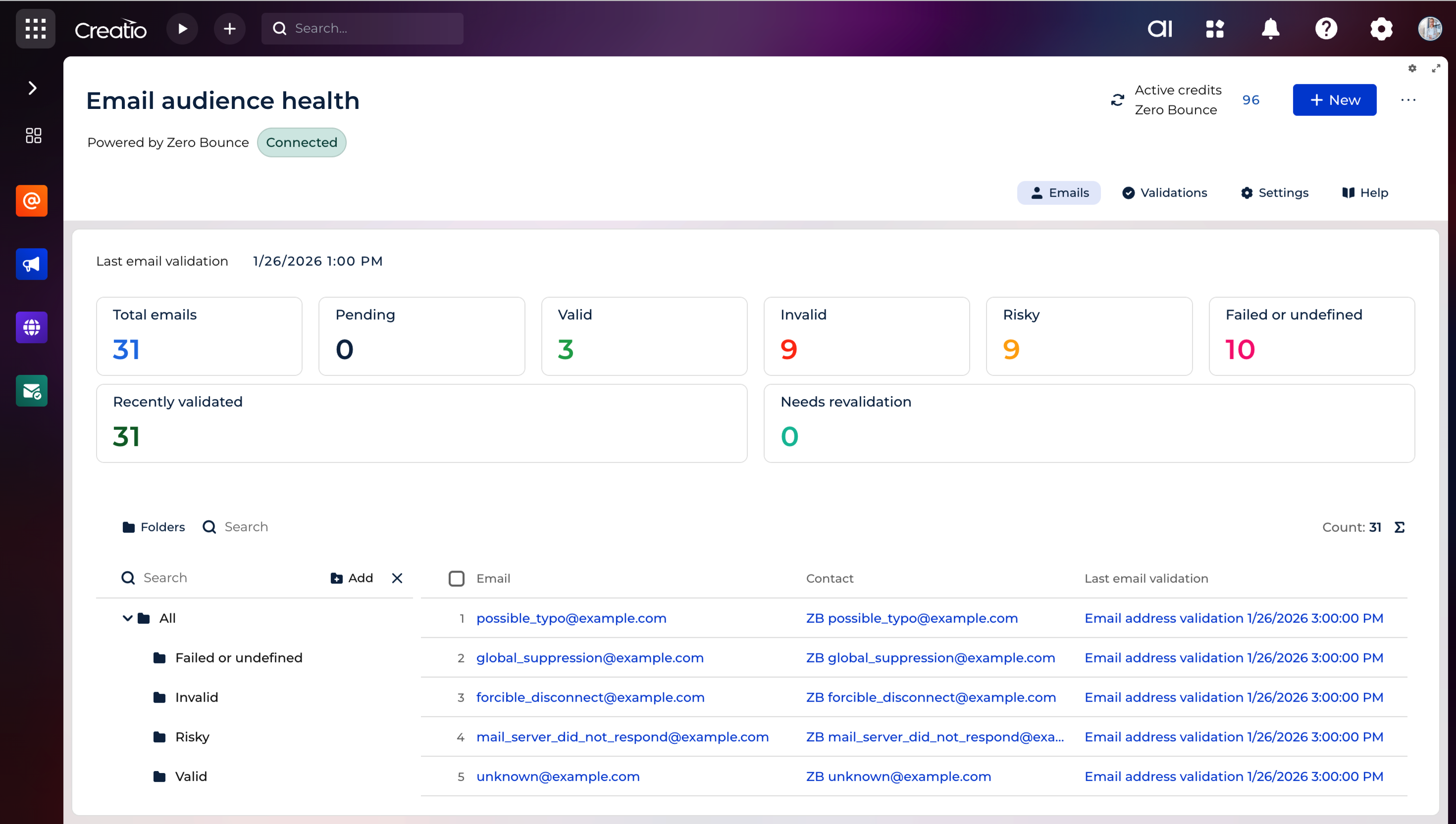
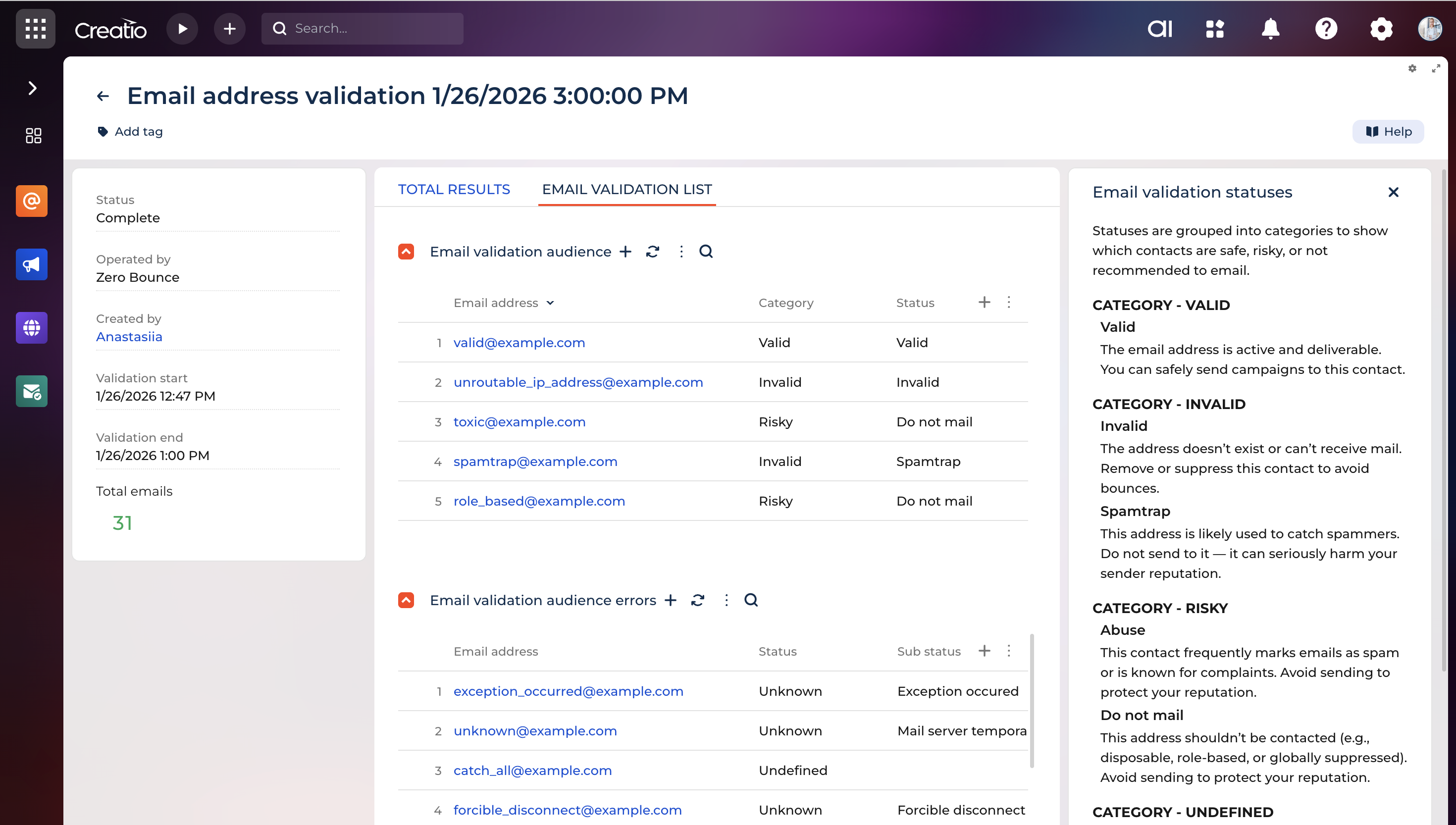
Validate email addresses directly within Creatio using your connected ZeroBounce account. Run checks for selected contacts or entire audiences without exporting data.
Automatic status detection
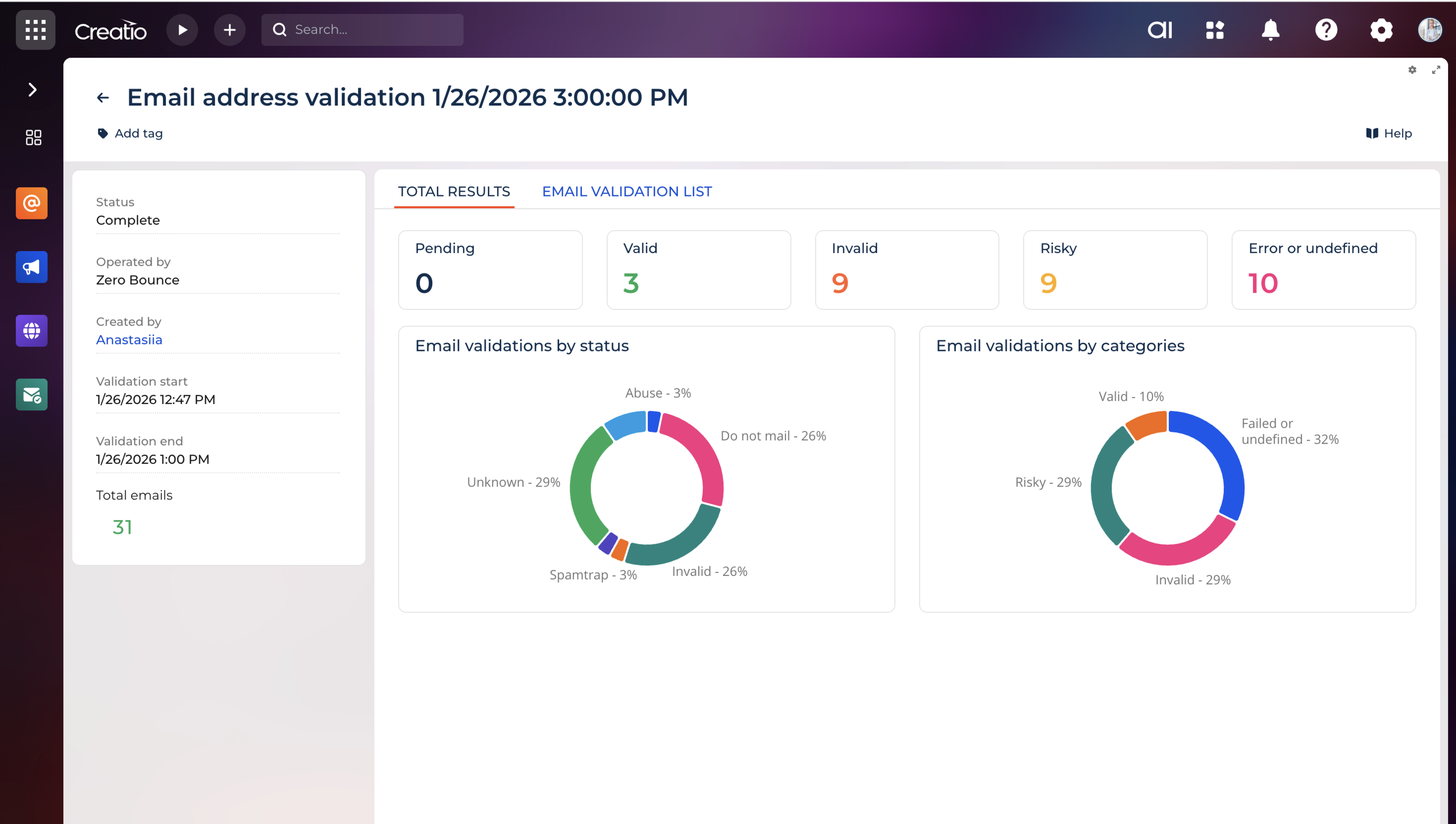
Each address is automatically analyzed and assigned a deliverability status, giving clear visibility into which contacts are safe, risky, or undeliverable. The latest result is available for every contact in one place.
Safe sending exclusions
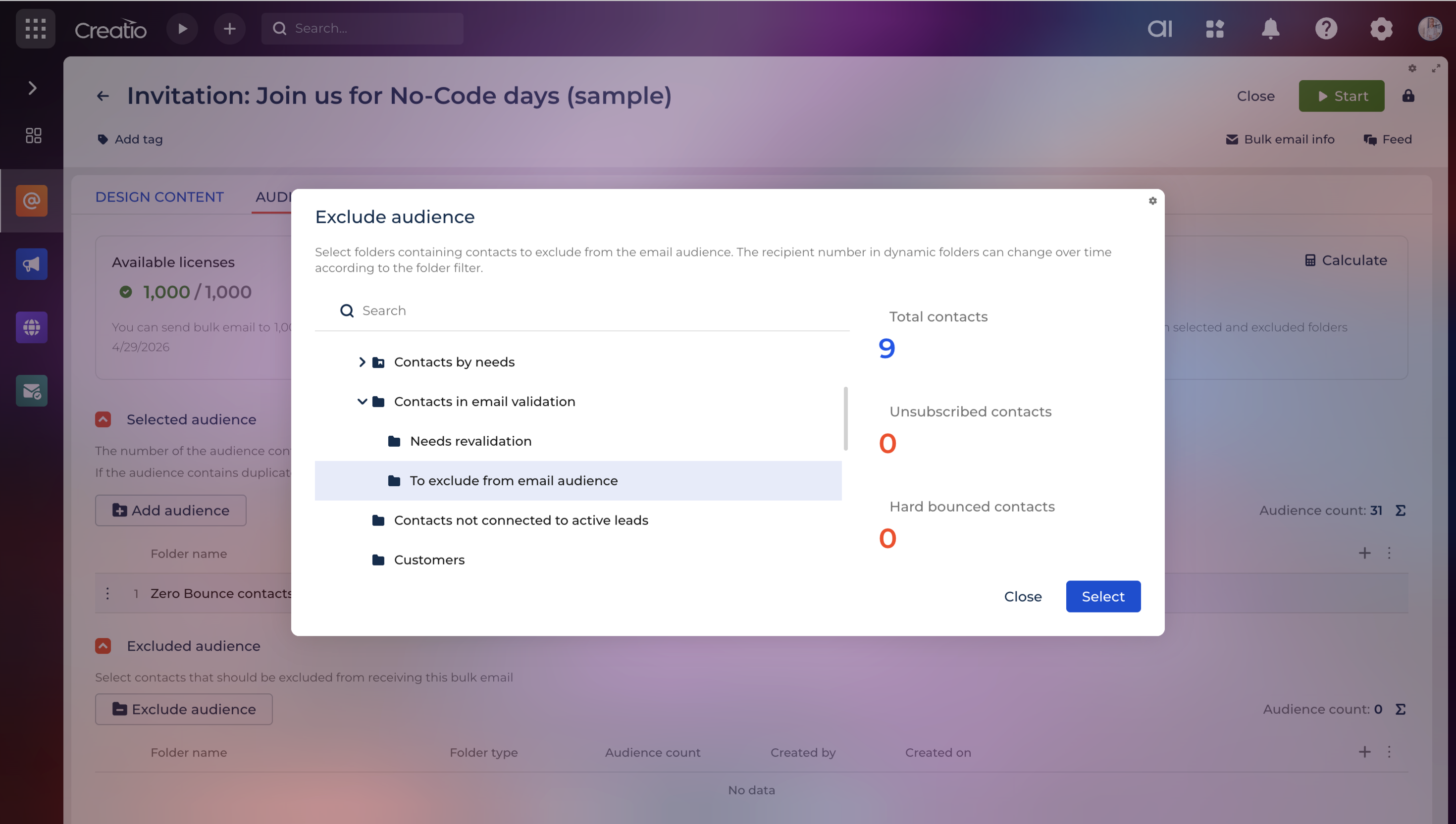
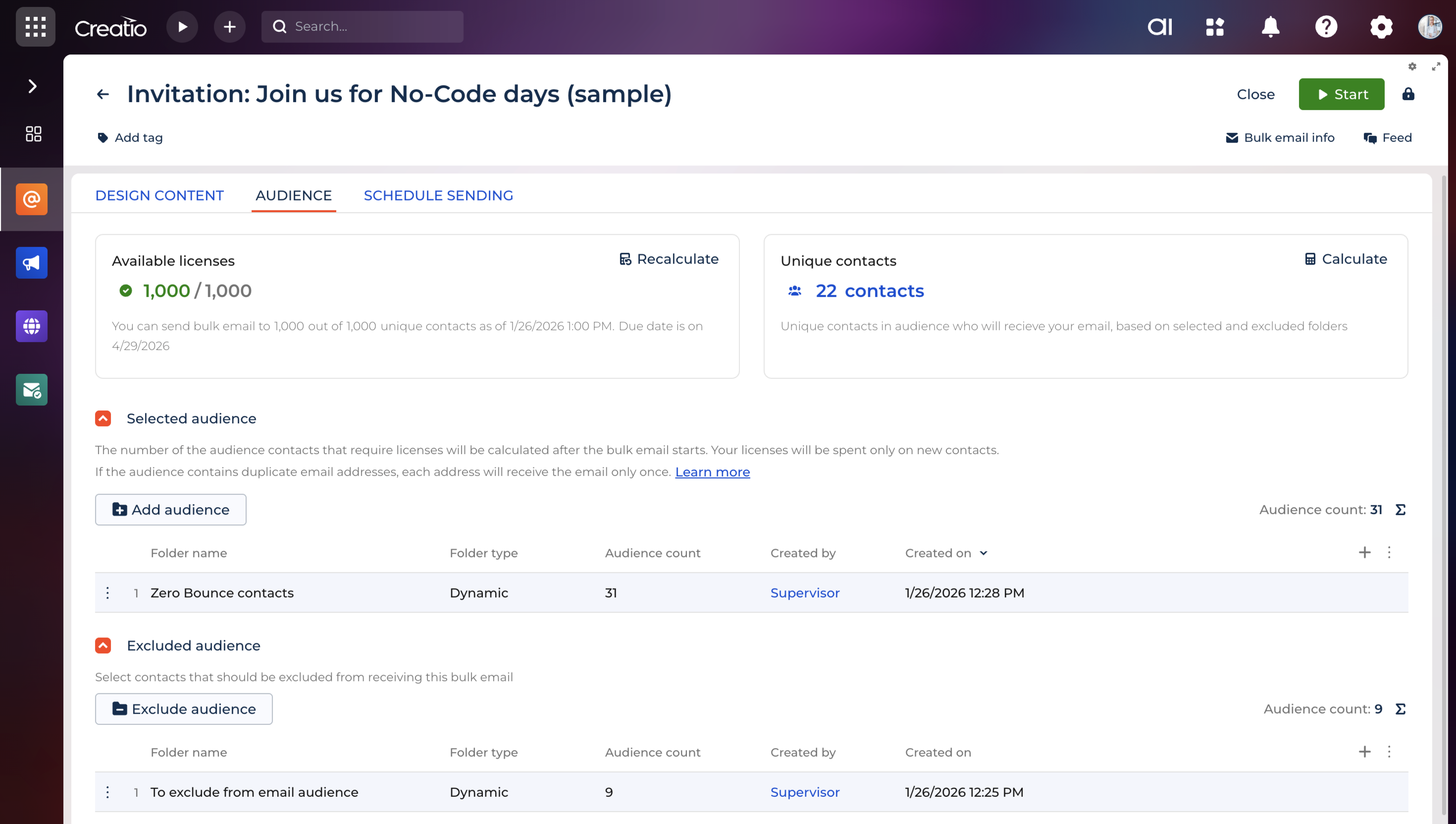
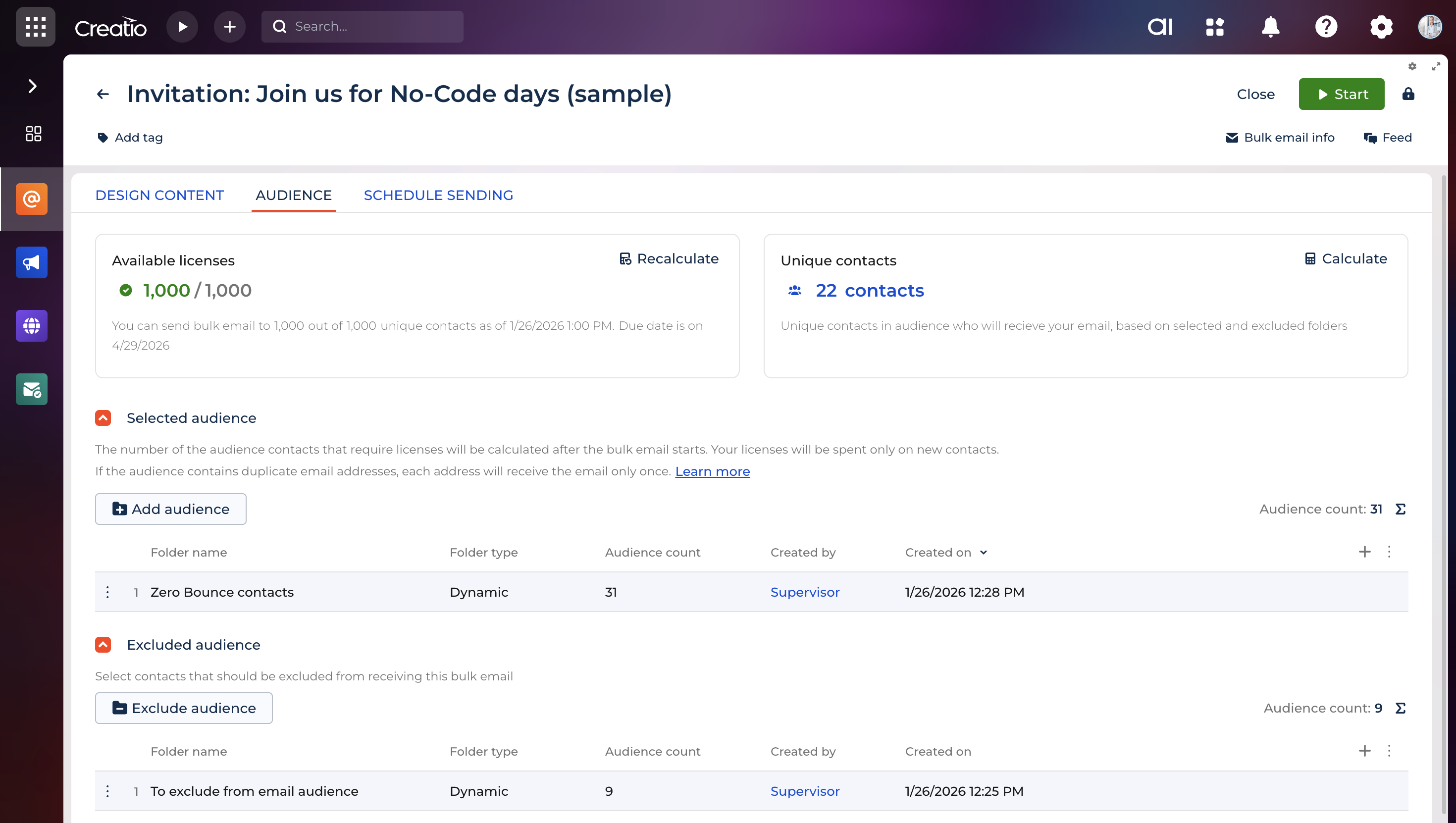
Keep invalid or risky contacts out of email campaigns by excluding them from your sending audience, helping reduce bounces and improve overall deliverability.
Revalidation support
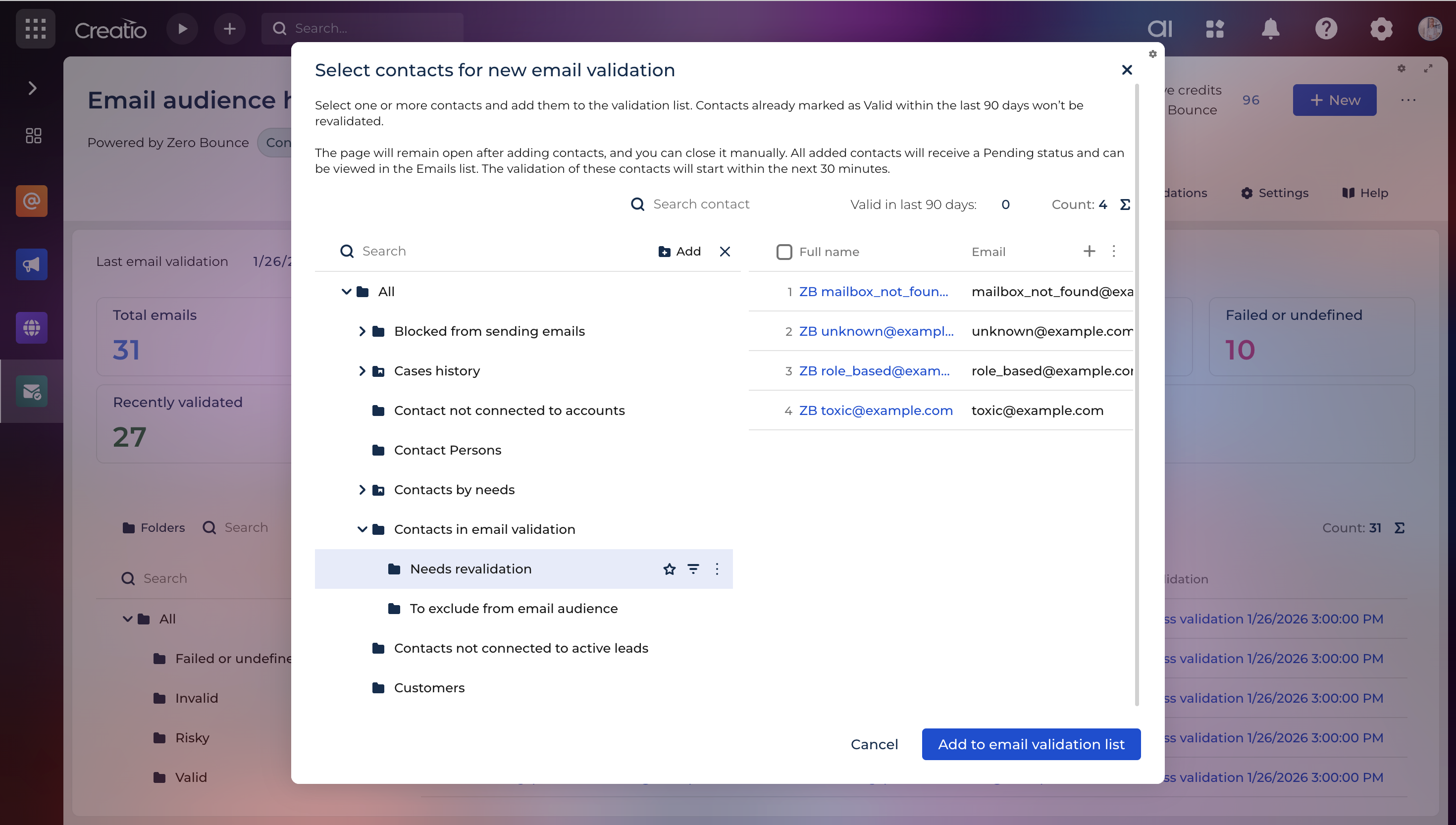
Outdated validation results are identified automatically, allowing periodic rechecks to keep contact data accurate as mailbox statuses change over time.
Pricing
Monthly
Annual
Standard
Free
Terms and Conditions
By installing this product you agree to terms and conditions outlined in the license agreement.
Support
Support is available for this application
The support is provided via email bulkemailnotification@creatio.com under the support terms available at Creatio website.
Installation
Setup guide
- Install the application from the Marketplace.
- Sign in or Log in Zero Bounce account.
- Generate and copy API key from Zero Bounce account.
- Paste the copied API key into “Email audience health ZB API key” system setting.
- Go to Email Audience Health section.
- Select contacts for validation - the check will start automatically.
Data sharing
- By installing or downloading the App, you confirm that you agree with sharing your account data (name, email, phone, company and country) with the App Developer as their End User.
- The App Developer will process your data under their privacy policy.
Versions
Versions history
Manual app installation
- Open the needed app → the Packages tab - download the Markeplace app files.
- Click in the top right → Application Hub
- Click New application. This opens a window.
- Select Install from file and click Select in the window that opens.
- Click Select file on the page of the Marketplace App Installation Wizard and specify the app file path.