

Field Service
Field Service connects the people who plan the work with the people who do it. Technicians get their jobs, routes and day on their phone, with the next stop always in view.
Overview
Product overview
Product description
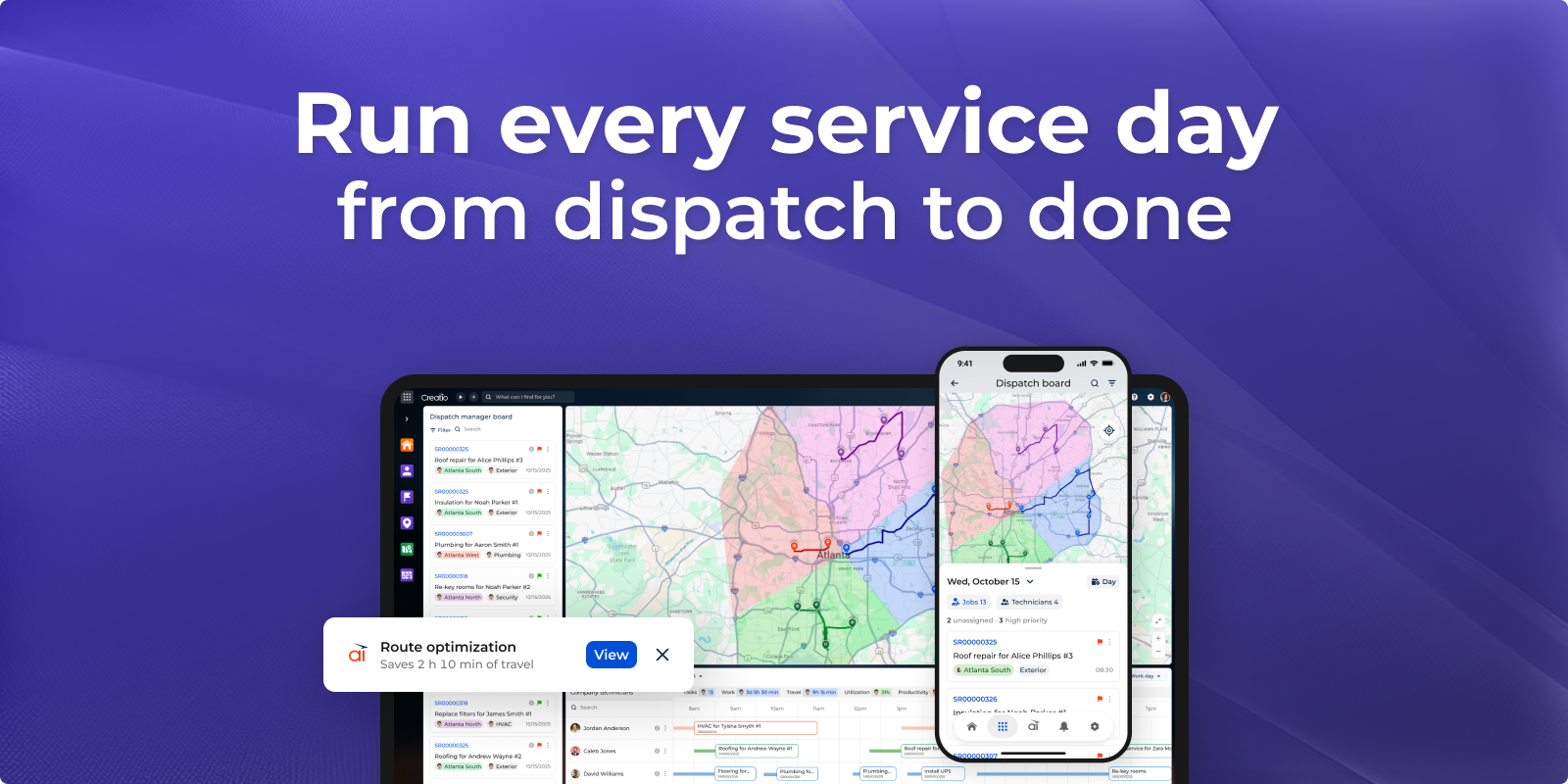
Field Service brings planning and field work together in Creatio. Dispatchers plan the day on one live board and technicians carry it out from their phones. An AI agent watches the plan and suggests improvements: it explains each change and waits for approval before applying it. Everyone works from the same jobs, routes and customer data, on the web and in the mobile app, even offline.
For dispatchers
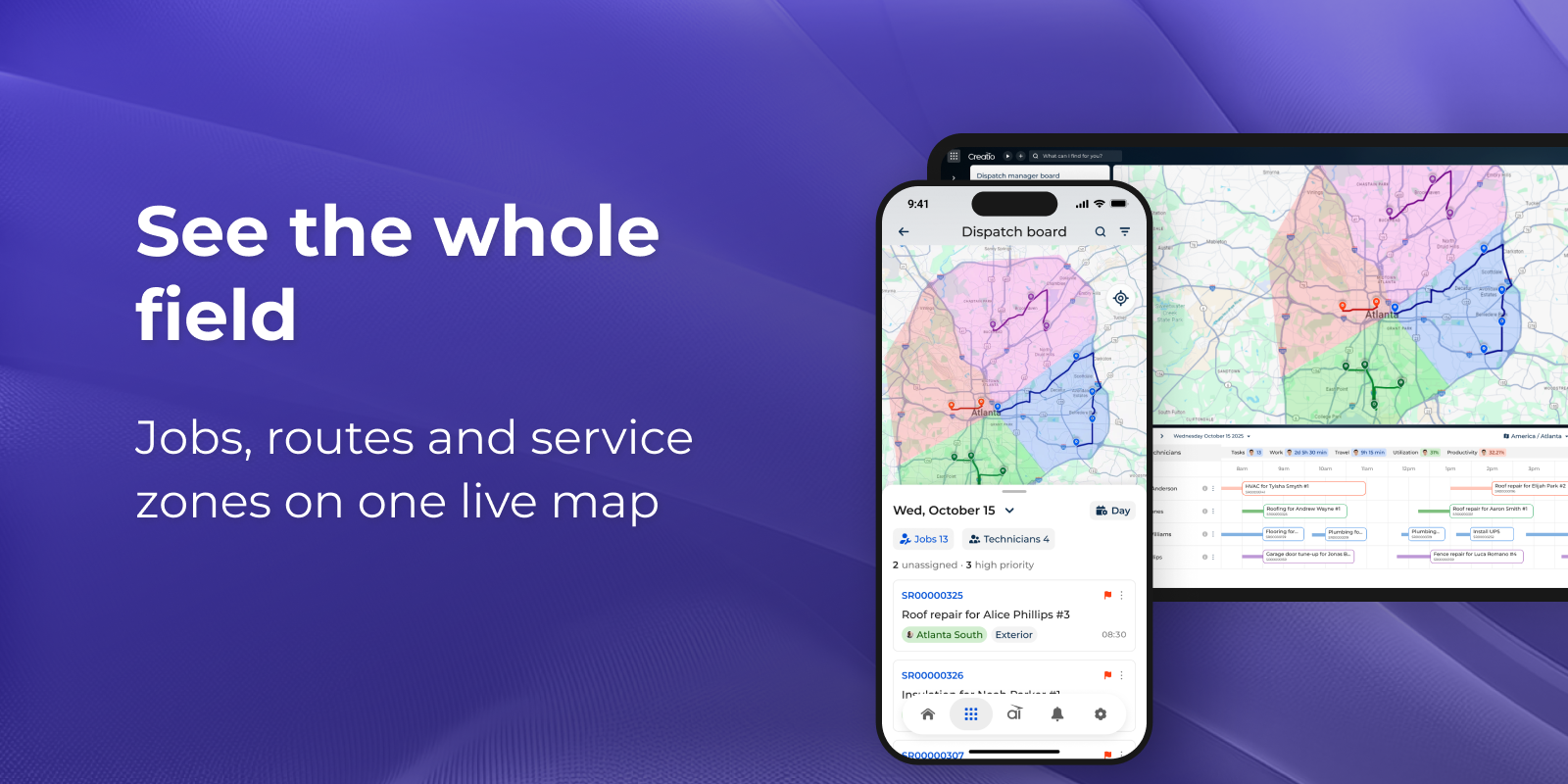
- See the whole field at a glance. Jobs, routes and service zones are shown on one live map, alongside a schedule of each technician’s day. You can filter by job, technician or zone and spot unassigned and high-priority work straight away.
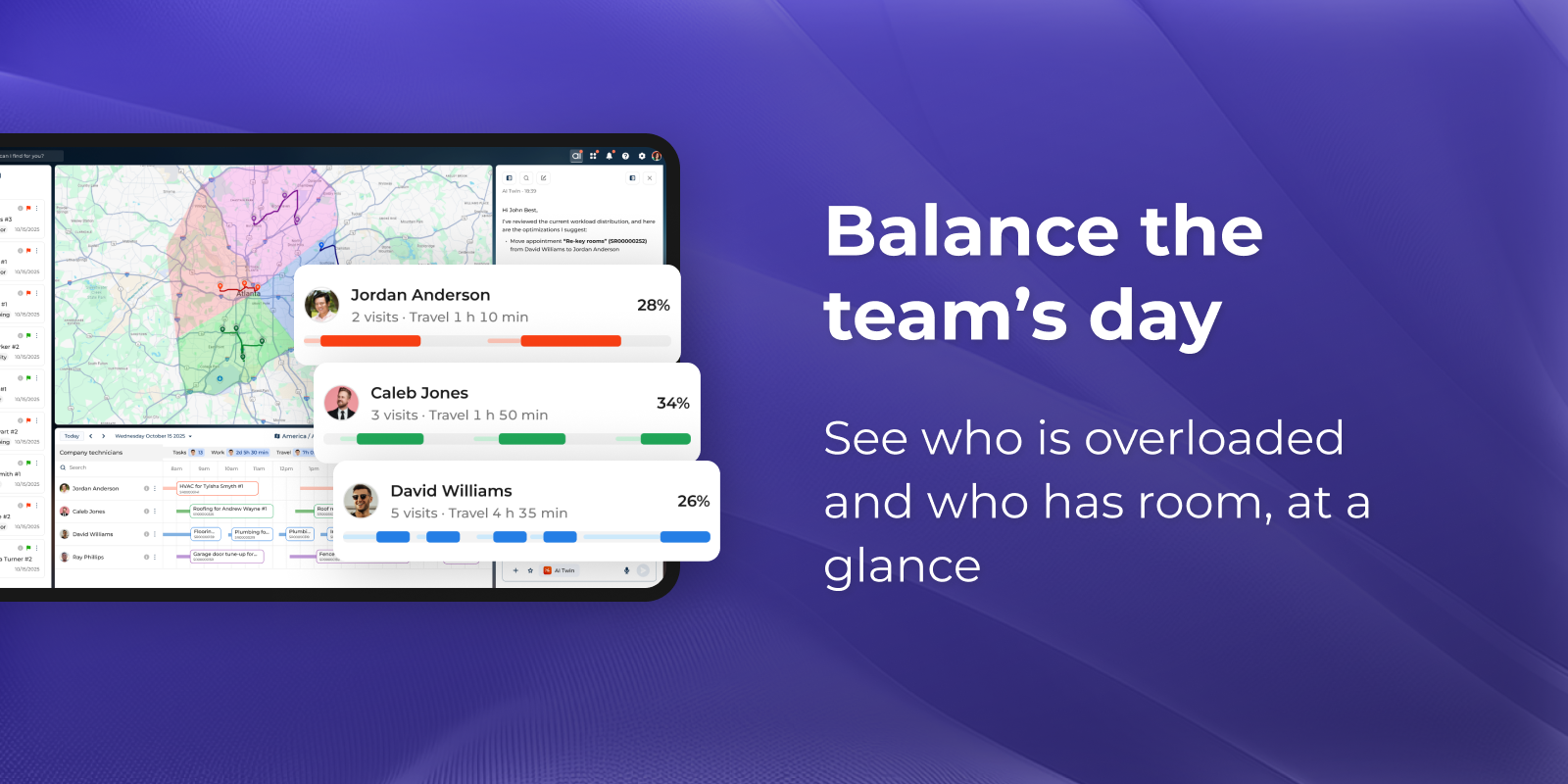
- Keep every technician in the right zone. Colour-coded workload shows who is overloaded and who has room. Move jobs to available technicians to protect both your team and your customer commitments.
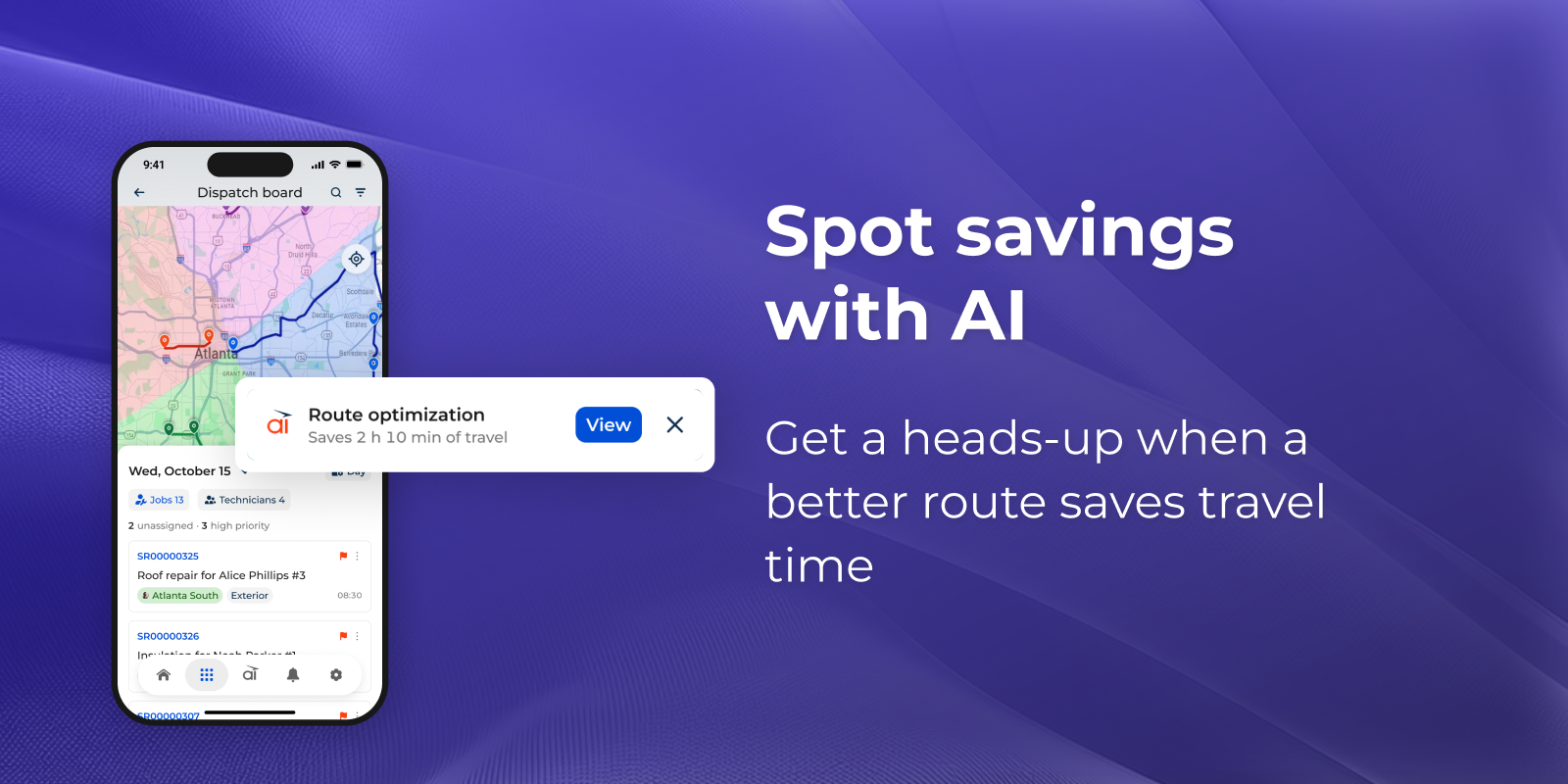
- Let AI find the better route. You get a heads-up when a better plan saves travel time, for example “Saves 2 h 10 min of travel”. You can preview the change on the map, then approve it with one click or keep your plan.
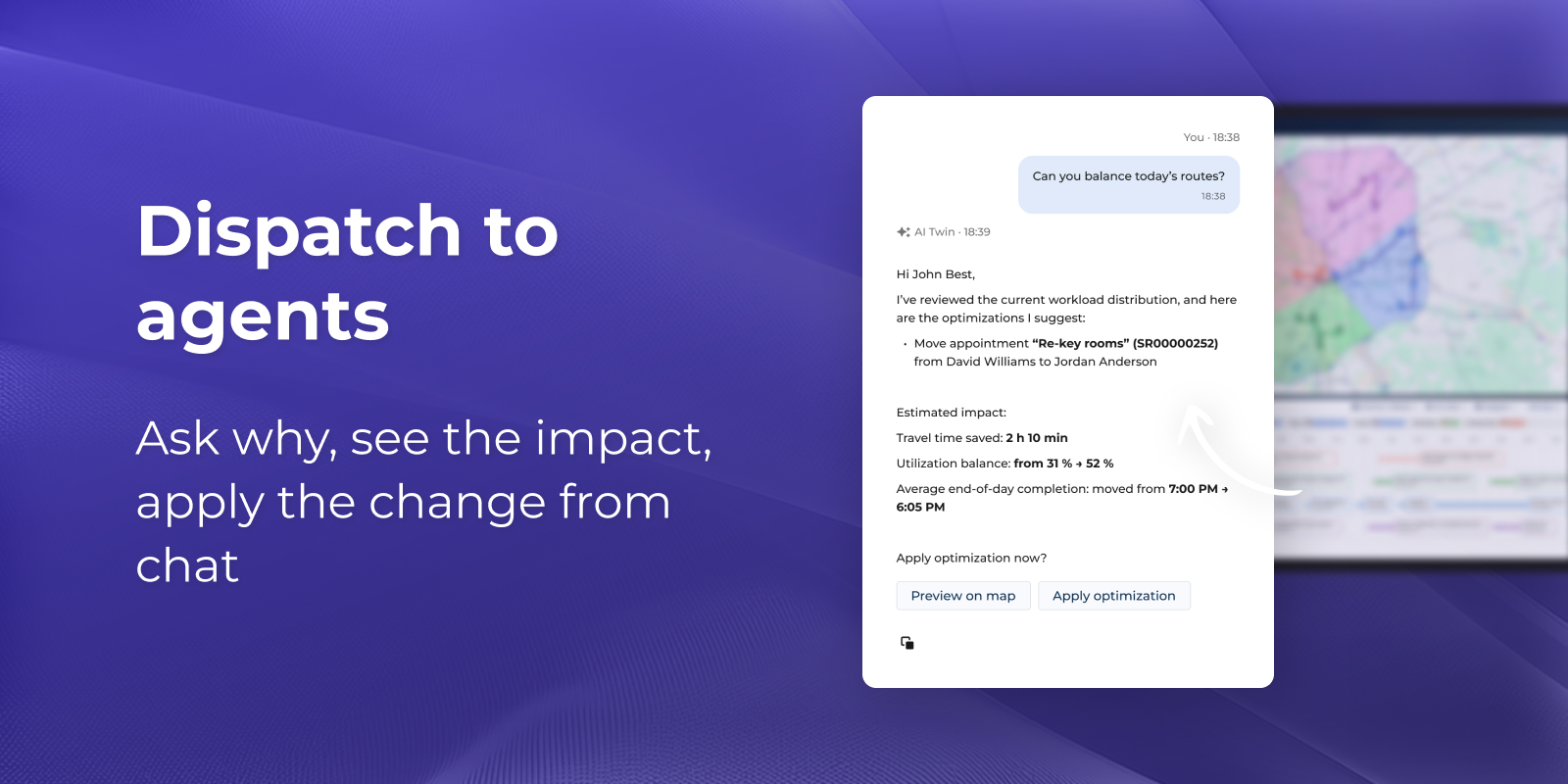
- Ask your agent anything. Ask the AI agent in chat to balance today’s routes or to explain a suggestion. Before you apply a change, it shows the impact on travel time, utilisation and end-of-day completion.
For technicians
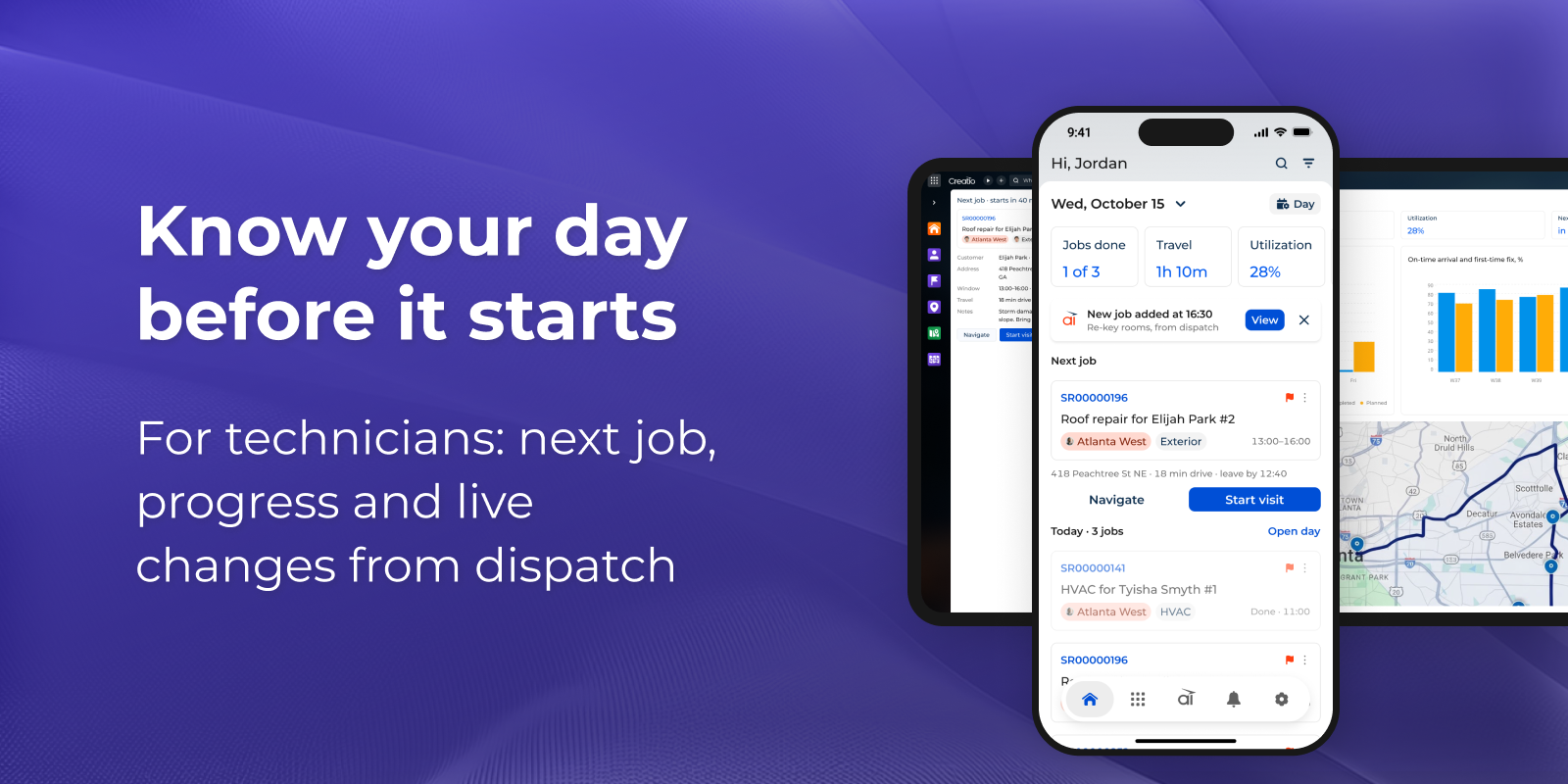
- Know your day before it starts. The app opens on what matters first: the next job, today’s progress, travel time and utilisation. Navigation is one tap away. When dispatch adds or changes a job, the AI tells you right away.
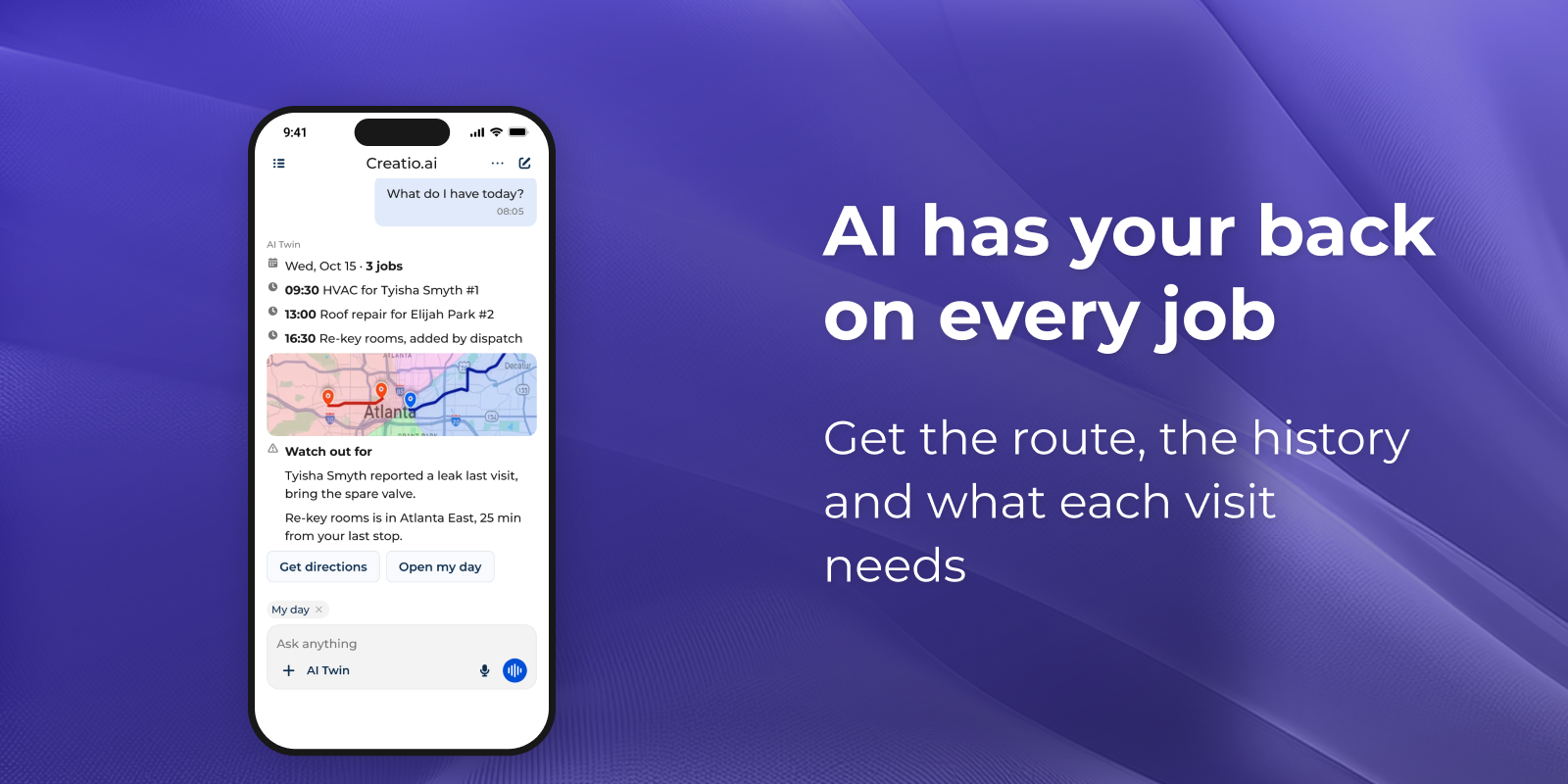
- Help with the job, not just the route. Ask “What do I have today?” to see every visit in order on the map. AI Twin also checks past visits and tells you what to bring, like the spare valve for a leak reported last time.
- Keep working without a signal. The board and your jobs stay available offline. Changes are queued and sync automatically when you are back online.
Why Field Service on Creatio
- One platform: field work shares customers, cases and history with service and sales.
- AI you stay in control of: every suggestion comes with its reason and impact, and nothing is applied without approval.
- No-code: adapt pages, fields and processes to your own service model.
Key Features
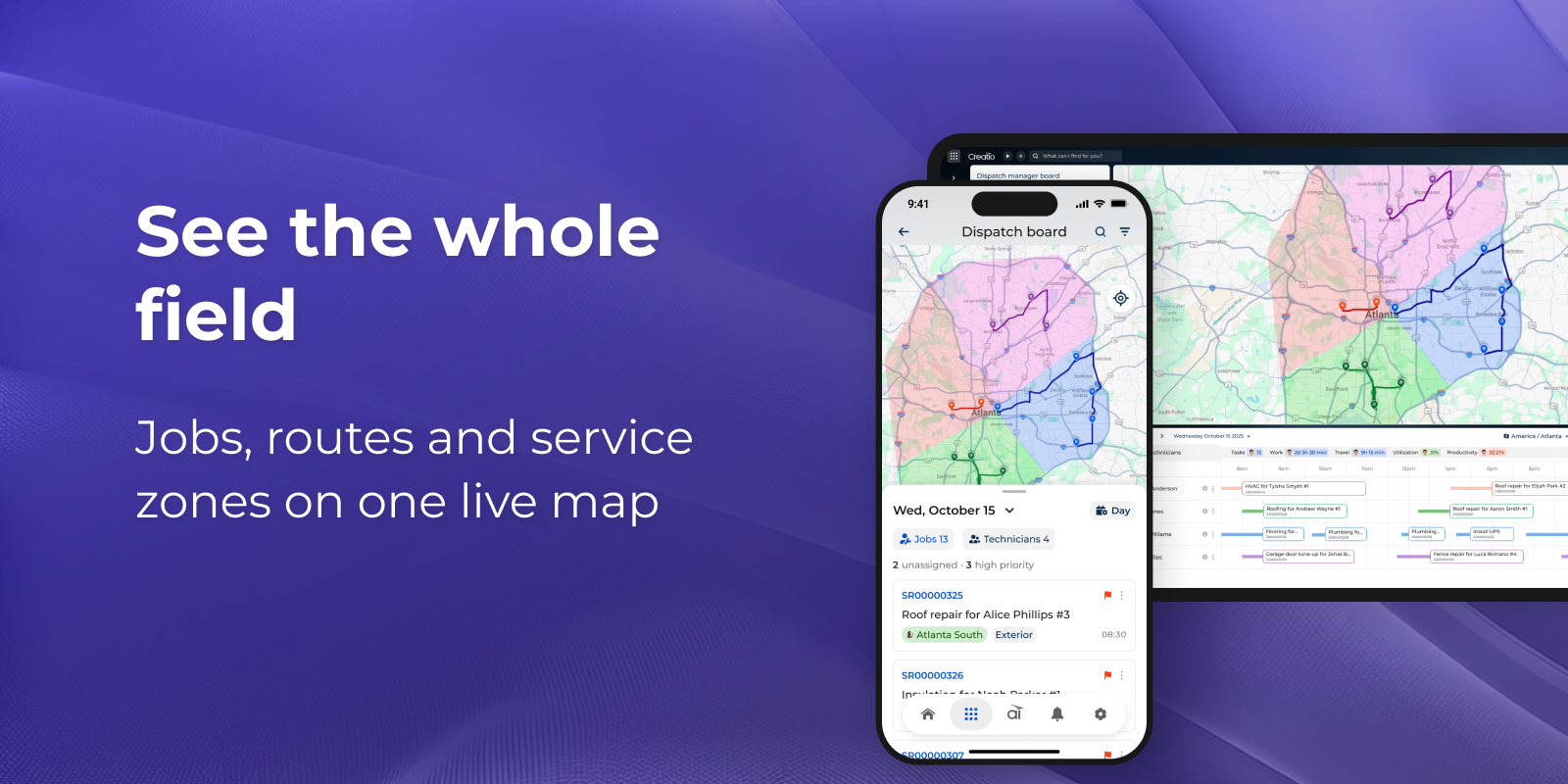
See the whole field at a glance
Jobs, routes and service zones, always live. Know what’s happening in the field right now. Plan the next move with the full picture.
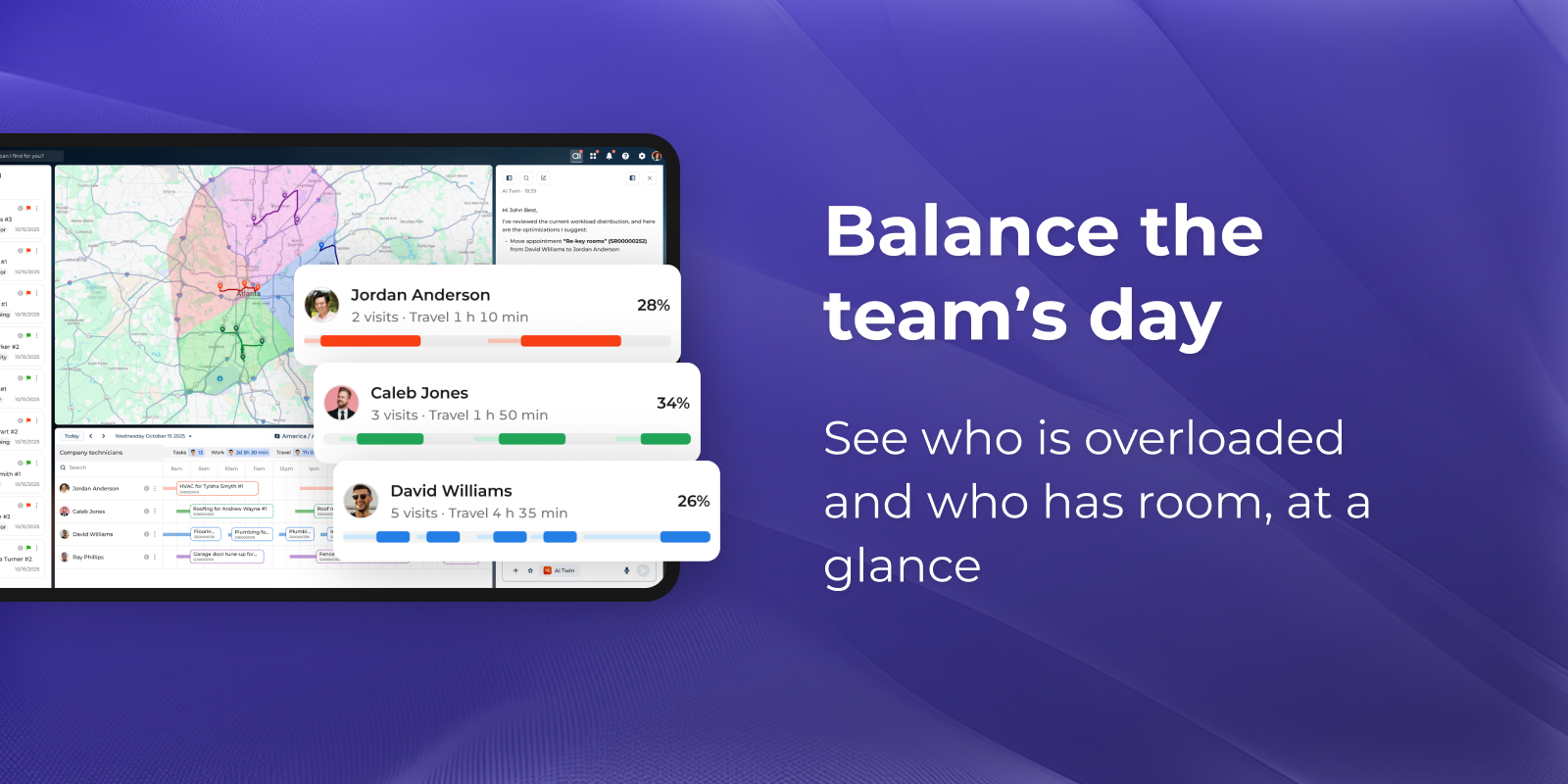
Keep every technician in the right zone
Color-coded workload shows capacity for each person. Move jobs to available technicians. Protect your team and your customer commitments.
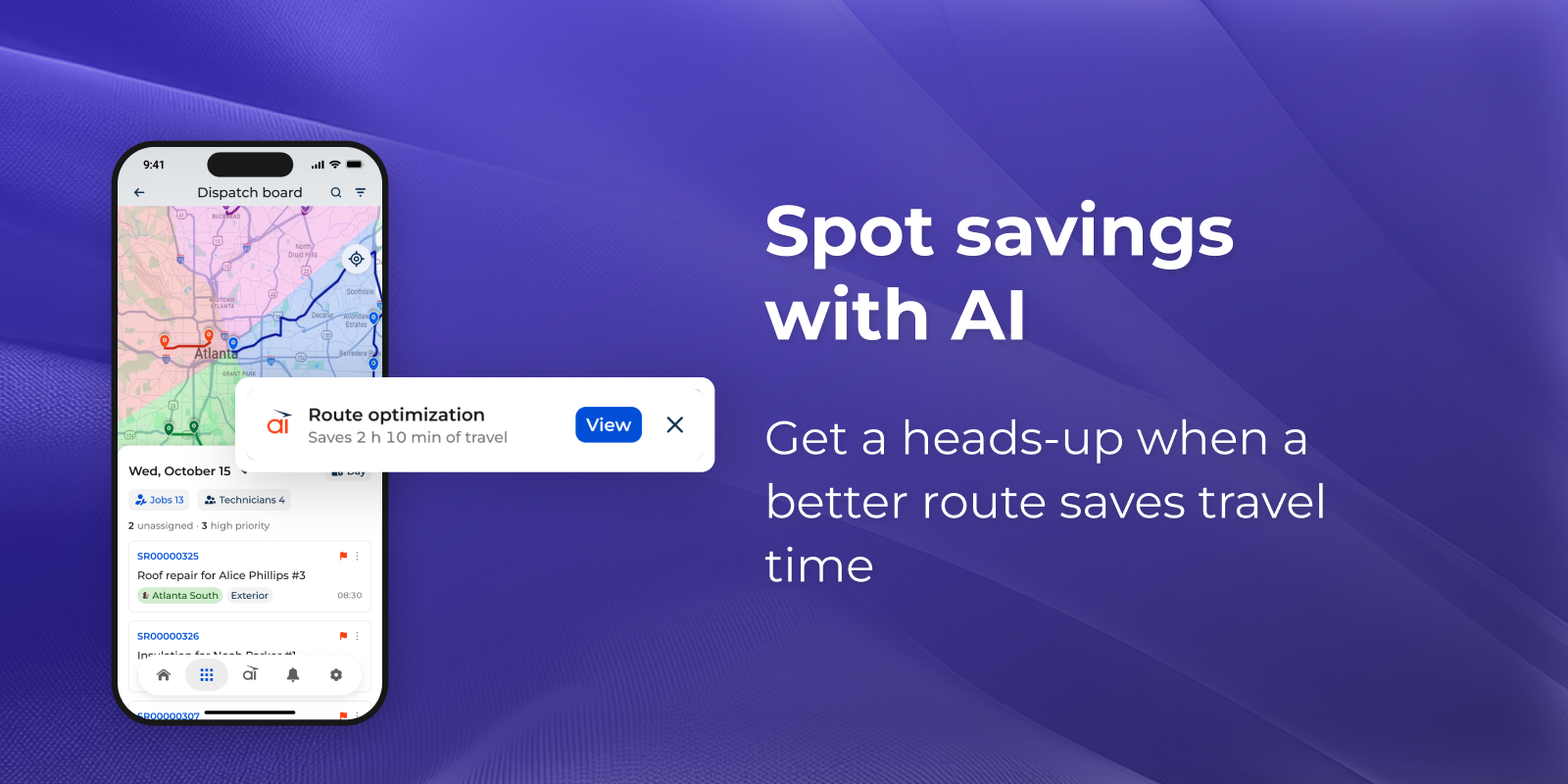
Your AI dispatcher spots the savings
Get a heads-up whenever a better route saves travel time. See what changes and why before anything is applied. Approve with one click, or keep your plan.
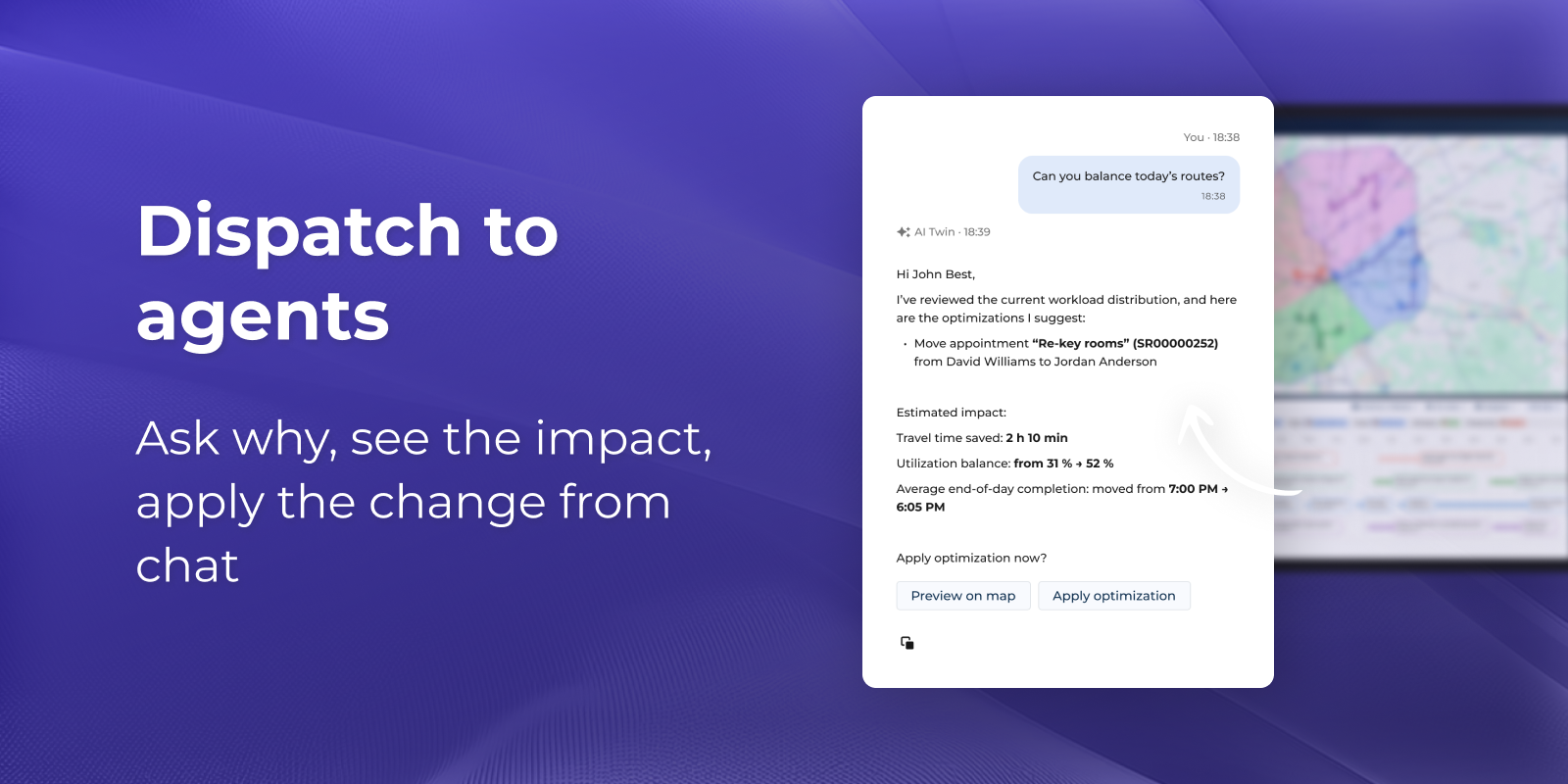
Ask your agent anything
Ask why a change is suggested and get a clear answer. See the impact on travel time and workload upfront. Preview on the map, then apply with one click.
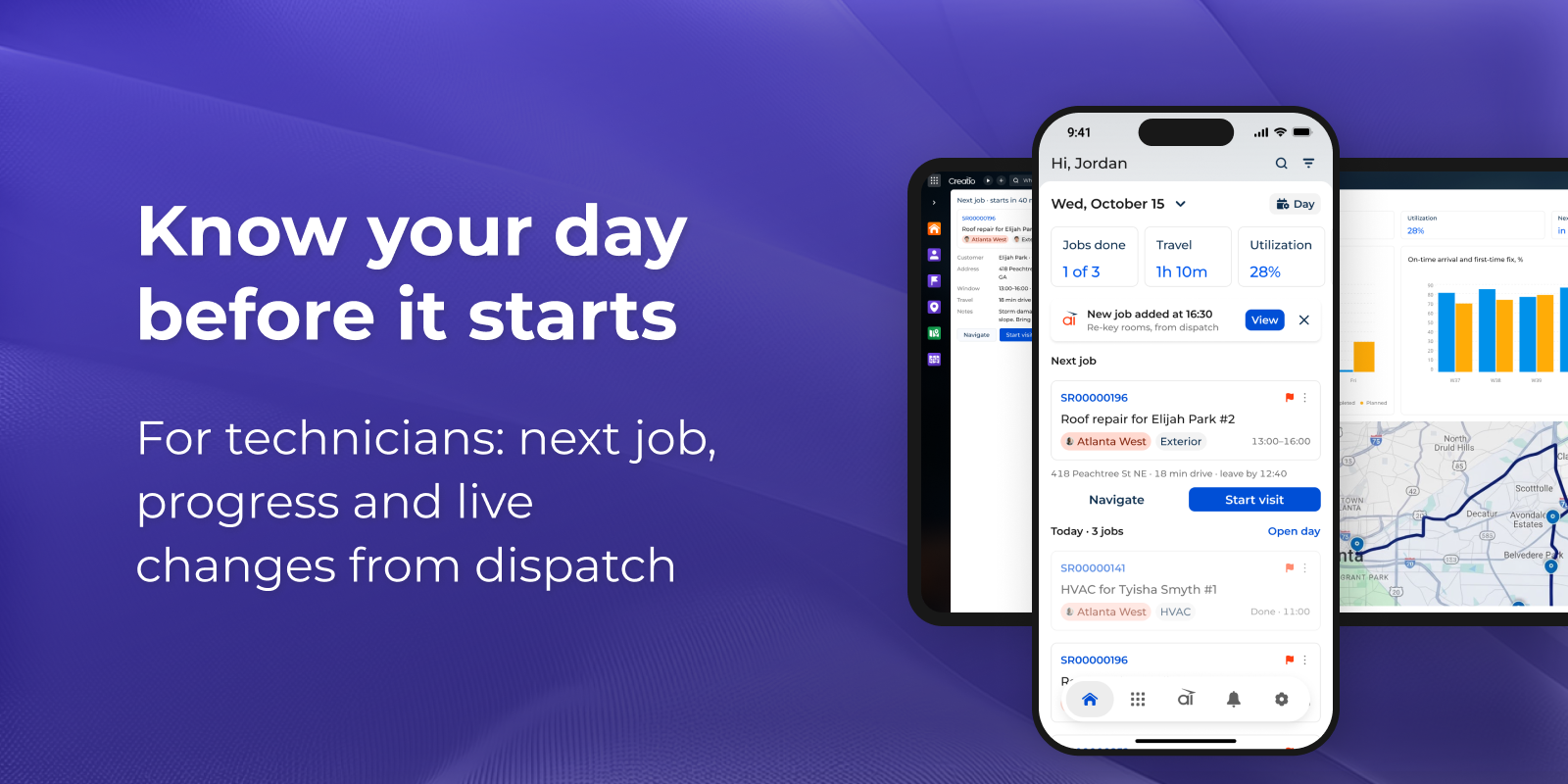
Technicians see the whole day
Open the app and see what matters first: the next job, today’s progress and the route. When dispatch adds a job, AI tells you right away.
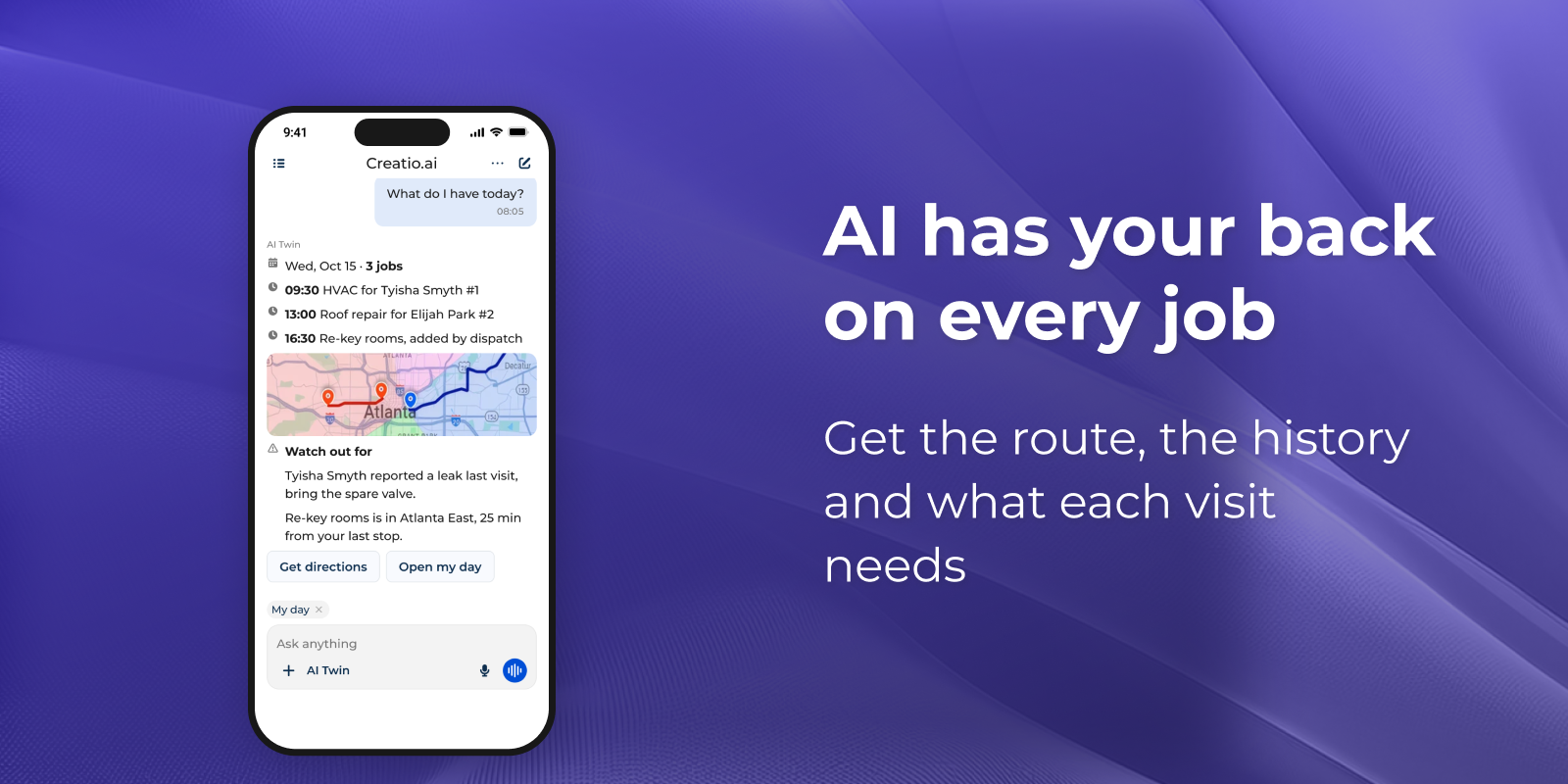
Help with the job, not just the route
Ask “What do I have today?” and see every visit in order on the map. AI Twin also checks past visits and tells you what to bring, like the spare valve for a leak reported last time.