


Inforce Kanban view for Creatio
 Trending
A Freedom UI Inforce Kanban view for Creatio that visualizes records by stage and enables quick drag-and-drop management without custom development.
Overview
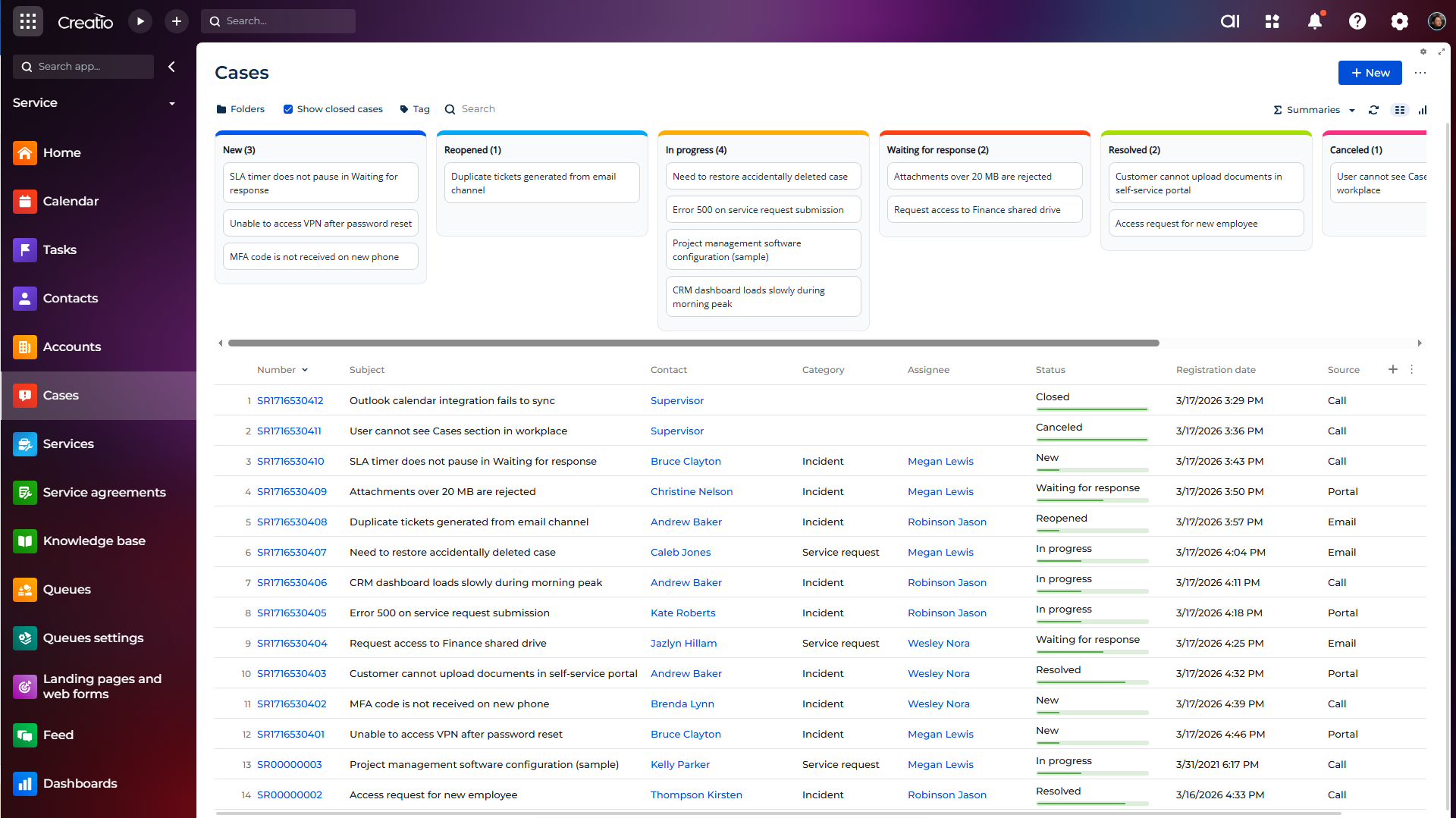
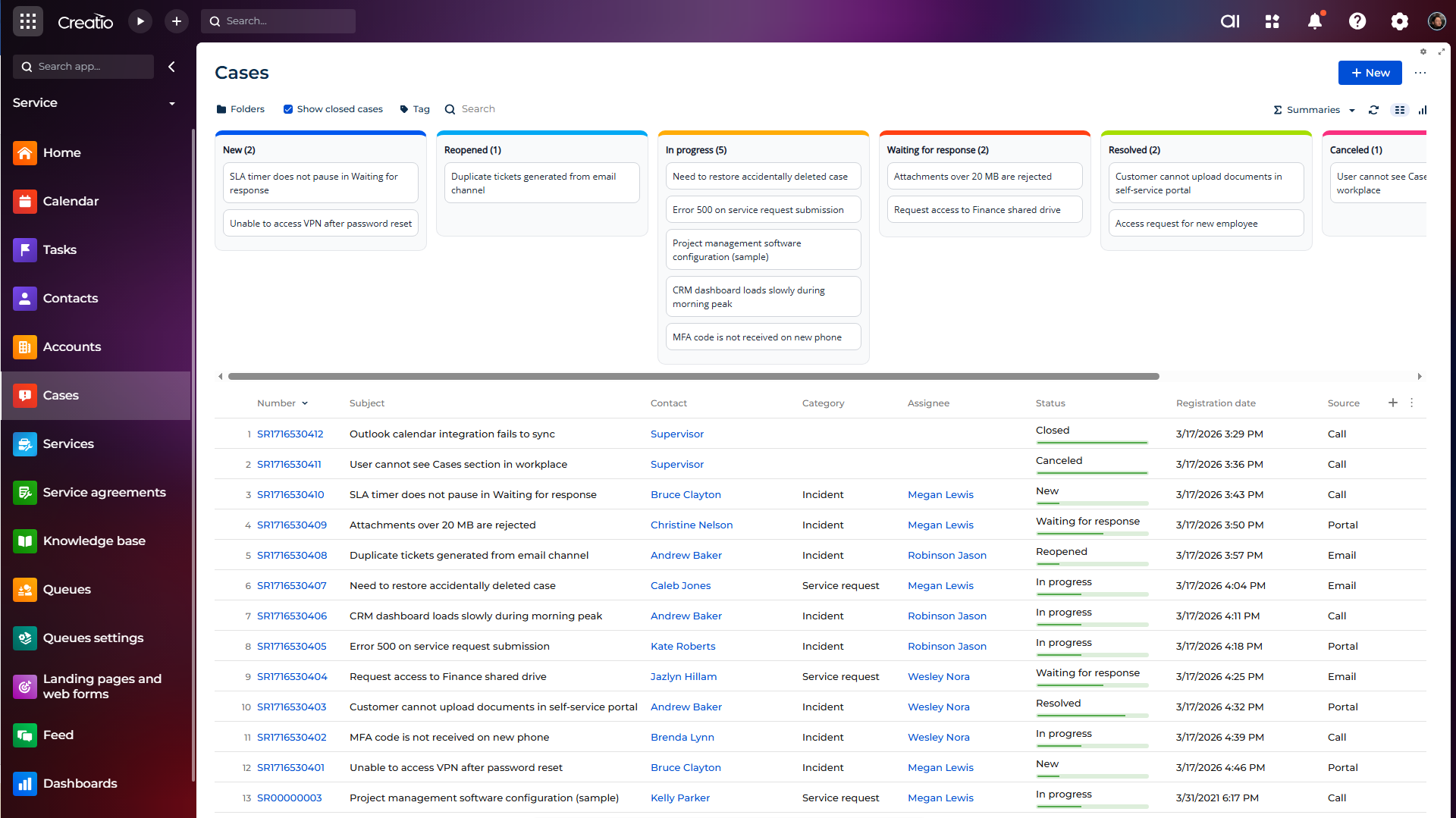
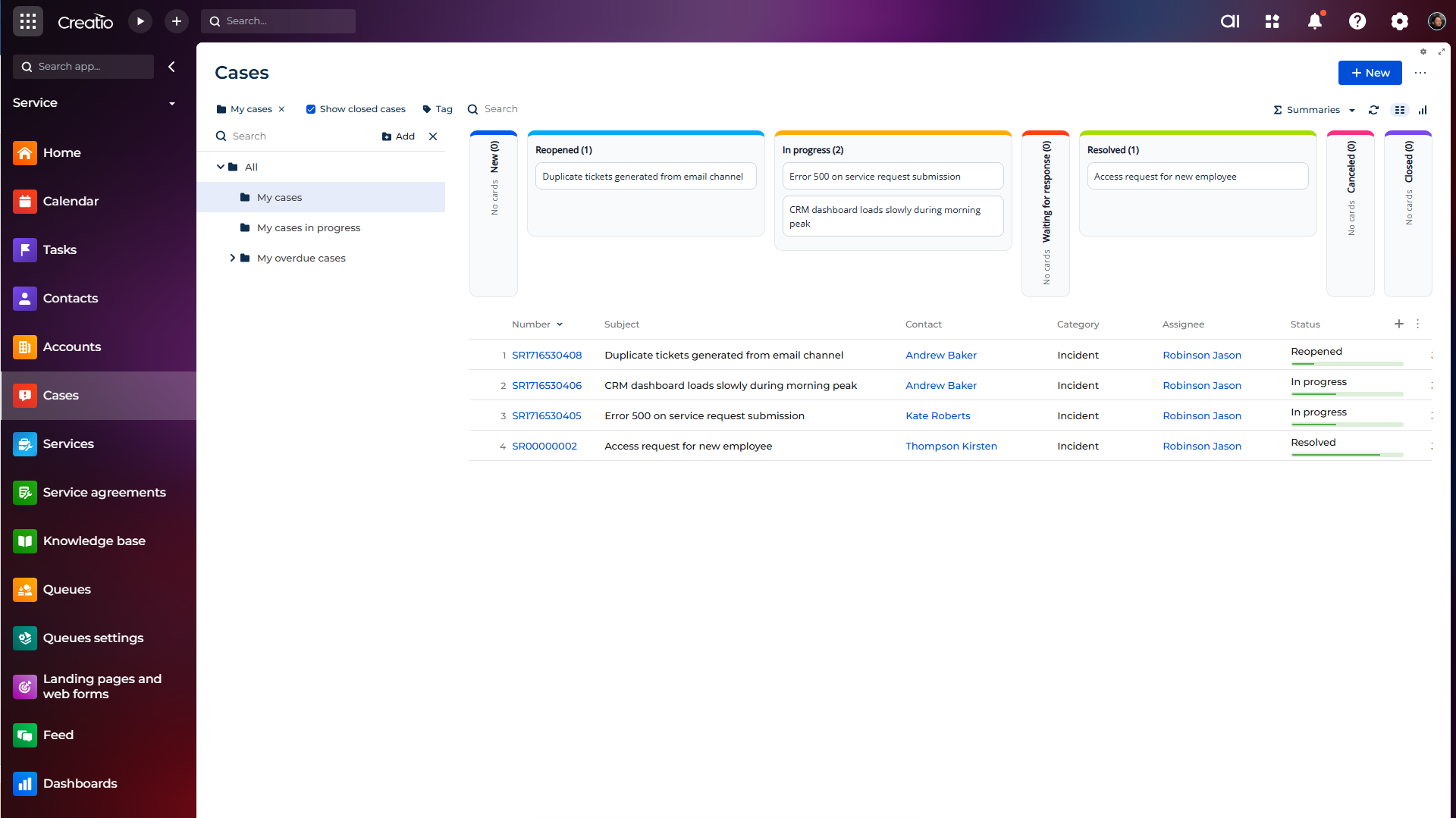
Product overview
Product description
Inforce Kanban view for Creatio is a Freedom UI component that transforms any section list into an interactive Kanban board. It helps teams visualize records by stage, manage workload faster, and move items through the process with intuitive drag-and-drop actions. The component is designed for administrators, analysts, and business users who need a clear pipeline view and quick status control without custom coding.
Use cases:
- Sales teams that need to track Leads or Opportunities by stage and quickly move deals through the pipeline;
- Service teams that manage Cases, Activities or something else and want a visual queue objects;
- Team leads who monitor bottlenecks in section workflows and rebalance workload directly from the board;
- Business analysts and administrators who need to add Kanban to multiple Freedom UI sections without custom front-end development;
- Users who work with folders, tags, and search and need Kanban to reflect only filtered, relevant records;
- Organizations that migrated to Freedom UI and require a unified Kanban experience across different sections.
Key Features
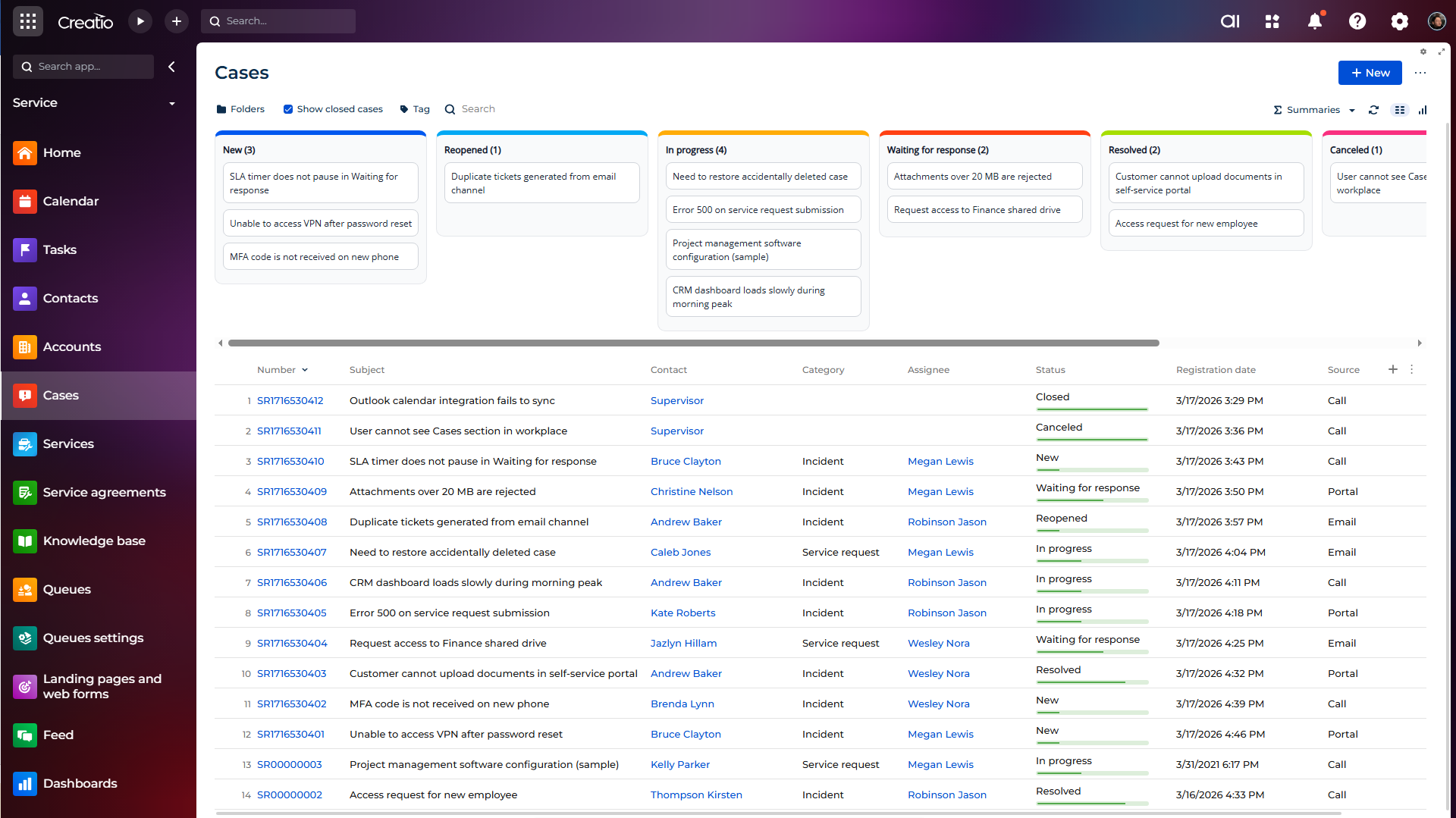
Universal Kanban setup for any section
Add Kanban to any section list page and bind it to the target object schema.
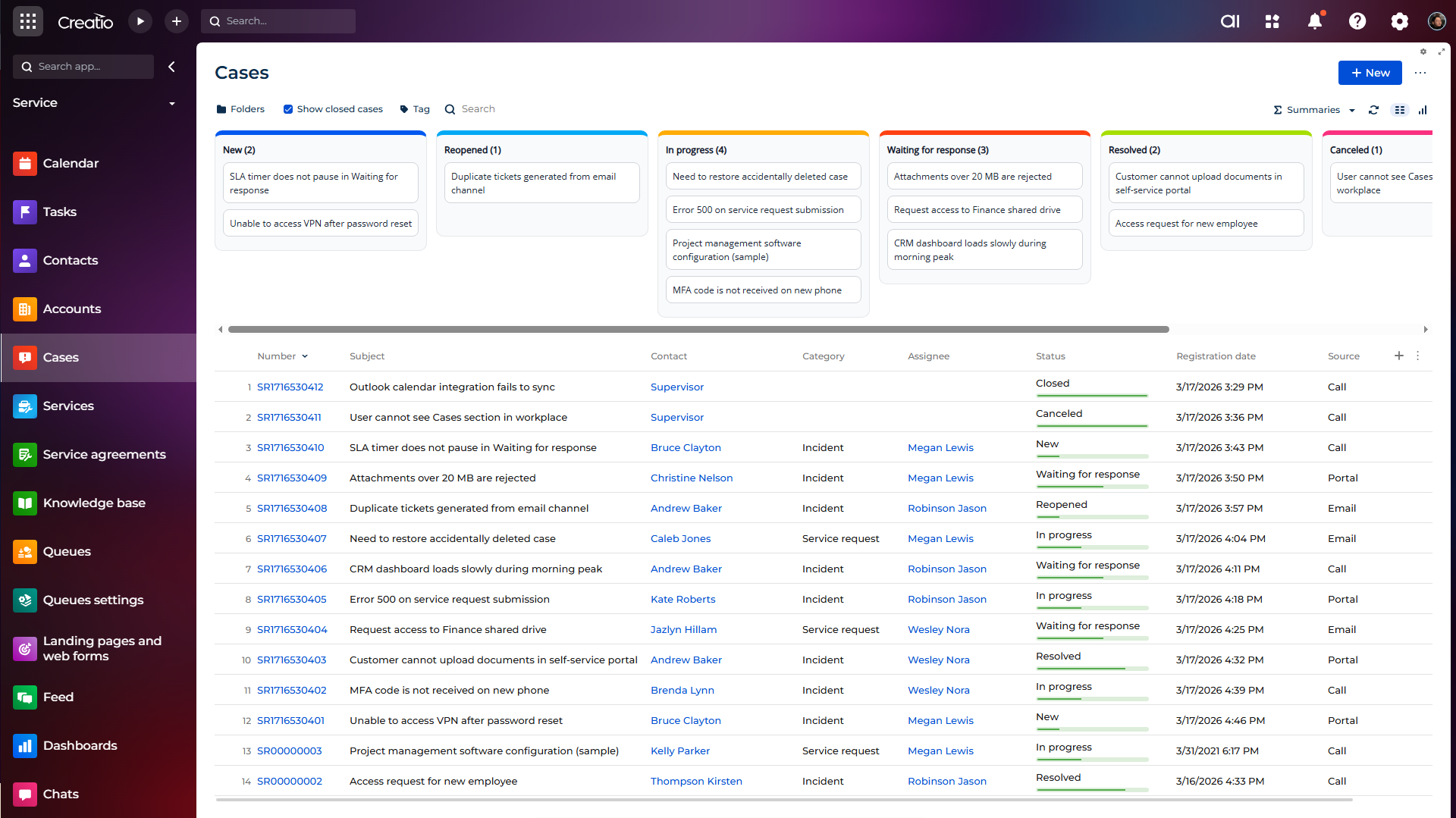
Drag-and-drop stage updates
Move cards between columns to update record stage/status directly from the board.
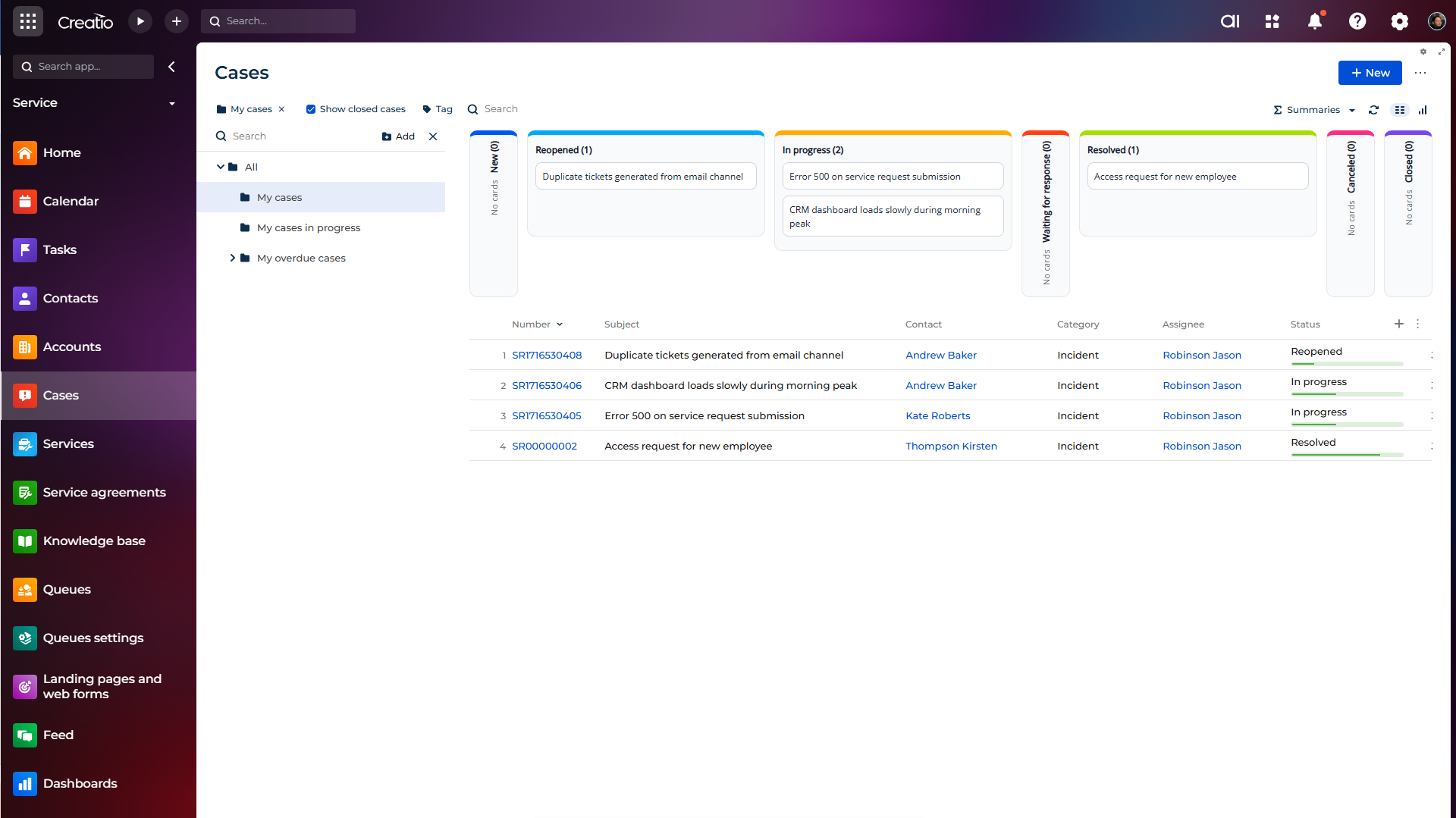
Full compatibility with section filters
Works with standard filters, folders, tags, and search to display only relevant records.
Pricing
Monthly
Annual
Standard
Free
Terms and Conditions
By installing this product you agree to terms and conditions outlined in the license agreement.
Support
Support is available for this application
To keep this listing free of charge, support is provided only by email.
Installation
Resources
Data sharing
- By installing or downloading the App, you confirm that you agree with sharing your account data (name, email, phone, company and country) with the App Developer as their End User.
- The App Developer will process your data under their privacy policy.
Versions
Versions history
Version
Compatibility
Release date
1.0.0
8.3.0 and up
Release summary
A Freedom UI Inforce Kanban view for Creatio that visualizes records by stage and enables quick drag-and-drop management without custom development.
Manual app installation
- Open the needed app → the Packages tab - download the Markeplace app files.
- Click in the top right → Application Hub
- Click New application. This opens a window.
- Select Install from file and click Select in the window that opens.
- Click Select file on the page of the Marketplace App Installation Wizard and specify the app file path.