


KSeF connector for Creatio
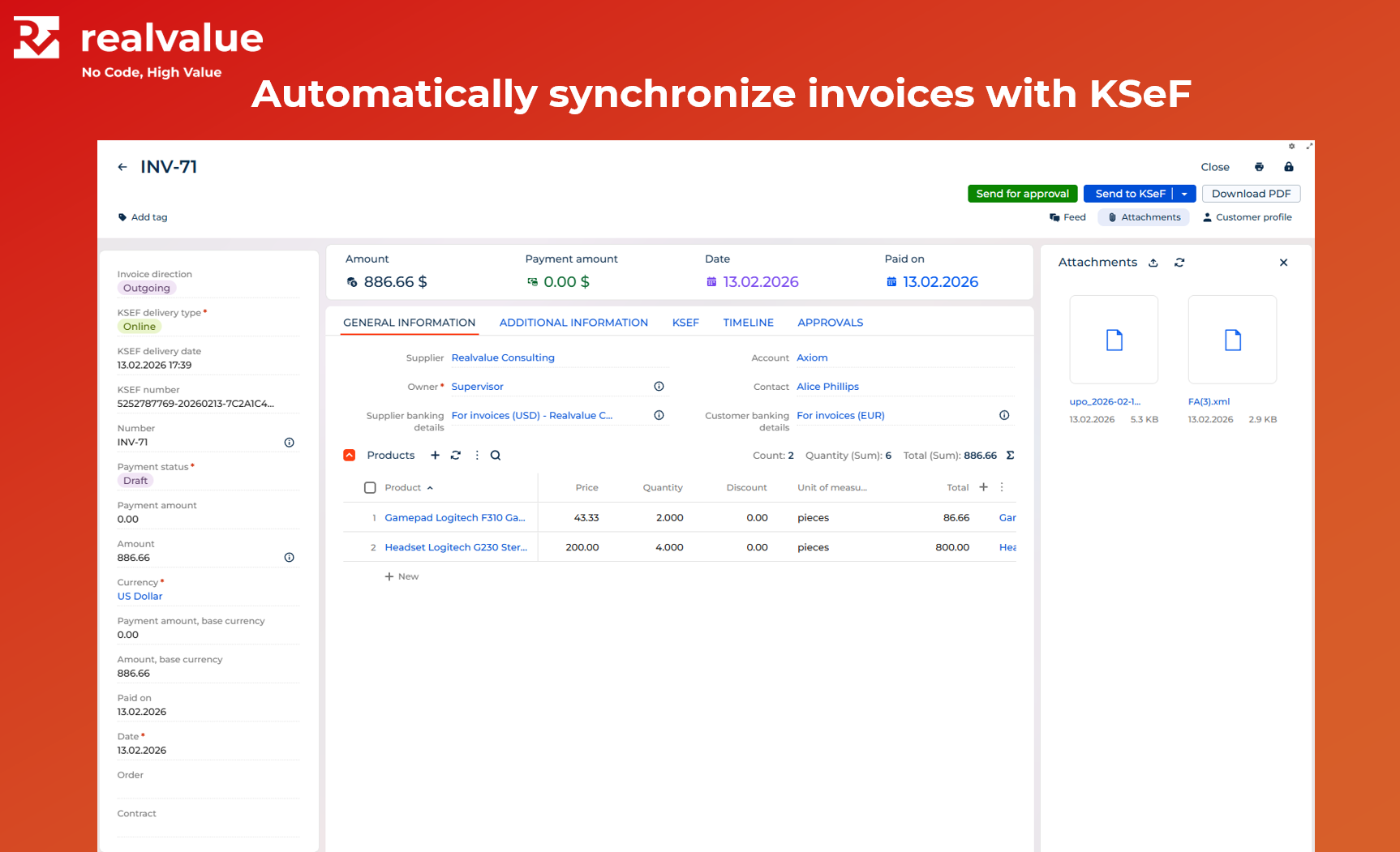
KSeF Connector automates the secure sending and retrieval of invoices through the National e-Invoice System, simplifying day-to-day invoice management.
Overview
Product overview
Product description
KSeF connector for Creatio seamlessly integrates your Creatio application with National e-Invoice System.
Invoices issued through Creatio processes are automatically submitted to KSeF in real time, ensuring full regulatory compliance and reliable delivery to your Customers. Eliminate manual data entry and avoid delays caused by missed or unprocessed cost invoices — our connector seamlessly initiates invoice processes using structured data for maximum accuracy and efficiency.
Key Features
Seamless integration with KSeF
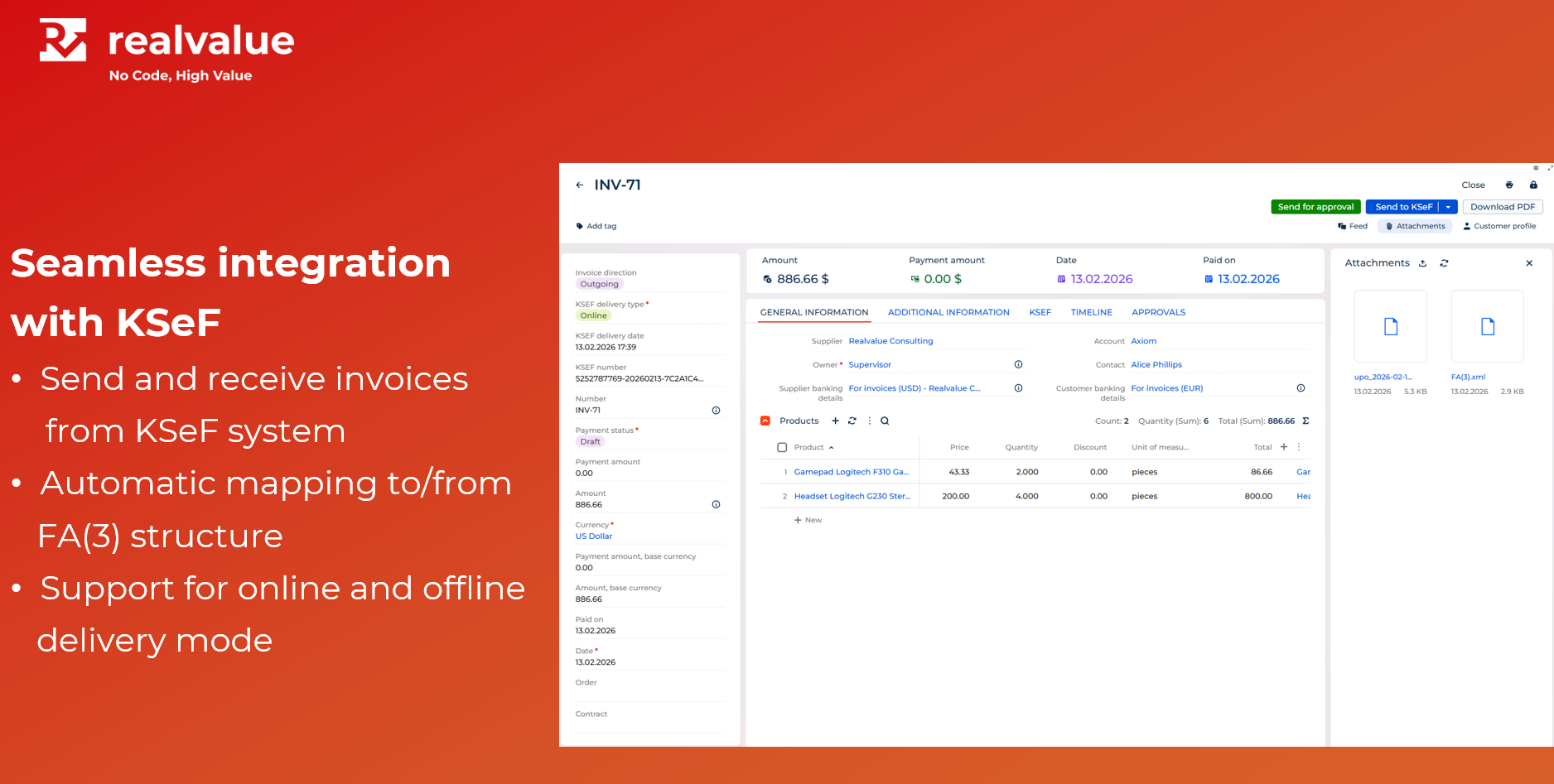
Send and receive invoices through the KSeF platform with support for both online and offline delivery modes. The connector automatically maps documents to and from the FA(3) invoice structure, ensuring seamless integration and full data consistency.
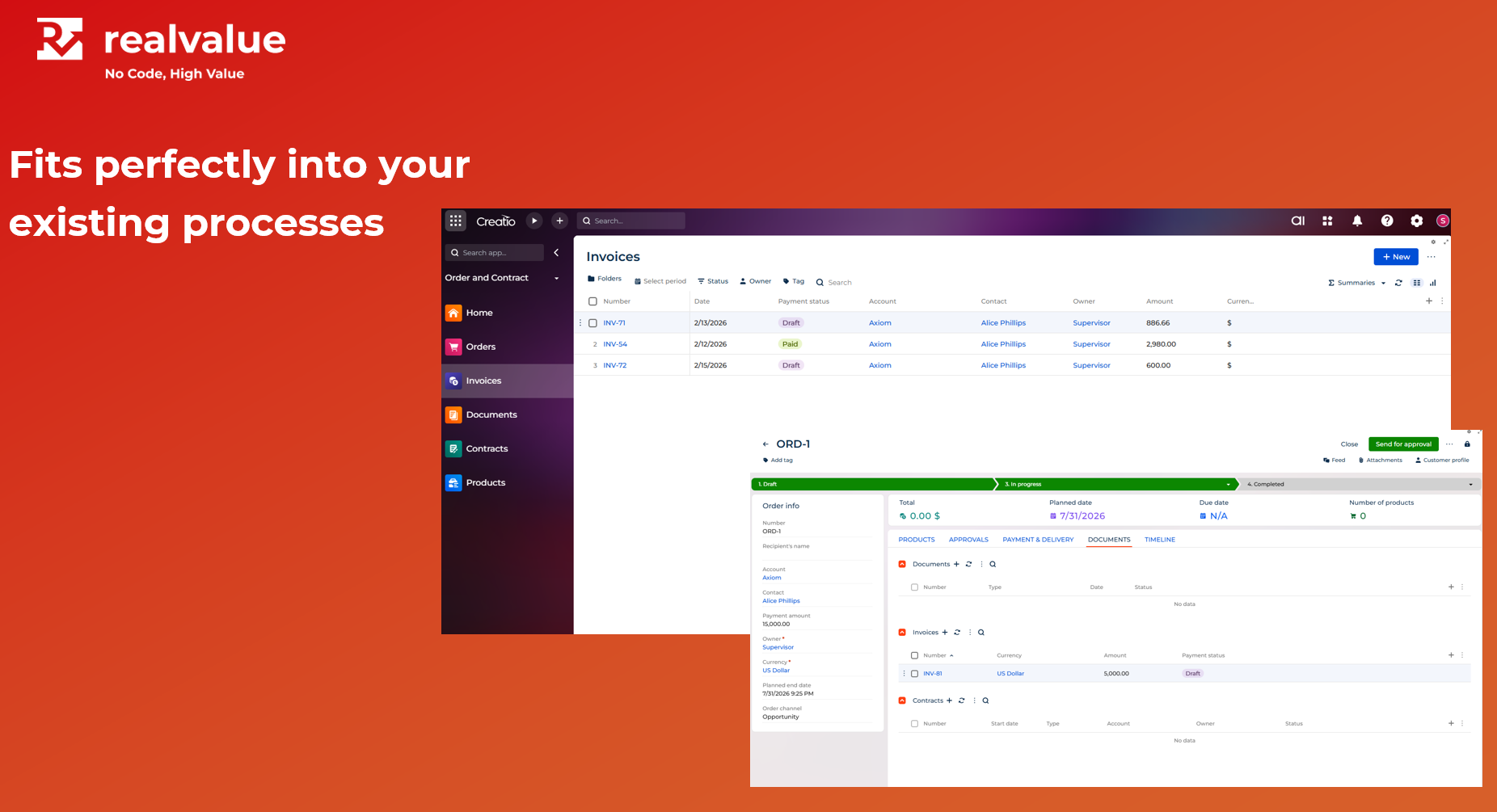
Fits perfectly into your existing processes
The connector is built on out-of-the-box Creatio objects, making it easy to onboard and seamlessly integrate into your existing solution.
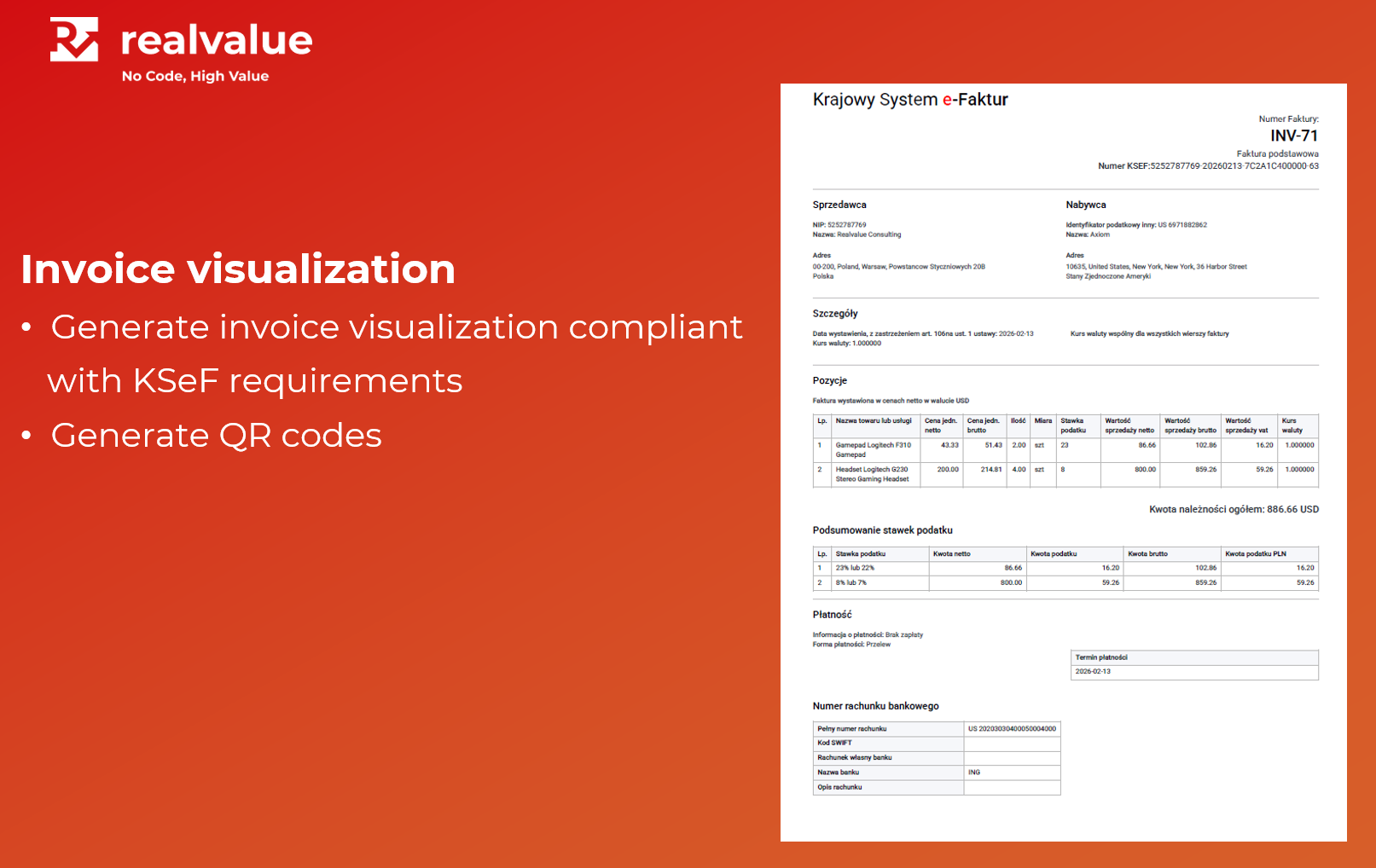
Invoice visualization
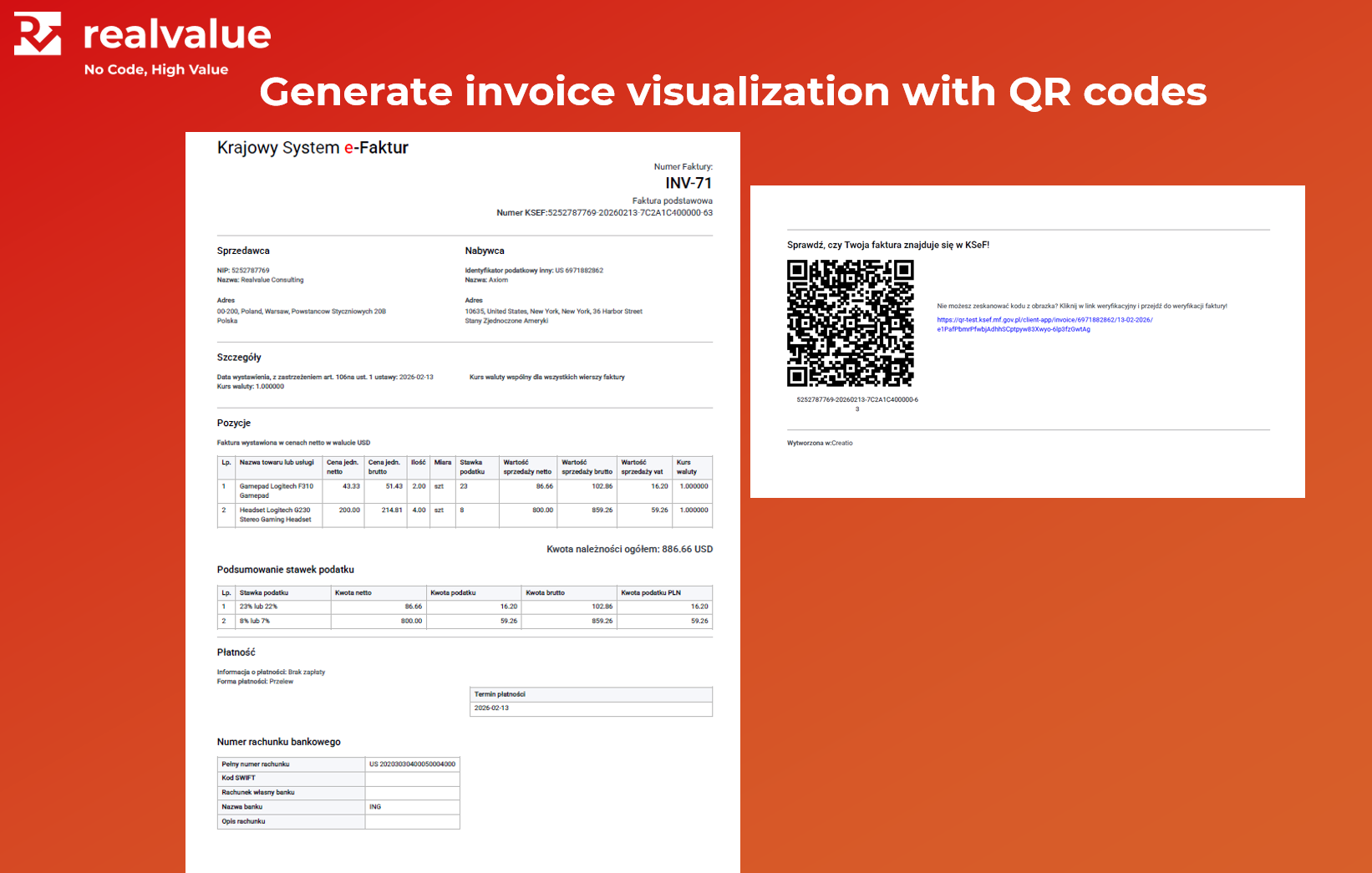
Generate an invoice visualization that complies with KSeF requirements, including both online and offline QR codes.
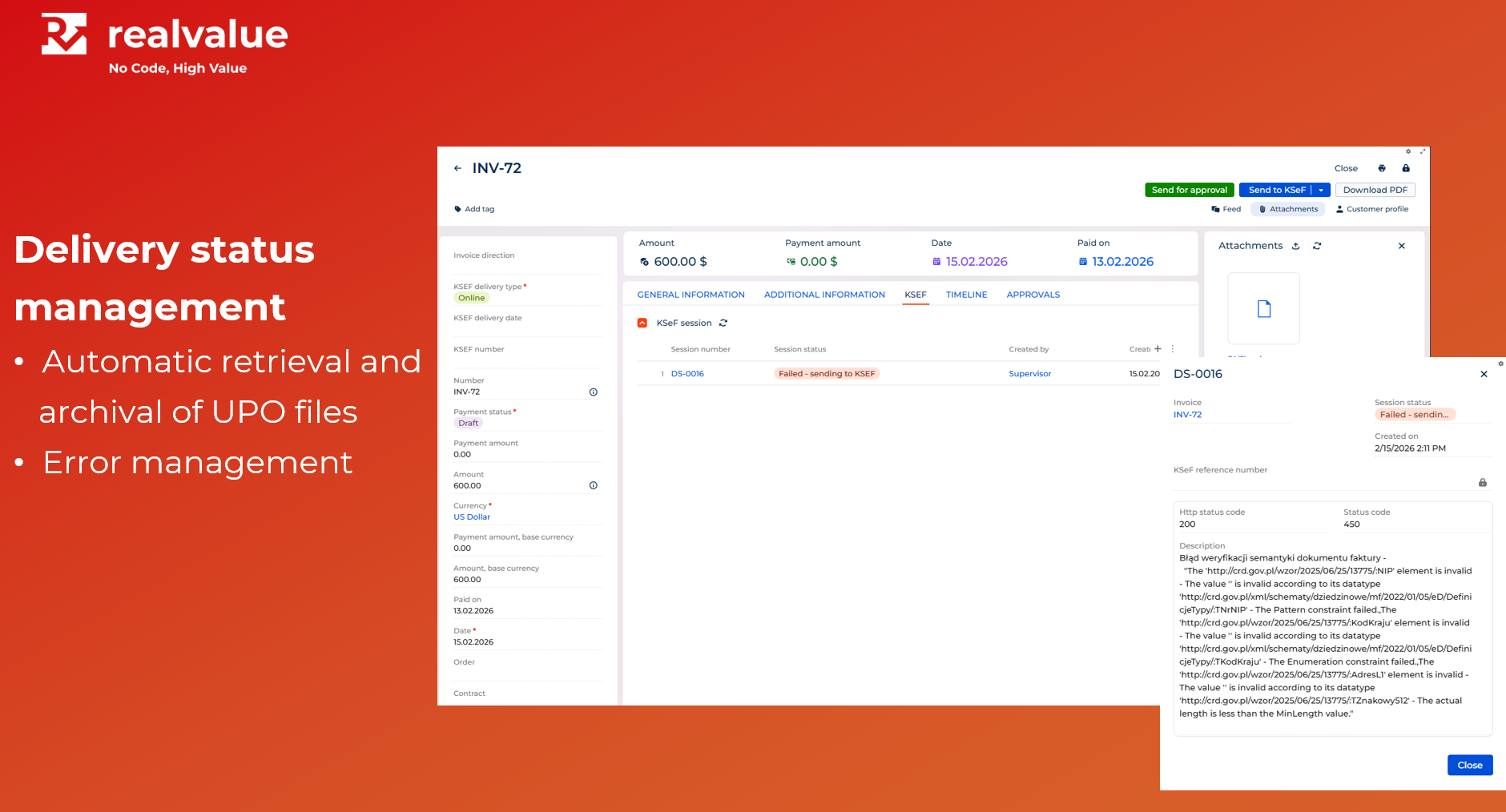
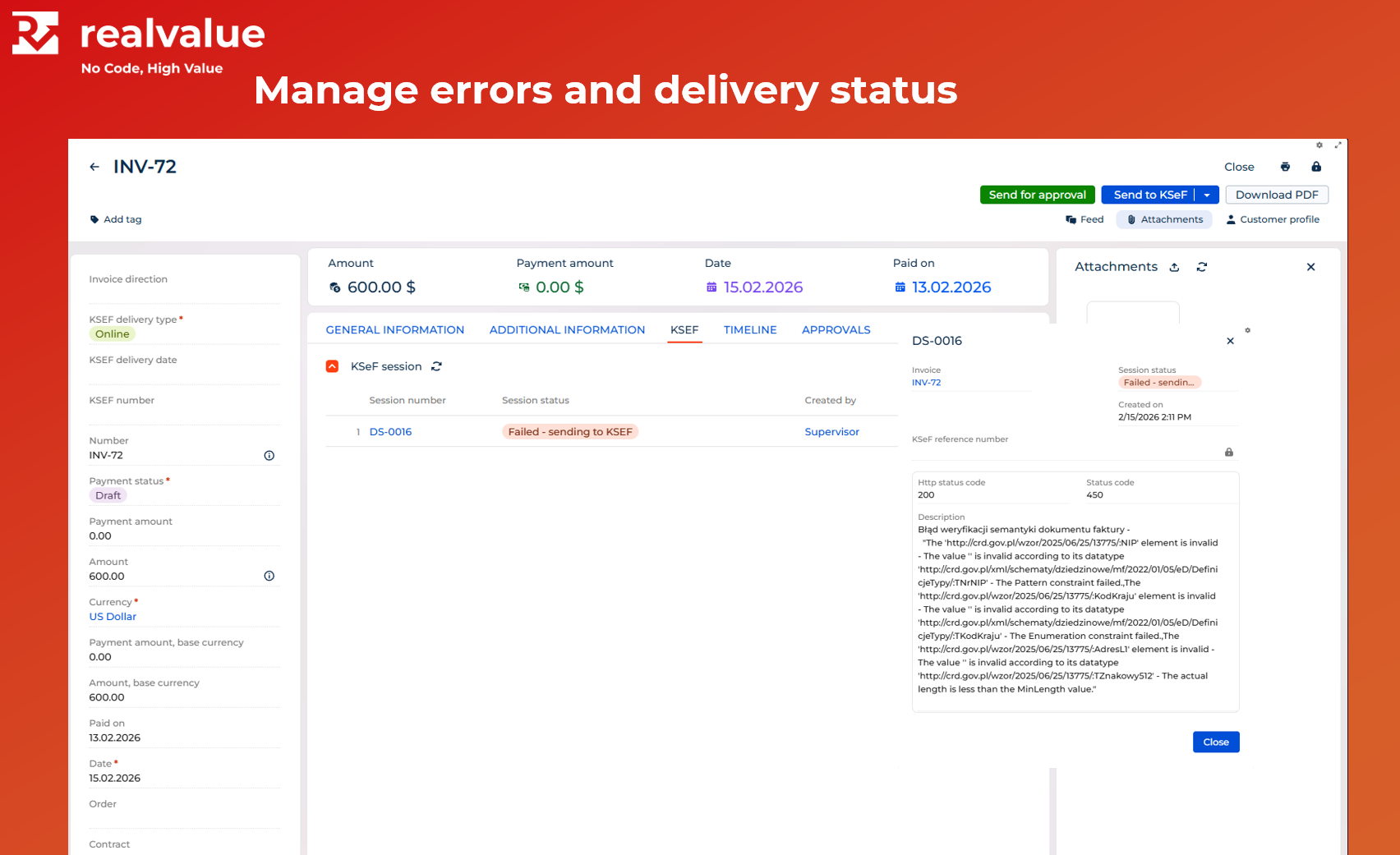
Delivery status management
The connector is automatically retrieving and archiving Official Confirmation of Receipt (UPO) file.
Pricing
Monthly
Annual
Standard
$
15.00 user / month
billed annually
Volume-based discounts are available for implementations exceeding 50 users. Please contact us for details.
Terms and Conditions
By installing this product you agree to terms and conditions outlined in the license agreement.
Support
Support is available for this application
Support is provided by the developer within the “Basic” and “Business” packages. Detailed information about the support packages and the support terms can be found on the Creatio website.
Installation
Compatibility notes
Compatibility notes
Requires Customer 360 and Order and Contract Management apps.
Data sharing
- By installing or downloading the App, you confirm that you agree with sharing your account data (name, email, phone, company and country) with the App Developer as their End User.
- The App Developer will process your data under their privacy policy.
Versions
Versions history
Version
Compatibility
Release date
1.0.0
8.3.2 and up
Manual app installation
- Open the needed app → the Packages tab - download the Markeplace app files.
- Click in the top right → Application Hub
- Click New application. This opens a window.
- Select Install from file and click Select in the window that opens.
- Click Select file on the page of the Marketplace App Installation Wizard and specify the app file path.