


Multi-level Tree Viewer for Creatio
 Trending
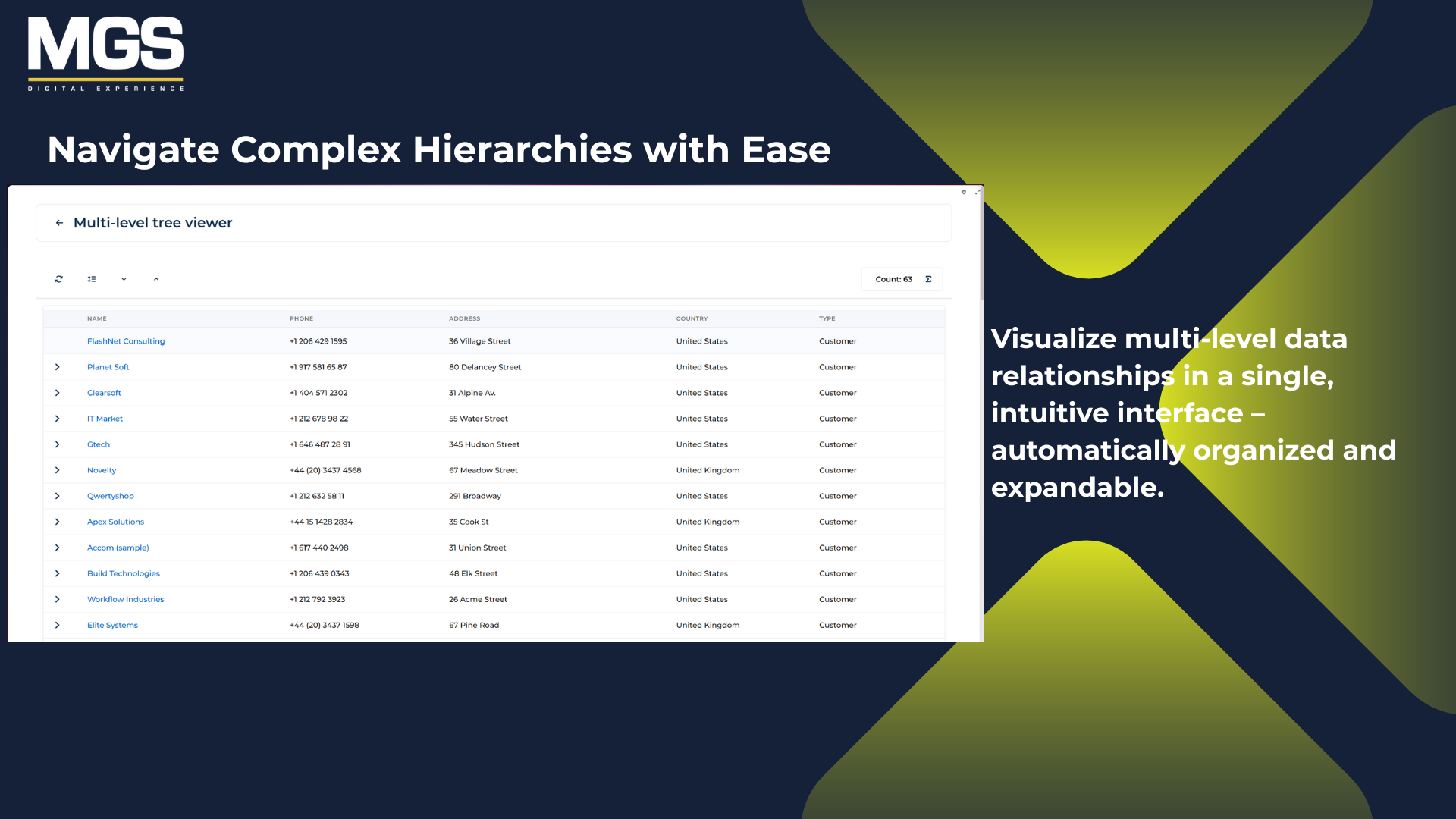
The MGS Multi-Level Tree Viewer is a Creatio custom component that displays data in a multi-level hierarchical tree. It supports self-relationships and provides an interactive, structured view of complex datasets within Creatio
Overview
Product overview
Product description
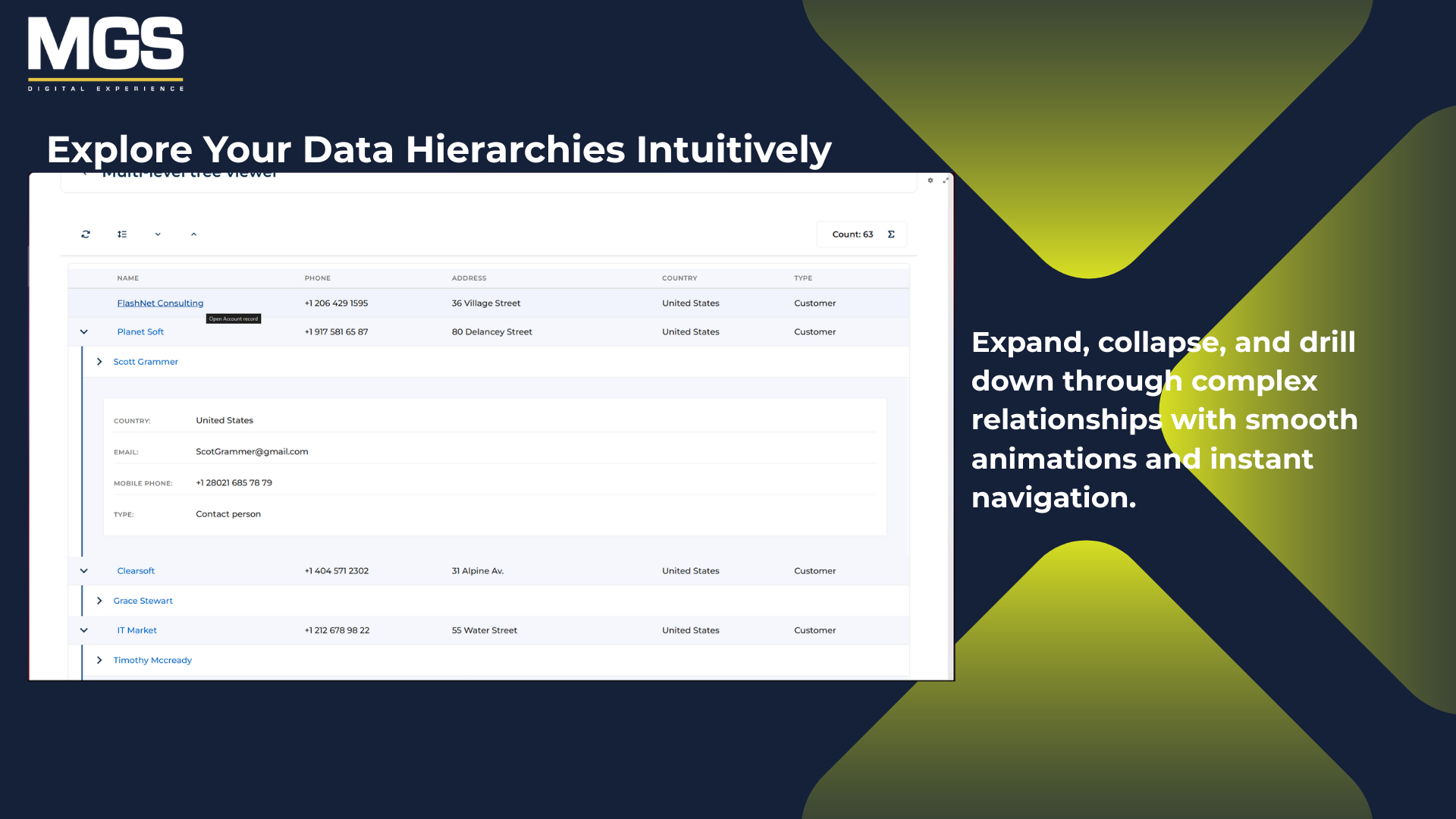
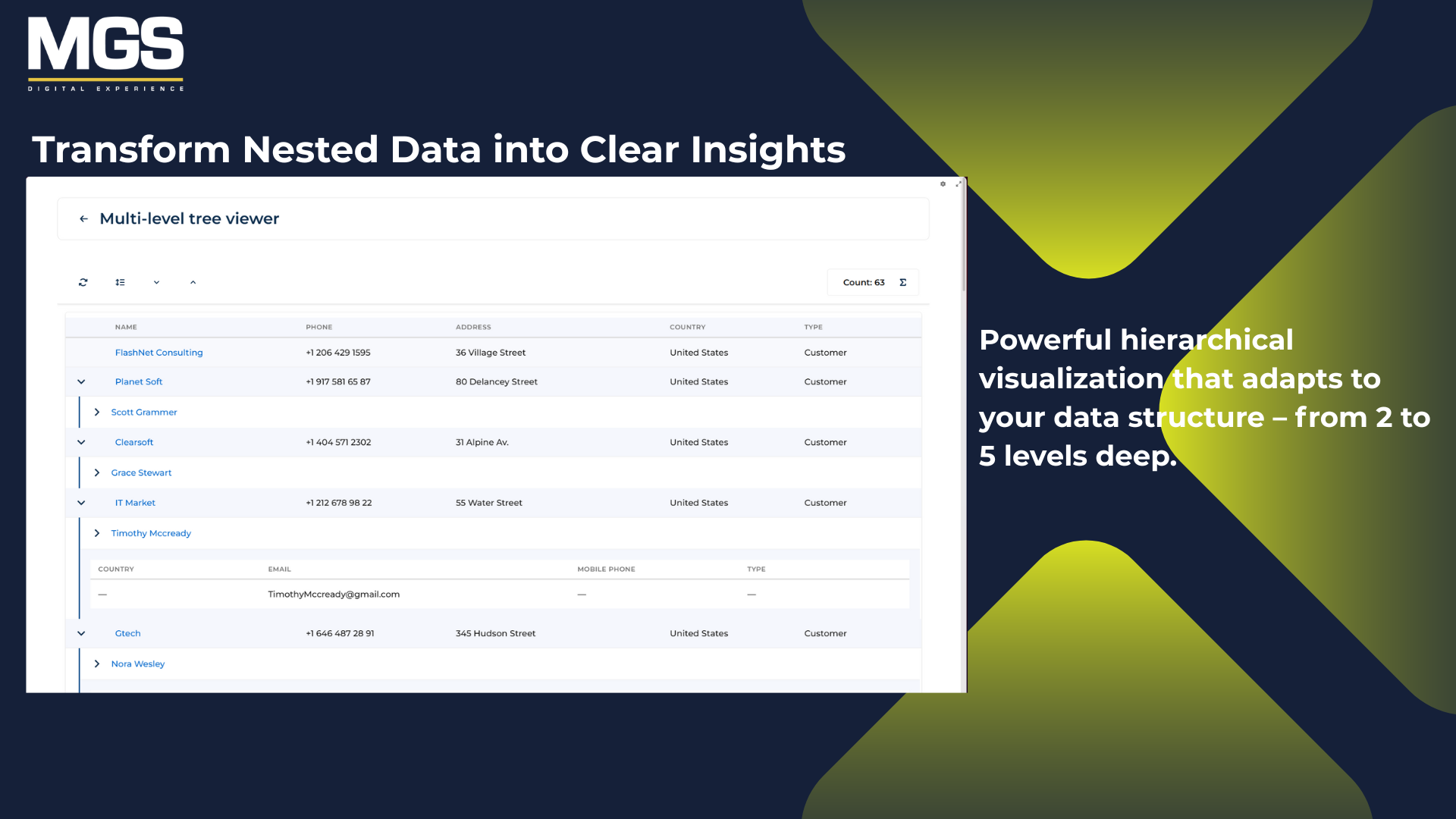
The MGS Multi-Level Tree Viewer provides an intuitive way to represent hierarchical relationships within Creatio by organizing data from different models into multiple connected levels. It can be embedded into any Creatio page to display related records - such as data model and columns items - in a structured tree layout. Users can expand or collapse levels, customize which columns to display, and rename them with user-friendly labels.
This flexibility allows organizations to better understand complex data structures, streamline navigation, and improve visibility across related records.
This flexibility allows organizations to better understand complex data structures, streamline navigation, and improve visibility across related records.
Key Features
Hierarchical data visualization
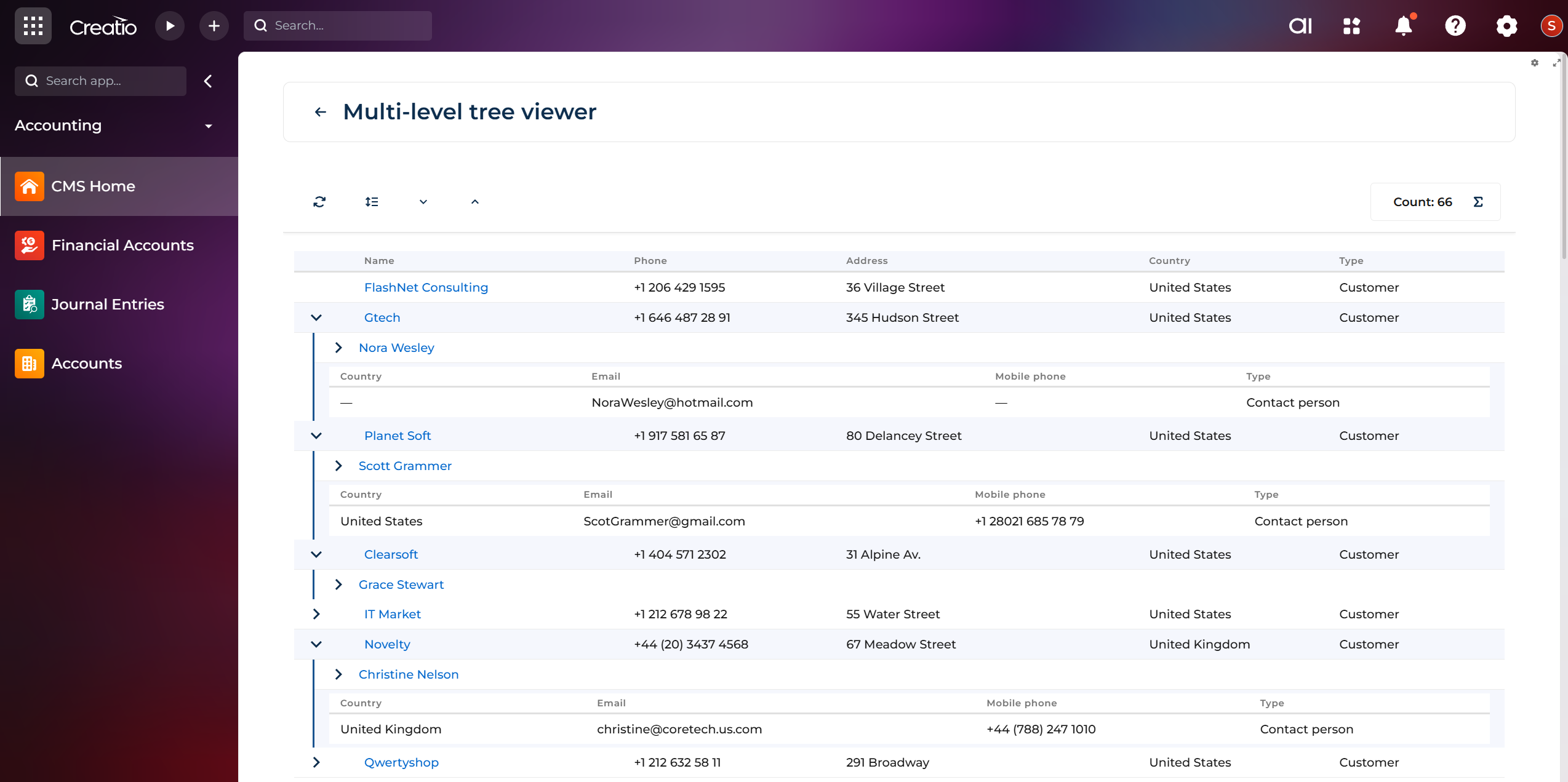
The multi-level tree viewer for Creatio displays data in a multi-level tree format, allowing users to clearly see relationships between data model columns, and supports up to five nested levels for complex data models.
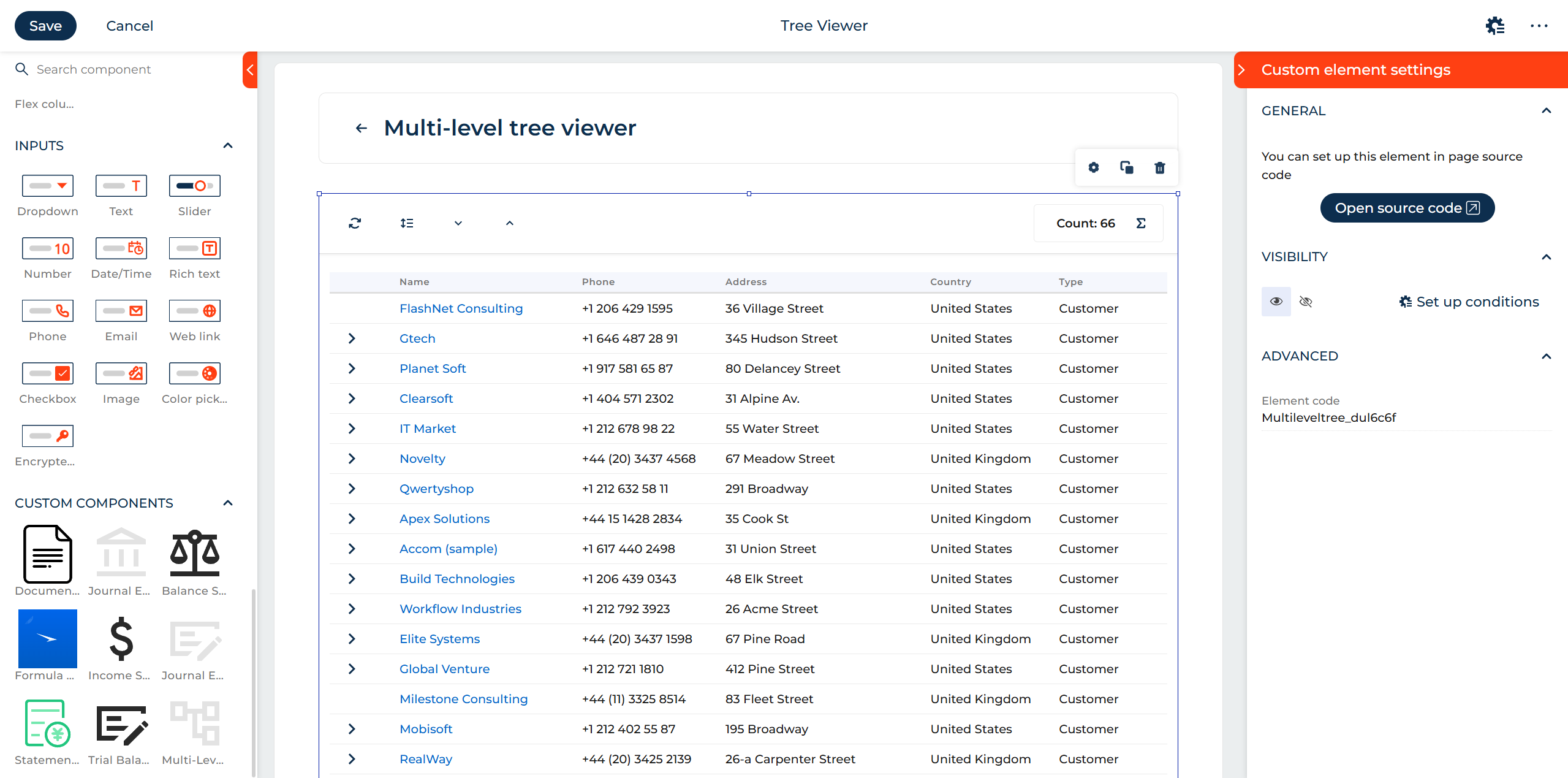
Easy setup and configuration within Creatio
The Multi-Level Tree Viewer for Creatio is a simple drag-and-drop component for Creatio pages and works with any customer-specific application.
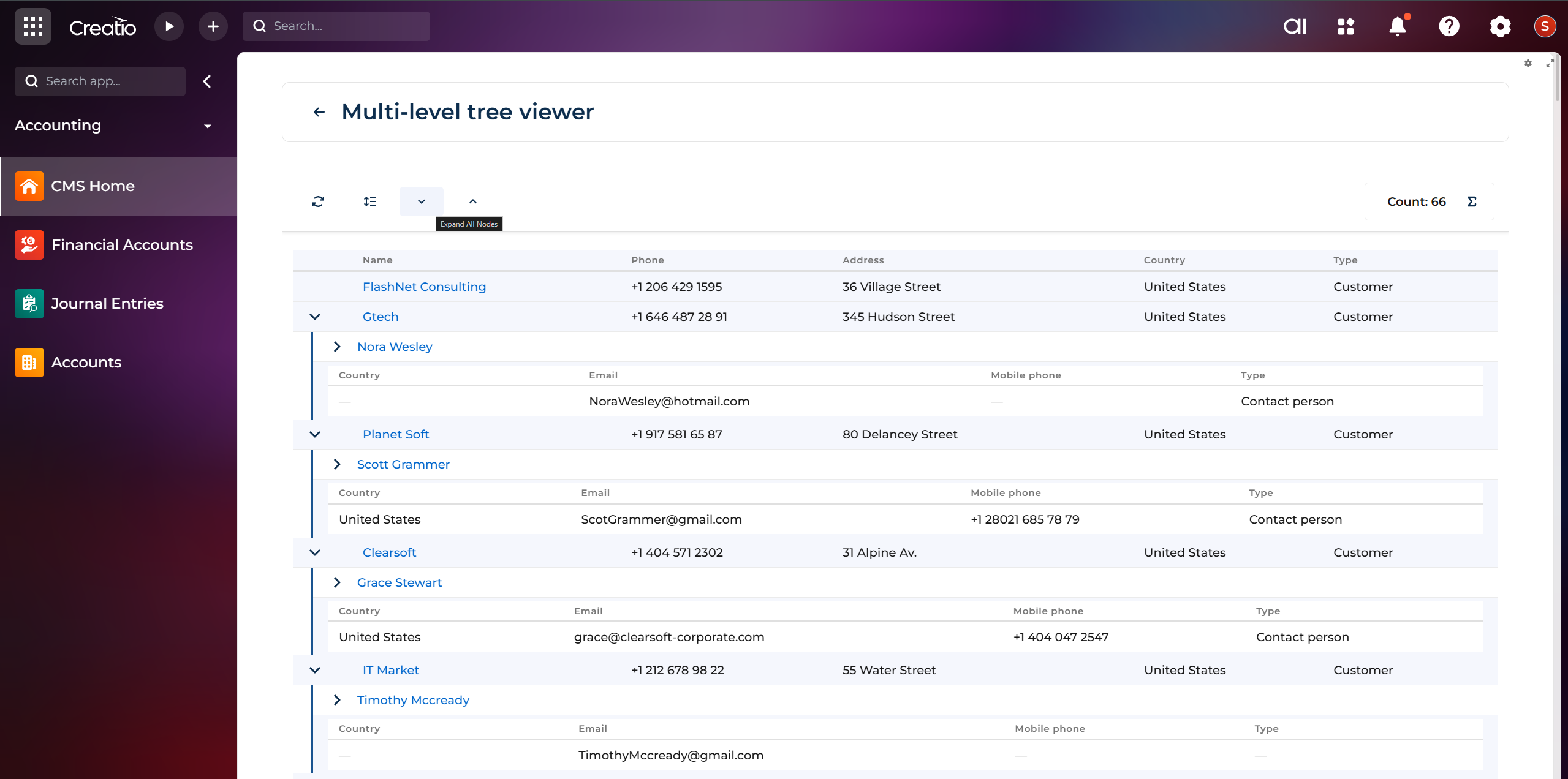
Interactive node management
Users can expand or collapse tree nodes to focus on relevant sections and open record edit pages directly.
Pricing
Monthly
Annual
Standard
$
70.00 / month
billed annually
Terms and Conditions
By installing this product you agree to terms and conditions outlined in the license agreement.
Support
Support is available for this application
Support is provided by the developer within the “Basic”, “Business” and “Premium“ packages. Detailed information about the support packages and the support terms can be found on the Creatio website.
Installation
Setup guide
Data sharing
- By installing or downloading the App, you confirm that you agree with sharing your account data (name, email, phone, company and country) with the App Developer as their End User.
- The App Developer will process your data under their privacy policy.
Versions
Versions history
Version
Compatibility
Release date
1.0.0
8.3.2 and up
Manual app installation
- Open the needed app → the Packages tab - download the Markeplace app files.
- Click in the top right → Application Hub
- Click New application. This opens a window.
- Select Install from file and click Select in the window that opens.
- Click Select file on the page of the Marketplace App Installation Wizard and specify the app file path.