


SalesUp Multichannel Chatbots for Creatio
Overview
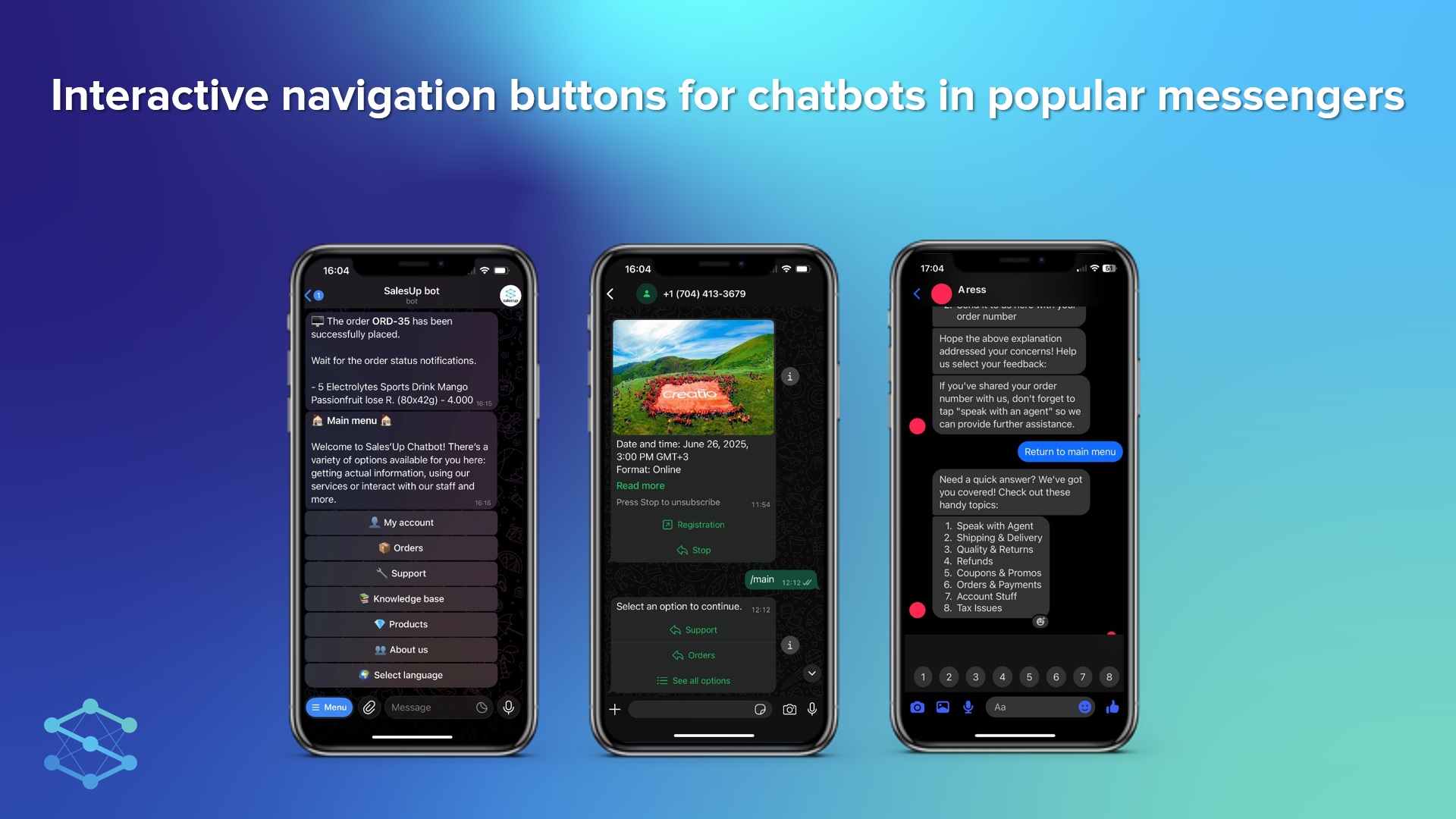
Product overview
SalesUp Multichannel Chatbots for Creatio is designed to simplify the creation and configuration of chatbots in messengers (Telegram, WhatsApp, Viber). With the help of the product, it is possible to create and configure chatbots according to various scenarios depending on the needs. It is convenient and quick to set roles or users who will process chats.
In WhatsApp, chatbot messages can include interactive buttons: the bot reacts to button presses the same way it does in other channels, and — together with SalesUp Multichannel Notifications for Creatio and SalesUp Enhanced template macros for Creatio — button presses can trigger dynamic actions directly in Creatio, such as approvals.
Use cases:
- Automated registration of contacts in the system;
- Providing information about promotions, news or newsletters;
- Automatic placing of orders or reservation of services without direct intervention of the operator;
- Conducting customer surveys or collecting feedback on products and services;
- Creation of a chatbot for crop record keeping, providing information on forecasted yield and recommendations on optimal land use;
- Checking of current data on orders and the bonus program;
- Track and schedule both general and personalized events;
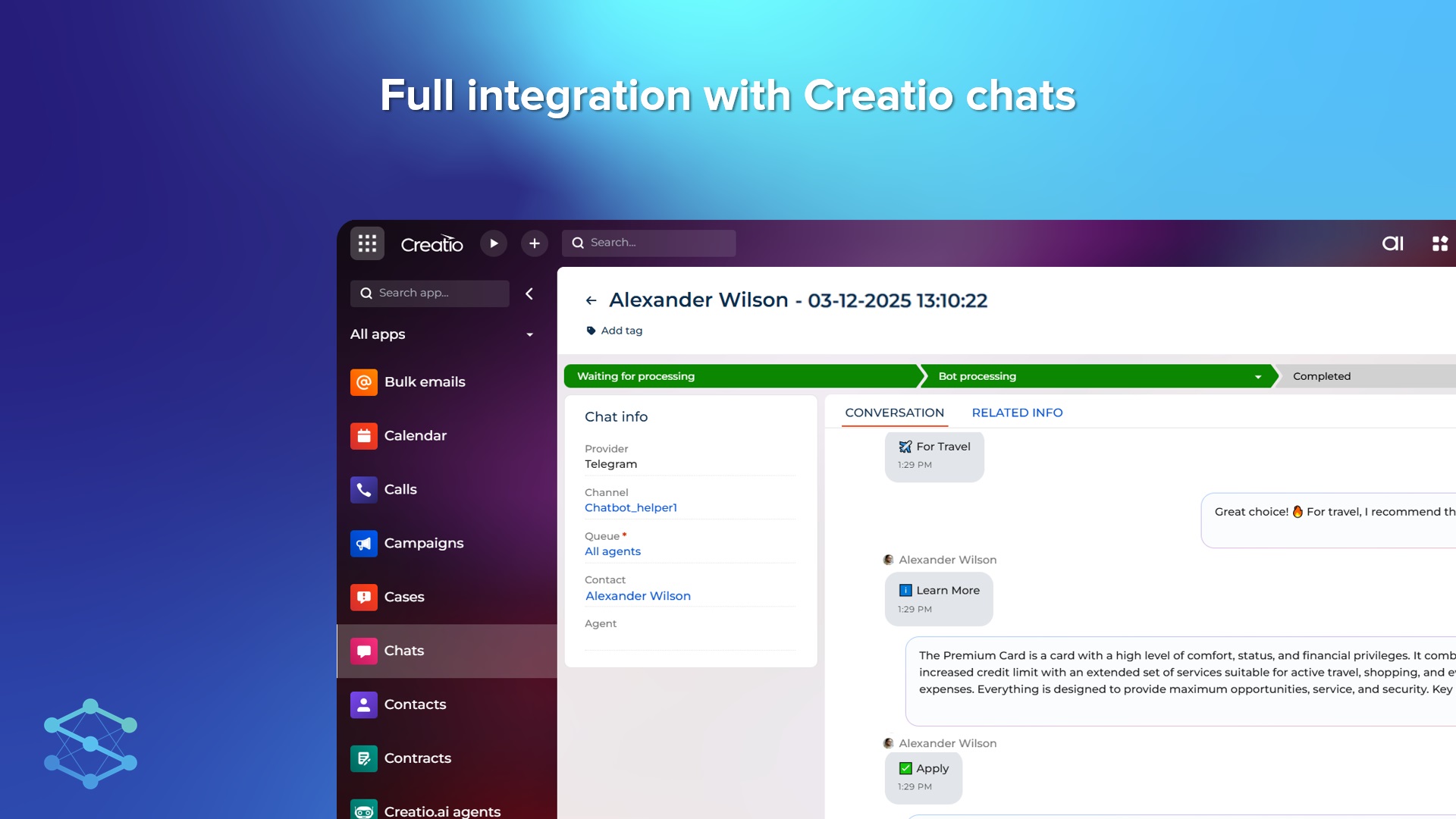
- Automation of customer support work using chats;
- Registration of participants for online courses and webinars, providing access to materials and reminders about events;
- Creation of a chatbot as a personal assistant for users that can provide various information and help solve daily tasks;
- Approving requests or other business process actions directly from a WhatsApp chatbot message using interactive buttons.
Key Features
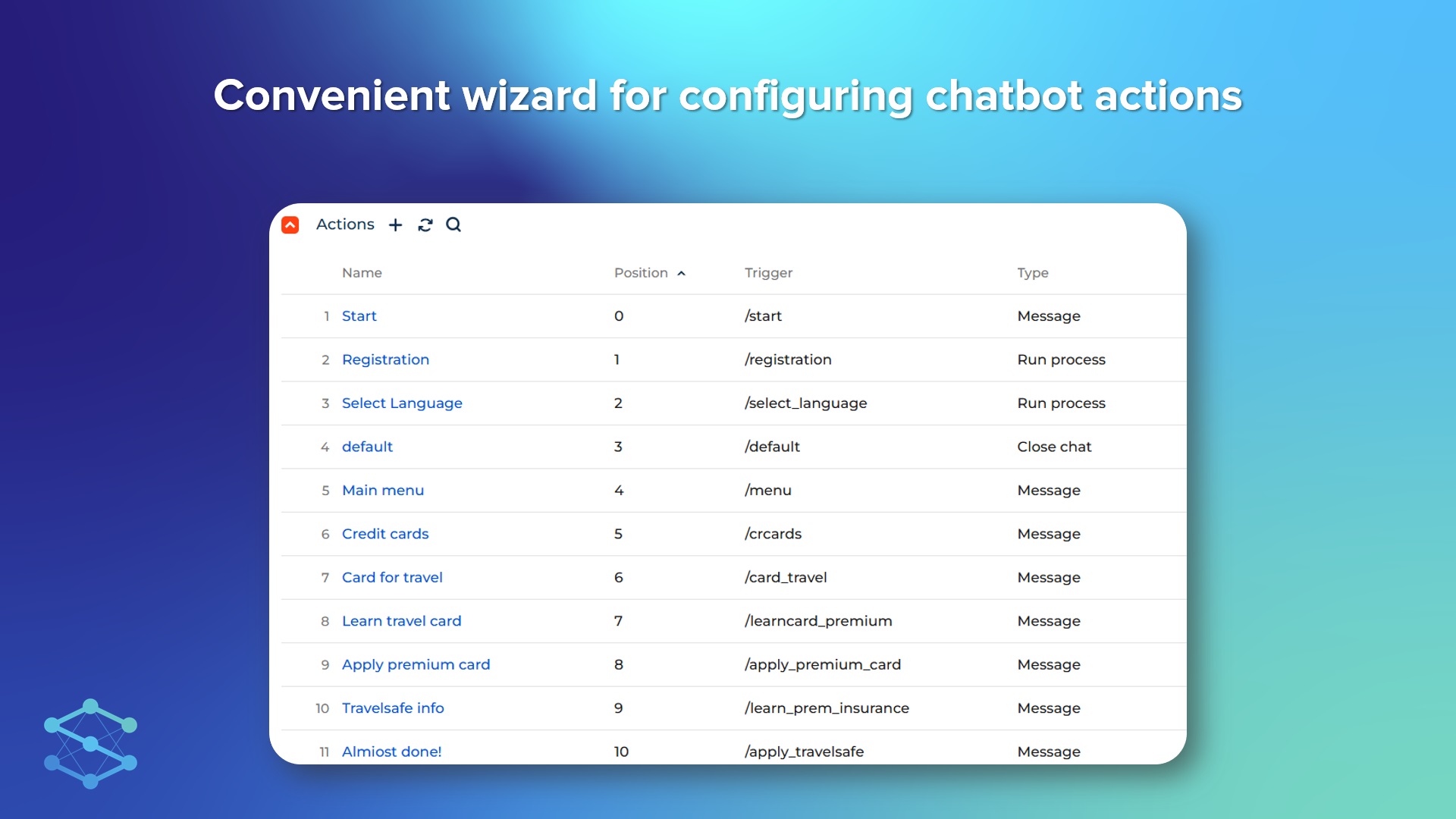
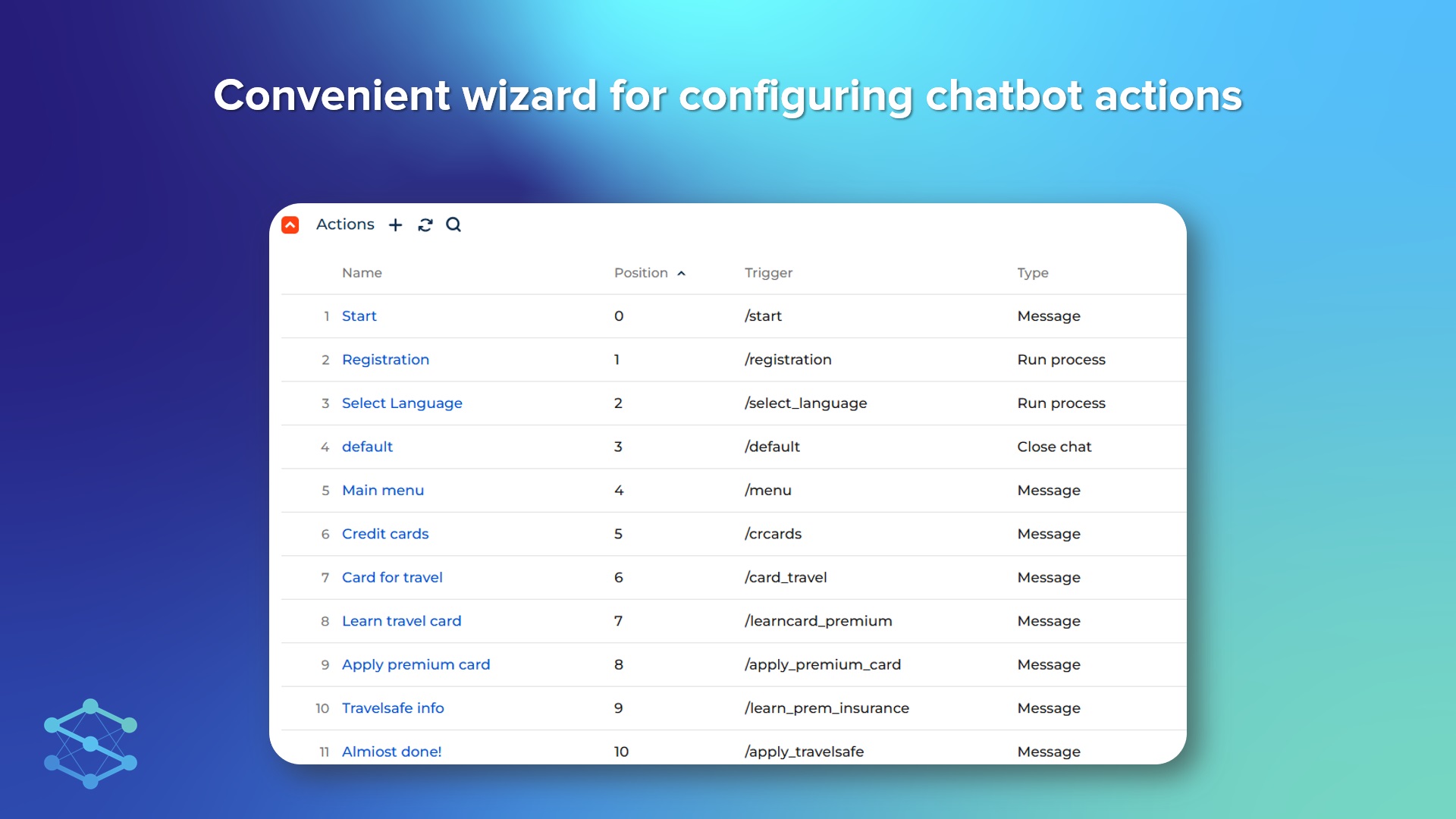
No-code wizard for configuring chatbot actions
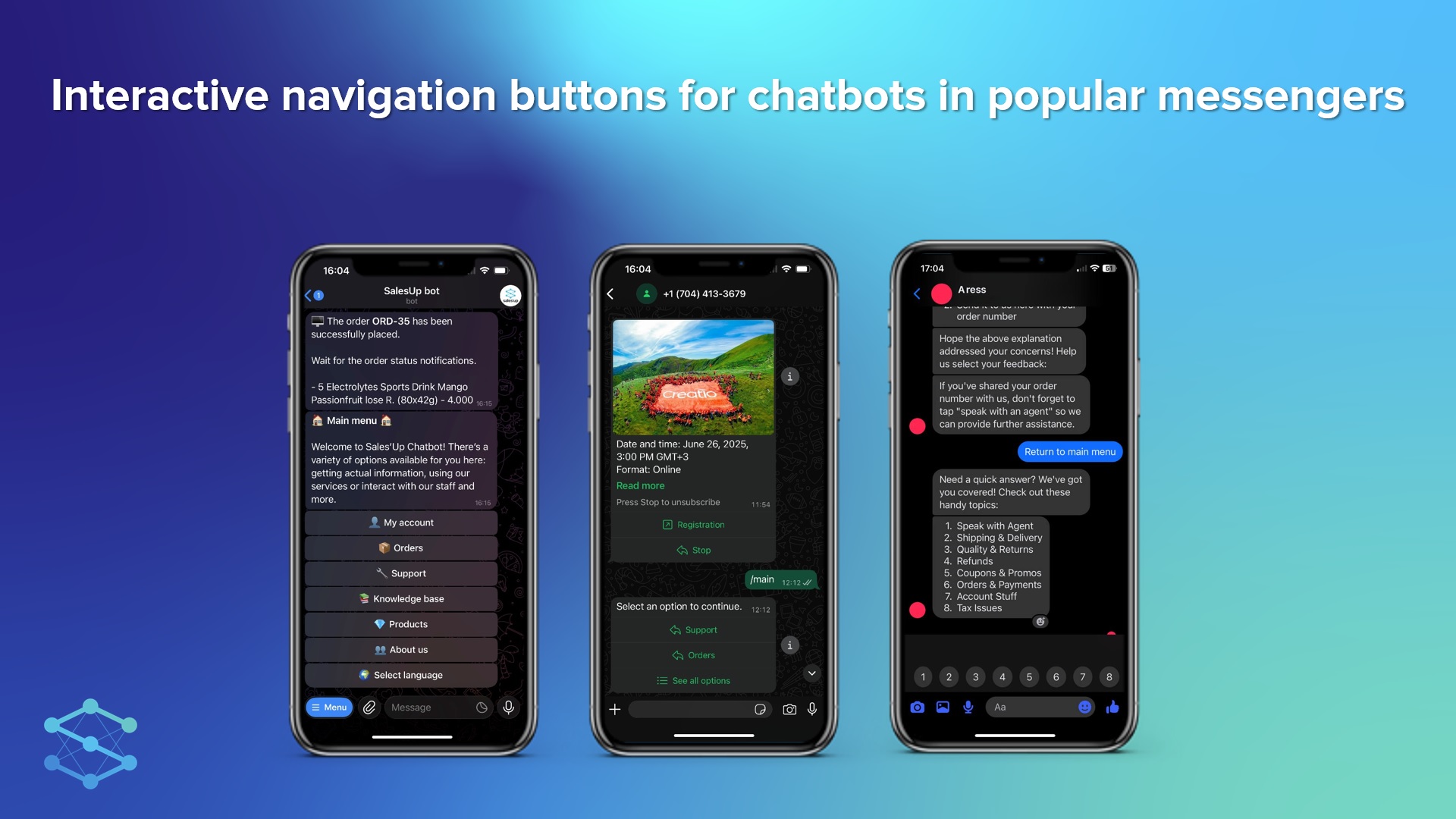
Chatbots in popular messengers
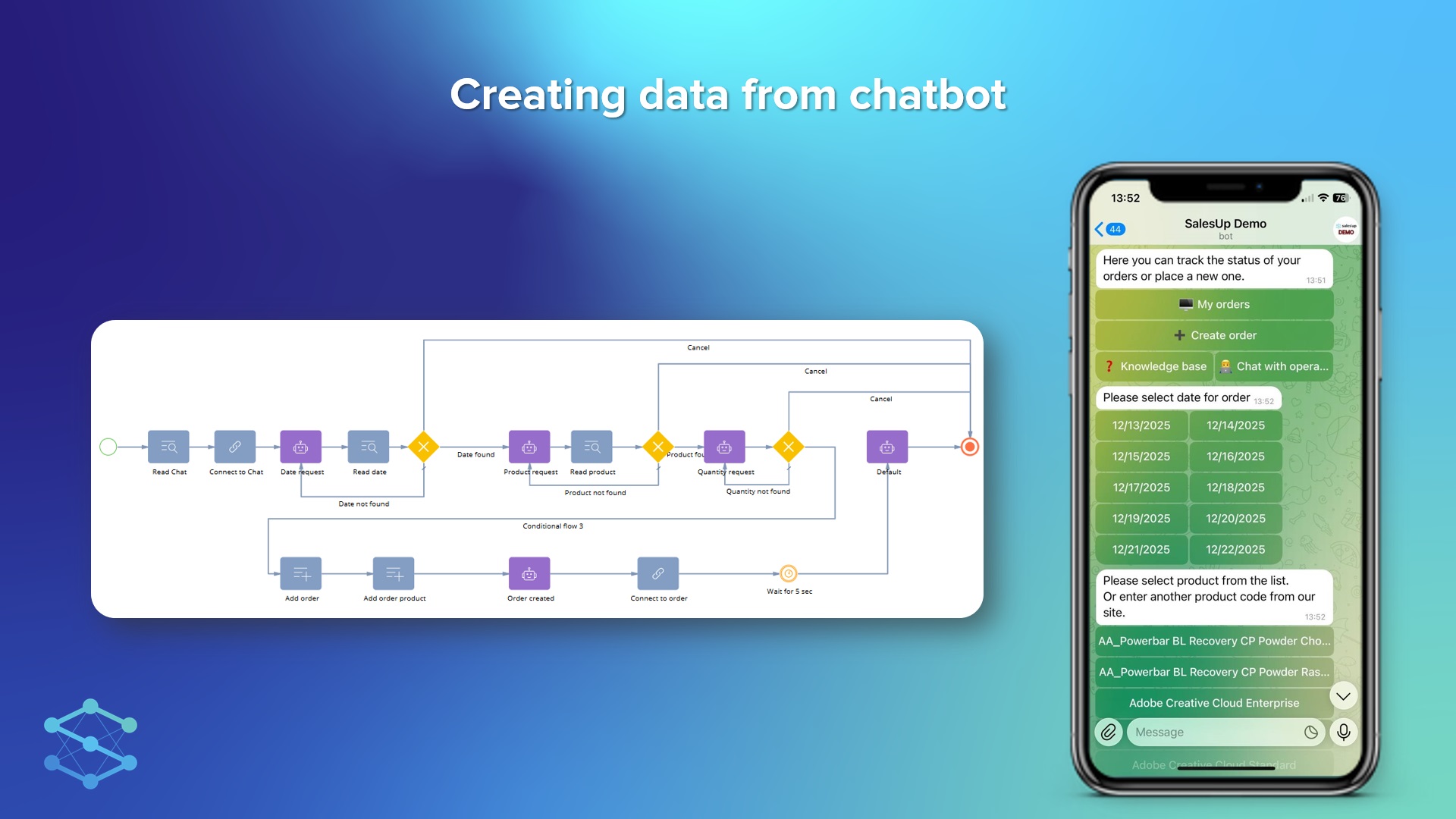
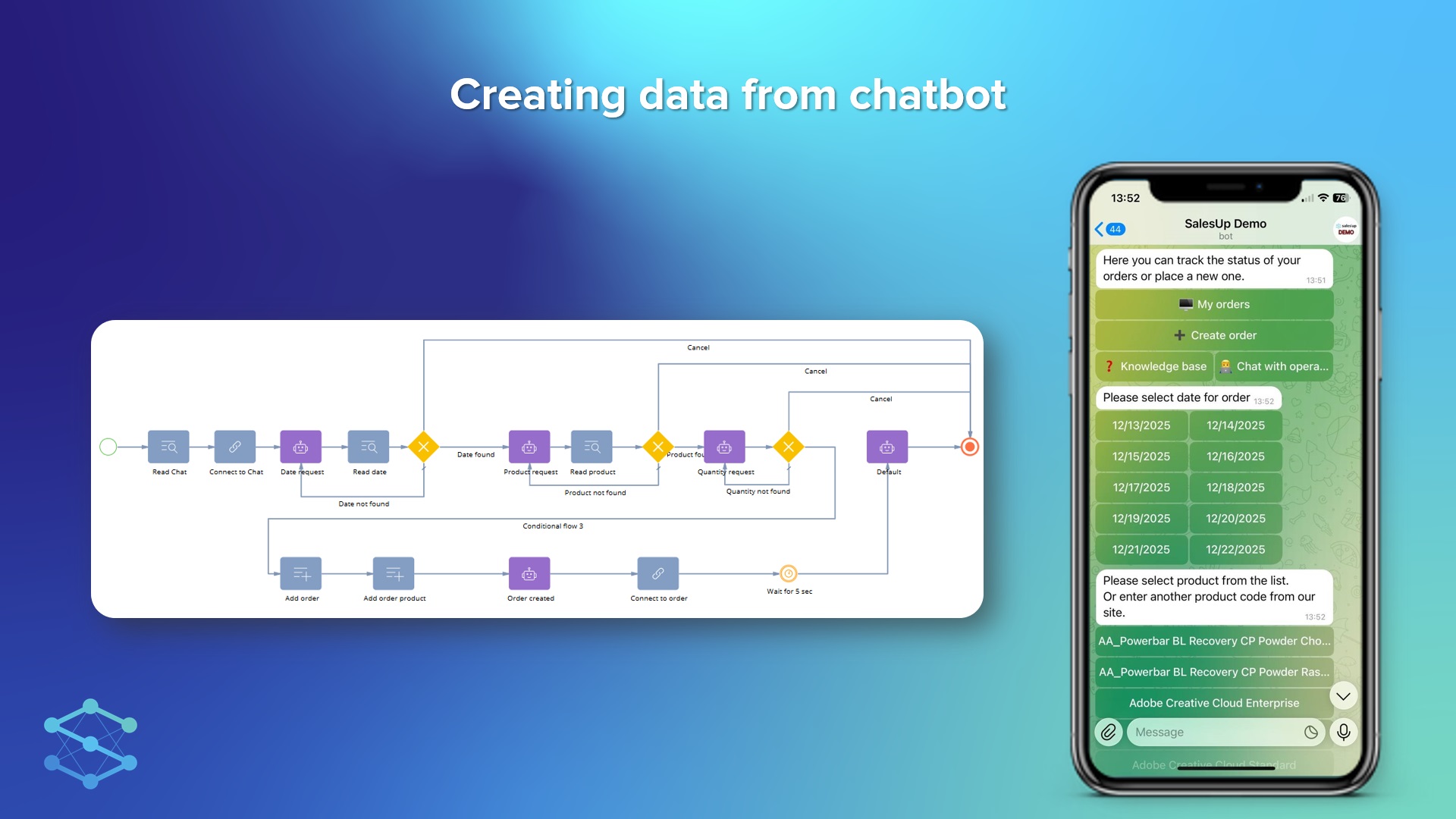
Creating records from chatbot
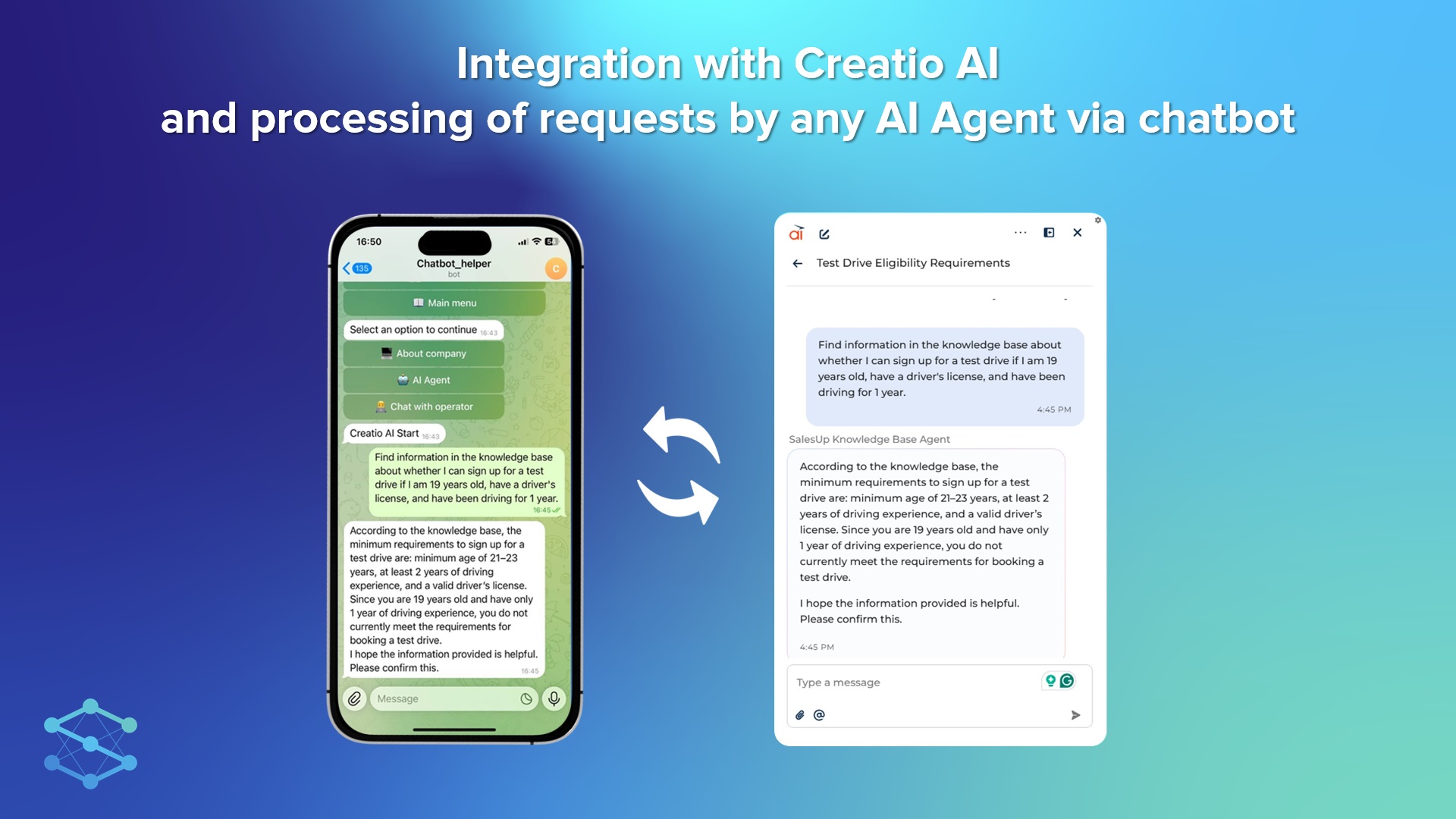
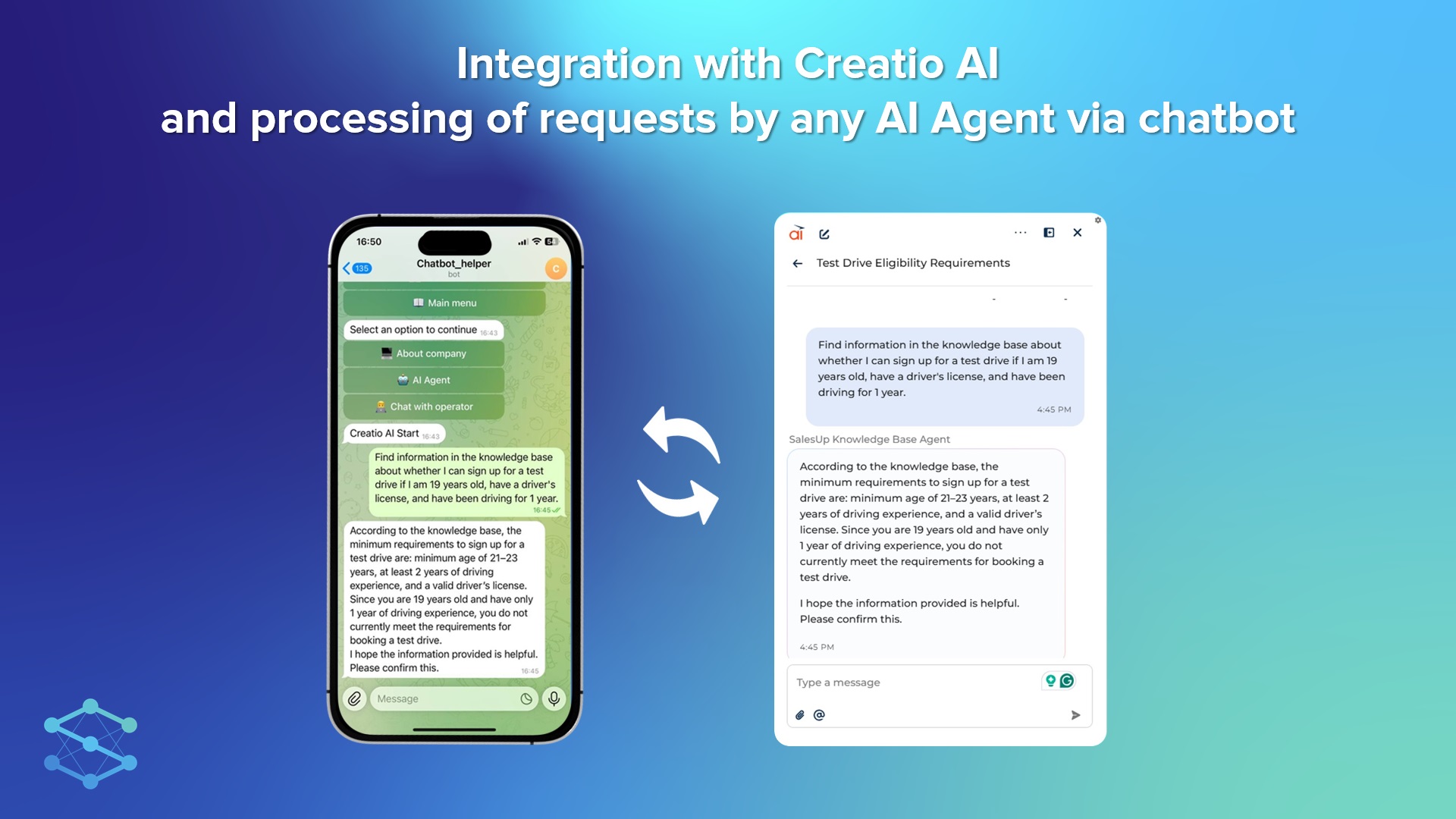
Creatio AI integration
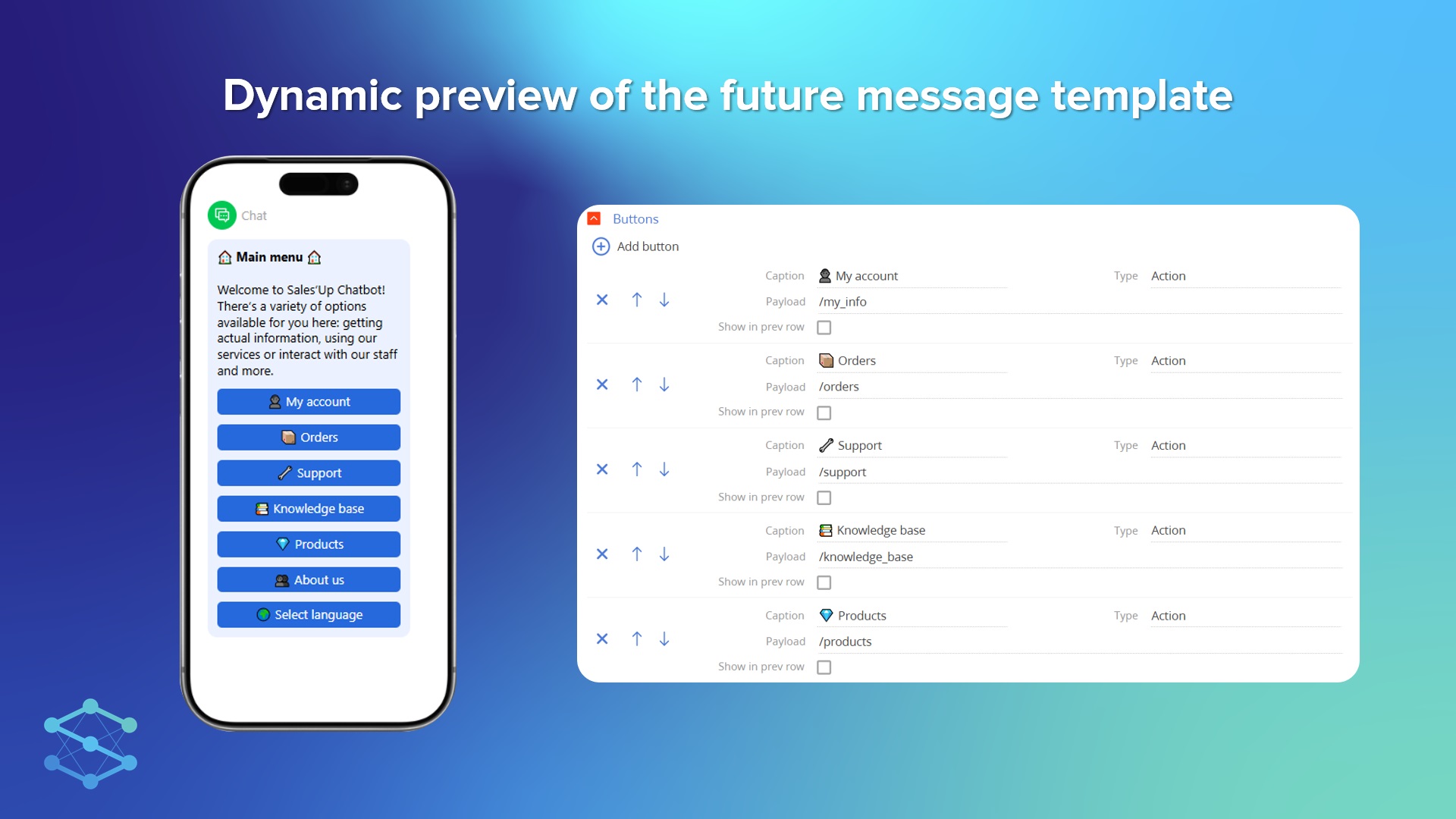
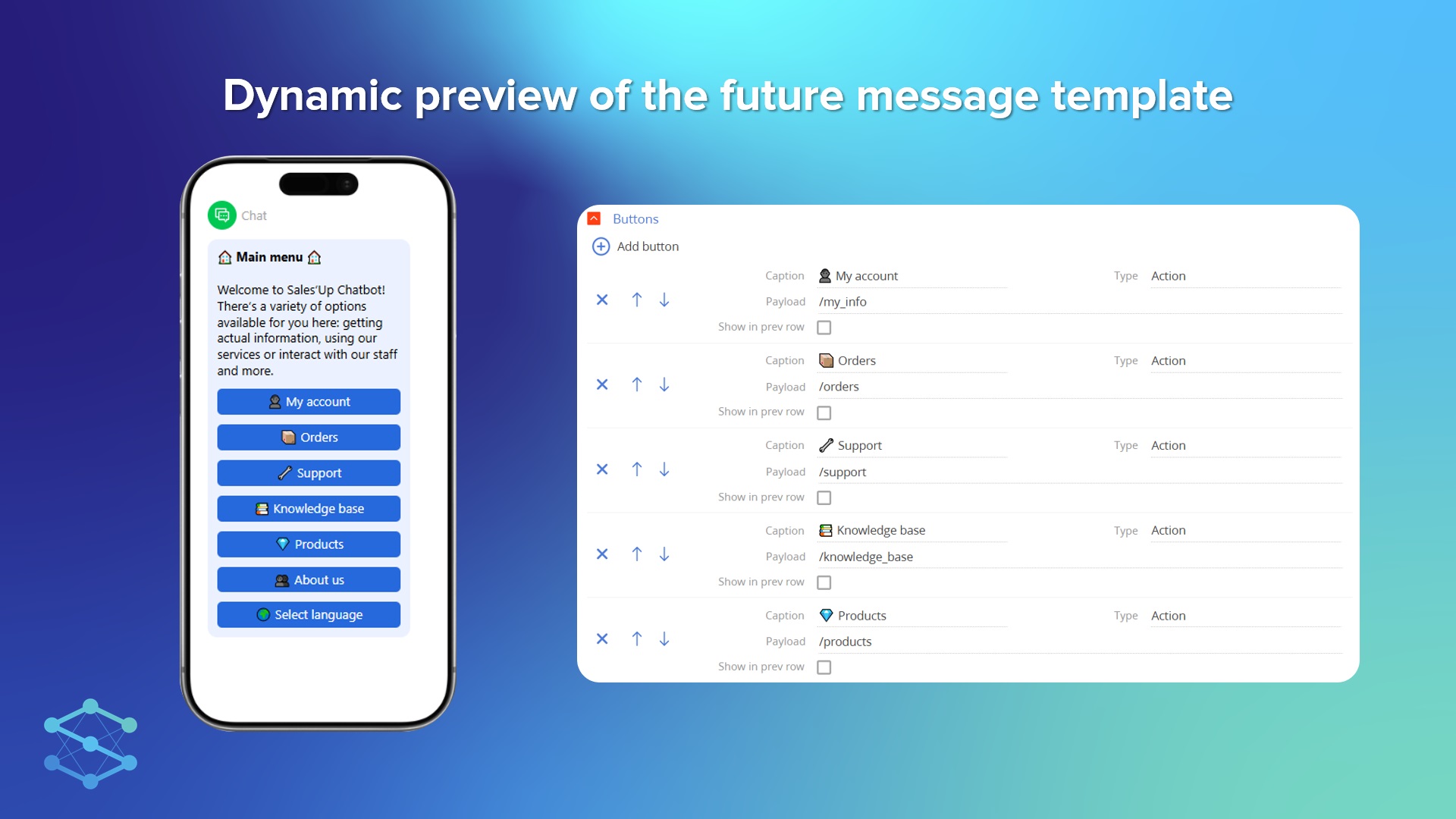
Dynamic preview of future message template
Pricing
- As you make the first purchase or extend the product license, our experts will provide you with 4 hours of consultation and help with setting up the product.
- To process the chats from chatbots by operators, the SalesUp Multichannel Chats for Creatio license is required.
Terms and Conditions
Support
Installation
Setup guide
There are two ways to install the application:
- Automatically - by specifying the site address and clicking the "Install" button
- Manually - by downloading the archive with packages and installing by the applications installation wizard.
To request SalesUp demo licenses for 14 days:
- Go to the "SalesUp License Manager" in the system designer.
- Click the "Request licenses" button.
- In the modal window that appears, select the product, fill in the company name, email for communication and click the "submit" button.
A temporary license for 14 days will be installed independently.
Resources
Data sharing
- By installing or downloading the App, you confirm that you agree with sharing your account data (name, email, phone, company and country) with the App Developer as their End User.
- The App Developer will process your data under their privacy policy.
Versions
Versions history
- Colorful buttons in Telegram and Viber
- Possibility to share geolocation in Telegram
- New SalesUp Multichannel architecture
- UI changes in Business processes
- New “Creatio AI” action type has been added for integration with the Creatio AI.
- Added the ability to customize templates with buttons in the WhatsApp channel.
- The bot reacts to button presses similarly to other channels.
- Ability to send dynamic button actions using SalesUp Multichannel Notifications for Creatio and SalesUp Enhanced template macros for Creatio and perform some actions when they are pressed in the bot (for example, Approval).
Initial release
Manual app installation
- Open the needed app → the Packages tab - download the Markeplace app files.
- Click in the top right → Application Hub
- Click New application. This opens a window.
- Select Install from file and click Select in the window that opens.
- Click Select file on the page of the Marketplace App Installation Wizard and specify the app file path.