


SCIM Integration
Overview
Product overview
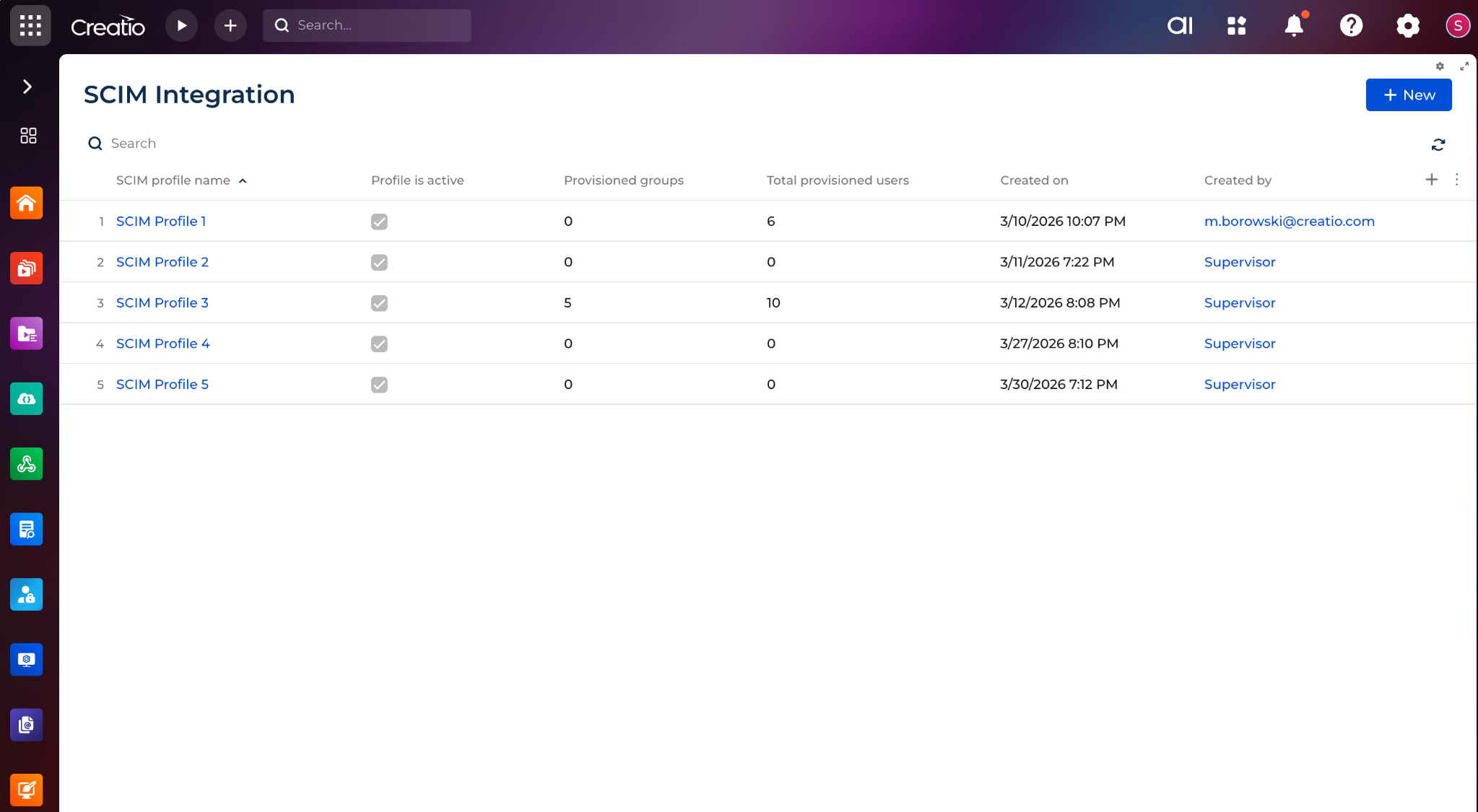
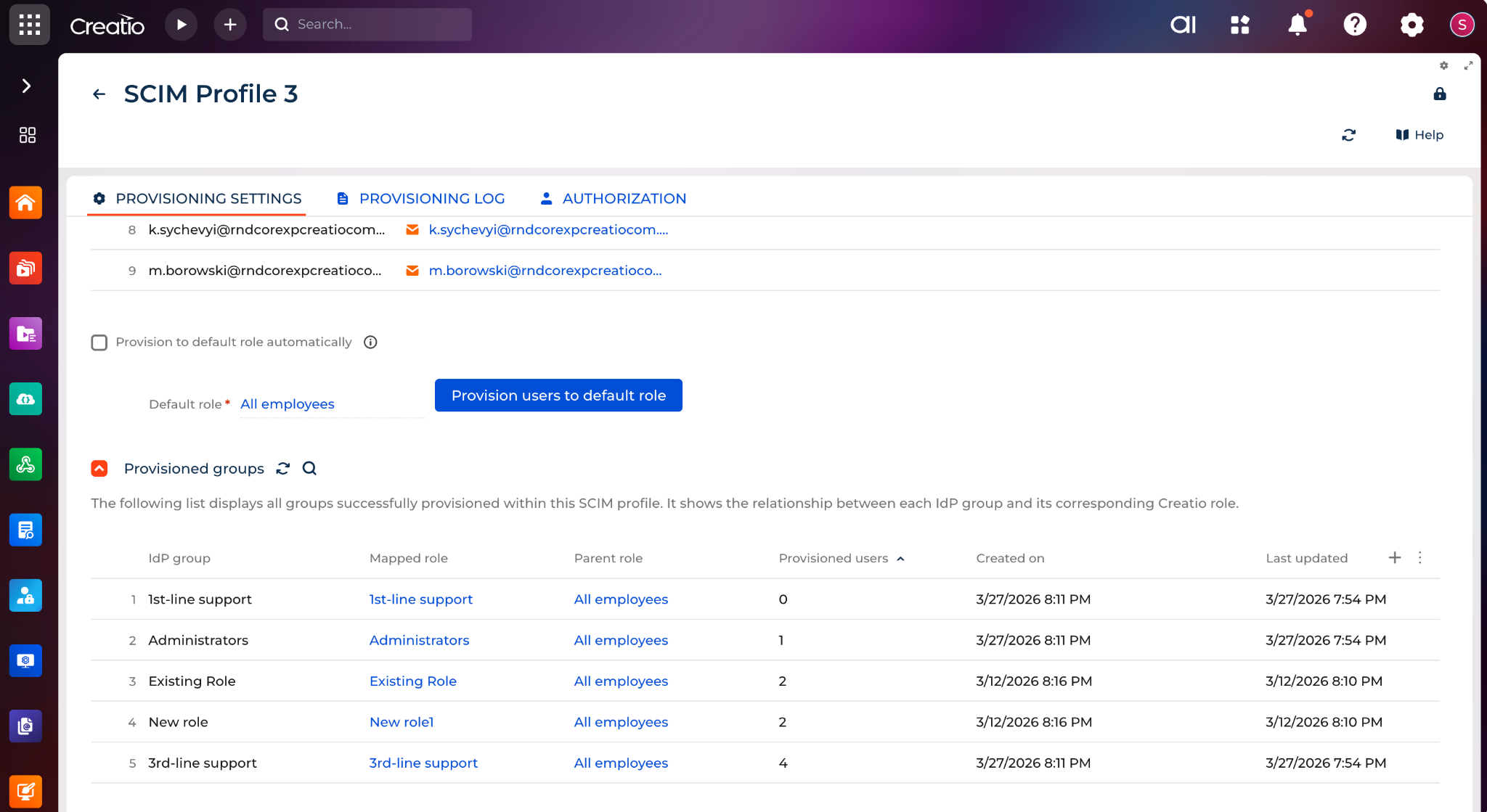
SCIM Integration app enables user and group provisioning from an identity provider to Creatio through SCIM endpoints. The app provides a SCIM Administration page where administrators can create SCIM profiles, configure authorization, manage provisioning settings, review incoming groups, monitor provisioning logs, and control how external directory data is applied in Creatio.
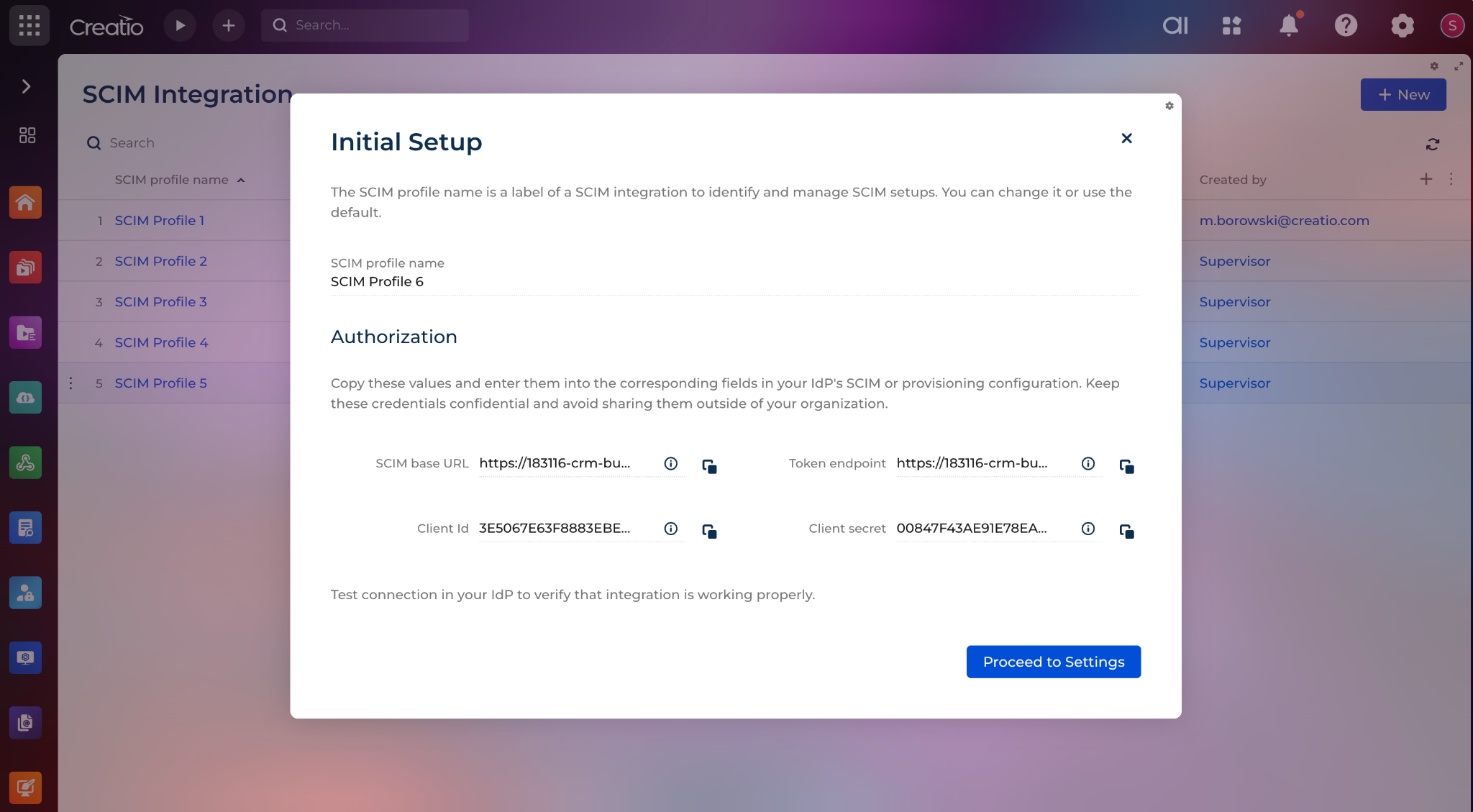
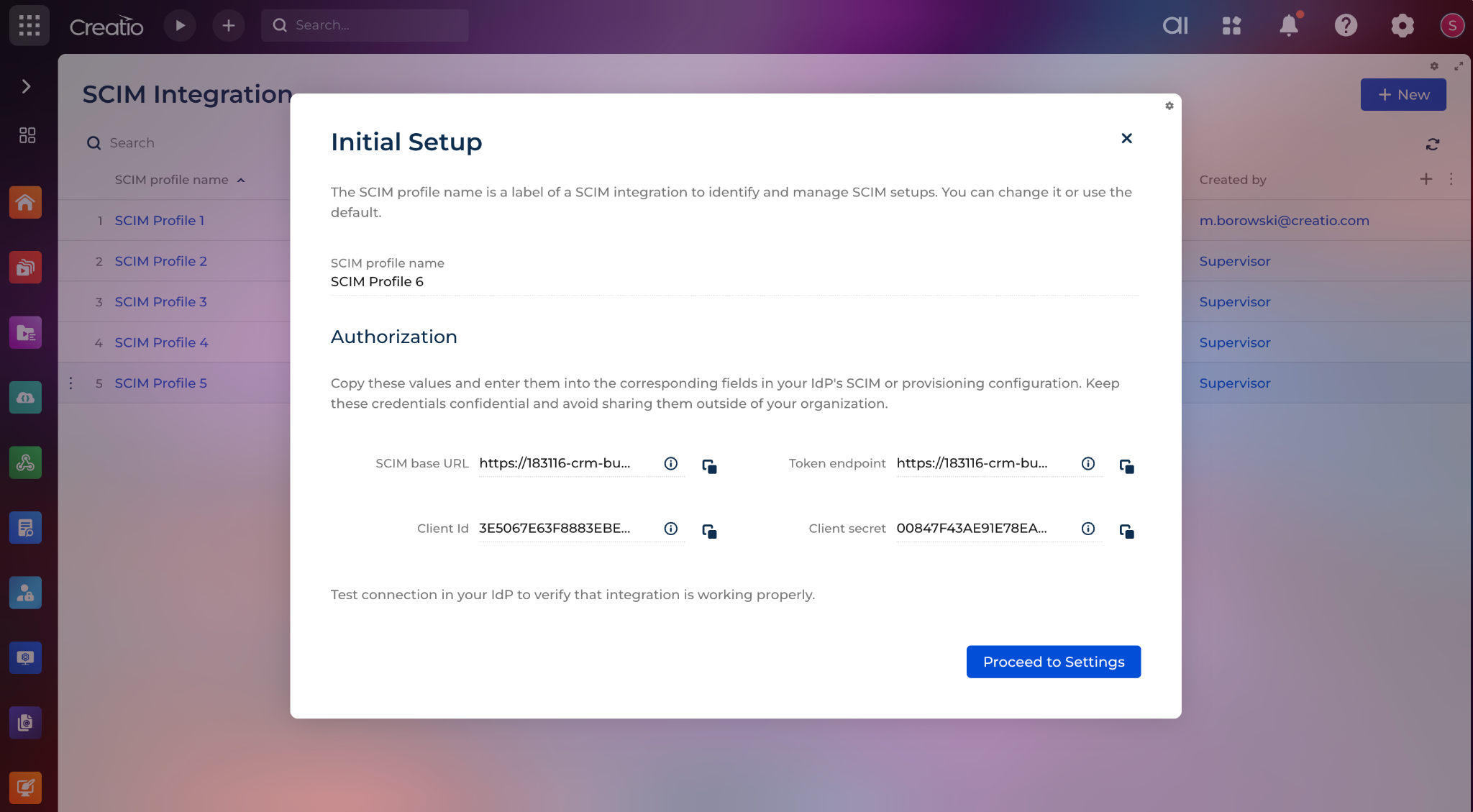
The app supports OAuth 2.0 authorization for SCIM profiles and provides the endpoint and credential values required to configure the identity provider connection. Each SCIM profile is linked to a technical user and can be enabled or disabled by using the Profile is active setting on the Authorization tab.
The app supports provisioning of users and groups received from the identity provider. Incoming users are stored internally and provisioned to Creatio when they become eligible based on the configured provisioning rules. User matching supports existing Creatio users through userName and work email checks. When no matching user is found, the app creates a new user and links it to a Contact according to the configured contact-matching rules. The app also updates supported user attributes in Creatio when they change in the identity provider.
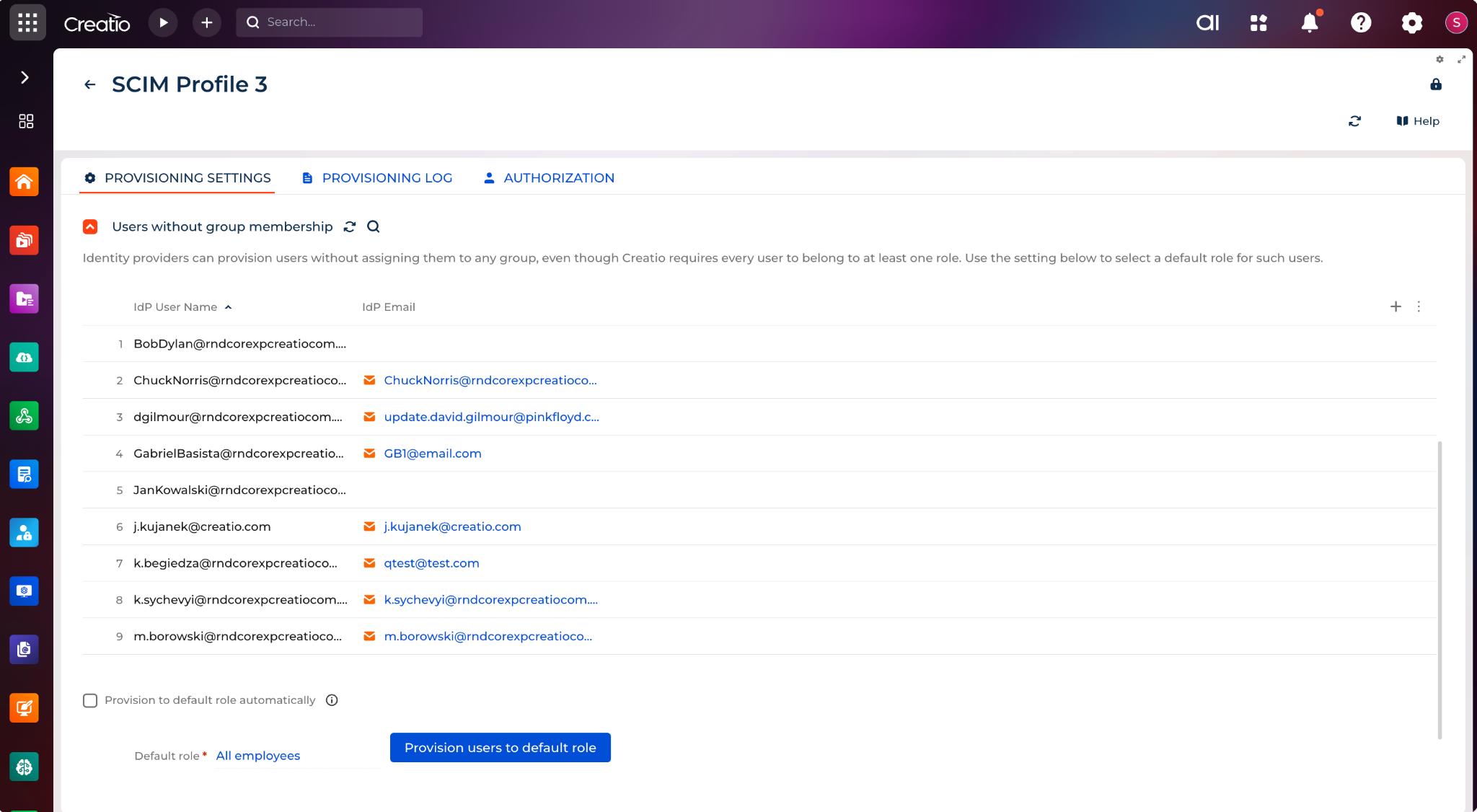
For users without group membership, the app supports a default role configuration. Administrators can define the default role for users without identity-provider group membership and choose whether such users are provisioned automatically or only through a manual action on the Provisioning settings tab.
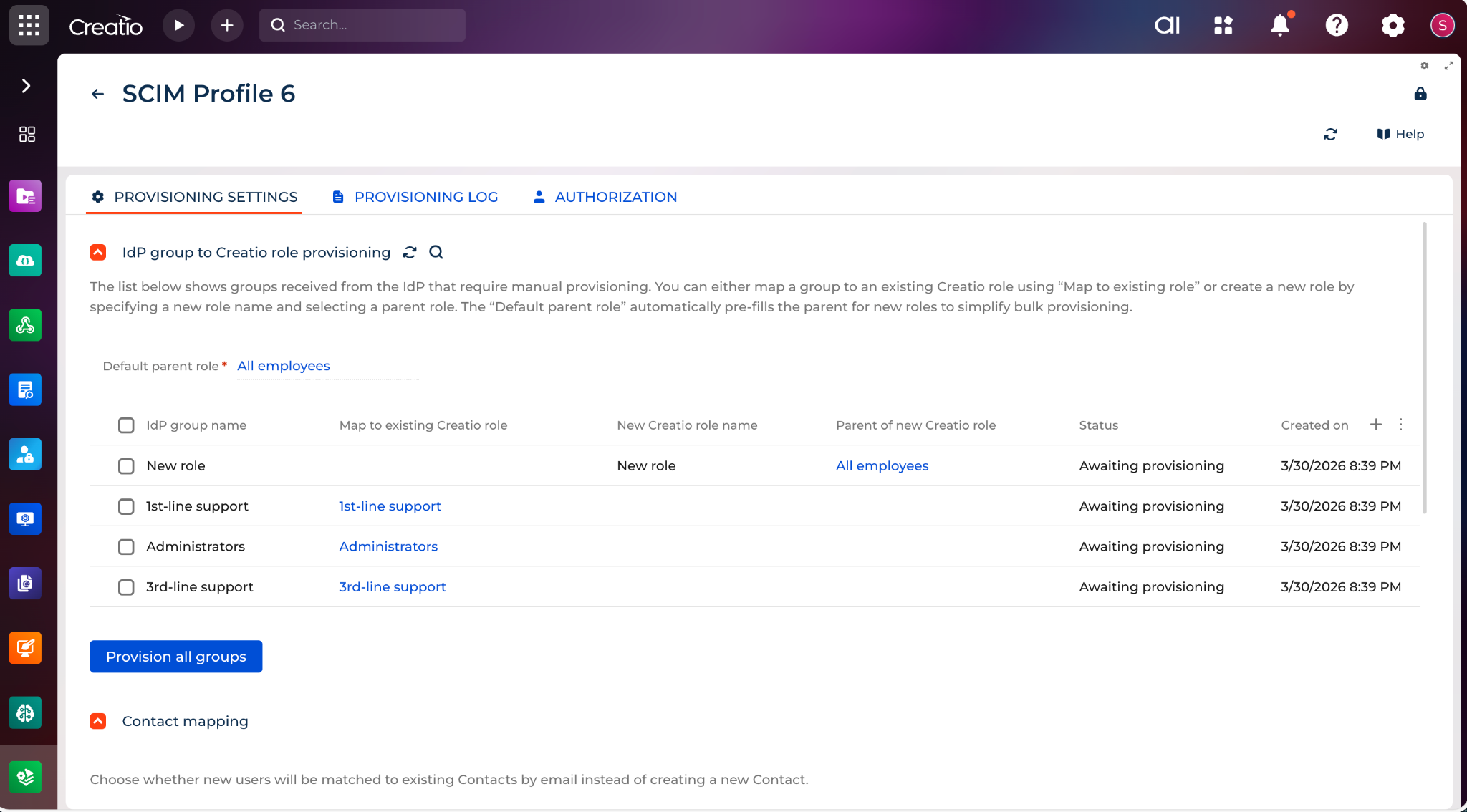
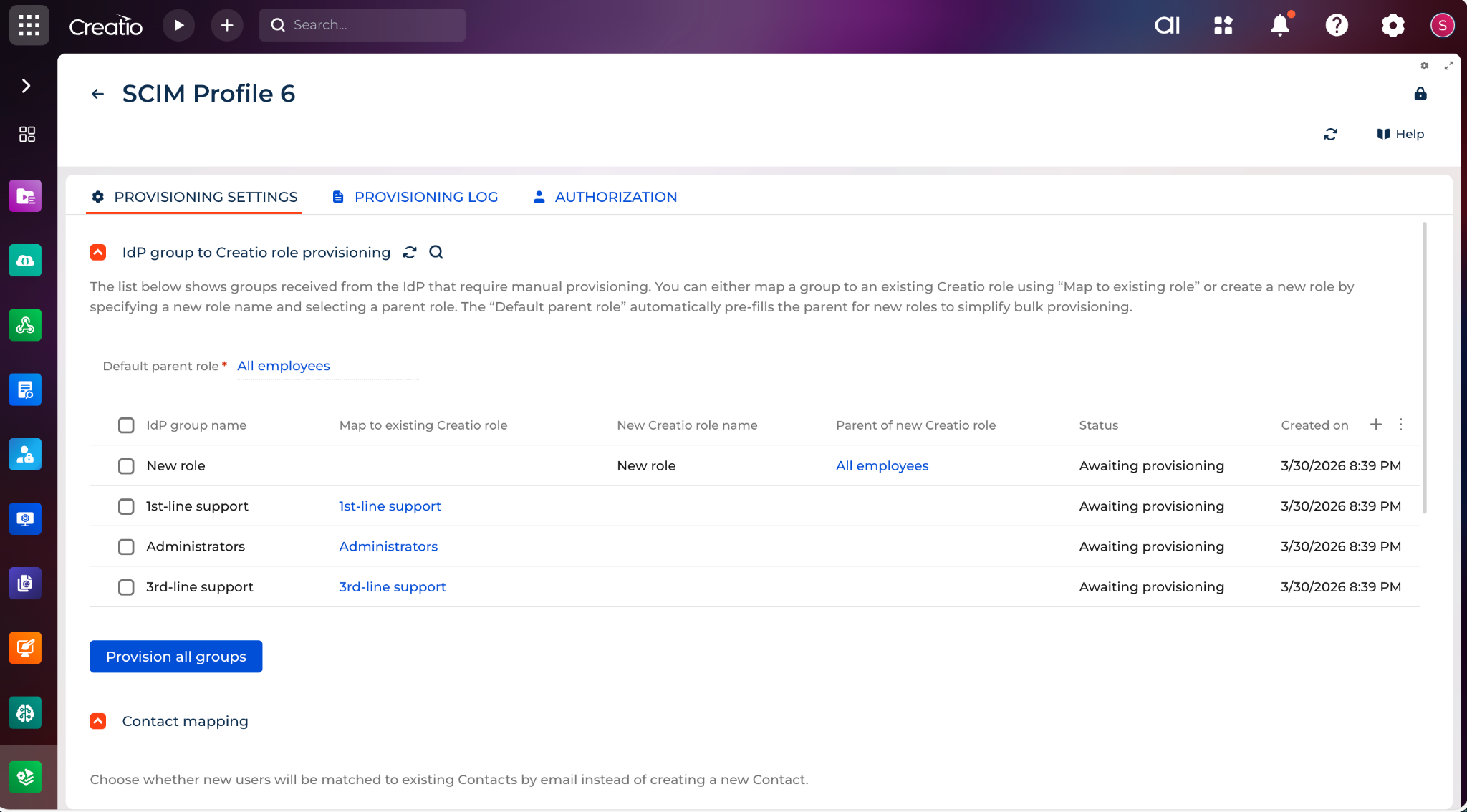
The app supports controlled group-to-role provisioning. Incoming groups are displayed for administrator review before they are provisioned to Creatio roles. Administrators can map an incoming group to an existing role or create a new role during provisioning. Because incoming SCIM groups are processed as a flat structure, the app also supports building a multi-level Creatio role hierarchy by assigning parent roles during manual provisioning.
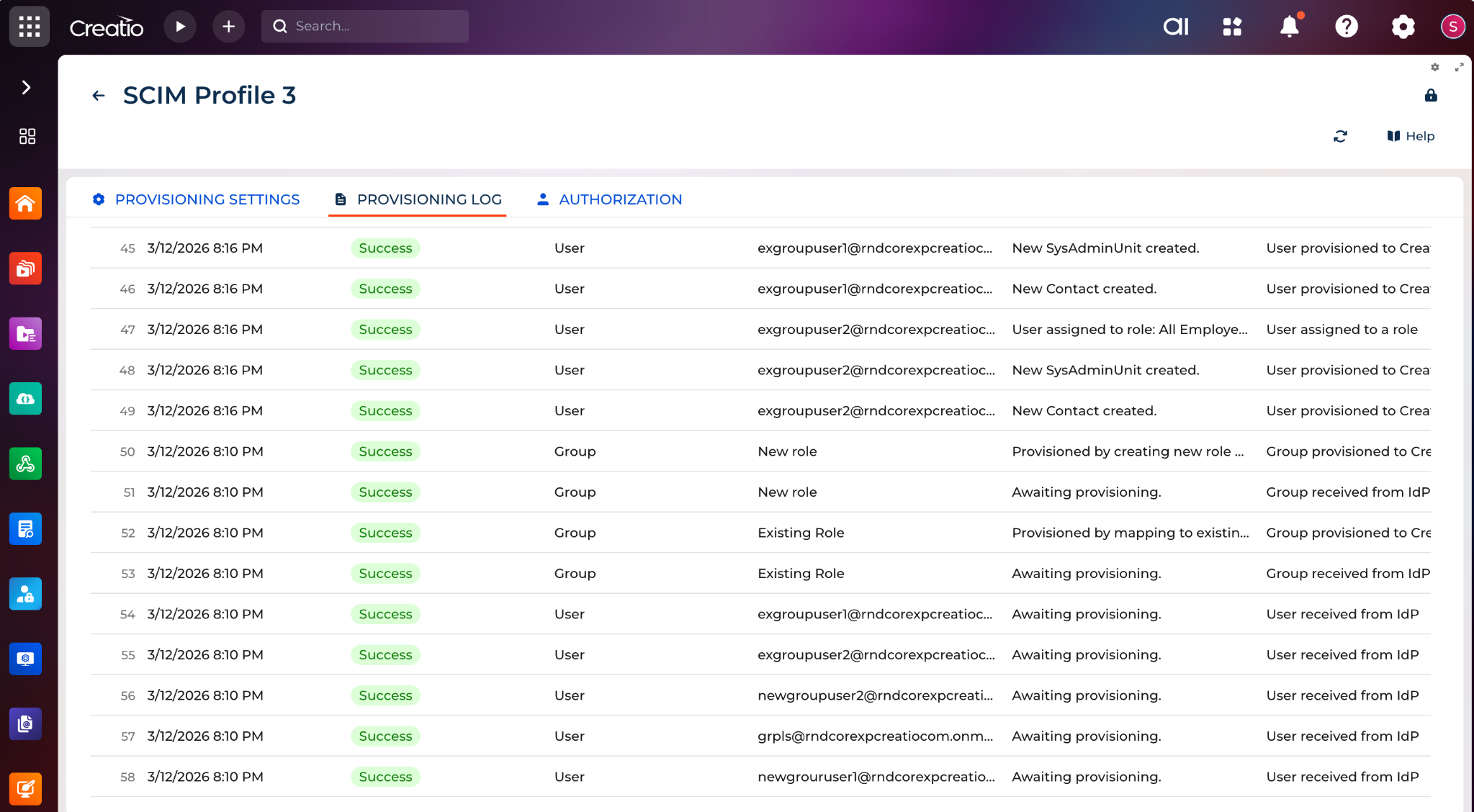
The app includes tools for monitoring and troubleshooting provisioning. Administrators can review groups awaiting provisioning, provisioned groups, users that failed to provision, and detailed records on the Provisioning logs tab. The app also supports standard SCIM discovery endpoints, user and group endpoints, and filtering for supported attributes.
Key Features
OAuth Authorization and Profile Control
Controlled Group to Role Mapping
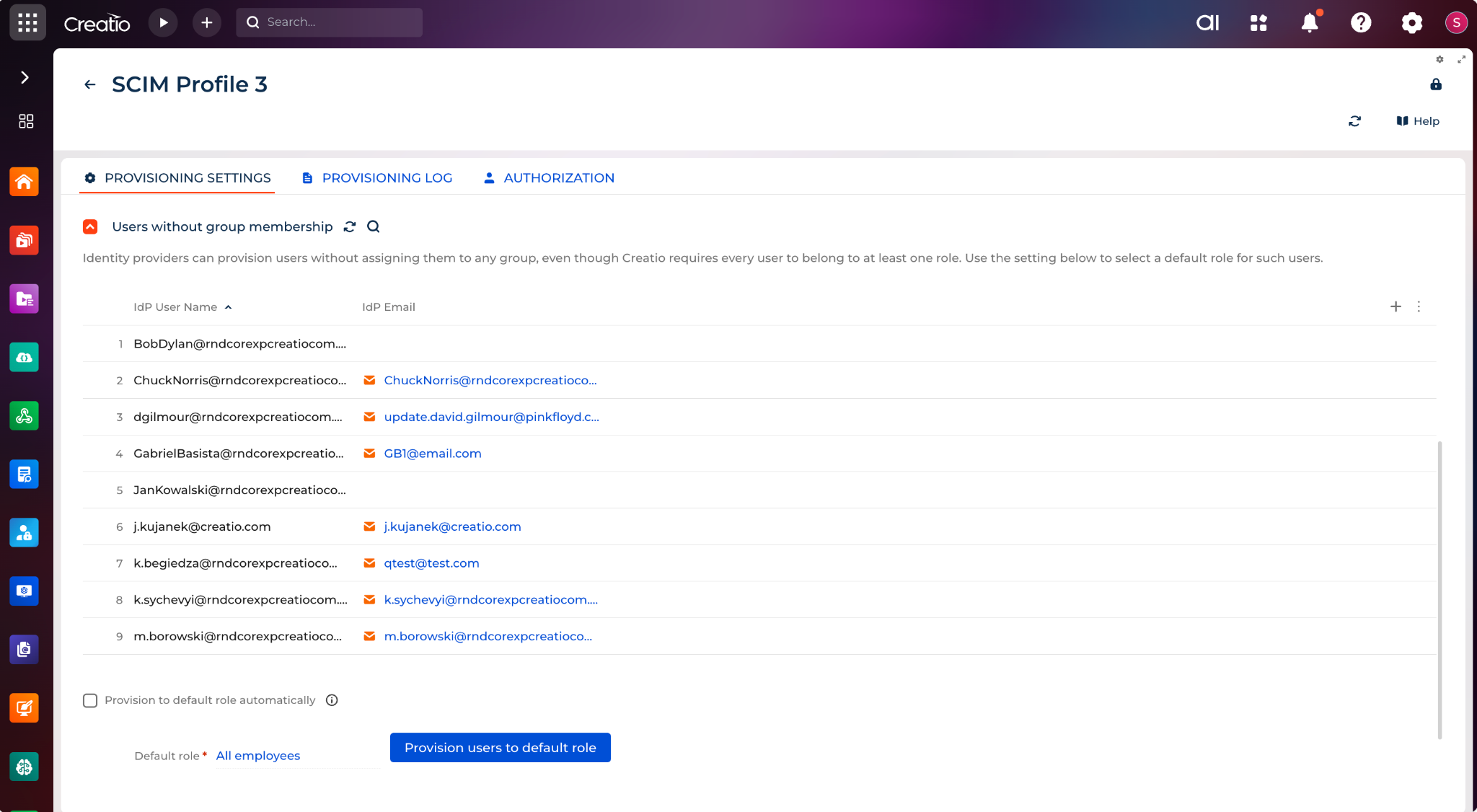
Default Role for Groupless Users
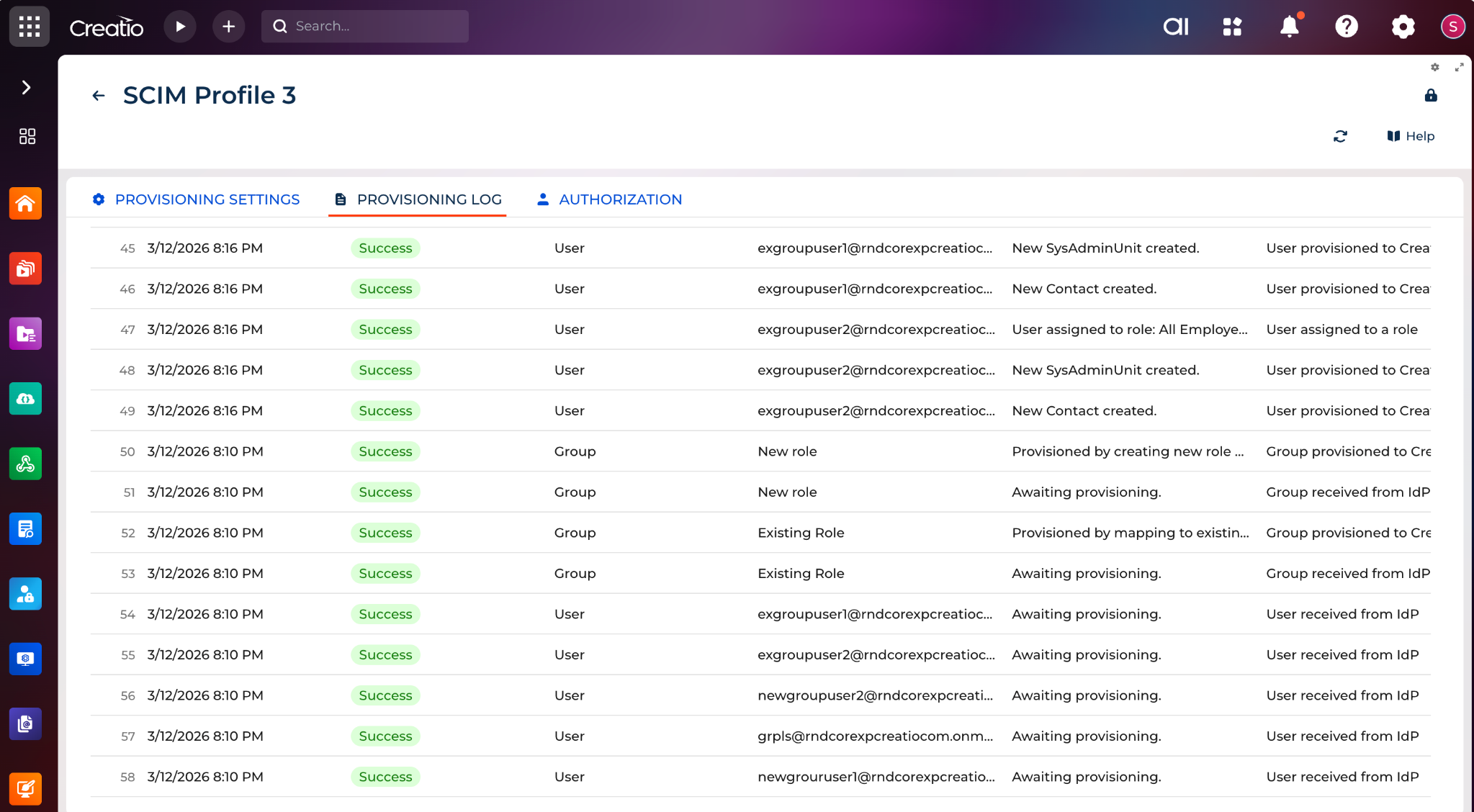
Provisioning Logs and Failure Insights
Pricing
Terms and Conditions
Support
Installation
Data sharing
- By installing or downloading the App, you confirm that you agree with sharing your account data (name, email, phone, company and country) with the App Developer as their End User.
- The App Developer will process your data under their privacy policy.
Versions
Versions history
- Users provisioned via SCIM into a role with assigned licenses were not receiving those licenses automatically (they had to be re-assigned manually to trigger distribution). SCIM-provisioned users on a role now receive that role's licenses at provisioning time, matching manual role assignment.
- Fixed a related gap where a group-materialization cascade could skip license redistribution for users whose role assignment already existed.
- Added logging around license grants and the licensing feature-gate to make future license-distribution issues diagnosable from logs.
Enterprise User Schema Extension (urn:ietf:params:scim:schemas:extension:enterprise:2.0:User) is now supported, enabling identity providers to provision users with the following enterprise attributes:
| employeeNumber | |
| organization | |
| department | |
| manager |
Initial release of SCIM 2.0 support for Creatio.
This version introduces support for SCIM-based user and group provisioning, including OAuth 2.0 authorization, user attribute synchronization, controlled group-to-role provisioning, default-role handling for group-less users, provisioning logs, and failed-user review in the SCIM Administration page.
Manual app installation
- Open the needed app → the Packages tab - download the Markeplace app files.
- Click in the top right → Application Hub
- Click New application. This opens a window.
- Select Install from file and click Select in the window that opens.
- Click Select file on the page of the Marketplace App Installation Wizard and specify the app file path.
Compatibility notes
For Creatio .NET Framework 8.3.1 and 8.3.2, the app is supported but requires additional manual web.config changes after installation to enable SCIM schema handling and PATCH request support.
The app is intended for environments where an external identity provider supports SCIM 2.0 and OAuth 2.0 for provisioning.
If the Creatio environment contains custom business processes that affect SysAdminUnit, Contact, or role records, those customizations can influence provisioning behavior. In such cases, all provisioning and deprovisioning scenarios should be tested before production rollout.