


Smart Approval for Creatio
Smart Approval for Creatio is a dynamic approval solution with configurable matrices, parallel/sequential routing, and multi-level workflows. It speeds approvals, reduces coding effort, and improves transparency.
Overview

Product overview
Product description
Smart Approval for Creatio is a configurable approval workflow application designed to simplify and automate approval processes across departments and business functions. Built on the Creatio platform, it enables organizations to define approval hierarchies using a dynamic matrix instead of hardcoded workflows. The application intelligently supports both parallel approvals (multiple approvers at the same level) and sequential approvals (step-by-step approvals across levels), making it suitable for simple as well as enterprise-grade approval scenarios. It reduces dependency on developers, speeds up workflow changes, and improves governance across approvals.
Key Features
Dynamic approval matrix
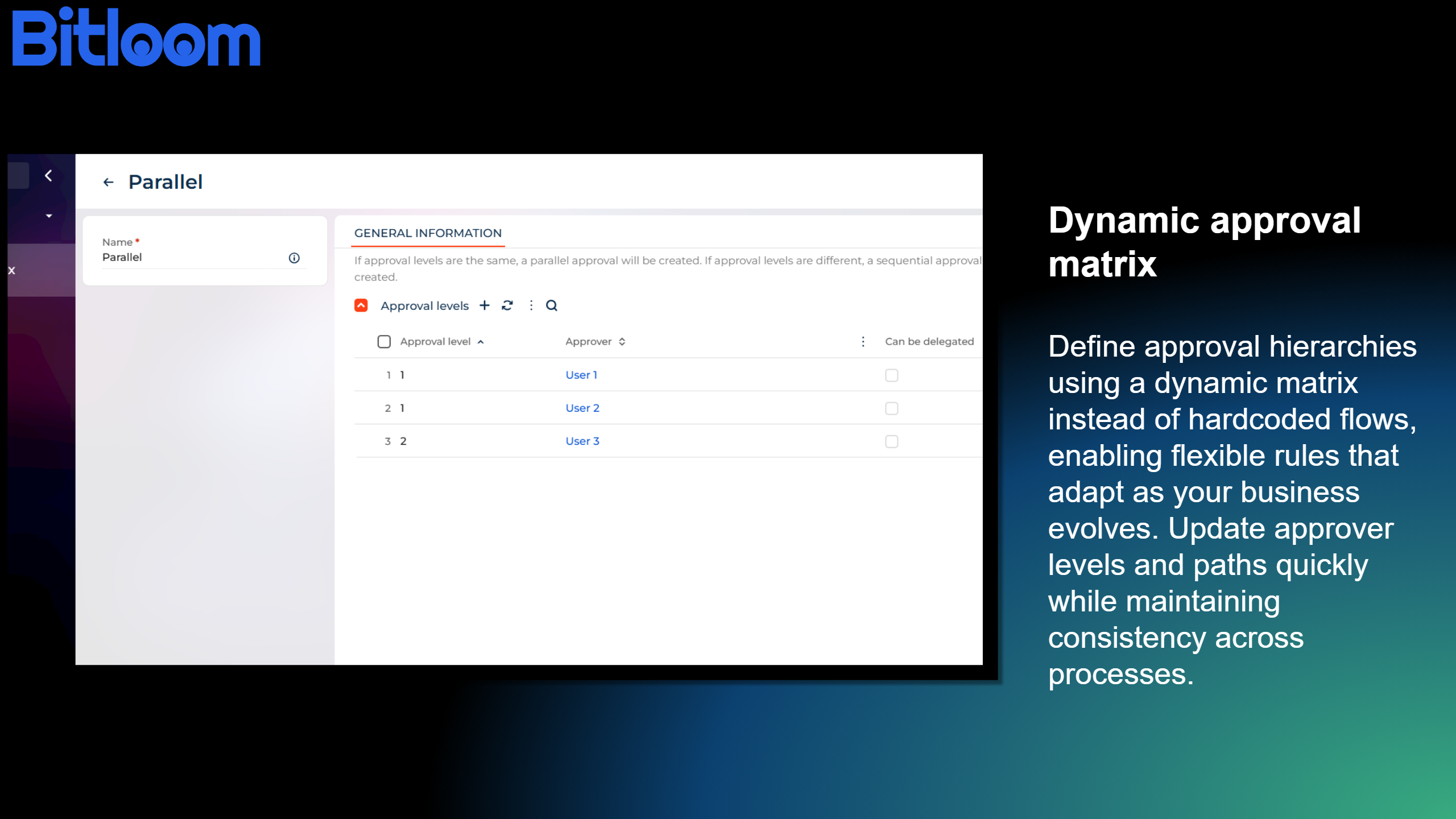
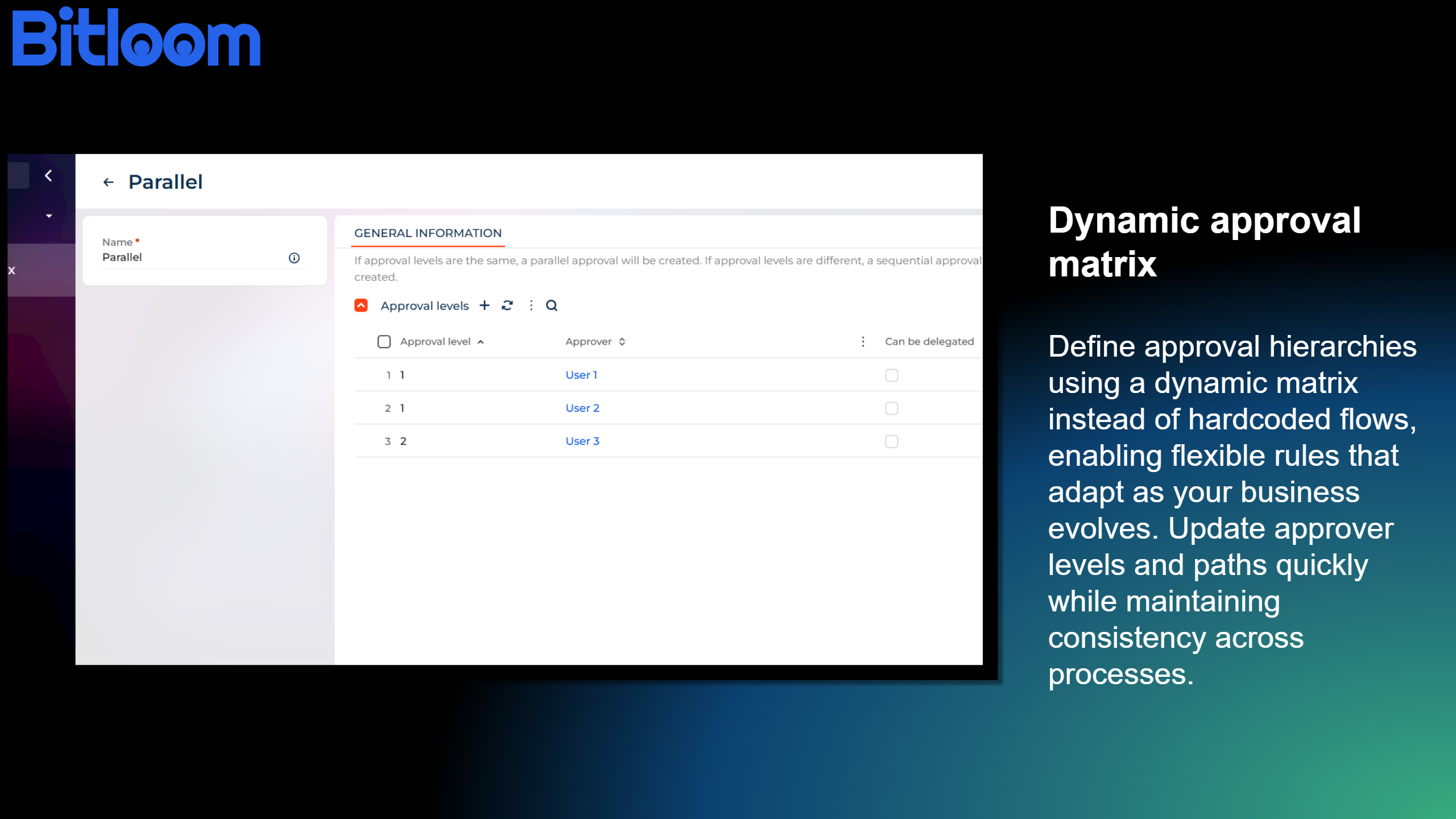
Define approval hierarchies using a dynamic matrix instead of hardcoded flows, enabling flexible rules that adapt as your business evolves. Update approver levels and paths quickly while maintaining consistency across processes.
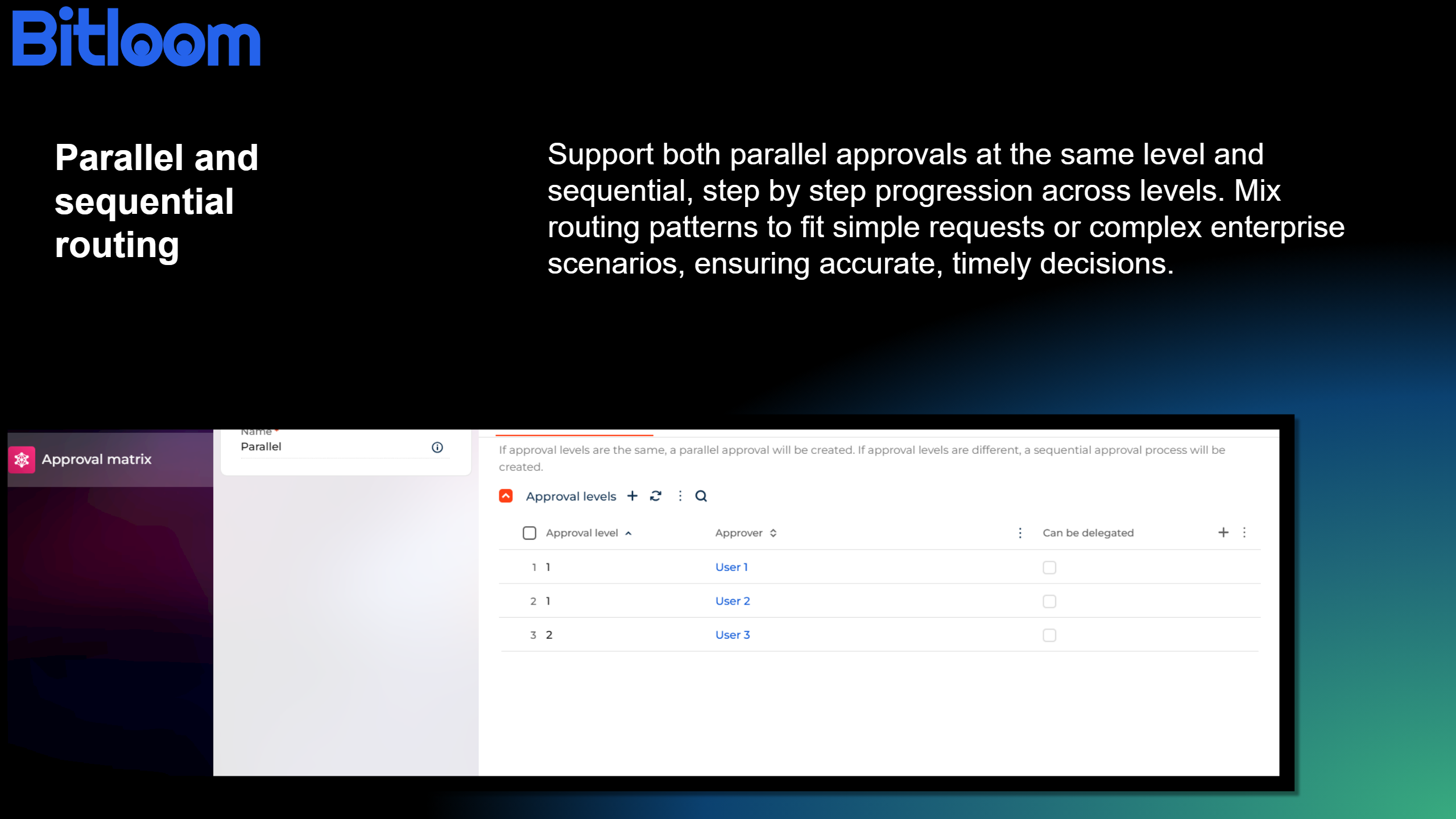
Parallel and sequential routing
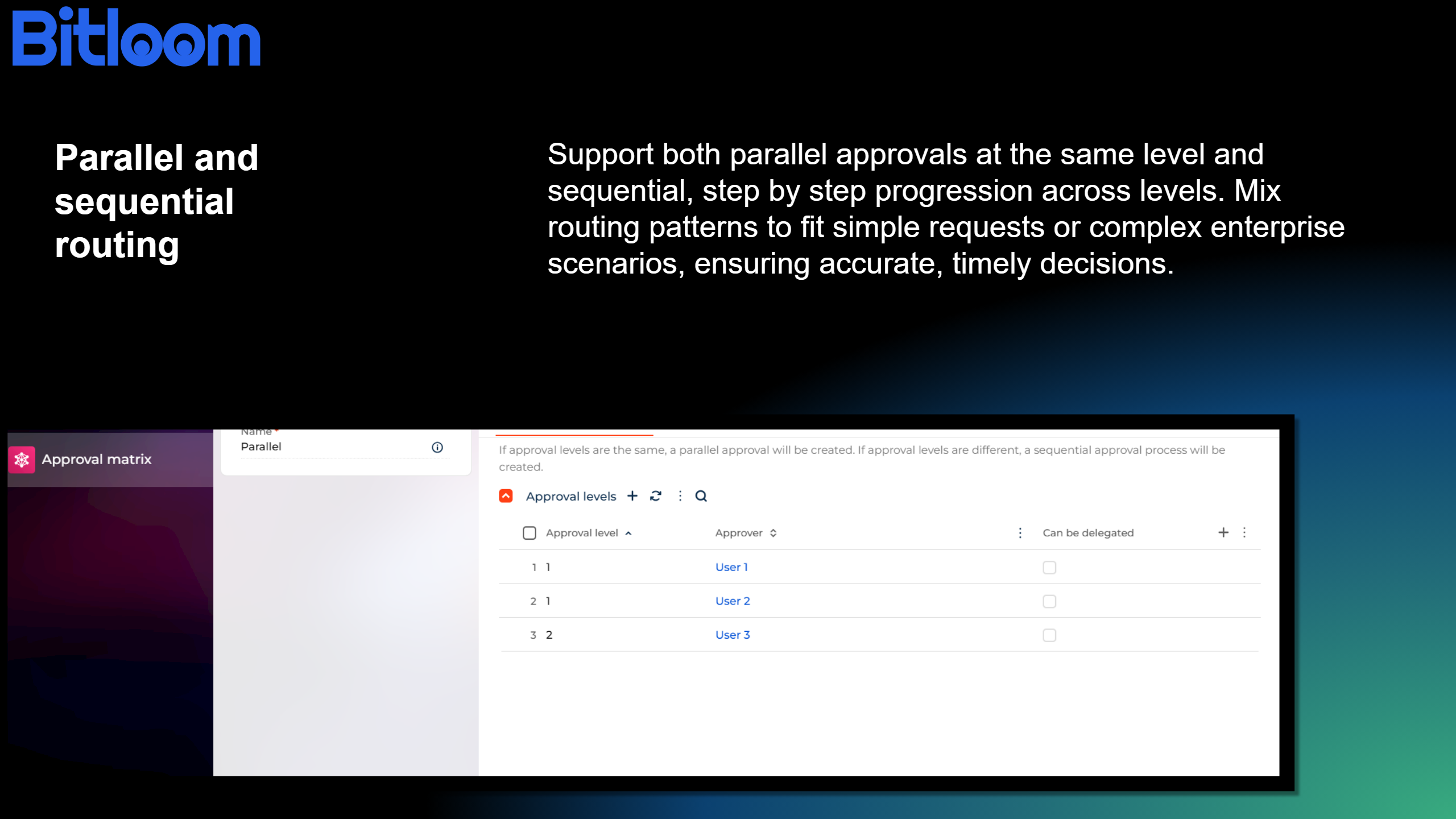
Support both parallel approvals at the same level and sequential, step by step progression across levels. Mix routing patterns to fit simple requests or complex enterprise scenarios, ensuring accurate, timely decisions.
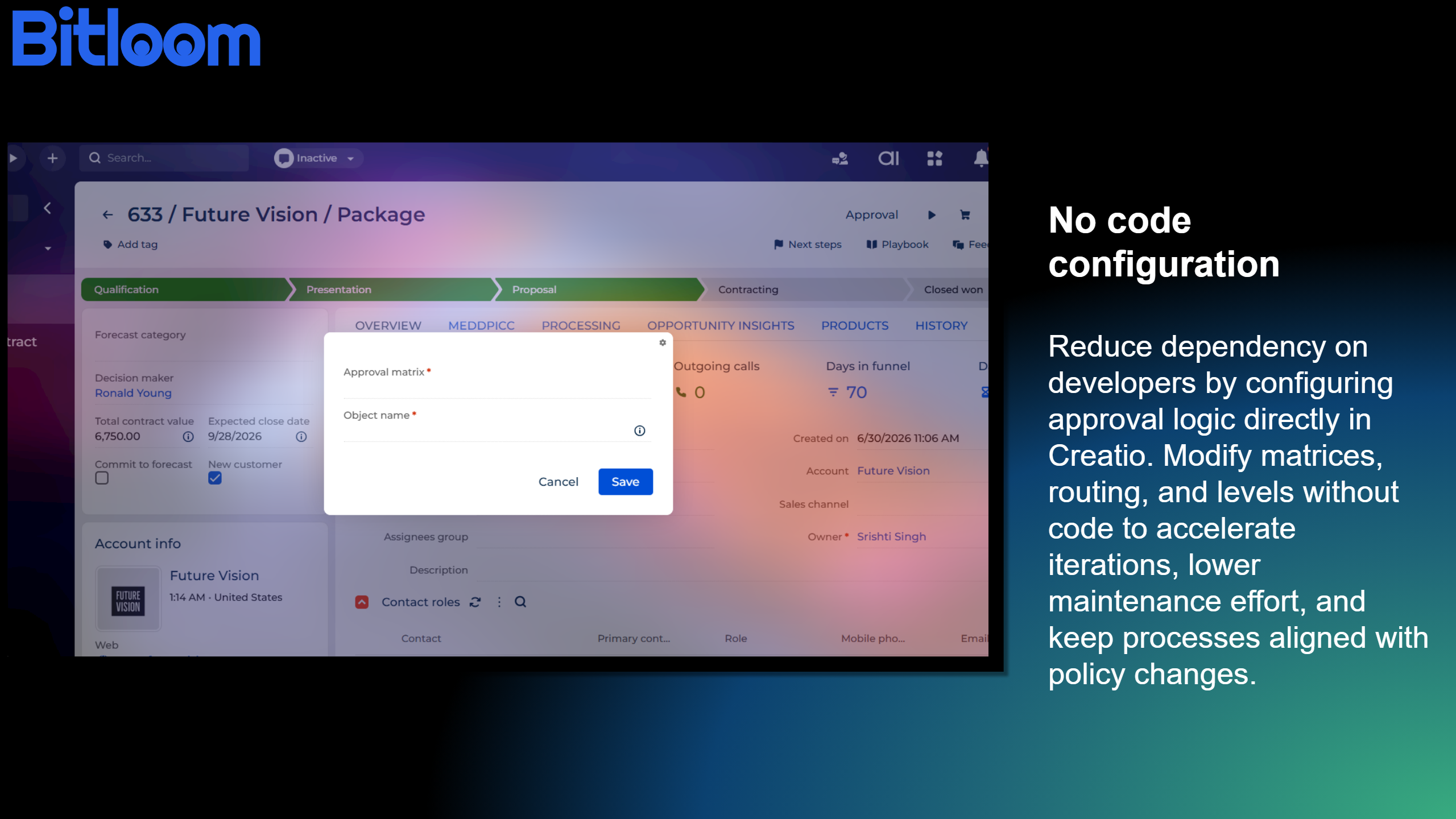
No Code configuration
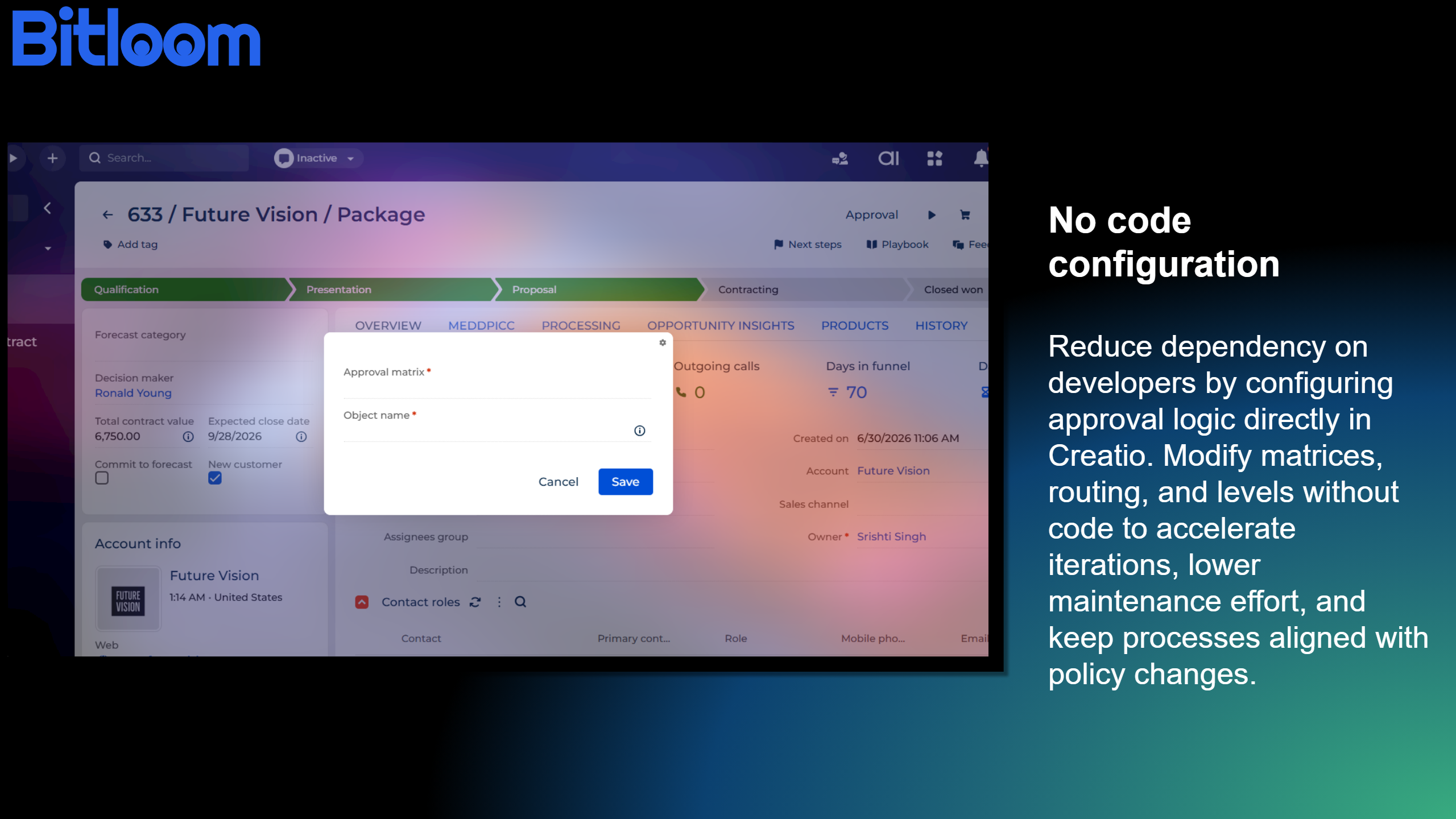
Reduce dependency on developers by configuring approval logic directly in Creatio. Modify matrices, routing, and levels without code to accelerate iterations, lower maintenance effort, and keep processes aligned with policy changes.

Faster approval turnaround
Accelerate decision making with optimized routing and configurable levels that remove bottlenecks. The solution streamlines approvals from request to completion, helping teams respond faster to changing operational demands.
Pricing
Monthly
Annual
Standard
$
5.00 user / month
billed annually
From 10 users
Description (Formatted)
Terms and Conditions
By installing this product you agree to terms and conditions outlined in the license agreement.
Support
Support is available for this application
Support is provided by the developer within the “Basic” and “Business” packages. Detailed information about the support packages and the support terms can be found on the Creatio website.
Installation
Setup guide
- Install the app from Creatio Marketplace into your Creatio environment.
- Configure Approval Matrix records (levels, approvers, roles).
- Add Start Approval button to desired sections.
- Publish changes and start using approvals.
Resources
Data sharing
- By installing or downloading the App, you confirm that you agree with sharing your account data (name, email, phone, company and country) with the App Developer as their End User.
- The App Developer will process your data under their privacy policy.
Versions
Versions history
Version
Compatibility
Release date
1.0.0
8.3.2 and up
Release summary
- Introduced a dynamic approval matrix for configurable approval routing.
- Added support for both parallel and sequential approval workflows.
- Enabled multi-level approval processes for complex business scenarios.
- Included a reusable approval framework compatible with Creatio sections and custom objects.
- Added a mini page interface for quick and intuitive approval initiation.
- Implemented automatic approval record creation and assignment.
- Included built-in approval tracking and status monitoring throughout the approval lifecycle.
- Provided configurable approval workflows to support a wide range of business approval requirements.
Manual app installation
- Open the needed app → the Packages tab - download the Markeplace app files.
- Click in the top right → Application Hub
- Click New application. This opens a window.
- Select Install from file and click Select in the window that opens.
- Click Select file on the page of the Marketplace App Installation Wizard and specify the app file path.