


Smart Expense Manager for Creatio
Overview
Product overview
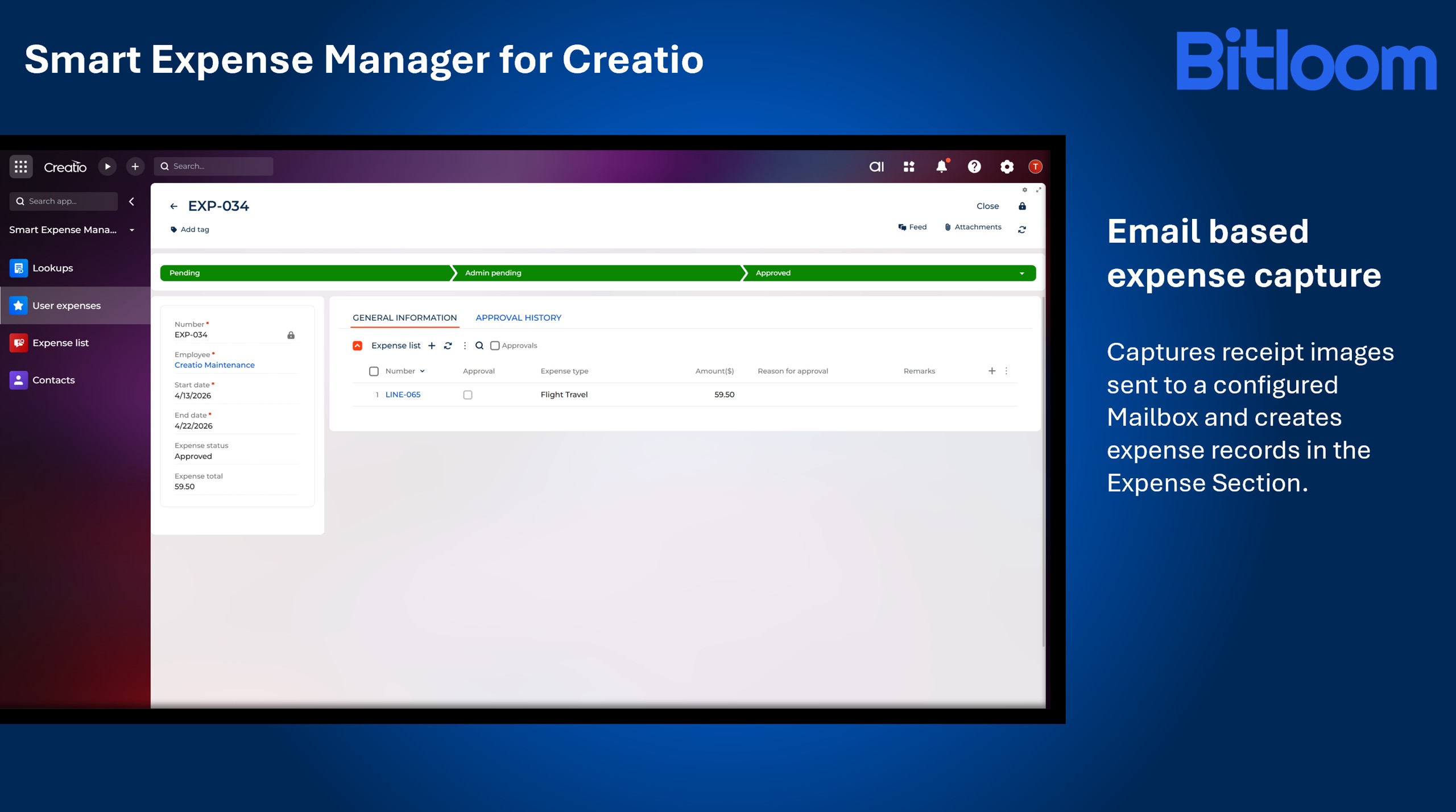
Smart Expense Manager for Creatio enables automated expense capture and processing in Creatio using email-based receipt submissions. Users can send receipt images to a configured Mailbox, and the application automatically creates records in the Expense section with corresponding expense line items.
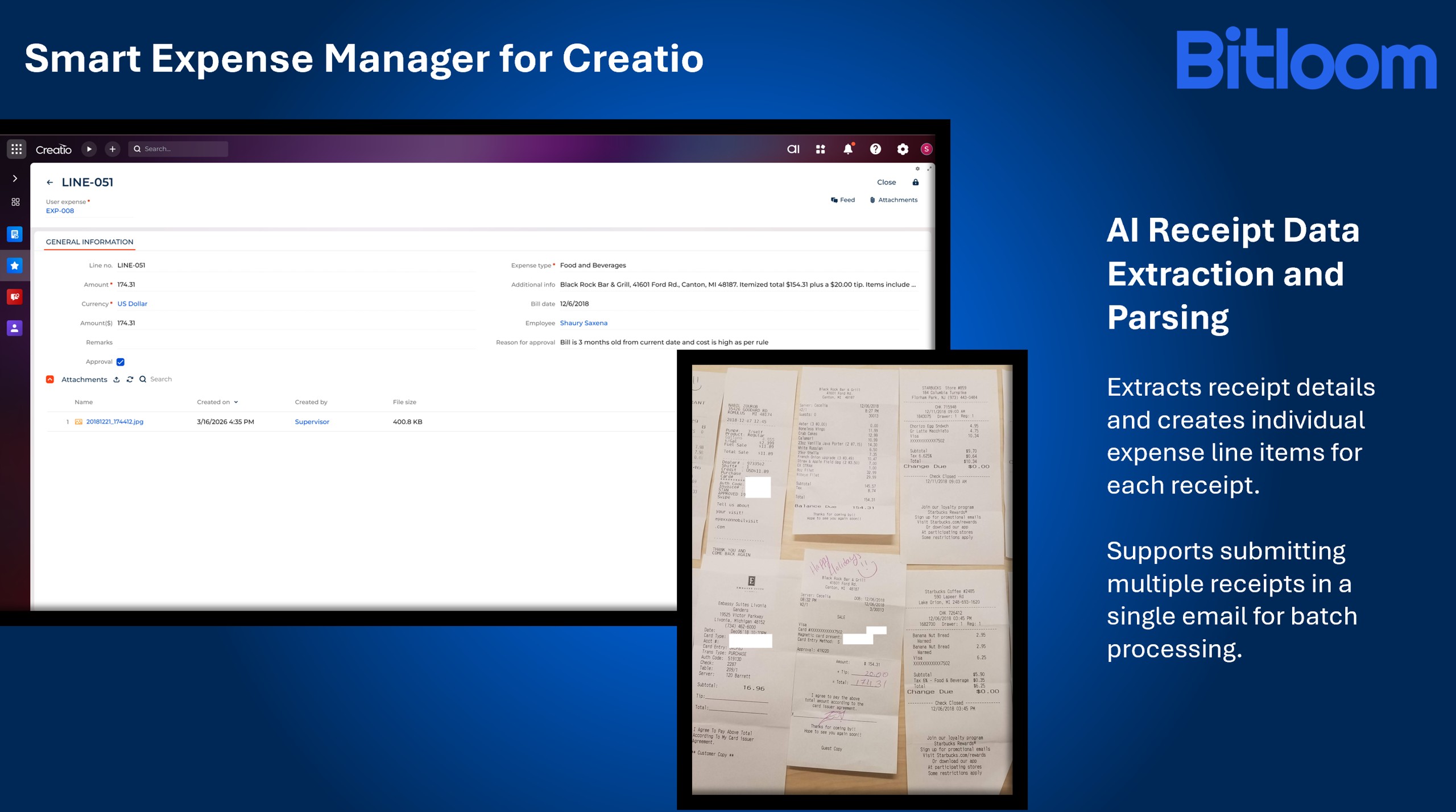
The application processes receipt attachments, extracts relevant data, and stores them on the Expense page. Each receipt is captured as an individual expense line item, ensuring structured and traceable expense records. It also supports submitting multiple receipts in a single email, allowing batch expense creation.
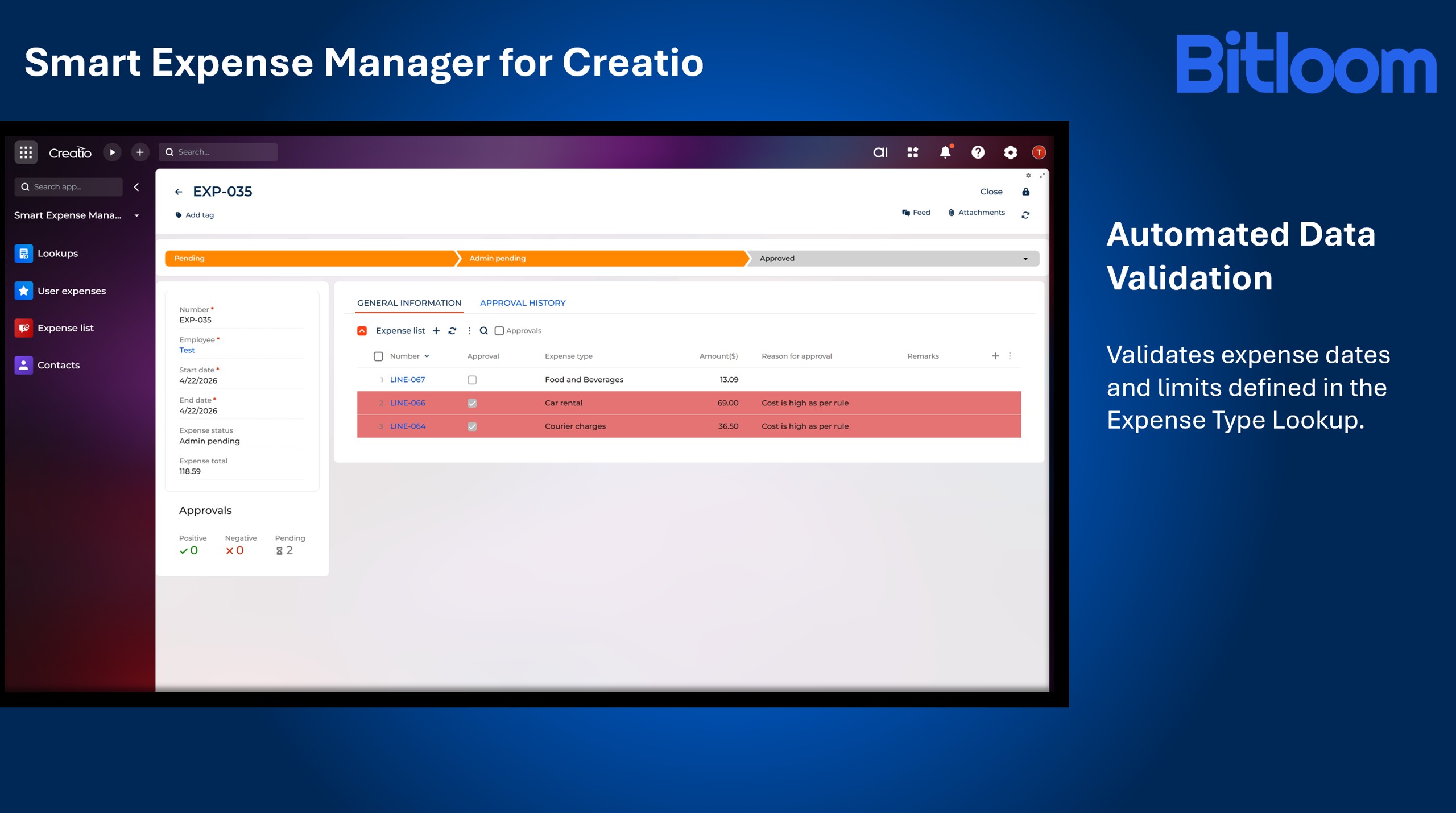
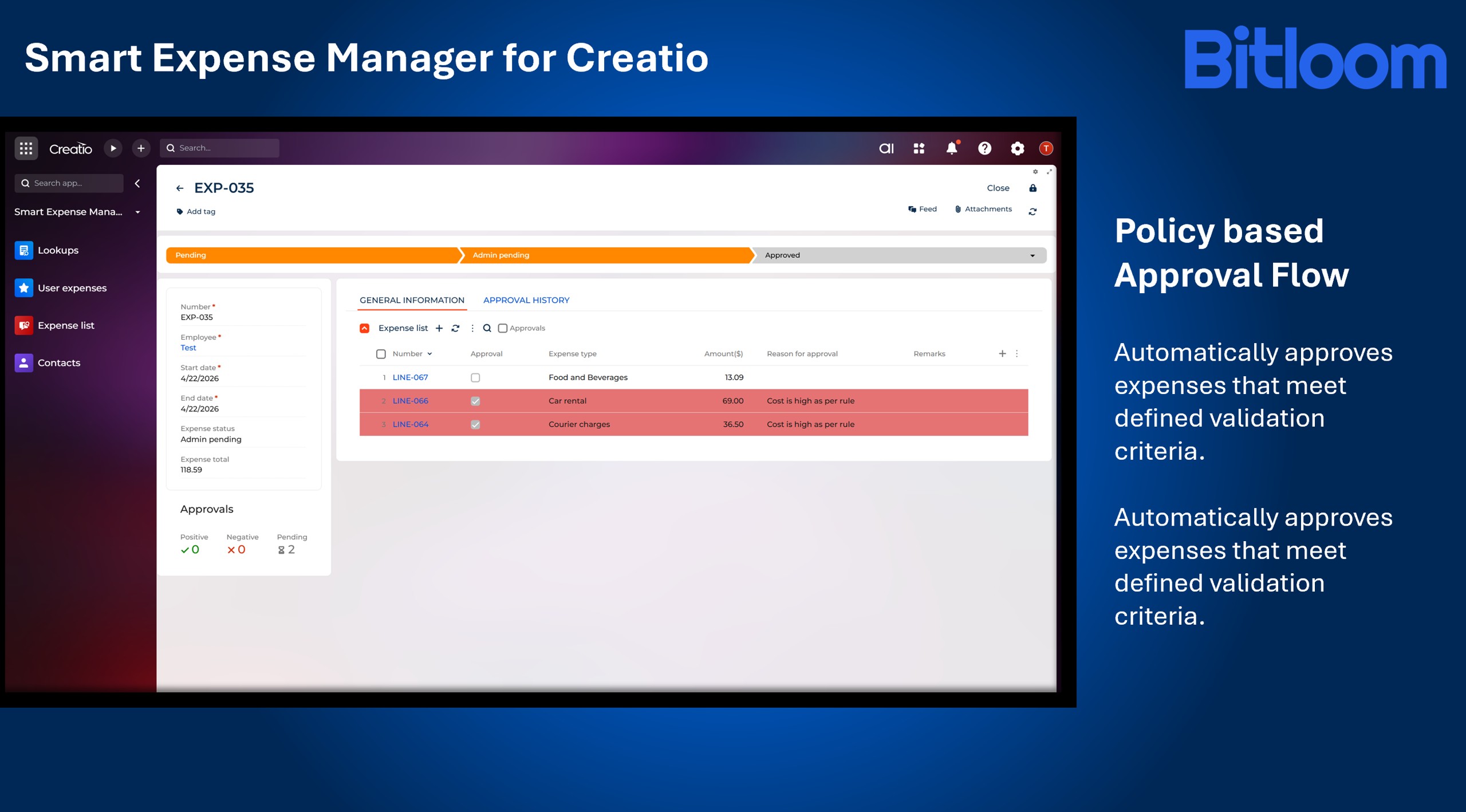
Expense records are validated against defined business rules, including expense dates and policy limits configured in the Expense type lookup. Based on validation results, records are routed through approval workflows. Expenses that meet defined criteria are auto-approved, while records that exceed limits or require review are routed to the Manager for approval.
The application ensures accurate expense tracking, streamlined approvals, and centralized management of receipt data within Creatio.
Key Features
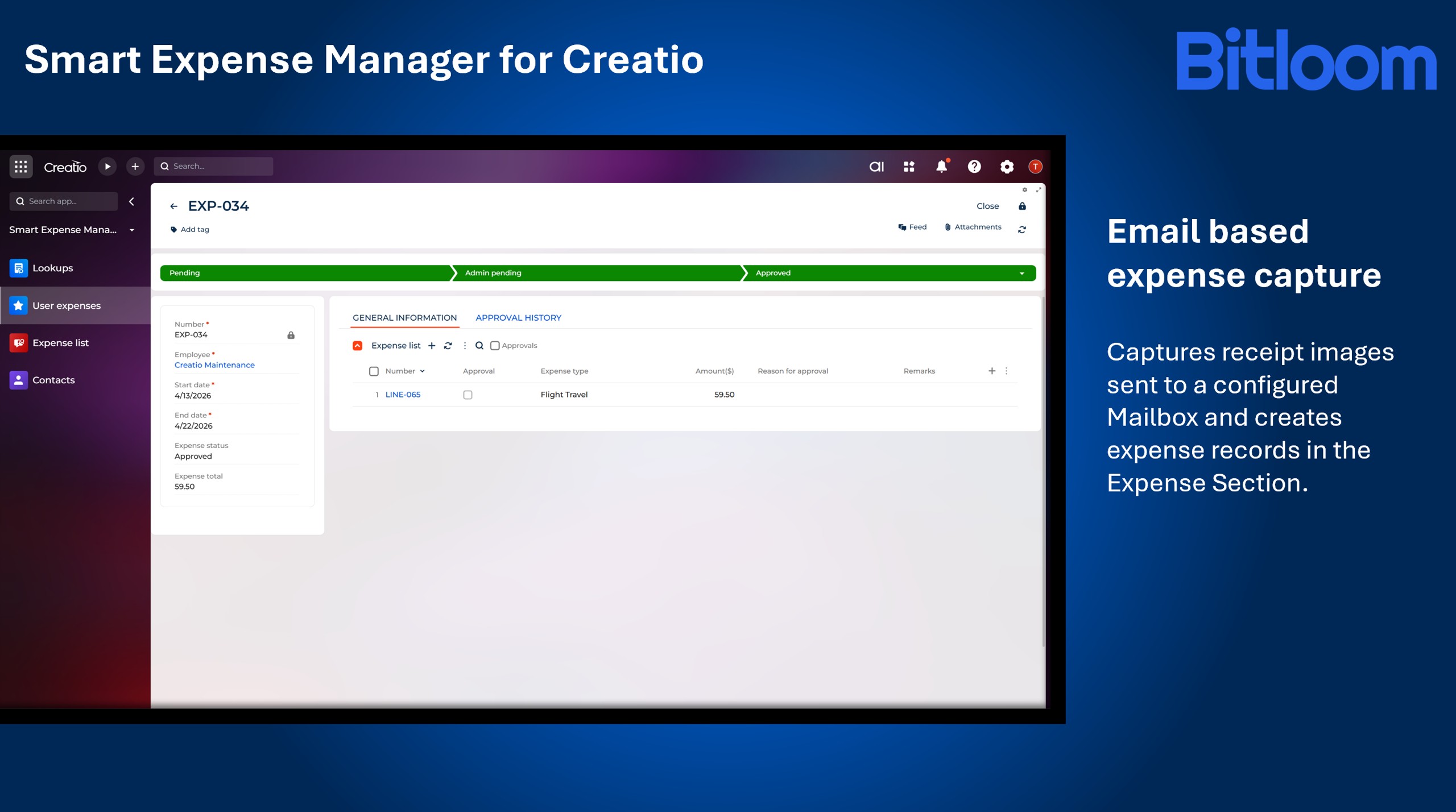
Email based Expense Capture
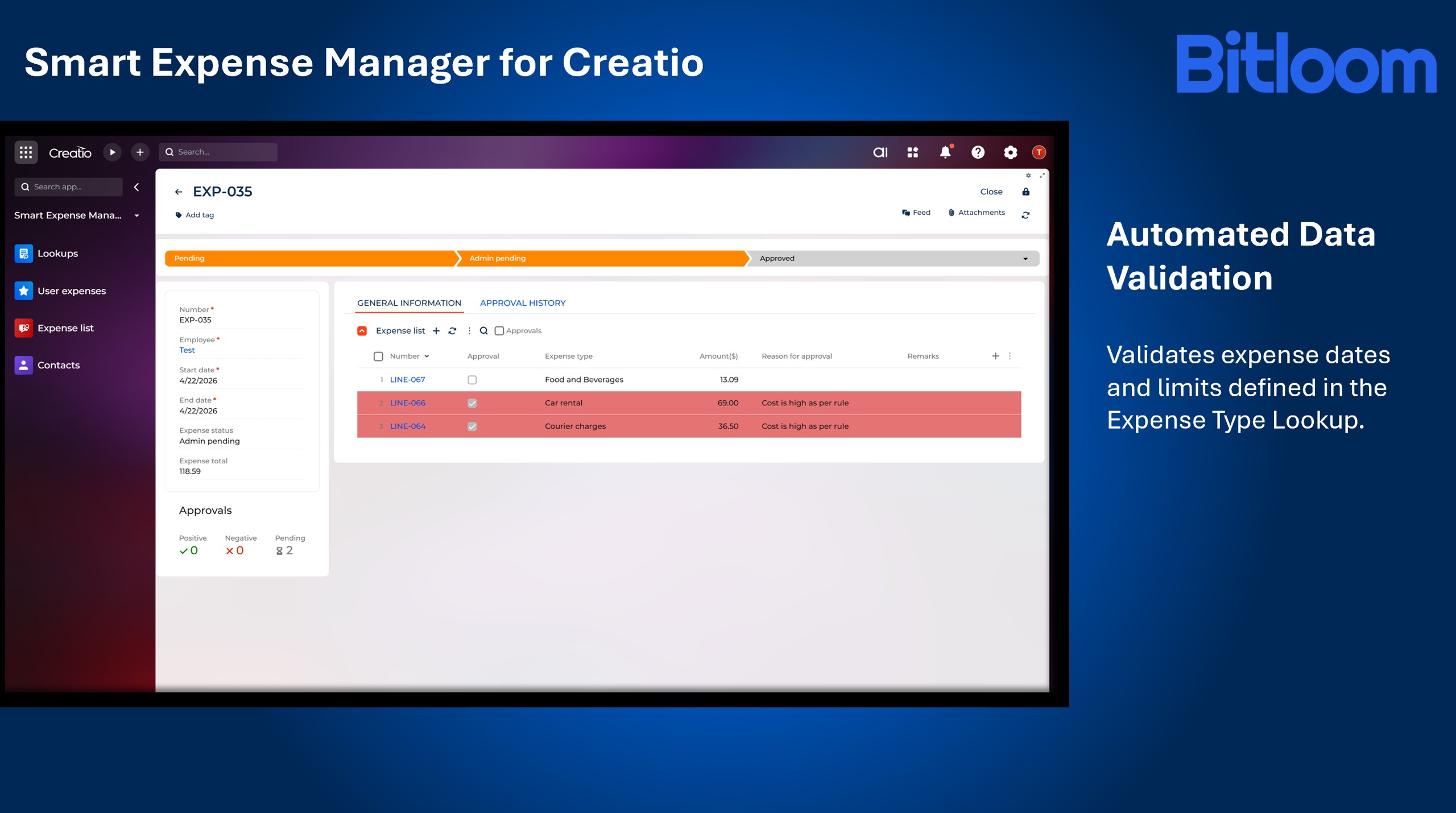
Automated Data Validation
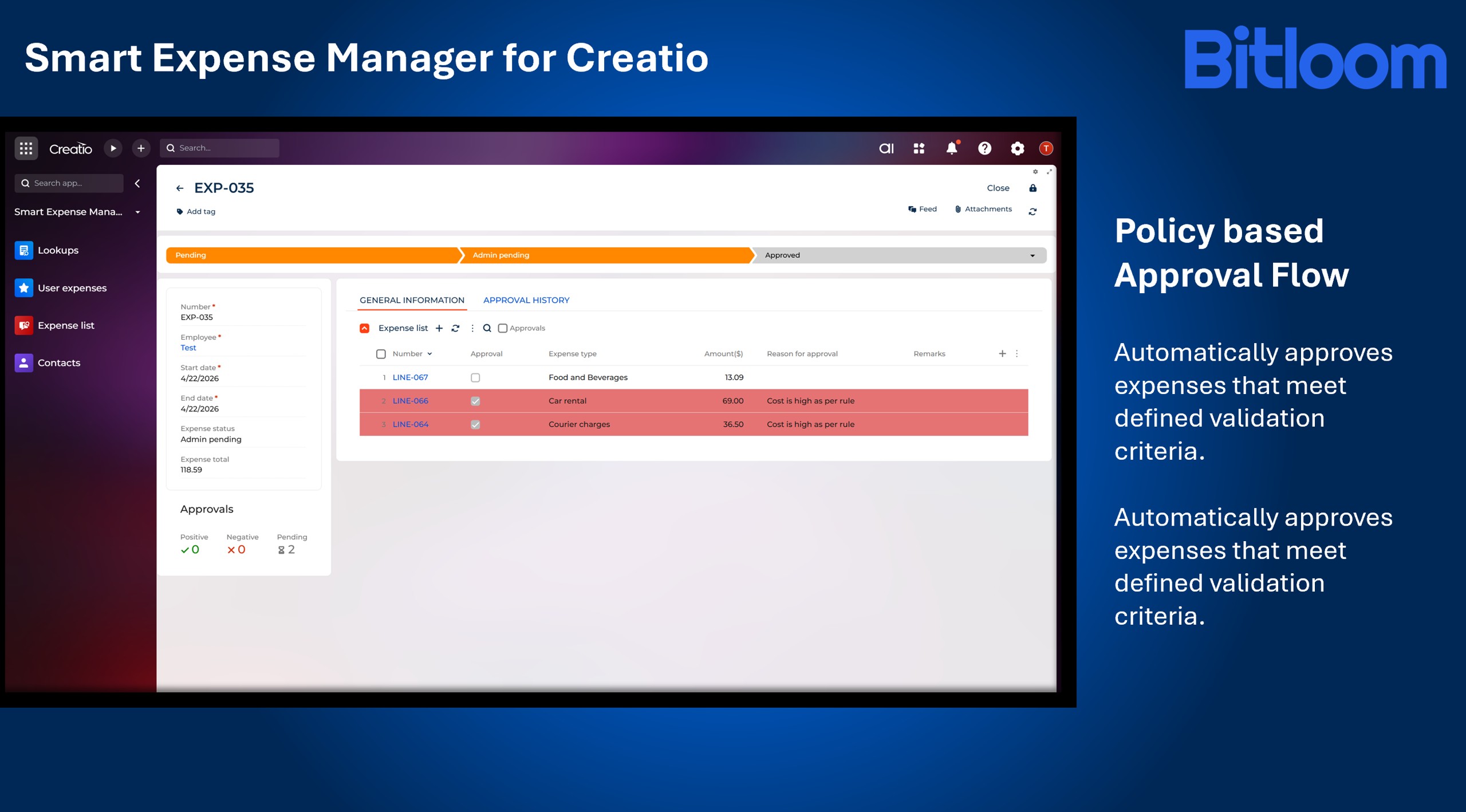
Policy based Approval Flow
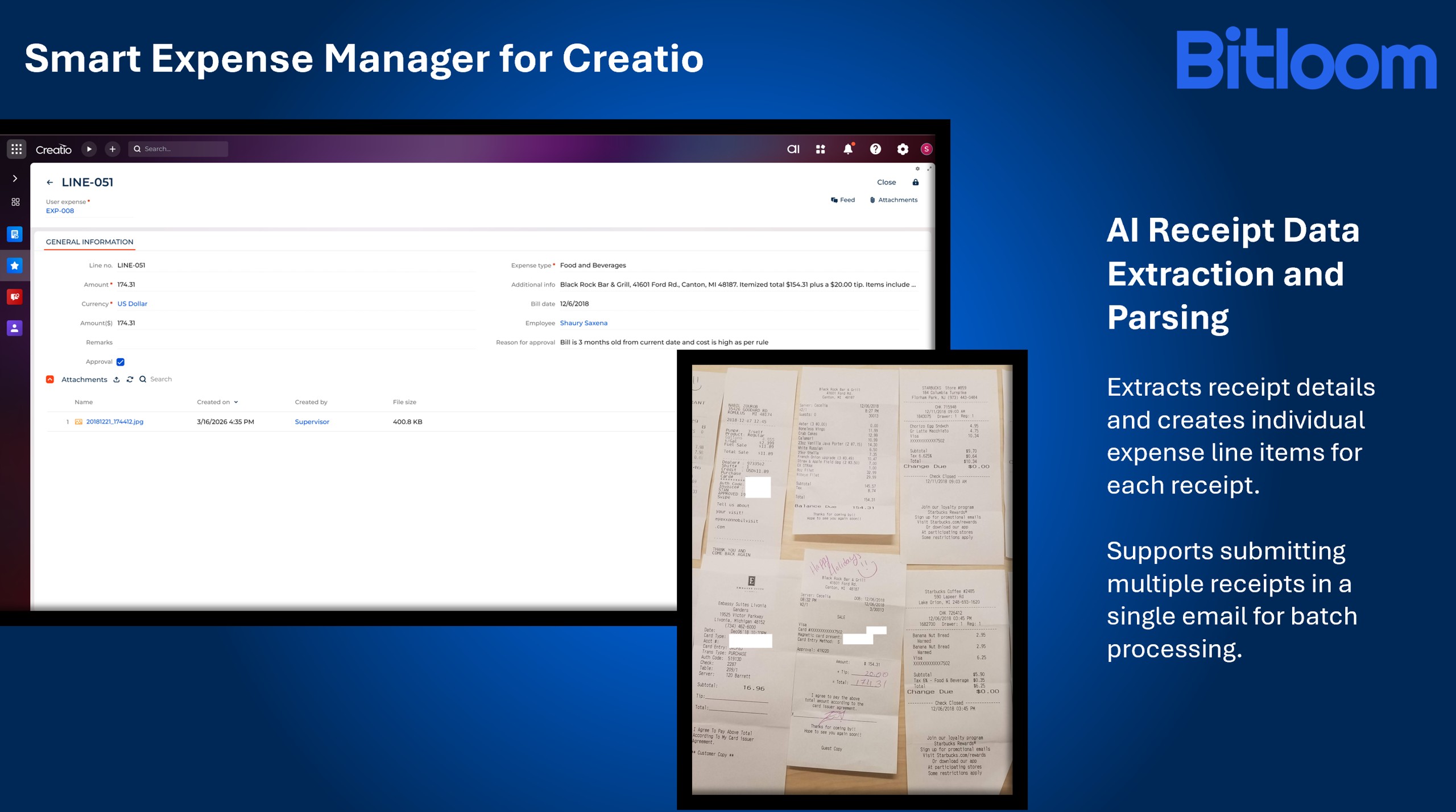
AI Receipt Data Extraction and Parsing
Pricing
Terms and Conditions
Support
Installation
Setup guide
Compatibility notes
Resources
Data sharing
- By installing or downloading the App, you confirm that you agree with sharing your account data (name, email, phone, company and country) with the App Developer as their End User.
- The App Developer will process your data under their privacy policy.
Versions
Versions history
- Introduced email-based expense capture to automatically create records and line items in the Expense Section from receipt attachments.
- Added receipt parsing capability to extract bill details and generate expense line items.
- Implemented validation for expense dates and configured policy limits.
- Enabled auto-approval for compliant expenses based on defined business rules.
- Added Manager approval routing for expenses that do not meet validation criteria.
- Introduced configuration of limit metrics in the Expense Type Lookup.
- Supported multiple receipt attachment formats, including JPEG, JPG, PNG, and PDF.
Manual app installation
- Open the needed app → the Packages tab - download the Markeplace app files.
- Click in the top right → Application Hub
- Click New application. This opens a window.
- Select Install from file and click Select in the window that opens.
- Click Select file on the page of the Marketplace App Installation Wizard and specify the app file path.
Powered by Gemini API for receipt image reading and expense data extraction. Basic Access includes processing up to 20 receipt images per day, with support for automated validations, approvals, and exception routing workflows.