

Syntech Kanban View for Creatio
Syntech Kanban View for Creatio is a visual element that streamlines record management by displaying items as cards organized into columns by stage. Features swimlanes, owner avatars, stage totals, progress bars, WIP limits, filters and DCM support.
Overview
Product overview
Product description
This solution offers a user-friendly Kanban-style interface designed to simplify the way business processes are visualized and managed. It allows users to monitor workflow stages and interact with records directly on the board, eliminating the need to work through traditional list formats.
Key Features
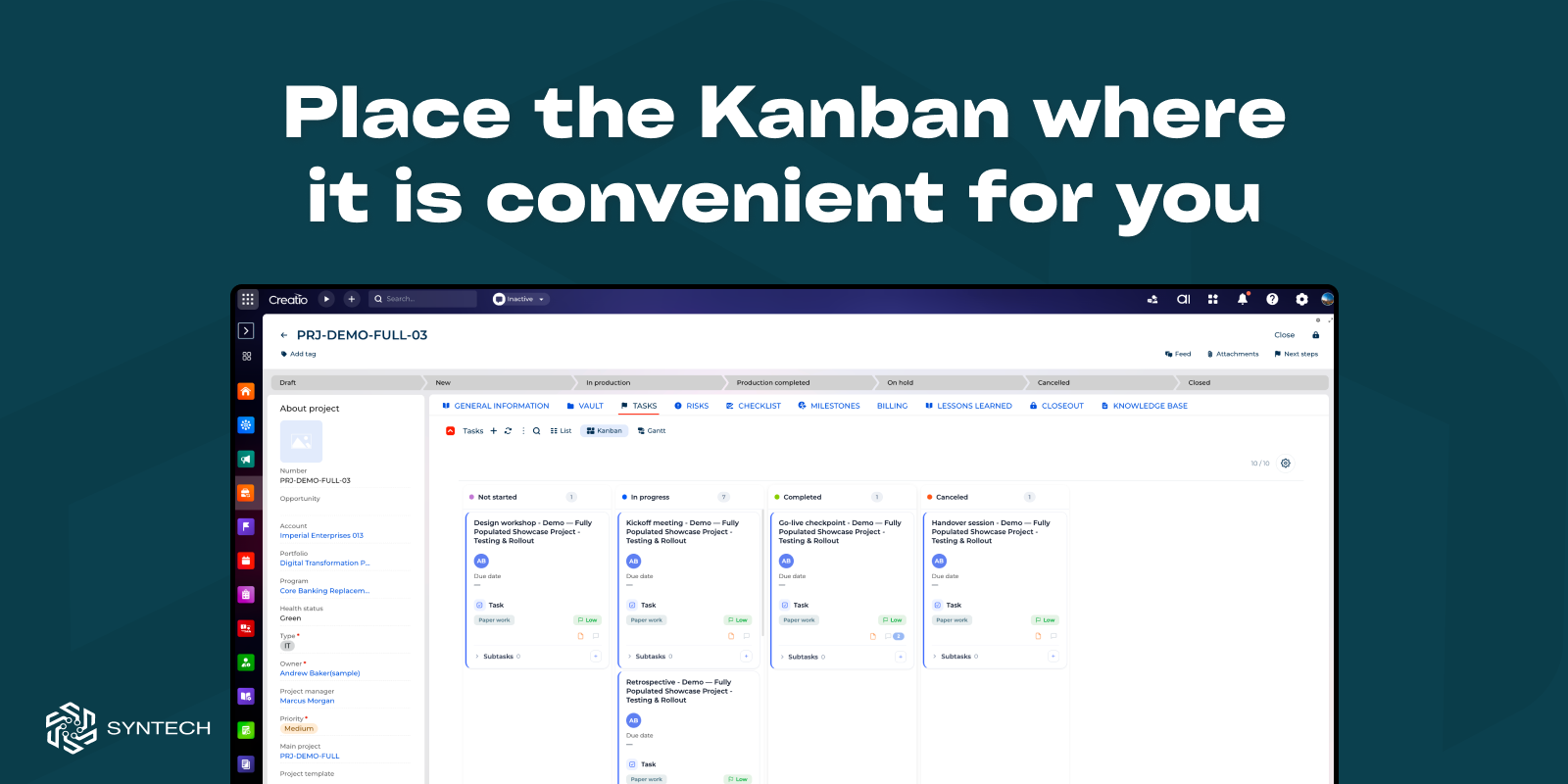
Universal Kanban board
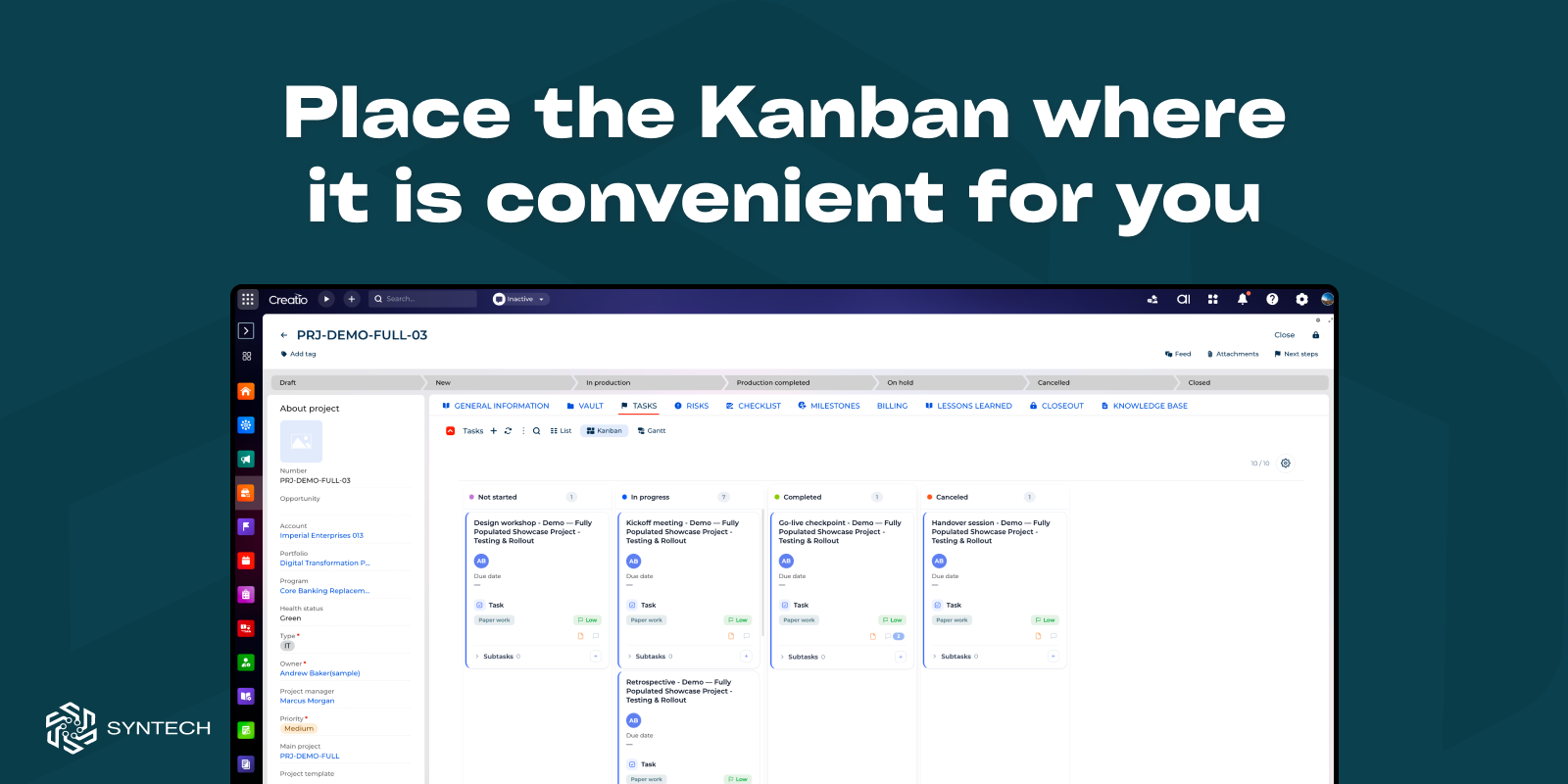
Configure a Kanban board for any section or page in the system, using any lookup field to define the stages. Effortlessly interact with records by moving them between columns via drag-and-drop.
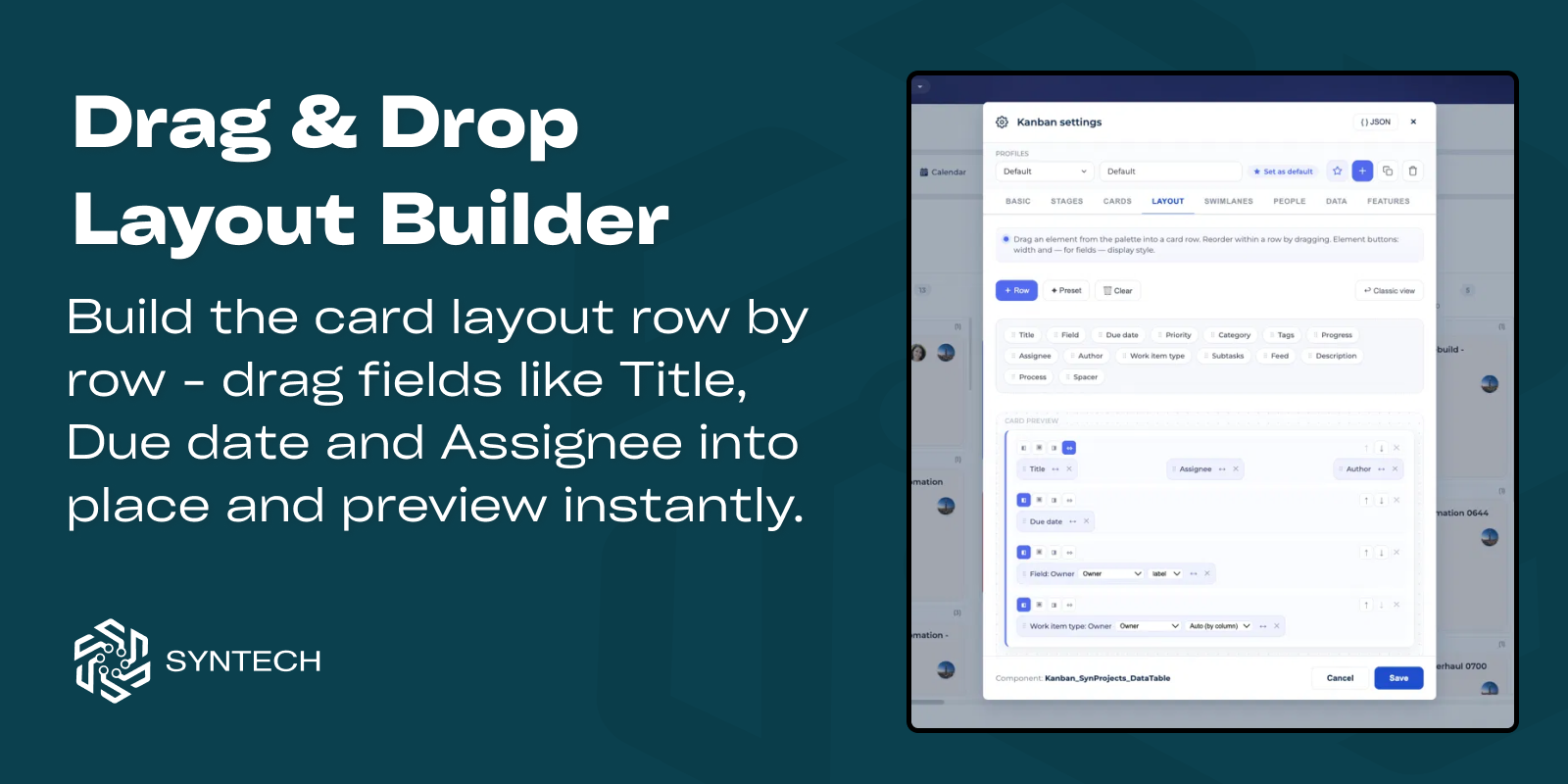
Drag & Drop Layout Builder
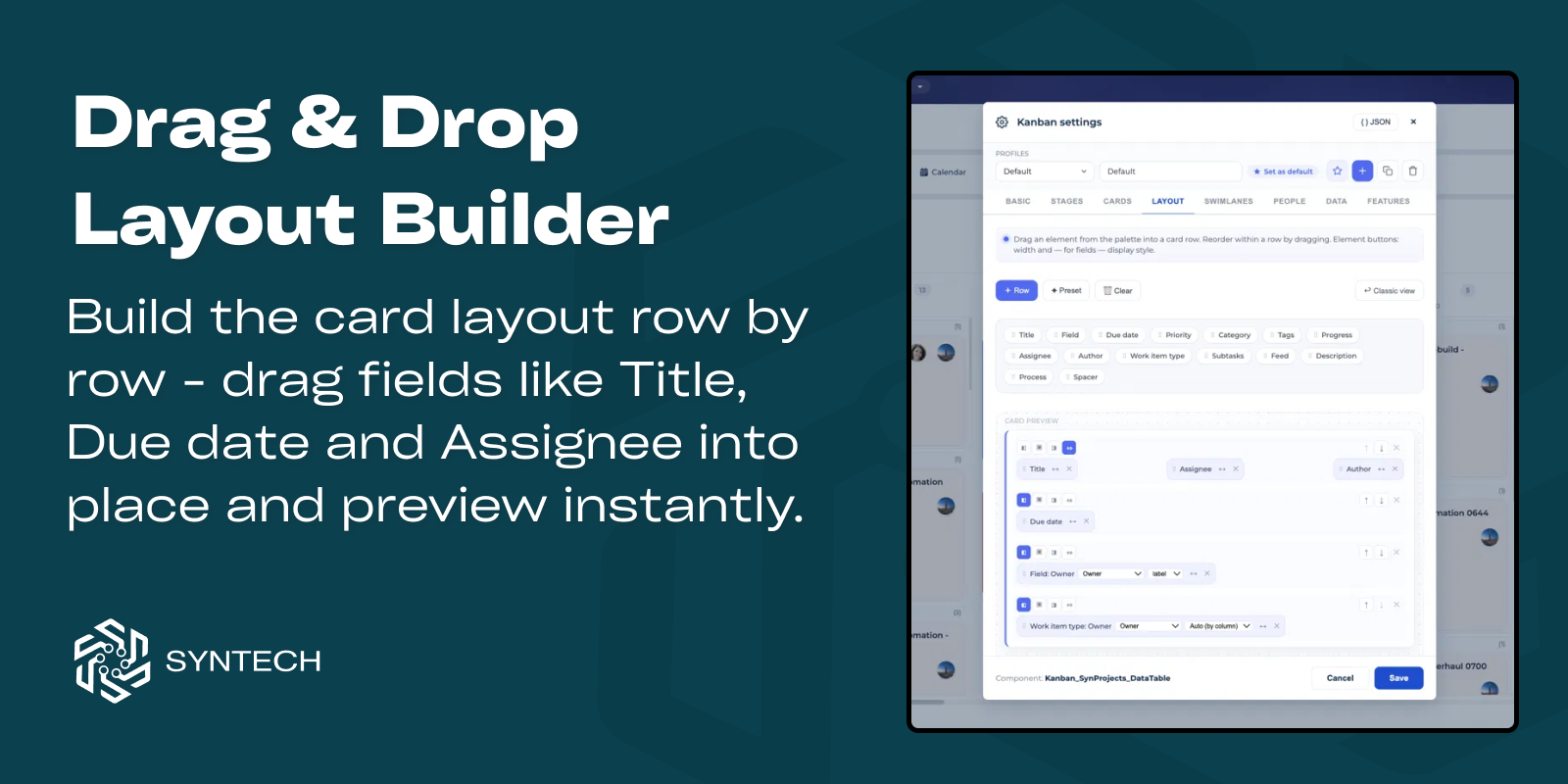
Design card layouts visually by dragging fields into place and previewing the result instantly.
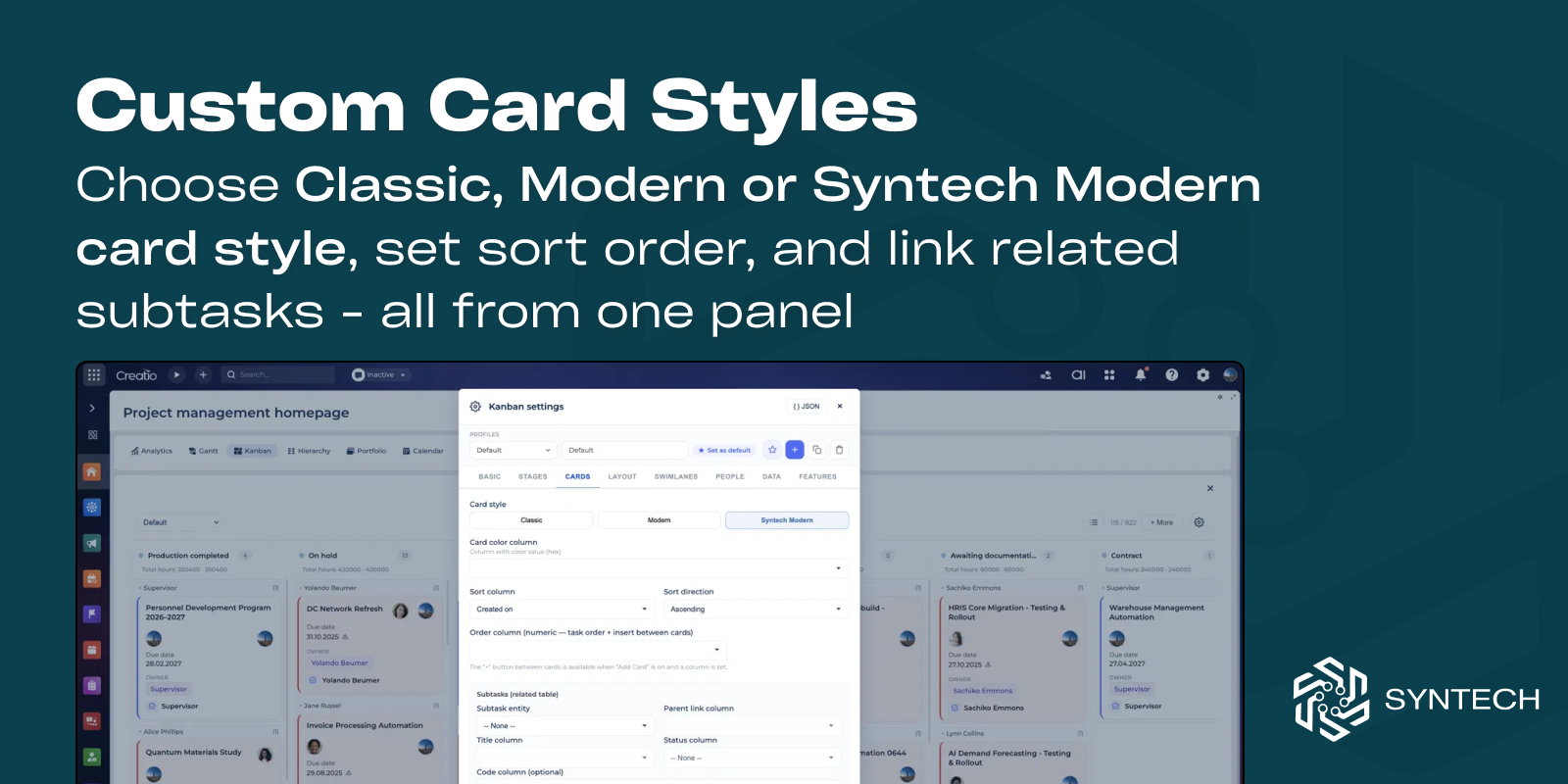
Custom Card Styles
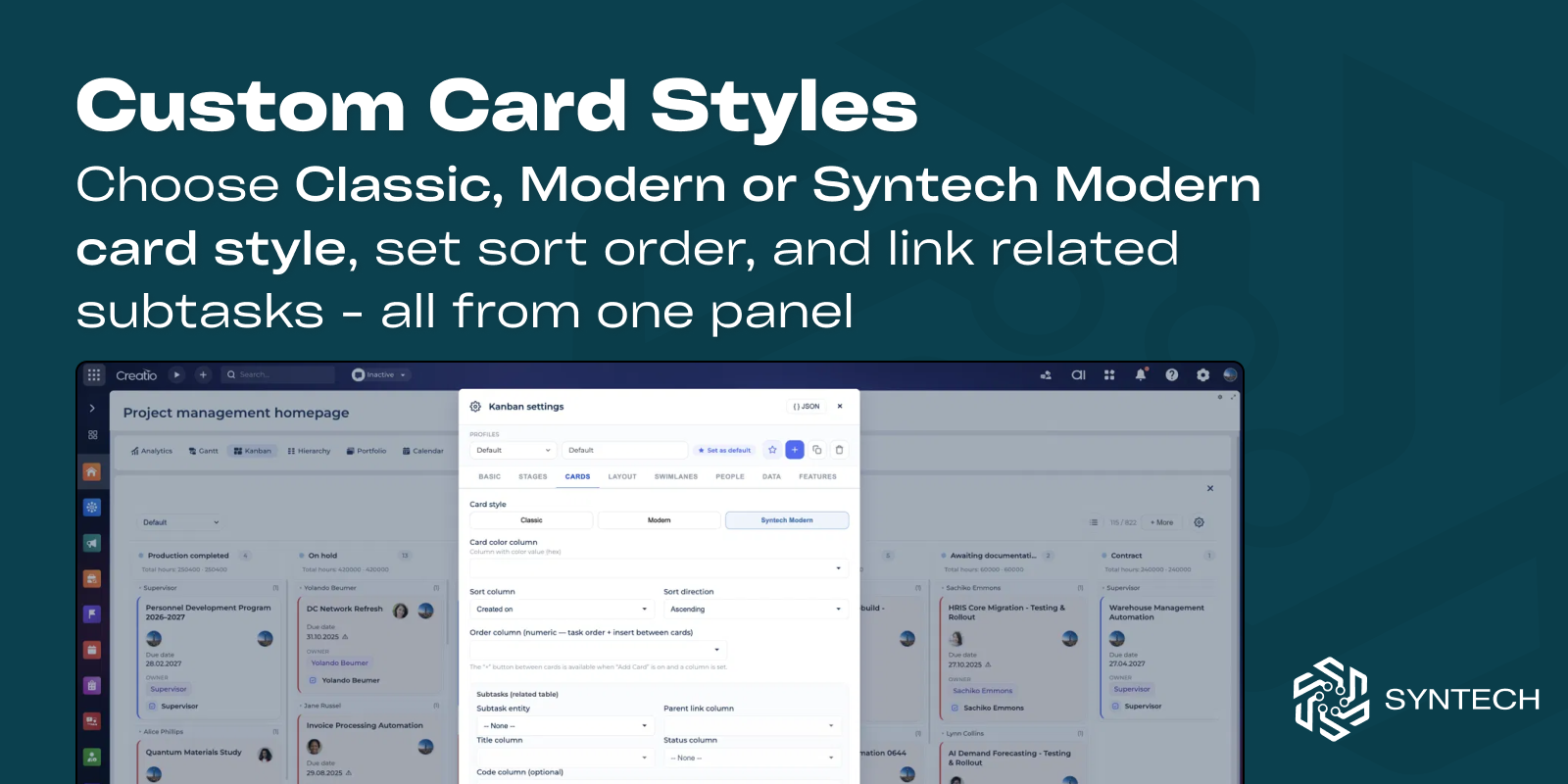
Choose from multiple card styles, configure sorting, and display related data and subtasks.
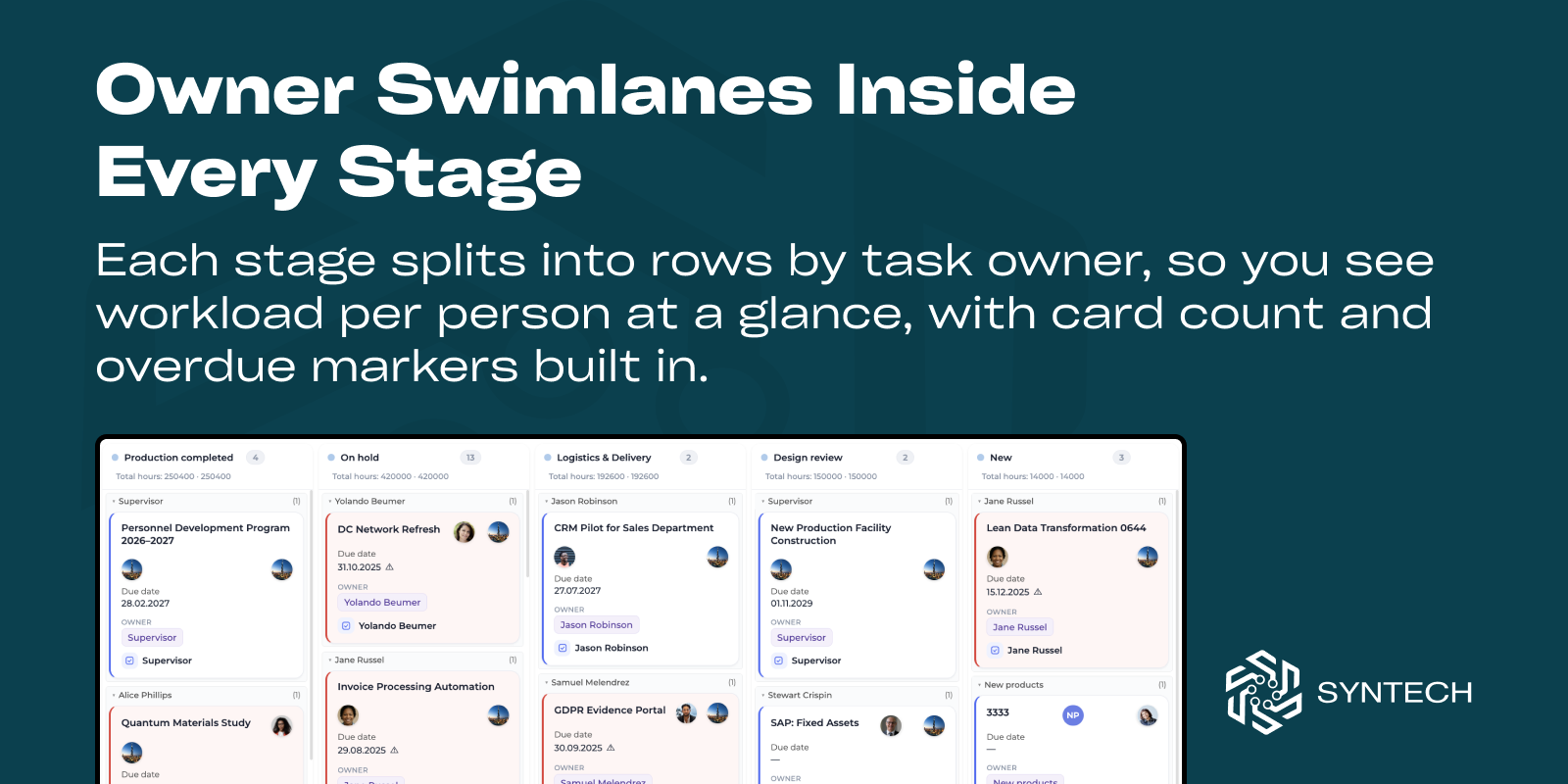
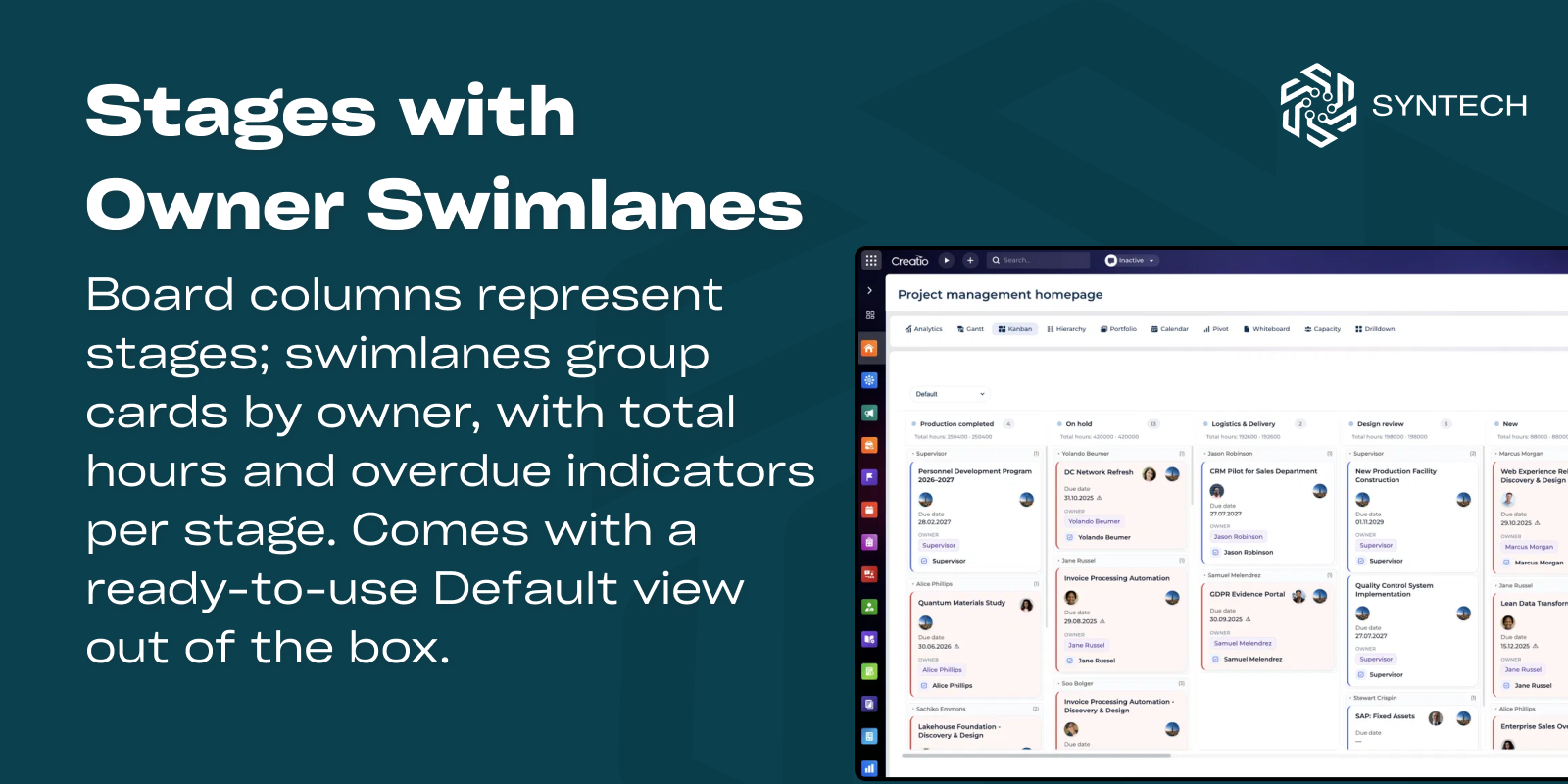
Owner Swimlanes & Workload View
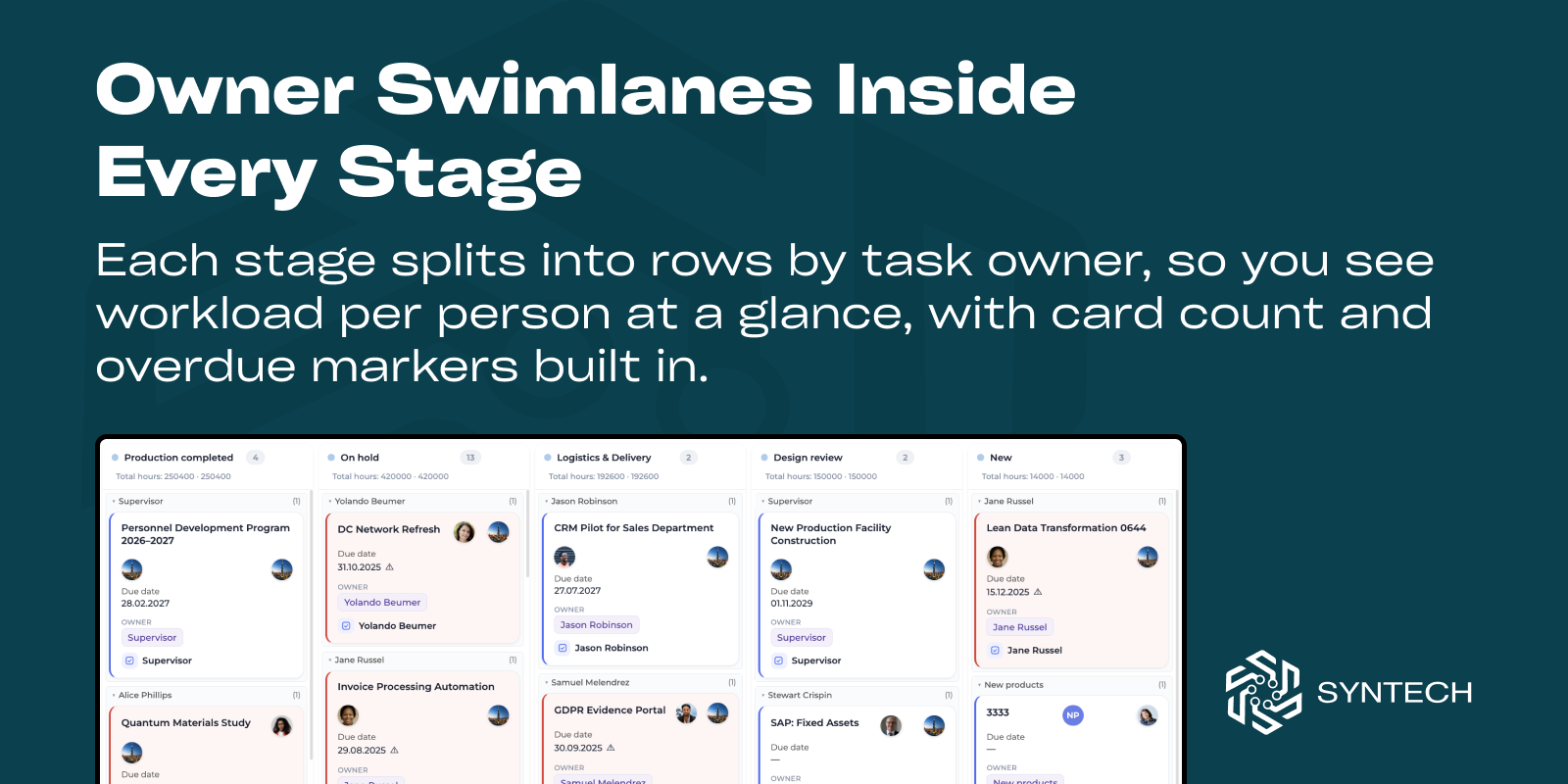
Split every stage by record owner to see individual workloads, card counts, and overdue items at a glance.
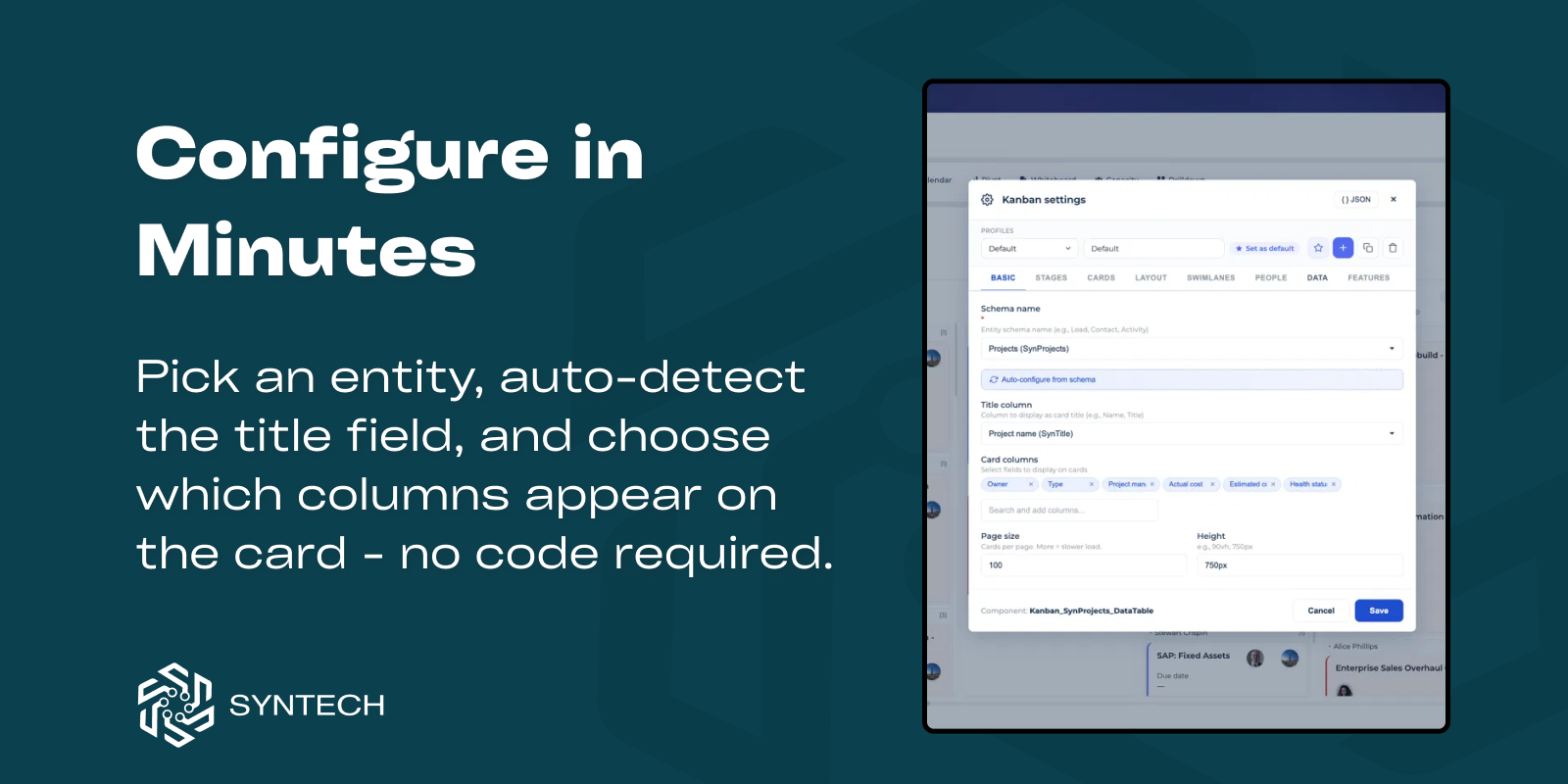
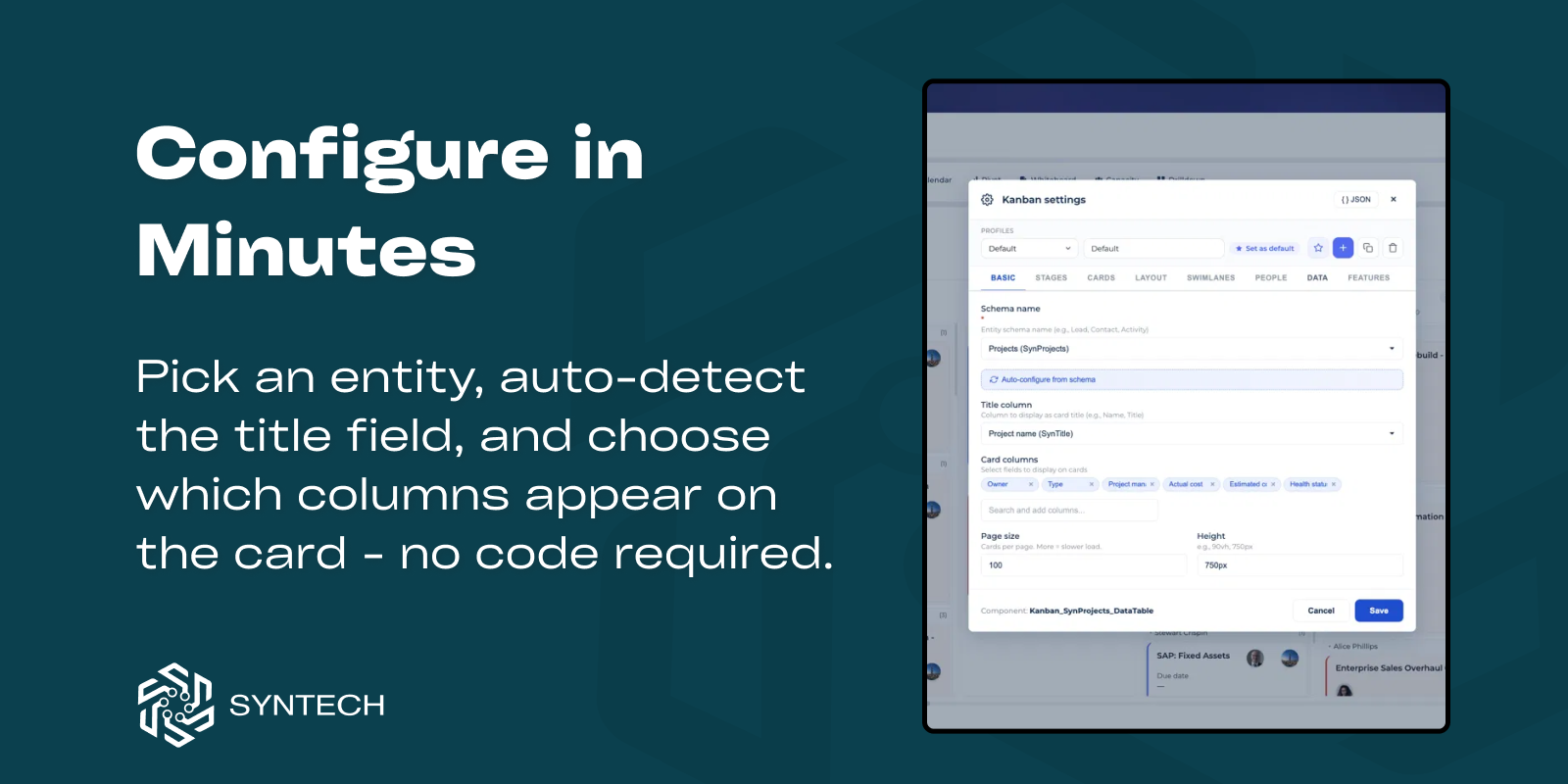
Configure in Minutes
Select any Creatio entity, choose the fields to display, and build your Kanban board without coding.
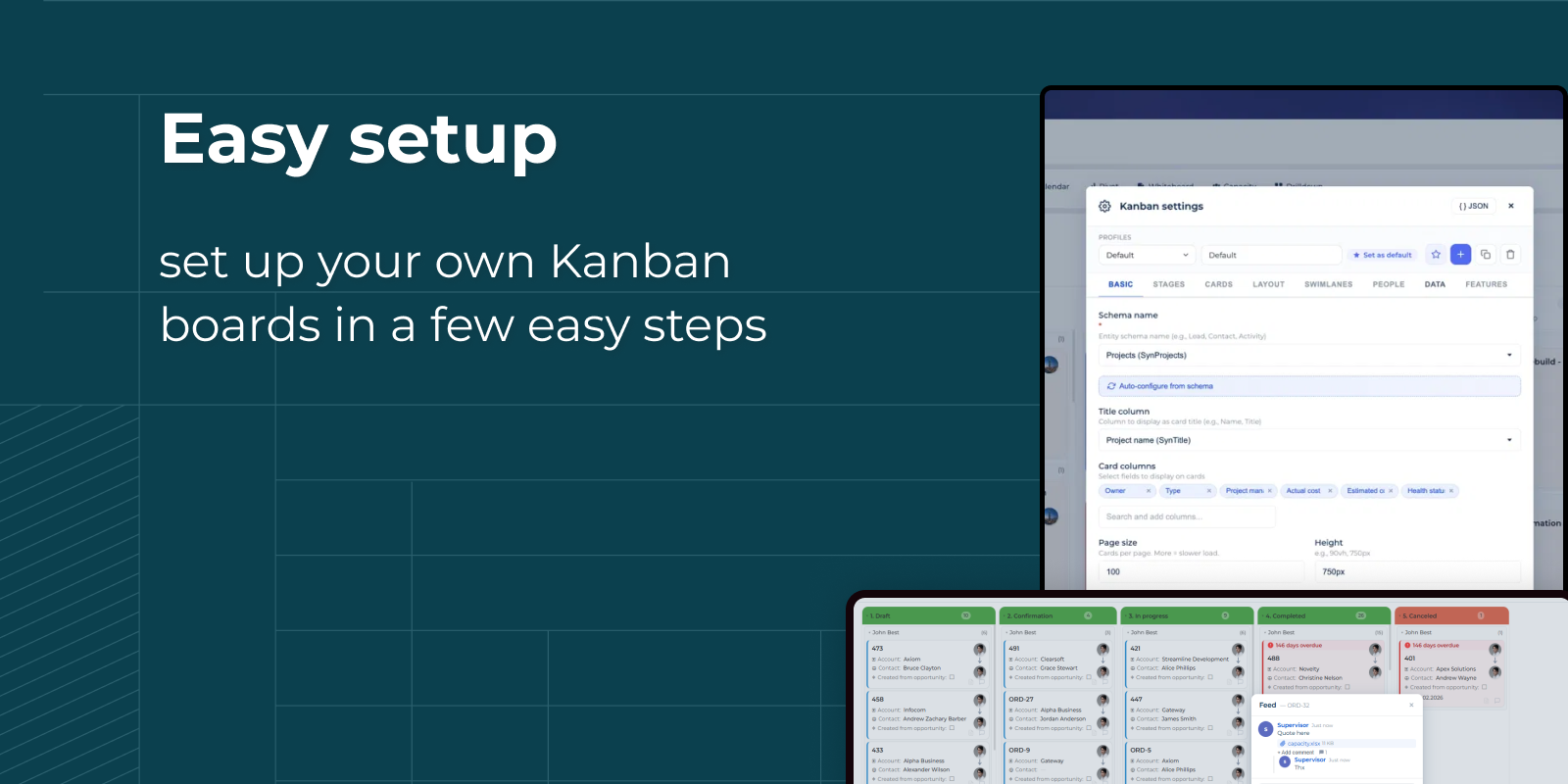
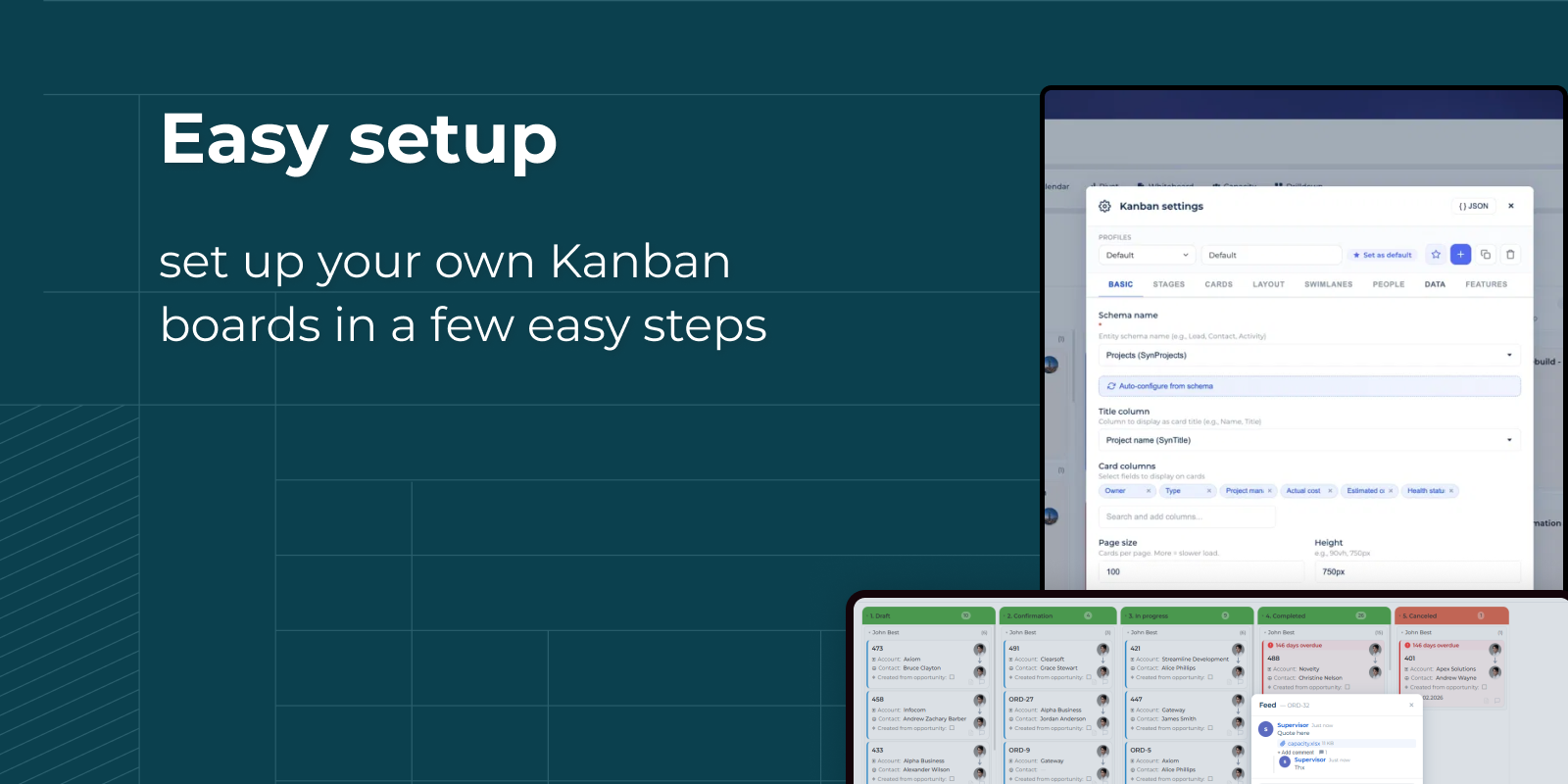
Easy Kanban Setup
Configure your own Kanban boards in just a few simple steps with flexible no-code settings.
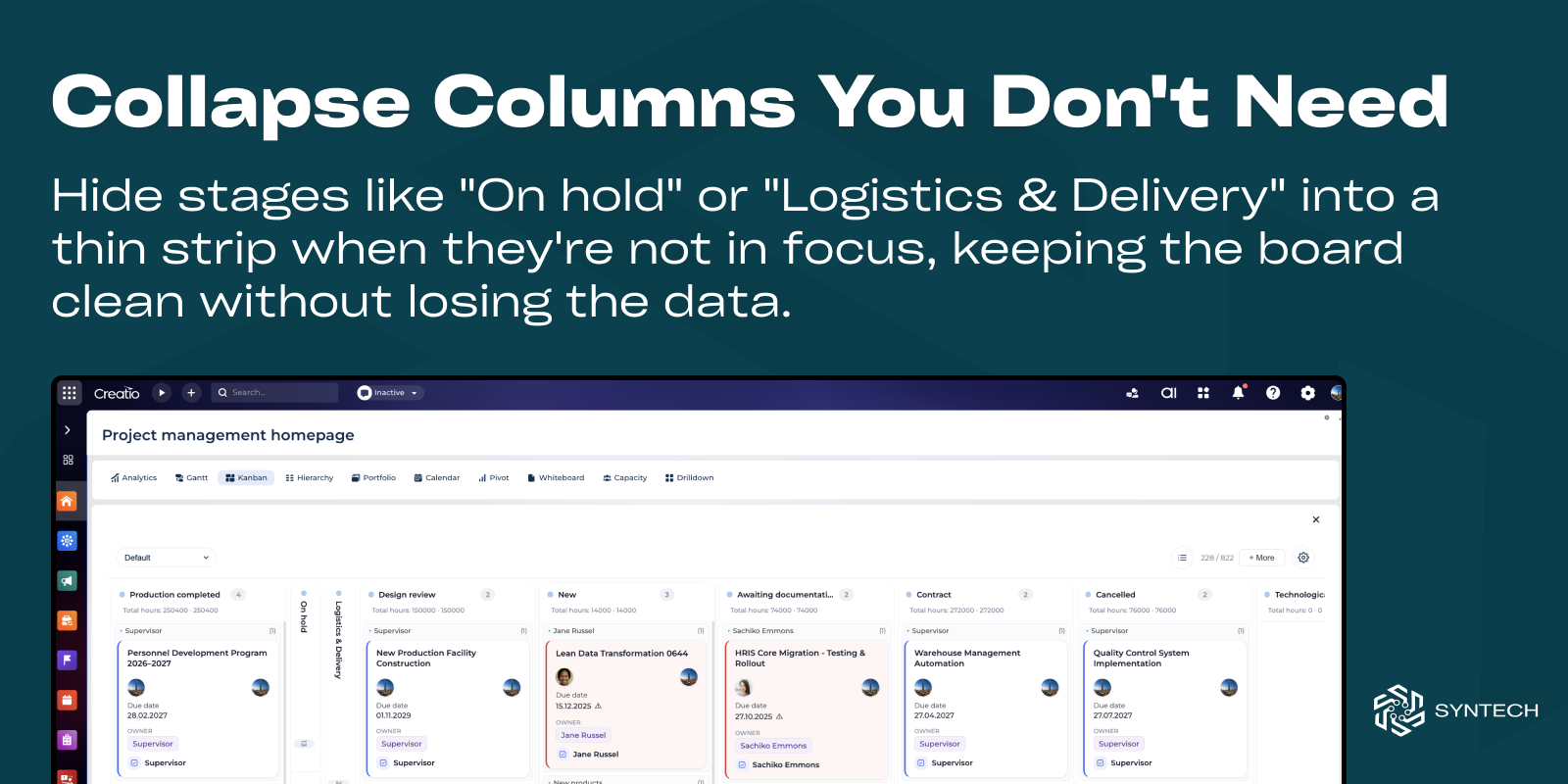
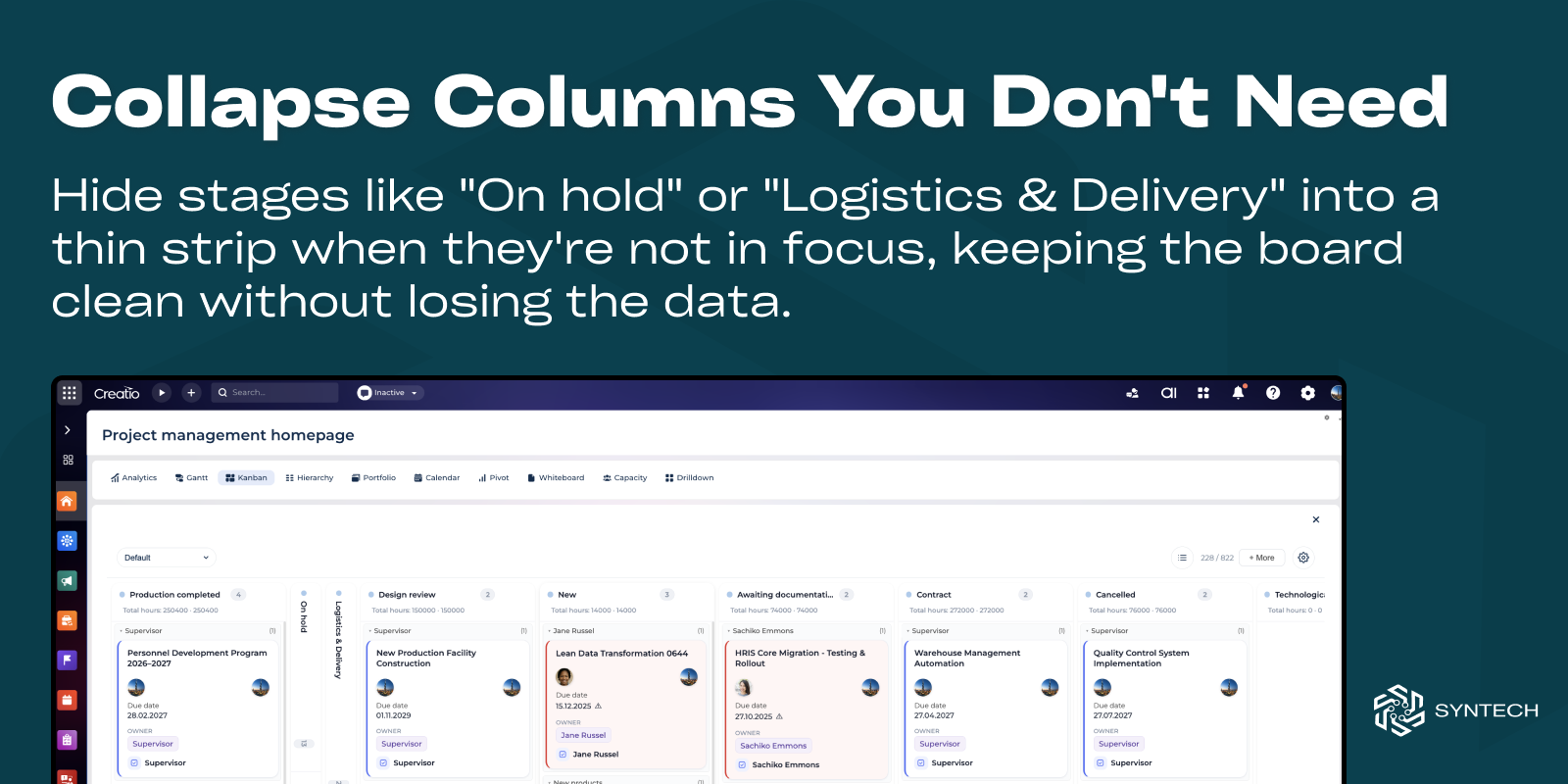
Collapsible Board Columns
Collapse less important stages to keep large Kanban boards clean and focused without hiding your data.
Pricing
Monthly
Annual
Standard
$
100.00 / month
billed annually
Terms and Conditions
By installing this product you agree to terms and conditions outlined in the license agreement.
Support
Support is available for this application
Support is provided by the developer within the “Basic”, “Business” and “Premium“ packages. Detailed information about the support packages and the support terms can be found on the Creatio website.
Installation
Resources
Data sharing
- By installing or downloading the App, you confirm that you agree with sharing your account data (name, email, phone, company and country) with the App Developer as their End User.
- The App Developer will process your data under their privacy policy.
Versions
Versions history
Version
Compatibility
Release date
5.2.0
8.3.0 and up
Release summary
New
- Settings profiles — save multiple board configurations and switch between them from the toolbar; each user's choice is remembered, admins manage the shared set.
- "Syntech Modern" card style — a new selectable board theme with soft cards, tinted status chips, colored stage dots, monospaced amounts and a clean white layout.
Improvements
- Faster live updates — targeted single-card refresh on record changes instead of reloading the whole board; auto-refresh can be toggled per board.
- Full localization (7 languages) — the entire settings editor is now translated (ru, uk, de, en, es, fr, pl), matching the rest of the board.
5.1.0
8.3.0 and up
Release summary
Live updates & performance:
Targeted card refresh. Record changes now update just the affected card (add / update / remove) instead of reloading the whole board. Full refresh happens only on the component's own auto-refresh interval.
Smarter server notifications. The board-refresh signal no longer fires a DB query on every save in the system — the set of Kanban schemas is cached — and is sent after commit, only for the changed record's schema.
Notify only when it matters. The server skips the refresh signal entirely for boards that have auto-refresh turned off (disableAutoRefresh).
Per-stage pagination
Independent column loading (opt-in). Each stage can now load its own pages from the server, so scrolling one column no longer pulls a global page full of other columns' cards.
Stable ordering. Explicit server sort (order column / sort column, with an Id tie-breaker) keeps pagination free of gaps and duplicates.
Faster board rendering: stage sorting and grouping are now memoized.
UI & data fixes
Stage/DCM case switcher no longer disappears after applying a filter or refreshing.
Top-right counter now updates correctly when a filter is applied (client + server filter logic unified).
Loading state on startup — the board shows a spinner while the license check runs, instead of briefly flashing a false "no license" message.
Targeted card refresh. Record changes now update just the affected card (add / update / remove) instead of reloading the whole board. Full refresh happens only on the component's own auto-refresh interval.
Smarter server notifications. The board-refresh signal no longer fires a DB query on every save in the system — the set of Kanban schemas is cached — and is sent after commit, only for the changed record's schema.
Notify only when it matters. The server skips the refresh signal entirely for boards that have auto-refresh turned off (disableAutoRefresh).
Per-stage pagination
Independent column loading (opt-in). Each stage can now load its own pages from the server, so scrolling one column no longer pulls a global page full of other columns' cards.
Stable ordering. Explicit server sort (order column / sort column, with an Id tie-breaker) keeps pagination free of gaps and duplicates.
Faster board rendering: stage sorting and grouping are now memoized.
UI & data fixes
Stage/DCM case switcher no longer disappears after applying a filter or refreshing.
Top-right counter now updates correctly when a filter is applied (client + server filter logic unified).
Loading state on startup — the board shows a spinner while the license check runs, instead of briefly flashing a false "no license" message.
5.0.1
8.3.0 and up
5.0.0
8.3.0 and up
Release summary
Added:
Card position parameter, adding cards before / between existing records.
Subtasks list view on card.
Card layout designer.
Display only actual DCM versions.
4.3
8.3.0 and up
Release summary
New Features
- Kanban auto-configuration based on schema columns
- Bulk actions: multi-select and stage updates
- Business process action buttons
- Compact view mode
No-Code Configuration
- Stage aggregation indicators
- Additional filters
4.2
8.3.0 and up
Release summary
Added:
- Additional description button and modal page.
- Adding custom columns without code.
- Stage refresh button.
4.1
8.3.0 and up
Release summary
Added: Lazy loading, chat via feed(with mention and file uploading) on cards, author avatar, cards inline editing.
Updated UI.
4.0
8.3.0 and up
Release summary
- Added batch loading, DCM case switcher, stage grouping by date, UI settings menu.
- Performance improvements.
3.0.0
8.3.0 and up
Release summary
- Swimlane Grouping — organize by owner/department with automatic updates on drag
- Owner Avatars — photos from Creatio contacts on cards
- Stage Aggregation — totals in headers with currency support
- Progress Visualization — color-coded completion bars
- WIP Limits — prevent bottlenecks with stage limits
- Overdue Tracking — red/yellow highlighting for deadlines
- Collapsible Interface — focus on what matters
1.0.6
8.3.0 and up
1.0.5
8.3.0 and up
Release summary
Added:
- new flag "disableDragAndDrop";
- Add button on board;
Fixed problem with lookup columns display value.
- new flag "disableDragAndDrop";
- Add button on board;
Fixed problem with lookup columns display value.
1.0.4
8.3.0 and up
1.0.3
8.3.0 and up
1.0.2
8.1.5 and up
1.0.1
8.1.5 and up
Release summary
Added any section filters support.
Minor fix.
1.0.0
8.1.5 and up
Release summary
Initial release.
Manual app installation
- Open the needed app → the Packages tab - download the Markeplace app files.
- Click in the top right → Application Hub
- Click New application. This opens a window.
- Select Install from file and click Select in the window that opens.
- Click Select file on the page of the Marketplace App Installation Wizard and specify the app file path.