

Syntech Notification Center for Creatio
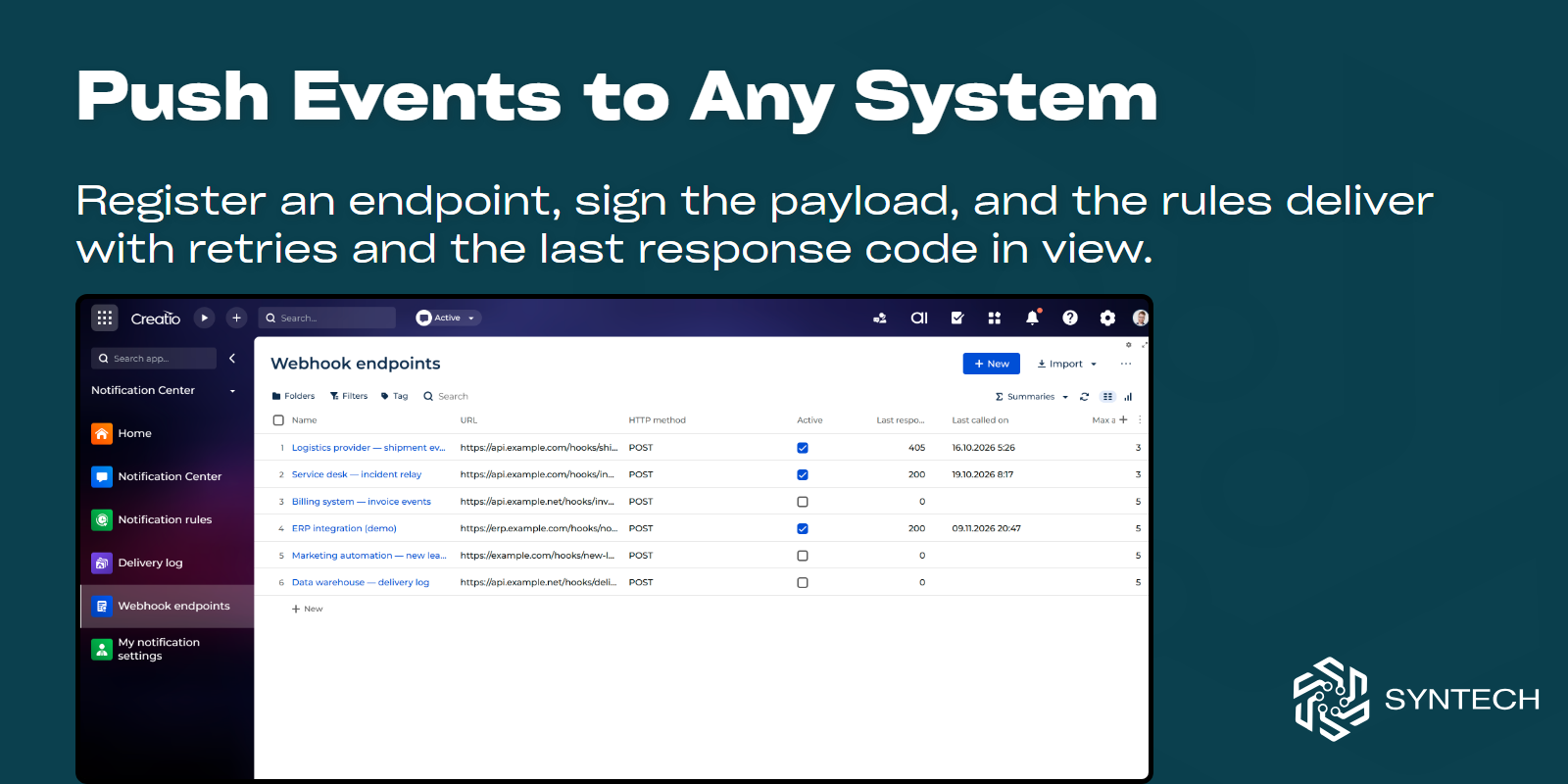
Automate notifications across all Creatio objects and channels, including email, SMS, messengers, mobile push and webhooks. Configure rules without code, test delivery and track every notification to ensure timely communication and full visibility.
Overview
Product overview
Product description
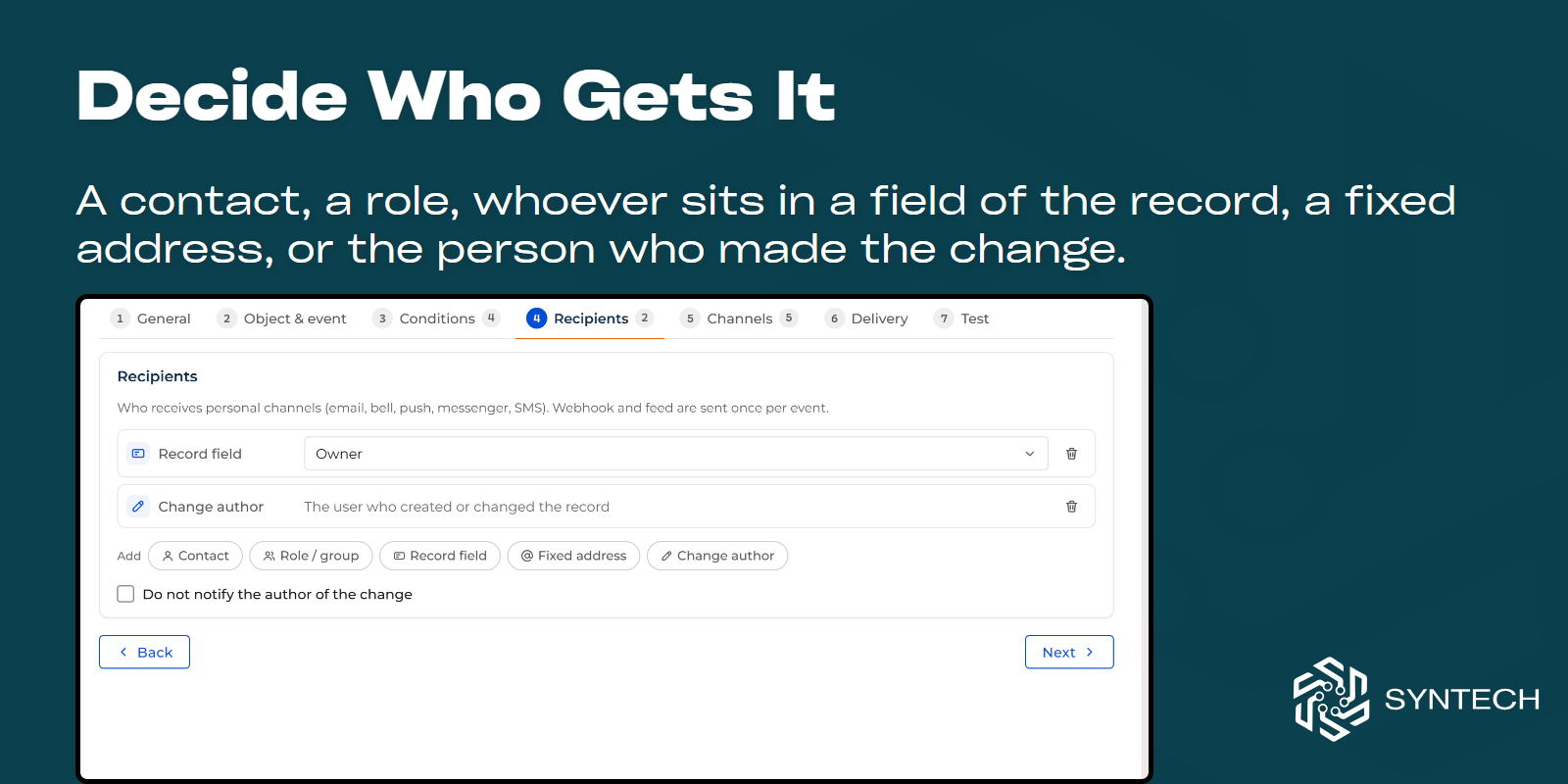
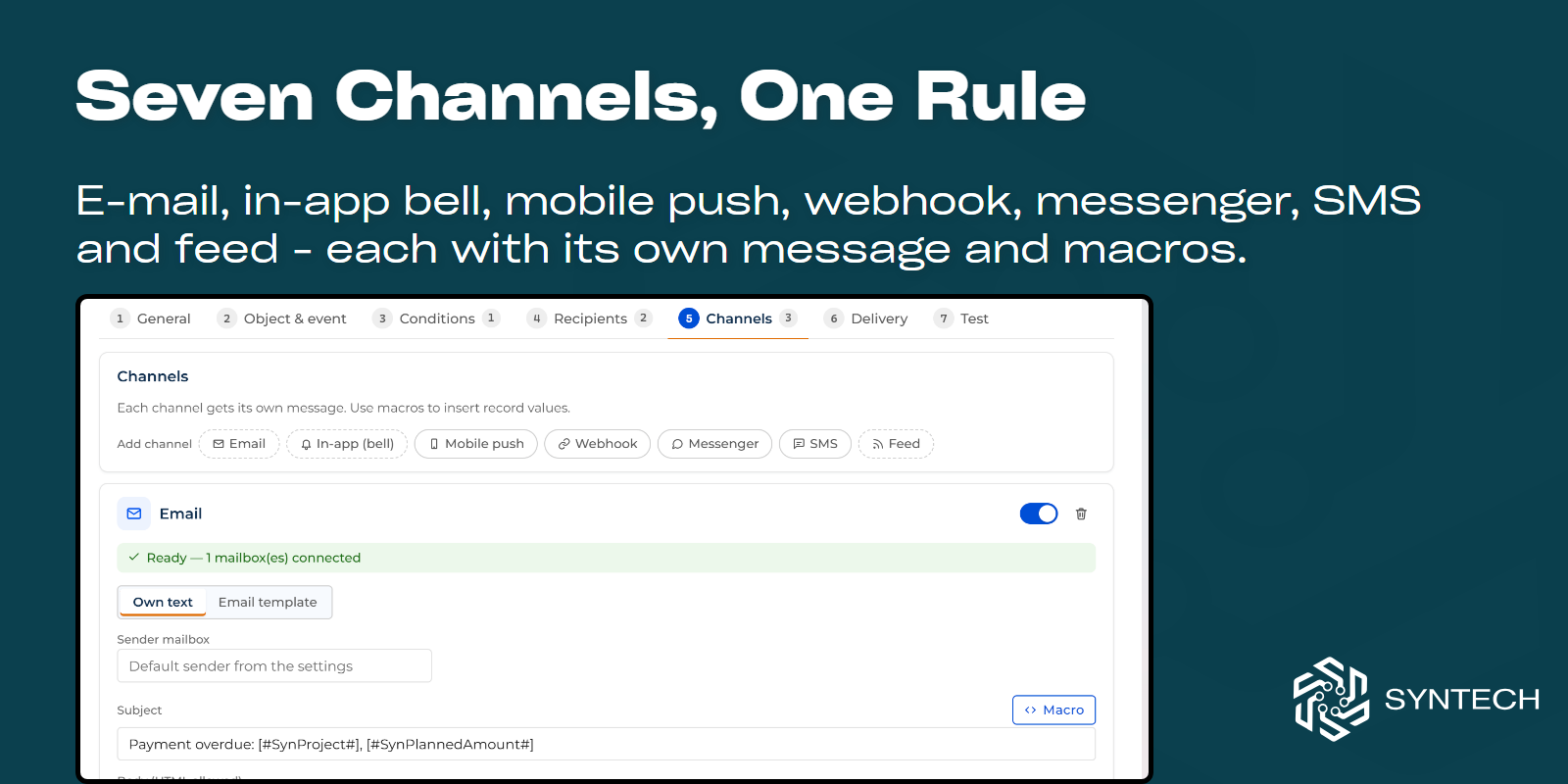
Syntech Notification Center for Creatio helps you manage all Creatio notifications from one no-code interface. Configure rules for standard and custom objects, define triggers, conditions, recipients and delivery channels. Support email, mobile push, messengers, SMS, feeds and webhooks, with delivery tracking, employee preferences, quiet hours and secure access.
Key Features
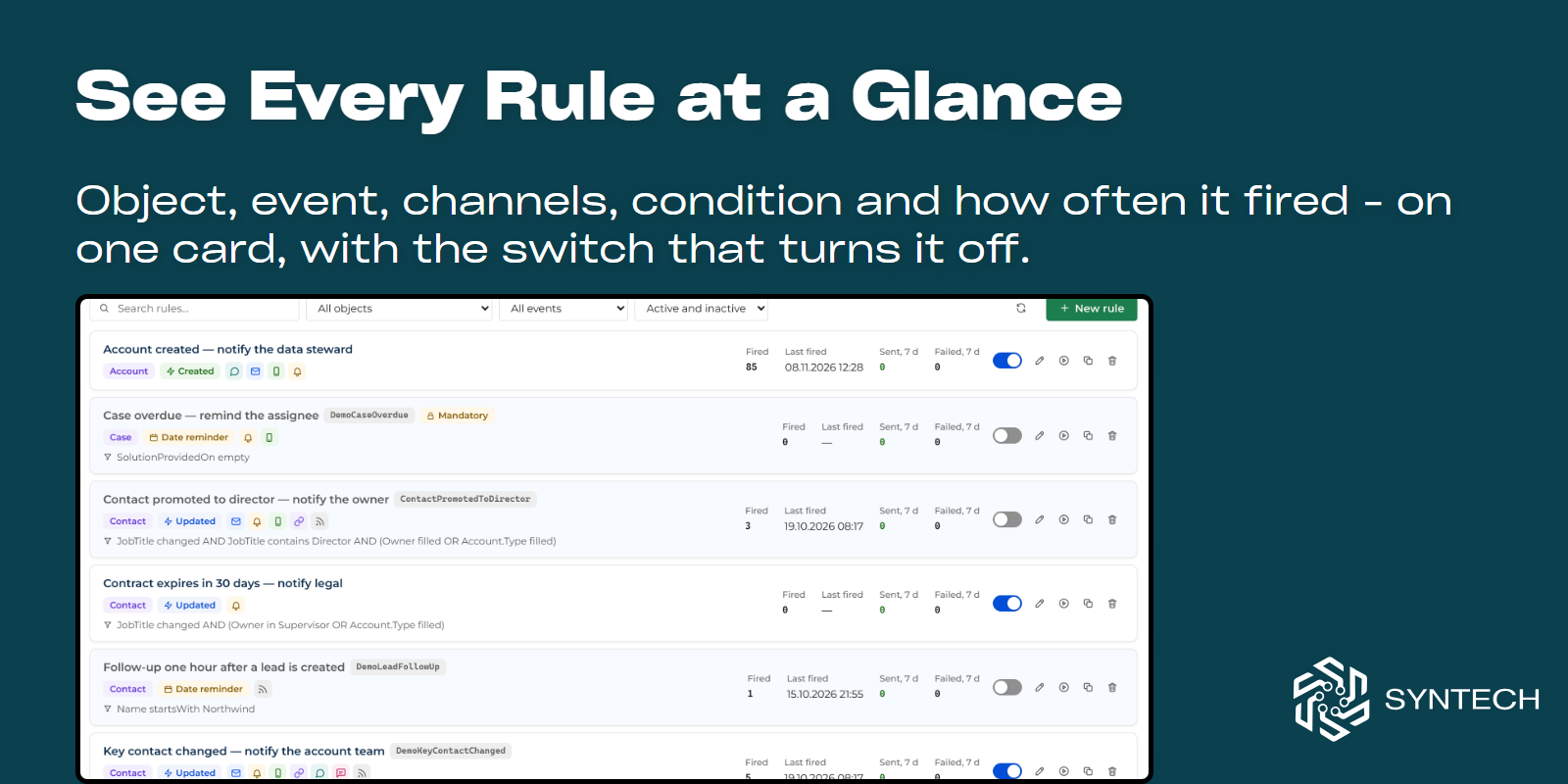
Notification Center console
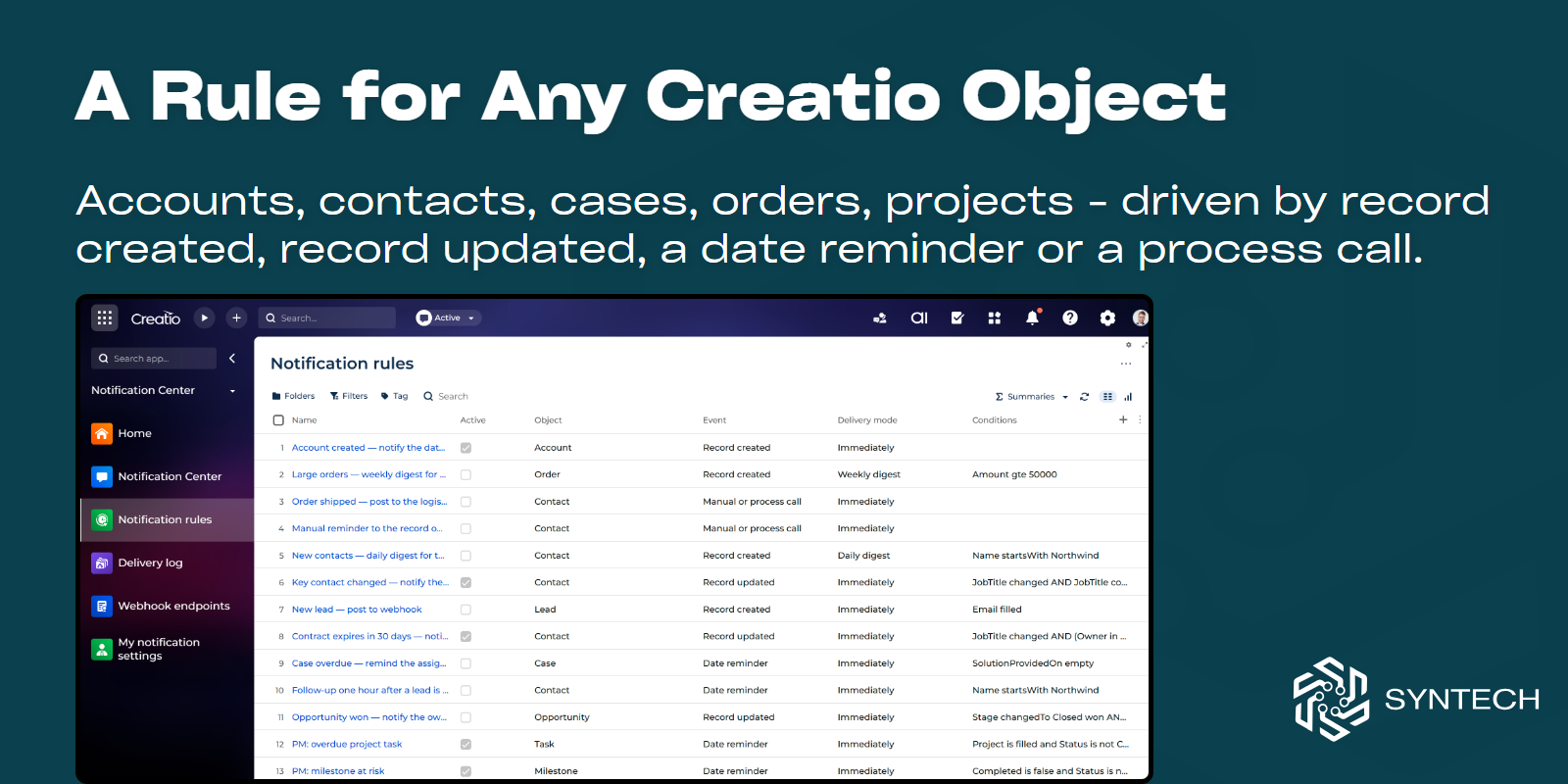
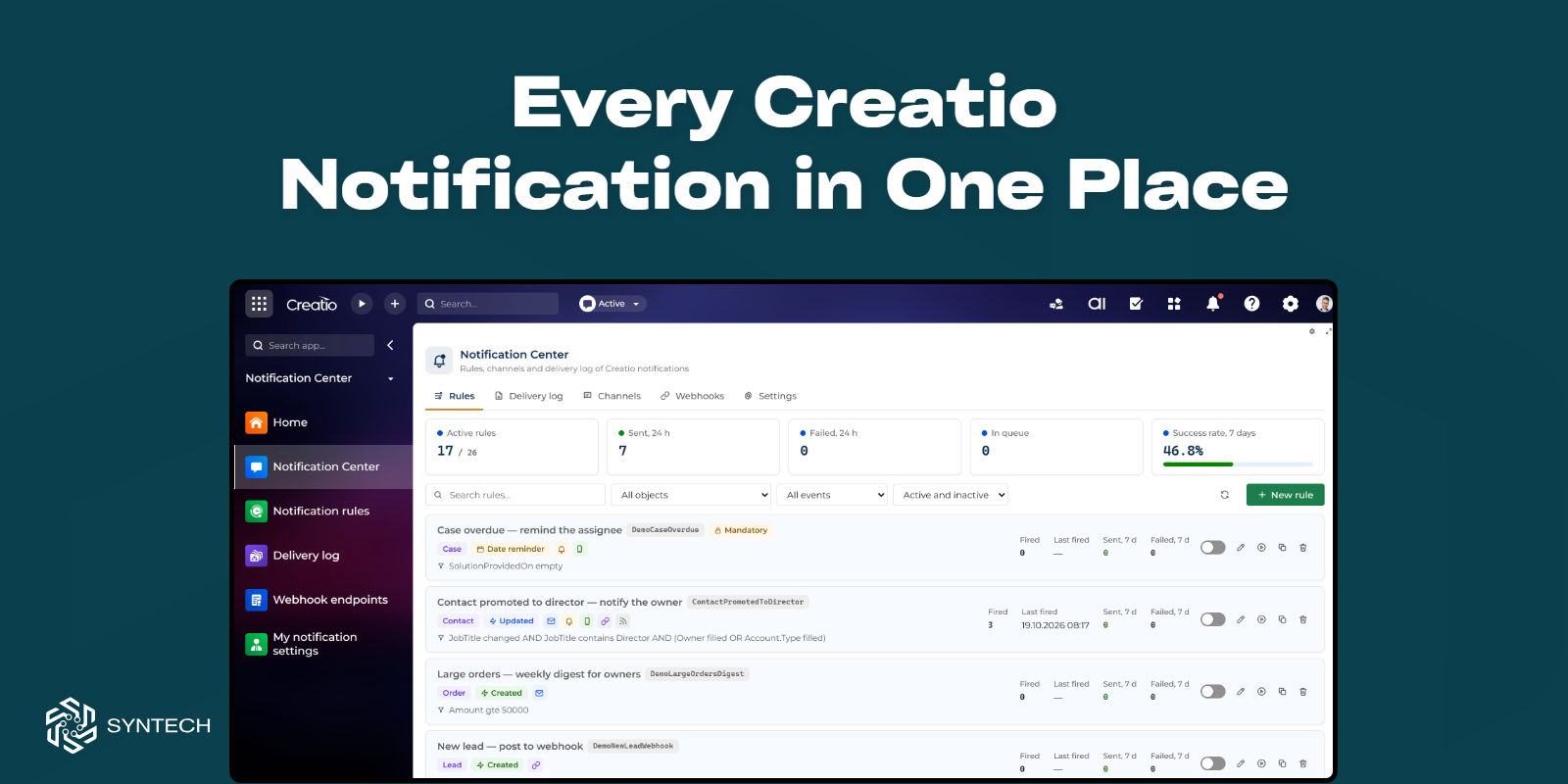
All notification rules in one place: active status, object, trigger, channels, conditions, and how many messages each rule sent and failed over the last 7 days. Key figures (sent, failed, queued, success rate) are shown on top.
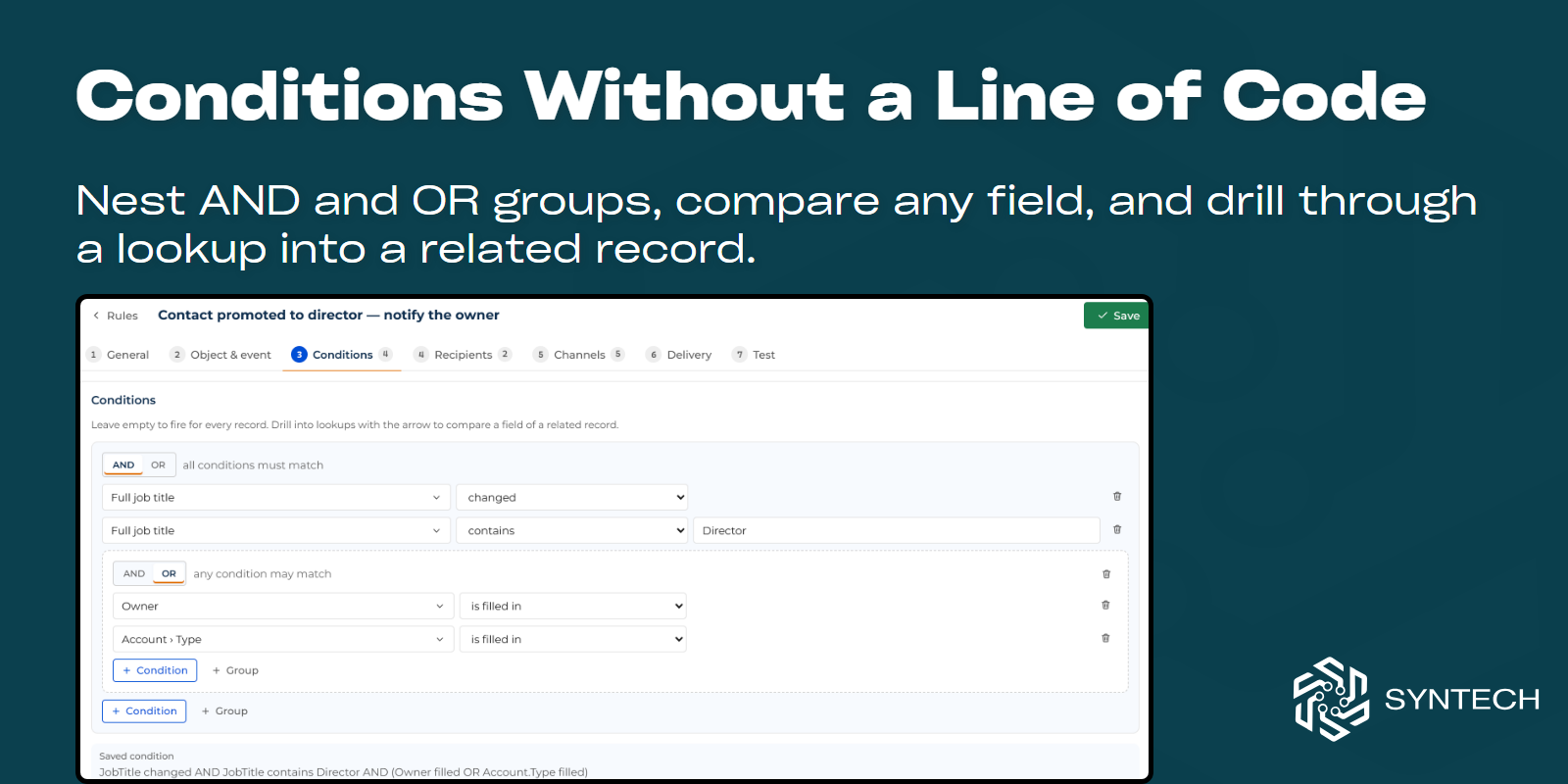
Flexible conditions builder
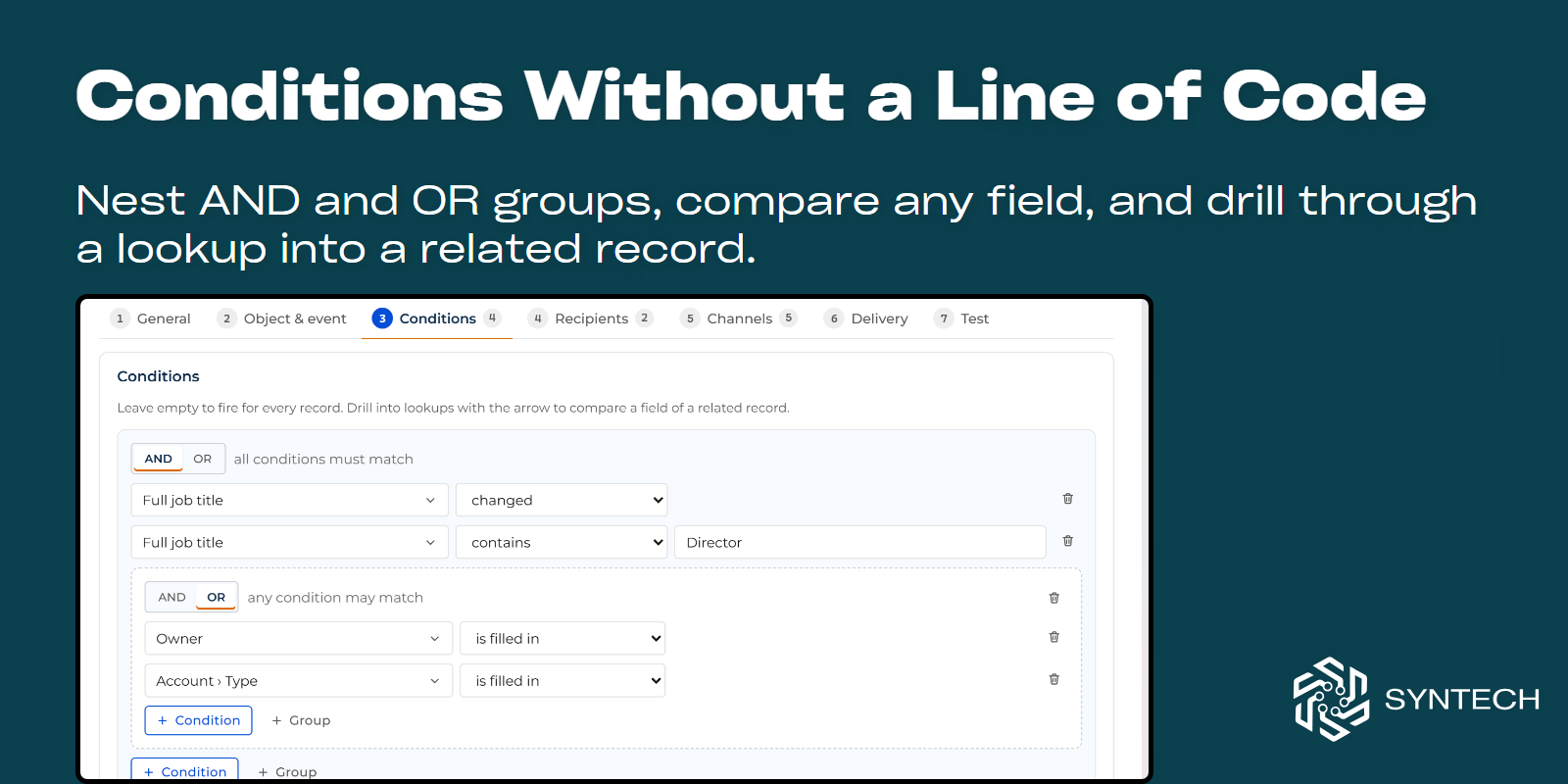
Combine AND/OR groups, compare fields of the record or its related records, and react only when a field changes to or from a specific value. Values are picked from searchable lookups.
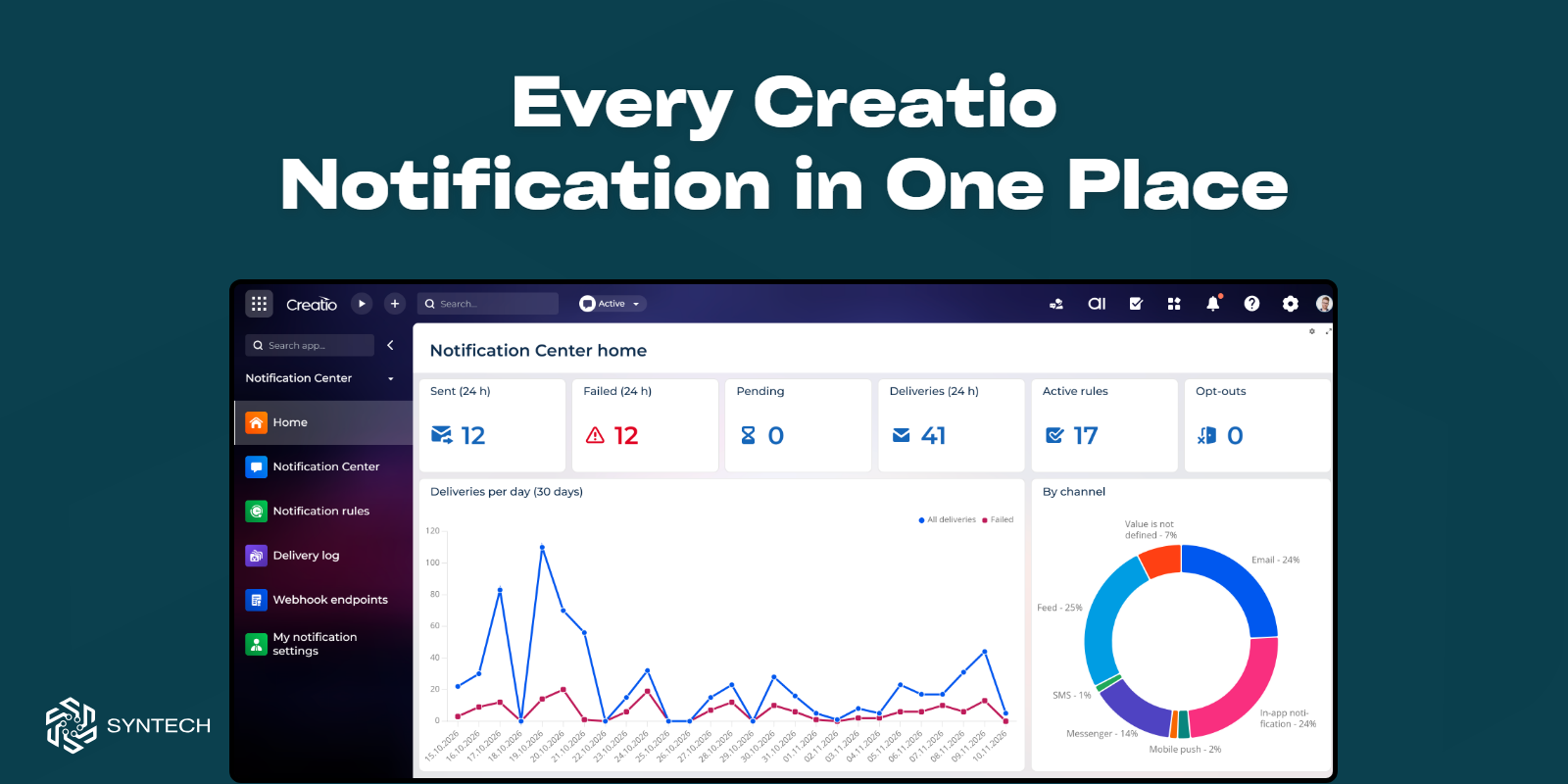
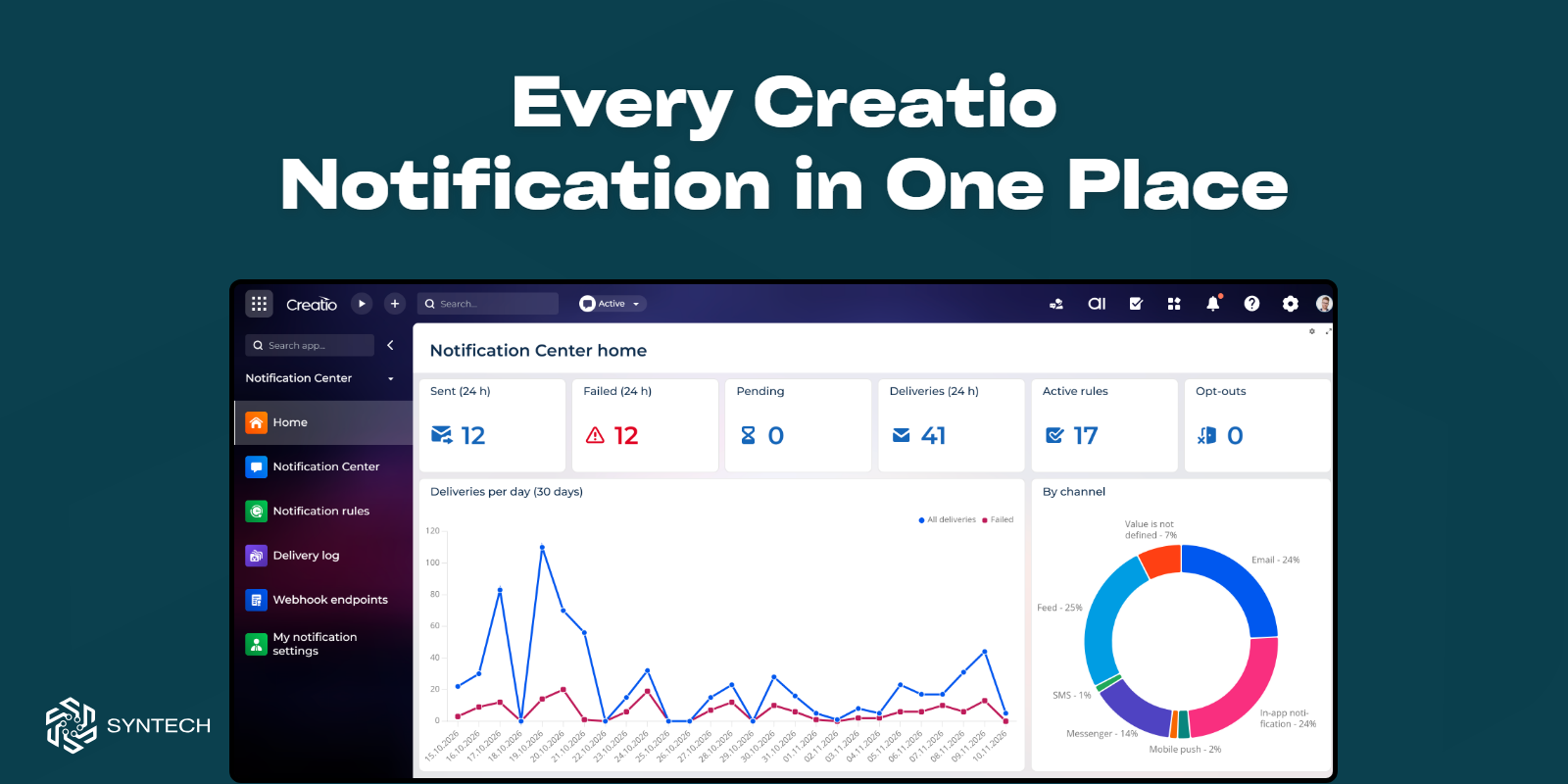
Delivery log and analytics home page
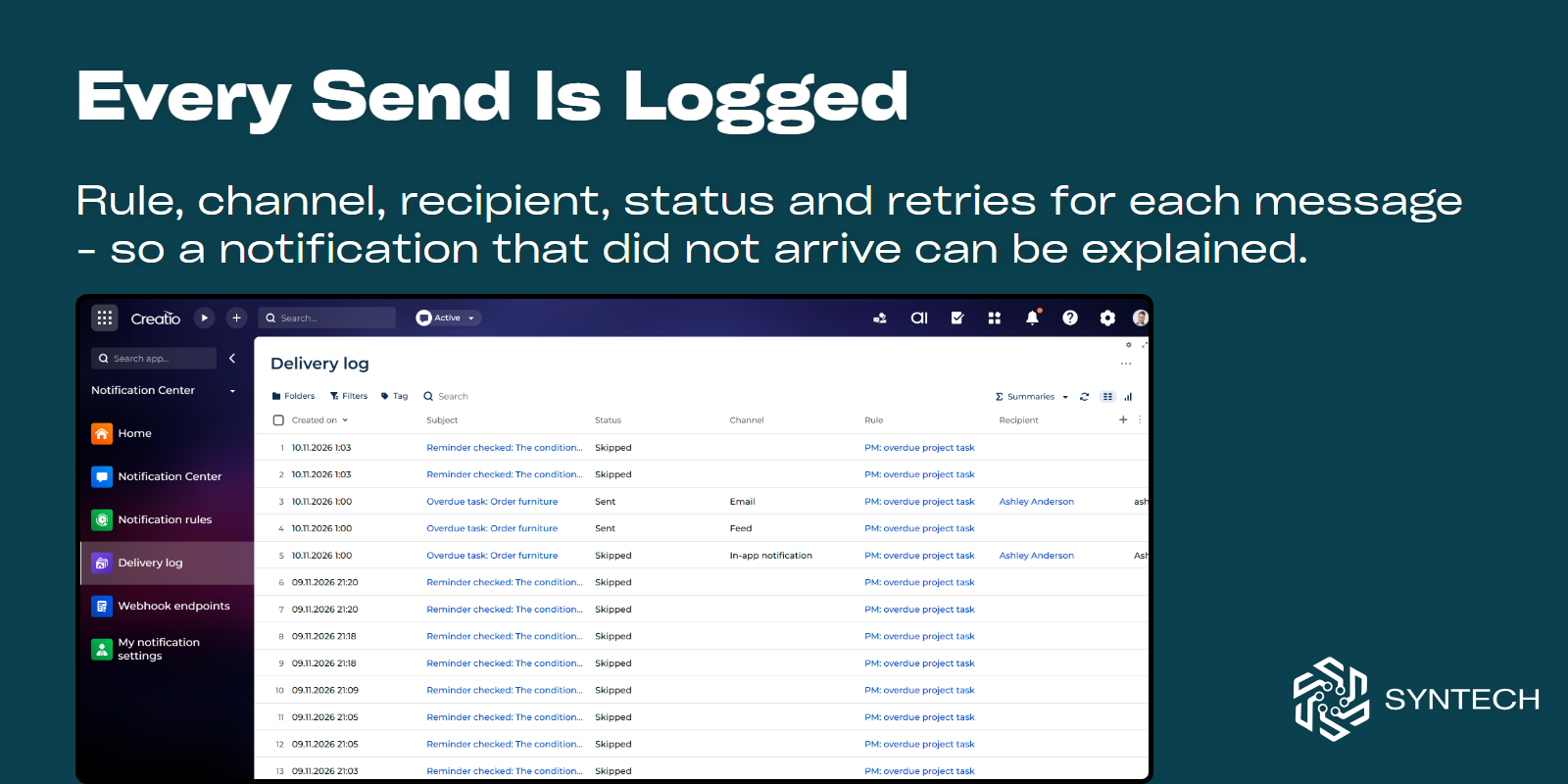
Every notification is logged with its status, attempts, response code and error, and can be retried with one click. The home page and section dashboards show delivery trends, the channel mix, failures and the top rules.
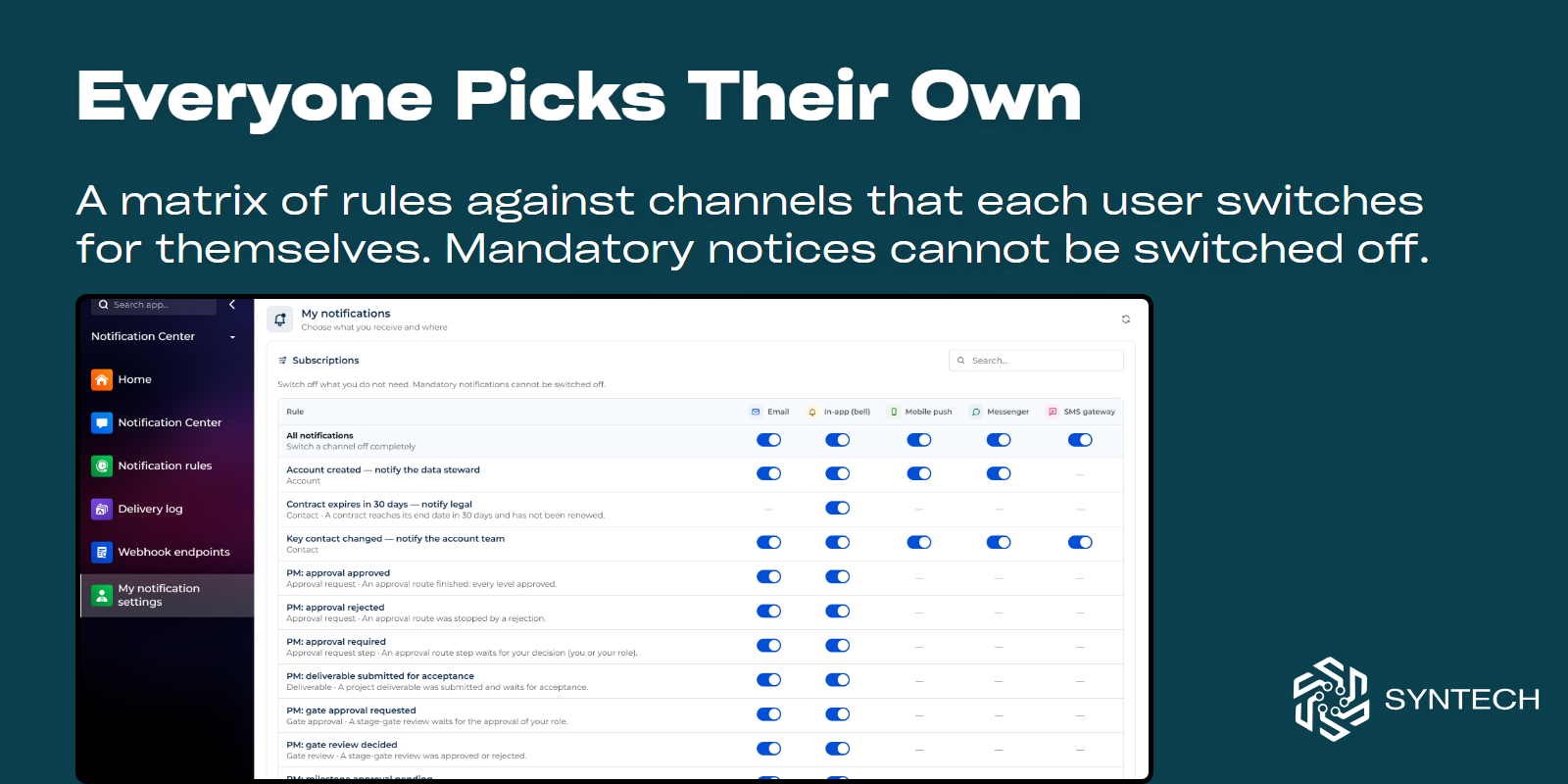
Personal notification settings
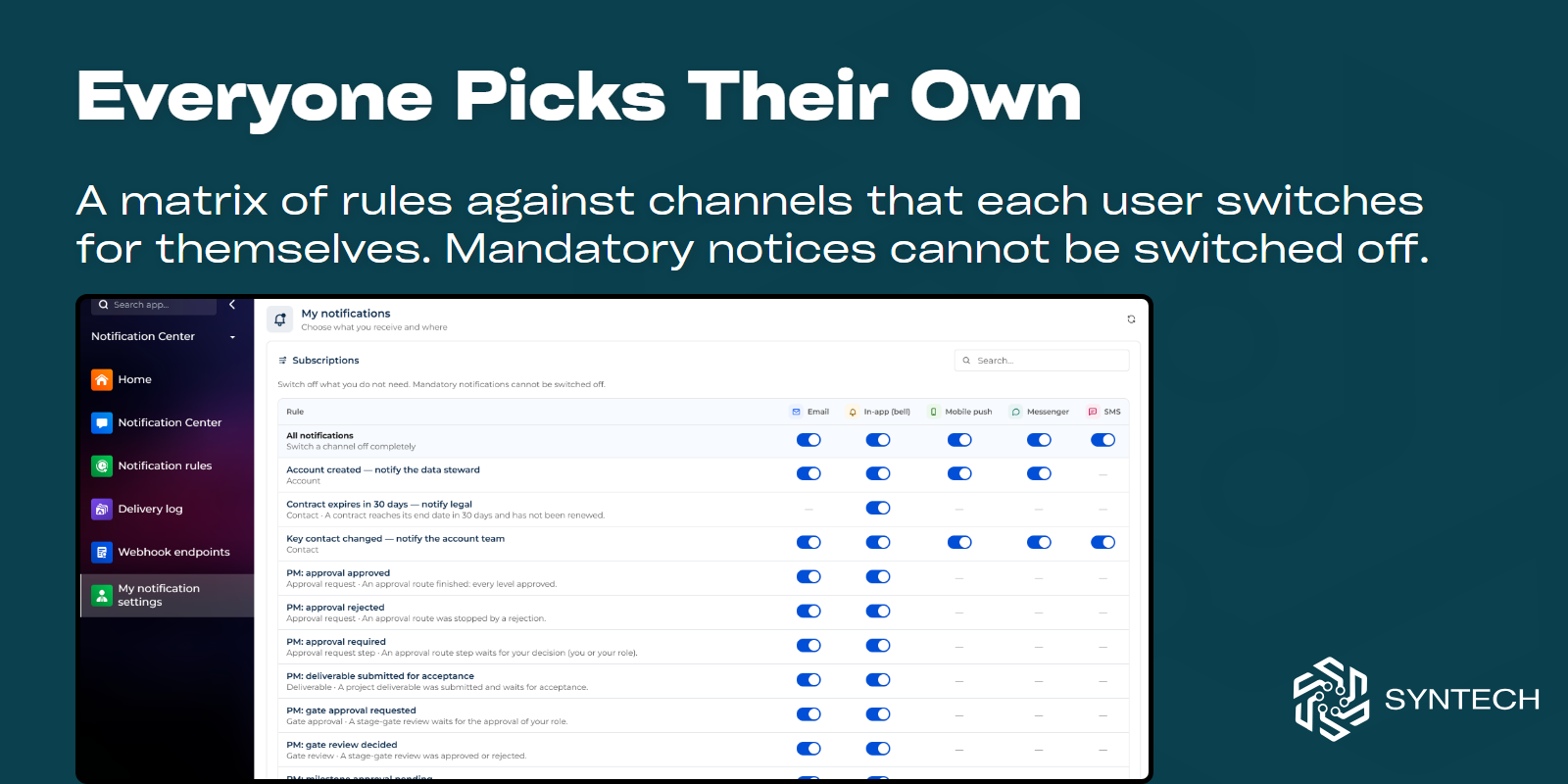
Employees switch off the rules and channels they do not need, set quiet hours and review their recent notifications. Mandatory notifications stay locked.
Pricing
Monthly
Annual
Standard
$
150.00 / month
billed annually
Terms and Conditions
By installing this product you agree to terms and conditions outlined in the license agreement.
Support
Support is available for this application
Support is provided by the developer within the “Basic”, “Business” and “Premium“ packages. Detailed information about the support packages and the support terms can be found on the Creatio website.
Installation
Resources
Data sharing
- By installing or downloading the App, you confirm that you agree with sharing your account data (name, email, phone, company and country) with the App Developer as their End User.
- The App Developer will process your data under their privacy policy.
Versions
Versions history
Version
Compatibility
Release date
1.0.0
8.3.4 and up
Release summary
Enable more flexible customer communication through configurable notification channels.
Strengthen data protection with encrypted credentials and masked sensitive information.
Improve user adoption with consistent multilingual support across all 9 interface languages and clearer email previews.
Ensure reliable email delivery across different Creatio loading scenarios.
Manual app installation
- Open the needed app → the Packages tab - download the Markeplace app files.
- Click in the top right → Application Hub
- Click New application. This opens a window.
- Select Install from file and click Select in the window that opens.
- Click Select file on the page of the Marketplace App Installation Wizard and specify the app file path.