CPQ Agent for Creatio

Not rated
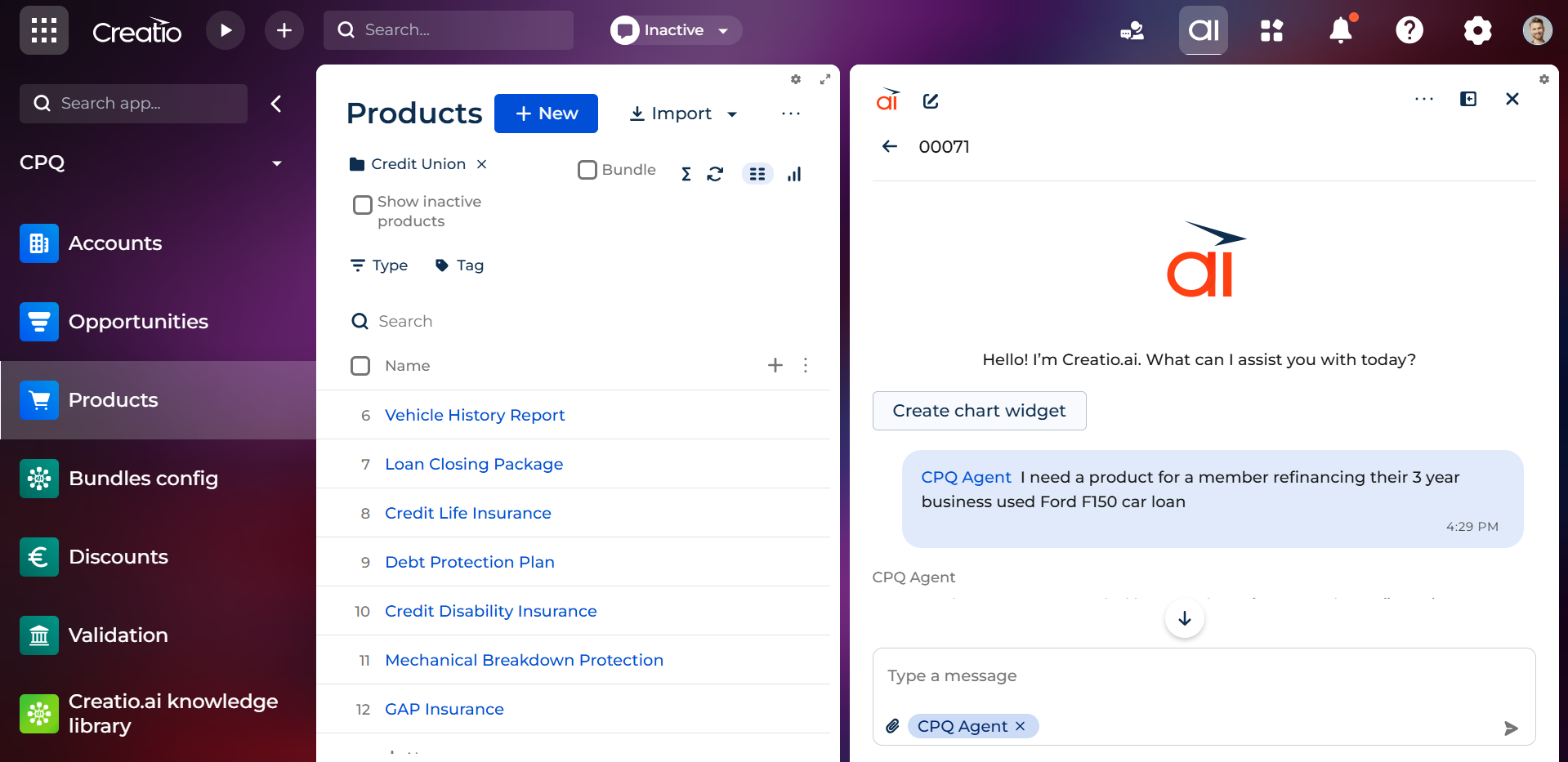
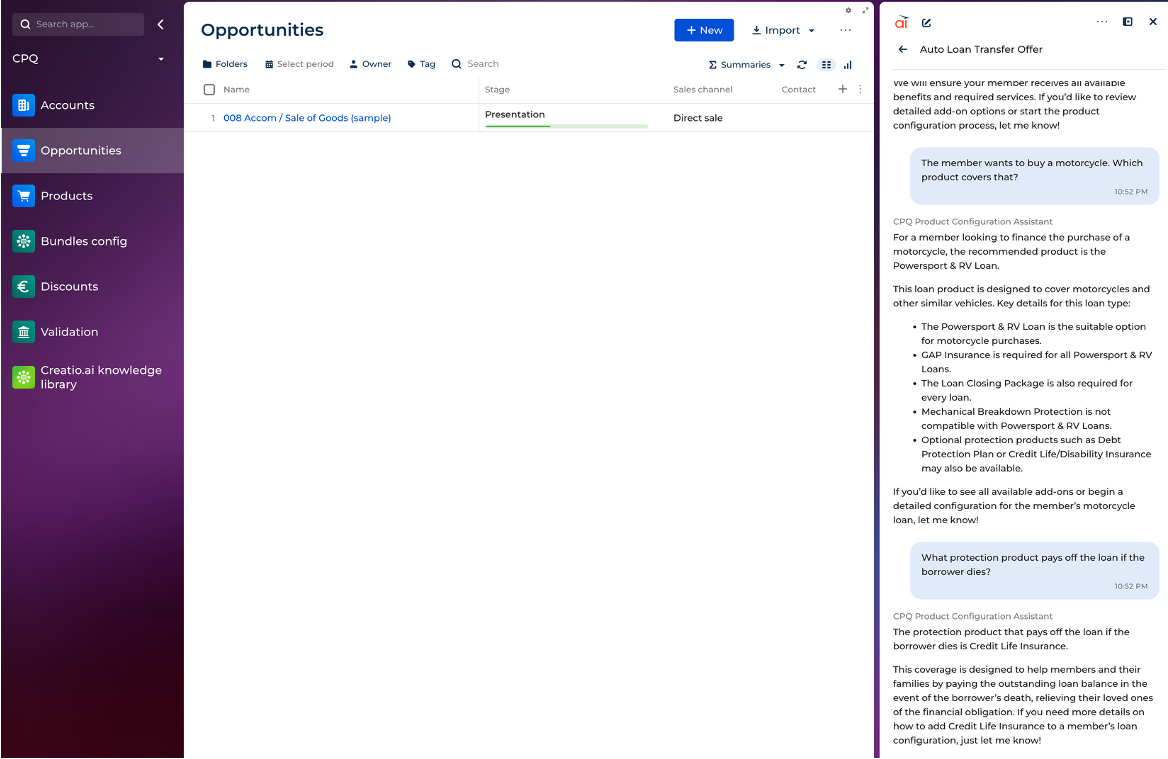
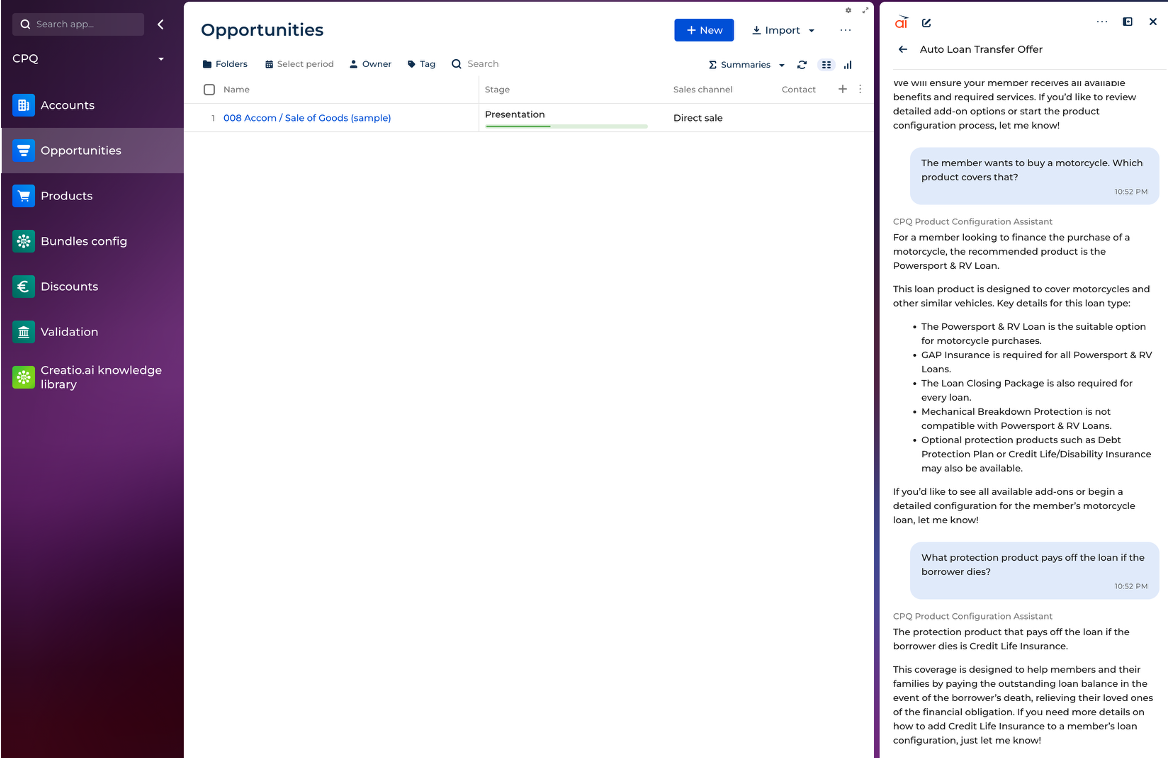
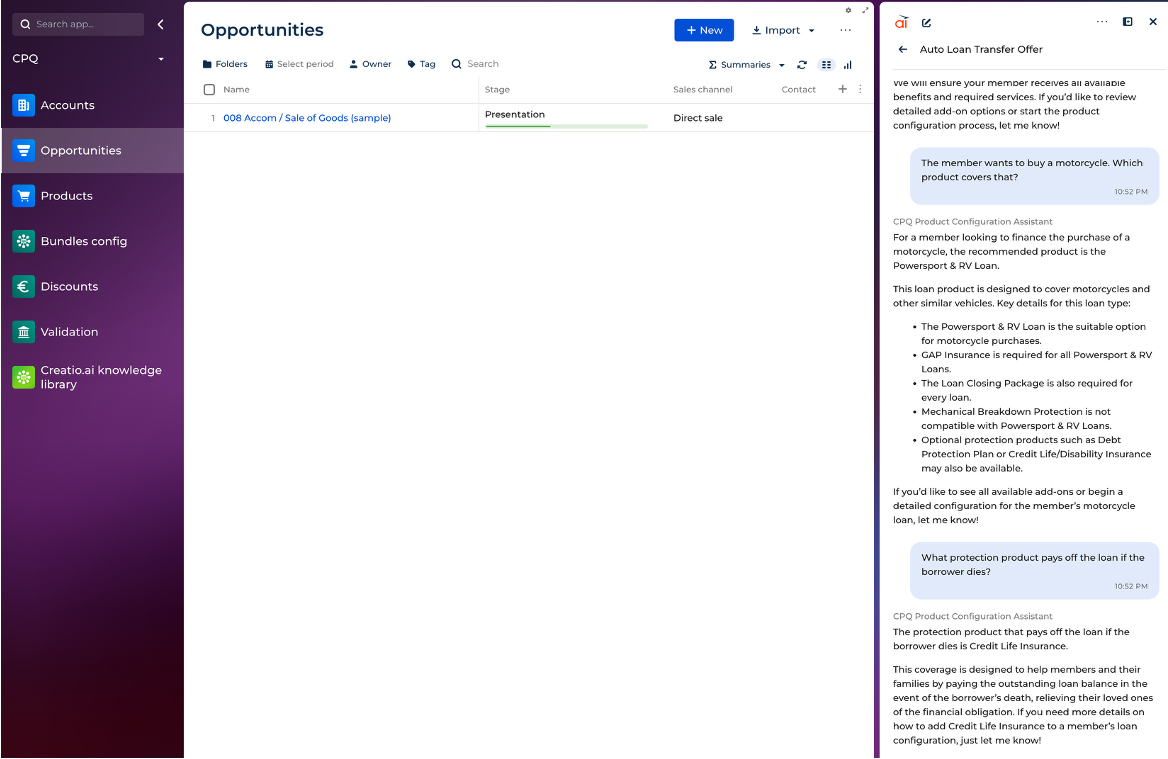
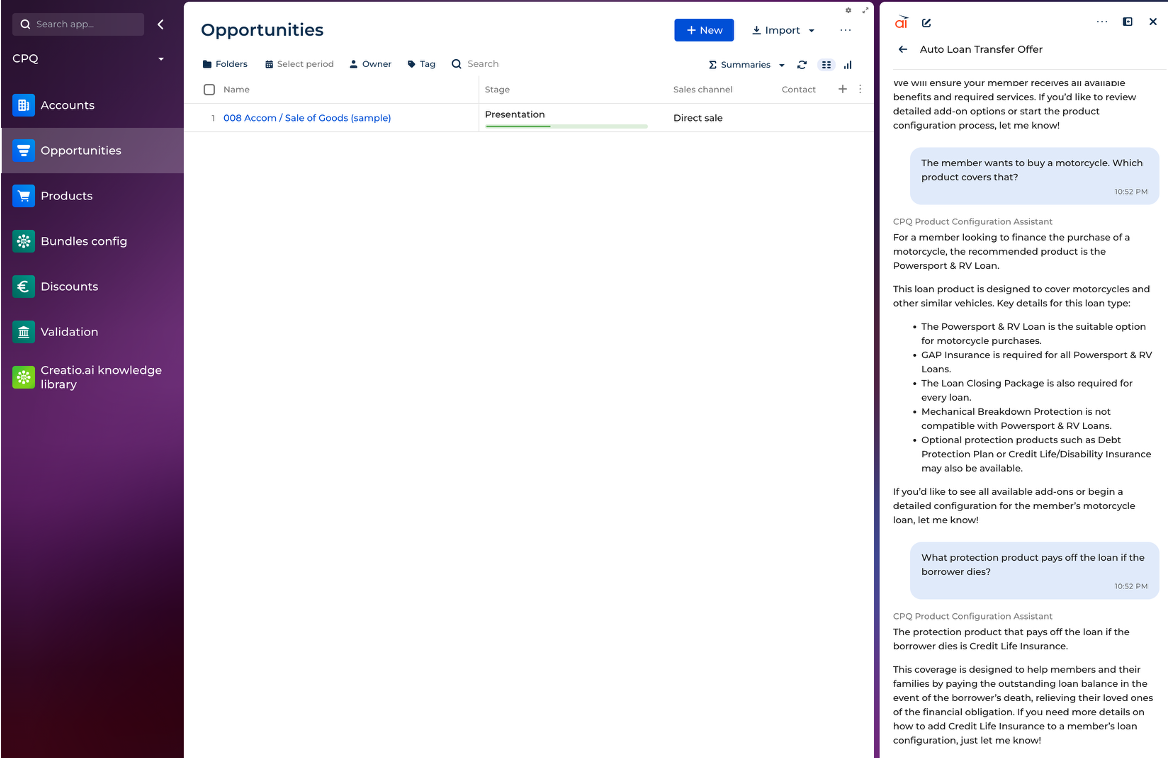
CPQ AI Agent is a conversational agent that turns natural language into configured quotes. Sales reps describe what their customer needs, and the agent recommends the right products, resolves dependencies, and creates a validated Opportunity.

Overview

Product overview

Product description

CPQ AI Agent adds a conversational AI layer on top of CPQ for Creatio. Instead of navigating product catalogs and configuration screens, sales reps describe the customer's situation in natural language. The agent uses a domain-specific knowledge base (RAG) to recommend the right products, automatically surfaces required accessories and services, flags incompatible combinations, and creates a validated Opportunity in Creatio. All through a chat interface.
 

Built entirely on Creatio's native AI framework (AI Agents, AI Skills, AI Actions), CPQ AI Agent requires no external AI services or custom integrations. It leverages the existing CPQ for Creatio product rules, dependency tables, and validation logic. Adding conversational intelligence without replacing the underlying CPQ engine.

Key Features
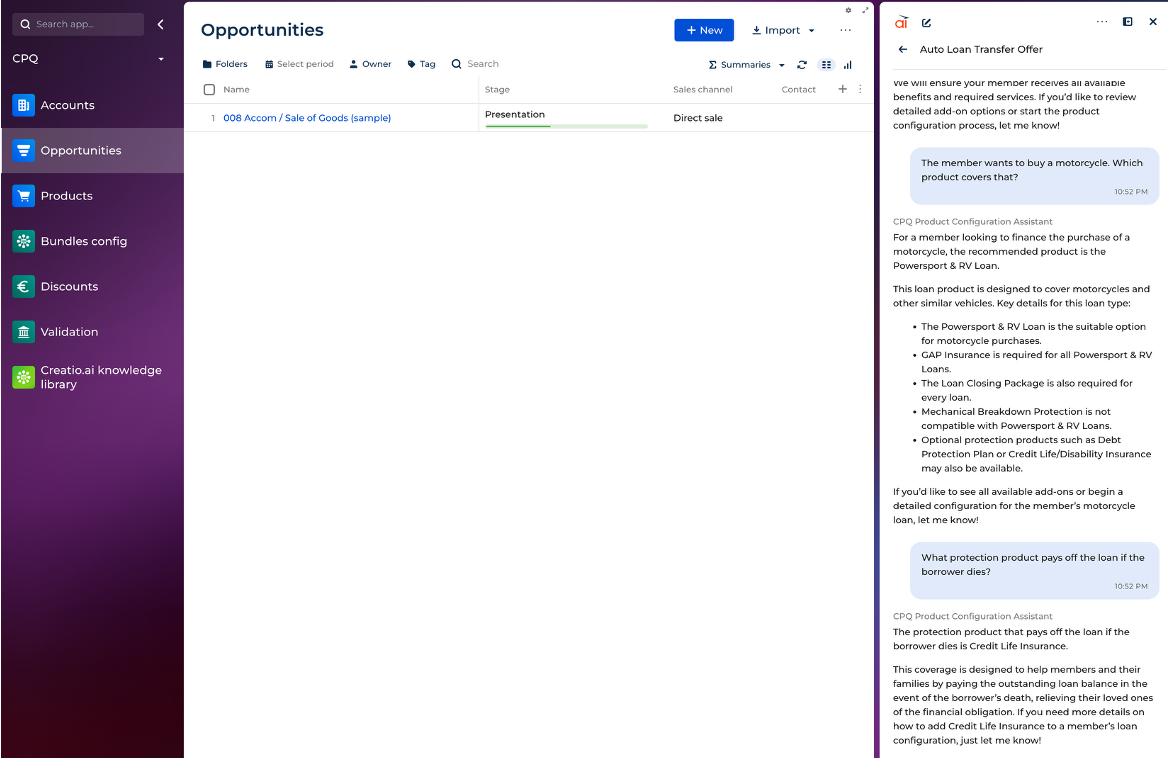
Conversational product discovery
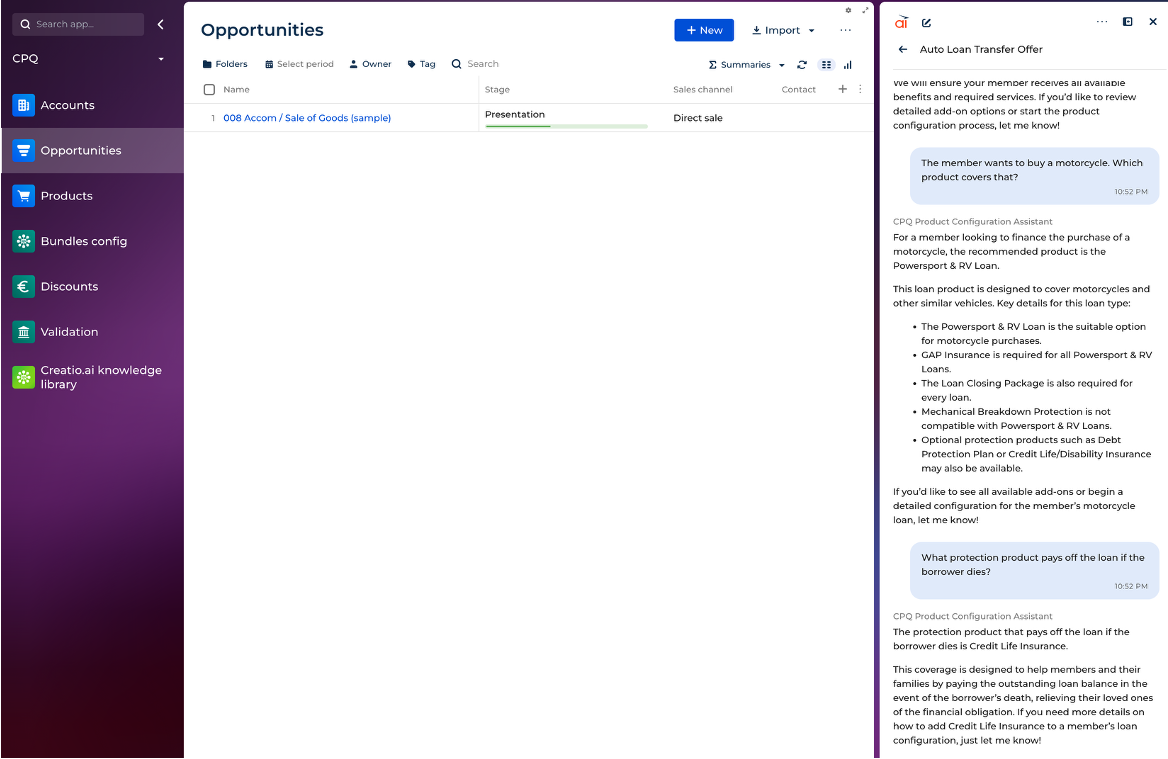
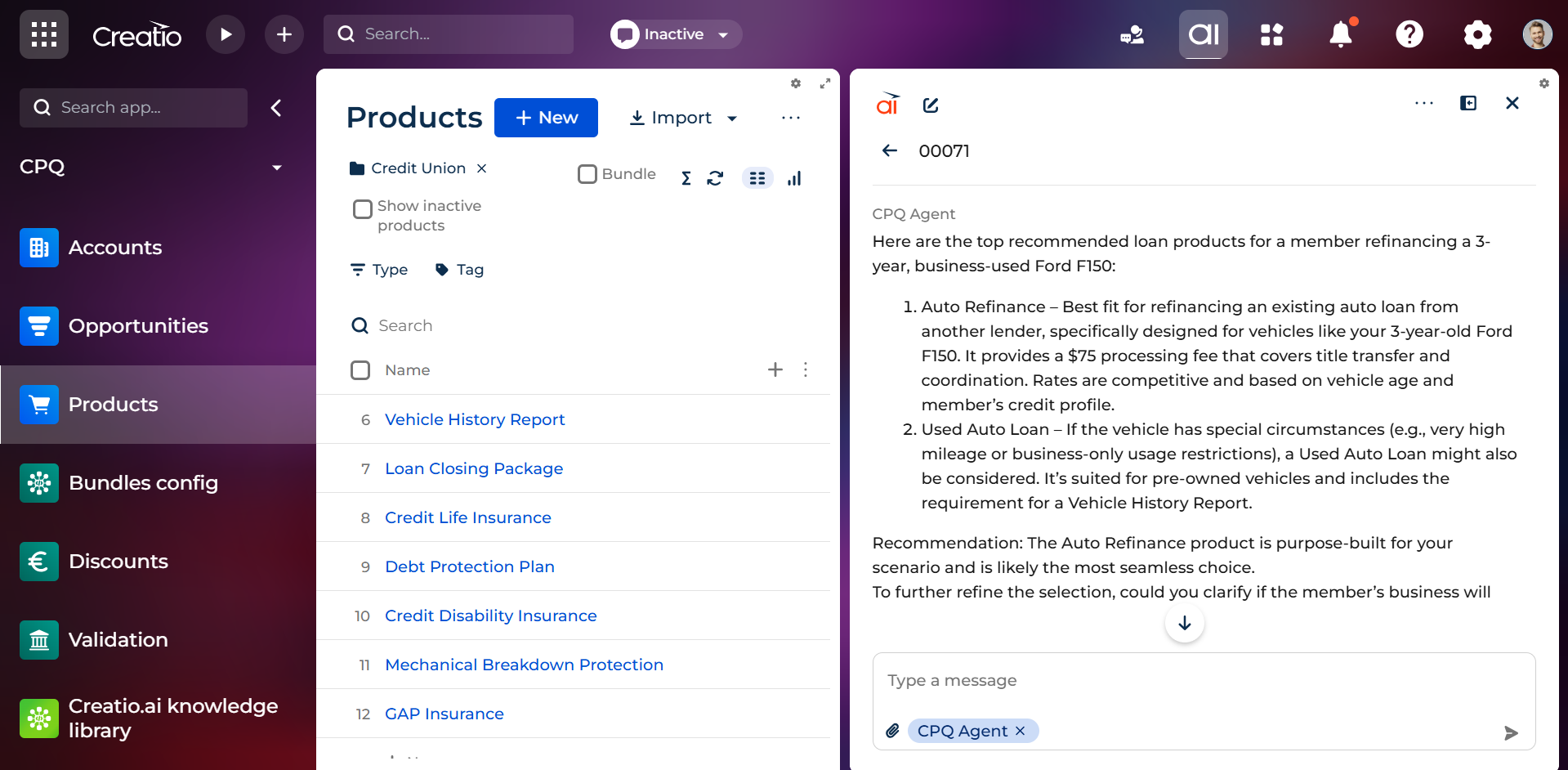
Sales reps describe a customer's situation in plain language. The agent matches context to the right products using a domain-specific knowledge base — not just keyword search across the catalog.

Automatic dependency resolution

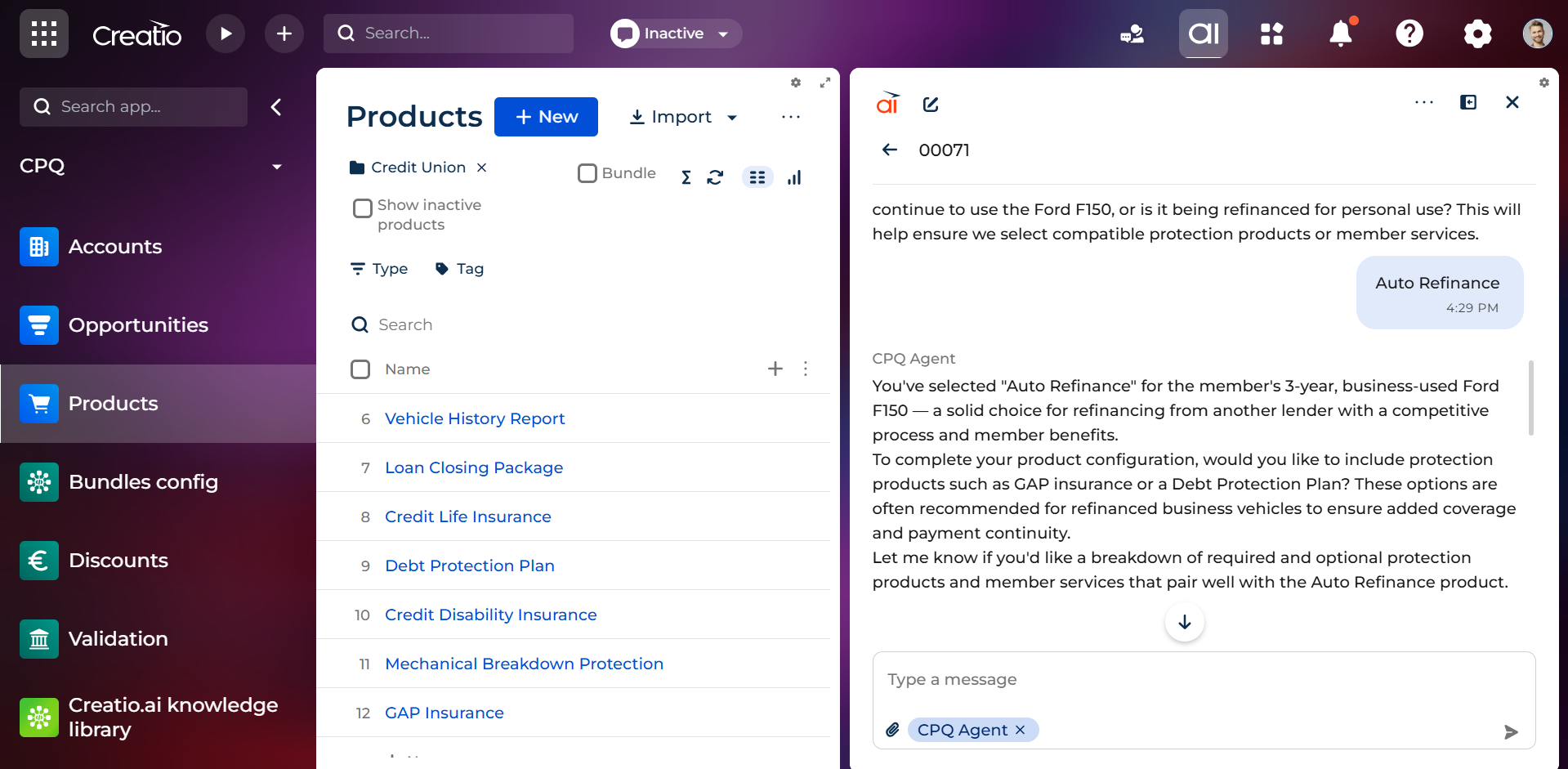
When a product is selected, the agent immediately surfaces required accessories, optional add-ons with situational recommendations, and incompatible items — without the rep having to ask.

Knowledge-grounded recommendations

A RAG knowledge base encodes domain expertise in "choose X when..." decision guides. The agent recommends products based on the customer's context, not just what exists in the catalog.

One-conversation quoting

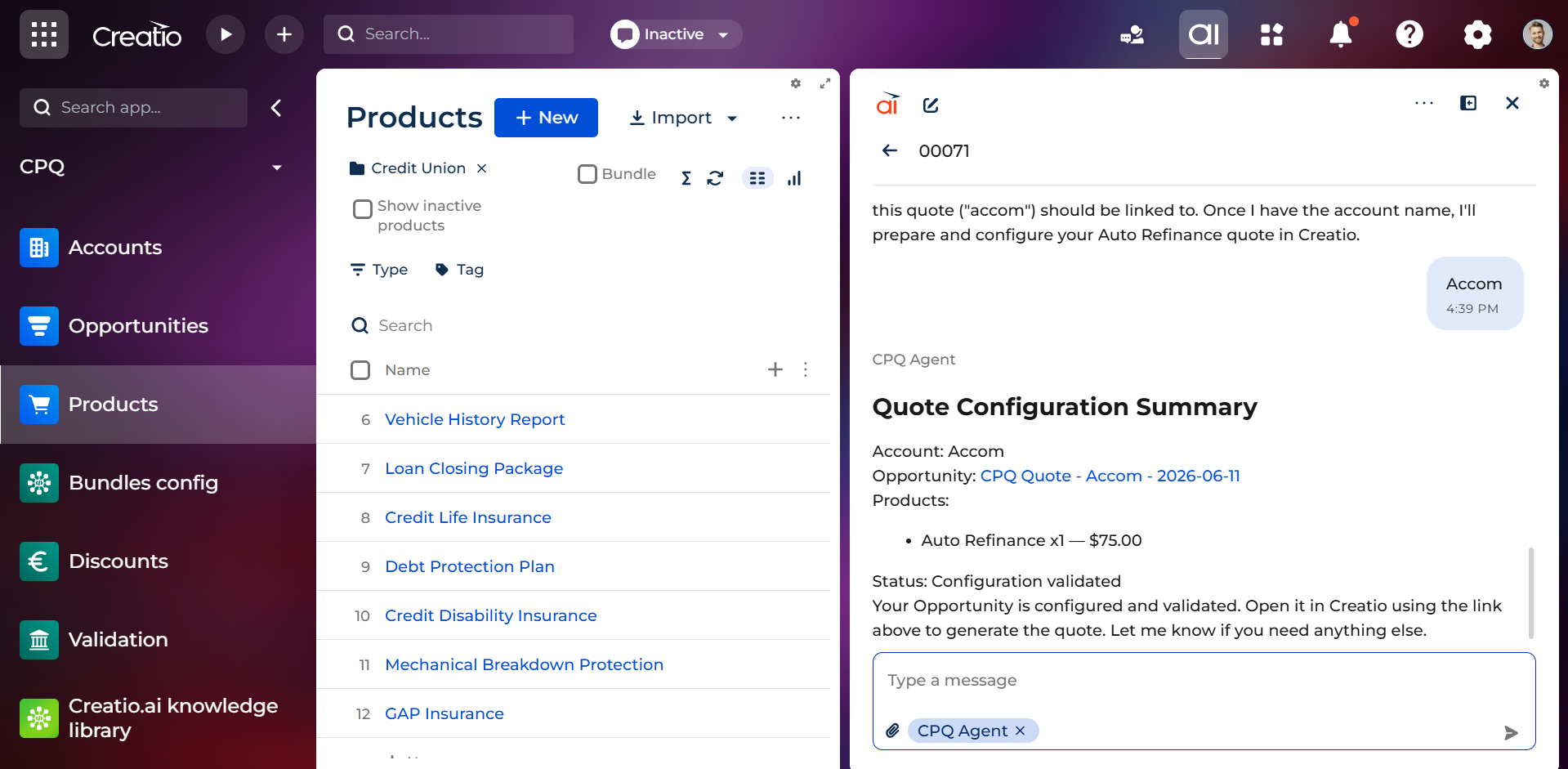
From product discovery through Opportunity creation and CPQ validation — the entire flow happens in a single chat conversation. No screen switching, no form filling.

CPQ rule validation

The agent validates the product configuration against ATN CPQ group rules (minimum/maximum quantities, compatibility) before presenting the summary. Invalid configurations are flagged with clear explanations.

Graceful scope boundaries

The agent declines questions outside its expertise (pricing negotiations, discounts, unrelated topics) and redirects to the appropriate person. No hallucinated answers.

Creatio Features

App feature

UI Framework

UI Framework
Freedom UI

Type

Type
AI Agent

Price

Price
Paid

Compatible with Creatio

Version
8.3.3

Release information

Launched:
Updated:

Pricing

Monthly
Annual
Standard
$ 15.00 user / month
billed annually
From 10 users
CPQ AI Agent is a conversational add-on for CPQ for Creatio. An active CPQ for Creatio license is required for each user. AI token consumption is billed separately through your Creatio AI service subscription.

Terms and Conditions

By installing this product you agree to terms and conditions outlined in the license agreement.

Support

Support is available for this application
Support is provided by the developer within the “Basic” and “Business” packages. Detailed information about the support packages and the support terms can be found on the Creatio website.

Installation

Setup guide

Book a demo to see the CPQ AI Agent in action. We'll walk through a live conversation — from product discovery through validated Opportunity — using your product catalog. After the session, you'll receive the setup guide covering AI Agent configuration, knowledge base authoring, business process deployment, and end-to-end testing.

Compatibility notes

Compatibility notes
Requires CPQ for Creatio installed on the same instance. The AI Agent uses Creatio's native AI framework, which must be enabled and configured with any AI service subscription. Cloud deployment only, on-premise is not supported.

Product compatibility

UI Framework

Freedom UI

Deployment Options

Cloud

DBMS

PostgreSQL
MS SQL

Platform

.NET Framework
.Net 8 (supported from 8.2.1)

Compatible with Creatio

8.3.3

Versions

Versions history

Version
Compatibility
Release date
1.0.0
8.3.3
June 11, 2026
Release summary
Frictionless sales with CPQ Agent for Creatio

Manual app installation

  1. Open the needed app → the Packages tab - download the Markeplace app files.
  2. Click in the top right → Application Hub
  3. Click New application. This opens a window.
  4. Select Install from file and click Select in the window that opens.
  5. Click Select file on the page of the Marketplace App Installation Wizard and specify the app file path.

Reviews