


Project Manager for Creatio
Overview

Product overview
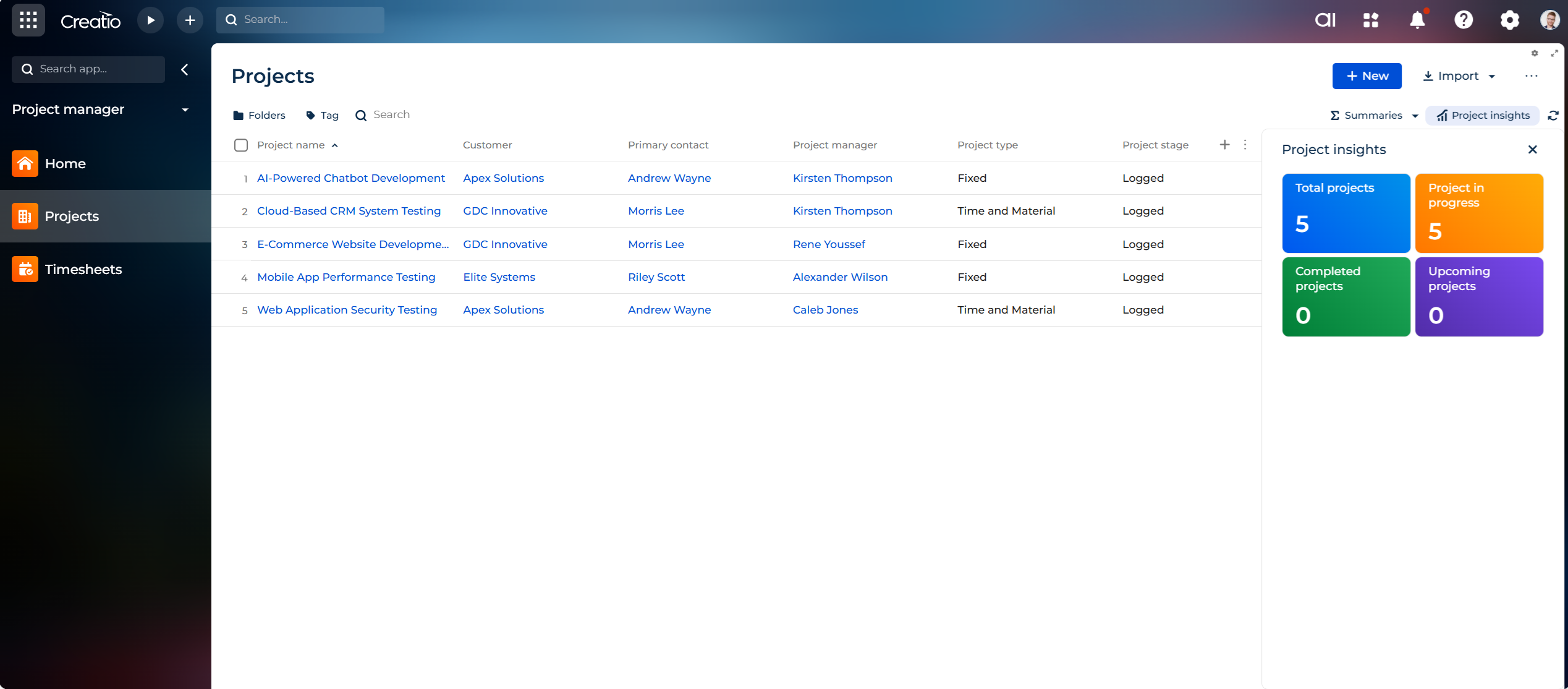
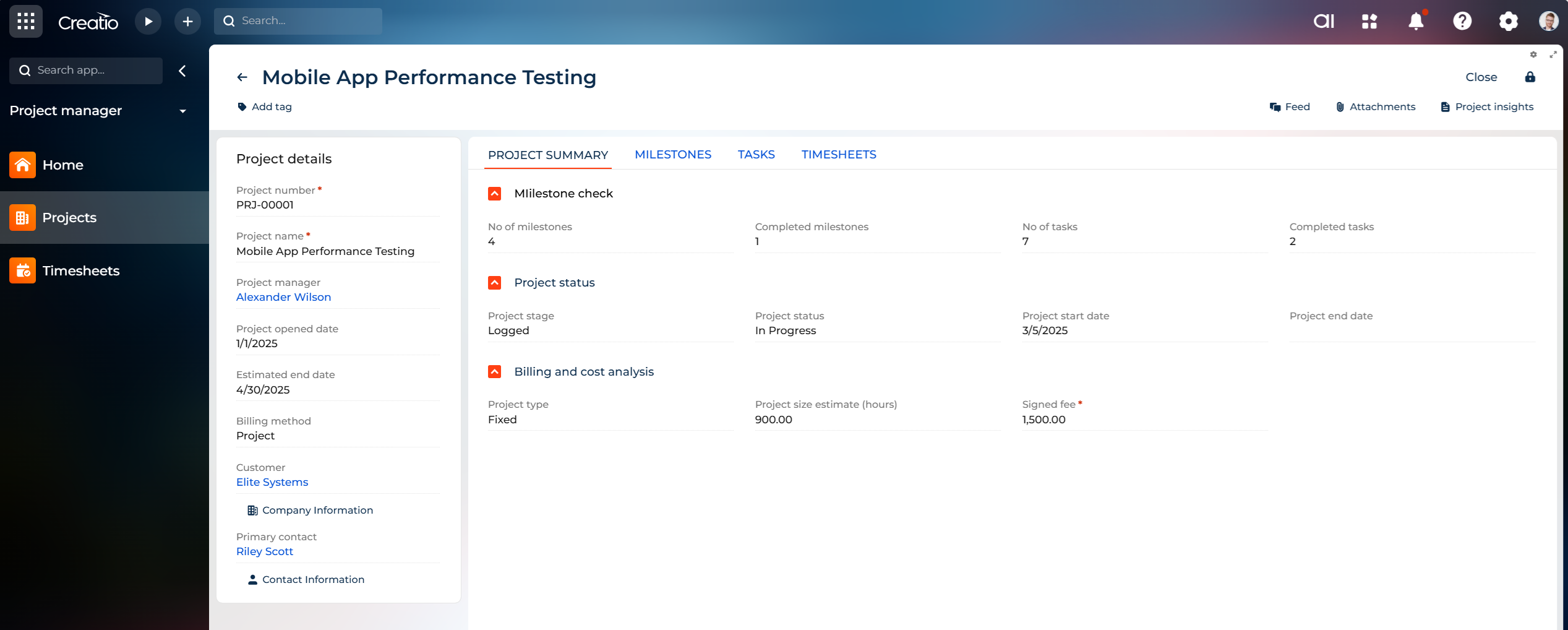
Project Manager for Creatio is a project management solution designed to help organizations manage their project-based work directly within the Creatio platform. It provides a centralized workspace for teams to organize their project activities, improve visibility into ongoing work, and maintain better control over project delivery.
The application is designed for project managers, delivery managers, team leads, resource managers, and organizations that manage multiple projects and teams. It helps address common project management challenges such as limited visibility into project progress, difficulty coordinating team activities, inefficient resource utilization, and the lack of a centralized view of project-related information.
By bringing project management processes into Creatio, the application helps teams maintain project information within their existing CRM environment and reduces the need to manage project activities across disconnected tools. This enables project stakeholders to have a consistent view of project execution and supports better coordination between teams.
This addon is particularly suitable for organizations that deliver projects, services, or client engagements and need a structured approach to managing project operations within their Creatio environment.
Key Features
Project Insights
Project Management
Pricing
Terms and Conditions
Support
Installation
Data sharing
- By installing or downloading the App, you confirm that you agree with sharing your account data (name, email, phone, company and country) with the App Developer as their End User.
- The App Developer will process your data under their privacy policy.
Versions
Versions history
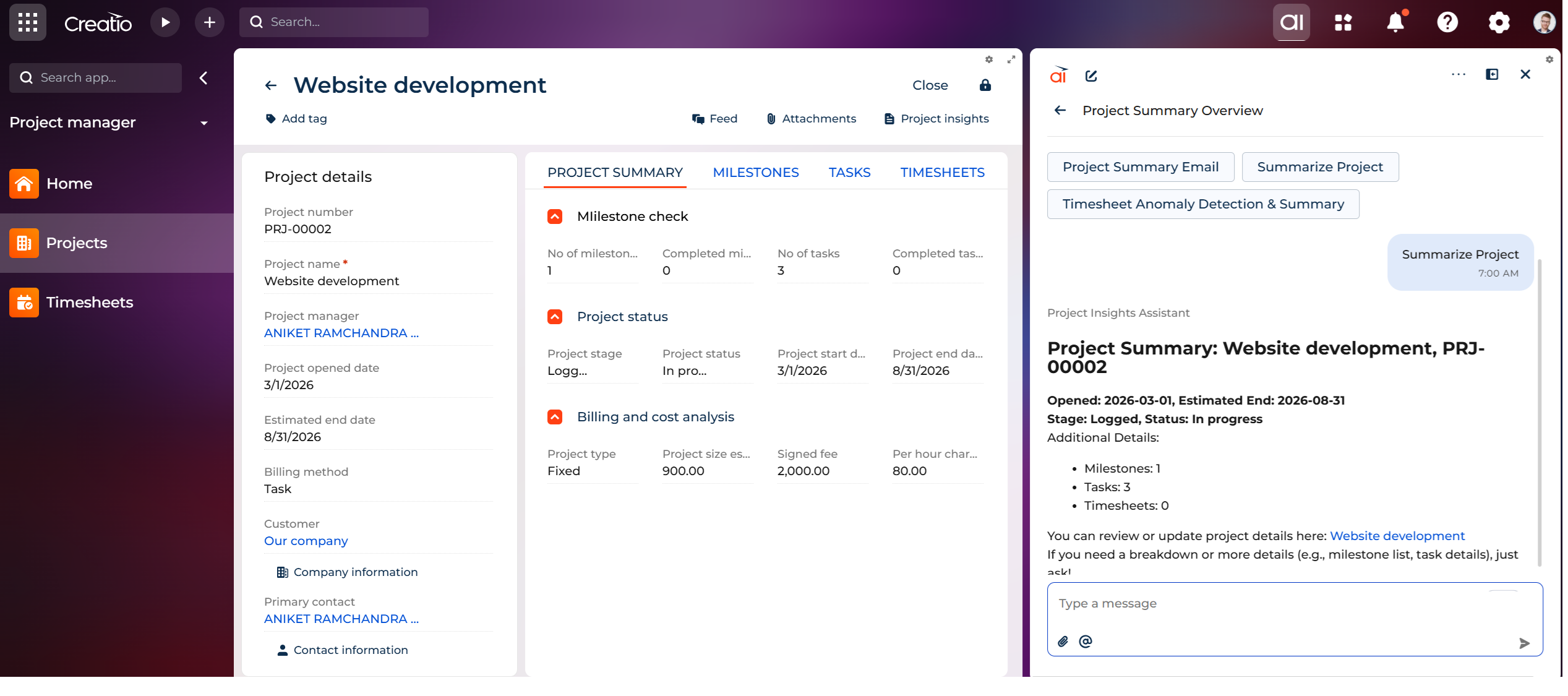
Added a new AI Agent "Project Insights Assistant" feature to help users:
- Summarize projects
- Generate project summary emails
- Create Projects, Milestones, Tasks, and Timesheets
- Detect Timesheet entries using AI
This update improves productivity and simplifies project management workflows.
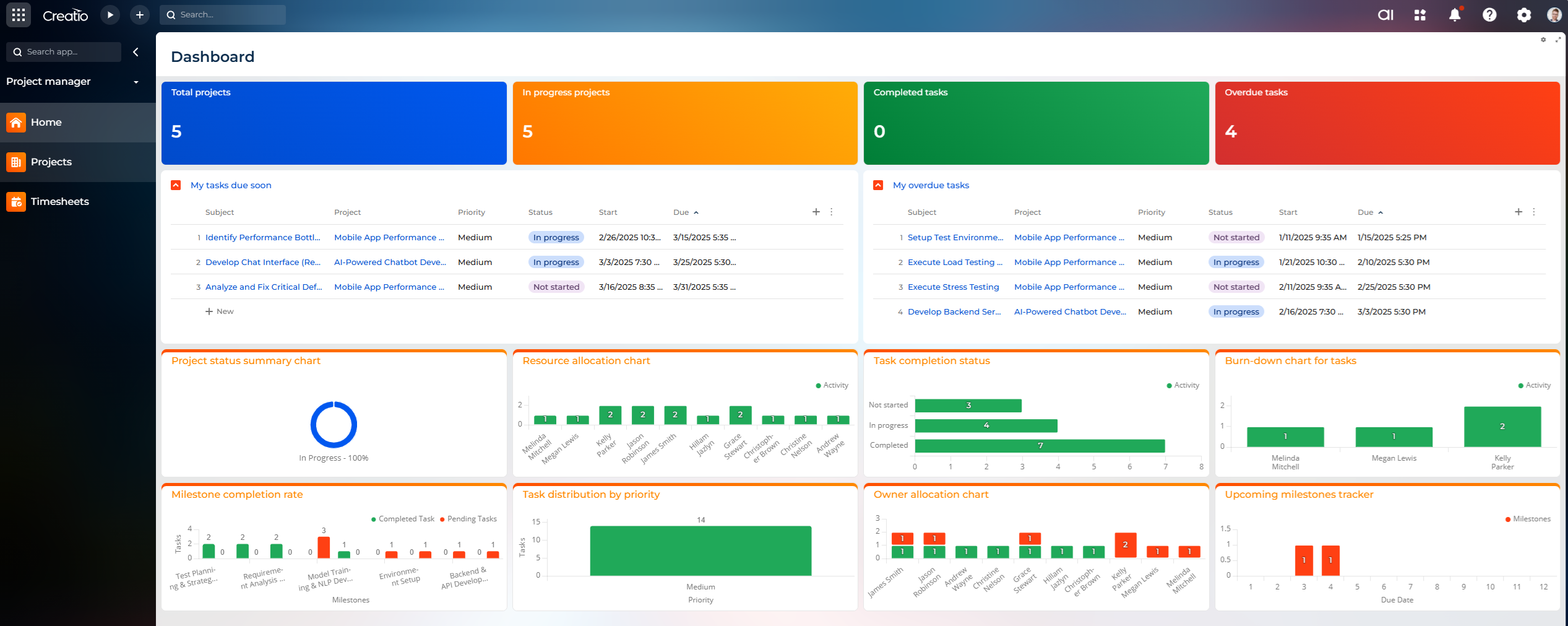
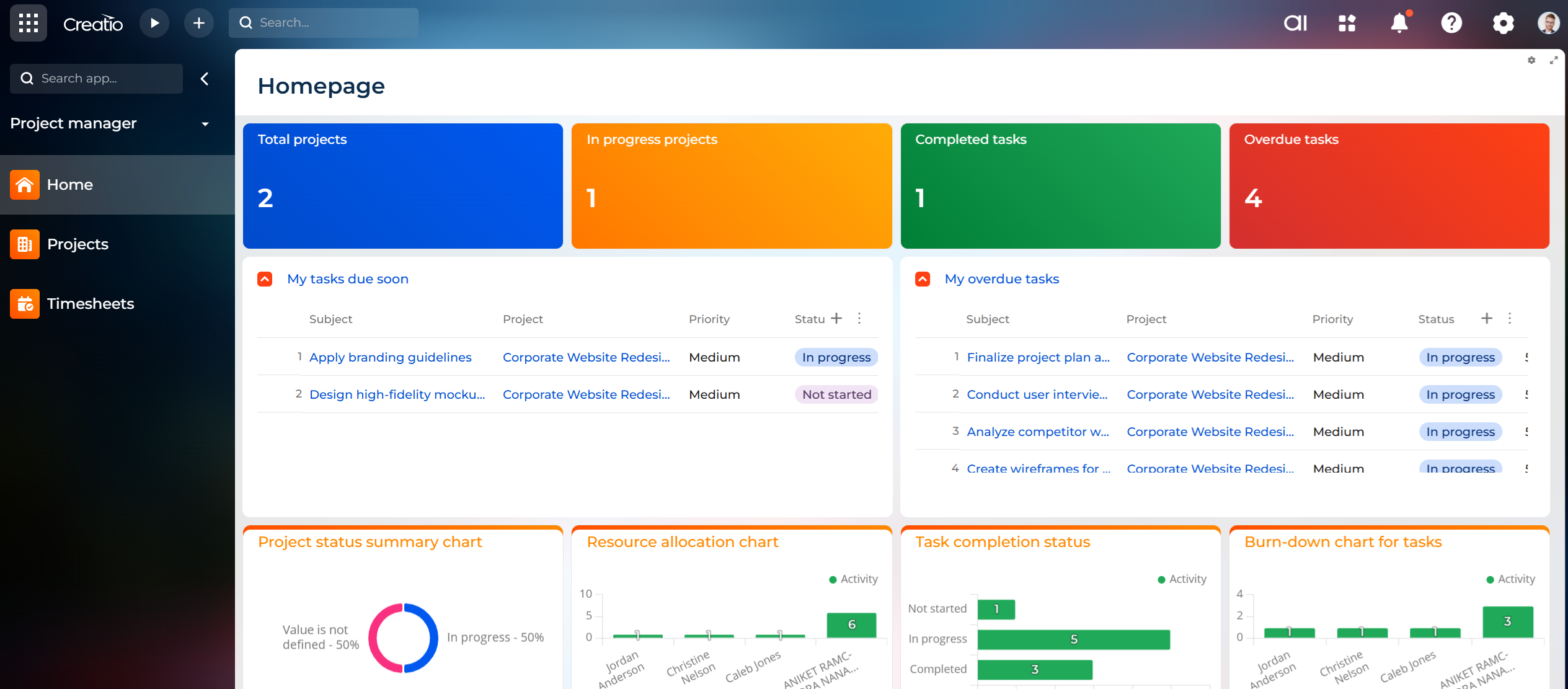
Introduction of Project Home Page: A centralized dashboard providing users with real-time insights into project and task statuses. Key features include dashboard summary tiles, task lists, and visual performance metrics such as project progress, resource allocation, and milestone tracking.
- Enhanced Project Management:
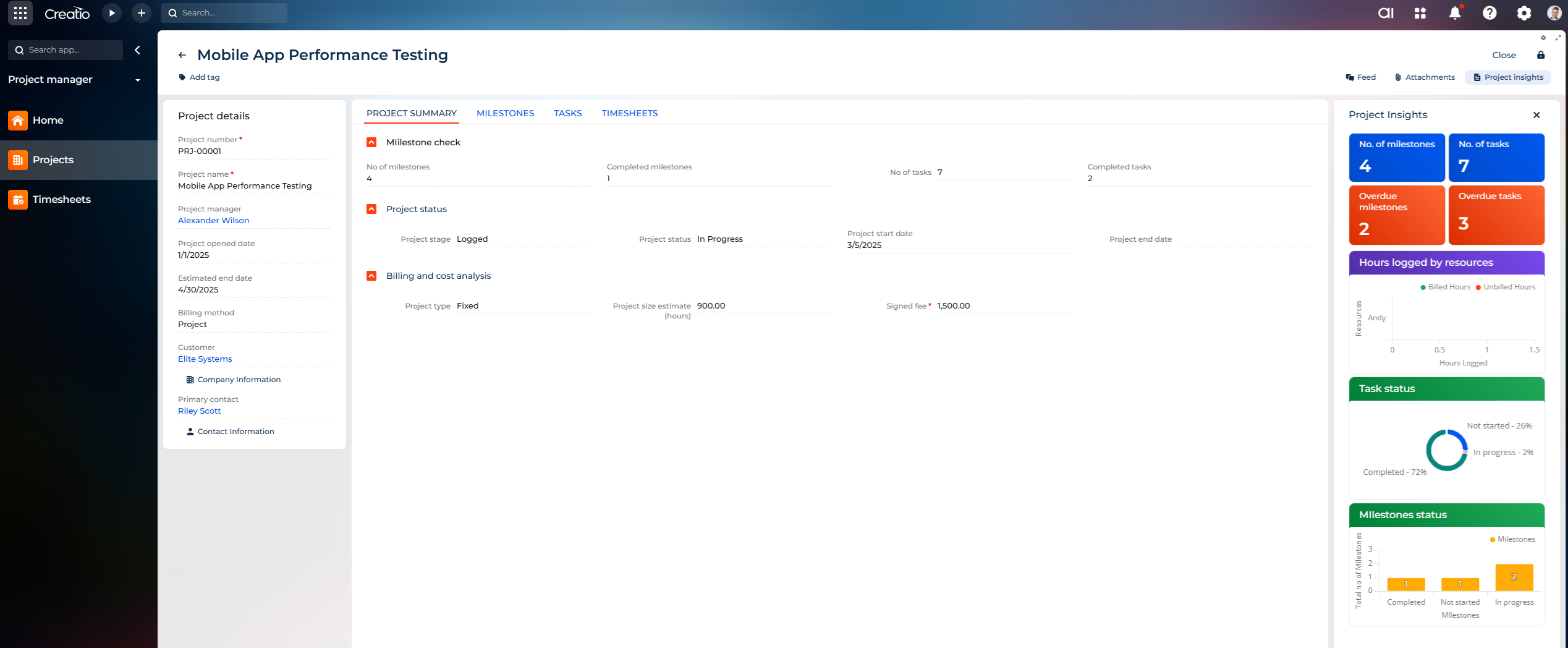
- Added project listing with filtering options, tag-based classification, and total project counters.
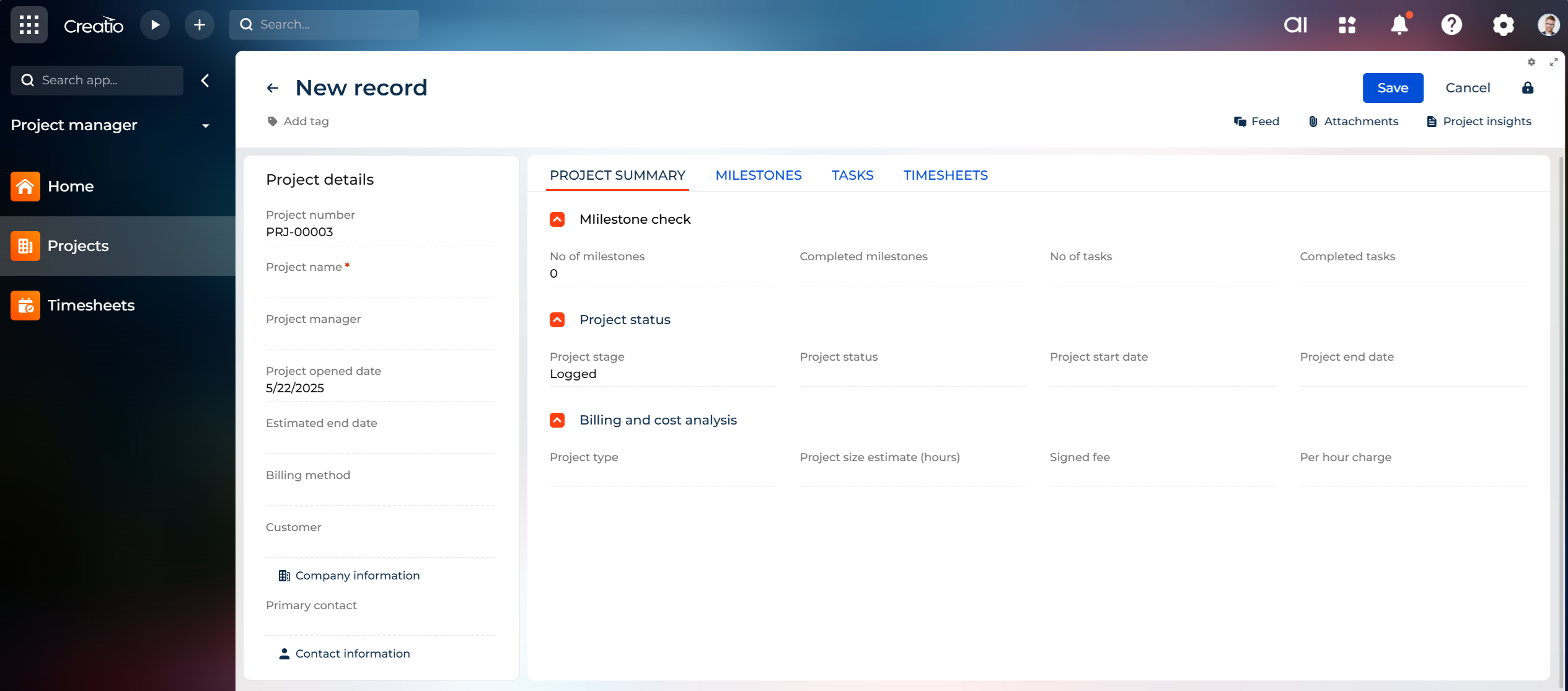
- Introduced a detailed project creation and management interface with sections for project details, milestones, tasks, and timesheets.
- Advanced Task Management:
- Task creation and tracking features with options for assigning tasks, setting due dates, and monitoring statuses.
- Flexible Timesheet Management:
- Timesheet entries now impact project timelines, ensuring accurate tracking of resource performance.
- Workflow and Escalation Enhancements:
- Automatic email notifications for overdue tasks and projects.
- Workflow restrictions to prevent advancing projects with overdue tasks, ensuring accountability.
Manual app installation
- Open the needed app → the Packages tab - download the Markeplace app files.
- Click in the top right → Application Hub
- Click New application. This opens a window.
- Select Install from file and click Select in the window that opens.
- Click Select file on the page of the Marketplace App Installation Wizard and specify the app file path.
Compatibility notes