


Sales Account Plans for Creatio
Sales Account Planning application offers a centralized, data-driven workspace that helps sales teams manage goals, revenue, opportunities, and progress in one clear view.
Overview
Product overview
Product description
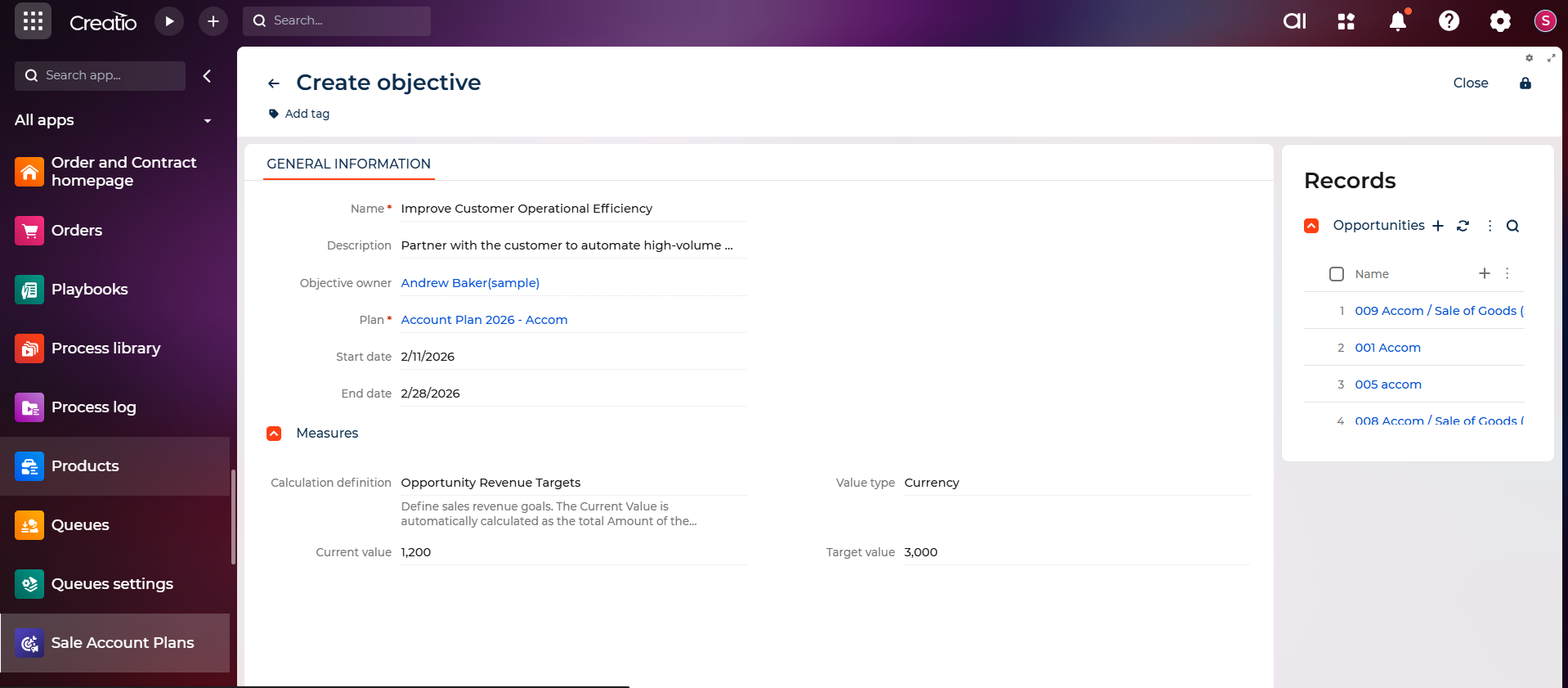
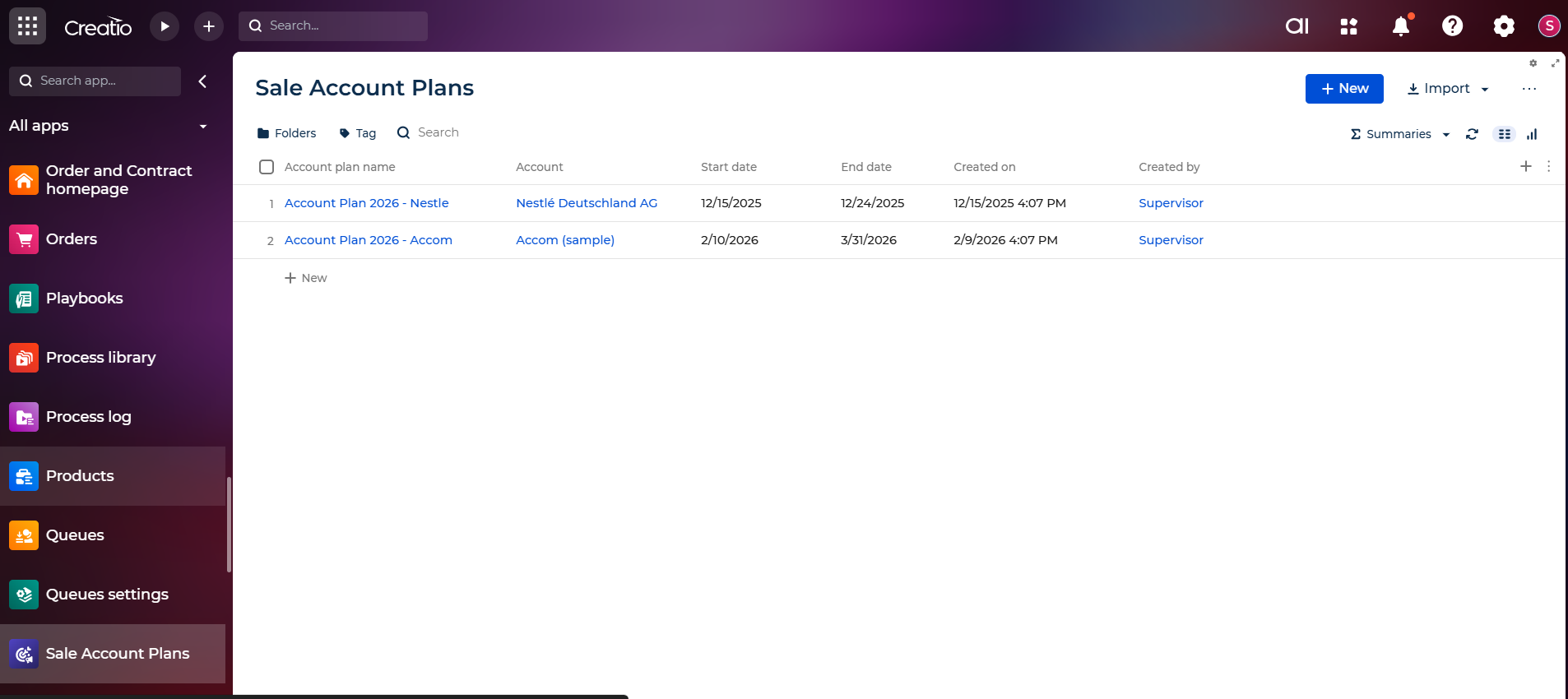
The Sales Account Plan application provides a centralized workspace for building and tracking strategic plans for key customer accounts.
Use Case: An account manager uses the app to create an account plan, analyze the customer, review opportunities, define objectives and KPIs, and monitor performance. As a result, they maintain a complete, data-driven account plan that supports better decisions, progress tracking, and long-term account growth.
Key Features
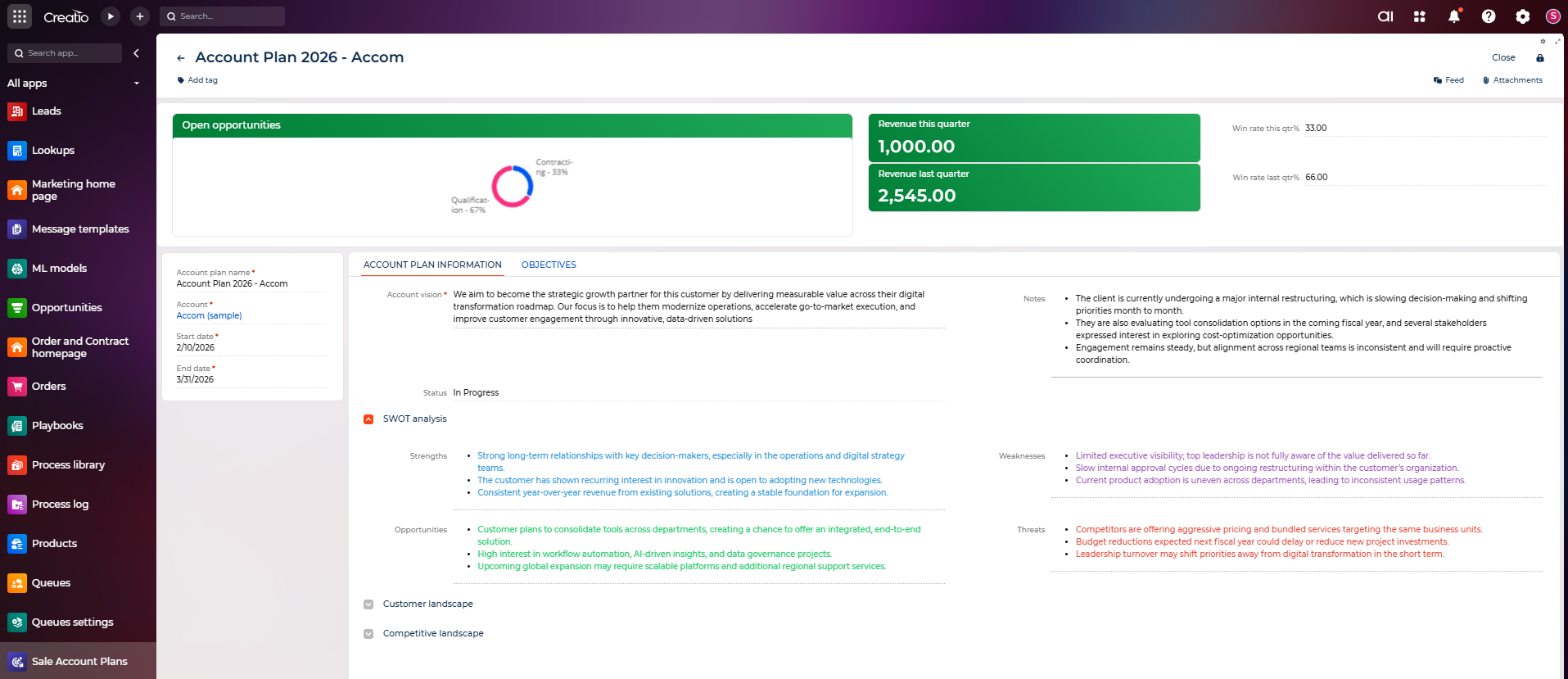
Complete Strategic Account Planning Workspace
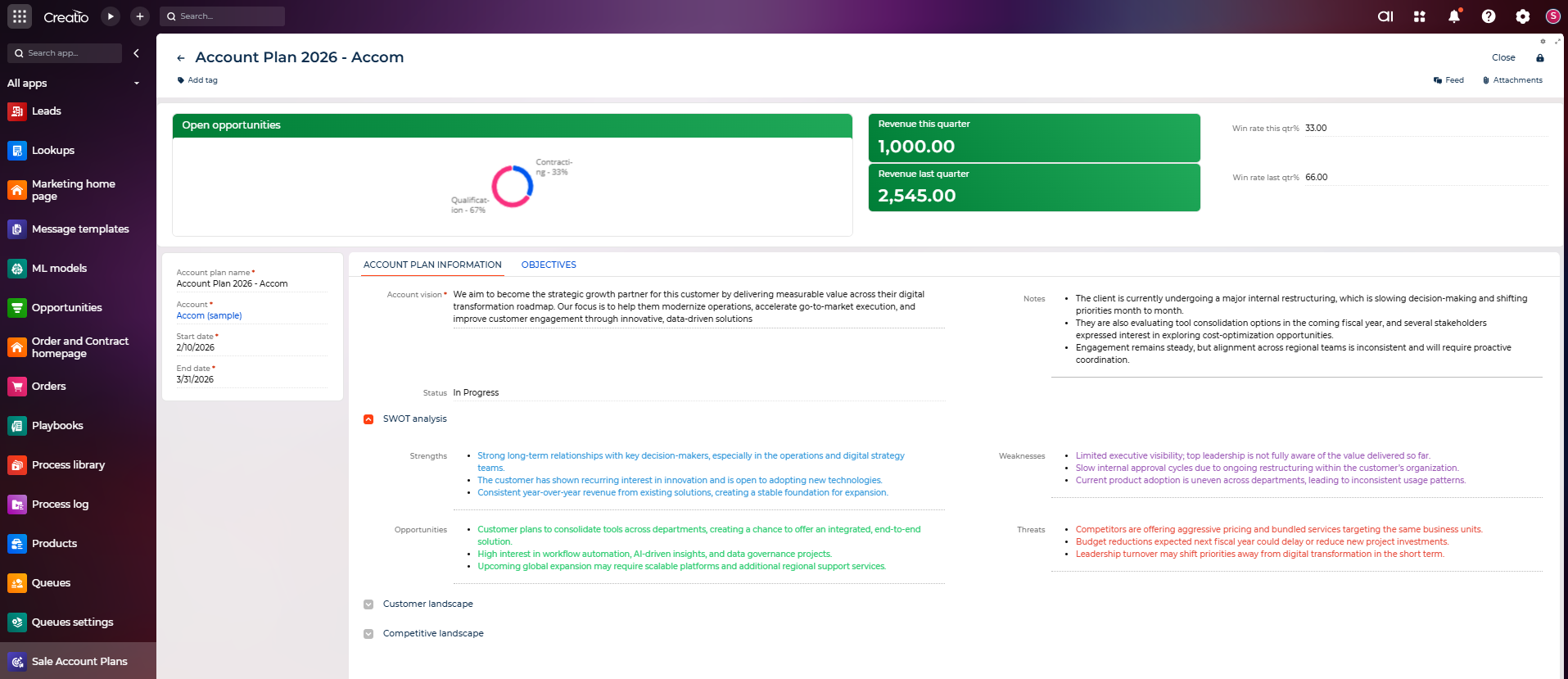
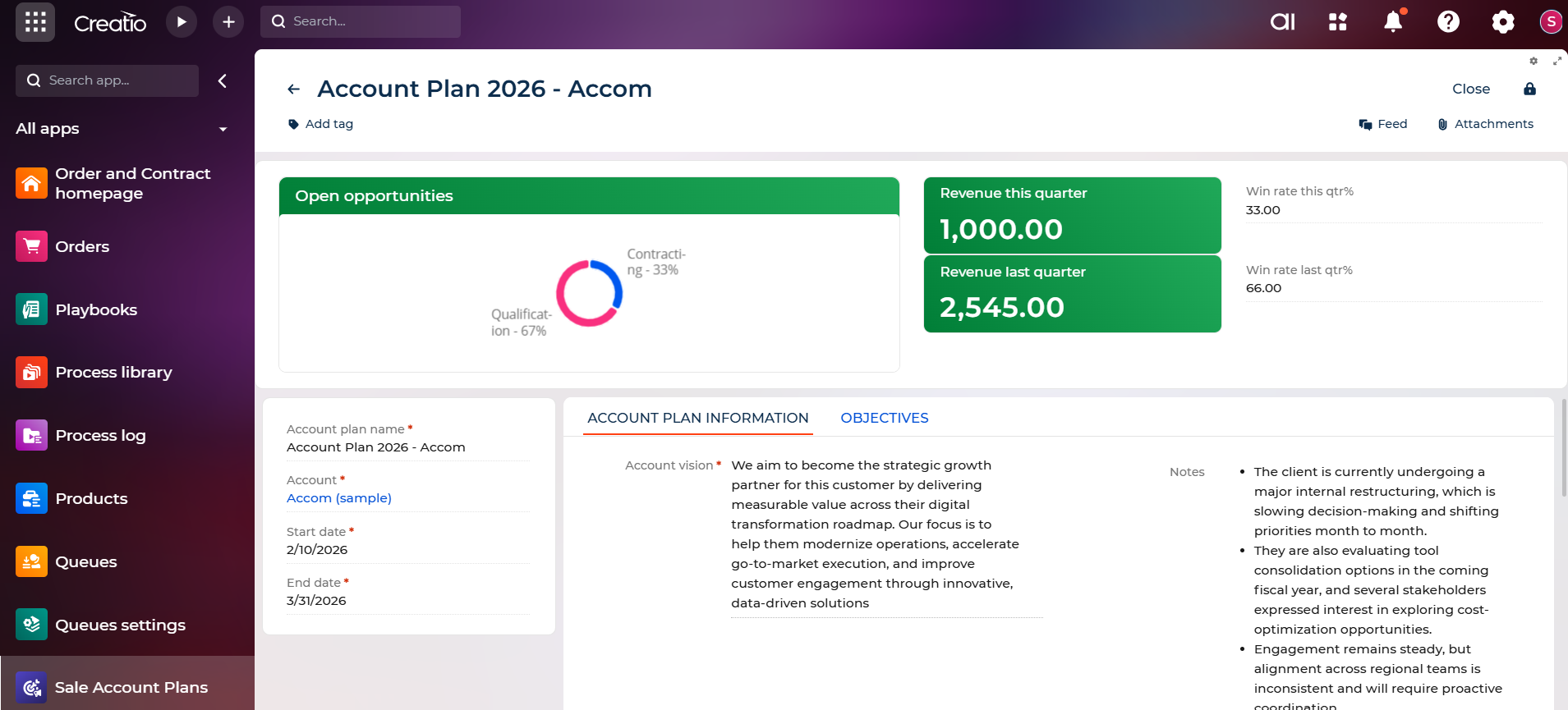
A structured page for each account where users can define account vision, strategic notes, start & end dates, and plan status. And dedicated fields that will allow users to capture: Strengths, Weaknesses, Opportunities, and Threats.
This creates a single source for all account-related strategic information and builds a clear strategic assessment of the customer.
Automated KPI Dashboard
The app automatically calculates and displays the revenue of current and previous quarters and the win rate of current and previous. And a visual donut or pie chart shows: Open opportunities, Stage distribution (e.g., Qualification, Contracting)
Objectives Management
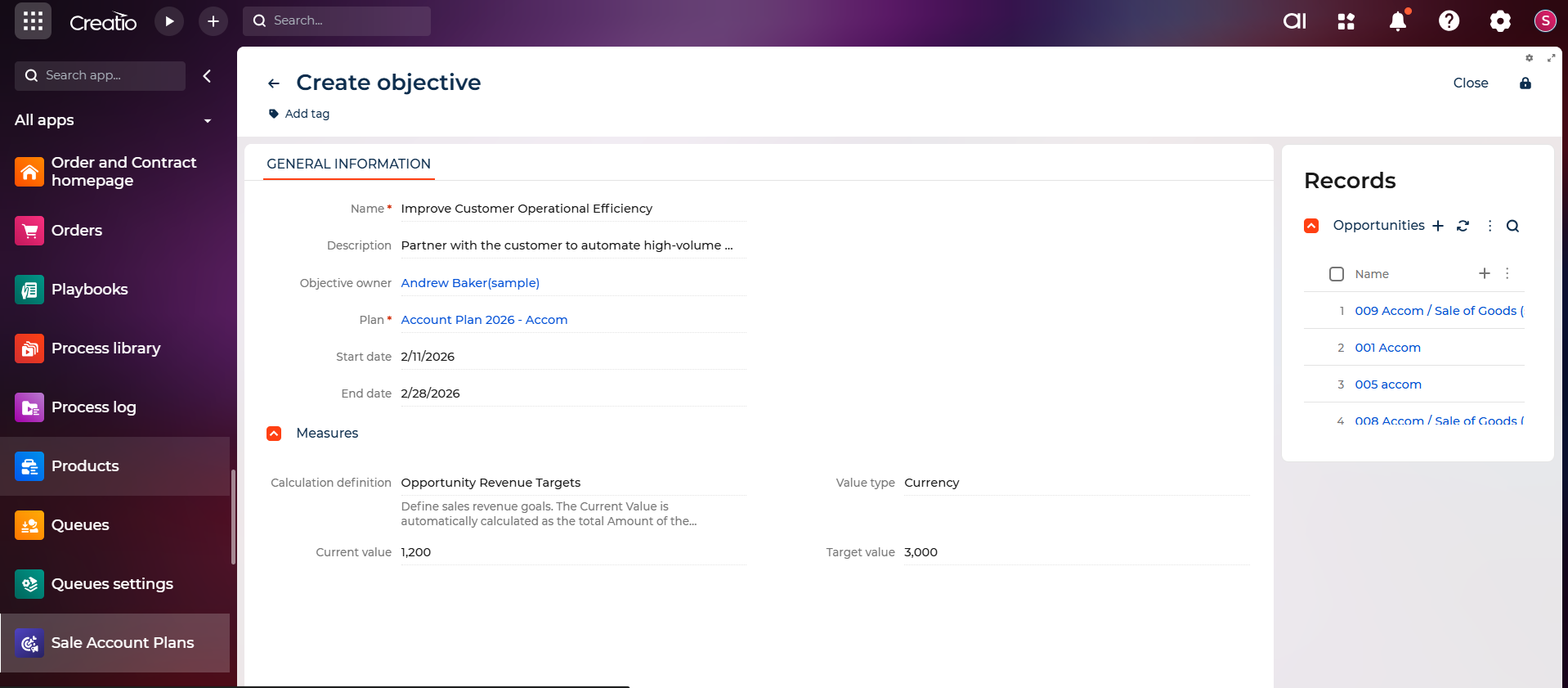
Users can add strategic objectives for the account, which ensures alignment on measurable goals for each account.
Pricing
Monthly
Annual
Standard
Free
Terms and Conditions
By installing this product you agree to terms and conditions outlined in the license agreement.
Support
Support is available for this application
To keep this listing free of charge, support is provided only by email.
Installation
Data sharing
- By installing or downloading the App, you confirm that you agree with sharing your account data (name, email, phone, company and country) with the App Developer as their End User.
- The App Developer will process your data under their privacy policy.
Versions
Versions history
Version
Compatibility
Release date
1.0.0
8.3.1 and up
Release summary
The Sales Account Plan app introduces a structured workspace for planning, tracking, and analyzing key accounts. It automatically calculates revenue, win rates, and objective metrics in real time. This gives teams clearer visibility, smarter insights, and a more consistent planning process.
Manual app installation
- Open the needed app → the Packages tab - download the Markeplace app files.
- Click in the top right → Application Hub
- Click New application. This opens a window.
- Select Install from file and click Select in the window that opens.
- Click Select file on the page of the Marketplace App Installation Wizard and specify the app file path.