


Syntech Real Estate for Creatio
Syntech Real Estate for Creatio is a composable application for the Creatio platform that gives real-estate developers a unified workspace to manage their entire sales inventory.
Overview
Product overview
Product description
Syntech Real Estate for Creatio is a composable application for the Creatio platform that provides real estate developers with a unified workspace to manage the entire property lifecycle — from project and building structures to individual units, reservations, customers, and sales processes.
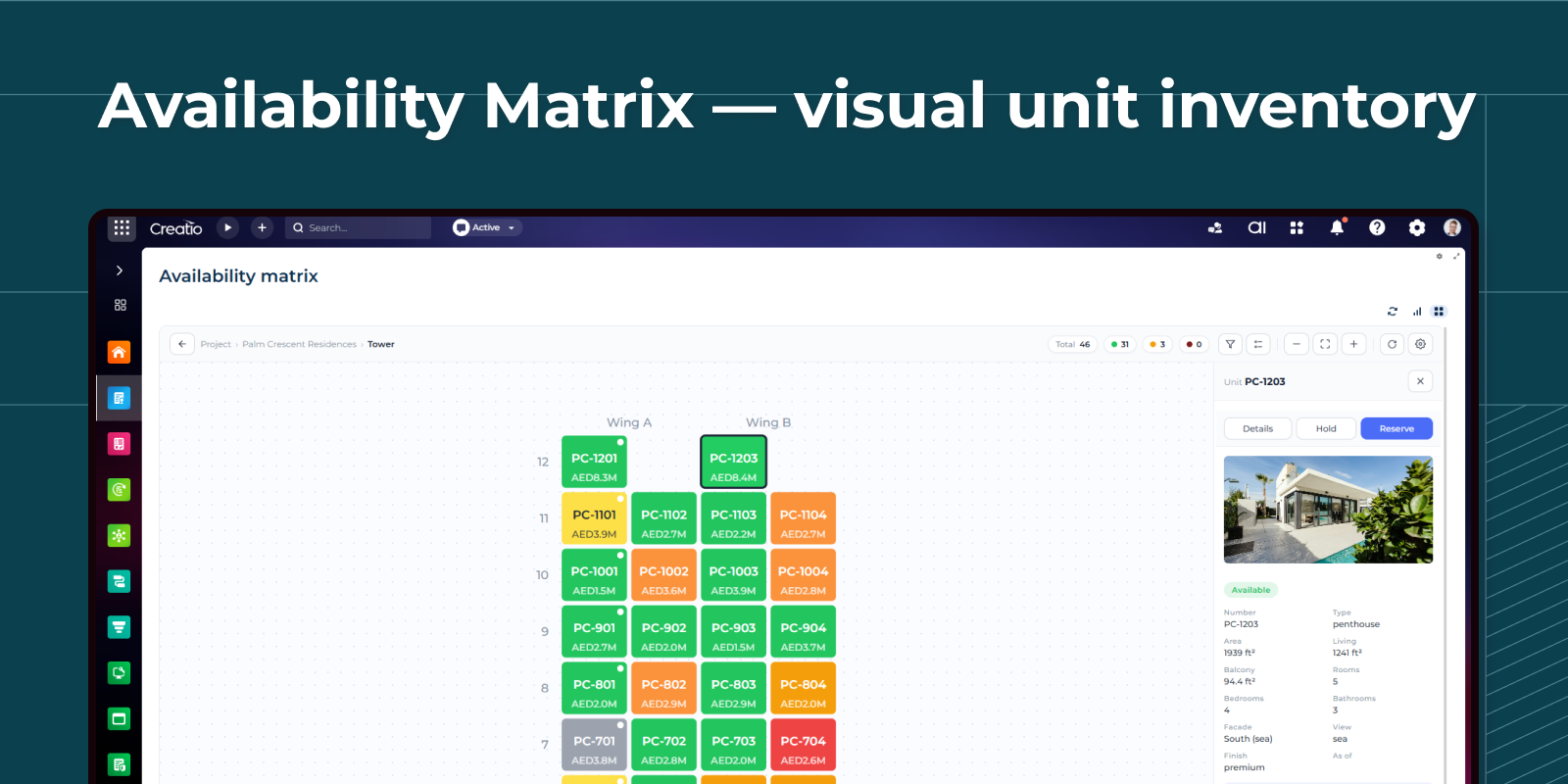
Availability Matrix visualization is available through the separate Syntech Availability Matrix for Creatio application, which can be integrated with Syntech Real Estate to provide an interactive visual representation of buildings, floors, and unit availability.
Key Features
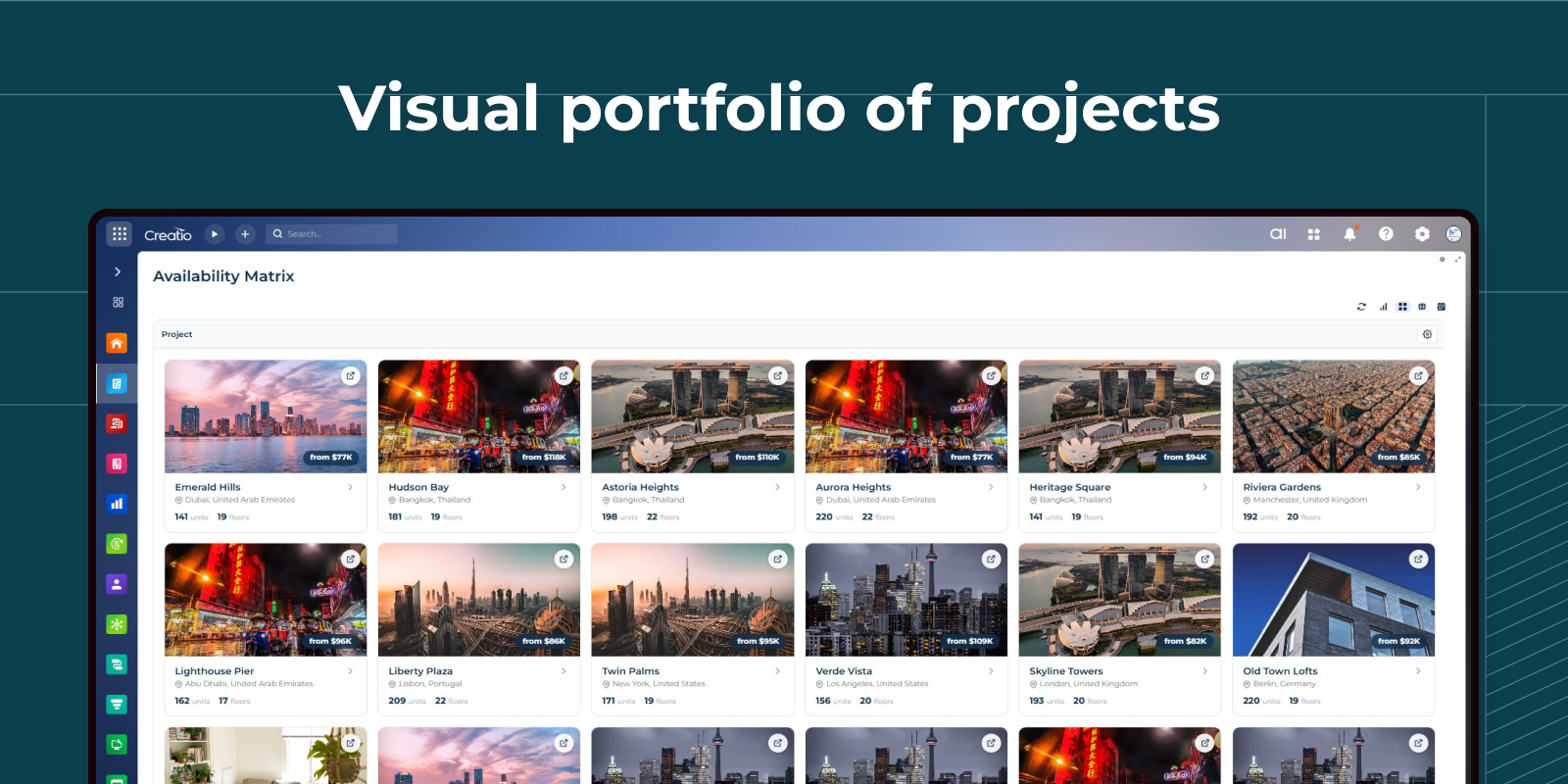
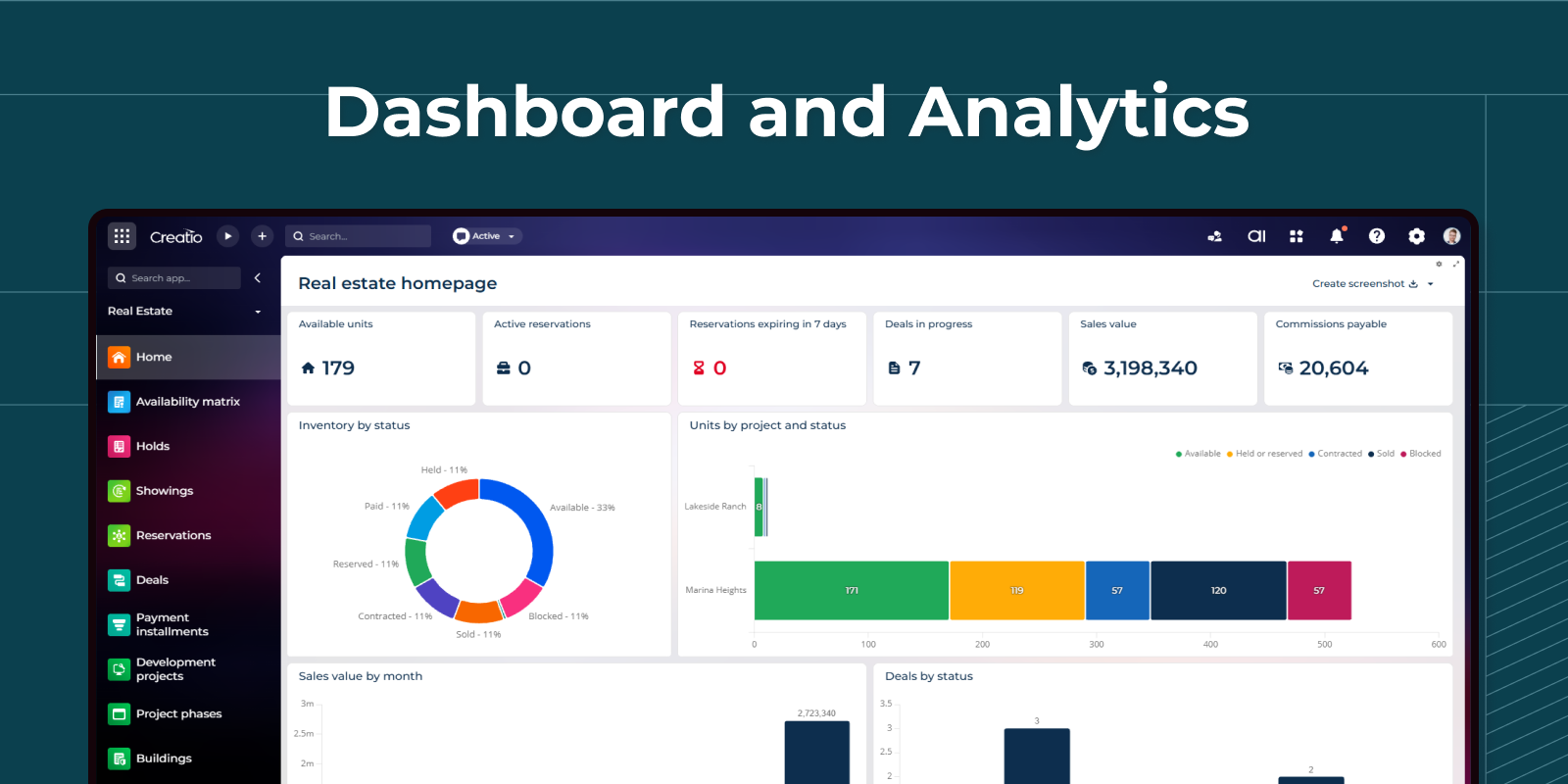
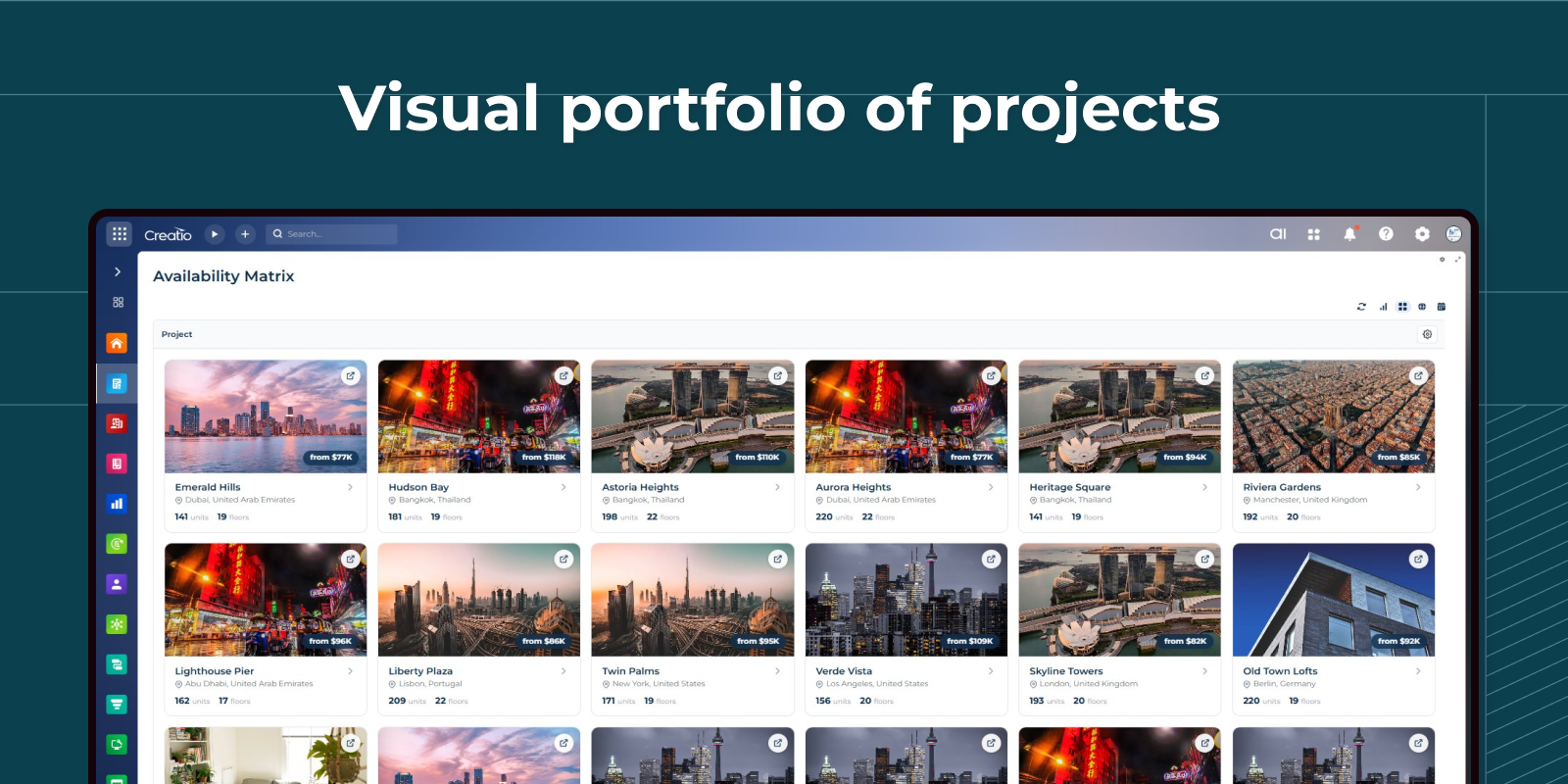
Project catalog — your portfolio at a glance
Every project, every tower, every available unit at one glance. Phase, location, count of homes and floors, and the cheapest available price are right on the cover — so brokers always lead with the most compelling offer and managers spot stalled projects instantly.
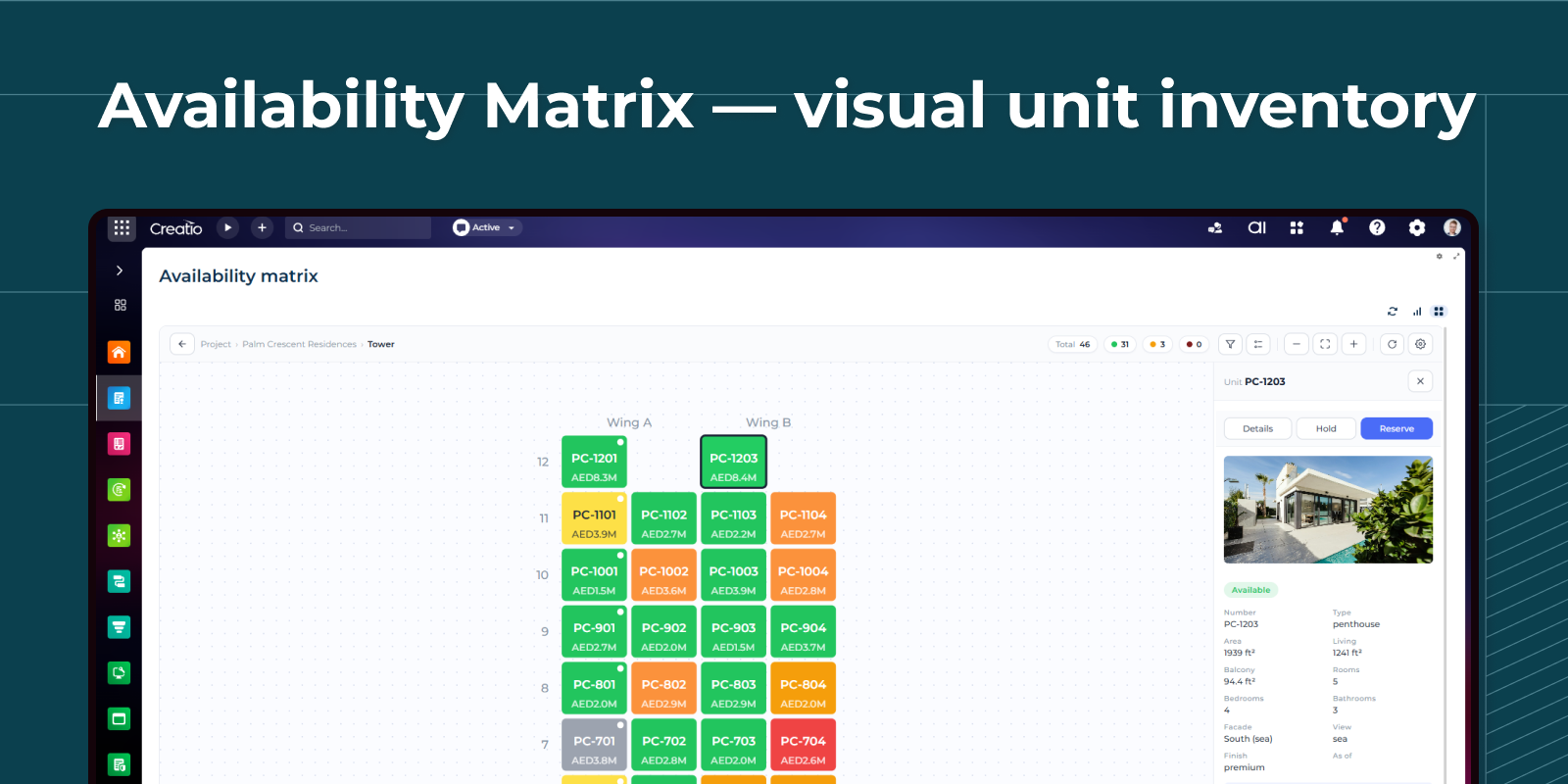
The grid your buyers have been asking for
A visual map of the building where every apartment is a colored cell — green means available, blue means reserved, gray means sold. Buyers point, ask, decide. Brokers filter by price, area, or view category and instantly highlight the matching apartments. This visual component is available via the separate Syntech Availability Matrix for Creatio app.
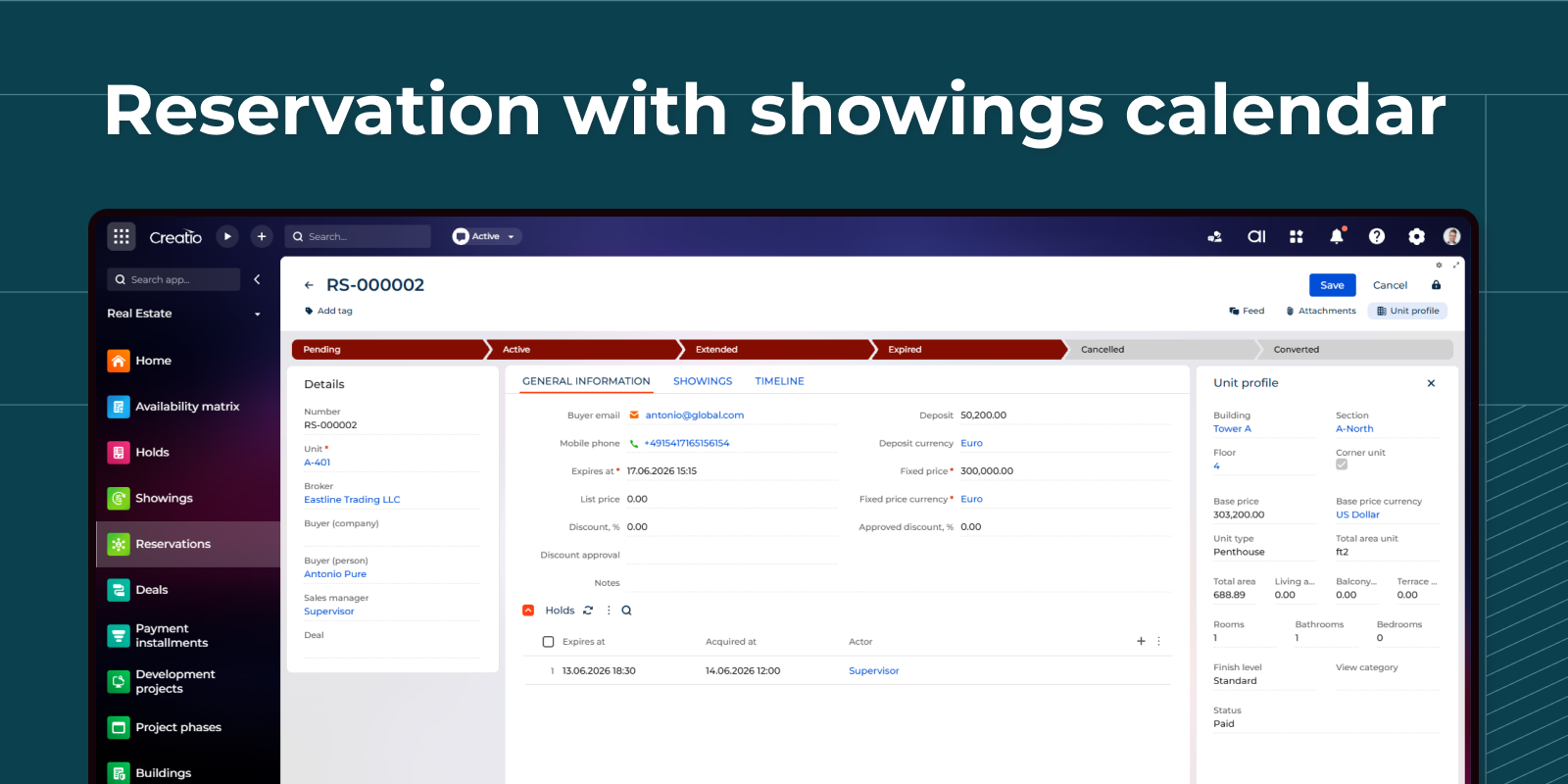
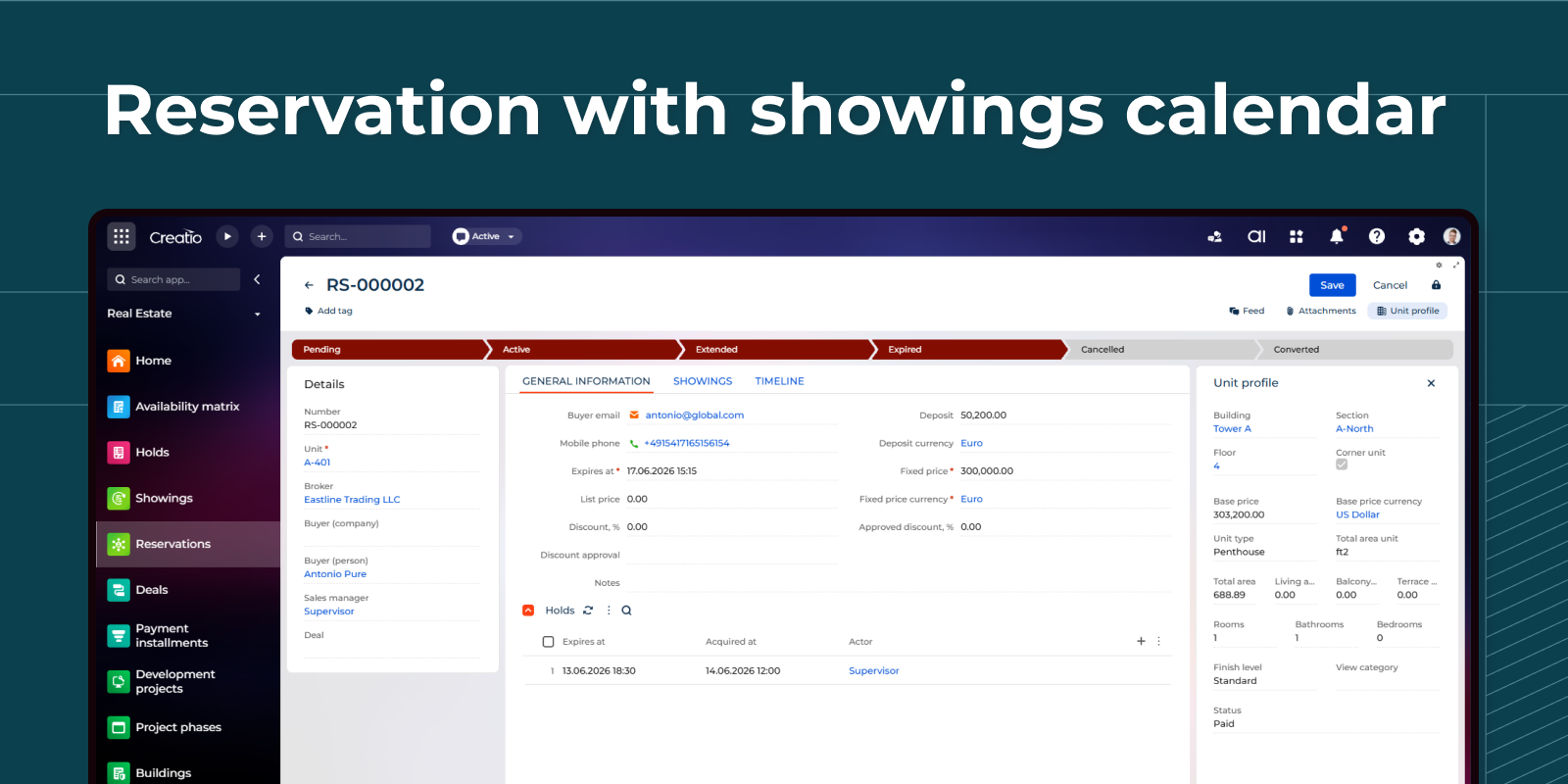
Never lose a hot lead between visits
Every reservation is a single page that holds the unit, the buyer, the broker, the assigned sales manager, and the related deal.
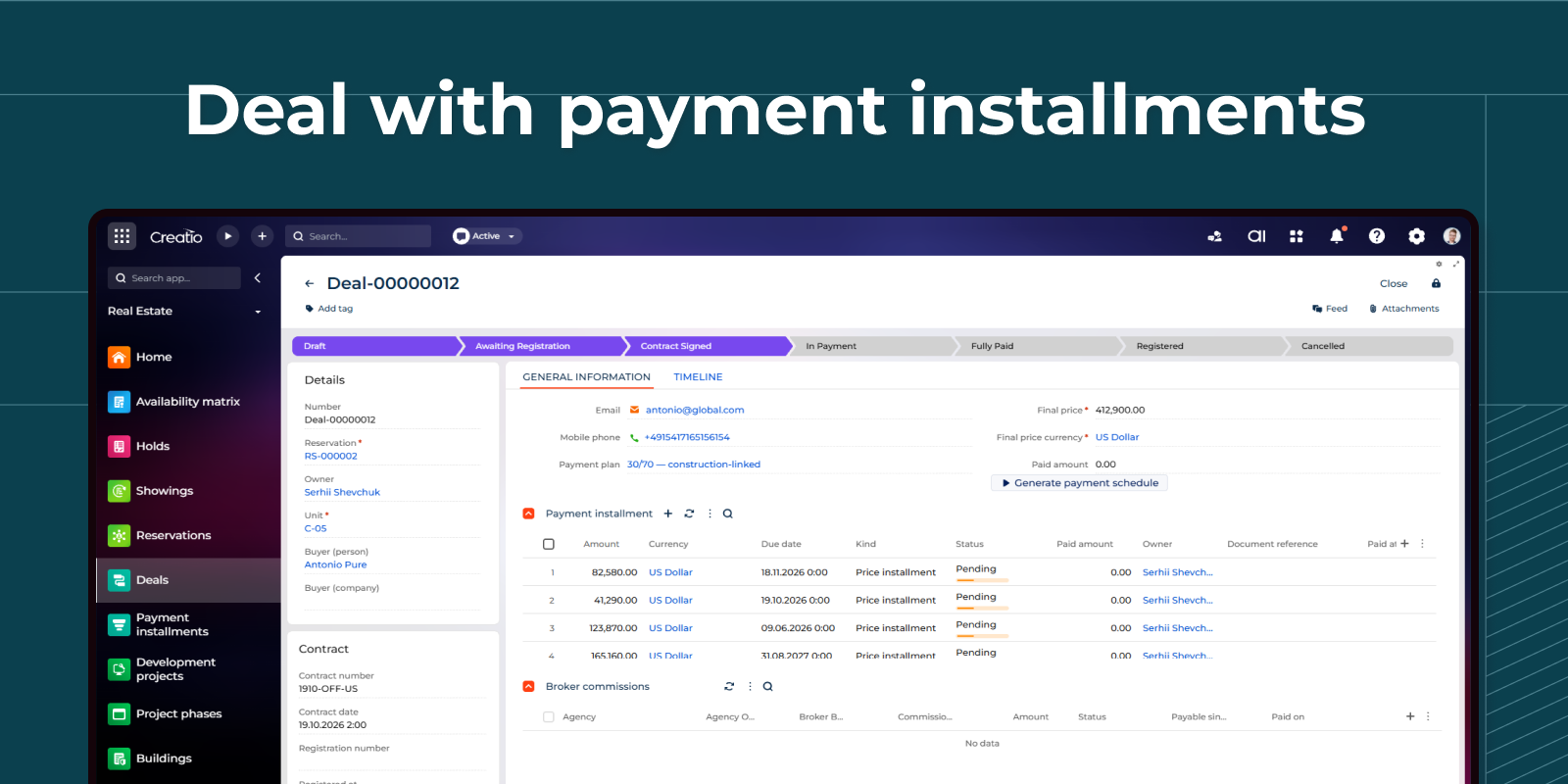
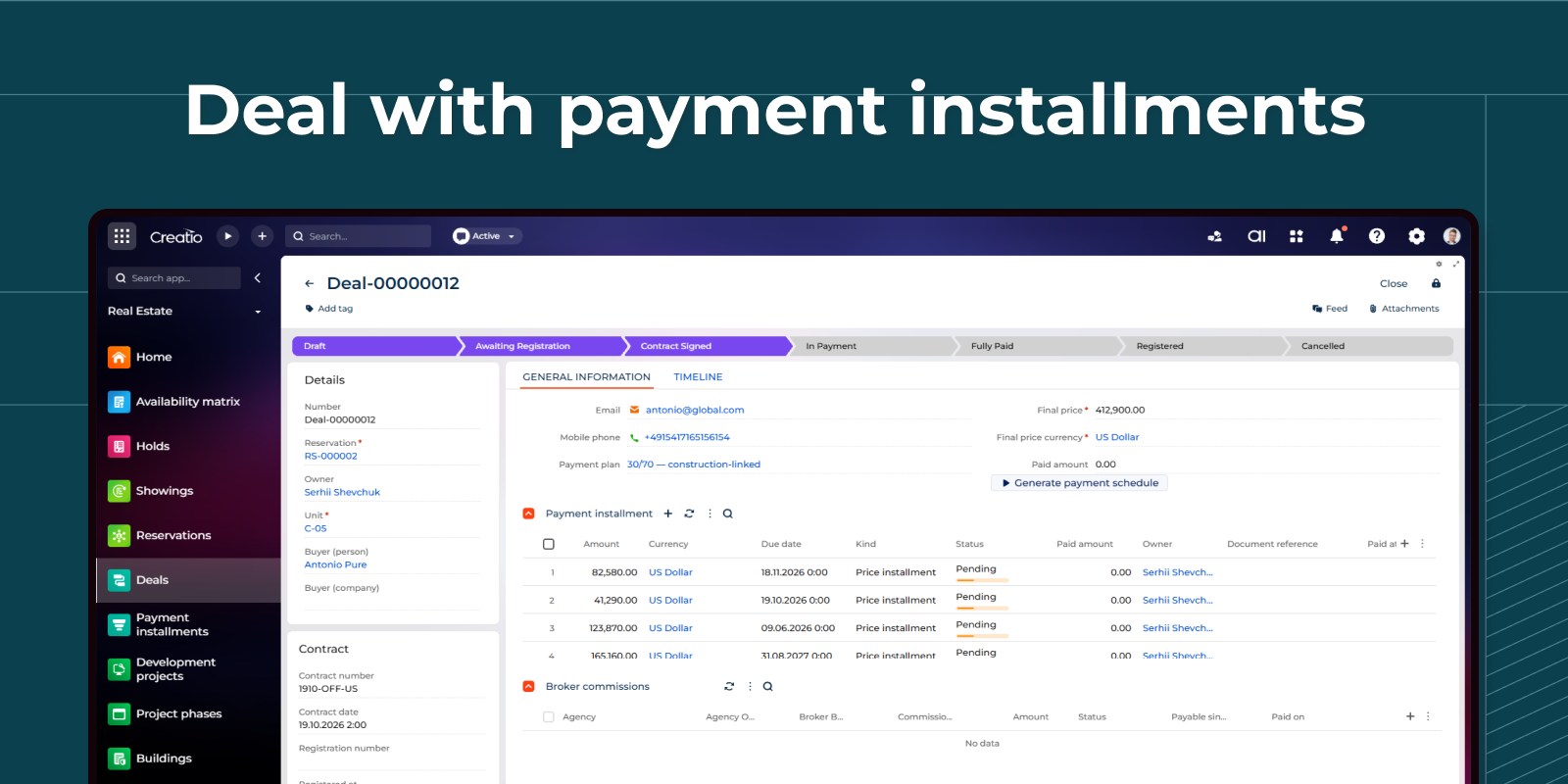
Contract and payment plan in one record
The deal card combines the contract, the buyer, the final price, and the installment schedule on one screen.
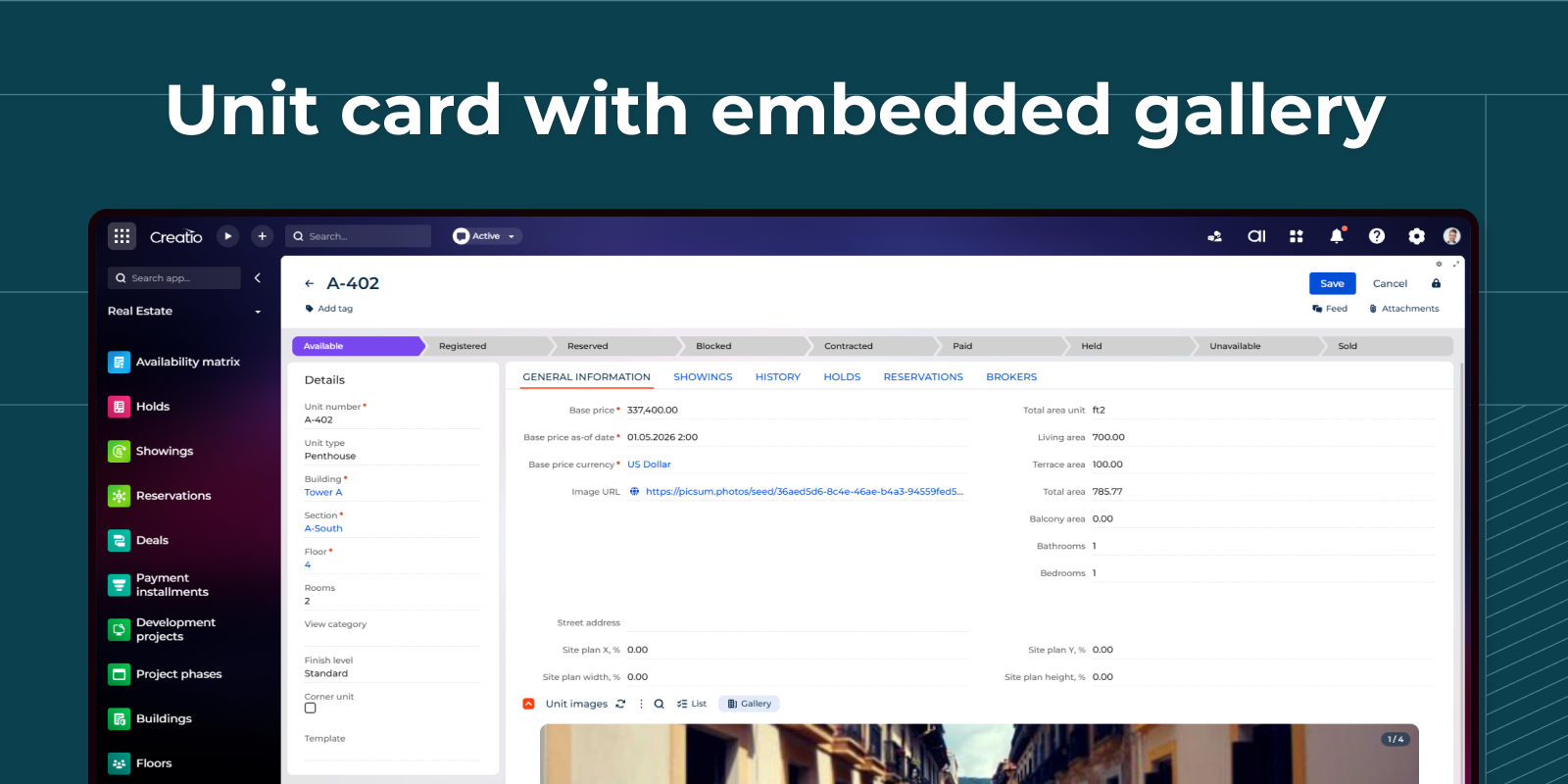
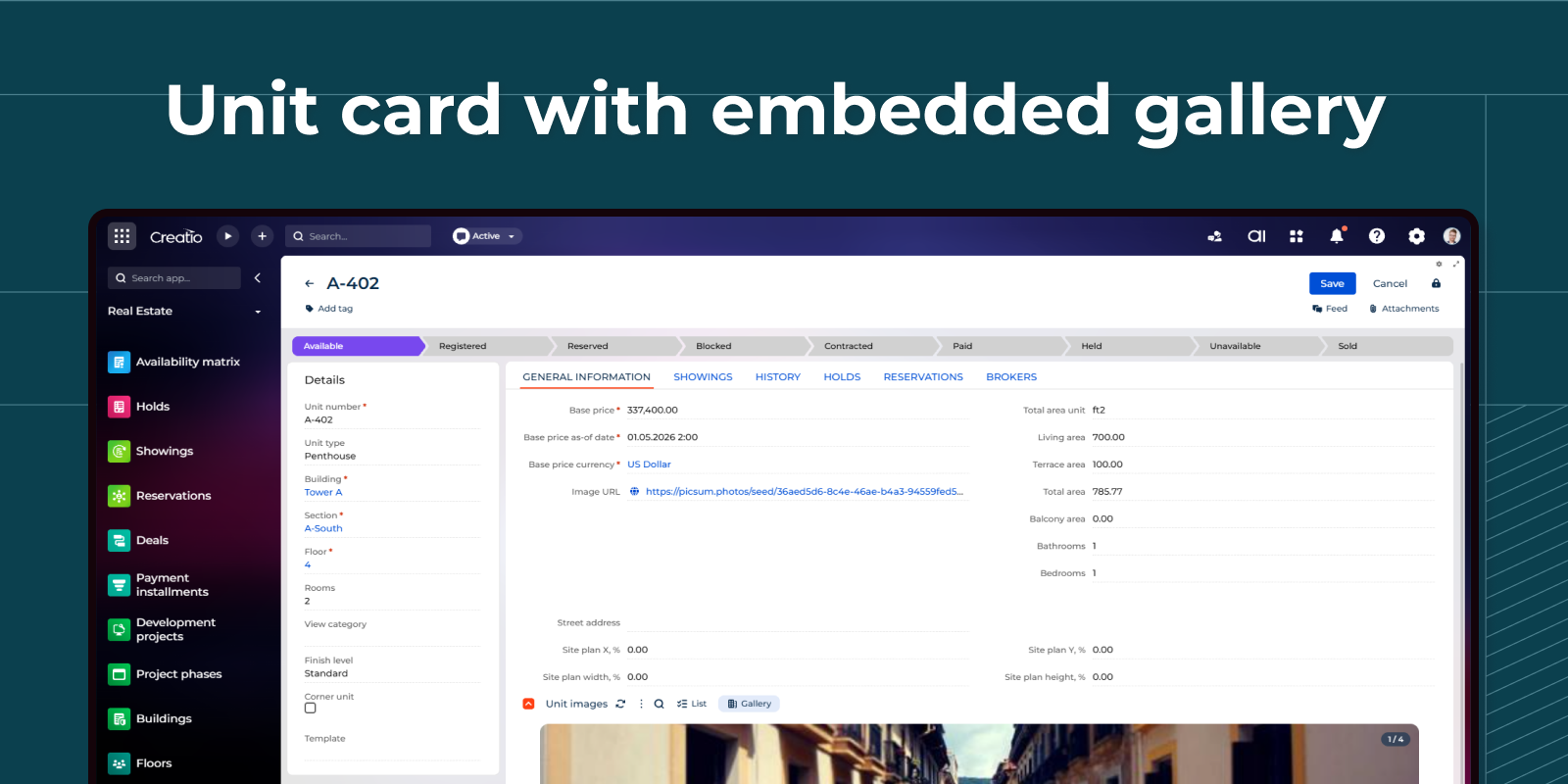
Unit card with full metadata and photo gallery
Open any apartment and the unit card shows the entire record: address, full areas, finish level, view category, and the corner flag. An embedded photo gallery with captions per room sits inside the same page.
Pricing
Monthly
Annual
Standard
$
150.00 / month
billed annually
A paid subscription to Syntech Availability Matrix for Creatio is required.
Terms and Conditions
By installing this product you agree to terms and conditions outlined in the license agreement.
Support
Support is available for this application
Support is provided by the developer within the “Basic”, “Business” and “Premium“ packages. Detailed information about the support packages and the support terms can be found on the Creatio website.
Installation
Resources
Data sharing
- By installing or downloading the App, you confirm that you agree with sharing your account data (name, email, phone, company and country) with the App Developer as their End User.
- The App Developer will process your data under their privacy policy.
Versions
Versions history
Version
Compatibility
Release date
1.1.0
8.3.0 and up
1.0.1
8.3.0 and up
Release summary
Initial release of Syntech Real Estate for Creatio, a comprehensive solution for managing real estate projects, properties, units, customers, reservations, and sales processes within Creatio. The release includes visual inventory management, project structure management, unit availability tracking, and real estate sales automation. It also provides interactive views such as Availability matrix view for intuitive visualization of buildings, floors, and units, helping sales teams manage inventory more efficiently and improve customer engagement.
Manual app installation
- Open the needed app → the Packages tab - download the Markeplace app files.
- Click in the top right → Application Hub
- Click New application. This opens a window.
- Select Install from file and click Select in the window that opens.
- Click Select file on the page of the Marketplace App Installation Wizard and specify the app file path.